Overview

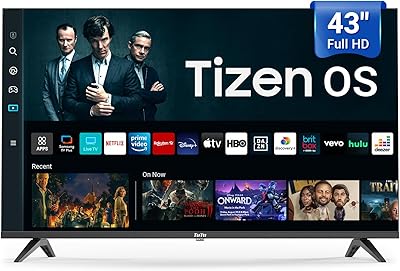
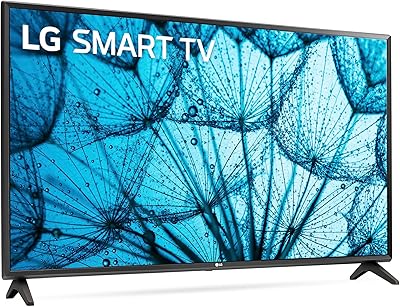
The TuTu 32Q1 32-Inch Tizen Smart TV is a compact, budget-conscious set that punches above its weight by running Samsung's Tizen OS — an operating system you would normally find on TVs costing considerably more. Before anything else, know this: a Samsung account is required to activate it out of the box. If you do not have one, setup stalls completely, so it is worth creating one before the TV even arrives. Beyond that friction point, this small smart TV is genuinely versatile — slim enough to wall-mount without dominating a room, light enough to reposition easily, and capable of connecting to a laptop or console via HDMI as a dual-purpose display.

Features & Benefits

The 1080p FHD panel is a meaningful step up from the 720p screens still common at this price — text looks crisper, streaming content holds more detail, and HDR support adds a bit of extra pop to brighter scenes. Tizen OS handles the smart side well, loading Netflix, YouTube, Disney+, and Samsung TV Plus without needing an external stick. Dolby Audio helps the built-in speakers perform better than you would expect for the size, though a soundbar still makes a noticeable difference. The included voice remote is a genuinely useful addition, and Bluetooth pairing opens the door to wireless headphones or keyboards — handy when the 32-inch Tizen set doubles as a PC monitor.

Best For

This budget streaming TV is a strong fit for college students or anyone furnishing a small bedroom, studio, or dorm where a 32-inch footprint is just right. Cord-cutters will appreciate how quickly Tizen OS connects to their usual streaming apps without relying on an external device. It also works as a reasonable secondary monitor for a home office or bedroom desk, particularly for users already comfortable with the Samsung ecosystem. That said, if picture accuracy for gaming or cinematic content is your priority, there are more capable panels available at a step up in price. This is a solid pick for anyone who wants reliable smart features in a compact, easy-to-place display.

User Feedback

Buyers tend to split on the Samsung account requirement — those already in the Samsung ecosystem barely notice it, while others find it an unwelcome hurdle before even watching anything. Picture quality earns moderate praise for the price tier, though some users note brightness falls short in well-lit rooms. Wi-Fi connectivity is generally rated as stable, but a handful of buyers mention slower app load times compared to dedicated streaming sticks. The stand assembly draws occasional criticism for feeling lightweight, and a few users flag remote lag as a minor recurring annoyance. On the monitor side, input lag is considered acceptable for everyday computer work, though not for competitive gaming.

Pros

  • Tizen OS is a rare and genuinely useful inclusion at this price point, eliminating the need for a streaming stick.
  • The 1080p FHD resolution is a real upgrade over the 720p panels still common among budget competitors.
  • Works as both a TV and a secondary monitor, giving it more versatility than a single-use display.
  • Samsung TV Plus delivers free live TV channels with zero subscription or credit card required.
  • The voice remote is a thoughtful addition usually reserved for more expensive sets.
  • Bluetooth support lets you pair wireless headphones or keyboards without extra adapters.
  • At 8.16 pounds, it is light enough to mount, move, or reposition without tools or help.
  • HDR support adds visible improvement to streaming content compared to non-HDR budget TVs.
  • The slim profile fits neatly on a small desk or dresser without dominating the space.

Cons

  • A Samsung account is mandatory for first-time activation — no workaround exists if you prefer to skip it.
  • Built-in speaker volume and bass depth fall short in any room larger than a small bedroom.
  • The 60Hz refresh rate is a ceiling, not a selling point — fast motion can look choppy.
  • Some users report slower app load times compared to a dedicated streaming stick or box.
  • The stand feels flimsy to some buyers and may not inspire confidence on an uneven surface.
  • Remote responsiveness has been flagged as occasionally sluggish in real-world use.
  • Input lag has not been independently verified, making it a risk for anyone serious about gaming.
  • Brightness struggles in well-lit rooms, limiting daytime viewing comfort near windows.
  • The brand carries limited long-term service or warranty recognition compared to established TV makers.

Ratings

The TuTu 32Q1 32-Inch Tizen Smart TV has been evaluated by our AI rating system after processing verified buyer reviews from multiple global markets, with spam, incentivized, and bot-generated feedback actively filtered out before scoring. The resulting scores reflect a balanced picture of where this budget streaming TV genuinely delivers and where real-world performance falls short of expectations. Both strengths and recurring pain points are transparently represented across every category below.

Value for Money
83%
Buyers consistently cite this small smart TV as one of the few budget options that includes a mature smart OS without requiring an external streaming device. Getting Tizen OS, a voice remote, and 1080p resolution at this price tier is a combination that is hard to beat in this size category.
A small segment of buyers feel the Samsung account requirement and occasional software quirks undercut the value slightly, arguing that the total setup experience adds hidden friction that cheaper-but-simpler budget TVs avoid.
Picture Quality
71%
29%
For everyday Netflix and YouTube streaming in a small bedroom, the 1080p FHD panel holds up well, offering noticeably more detail than the 720p alternatives common at this price. HDR support adds visible improvement to bright scenes in compatible content.
Brightness is a known weak point — in rooms with natural light, the image can look flat and washed out. Color accuracy is serviceable but not calibrated, and blacks appear more grey than deep, which limits the impact of darker cinematic content.
Smart OS Experience
81%
19%
Tizen OS is the standout feature of this set for its price class. The interface is clean, app load times are reasonable, and the pre-installed app library covers all major streaming services out of the box without any side-loading hassle.
Some niche or regional apps are simply not available on Tizen, and a handful of users report that the OS occasionally needs a restart after extended use to keep things running smoothly. App update speeds can also lag behind dedicated streaming sticks.
Setup Experience
58%
42%
Physical setup is genuinely easy — the stand attaches quickly, the cable management is straightforward, and the on-screen language is clear enough that most users are up and running within minutes of unboxing.
The mandatory Samsung account activation is a recurring frustration in user feedback. Buyers who do not have an account or prefer not to create one are effectively locked out of the TV entirely, and this requirement is not clearly disclosed on most product pages before purchase.
Audio Quality
63%
37%
Dolby Audio processing helps the built-in speakers punch slightly above their physical size, and dialogue clarity in TV shows and news content is reasonably good in a quiet small room. Most users find the volume ceiling adequate for solo viewing.
Bass response is thin and the speakers struggle with dynamic film soundtracks or louder action content. Users watching in rooms larger than a small bedroom consistently report the audio feeling hollow, and many end up pairing a budget soundbar within a few weeks.
Build Quality
67%
33%
The slim chassis looks more refined than typical budget sets, and the bezels are narrow enough to give it a modern appearance. At 8.16 pounds, the body feels solid enough for wall mounting without flex or creaking during installation.
The included stand feels noticeably lightweight and attracts criticism for wobbling on uneven surfaces. Some buyers also note that the plastic back panel feels thin when pressed, which raises durability questions for units that will be moved frequently.
Remote Control
66%
34%
Including a voice remote at this price point is a genuine bonus, and most users find voice search across streaming apps to be responsive and accurate enough for everyday navigation. The button layout is clean and intuitive for Tizen OS.
Occasional input lag from the remote is a recurring complaint, with users noting a half-second delay between pressing a button and seeing a response on screen. Low battery power amplifies this significantly, and some buyers report the remote needing replacement sooner than expected.
Gaming Performance
52%
48%
Game Mode is a useful toggle that reduces image processing overhead and makes casual console or PC gaming noticeably more responsive. For light genres like platformers, RPGs, or sports titles, the experience is acceptable.
The 60Hz refresh rate is a hard ceiling that competitive or fast-paced gamers will feel immediately. Input lag has not been independently benchmarked, and users playing reflex-heavy titles report a perceptible delay that detracts from the experience.
Connectivity
78%
22%
The combination of HDMI, USB, Bluetooth, and Wi-Fi covers the connectivity needs of most users in this segment. Bluetooth pairing with wireless headphones is reliable, and the HDMI port handles laptop and console connections without compatibility issues.
The HDMI port count is limited, which can be a problem for users with multiple devices like a console, laptop, and streaming stick simultaneously connected. A small number of users also report that Wi-Fi signal strength drops when the TV is positioned far from a router.
Streaming App Performance
74%
26%
For the three most popular services — Netflix, YouTube, and Disney+ — app performance is smooth and reliable under normal Wi-Fi conditions. Samsung TV Plus adds genuine free live TV value that most competitors at this price point simply do not offer.
App cold-start times are slower than on a dedicated streaming stick, and users with slower internet connections report more frequent buffering pauses. A few buyers also note that app updates on Tizen can be slow to arrive compared to Android TV platforms.
Monitor Usability
69%
31%
As a secondary desktop or laptop monitor, the 32-inch Tizen set performs respectably for productivity tasks, text editing, and casual media consumption. The 1080p resolution keeps text sharp enough at normal desk viewing distances.
Input lag for computer use has not been precisely measured, and users doing pixel-precise design work or fast content creation report it feeling slightly sluggish. The lack of a dedicated PC mode with specific scaling options is also a limitation for power users.
Design & Aesthetics
76%
24%
The slim profile and narrow bezels give this budget streaming TV a visual appearance that reads as more expensive than it is. The matte black finish resists smudges reasonably well and blends into most room decors without drawing attention.
The stand design is purely functional and does nothing for the overall look — it is a basic split-foot style with no height adjustment or swivel. Users who want a cleaner desk setup typically end up wall-mounting the unit or purchasing a third-party stand.
Ease of Use
79%
21%
Once past the account activation step, day-to-day navigation through Tizen OS is smooth and approachable even for less tech-savvy users. The voice remote reduces the need to hunt through menus, and the home screen layout is logically organized.
Users unfamiliar with Tizen OS face a short learning curve, particularly around settings menus which can feel layered and unintuitive compared to simpler smart TV interfaces. Parental control options are present but take some digging to locate and configure.
Wi-Fi Stability
68%
32%
Under standard home network conditions at close to mid range from the router, Wi-Fi connectivity is generally stable and holds a reliable connection for uninterrupted streaming sessions lasting several hours.
Signal performance degrades noticeably when the TV is positioned far from the router or separated by walls, leading to occasional buffering or connection drops. A few users in larger apartments report needing a Wi-Fi extender to maintain consistent performance.

Suitable for:

The TuTu 32Q1 32-Inch Tizen Smart TV is a practical choice for anyone furnishing a small space on a tight budget — think college dorms, studio apartments, or a spare bedroom that does not need a large screen. Students will find it particularly well-suited because it doubles as both a TV and a computer monitor via HDMI, reducing the need to buy two separate displays. Cord-cutters who rely entirely on streaming will appreciate having Tizen OS built in, since it removes the need for an external Roku or Fire Stick to access Netflix, YouTube, Disney+, and free live channels through Samsung TV Plus. People already familiar with Samsung's interface will feel right at home and get up and running quickly. It also suits anyone who wants a lightweight, easy-to-mount display they can reposition without hassle.

Not suitable for:

Buyers who want a primary living room TV with strong picture performance should look elsewhere, as the TuTu 32Q1 32-Inch Tizen Smart TV is built to deliver value in a small-room context, not to compete with mid-range or premium panels on brightness, color accuracy, or contrast. Competitive or fast-paced gamers will find the 60Hz refresh rate and unverified input lag specs frustrating, particularly anyone coming from a higher-refresh-rate monitor. If you are privacy-conscious or reluctant to create third-party accounts, the mandatory Samsung account activation will be an immediate dealbreaker — there is no way around it during setup. Those who expect robust built-in audio without any supplemental speakers may also be disappointed, as the onboard sound is adequate for a small room but lacks real depth or volume headroom. Finally, anyone who needs a large-format display above 40 inches for group viewing or a home theater setup should simply move up in size and budget.

Specifications

  • Screen Size: The display measures 32 inches diagonally, making it well-suited for bedrooms, dorm rooms, or compact desk setups.
  • Resolution: The panel outputs Full HD 1080p (1920x1080), delivering noticeably sharper detail than the 720p screens common among budget competitors.
  • Display Type: An LED-backlit LCD panel is used, which provides adequate brightness for indoor viewing in moderately lit environments.
  • Refresh Rate: The native refresh rate is 60Hz, appropriate for streaming and casual gaming but not ideal for fast-paced or competitive titles.
  • HDR Support: HDR is supported, allowing compatible streaming content to display improved highlight detail and a slightly wider tonal range.
  • Operating System: Samsung's Tizen OS is built in, providing a mature smart TV interface with access to major streaming apps and Samsung TV Plus.
  • Audio: Dolby Audio-certified built-in speakers are included, tuned for clearer dialogue and modest bass in small room environments.
  • Connectivity: The set includes HDMI, USB, Bluetooth, and dual-band Wi-Fi, supporting both wired and wireless connections to external devices.
  • Aspect Ratio: The screen uses a standard 16:9 widescreen aspect ratio, matching the format of virtually all modern streaming and broadcast content.
  • Dimensions: The TV measures 31.5″ wide, 19″ tall, and 5″ deep with the stand attached.
  • Weight: The unit weighs 8.16 pounds, making it light enough for solo wall-mounting or easy repositioning.
  • Model Number: The official model number is 32Q1, which should be referenced when seeking firmware updates, replacement parts, or support.
  • Remote Control: A voice-enabled remote control is included in the box, allowing hands-free navigation and search across supported apps.
  • Power Draw: The set is rated at 75 watts, which is typical for a 32-inch LED panel and represents modest energy consumption during regular use.
  • Batteries: The remote requires two AAA batteries, which are included in the package at the time of purchase.
  • Special Features: Game Mode and Samsung TV Plus are built-in features, with Game Mode adjusting picture processing to reduce perceived lag during gameplay.
  • In the Box: The package includes the TV unit, two stand pieces, one voice remote, an accessories bag, and a printed user manual.
  • Account Requirement: A Samsung account must be created and used during initial setup; the TV cannot be fully activated without completing this step.

Related Reviews
Westinghouse 32-inch Xumo Smart TV
76%
88%
Value for Money
71%
Picture Quality
74%
Smart Platform (Xumo TV)
91%
Ease of Setup
83%
Voice Remote
More
SYLVOX 32-Inch 12V Smart TV
83%
88%
Picture Quality
91%
Portability
85%
Build Quality
56%
Sound Quality
90%
Ease of Setup
More
VIZIO VFD32M 32-inch 1080p Smart TV
75%
74%
Picture Quality
81%
Smart Platform
88%
Connectivity
63%
Gaming Performance
61%
Audio Quality
More
Kumezo 32-Inch Portable Battery-Powered Smart TV
70%
74%
Portability & Mobility
83%
Battery Life
58%
Picture Quality
61%
Portability vs. Weight Trade-off
71%
Webcam Performance
More
FPD CG32-P3 32-inch Smart TV
75%
88%
Value for Money
84%
Smart OS Experience
67%
Picture Quality
91%
Setup & Ease of Use
61%
Audio Performance
More
LG 32LQ63006LA 32-inch FHD LED Smart TV
83%
88%
Display Quality
92%
Wi-Fi Connectivity
90%
Ease of Setup
89%
Value for Money
63%
Sound Quality
More
VIZIO VHD32M-08 32-inch 720p Smart TV
70%
91%
Value for Money
73%
Picture Quality
77%
Smart Platform & App Experience
84%
Setup & Ease of Use
78%
Bluetooth Headphone Performance
More
ApoloSign 32-inch FHD Smart Portable TV Gen2
83%
94%
Portability & Mobility
84%
Display Quality
68%
Battery Life
88%
Android OS & App Access
80%
Voice-Activated Remote
More
LG LM570B 32-inch Smart LED TV
69%
83%
Value for Money
67%
Picture Quality
74%
Smart Platform
49%
Audio Quality
91%
Ease of Setup
More
TuTu 43Q1 43-inch 4K Smart TV
66%
74%
Picture Quality
81%
Smart TV Experience
67%
Motion Handling
62%
Audio Performance
78%
Value for Money
More

FAQ

Yes, unfortunately that is a hard requirement. The TuTu 32Q1 32-Inch Tizen Smart TV will not complete its initial setup without a Samsung account login. It is worth registering one on Samsung's website before the TV even arrives so you are not stuck at the activation screen on day one.

Yes, and it works reasonably well for that purpose. Connect your laptop or desktop via HDMI and it functions as a standard external display at 1080p. Input lag is acceptable for everyday productivity work, though it is not the right choice if you need a monitor for competitive gaming.

The major ones are all there — Netflix, YouTube, Disney+, and Prime Video are accessible directly from the home screen. Samsung TV Plus is also built in and offers free live TV channels with no subscription required. That said, some niche apps may not be available on Tizen, so if you rely on a lesser-known service, it is worth checking compatibility first.

It is decent but not remarkable. Like most LED panels at this size and price tier, the brightness is adequate for dim or moderately lit rooms but can look washed out near a sunny window. If your space gets a lot of natural light, positioning the screen away from direct glare will make a meaningful difference.

For casual viewing in a small bedroom or dorm, the built-in Dolby Audio speakers hold their own — dialogue is clear and volume is sufficient. If you watch a lot of movies or want more bass, a budget soundbar or even a Bluetooth speaker will noticeably improve the experience.

Yes, Bluetooth is built in, so you can pair wireless headphones for late-night viewing without running any cables. The pairing process follows the standard Tizen OS Bluetooth menu, which is straightforward to navigate.

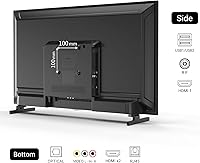
It is. At just over 8 pounds, it is light enough to mount without needing a heavy-duty bracket. The set uses a standard VESA mounting pattern, so most universal wall mounts will be compatible — just confirm the VESA specs match your bracket before purchasing.

Game Mode reduces some of the image processing the TV normally applies, which can lower perceived input lag during gameplay. It is a useful toggle for casual console gaming, but this small smart TV still operates at 60Hz, so it is not a substitute for a dedicated gaming monitor if responsiveness is critical.

Yes, the USB port supports media playback through the Tizen OS media player. Common formats like MP4 and JPEG are generally supported, though very high-bitrate files or uncommon codecs may not play back smoothly.

Start by replacing the AAA batteries, since low battery power is the most common cause of remote lag. If the issue persists, try re-pairing the remote through the Tizen settings menu. A few buyers have reported occasional delays, and a quick restart of the 32-inch Tizen set usually resolves temporary responsiveness issues.