



Overview

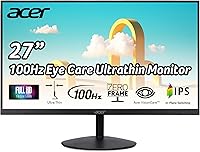
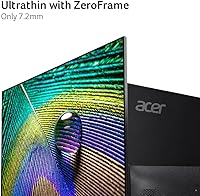
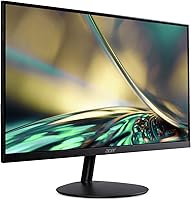
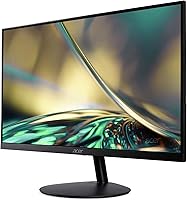
The Acer SB272 27-inch FHD IPS Monitor arrived in April 2023 as a straightforward answer to a common question: how much screen can you get for a modest budget without sacrificing image quality? The answer, it turns out, is quite a lot. Its ultra-thin ZeroFrame design gives it a clean, modern look that punches well above its price tier aesthetically. It is not a professional color-grading display or a hardcore gaming rig — and it does not pretend to be. What it does offer is a reliable, everyday panel that has earned a 4.6-star rating from nearly 1,000 real buyers. That kind of consistent real-world approval is hard to dismiss for anyone shopping at this price level.

Features & Benefits

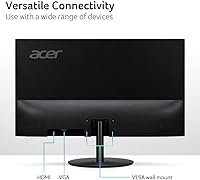
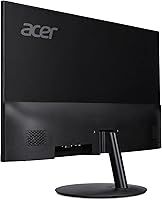
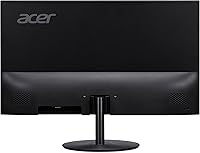
At 27 inches with a 1920x1080 resolution, pixel density is moderate — perfectly fine for everyday work, though not razor-crisp up close at this screen size. The 100Hz refresh rate over HDMI is a genuine step up from the 60Hz standard, making scrolling and casual gaming noticeably smoother. AMD FreeSync support adds light tear-reduction on top of that. One spec worth understanding: the advertised 1ms response is VRB, not GtG — it reduces perceived motion blur but is not the same benchmark dedicated gaming monitors use. Connectivity is basic: one HDMI 1.4 and one VGA port. The slim bezel looks great in multi-monitor configurations. The stand only tilts; no height or swivel adjustment, so a VESA-compatible arm is a smart add-on if ergonomics matter to you.

Best For

This 27-inch display hits a real sweet spot for remote workers and students who need a large, comfortable screen for hours of reading, spreadsheets, or video calls without eye strain. IPS panels offer better color consistency and wider viewing angles than TN alternatives, making this Acer IPS monitor a natural fit for general-purpose daily use. Casual gamers — think indie titles, older AAA games, or racing games where FreeSync helps — will find the 100Hz bump genuinely worthwhile. It is particularly compelling as a first external monitor for someone upgrading from a laptop screen. Multi-monitor users will appreciate the minimal bezel too. Just do not expect it to satisfy content creators or competitive gamers chasing high refresh rates and wide color coverage.

User Feedback

Buyers consistently highlight two things: how good the colors look right out of the box and how painless the setup is. For a value-tier IPS panel, out-of-box color accuracy is frequently praised — no manual calibration required for everyday use. The thin bezel earns repeated compliments in multi-screen configurations. That said, the 250-nit brightness draws the most criticism — users near windows or in bright offices report the screen looks washed out under strong ambient light. Stand wobble and the lack of height adjustment come up often enough to be more than isolated gripes. A few long-term owners flag occasional backlight uniformity concerns, though dead-pixel reports appear rare. The overall consensus: the SB272 delivers strong value for low-demand tasks, but falls short for bright workspaces or serious creative work.

Pros

  • IPS panel delivers accurate, consistent colors right out of the box with no manual calibration needed.
  • 100Hz refresh rate over HDMI is a real, noticeable upgrade over standard 60Hz panels at this price.
  • AMD FreeSync reduces screen tearing during casual gaming sessions without extra cost.
  • The ultra-thin ZeroFrame bezel looks sharp and keeps multi-monitor setups visually clean.
  • 27-inch screen size offers generous workspace for productivity tasks at a budget-friendly price point.
  • Setup is fast and hassle-free, with an HDMI cable included in the box.
  • VESA 75x75mm compatibility means a third-party monitor arm can replace the limited stand affordably.
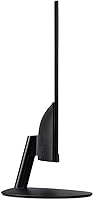
  • Lightweight build and slim profile make the SB272 easy to reposition or transport.
  • Wide IPS viewing angles reduce color shift when sharing your screen with someone beside you.
  • Strong seller ranking and consistent buyer satisfaction suggest reliable quality control at this tier.

Cons

  • 250-nit brightness is noticeably dim in sunlit or brightly lit rooms.
  • Stand offers tilt only — no height adjustment, swivel, or pivot out of the box.
  • The 1ms response time is VRB-rated, which is not equivalent to GtG and can mislead buyers comparing specs.
  • Only one HDMI 1.4 port and one VGA port limits flexibility for users with multiple devices.
  • At 27 inches, 1080p pixel density is relatively low and can appear soft up close at normal sitting distances.
  • Stand stability has been flagged by multiple buyers as slightly wobbly, especially when typing nearby.
  • No USB hub or built-in speakers means additional accessories may be needed for a complete desk setup.
  • Backlight uniformity inconsistencies have been reported by some long-term owners.
  • HDMI 1.4 rather than 2.0 limits bandwidth headroom for future-proofing.
  • No height or swivel adjustability makes proper ergonomic positioning dependent on buying a separate arm.

Ratings

The scores below for the Acer SB272 27-inch FHD IPS Monitor were generated by our AI after analyzing verified global buyer reviews, with spam, bot activity, and incentivized feedback actively filtered out to ensure accuracy. Both the genuine strengths and the recurring pain points are reflected honestly, so you can make a confident buying decision based on real-world experience rather than marketing claims.

Value for Money
91%
Buyers consistently feel they are getting significantly more screen real estate and color quality than the price tag suggests. For students and remote workers comparing options in this budget tier, the 27-inch IPS panel feels like a genuine win without financial compromise.
A small segment of buyers feel the lack of height adjustment and limited port selection slightly undercut the overall value proposition. When competitors at similar prices offer more ergonomic flexibility, the gap becomes harder to ignore for pickier shoppers.
Image Quality
83%
The IPS panel draws consistent praise for natural, accurate colors straight out of the box during everyday tasks like video calls, browsing, and document work. Users frequently note they did not need to touch the color settings at all, which is a meaningful real-world convenience.
At 27 inches with a 1080p resolution, pixel density sits around 82 PPI, and users sitting close to the screen occasionally notice text and fine detail looking softer than expected. It is a trade-off inherent to this resolution-size combination rather than a defect, but it does surface in reviews.
Brightness
54%
46%
In controlled indoor environments with standard overhead lighting, the 250-nit brightness is sufficient for comfortable daily use over long sessions. Users in dim home offices or bedrooms rarely flag it as an issue during normal working hours.
This is the most consistently criticized aspect across verified reviews. Users near windows, in sun-exposed rooms, or working under strong overhead lighting report the screen looking washed out and difficult to read. It is a genuine limitation that affects day-to-day usability for a meaningful portion of buyers.
Refresh Rate & Smoothness
78%
22%
The jump from 60Hz to 100Hz is perceptible in everyday use, not just gaming — scrolling through long documents, moving windows around, and casual gaming all feel noticeably smoother. For buyers coming from older 60Hz panels, this improvement alone tends to generate positive reactions.
The 100Hz rate is only accessible over HDMI, which trips up buyers who connect via VGA and then wonder why the setting is unavailable. It is also worth noting this is far from the 144Hz or higher standard that serious gamers expect, so the gaming appeal is limited to casual use cases.
Stand & Ergonomics
43%
57%
The stand is simple to assemble and gets the monitor up and running quickly without any tools or complicated steps. For users who plan to immediately swap to a VESA arm anyway, the basic stand serves its short-term purpose adequately.
Tilt-only adjustment between -5° and 15° with no height, swivel, or pivot options is a recurring source of frustration, particularly for users who care about neck and posture comfort during long work sessions. Multiple buyers also flag noticeable wobble when typing nearby, which compounds the ergonomic dissatisfaction.
Build Quality
69%
31%
The overall construction feels solid enough for a budget-class monitor, and the slim ZeroFrame chassis looks more premium than the price suggests. Most buyers report no obvious flex, creaking, or structural issues with the main panel during regular desktop use.
The stand base feels noticeably lightweight and plasticky to the touch, contributing to the wobble complaints. A few long-term owners have reported minor backlight uniformity inconsistencies appearing after extended use, suggesting the internal components are built to a budget rather than for longevity.
Bezel Design
88%
The ZeroFrame ultra-thin bezel is one of the most praised aesthetic features in buyer reviews, particularly among users running dual-monitor configurations. The minimal border creates a visually clean, modern look that feels well above its price tier.
The slim bezel is primarily a cosmetic feature, and a small number of buyers note that the bottom chin of the monitor is noticeably thicker than the other three sides, which slightly diminishes the fully borderless appearance when viewed up close.
Connectivity
51%
49%
For a single-source, single-display setup the port selection is entirely functional, and the included HDMI cable means most buyers can get connected immediately without digging through a junk drawer. VGA inclusion adds backward compatibility for older hardware.
One HDMI 1.4 and one VGA port is genuinely limiting for users who want to switch between a laptop and a desktop, or connect any additional peripheral source. There is no USB hub, no DisplayPort, and no audio output jack, which forces reliance on external speakers or a separate audio solution.
Gaming Performance
66%
34%
Casual gamers playing slower-paced titles, older AAA games, or indie games find the 100Hz refresh and AMD FreeSync combination a meaningful upgrade over standard entry-level displays. Tearing is visibly reduced with FreeSync active on a compatible AMD GPU.
The 1ms VRB spec is frequently misunderstood by buyers expecting GtG-level performance; fast-paced competitive gaming reveals the limitation. This display lacks the raw response speed, color volume, and refresh ceiling that dedicated gaming monitors provide, so serious gamers will quickly outgrow it.
Setup & Ease of Use
93%
Buyers across all tech experience levels highlight how fast and straightforward the out-of-box setup is. The HDMI cable is included, the stand attaches quickly, and the monitor is recognized immediately by most operating systems without any driver installation.
The on-screen display menu interface has drawn mild criticism for being unintuitive and slow to navigate, particularly when trying to enable FreeSync or adjust refresh rate settings for the first time. It is a minor friction point but surfaces consistently enough across reviews to be worth noting.
Color Accuracy
77%
23%
For a monitor at this price point, out-of-box color consistency is genuinely impressive and regularly earns specific praise in reviews. Everyday content like streaming video, web browsing, and document work looks natural and balanced without any manual calibration.
The panel covers the standard sRGB gamut with no wide color gamut support, which is a hard ceiling for anyone doing photography, video grading, or design work that demands DCI-P3 or Adobe RGB coverage. It is adequate for consumers but not professionals.
Viewing Angles
82%
18%
IPS technology delivers a clear advantage here over TN panels — colors and contrast hold up well when viewed from the side, making it comfortable for two people to view the screen simultaneously during presentations or collaborative work sessions.
While significantly better than TN alternatives, some minor color shift and contrast drop is still visible at extreme off-axis angles beyond roughly 45 degrees. It is unlikely to affect typical single-user desktop use but is worth noting for anyone planning to mount it in a shared viewing space.
Eye Comfort
74%
26%
Multiple buyers mention reduced eye fatigue during extended work sessions compared to their previous displays, which is a meaningful real-world endorsement for long-hour home office and student use cases. The IPS panel contributes to this through its consistent backlight uniformity.
The glossy screen surface introduces glare and reflection that can cause eye strain in bright environments, partially offsetting the IPS comfort benefits. There is no hardware flicker-free certification publicly confirmed for this model, which may concern users who are particularly sensitive to backlight flicker.
VESA Compatibility
86%
The 75x75mm VESA pattern gives buyers a practical escape from the stand limitations, and many reviewers explicitly recommend pairing the monitor with an affordable third-party arm as the first upgrade. It opens up full ergonomic adjustability that the stock stand simply does not offer.
The VESA pattern is 75x75mm rather than the more common 100x100mm, which means not every generic monitor arm on the market will be compatible. Buyers need to verify arm specifications before purchasing, which adds a minor step to the upgrade process.

Suitable for:

The Acer SB272 27-inch FHD IPS Monitor is a strong fit for remote workers and students who spend long hours in front of a screen and want a large, comfortable display without a hefty price tag. If your daily routine involves browser tabs, documents, spreadsheets, or video calls, the 27-inch IPS panel delivers wide viewing angles and consistent color that makes extended sessions noticeably easier on the eyes compared to budget TN alternatives. Students setting up their first real desk workstation will find the included HDMI cable and plug-and-play setup refreshingly straightforward. Casual gamers who play at a relaxed pace — think open-world exploration, older titles, or indie games — will genuinely appreciate the 100Hz refresh and AMD FreeSync keeping motion smooth without demanding a premium budget. The slim ZeroFrame bezel also makes the SB272 a natural choice for anyone building a dual-monitor setup where visual continuity across screens actually matters.

Not suitable for:

Buyers working in bright, window-heavy rooms should think carefully before committing to the SB272, as its 250-nit brightness ceiling tends to wash out in strong ambient light — a complaint that appears consistently across real user reviews. Graphic designers, photographers, or video editors who need accurate wide color gamut coverage or high peak brightness for HDR work will find this 27-inch display falls well short of professional display standards. Competitive or fast-paced gamers who prioritize response time and high refresh rates above all else should look elsewhere; the 1ms spec here is VRB-based, which reduces motion blur perception but is not the same as a true GtG rating found on dedicated gaming monitors. Anyone needing flexible ergonomics — height adjustment, pivot, or portrait mode — will be frustrated quickly, since the stand only tilts. Users with multiple video sources to switch between will also hit a wall fast with just one HDMI and one VGA port on offer.

Specifications

  • Screen Size: The display measures 27 inches diagonally, offering a generous workspace for productivity and everyday computing tasks.
  • Panel Type: Uses an IPS (In-Plane Switching) panel, which provides wider viewing angles and more consistent color reproduction than TN alternatives.
  • Resolution: Native resolution is 1920x1080 (Full HD), with an aspect ratio of 16:9 and a pixel pitch of 0.311mm.
  • Refresh Rate: Supports up to 100Hz refresh rate when connected via the HDMI port, delivering smoother motion than standard 60Hz panels.
  • Response Time: Rated at 1ms VRB (Visual Response Boost), a motion-blur reduction mode distinct from the GtG response time metric used on dedicated gaming monitors.
  • Brightness: Peak brightness is 250 nits, which is adequate for dim to moderately lit environments but may appear washed out under strong ambient light.
  • AMD FreeSync: Compatible with AMD FreeSync technology, which synchronizes the display refresh rate with a compatible GPU to reduce screen tearing during gaming.
  • Ports: Connectivity includes one HDMI 1.4 port and one VGA port; an HDMI cable is included in the box.
  • Ergonomics: The stand supports tilt adjustment between -5° and 15° only; there is no height adjustment, swivel, or pivot functionality built in.
  • VESA Mount: The monitor is VESA mounting compliant at a 75x75mm pattern, allowing compatibility with most third-party monitor arms and wall mounts.
  • Bezel Design: Features Acer's ZeroFrame ultra-thin bezel design on three sides, minimizing the border between screen and frame for cleaner multi-monitor configurations.
  • Dimensions: Overall product dimensions are 24.17 x 17.79 x 8.82 inches (W x H x D) with the stand attached.
  • Weight: The complete unit with stand weighs approximately 7.83 pounds, making it lightweight enough to reposition easily on a desk.
  • Screen Surface: The panel has a glossy screen surface, which enhances color vibrancy but can produce reflections in brightly lit rooms.
  • Pixel Density: At 1080p on a 27-inch panel, pixel density is approximately 82 PPI, which is adequate for general use but not sharp enough for close-up detail work.
  • Color Gamut: The IPS panel covers the standard sRGB color space, suitable for everyday tasks, web content, and casual media consumption.
  • Power Supply: The monitor uses an internal power supply and connects via a standard AC power cable, keeping cable management simple.
  • In the Box: Package includes the monitor, stand, HDMI cable, power cable, and basic setup documentation.

Related Reviews
BenQ GW2791 27-inch FHD IPS Monitor
80%
83%
Image Quality
91%
Eye-Care Performance
88%
Value for Money
62%
Display Sharpness
47%
Stand & Ergonomics
More
Amazon Basics 27E2UA 27-inch IPS Monitor
78%
92%
Value for Money
84%
Image & Color Quality
88%
Viewing Angles
51%
Ergonomics & Stand
87%
Connectivity & Port Selection
More
LG 27MP450 27-inch FHD IPS Monitor
77%
78%
Image Quality
71%
Color Accuracy
67%
Gaming Performance
84%
Ergonomics & Stand
83%
Eye Comfort
More
Acer Nitro KG271U 27-inch IPS Gaming Monitor

74%
88%
Image Quality
91%
Refresh Rate Performance
83%
Response Time
82%
Color Accuracy
86%
Adaptive Sync
More
Gigastone LM-27FF51 27-Inch IPS Monitor
74%
82%
Image Clarity
54%
Brightness & Glare
76%
Color Accuracy
78%
Refresh Rate & Motion
71%
Build Quality
More
AOC 27B3HA2 27-Inch FHD Monitor
82%
92%
Value for Money
88%
Display Quality
85%
Matte Finish Performance
90%
Ease of Setup
84%
Build Quality
More
Samsung SR35 27-inch FHD Monitor
74%
88%
Value for Money
74%
Image Quality
86%
Eye Comfort
81%
Build Quality
52%
Stand & Ergonomics
More
Dell SE2722HX 27-inch FHD Monitor
84%
91%
Value for Money
87%
Display Quality
83%
Build Quality
88%
Ease of Setup
85%
Ergonomics & Comfort
More
HP V27i 27-inch FHD Monitor
85%
92%
Display Quality
89%
Eye Comfort
91%
Value for Money
85%
Build Quality
78%
Ergonomics
More
Acer SB273 G0bi 27″ IPS Gaming Monitor
75%
88%
Value for Money
83%
Image & Color Quality
81%
Refresh Rate Performance
67%
Response Time (VRB)
54%
Brightness & HDR
More

FAQ

It is only available through the HDMI port. If you connect using VGA, you will be limited to 60Hz. Make sure you are using the included HDMI cable to get the full 100Hz experience the SB272 is rated for.

VRB stands for Visual Response Boost, which is a backlight strobing technique designed to reduce perceived motion blur during fast movement. It is not the same as GtG (Gray-to-Gray) response time, which is the standard benchmark used to compare monitors directly. VRB can make motion look cleaner, but it does not mean the panel physically transitions between pixels in 1ms the way a true GtG rating implies.

The included stand only tilts, ranging from -5° to 15°. There is no height adjustment, swivel, or pivot function built in. If proper ergonomic positioning matters to you, the monitor is VESA 75x75mm compatible, so picking up an affordable third-party monitor arm is a practical and widely used solution.

Yes, the slim ZeroFrame bezel design makes it a popular choice for side-by-side setups. The thin border minimizes the visual gap between two screens, which is one of the reasons buyers in reviews specifically mention pairing two of them together. Just keep in mind that each unit only has one HDMI and one VGA port, so plan your cable connections accordingly.

It is not ideal for serious creative work. The panel covers standard sRGB, which is fine for general use, but it does not offer wide color gamut coverage like DCI-P3 or Adobe RGB that professional editors rely on. The 250-nit brightness ceiling also limits its usefulness for HDR previewing. For casual hobby editing or basic tasks it can work, but dedicated content creators should look at higher-spec displays.

The panel tops out at 250 nits, which is on the lower end for a modern monitor. In a controlled, indoor environment with overhead lighting it looks fine, but if you sit near a window or work in a bright room, you may find the image appears washed out or hard to read at times. A glossy screen surface can add to the reflection issue, so room lighting is worth considering before purchasing.

An HDMI cable is included in the box, so you can connect and get started without needing to buy anything extra. That said, it is HDMI 1.4, which supports up to 1080p at 100Hz without issue for this panel.

Yes, FreeSync is supported and will activate automatically when connected to a compatible AMD GPU over HDMI. It helps reduce screen tearing during gaming without requiring any special setup. Note that FreeSync is not compatible with Nvidia GPUs on this monitor, as it does not carry G-Sync certification.

It depends on how close you sit and how detail-sensitive you are. Going from 24 inches to 27 inches at the same 1080p resolution does lower pixel density, which can make text and fine details appear slightly softer at close range. Most everyday users adapt quickly and find the extra screen space worth the trade-off, but if you sit closer than an arm's length away, you may notice it more than someone using the display from a standard desk distance.

Stand wobble is one of the more consistent complaints from real buyers. The stand is stable enough for general use, but it does flex noticeably when you type heavily or tap the desk. For most people this is a minor annoyance rather than a dealbreaker, but if you are sensitive to any movement in your display, swapping to a VESA monitor arm resolves the issue entirely and also adds the height and swivel flexibility the stock stand lacks.