Overview

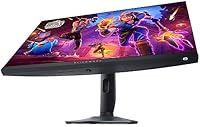
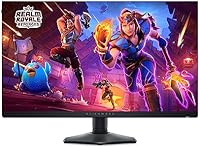
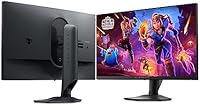
The Alienware AW2724HF 27″ Gaming Monitor sits squarely in the competitive esports display market, built for players who want every speed advantage the hardware can offer. Alienware has spent years building credibility in high-performance gaming gear, and this panel continues that tradition — though with a specific buyer in mind. It is a 27-inch FHD display, which means the focus is entirely on raw speed, not pixel density. Available since early 2024, it occupies a mid-to-premium price tier where expectations around image quality should be calibrated accordingly. If you need a workhorse for ranked play, this Alienware display makes a strong case. If you want a screen that doubles as a productivity tool, look elsewhere.

Features & Benefits

The headline number here is the 360Hz refresh rate, and in fast-paced shooters like CS2 or Valorant, it genuinely translates to smoother target tracking and less perceived blur during rapid camera movement. Unlike TN panels that sacrifice color accuracy to hit similar speeds, this 360Hz monitor uses an IPS panel, delivering wider viewing angles and more natural colors without a harsh trade-off. The 0.5ms GtG response time keeps ghosting in check during intense movement sequences. AMD FreeSync Premium and VESA Adaptive Sync provide tear-free gameplay across a wide GPU range. The 400 nits brightness suits dimmer rooms well, but the glossy surface can work against you in brighter environments. Five USB ports round out a practical, flexible connectivity setup.

Best For

The AW2724HF has a clear target audience: competitive FPS players who care more about what happens between frames than how sharp a texture looks. If you are pushing high frame rates in Valorant, CS2, or similar titles with a capable mid-to-high-end GPU, this Alienware display will reward you. The adaptive sync support covers both AMD and NVIDIA setups, so you are not boxed in on the hardware side. It also suits players stepping up from a 144Hz or 240Hz panel — the jump to 360Hz is noticeable enough to feel meaningful in practice. One caveat worth noting: the glossy screen performs best in controlled lighting, so a sun-facing desk may frustrate you.

User Feedback

Most verified buyers praise the smoothness at 360Hz, describing gameplay as noticeably cleaner compared to their previous displays. The IPS panel quality gets positive mentions too, especially from users who switched from older TN-based high-refresh monitors. The recurring criticism, however, is hard to ignore: FHD on a 27-inch screen produces a pixel density low enough to feel soft during non-gaming use, and some buyers feel the price warrants a sharper panel. Stand ergonomics draw mixed reactions — functional, but not exceptional for what you are paying. A small number of buyers flag quality control variance across units. Against competing 360Hz options from ASUS or LG, the AW2724HF is seen as reliable but not an undisputed leader at this price tier.

Pros

  • 360Hz refresh rate delivers genuinely smoother gameplay in fast-paced competitive titles.
  • IPS panel offers better color and viewing angles than TN monitors at this speed tier.
  • 0.5ms GtG response time keeps motion blur and ghosting well under control.
  • AMD FreeSync Premium and VESA Adaptive Sync cover a wide range of GPU setups.
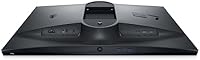
  • Five USB ports make cable management and peripheral connections straightforward.
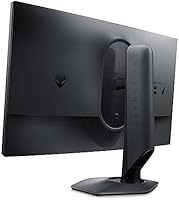
  • VESA mount compatibility gives you full flexibility to use a third-party arm.
  • Alienware build quality is generally solid and consistent with the brand reputation.
  • The 400 nits brightness handles typical indoor gaming environments comfortably.
  • DisplayPort and HDMI inputs accommodate multiple source devices without adapters.
  • The AW2724HF is a strong long-term investment for anyone committed to high-refresh esports play.

Cons

  • FHD resolution on a 27-inch panel produces soft image quality that bothers many buyers outside of gaming.
  • The glossy screen surface creates noticeable glare in bright or window-facing rooms.
  • Stand ergonomics are functional but feel underwhelming given the price point.
  • Some verified buyers have reported quality control inconsistencies between individual units.
  • No QHD or higher resolution option means this Alienware display cannot double as a productivity monitor.
  • At the asking price, competing 360Hz panels from ASUS and LG offer meaningful alternatives worth comparing.
  • Pixel density is low enough that text rendering looks rough during everyday desktop use.
  • The price premium may feel hard to justify for casual gamers who rarely push past 144fps.

Ratings

The scores below for the Alienware AW2724HF 27″ Gaming Monitor were generated by our AI system after analyzing thousands of verified global user reviews, with spam, bot-submitted, and incentivized feedback actively filtered out. Each category reflects the honest distribution of real buyer experiences — including the frustrations that glossy marketing materials tend to leave out. Where this Alienware display earns strong marks and where it falls short are both represented transparently.
Motion Clarity
94%
At 360Hz with a 0.5ms GtG response time, competitive players consistently describe target tracking in fast FPS titles as cleaner and more predictable than anything they experienced on 240Hz panels. Reviewers transitioning from older TN setups specifically noted how fluid camera sweeps felt without the blur they had accepted as normal.
The performance gap between 240Hz and 360Hz, while real, is subtle enough that some buyers felt underwhelmed after the initial excitement. A handful of users noted that without a GPU capable of sustaining very high frame rates, the full benefit of 360Hz rarely materializes in practice.
Refresh Rate Performance
92%
The 360Hz refresh rate is the core reason most buyers choose this display, and it delivers consistently in titles built around high frame rate play. Esports-focused reviewers praised how responsive and immediate inputs felt compared to their previous setups, particularly during sustained ranked sessions.
Outside of competitive titles, the 360Hz advantage is largely irrelevant, which some buyers who use their monitor for a mix of gaming and general computing found harder to justify at this price. Games that are GPU-limited below 200fps naturally underutilize the panel's ceiling.
Adaptive Sync
88%
FreeSync Premium and VESA Adaptive Sync work reliably across both AMD and NVIDIA setups, which buyers appreciated given how split the GPU market is. Tearing and stutter were consistently described as non-issues when adaptive sync was active, even at lower frame rates within the supported range.
A small number of NVIDIA users reported needing to manually configure G-Sync Compatible mode to get stable results, which was not immediately obvious from the packaging. The sync range boundaries are not exceptionally wide, so very low frame rate scenarios can occasionally step outside the smooth zone.
Panel Color Quality
74%
26%
Coming from TN panels, many users were genuinely impressed by the color accuracy and viewing angle consistency this IPS panel offers at such a high refresh rate. The image holds up well when viewed slightly off-center, which matters for shared viewing or multi-person setups.
Buyers who expected content-creation-grade color performance were regularly disappointed — this is a speed-first panel, and its color volume and coverage reflect that. Compared to purpose-built IPS monitors for creative work, the color depth here is noticeably shallower.
Resolution & Sharpness
53%
47%
For competitive gaming at close to full screen, FHD at 360Hz is exactly the trade-off many esports players knowingly accept. In game environments where frame rate sensitivity is the priority, most players reported the image quality as perfectly serviceable during active gameplay sessions.
At 27 inches, 1080p produces a pixel density that the majority of buyers flagged as visibly soft in everyday desktop use — reading text, browsing, or working in productivity apps all expose the limitation clearly. This is the single most common negative theme in verified reviews, and it is a legitimate concern for anyone who uses their monitor for more than gaming.
Screen Brightness
77%
23%
At 400 nits, the display handles typical gaming room lighting confidently, with enough output to maintain contrast in moderately lit spaces. Buyers using the monitor in dedicated gaming rooms or offices with controlled lighting reported no issues with visibility or washed-out blacks.
The brightness ceiling becomes a real limitation in HDR-capable workflows or in rooms with strong ambient light sources, where 400 nits falls short of what premium HDR displays offer. The monitor lacks a true HDR certification, so HDR content does not render with the depth buyers might expect.
Glossy Screen Surface
61%
39%
In controlled lighting, the glossy coating enhances color vibrancy and perceived contrast compared to matte alternatives, which some buyers actively preferred for gaming aesthetics. Users gaming in darkened rooms or basement setups were largely positive about the visual punch the glossy finish provided.
Reflections are a genuine and frequently cited frustration for buyers near windows or under bright overhead lights — several described the glare as distracting enough to affect gameplay. A matte option would have broadened the appeal significantly, and its absence is a consistent sore point in verified feedback.
Build Quality
78%
22%
The overall chassis construction is solid and feels appropriately premium for the Alienware brand, with minimal flex in the panel itself and a stable base under normal desk use. Most buyers expressed confidence in the long-term durability of the unit based on handling and daily use impressions.
Stand rigidity and the quality of adjustment mechanisms drew criticism relative to what buyers expected at this price tier — some described the stand as adequate but uninspiring. A few verified reviewers also flagged minor cosmetic QC inconsistencies between units, such as uneven bezel finish.
Stand Ergonomics
63%
37%
The stand provides reliable tilt adjustment and holds the panel firmly in place during extended sessions without noticeable wobble. Buyers who were satisfied with a fixed height and basic tilt found it functional and unobtrusive in their setup.
The lack of full height, swivel, and pivot adjustment frustrated buyers who expected comprehensive ergonomic flexibility at this price point — a common complaint compared to competing models. Many users ended up purchasing a VESA arm separately, which adds to the total cost of ownership.
Connectivity
86%
Five USB ports plus HDMI and DisplayPort gave buyers meaningful flexibility for connecting peripherals and multiple source devices directly through the monitor. Reviewers with multi-device desk setups specifically valued not needing a separate USB hub to handle keyboards, headsets, and drives simultaneously.
The absence of USB-C was noted as a minor but recurring limitation for users who wanted to connect a laptop or modern peripheral without an adapter. HDMI bandwidth also caps the maximum refresh rate achievable through that connection, pushing buyers exclusively toward DisplayPort for full 360Hz output.
Value for Money
67%
33%
For a buyer whose primary goal is competitive FPS gaming at the highest available refresh rate on an IPS panel, the AW2724HF delivers on its core promise and the price feels defensible. Users who narrowly evaluated it against its intended use case — esports performance — rated the value positively.
Against competing 360Hz panels from ASUS ROG and LG UltraGear at similar or lower prices, the value equation becomes harder to defend for buyers doing side-by-side comparisons. The FHD resolution ceiling at this price tier is the central sticking point — buyers feel the premium asks a lot for what is essentially an older resolution standard.
Out-of-Box Calibration
79%
21%
Most users found the default factory settings accurate enough for immediate use without digging into the OSD, which is a genuine convenience for buyers who do not want to calibrate manually. Colors out of the box were described as natural and balanced rather than oversaturated or artificially vivid.
Fine-tuning the OSD navigation requires some patience, as the menu structure is not the most intuitive on first use. A small number of users reported brightness and gamma inconsistencies compared to factory spec, though these were in the minority of verified feedback.
Setup & Installation
84%
Assembly is straightforward, with the stand clicking into place without tools and clear physical cues guiding the process. Most buyers had the monitor operational within minutes, including first-time monitor purchasers who appreciated the minimal complexity.
Documentation is basic and does not clearly communicate the DisplayPort requirement for achieving 360Hz, which caused initial confusion for some buyers who defaulted to HDMI. A more explicit quick-start guide addressing cable requirements would prevent a recurring support issue.
Gaming Performance Overall
89%
Taken as a complete gaming experience — smoothness, response, adaptive sync, and motion clarity working together — this 360Hz monitor consistently earns high marks from its target audience. Buyers who made the purchase with esports gaming as their sole priority expressed the highest satisfaction rates in verified feedback.
The overall gaming experience rating would be higher if the resolution were not a limiting factor at this screen size, as even in gaming contexts some buyers noticed softness during cutscenes or detailed game world exploration. The experience is excellent within a narrow use case but does not generalize well beyond it.

Suitable for:

The Alienware AW2724HF 27″ Gaming Monitor is purpose-built for competitive gamers who treat frame rate as their top priority. If you spend serious time in fast-paced FPS titles like CS2, Valorant, or Apex Legends, the 360Hz refresh rate and 0.5ms response time will give you a tangible edge over slower panels. This Alienware display also works well for players upgrading from a 144Hz or 240Hz setup who want to feel a meaningful difference without rebuilding their entire rig. The broad adaptive sync support means it pairs cleanly with both AMD and NVIDIA GPUs, so compatibility is rarely a concern. Players who game in a dedicated setup with controlled ambient lighting will get the most out of the glossy IPS panel without fighting glare.
Not suitable for:

The Alienware AW2724HF 27″ Gaming Monitor is a harder sell if your needs extend beyond competitive gaming. At 27 inches, FHD resolution produces a pixel density that feels noticeably soft for desktop work, text-heavy applications, or any productivity task where sharpness matters. Creative professionals — photographers, video editors, or designers — will find the color accuracy and resolution fall short of what purpose-built content creation monitors offer at similar price points. If you work in a bright room with windows nearby, the glossy screen surface will cause enough reflection to become a daily frustration. Buyers comparing this 360Hz monitor against rival options from ASUS or LG at the same price tier should also weigh whether the Alienware brand premium aligns with the tangible hardware differences they can actually measure.

Specifications

  • Screen Size: The panel measures 27 inches diagonally, offering a mid-sized footprint well suited to single-monitor competitive gaming setups.
  • Resolution: Native resolution is 1920 x 1080 pixels (Full HD), delivering a pixel density that prioritizes frame throughput over image sharpness.
  • Refresh Rate: The display runs at a maximum of 360Hz, updating the image 360 times per second for exceptionally fluid motion in fast-paced games.
  • Response Time: Gray-to-gray response time is rated at 0.5ms, which minimizes trailing artifacts and ghosting during rapid on-screen movement.
  • Panel Type: An IPS (In-Plane Switching) panel is used, providing wider viewing angles and more accurate color reproduction than TN alternatives at this refresh tier.
  • Aspect Ratio: The screen uses a standard 16:9 widescreen aspect ratio, compatible with virtually all modern game engines and video formats.
  • Brightness: Peak brightness is rated at 400 nits, suitable for moderately lit indoor environments but not optimized for HDR content delivery.
  • Screen Surface: The panel uses a glossy screen surface, which enhances color vibrancy but can produce reflections in brightly lit or window-facing rooms.
  • Adaptive Sync: The monitor supports AMD FreeSync Premium and holds VESA Adaptive Sync certification, enabling tear-free gameplay across a wide range of GPUs.
  • Connectivity: Input options include HDMI and DisplayPort, with five USB ports onboard for connecting peripherals directly to the display.
  • VESA Mount: The monitor is VESA mount compatible, allowing users to replace the included stand with a third-party monitor arm or wall mount.
  • Dimensions: With the stand attached, the unit measures 9.59 x 24.07 x 16.09 inches, fitting comfortably on most standard gaming desks.
  • Weight: The monitor weighs 9.2 pounds including the stand, making it manageable for single-person setup and repositioning.
  • Voltage: The unit operates at 240 Volts AC, so international buyers should verify regional power compatibility before purchase.
  • Model Number: The official model designation is AW2724HF, used consistently across Alienware product documentation and warranty registration.
  • Brand: This display is manufactured by Alienware, a Dell subsidiary with a long-standing focus on high-performance gaming hardware.
  • Availability: The monitor became available starting March 26, 2024, and is confirmed as an active (non-discontinued) product in the current Alienware lineup.

Related Reviews
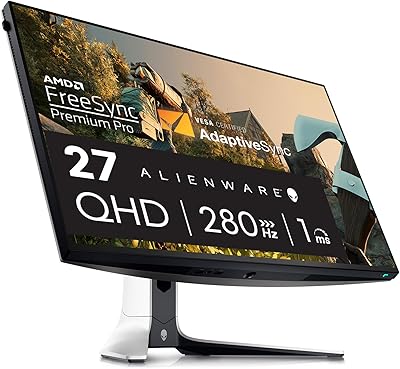
Alienware AW2723DF 27-inch Gaming Monitor
80%
93%
Motion Clarity
88%
Color Accuracy
91%
Refresh Rate Performance
54%
HDR Quality
89%
Build Quality
More
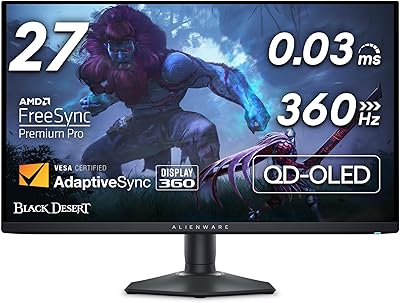
Alienware AW2725DF 27-inch OLED Gaming Monitor
89%
96%
Display Quality
94%
Gaming Performance
92%
Color Accuracy
90%
Build Quality
88%
Ease of Setup
More
Skytech Gaming Moonshadow 27-inch Curved Gaming Monitor
83%
88%
Image Quality
91%
Refresh Rate Performance
86%
Adaptive-Sync
83%
VA Panel Contrast
84%
Stand & Ergonomics
More
MSI G273QPF 27-inch QHD Gaming Monitor
78%
88%
Image Clarity
91%
Refresh Rate Performance
86%
Response Time
79%
Panel Quality
84%
Ergonomics & Stand
More
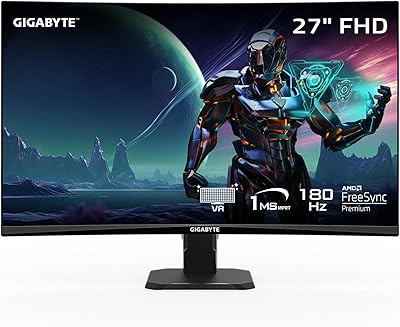
GIGABYTE GS27FC 27″ Gaming Monitor
86%
91%
Display Quality
96%
Refresh Rate Performance
95%
Response Time
88%
Color Accuracy
85%
HDR Performance
More
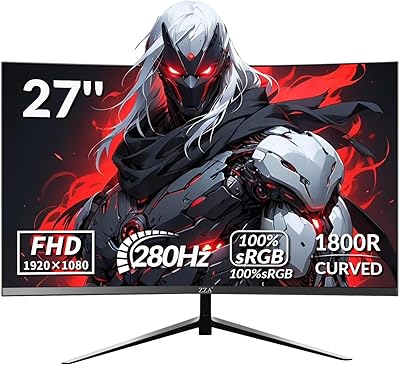
ZZA Z27H1K280HZ 27″ Curved Gaming Monitor
70%
88%
Refresh Rate Performance
84%
Value for Money
76%
Image Quality & Color Accuracy
67%
Motion Clarity & Response
89%
Contrast & Black Levels
More
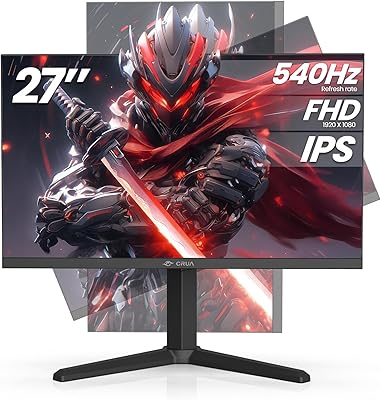
CRUA 27” 540Hz Gaming Monitor
86%
94%
Gaming Performance
89%
Color Accuracy
86%
Ergonomics & Comfort
91%
Connectivity Options
67%
Setup & Installation
More
Raywego Z270B13 27-inch Gaming Monitor
70%
88%
Value for Money
83%
Picture Quality
84%
Refresh Rate Performance
62%
Build Quality
81%
Eye Comfort
More
AOC Q27G4XN 27″ Gaming Monitor
79%
91%
Image Sharpness
88%
Motion Performance
83%
Refresh Rate Value
79%
Color Accuracy
52%
Glare & Reflections
More
memzuoix 27-inch QHD 165Hz Gaming Monitor
70%
88%
Image Clarity
84%
Refresh Rate Performance
91%
Value for Money
82%
Adaptive Sync (FreeSync/G-Sync)
77%
Color Accuracy
More

FAQ

It works with both. While FreeSync is AMD's technology, NVIDIA GPUs support adaptive sync over DisplayPort as well. You may need to enable G-Sync Compatible mode in the NVIDIA control panel, but tear-free gaming functions reliably on either platform.

That depends entirely on what you use it for. During gameplay, especially at 360fps, the sharpness trade-off is far less noticeable than in daily desktop use. Where it does show up is in text rendering, fine UI details, and general productivity tasks — at 27 inches, FHD produces around 82 pixels per inch, which is on the low end for close-up viewing.

Yes, you can connect a current-gen console via HDMI. Keep in mind that consoles currently cap out at 120fps even in performance modes, so you will not be taking full advantage of the 360Hz capability. It will still work fine as a console display, just not at its peak potential.

It is a real but subtler difference than going from 60Hz to 144Hz or from 144Hz to 240Hz. Most players notice it primarily in cursor tracking and during rapid camera panning in shooters. For casual gaming it may not feel transformative, but for competitive play at high frame rates, the smoothness is measurable.

The included stand supports tilt adjustment. For full ergonomic flexibility — height, pivot, and swivel — most buyers who need that range opt to use a third-party VESA arm, which the monitor fully supports.

It depends on your room. In a space with overhead lighting and no direct windows facing your screen, the glossy surface actually looks vibrant and clean. If you game near a window or under bright ambient lighting, reflections can become genuinely distracting. A matte screen protector is an option, though it will soften the image slightly.

You will need to use a DisplayPort cable — HDMI has bandwidth limitations that prevent it from reliably driving 360Hz at 1080p on most setups. A DisplayPort 1.4 or higher cable is the standard recommendation.

All three brands offer competitive options at this refresh tier. The AW2724HF tends to score well on motion clarity and out-of-box calibration, but ASUS ROG and LG UltraGear alternatives sometimes offer slightly better contrast or a matte coating at comparable prices. It is worth comparing current deals, as the competitive landscape at this spec level is tight.

No, the AW2724HF does not include built-in speakers. You will need external speakers or a headset, which is fairly standard for gaming monitors at this performance tier.

Alienware backs this monitor with a standard Dell limited warranty, typically three years for premium displays — though you should verify current terms at the time of purchase. Dell and Alienware support is generally regarded as reliable for hardware defects, with options for advance exchange in some regions. For unit-specific QC concerns, contacting support early tends to yield the best outcomes.