Overview

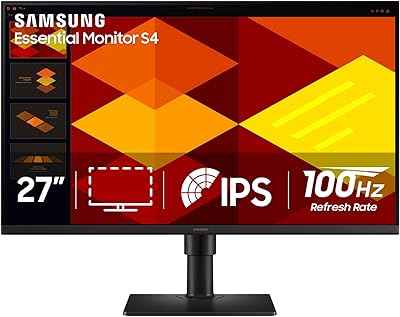
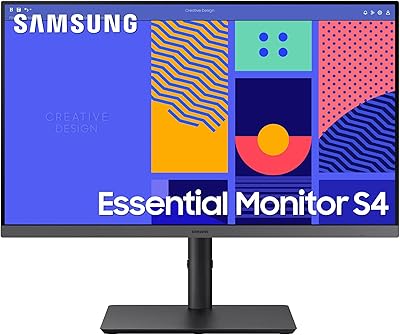
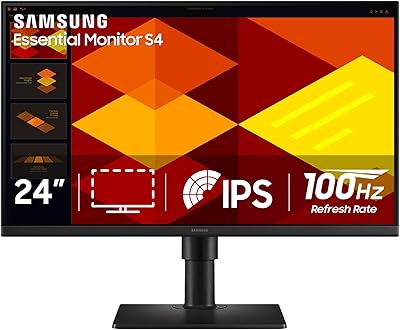
The Samsung S27C432GAN 27-Inch Business Monitor is Samsung's answer to the growing demand for capable, ergonomic office displays that don't require a premium investment. Built around a 27-inch IPS panel, it delivers consistent color reproduction across wide viewing angles — a genuine advantage in shared workspaces where colleagues lean in to review documents together. The height-adjustable stand sets it apart from budget competitors that ship with fixed-tilt bases. Released in 2024, Samsung is clearly targeting hybrid workers and small offices that need a dependable daily driver. One honest note: the FHD 1080p resolution is perfectly adequate for spreadsheets, video calls, and documents, but it is not the right fit for detail-heavy creative work.
Features & Benefits

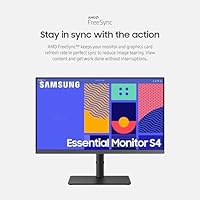
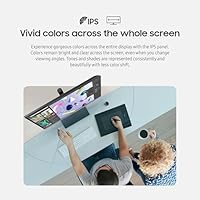
The IPS panel technology here means colors stay accurate whether you are viewing the screen head-on or from an angle — something that matters more than most buyers realize until they sit next to a TN display. The 100Hz refresh rate keeps motion crisp during video calls and fast scrolling, and AMD FreeSync adds extra smoothness for those doing light design or editing work. Connectivity is genuinely flexible: HDMI and DisplayPort inputs let you switch between a laptop and a desktop without touching cables. Perhaps the most underrated feature is the eye care certification — TÜV-verified blue light reduction and flicker-free technology that actually makes a difference across an eight-hour workday.

Best For

This Samsung business monitor is a strong match for remote and hybrid workers who need a no-fuss, ergonomic daily display at a fair price. Small offices outfitting several desks will find the adjustable stand and multi-input setup practical rather than just a nice-to-have. If you are upgrading from a 21-inch or 22-inch older monitor, the jump to 27 inches with IPS quality is immediately noticeable. The S27C432GAN also suits anyone who frequently docks a laptop and occasionally plugs in a second device — the multiple inputs handle that cleanly without adaptors. Those with long work sessions and sensitive eyes will especially appreciate having the eye care features built in from the start.

User Feedback

With a 4.6-star average across more than 2,000 verified ratings, this 27-inch office display earns its reputation through consistent real-world satisfaction. Buyers frequently call out picture clarity and the ease of initial setup as highlights, and the stand's height adjustability draws steady praise from people who have previously paid extra for a separate monitor arm. That said, a recurring theme among less satisfied users is the 1080p resolution — at 27 inches, some buyers eventually feel the pixel density is not sharp enough and wish they had opted for 1440p. Build quality is solid but plainly plastic, which is expected at this tier. Most complaints come from users who outgrew what is clearly a business-class product, not a creative workstation.

Pros

  • The IPS panel keeps colors accurate and consistent from virtually any viewing angle, which matters during collaborative reviews.
  • A height-adjustable stand is included out of the box, saving the cost and hassle of a separate monitor arm.
  • The 100Hz refresh rate makes scrolling and video calls noticeably smoother than standard 60Hz office displays.
  • TÜV-certified flicker-free and blue light reduction technology provides real, measurable eye comfort during long sessions.
  • Dual inputs (HDMI and DisplayPort) make switching between a laptop and desktop simple with no adaptor needed.
  • A 4.6-star average across more than 2,000 ratings signals broad, consistent satisfaction from real-world office users.
  • Setup is straightforward — most buyers report having the S27C432GAN up and running within minutes of unboxing.
  • AMD FreeSync reduces visual tearing for users doing light creative or multimedia work alongside standard productivity tasks.
  • The 27-inch screen size offers a generous workspace upgrade for anyone stepping up from a 21-inch or 22-inch display.

Cons

  • At 27 inches, 1080p resolution delivers lower pixel density than many buyers eventually wish they had opted for.
  • The all-plastic build feels functional rather than premium, which may underwhelm buyers furnishing a polished workspace.
  • No USB-C connectivity means users with modern ultrabooks or tablets may need additional adaptors to connect.
  • Color coverage is adequate for office work but falls short of what designers or photographers need for accurate creative output.
  • The stand lacks swivel and pivot adjustments, limiting how precisely you can position the display in tighter desk setups.
  • Buyers with ambitions to move into video editing or high-detail design work will likely outgrow this monitor relatively quickly.
  • At 27 inches, 1080p text rendering can appear slightly soft to users who are accustomed to sharper QHD or Retina-class screens.
  • There is no built-in KVM switch, so managing multiple devices still requires manual cable swapping or a separate switch.

Ratings

Our AI rating system analyzed thousands of verified global purchases of the Samsung S27C432GAN 27-Inch Business Monitor, actively filtering out incentivized, bot-generated, and outlier reviews to surface what real everyday users actually experience. The scores below reflect both where this display genuinely excels and where it falls short for certain buyers. Nothing here is averaged into vagueness — the pain points are called out just as clearly as the strengths.

Image Quality
82%
18%
The IPS panel consistently draws praise for delivering natural, well-balanced colors that hold up across different lighting conditions in a typical office. Users upgrading from older TN panels frequently note the improvement feels immediate and significant, especially during video calls where skin tones and shared screen content look noticeably cleaner.
At 27 inches with 1080p resolution, a meaningful number of users report that text and fine details appear slightly soft compared to QHD alternatives at a similar price point. For anyone doing photo editing or working with dense spreadsheets at arm's length, the pixel density limitation becomes apparent fairly quickly.
Viewing Angles
89%
IPS technology genuinely shines here — colleagues leaning in from the side during shared reviews or presentations see essentially the same color and brightness as the person sitting directly in front of the screen. This is one of the most consistently praised aspects among office users who collaborate in-person or present from their desk.
While wide-angle performance is strong, some users in bright rooms with overhead lighting notice a slight color shift toward the top edge of the panel when the screen is tilted. It is a minor issue for most, but worth noting if your desk setup involves unconventional monitor angles.
Refresh Rate & Smoothness
84%
The 100Hz refresh rate lands noticeably above the 60Hz baseline that most budget office monitors ship at, and users working with multiple browser tabs, video calls, and fast-scrolling documents report a perceptibly smoother experience throughout the day. AMD FreeSync adds further stability for those doing light design or multimedia work alongside standard productivity tasks.
Power users and gamers who have experienced 144Hz or higher displays will find 100Hz adequate but unremarkable. The difference between 100Hz and 60Hz is real for office use, but this monitor was not designed to satisfy anyone shopping at the high end of the refresh rate spectrum.
Eye Comfort
91%
The TÜV-certified flicker-free and low blue light combination is one of the standout features that users reference repeatedly in long-term ownership reviews. People logging eight-hour workdays consistently report less end-of-day eye fatigue compared to previous monitors, which is exactly the outcome this certification is designed to produce.
A small portion of users note that the blue light filter at its default level slightly warms the color temperature in a way that feels unnatural during color-sensitive tasks. The setting is adjustable, but finding the right balance between eye comfort and accurate color reproduction takes some initial tinkering.
Ergonomics & Stand
86%
Height adjustability is the feature buyers most frequently cite as exceeding their expectations for this price tier. Being able to dial in the exact screen height without purchasing a separate monitor arm saves both money and desk clutter, and most users get their preferred position set up within the first few minutes of use.
The stand supports height adjustment but lacks swivel and pivot functionality, which limits flexibility for users who want to rotate the panel to portrait mode or fine-tune the horizontal angle in corner desk setups. A few taller users also note that the maximum height position still requires them to tilt the panel slightly upward.
Connectivity
78%
22%
Having both HDMI and DisplayPort inputs available means most users can keep a laptop and a desktop connected simultaneously and switch between them through the on-screen menu without touching cables. The four USB 3.0 ports add genuine everyday utility, turning the monitor into a convenient peripheral hub for keyboards, mice, and USB drives.
The absence of a USB-C port is the most frequently mentioned connectivity complaint, particularly among users with modern MacBooks or USB-C-only laptops who have to rely on an adaptor. There is also no built-in KVM switching, so while two devices can be connected, peripherals still have to be manually moved between systems.
Build Quality
71%
29%
The monitor feels solid and stable on the desk — there is no noticeable wobble during typing or light desk contact, and the stand mechanism feels durable enough for daily height adjustments without concern. For a business-class display, the overall construction meets expectations for the market tier it occupies.
The chassis is entirely plastic and makes no attempt to hide it — buyers coming from premium all-metal monitors will feel the difference immediately. Several users mention that the back panel in particular has a lightweight, hollow feel that does not inspire long-term confidence, even if the front of the display looks clean and professional.
Setup Experience
93%
Unboxing and assembly is one of the most praised aspects across the entire review pool — the stand clicks into place intuitively, cable management is straightforward, and the monitor is typically ready to use within ten minutes. This kind of frictionless setup is especially valued by small business owners equipping multiple desks at once.
The on-screen display menu navigation uses physical buttons on the underside of the bezel, which some users find fiddly to operate by feel without looking. A joystick-style control, which competing monitors in this range increasingly offer, would be a practical upgrade.
Value for Money
88%
For the combination of IPS image quality, 100Hz refresh rate, height-adjustable stand, and TÜV-certified eye care, the S27C432GAN delivers a feature set that would have cost noticeably more in previous product generations. Office buyers comparing this against competitors in the same price range consistently rate it as one of the stronger packages available.
The value proposition weakens slightly for users who discover after purchase that they would have preferred 1440p resolution — stepping up to a QHD display costs more, but the sharpness difference at 27 inches is meaningful enough that some buyers wish they had stretched the budget from the outset.
Color Accuracy
76%
24%
Out of the box, the color calibration is accurate enough for general office work, web browsing, and casual photo viewing, with white balance and color temperature sitting in a comfortable range for most users without any manual adjustment needed.
This is not a factory-calibrated panel, and users doing any form of color-critical creative work — retouching photos, editing video, or preparing print-ready graphics — will find the color coverage and accuracy insufficient for professional standards. It is tuned for productivity, not precision.
Glare & Reflections
81%
19%
The matte anti-glare coating does a reliable job of diffusing reflections from office windows and overhead lighting, which is exactly what business users in mixed-lighting environments need. Most reviewers in home office settings report not having to reposition the monitor to deal with glare during daytime hours.
In unusually bright environments or when positioned directly facing a large uncovered window, some light bleed and haze is visible on darker screen content. The coating manages reflections rather than eliminating them, which means room lighting setup still matters.
Gaming Performance
62%
38%
For casual gaming during breaks or light after-hours use, this 27-inch office display holds up reasonably well — 100Hz and AMD FreeSync together keep the experience smooth in less demanding titles, and the screen size makes it enjoyable for single-player games.
Competitive or fast-paced gaming reveals the limitations quickly: response time is not optimized for gaming, and dedicated gaming monitors at comparable prices offer higher refresh rates, faster pixel response, and HDR support that this panel simply does not provide. Gamers should treat this as a secondary use case at best.
Long-Term Reliability
79%
21%
The volume of reviews spanning more than a year of ownership suggests that most units hold up well with daily use — no widespread reports of backlight bleed worsening over time or stand mechanisms failing after repeated adjustments, which are common failure points on cheaper monitors.
A small but consistent minority of reviewers report minor backlight uniformity issues appearing after several months, typically visible as slight brightness variation in the corners on plain white or light-gray backgrounds. It is not a universal problem, but it is worth monitoring during any return window.

Suitable for:

The Samsung S27C432GAN 27-Inch Business Monitor is a practical, well-rounded choice for hybrid workers and remote professionals who spend the bulk of their day in productivity applications like spreadsheets, email, video conferencing, and document editing. If you are outfitting a home office or equipping several desks in a small business without stretching the budget too far, this display delivers a meaningful quality step up over the basic monitors that typically ship with office bundles. The height-adjustable stand is a genuine ergonomic asset — anyone who has ever dealt with neck strain from a fixed-angle monitor will appreciate not having to buy a separate arm just to get a comfortable viewing position. People who frequently switch between a laptop and a desktop will find the dual-input setup clean and frustration-free. Those who log eight or more hours daily in front of a screen will also benefit from the TÜV-certified eye care features, which genuinely reduce the fatigue that accumulates over a long workweek.
Not suitable for:

The Samsung S27C432GAN 27-Inch Business Monitor is not the right fit for buyers whose work demands fine visual detail or high pixel density. At 27 inches, a 1080p resolution produces a pixel-per-inch count that some users will find noticeably soft, especially when working with dense text or detailed graphics — a 1440p display at this size is a sharper experience, full stop. Graphic designers, video editors, and photographers should look elsewhere, as color-critical professional work requires a higher-resolution panel with wider color gamut coverage than this display provides. Hardcore gamers will also find the feature set underwhelming; while 100Hz and AMD FreeSync are appreciated, competitive players typically want faster response times and higher refresh rates. Finally, buyers who prioritize a premium-feeling build with metal construction and a sleek industrial aesthetic may find the all-plastic chassis a letdown in a refined workspace.
Specifications

  • Screen Size: The display measures 27 inches diagonally, offering a generous workspace footprint well-suited to multitasking and side-by-side application layouts.
  • Panel Type: An IPS (In-Plane Switching) panel is used, delivering consistent color accuracy and wide viewing angles of approximately 178 degrees horizontally and vertically.
  • Resolution: Native resolution is 1920x1080 pixels (Full HD 1080p), which provides adequate sharpness for standard office productivity and video conferencing workloads.
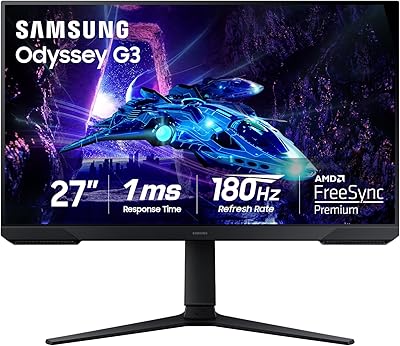
  • Refresh Rate: The display runs at a maximum refresh rate of 100Hz, reducing motion blur during fast-scrolling documents and video calls compared to standard 60Hz panels.
  • Aspect Ratio: The screen uses a 16:9 widescreen aspect ratio, which is the standard format compatible with virtually all modern operating systems and applications.
  • Adaptive Sync: AMD FreeSync technology is supported, synchronizing the monitor's refresh rate with a compatible GPU to minimize screen tearing and visual stuttering.
  • Eye Care: The panel is TÜV Rheinland certified for both low blue light emission and flicker-free performance, reducing eye fatigue during extended work sessions.
  • Inputs: Connectivity includes one HDMI port and one DisplayPort input, allowing two devices to be connected simultaneously for easy source switching.
  • USB Ports: Four USB 3.0 ports are built into the monitor, enabling direct connection of peripherals such as keyboards, mice, and storage drives.
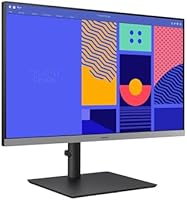
  • Stand Adjustments: The included stand supports height adjustment, allowing users to raise or lower the panel to a comfortable eye-level position without purchasing a separate arm.
  • Screen Surface: The display surface is flat (non-curved) with an anti-glare matte coating that reduces reflections in bright office or home-office environments.
  • Dimensions: With the stand attached, the monitor measures approximately 8.65 inches deep, 24.08 inches wide, and 21.23 inches tall.
  • Weight: The unit weighs approximately 12.35 pounds with the stand included, making it manageable for a single person to set up and reposition as needed.
  • Color Finish: The monitor ships in a black finish with a slim-bezel design on three sides, keeping the overall aesthetic clean and unobtrusive on a desk.
  • Model Number: The official Samsung model identifier for this unit is LS27C432GANXZA, which is the North American variant of the S27C432GAN series.
  • Release Year: This monitor was first made available in December 2023, positioning it as a 2024 business-cycle product with current connectivity and ergonomic standards.
  • Brand: Manufactured by Samsung Electronics, a globally recognized display brand with a broad portfolio spanning consumer, gaming, and professional business monitors.

Related Reviews

Samsung S40GD 27-inch Business Monitor
78%
83%
Display Quality
67%
Resolution
81%
Refresh Rate
88%
Eye Comfort
86%
Ergonomics
More
Samsung SR35 27-Inch FHD Monitor
86%
89%
Display Quality
92%
Eye Comfort Features
80%
Build Quality
94%
Ease of Setup
91%
Value for Money
More
Samsung Odyssey G50A 27-inch Gaming Monitor
80%
91%
Image Clarity
93%
Refresh Rate Performance
88%
Color Accuracy
58%
HDR Quality
89%
Response Time & Input Lag
More
Samsung M50D 27-inch Smart Monitor
71%
88%
Smart Platform Depth
82%
Value for Money
61%
Display Quality
67%
Cloud Gaming Experience
74%
Built-in Audio
More
Samsung S39C 27-Inch Curved Gaming Monitor
75%
83%
Picture Quality & Color Accuracy
88%
Curvature & Immersion
61%
Refresh Rate & Gaming Performance
86%
Eye Comfort & Long-Session Usability
79%
Build Quality & Aesthetics
More
Samsung S8 27-inch 4K IPS Monitor
77%
88%
Image Quality
86%
Color Accuracy
91%
Connectivity & USB-C
89%
Ergonomic Stand
84%
Eye Comfort
More
Samsung S40GD 22-inch Business Monitor
80%
86%
Image Quality
82%
Refresh Rate & Smoothness
89%
Ergonomics & Stand
84%
Eye Comfort
83%
Build Quality
More
Samsung S24D402GAN 24-inch Business Monitor
81%
88%
Image & Color Quality
83%
Refresh Rate & Motion Handling
91%
Ergonomics & Stand Adjustability
89%
Eye Comfort & Long-Session Usability
84%
Build Quality & Physical Design
More
Samsung 24-Inch S43GC Series Business Monitor
86%
91%
Display Quality
88%
Ergonomics & Adjustability
85%
Ease of Setup
92%
Color Accuracy
89%
Performance for Work Tasks
More
Samsung Odyssey G50D 27-Inch Gaming Monitor
81%
88%
Image Clarity
91%
Refresh Rate Performance
86%
Response Time & Motion Handling
84%
Color Accuracy
58%
HDR Performance
More

FAQ

The Samsung S27C432GAN 27-Inch Business Monitor does not have a native USB-C port, so you will need a USB-C to HDMI or USB-C to DisplayPort adaptor to connect a modern MacBook or similar laptop. These adaptors are widely available and inexpensive, so it is not a major hurdle, but it is worth knowing before you buy.

This is the most common concern buyers have, and the honest answer is: it depends on what you are used to. For standard office tasks like email, spreadsheets, and video calls, most people find it perfectly acceptable. If you have been using a 1440p or Retina display and are accustomed to razor-sharp text, you will likely notice the difference. Sitting a typical arm's length from the screen helps, but if pixel density is important to you, stepping up to a 1440p monitor at this screen size is worth considering.

The stand provides a meaningful range of height adjustment that lets most users get the top of the screen roughly at or slightly below eye level while seated. It is not the most expansive range on the market, but it covers the ergonomic needs of the vast majority of desk setups without requiring an aftermarket arm.

Yes — the HDMI and DisplayPort inputs allow you to keep two devices plugged in simultaneously. Switching between them is done through the monitor's on-screen menu, which takes just a few button presses. There is no built-in KVM switch, though, so your keyboard and mouse will not automatically follow the source switch.

The TÜV Rheinland certification for both flicker-free operation and blue light reduction is a legitimate third-party standard, not just a badge Samsung put on the box. Many users who work eight or more hours daily report noticeably less eye fatigue compared to older monitors they replaced. That said, eye comfort also depends on ambient lighting, screen brightness settings, and how often you take breaks.

Yes, it will work with both consoles via HDMI. Keep in mind that the maximum resolution is 1080p at 100Hz, so you will not get 4K output that those consoles support on a capable TV. For casual gaming it is fine, but if you bought a next-gen console specifically for its graphical capabilities, a higher-resolution display would serve you better.

Assembly is straightforward — the stand attaches to the monitor base with a couple of screws or clips, and most buyers report the whole process takes under ten minutes. Samsung includes the necessary cables and a brief setup guide in the box. The on-screen menu is intuitive enough that most people do not need to consult a manual.

No, this 27-inch office display does not include built-in speakers. If you need audio output at your desk, you will need external speakers or a headset connected to your computer or a separate audio device.

The construction is entirely plastic, which is standard for monitors in this price tier. It is solid and does not flex or creak, but it does not have the premium feel of an aluminum-chassis display. For a business desk environment it looks professional enough, though buyers who want a more refined aesthetic may notice the difference.

Samsung lists the response time for this panel in the range typical of IPS monitors at this tier, which is suitable for office tasks and casual use. For competitive gaming where millisecond response time differences matter, it is not designed to compete with dedicated gaming monitors. For productivity, hybrid meetings, and occasional light gaming, the response is more than adequate and you are unlikely to notice any ghosting during normal use.