Samsung S40GD 27-inch Business Monitor

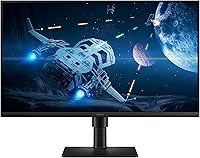
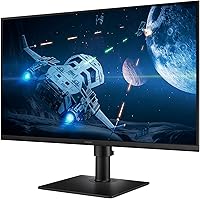
Overview
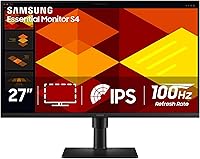
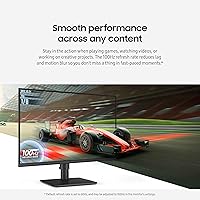
The Samsung S40GD 27-inch Business Monitor sits comfortably in the mid-range office display category, targeting professionals and hybrid workers who want a dependable screen without paying a premium price. It pairs an IPS panel with a 100Hz refresh rate — a combination you don't often find at this tier — and backs it all with a 3-year warranty that signals real confidence in the hardware. One honest caveat worth setting upfront: the 1080p resolution across a 27-inch screen won't satisfy everyone. Pixel density is noticeably lower than on smaller FHD displays, so if razor-sharp text is a top priority, keep that trade-off in mind before buying.
Features & Benefits
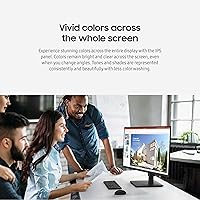
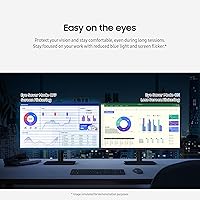
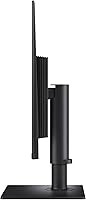
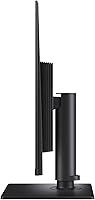
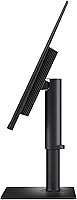
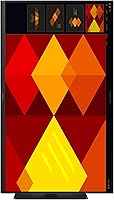
The IPS panel is probably the S40GD's strongest everyday asset. Colors hold up at wide viewing angles without the washed-out shift you get from cheaper TN panels, making it genuinely useful for presentations or light photo editing. The step up to 100Hz over a typical office monitor's 60Hz makes scrolling through long documents noticeably smoother — a small but real comfort upgrade during heavy workdays. Eye Saver Mode cuts blue light and eliminates flicker, which matters when you're staring at this 27-inch office display for six-plus hours. The height-adjustable stand adds genuine ergonomic flexibility, and the pivot function lets you rotate to portrait mode for coding or reading lengthy documents.
Best For
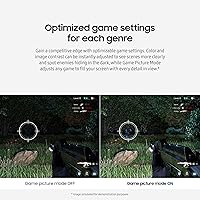
This Samsung business monitor makes the most sense for office workers and hybrid setups where everyday productivity is the primary goal. It handles spreadsheets, video calls, and browser-heavy multitasking well, and the wide viewing angles mean colleagues glancing at your screen won't see color shift. The ultra-thin bezels make it a natural fit for dual-monitor configurations, where thick borders would create a distracting gap. Casual gamers who double their PC as a work machine will appreciate the 100Hz refresh and Game Picture Mode as a practical bonus. If you're chasing 4K detail or professional-grade color accuracy, this 27-inch office display is simply not built for that.
User Feedback
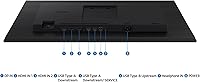
With a 4.6-star average across roughly 93 ratings, the S40GD earns genuinely positive marks — though the sample size is still modest, so the consensus deserves measured perspective. Buyers consistently praise ease of assembly and the stand's sturdiness, noting it adjusts smoothly and holds position reliably. Color accuracy out of the box gets good reviews for office tasks, though a handful of users recommend a quick calibration for more creative work. The most recurring criticism targets pixel density — at 27 inches, 1080p can read noticeably soft, especially with small fonts. A few buyers also flag limited port options, so it's worth checking connectivity against your existing setup before committing.
Pros
- IPS panel delivers consistent, wide-angle color that holds up even when viewing from the side.
- 100Hz refresh rate makes scrolling and multitasking noticeably smoother than typical 60Hz office displays.
- Eye Saver Mode genuinely reduces eye strain during marathon work sessions — a practical daily benefit.
- The height-adjustable stand offers real ergonomic flexibility without needing a separate arm.
- Portrait pivot mode is a convenient option for coders or anyone reading long documents vertically.
- Ultra-thin bezels keep multi-monitor setups clean and visually cohesive.
- Samsung's 3-year warranty offers meaningful peace of mind for a business-use display.
- Assembly is straightforward, with buyers consistently praising how quickly it comes together.
- Color accuracy out of the box is solid for everyday office and light creative tasks.
- The S40GD covers both productivity and casual gaming without requiring two separate displays.
Cons
- At 1080p across 27 inches, pixel density is noticeably low — fine text can appear soft or slightly blurry.
- Port selection is limited and may not accommodate all peripheral or multi-device setups.
- Not suitable for color-critical work without manual calibration, which casual users may find inconvenient.
- 100Hz falls short for competitive gaming; dedicated gamers will need a higher-refresh-rate display.
- The relatively modest rating pool of around 93 reviews means long-term reliability is harder to fully assess.
- No built-in speakers, which adds clutter for users who rely on desktop audio from their monitor.
- FHD resolution will feel like a step backward for anyone upgrading from a higher-resolution display.
- Cable management options on the stand are basic, which can make a tidy desk setup harder to maintain.
Ratings
Our AI rating system analyzed verified global user reviews for the Samsung S40GD 27-inch Business Monitor, actively filtering out incentivized submissions, duplicate accounts, and low-credibility feedback to surface what real buyers consistently experience. Scores reflect a balanced synthesis of both praised strengths and recurring pain points — nothing is glossed over. Where trade-offs are real, the numbers show it.
Display Quality
Resolution
Refresh Rate
Eye Comfort
Ergonomics
Build Quality
Bezel Design
Color Accuracy
Game Picture Mode
Assembly & Setup
Connectivity
Value for Money
Warranty & Support
Cable Management
Suitable for:
The Samsung S40GD 27-inch Business Monitor is a strong fit for office professionals and hybrid workers who spend most of their day in productivity applications — think spreadsheets, email, document editing, and video conferencing. The IPS panel and Eye Saver Mode make it a practical choice for anyone logging six or more hours in front of a screen daily, where eye fatigue becomes a real concern. Its height-adjustable, pivoting stand suits people who care about proper ergonomics but don't want to buy a separate monitor arm. Casual PC gamers who also use their machine for work will find the 100Hz refresh rate and Game Picture Mode a worthwhile bonus. The ultra-thin bezels make this 27-inch office display an especially natural choice for anyone building a dual-monitor desk setup on a sensible budget.
Not suitable for:
The Samsung S40GD 27-inch Business Monitor is not the right call for anyone who needs sharp, high-density text rendering — at 1080p across a 27-inch screen, pixel density sits around 82 PPI, and users with sharp eyes or who work with fine typography and detailed visuals will likely find the image softer than they'd like. Graphic designers, photographers, or video editors who depend on color-accurate output should look toward higher-resolution IPS panels or displays with factory calibration. Competitive gamers will also want to look elsewhere — while 100Hz is a step above standard office displays, it falls short of the 144Hz or higher refresh rates that fast-paced gaming demands. If connectivity flexibility is critical, the S40GD's port selection may feel limiting depending on your peripheral setup, so verify compatibility before purchasing.
Specifications
- Screen Size: The display measures 27 inches diagonally, offering a wide work surface suitable for multitasking and side-by-side document viewing.
- Panel Type: An IPS (In-Plane Switching) panel provides consistent color reproduction and wide viewing angles up to 178 degrees both horizontally and vertically.
- Resolution: Native resolution is 1920x1080 (Full HD 1080p), delivering standard-definition clarity adequate for everyday office and productivity tasks.
- Refresh Rate: The display runs at a 100Hz refresh rate, reducing motion blur and providing smoother visual output compared to standard 60Hz office monitors.
- Aspect Ratio: A 16:9 widescreen aspect ratio matches the standard format for most productivity software, video content, and web browsing layouts.
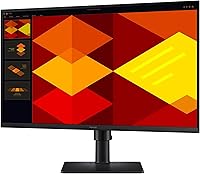
- Screen Surface: The flat screen surface minimizes geometric distortion across the display area, which is preferable for text-heavy work and document editing.
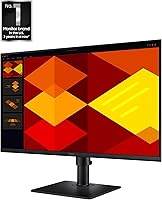
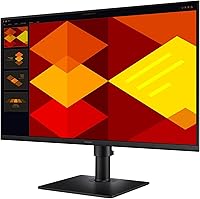
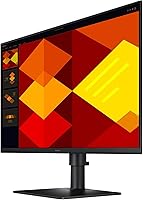
- Bezel Design: Ultra-thin borderless bezels on all sides reduce visual interruption between screens, making the S40GD well-suited for dual or multi-monitor configurations.
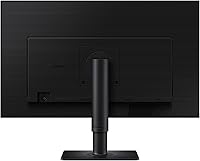
- Ergonomic Stand: The included stand supports height adjustment and a full portrait-mode pivot, allowing users to tailor the display position to their individual posture and workflow.
- Eye Care: Eye Saver Mode reduces blue light emission and eliminates screen flicker to help minimize eye fatigue during extended daily use.
- Game Picture Mode: Genre-specific image presets adjust contrast and color settings to optimize visibility for different types of game content directly from the monitor's menu.
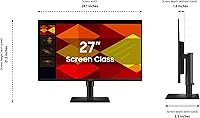
- Dimensions: The monitor measures 8.62 x 24.12 x 21.19 inches (depth x width x height) with the stand attached, fitting most standard desks comfortably.
- Weight: Total unit weight with stand is 8.82 pounds, making it manageable for a single person to position and reposition as needed.
- Color: The monitor is finished in black, a neutral choice that suits most desk environments and does not clash with existing office peripherals.
- Warranty: Samsung covers this monitor with a 3-year manufacturer warranty, which is above average for the mid-range display category.
- Model Number: The official model designation is LS27D402GANXGO, part of Samsung's S27D402GAN series of business-oriented displays.
- Brand: Manufactured and sold by Samsung, a globally established electronics brand with a broad service and support infrastructure.
Related Reviews
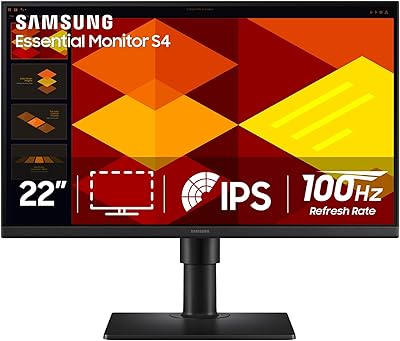
Samsung S40GD 22-inch Business Monitor
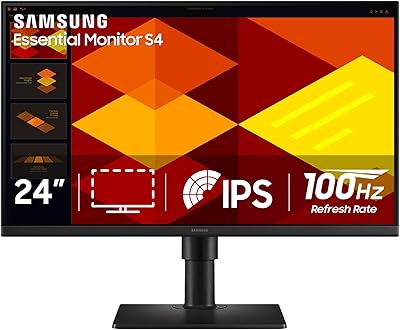
Samsung S24D402GAN 24-inch Business Monitor
Samsung S27C432GAN 27-Inch Business Monitor
Samsung SR35 27-inch FHD Monitor
Samsung Odyssey G50A 27-inch Gaming Monitor
Samsung S43GC 24-Inch IPS Business Monitor

Samsung S39C 27-Inch Curved Gaming Monitor
Samsung S8 27-inch 4K IPS Monitor
Samsung M50D 27-inch Smart Monitor
