Samsung S43GC 24-Inch IPS Business Monitor



Overview
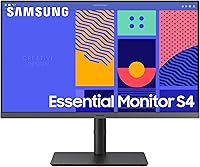
The Samsung S43GC 24-Inch IPS Business Monitor joined Samsung's S-series lineup in 2024, sitting comfortably in the mid-range space between bare-minimum office screens and higher-end creative displays. The real draw here is the IPS panel, which keeps colors consistent and bright whether you're looking straight on or at an angle — something that makes a genuine difference in shared workspaces. The height-adjustable stand is a practical inclusion that many competitors quietly skip at this price point. Set expectations correctly: this is a dependable daily work display, not a tool for professional color grading or high-fps gaming.
Features & Benefits
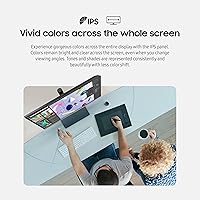
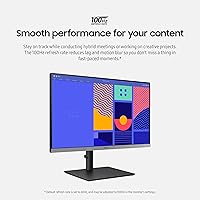
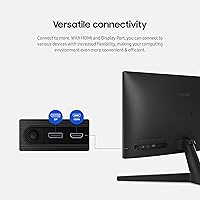
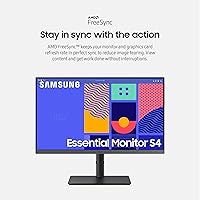
The IPS panel on the S43GC holds color well at wider viewing angles — a real advantage during collaborative work or any setup where you're not always centered on the screen. The 100Hz refresh rate is a genuine upgrade from the 60Hz standard most office monitors ship with; scrolling through long documents and attending video calls both feel noticeably smoother. Four USB 3.0 ports turn this Samsung business monitor into a modest desk hub, reducing the cable mess that builds up around single-port displays. HDMI and DisplayPort inputs together let you run a laptop and desktop through one screen. AMD FreeSync is a minor but welcome bonus for casual video or gaming sessions.
Best For
This Samsung business monitor suits remote workers and hybrid professionals who want a dependable screen without overpaying for specs they won't use daily. If you're upgrading from a TN panel or an old 60Hz display, the jump in color accuracy and motion smoothness will be noticeable right away. The multi-input setup is especially useful if you switch regularly between a work laptop and a personal machine — no cables to swap, just a button press. The adjustable stand also saves the cost of a separate arm for anyone building out a proper ergonomic workspace on a budget. Photo editors and serious gamers should look elsewhere; this 24-inch IPS display isn't built for those demands.
User Feedback
With a 4.6-star average across more than 2,300 ratings, the S43GC has clearly landed well with a wide range of buyers, not just a niche audience. Easy assembly and stand flexibility come up repeatedly in positive reviews, along with comments about accurate colors right out of the box. The most consistent criticism involves resolution: at 23.8 inches, 1080p is workable, but buyers expecting QHD sharpness will likely feel the pixel density falls short. On-screen menu navigation also draws occasional complaints — the OSD controls can feel awkward relative to the quality of the panel itself. A small number of users flag that peak brightness feels limiting in bright, sunlit rooms, which is worth knowing before you commit.
Pros
- The IPS panel produces consistent, accurate colors across wide viewing angles — a real plus for collaborative or document-heavy work.
- A 100Hz refresh rate makes everyday tasks like scrolling and video calls noticeably smoother than standard 60Hz office displays.
- The built-in height-adjustable stand handles ergonomic positioning without requiring a separate monitor arm purchase.
- Four USB 3.0 ports transform the S43GC into a modest desk hub, cutting down on cable clutter significantly.
- HDMI and DisplayPort inputs together make it easy to run two separate devices through one screen without swapping cables.
- TÜV-certified Low Blue Light and flicker-free technology offer genuine, validated eye comfort — not just a marketing checkbox.
- Setup and assembly are consistently described as straightforward, with colors looking accurate right from the first boot.
- AMD FreeSync adds a layer of smoothness for casual video watching or occasional gaming sessions after work hours.
- At this price tier, the combination of IPS quality, ergonomic stand, and multi-port connectivity represents solid overall value.
Cons
- At 23.8 inches, 1080p resolution can look noticeably soft to buyers used to QHD or higher pixel density displays.
- The on-screen display menu controls are awkward and unintuitive relative to the quality of the panel itself.
- Peak brightness falls short in bright, sun-facing rooms, which can make the screen feel washed out during the day.
- No USB-C input limits connectivity options for newer laptops that rely primarily on USB-C or Thunderbolt ports.
- The stand does not support pivot or landscape-to-portrait rotation, which some power users may find restrictive.
- Color gamut coverage is standard sRGB — not suitable for work requiring wide-gamut or DCI-P3 accuracy.
- The bezel, while functional, is not particularly slim and may feel dated next to more modern borderless designs.
- Buyers expecting QHD sharpness at this screen size will likely feel underwhelmed by the 1920x1080 output.
- Response time specs may not satisfy users who occasionally switch to fast-paced gaming beyond casual sessions.
Ratings
The scores below for the Samsung S43GC 24-Inch IPS Business Monitor were generated by our AI system after analyzing thousands of verified global buyer reviews, with spam, bot submissions, and incentivized feedback actively filtered out. Both the genuine strengths and the recurring frustrations are reflected in each category score — nothing has been softened to make the product look better than it performs in real-world use.
Image Quality
Color Accuracy
Ergonomics & Stand
Eye Comfort
Connectivity
Refresh Rate & Smoothness
Build Quality
OSD & Controls
Value for Money
Setup & Assembly
Display Brightness
Noise & Heat
Compatibility
Suitable for:
The Samsung S43GC 24-Inch IPS Business Monitor is a strong match for remote workers, hybrid professionals, and anyone building out a functional home office without wanting to overspend on features they won't use daily. The IPS panel makes it particularly well-suited to people who share their screen during video calls or work side-by-side with a colleague, since color and brightness stay consistent from wider viewing angles. If you're currently running an older TN panel or a basic 60Hz display, the step up in visual quality here will feel immediate and worthwhile. The built-in height-adjustable stand is a genuine ergonomic asset — it removes the need to budget separately for a monitor arm, which is a real convenience for anyone setting up a new desk from scratch. Small businesses or office managers sourcing multiple workstation displays will also find the TÜV-certified eye comfort credentials useful for procurement and employee wellbeing conversations.
Not suitable for:
Buyers who need sharp fine detail at close range — think graphic designers, photo retouchers, or anyone doing precise visual work — will likely find the 1080p resolution limiting at this screen size, and should look toward QHD or 4K alternatives before committing. The Samsung S43GC 24-Inch IPS Business Monitor is also not built for competitive gaming: while the 100Hz refresh rate is a nice bonus, the panel prioritizes color consistency and eye comfort over the ultra-low response times and high frame rate handling that serious gamers require. Content creators who need wide color gamut coverage or factory-calibrated accuracy for video production will find this display undershoots their needs. If your primary environment is a very bright, sun-facing room, the peak brightness may also leave the display looking washed out during daytime hours. This is a workhorse office monitor, and buyers looking beyond that use case should weigh those trade-offs carefully.
Specifications
- Screen Size: The active display area measures 23.8 inches diagonally, housed within a standard 16:9 flat-panel form factor.
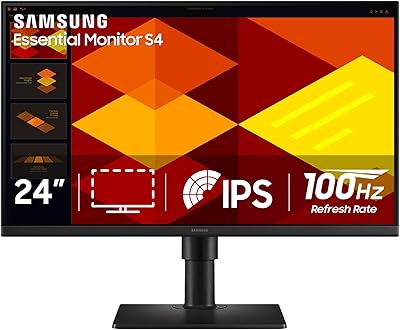
- Panel Type: An IPS (In-Plane Switching) panel is used, providing consistent color reproduction and brightness across wider horizontal and vertical viewing angles.
- Resolution: Native resolution is 1920x1080 pixels (Full HD 1080p), delivering a pixel density appropriate for everyday office and productivity tasks.
- Refresh Rate: The panel supports a maximum refresh rate of 100Hz, reducing motion blur compared to standard 60Hz office displays.
- Aspect Ratio: The screen uses a 16:9 widescreen aspect ratio, which is standard for business productivity, video conferencing, and general computing use.
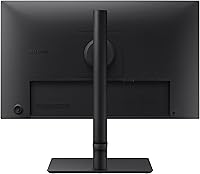
- Inputs: Connectivity includes one HDMI port and one DisplayPort input, allowing two separate source devices to be connected simultaneously.
- USB Ports: Four USB 3.0 ports are built into the monitor, enabling it to function as a basic desktop hub for peripherals and accessories.
- Adaptive Sync: AMD FreeSync technology is supported, synchronizing the monitor refresh rate with compatible AMD graphics cards to reduce screen tearing.
- Eye Care: The display carries TÜV Rheinland certification for Low Blue Light emission and flicker-free operation, validated to reduce eye fatigue during extended use.
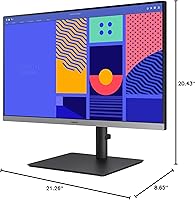
- Stand Adjustment: The included stand supports height adjustment, allowing users to position the screen at a comfortable eye level without purchasing a separate monitor arm.
- Screen Surface: The panel surface is flat (non-curved), with a matte-style coating that reduces glare and reflections in typical office lighting conditions.
- Dimensions: The monitor measures 8.65 x 21.26 x 20.43 inches (depth x width x height) with the stand attached.
- Weight: The full unit including the stand weighs 10.58 pounds, making it manageable for single-person desk installation.
- Color Finish: The chassis and stand are finished in matte black, consistent with Samsung's S-series business monitor aesthetic.
- Model Number: The official Samsung model number is LS24C432GANXZA, part of the S24C432GAN series within the S43GC product family.
- Release Year: This monitor was first made available in December 2023 as a 2024 lineup entry in Samsung's S-series business display range.
- Manufacturer: Designed and manufactured by Samsung Electronics, a globally recognized brand with an established track record in commercial display hardware.
Related Reviews
Samsung S24D402GAN 24-inch Business Monitor
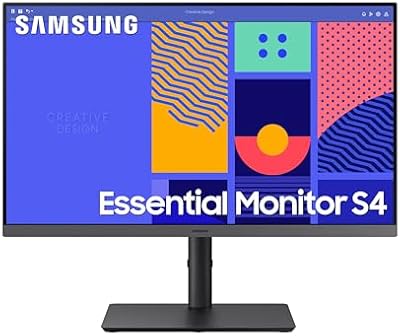
Samsung S27C432GAN 27-Inch Business Monitor

ViewSonic VG2448A 24-inch IPS Monitor
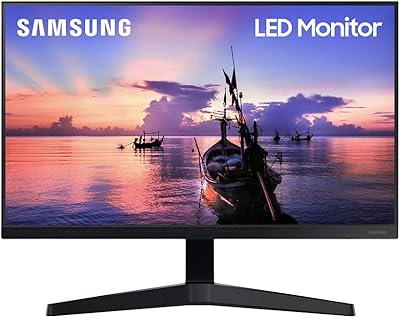
Samsung T350 24-inch IPS Monitor
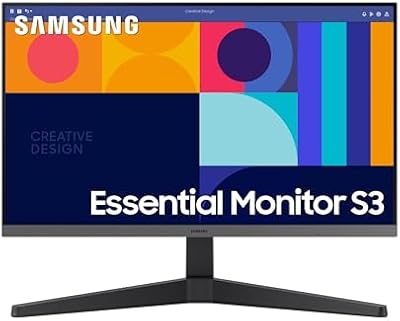
Samsung S33GC 24-Inch IPS Monitor
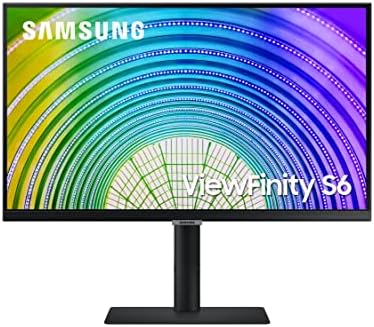
Samsung S60A 24-inch QHD Monitor
Samsung S22R350FHN 22-inch IPS Monitor
Samsung S40GD 22-inch Business Monitor
Samsung S40GD 27-inch Business Monitor
