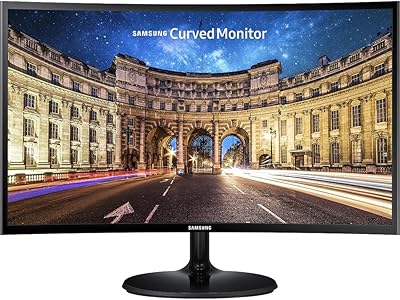
Samsung S24D402GAN 24-inch Business Monitor


Overview
The Samsung S24D402GAN 24-inch Business Monitor arrived in early 2025 as a practical, well-priced option for professionals who want more than a bare-bones display. It sits comfortably in the mid-range category — not trying to compete with high-end creative monitors, but offering enough polish to stand out in a crowded office segment. The borderless IPS design keeps desk setups looking clean, and the slim profile means it won't dominate your workspace. Backing it all up is a 3-year warranty, which quietly signals Samsung's confidence in the build and gives buyers one less thing to worry about.
Features & Benefits
The IPS panel is the foundation here — colors stay consistent whether you're looking straight on or at an angle, which genuinely matters in shared workspaces or during client-facing presentations. At 100Hz, this 24-inch IPS display handles spreadsheets and video calls without a hitch, while also reducing the choppiness you'd notice on a standard 60Hz screen when scrolling quickly through documents. The height-adjustable stand with pivot functionality is useful for long desk days — tilt it, raise it, rotate it to portrait mode. Two USB 3.0 ports round things out for anyone who'd rather not hunt for a separate dongle.
Best For
This Samsung business monitor fits best in environments where you spend serious hours in front of a screen. Office professionals doing document-heavy work, video conferencing, or managing multiple browser tabs will appreciate the eye-friendly display and the stand's real adaptability. It also suits smaller home offices where desk space is tight — the thin bezels and compact footprint help. If you occasionally game after hours, the 100Hz refresh and Game Picture Mode add a little extra, though this is not a dedicated gaming monitor. Budget-focused buyers who value brand reliability and a solid warranty will feel well-served here.
User Feedback
With a 4.6-star average across over 90 ratings, the S24D402GAN earns its marks through consistent real-world performance. Buyers regularly mention how easy the setup is — out of the box and onto the desk without much fuss. Color quality and stand adjustability come up often as genuine strengths. The criticism that surfaces most is the 1080p resolution ceiling; on a 24-inch screen it holds up fine, but users upgrading from smaller displays occasionally wish for sharper text. A few reviewers also note the port selection is workable but not expansive. Most buyers feel they got solid value, with several citing the warranty coverage as a deciding factor.
Pros
- The IPS panel keeps colors consistent and accurate from virtually any viewing angle, which matters in shared workspaces.
- Eye Saver Mode with flicker-free technology makes a noticeable difference during long workdays, reducing eye strain effectively.
- The height-adjustable stand with full pivot capability offers genuine ergonomic flexibility without buying a separate monitor arm.
- At 100Hz, this Samsung business monitor scrolls and handles everyday motion more smoothly than standard 60Hz office displays.
- Setup is fast and intuitive — most buyers are up and running in under ten minutes straight out of the box.
- Ultra-thin bezels and a slim profile keep the desk looking clean and make the most of available screen real estate.
- Two USB 3.0 ports built into the monitor simplify multi-device connectivity without cluttering the desk with extra hubs.
- A 3-year warranty from Samsung provides genuine peace of mind, especially for small business buyers equipping a permanent workstation.
- The S24D402GAN holds its own for casual gaming sessions, with Game Picture Mode adding a useful visual boost after hours.
- The overall package delivers strong value — brand trust, ergonomics, and eye-care features at an accessible mid-range price point.
Cons
- The 1080p resolution shows its limits when working with dense data, small fonts, or detailed visual content for long periods.
- No USB-C port means users with modern laptops cannot run a clean single-cable setup from this display.
- The OSD navigation relies on rear-mounted buttons rather than a joystick, making menu adjustments slower and less intuitive than expected.
- Maximum brightness is adequate indoors but falls short in bright natural light environments or near large uncovered windows.
- The plastic chassis feels lighter and less solid than the clean exterior suggests, with some flex noticeable during stand adjustments.
- Port variety overall is limited — users needing multiple display inputs or broader connectivity may quickly run out of options.
- Out-of-box color temperature leans slightly cool, requiring manual calibration for users who prefer warmer or more neutral white tones.
- Eye Saver Mode shifts the display noticeably yellow-orange, which makes it impractical to leave on during any color-sensitive tasks.
Ratings
Our AI-generated scores for the Samsung S24D402GAN 24-inch Business Monitor were produced by systematically analyzing verified global buyer reviews, with spam, incentivized, and bot-flagged submissions actively filtered out before scoring. The ratings reflect a balanced synthesis of what real users consistently praised and where they ran into friction — nothing is glossed over. Both the standout strengths and the genuine limitations are transparently baked into every number below.
Image & Color Quality
Refresh Rate & Motion Handling
Ergonomics & Stand Adjustability
Eye Comfort & Long-Session Usability
Build Quality & Physical Design
Resolution & Sharpness
Connectivity & Port Selection
Setup & Out-of-Box Experience
Value for Money
Gaming Performance
Brightness & Glare Handling
On-Screen Display & Menu Controls
Warranty & Brand Support
Suitable for:
The Samsung S24D402GAN 24-inch Business Monitor was built with a clear audience in mind: professionals who spend long hours at a desk and need a reliable, comfortable display that does not require constant fiddling. Office workers handling spreadsheets, document editing, and back-to-back video calls will appreciate the IPS color consistency and the Eye Saver Mode that genuinely reduces fatigue over a full workday. The height-adjustable stand with pivot support is a real advantage for anyone who has ever dealt with neck strain from a fixed-height screen — being able to dial in the exact position matters more than most buyers expect until they have it. Small business owners equipping a home office on a sensible budget will find the combination of Samsung's brand reliability and a 3-year warranty reassuring without having to pay premium pricing to get it. Multi-device users who want to consolidate their desk setup will also benefit from the two built-in USB 3.0 ports, cutting out the need for a separate hub. Casual gamers who use the same machine for work and occasional after-hours play get a monitor that handles both without demanding a compromise.
Not suitable for:
The Samsung S24D402GAN 24-inch Business Monitor has real limitations that make it a poor fit for certain buyers, and it is worth being direct about them. If you are a graphic designer, video editor, or photographer who depends on precise color accuracy and high pixel density, the 1080p resolution at 24 inches will likely frustrate you — text and fine detail simply do not carry the crispness that QHD or 4K panels deliver at the same screen size. Competitive or enthusiast gamers who prioritize high refresh rates and low input lag should look elsewhere; this is a work monitor that tolerates gaming, not the other way around. Users with newer laptops that rely on USB-C for single-cable video and power delivery will find the port selection limiting, since there is no USB-C display input available here. Anyone working in a bright, sun-facing room may also struggle with the brightness ceiling under harsh natural light conditions. If your workflow is likely to expand to dual-monitor QHD setups within the next year or two, starting with a 1080p display may feel like a step backward sooner than expected.
Specifications
- Screen Size: The display measures 24 inches diagonally, providing a comfortable workspace footprint for single-monitor office setups.
- Panel Type: An IPS (In-Plane Switching) panel is used, delivering consistent color accuracy and stable viewing angles up to 178 degrees horizontally and vertically.
- Resolution: Native resolution is 1920x1080 (Full HD), offering clear image quality suited to everyday productivity and general media consumption.
- Refresh Rate: The monitor supports a 100Hz refresh rate, reducing motion blur during fast scrolling, video playback, and casual gaming compared to standard 60Hz displays.
- Aspect Ratio: The screen uses a standard 16:9 widescreen aspect ratio, compatible with the vast majority of content formats and video conferencing platforms.
- Bezel Design: Ultra-thin borderless bezels frame the display on all sides, minimizing visual distraction and making the most of the physical screen area.
- Stand Adjustments: The included stand supports height adjustment and full 90-degree pivot rotation, allowing both landscape and portrait orientations to suit different workflows.
- Eye Care: Eye Saver Mode reduces blue light emission and the panel is flicker-free certified, designed to lower visual fatigue during extended work sessions.
- Game Picture Mode: A dedicated Game Picture Mode allows users to adjust color and contrast settings optimized for different game genres, filling the screen with improved scene detail.
- USB Ports: Two USB 3.0 Type-A ports are built into the monitor body, enabling direct connection of peripherals without a separate desktop hub.
- Dimensions: The monitor with stand measures 8.62 x 21.29 x 19.59 inches (D x W x H), keeping a compact desk footprint relative to its screen size.
- Weight: The full unit including stand weighs 7.72 pounds, making repositioning and initial desk setup straightforward for a single person.
- Color Finish: The monitor ships in a blue and black dual-tone finish, offering a clean, professional aesthetic that suits both corporate and home office environments.
- Power Consumption: The unit operates at 45 volts, reflecting an energy-efficient design appropriate for all-day business use.
- Warranty: Samsung covers this monitor with a 3-year manufacturer warranty, providing long-term assurance for business and home office buyers alike.
- Release Date: The monitor became available for purchase in February 2025, positioning it as a current-generation display with up-to-date design standards.
- Model Number: The official model number is LS24D402GANXGO, part of Samsung's S24D402GAN series targeting the business monitor segment.
Related Reviews
Samsung S43GC 24-Inch IPS Business Monitor
Samsung S60A 24-inch QHD Monitor
Samsung T350 24-inch IPS Monitor
Samsung S33GC 24-Inch IPS Monitor
Samsung T37F 24-inch FHD IPS Monitor
Samsung FT45 24-Inch FHD IPS Monitor
Samsung S40GD 27-inch Business Monitor

Samsung CRG5 24-Inch Curved Gaming Monitor
Samsung S40GD 22-inch Business Monitor