Samsung 24-inch S36GD Curved FHD Monitor


Overview
The Samsung 24-inch S36GD Curved FHD Monitor sits squarely in its budget display lineup, earning its spot without pretending to be something it isn't. The 1800R curve and VA panel are the two hardware decisions that shape the experience — both sensible choices at this price tier. At 24 inches running 1080p, pixel density is comfortable for normal desk distances; text stays crisp, images look clean, and nothing feels overly soft or stretched. The brand's long track record in display manufacturing gives buyers some confidence in build quality and long-term reliability, which matters when you're picking an everyday screen.
Features & Benefits
The 100Hz refresh rate is a genuine step up from 60Hz — scrolling feels smoother and fast-moving content like action games or sports replays shows noticeably less blur. It isn't competing with dedicated 144Hz gaming monitors, and it doesn't need to. The VA panel brings deeper blacks that IPS panels simply can't match at this price, though there is a real trade-off: pixel response is a touch slower, which competitive gamers may notice. The curve keeps your eyes moving less across the screen, which adds up during long sessions, and TÜV-certified flicker-free and low blue light technology make extended use more comfortable. Game Mode rounds things out by boosting dark-scene contrast.
Best For
This budget curved monitor makes the most sense for a specific kind of buyer. Home office workers logging long hours at a desk will appreciate the curved screen and eye comfort features far more than raw pixel throughput. Students building their first real workstation will find that the combination of screen size, resolution, and refresh rate hits a practical sweet spot. Casual gamers — those who play story-driven or online titles recreationally rather than competitively — will get genuine value from the 100Hz and Game Mode. It also works cleanly as a secondary display, adding screen real estate to an existing setup with minimal fuss.
User Feedback
With a 4.4-star average across nearly 300 ratings, the S36GD is landing well with real buyers. Consistent praise focuses on image quality relative to the asking price — people are often surprised by how good the picture looks straight out of the box, and many highlight how painless the setup process is. The curved screen comfort comes up repeatedly in positive reviews. On the critical side, the stand is a recurring frustration: there is no height adjustment or pivot, just basic tilt, which limits ergonomic flexibility. A few buyers note that colors can look slightly cooler than expected from the VA panel. Most agree, though, that the overall trade-offs are fair for what you pay.
Pros
- The 1800R curve noticeably reduces eye travel and feels comfortable during long work or study sessions.
- VA panel contrast is visibly richer than what budget IPS monitors at this price typically deliver.
- 100Hz refresh makes scrolling, video, and casual gaming feel smoother than any standard 60Hz panel.
- TÜV-certified low blue light and flicker-free tech are genuine features, not just marketing labels.
- Setup is straightforward — an HDMI cable is included, so most buyers are up and running immediately.
- D-Sub port adds useful compatibility with older desktops and laptops that lack HDMI output.
- Game Mode provides a practical contrast boost for dark scenes without requiring manual calibration.
- At 6.8 pounds, the monitor is light enough to reposition or move between rooms without hassle.
- Samsung's build reliability gives buyers reasonable confidence in day-to-day durability over time.
- Strong 4.4-star average across hundreds of real purchases suggests consistent satisfaction at this tier.
Cons
- The stand offers only basic tilt — no height adjustment, swivel, or pivot whatsoever.
- Buyers who want ergonomic positioning flexibility will need to budget extra for a monitor arm.
- VA pixel response can produce subtle ghosting during fast game sequences, especially at high contrast.
- Color temperature skews slightly cool out of the box, which may require manual adjustment to taste.
- 1080p resolution on a 24-inch screen looks fine close up but won't satisfy anyone used to higher pixel density.
- No USB hub or audio output means fewer connectivity options compared to monitors even slightly above this price point.
- The 100Hz ceiling will feel limiting sooner than expected for anyone who later upgrades their PC hardware.
- Bezel is functional but noticeably thick by current standards, which affects multi-monitor setups aesthetically.
- No built-in speakers, so external audio is required for any media consumption or calls.
Ratings
The Samsung 24-inch S36GD Curved FHD Monitor has been scored by our AI system after analyzing verified global buyer reviews, with spam, bot activity, and incentivized feedback actively filtered out before any score was calculated. The results reflect honest, real-world experiences — both the genuine strengths that make this curved Samsung stand out in its price tier and the recurring pain points that hold it back from a higher overall rating. Scores are designed to help you make a smarter decision, not to sell you on the product.
Value for Money
Image Quality
Gaming Performance
Eye Comfort
Stand & Ergonomics
Build Quality
Setup & Ease of Use
Connectivity
Motion Clarity
Color Accuracy
Brightness & Glare
Curve Comfort
Noise & Heat
Suitable for:
The Samsung 24-inch S36GD Curved FHD Monitor is a practical pick for anyone who wants a reliable, comfortable screen without spending heavily. Home office workers who spend most of the day reading documents, browsing, or handling video calls will benefit from the 1800R curve, which keeps the screen edges at a more consistent focal distance and reduces the eye fatigue that comes from hours at a flat panel. Students furnishing a first desk setup will find the screen size and resolution hit a sweet spot — big enough to work comfortably, sharp enough for most tasks, and easy to connect to laptops or older desktop machines via HDMI or D-Sub. Casual gamers who play a few hours on evenings and weekends will notice a real difference coming from a 60Hz flat panel; the 100Hz refresh and Game Mode dark-scene boost add up in practice, even if the monitor was never built for competitive play. It also makes an efficient second display for anyone needing extra screen real estate alongside a primary monitor.
Not suitable for:
Buyers with more demanding visual requirements will likely find the Samsung 24-inch S36GD Curved FHD Monitor falls short in important ways. Competitive or performance-focused gamers who rely on fast pixel response and high refresh rates above 100Hz should look elsewhere — the VA panel, while rich in contrast, carries a slower response time that can produce noticeable ghosting in fast-paced multiplayer titles. Creative professionals doing color-sensitive work such as photo editing or video grading will find the color accuracy and coverage insufficient for that kind of precision work. Anyone who needs ergonomic flexibility — height adjustment, pivot, or portrait mode rotation — will be frustrated quickly; the stand offers only basic tilt and nothing more. Users who want to pair a monitor with a modern discrete GPU and push high frame rates consistently will also hit the 100Hz ceiling sooner than they'd like.
Specifications
- Screen Size: The panel measures 24 inches diagonally, providing a comfortable workspace footprint for standard desk setups.
- Panel Type: Uses a VA (Vertical Alignment) panel, which offers deeper blacks and higher native contrast compared to IPS panels at a similar price.
- Resolution: Native resolution is 1920 x 1080 (Full HD), which renders cleanly at normal desktop viewing distances on a 24-inch screen.
- Refresh Rate: Runs at a maximum refresh rate of 100Hz, delivering smoother motion than standard 60Hz displays in everyday and gaming use.
- Curve Radius: The screen has an 1800R curvature, meaning the panel curves to match a viewing radius of approximately 1800mm for a more natural field of view.
- Aspect Ratio: Standard 16:9 widescreen aspect ratio, compatible with virtually all modern video content and operating system layouts.
- Connectivity: Offers one HDMI port and one D-Sub (VGA) port, covering both current and legacy device connections without needing an adapter in most cases.
- Included Cable: An HDMI cable is included in the box, so most buyers can complete setup without purchasing additional accessories.
- Eye Comfort: Certified by TÜV Rheinland for low blue light output and flicker-free operation, reducing eye strain during extended screen sessions.
- Game Mode: A dedicated Game Mode adjusts image scaling and boosts dark-area contrast to improve visibility in games with shadowed or low-light environments.
- Dimensions: The monitor measures 9.2 x 21.6 x 16.7 inches (D x W x H) with the stand attached, fitting most standard desks without crowding the workspace.
- Weight: Complete unit with stand weighs 6.8 pounds, making it easy to reposition or mount on a third-party arm if needed.
- Stand Adjustment: The included stand supports tilt adjustment only; it does not offer height, swivel, or pivot movement.
- VESA Compatibility: The monitor is compatible with standard VESA mounting patterns, allowing use with aftermarket monitor arms for improved ergonomic positioning.
- Color: Available in black with a low-profile bezel design that keeps the overall aesthetic clean and neutral for most desk environments.
- Voltage: Operates on 110 Volts, designed for standard North American power outlets with no additional adapter required.
- Model Number: The official model identifier is LS24D366GANXZA, which corresponds to the S36GD series 24-inch variant sold in North America.
Related Reviews
KOORUI 24N5CA 24-inch Curved Monitor
Samsung T37F 24-inch FHD IPS Monitor
Samsung FT45 24-Inch FHD IPS Monitor

Samsung CRG5 24-Inch Curved Gaming Monitor
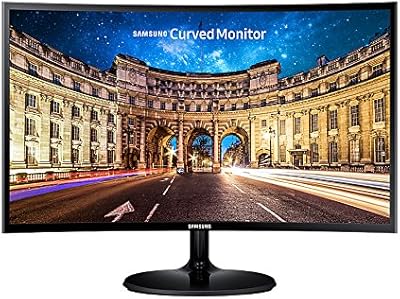
Samsung C24F392 24-inch Curved Monitor
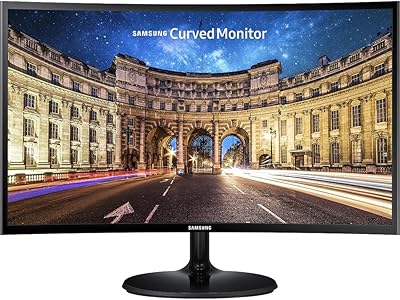
Samsung CF390 24-inch Curved Gaming Monitor
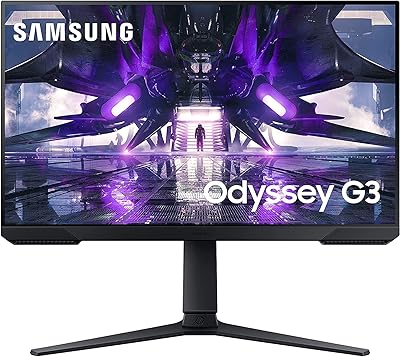
Samsung Odyssey G3 24-Inch Gaming Monitor
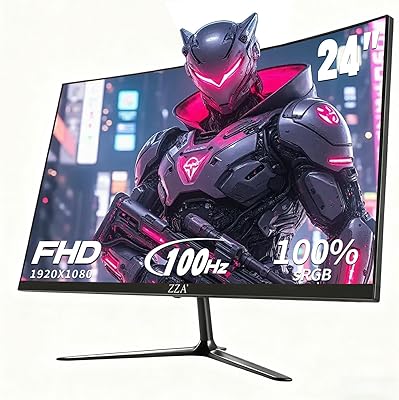
ZZA Z24A 24-Inch Curved Gaming Monitor
CRUA 24-Inch Curved Monitor
Samsung S30GD 24″ FHD IPS Monitor