
Overview

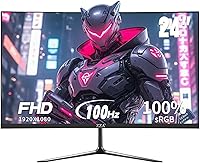
The ZZA Z24A 24-Inch Curved Gaming Monitor enters a crowded budget space with a few genuinely interesting specs — namely its 2800R curved VA panel and a 100Hz refresh rate — at a price point that makes it hard to dismiss outright. Manufactured by Jetta Shenzhen, a name most buyers won't recognize, this curved monitor doesn't carry any brand prestige. What it does offer is a solid spec sheet for the money. Think of it as a practical upgrade for someone moving off a laptop screen or an aging flat display, not a premium purchase. Expectations calibrated accordingly, there's actually quite a bit to like here.

Features & Benefits

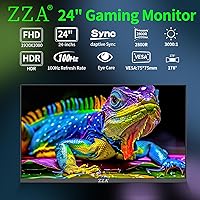
The VA panel is arguably the biggest reason to consider this budget gaming screen over cheaper IPS alternatives. At this price, IPS panels often struggle with contrast, producing washed-out blacks — VA panels naturally do better here, and the 3000:1 dynamic contrast reflects that. The 100Hz rate paired with AMD FreeSync keeps motion reasonably smooth during casual play, noticeably more so than a standard 60Hz screen. Color coverage hits 120% sRGB, which is generous and makes movie-watching genuinely enjoyable. Connectivity covers HDMI, VGA, and a 3.5mm audio jack, though there are no built-in speakers — plan for headphones or an external speaker. A 75x75mm VESA mount and adjustable tilt round out a surprisingly complete package.

Best For

This curved monitor is a strong fit for college students setting up on a tight budget, or anyone upgrading from a cramped laptop screen to something that actually fills the desk. Home office workers who spend long hours reading, browsing, and video-calling will appreciate the immersive wrap of the 2800R curve. Casual gamers who favor story-driven games — RPGs, strategy titles, indie releases — will find it more than adequate. That said, if you're competitive and care about reaction-time performance, this ZZA 24-inch display isn't the right call. Esports players chasing sub-5ms response times and 144Hz or higher should look elsewhere. For everyone else, the value is real.

User Feedback

Buyers tend to be pleasantly surprised by the color richness out of the box — the VA panel punches noticeably above its weight for media consumption. That tends to draw positive reactions. Where feedback gets mixed is on build quality: the stand can feel lightweight and wobbly, which is typical for this price category but worth knowing before you buy. A recurring frustration is the missing speaker situation — it's easy to miss in the product listing, and some buyers only realize after setup. The VGA port gets occasional praise from users with older hardware, though it signals the monitor's budget positioning. Brand recognition remains a hesitation for some, but most who buy based on specs seem satisfied.

Pros

  • The VA panel produces noticeably deeper blacks and richer contrast than comparably priced IPS displays.
  • A 100Hz refresh rate is a genuine step up from the 60Hz screens that dominate this price range.
  • AMD FreeSync helps eliminate screen tearing during casual gaming without any extra cost or setup.
  • The 2800R curve feels immersive for a single-user desk setup, especially during long movie or gaming sessions.
  • 120% sRGB color coverage makes colors look vivid and punchy right out of the box.
  • Both HDMI and VGA ports are included, making it easy to connect older PCs or laptops without an adapter.
  • VESA 75x75mm mount support gives buyers the option to wall-mount or use a third-party arm for better ergonomics.
  • The three-sided frameless design looks noticeably cleaner and more modern than older budget monitors.
  • At this price tier, the overall feature set — curved panel, FreeSync, 100Hz — is hard to match dollar for dollar.

Cons

  • There are absolutely no built-in speakers — headphones or an external speaker are required, full stop.
  • The stand feels flimsy and can wobble with minor desk vibration, which is frustrating during longer sessions.
  • ZZA is a largely unknown brand, and long-term reliability data is limited compared to established monitor makers.
  • The VGA port, while useful for older hardware, reflects a dated design approach that feels out of step with modern setups.
  • VA panel motion blur can be distracting in fast-paced games, even at 100Hz — this is a real limitation, not just a spec gap.
  • Brightness tops out at 250 cd/m², which may look dim in bright rooms or near windows with direct sunlight.
  • Tilt is the only ergonomic adjustment — there is no height adjustment or swivel, which limits posture flexibility.
  • The budget gaming screen has limited online reviews and community feedback, making it harder to gauge real-world durability.
  • On-screen menu navigation on monitors in this class is often slow and unintuitive, which can be a minor but recurring irritation.

Ratings

The ZZA Z24A 24-Inch Curved Gaming Monitor was evaluated by our AI rating system after analyzing verified purchase reviews from buyers worldwide, with spam, bot-generated, and incentivized feedback actively filtered out. Scores reflect the honest distribution of real user sentiment — where this budget gaming screen genuinely impresses and where it falls short. Both strengths and recurring frustrations are represented transparently in each category below.

Image Quality
83%
Buyers consistently praise how vivid and punchy the colors look straight out of the box, particularly during movie watching and casual gaming. The VA panel's deep blacks make dark scenes in films and games look far more dramatic than what most monitors at this price can deliver.
Some users notice a slight color shift when viewing from off-center angles, which is a known VA characteristic. A handful of buyers also report that the default factory calibration runs slightly warm, requiring manual adjustment to get accurate whites.
Contrast & Black Levels
86%
This is where the VA panel genuinely earns its keep — users upgrading from budget IPS displays are frequently surprised by how much richer dark scenes look. Night gaming sessions and dimly lit cinematic content benefit noticeably from the deep, inky blacks the panel produces.
The 3000:1 contrast is listed as dynamic, meaning it is not always achieved under typical mixed-content conditions. A few users also observe slight backlight bleed in the corners during full-black screens, which is a common VA limitation rather than a defect specific to this display.
Refresh Rate & Smoothness
78%
22%
For users stepping up from a 60Hz screen, the jump to 100Hz is immediately perceptible — scrolling feels crisper, game animations look more fluid, and general desktop use feels more responsive. Casual gamers playing RPGs and strategy titles report that motion looks noticeably cleaner.
Competitive players accustomed to 144Hz or higher will find 100Hz underwhelming, and the gap becomes obvious in fast-paced shooters. The ZZA 24-inch display also does not publish a rated response time, which leaves buyers guessing about actual pixel transition speed.
Motion Clarity
61%
39%
For slower game genres and video content, motion is clean enough that most casual users will not have anything to complain about. AMD FreeSync helps prevent tearing artifacts during gameplay, which keeps the experience feeling polished within its limits.
VA panel motion smearing is a real and consistent complaint from users who play action-heavy or fast-paced games. Dark transitions in particular show trailing or ghosting, a well-documented VA weakness that no firmware update can fully resolve on panels in this price range.
Color Accuracy
74%
26%
The 120% sRGB coverage makes this curved monitor stand out from competing budget screens for media consumption and casual creative tasks. Users watching streaming content or editing personal photos report colors that feel rich and engaging without obvious hue distortion.
Out-of-the-box calibration is not consistent enough for professional color work — delta E values are not published, and panel-to-panel consistency at this production tier is variable. Anyone doing serious photo or video editing should look at a factory-calibrated display instead.
Build Quality
58%
42%
The monitor's bezel design looks clean and modern for the price, and the overall footprint is compact enough to fit neatly on a smaller desk or dorm table. Buyers generally report that the panel itself feels adequately protected and does not creak or flex under normal use.
The stand is the most common complaint — it feels lightweight and wobbles visibly when the desk is bumped, which is a persistent irritation during long sessions. The plastic construction throughout feels thin, and a number of buyers describe the overall assembly experience as flimsy compared to name-brand alternatives.
Ergonomics & Adjustability
54%
46%
The tilt range of 5° forward to 20° backward covers most common desk sitting positions adequately, and the VESA 75x75mm compatibility is a genuine lifeline for buyers who want to invest in a proper monitor arm down the line.
The complete absence of height adjustment or swivel is a real limitation for taller users or multi-monitor setups. Without a third-party arm, getting the screen to an ergonomically correct eye level requires propping the stand up on books or a riser, which is not a great experience at any price.
Connectivity
77%
23%
Having both HDMI and VGA on a single budget monitor is a practical advantage for buyers connecting older desktops, laptops, or switching between two source devices. The 3.5mm audio jack adds a useful pass-through option for headphones without needing a separate DAC or splitter.
The port selection is functional but limited — there is no DisplayPort, USB hub, or USB-C, which increasingly feels like a gap as more laptops drop legacy ports. Users with newer MacBooks or ultrabooks may need an adapter to use either available input.
Audio Experience
29%
71%
The 3.5mm audio jack works reliably as a pass-through, and buyers who already own headphones or a desktop speaker have no issues routing audio cleanly through it. For those prepared for the limitation, it is a non-issue in daily use.
There are simply no built-in speakers, which is a hard stop for buyers who assumed they were included — this is the single most commonly expressed post-purchase frustration across user reviews. It is not a minor omission; it requires every user to own or buy additional audio hardware before the monitor is fully functional.
Gaming Performance
67%
33%
For casual gaming genres — RPGs, turn-based strategy, adventure titles, and indie games — this budget gaming screen holds up well and FreeSync visibly reduces tearing on compatible AMD setups. The overall experience is smooth enough that non-competitive players rarely feel limited.
Competitive esports players will find genuine performance gaps: no published response time, VA ghosting in dark scenes, and a 100Hz ceiling all compound in fast-paced titles. This monitor was not designed for reaction-time-sensitive gaming and performs accordingly in those scenarios.
Brightness
63%
37%
In a typical indoor home office or dorm room with controlled lighting, 250 cd/m² is sufficient for comfortable extended use. The matte coating helps manage reflections, which partially compensates for the modest peak brightness in ambient light conditions.
Buyers in bright rooms or working near windows consistently report that the screen looks dim and washed out under strong ambient light. At 250 cd/m², there is no headroom to compete with sunlight or high-brightness environments, which is a meaningful daily limitation for some users.
Setup & Installation
81%
19%
Assembly is straightforward and most buyers report having the monitor up and running within ten minutes of opening the box. The HDMI cable is typically included, and plug-and-play recognition with Windows and common operating systems is reliable.
The on-screen display menu has received criticism for being slow to navigate and not especially intuitive, which makes initial brightness and color adjustment more tedious than it should be. A small number of buyers also report inconsistencies in packaging quality that result in minor cosmetic marks on arrival.
Value for Money
82%
18%
When evaluated purely on the feature-to-price ratio — curved VA panel, 100Hz, FreeSync, HDMI and VGA, VESA support — this curved monitor delivers a compelling combination that is genuinely hard to match at this budget tier. For first-time buyers and students, the value proposition is real and defensible.
The value calculus changes if you factor in the need to separately purchase speakers, or if the stand wobble leads you to buy a monitor arm as well. Hidden add-on costs can quietly erode the initial savings, so buyers should budget for at least headphones before considering the total cost of ownership complete.
Brand Reliability
51%
49%
The manufacturer does provide a customer support contact and has responded to post-purchase questions for some buyers, which is marginally reassuring for a lesser-known label. Buyers who focus purely on the specs and accept the brand-risk tradeoff tend to report satisfactory units.
ZZA carries essentially no consumer brand recognition, and long-term reliability data simply does not exist yet for this model. Buyers with concerns about warranty support, defective unit replacement, or longevity past the first year are taking a meaningful leap of faith that established brands do not require.

Suitable for:

The ZZA Z24A 24-Inch Curved Gaming Monitor makes the most sense for buyers who want a meaningful screen upgrade without a painful budget hit. College students setting up a dorm workspace will find the curved panel genuinely immersive for studying, streaming, and light gaming — all without taking up excessive desk real estate. Home office workers who spend most of their day in documents, video calls, and browser tabs will appreciate the wider color gamut and curved viewing experience compared to a basic flat 60Hz screen. First-time monitor buyers stepping up from a laptop display will notice an immediate and satisfying improvement in screen size, color richness, and overall comfort. Casual gamers who favor RPGs, adventure titles, or strategy games will find the 100Hz refresh and FreeSync pairing smooth enough for a relaxed play session. If your priorities are everyday usability, media consumption, and general productivity — and you are working within a tight budget — this curved monitor delivers honest value for the money.

Not suitable for:

The ZZA Z24A 24-Inch Curved Gaming Monitor is not the right pick if gaming performance is your primary concern. Competitive players who rely on fast reflexes in first-person shooters or battle royale games will find 100Hz limiting compared to the 144Hz, 165Hz, or higher panels available at only a modest step up in price. The VA panel, while excellent for contrast, can exhibit motion smearing in fast-action sequences — a known trade-off of the technology that matters far more to competitive gamers than casual ones. Buyers who need color accuracy for professional photo editing or graphic design work should also look elsewhere, since 120% sRGB coverage and a budget-tier panel do not meet the consistency demands of color-critical workflows. Those accustomed to premium build quality may find the lightweight stand and plastic construction underwhelming. Finally, if you listen to audio through your monitor, be aware there are no built-in speakers — this is a firm limitation, not a minor footnote.

Specifications

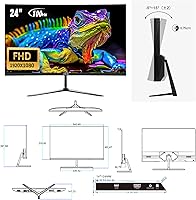
  • Screen Size: The viewable screen area measures 23.6″, marketed as a 24-inch class display.
  • Panel Type: Uses a VA (Vertical Alignment) panel, which delivers stronger contrast and deeper blacks than IPS panels at this price tier.
  • Resolution: Native resolution is 1920x1080 Full HD, providing a sharp and detailed image at standard 24-inch viewing distances.
  • Refresh Rate: Supports a maximum refresh rate of 100Hz, noticeably smoother than the 60Hz standard on most entry-level monitors.
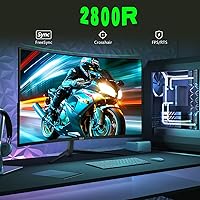
  • Screen Curvature: Features a 2800R curvature radius, meaning the screen curves gently to wrap the image around a single viewer for a more immersive experience.
  • Contrast Ratio: Rated at 3000:1 dynamic contrast ratio, allowing for considerably richer dark tones compared to typical budget flat panels.
  • Brightness: Maximum brightness is rated at 250 cd/m², which is adequate for dim to moderately lit environments but may fall short in very bright rooms.
  • Color Coverage: Covers 120% of the sRGB color space with 16.7 million colors at 8-bit depth, delivering vivid and rich colors for media and casual creative work.
  • Sync Technology: Compatible with AMD FreeSync, which reduces screen tearing and stuttering when paired with an AMD graphics card.
  • Viewing Angle: Rated at 178 degrees horizontally and vertically, though optimal image quality is best experienced directly in front of the screen.
  • Connectivity: Includes one HDMI port, one VGA port, and one 3.5mm audio jack for headphone or external speaker output.
  • Built-in Audio: This monitor has no built-in speakers; audio output requires a connected headset or external speaker via the 3.5mm jack.
  • Tilt Adjustment: The stand supports a tilt range of 5° forward and 20° backward, but does not offer height adjustment or swivel.
  • VESA Mount: Compatible with standard 75x75mm VESA wall mounts or monitor arms, allowing buyers to replace the included stand if needed.
  • Dimensions: The monitor measures 23.07″ wide, 15.24″ tall, and 4.37″ deep with the stand attached.
  • Weight: Complete unit with stand weighs 7.88 pounds, making it lightweight enough to move and reposition without difficulty.
  • Aspect Ratio: Standard 16:9 widescreen aspect ratio, compatible with virtually all modern content formats and operating systems.
  • Surface Finish: The screen uses a matte anti-glare coating, which helps reduce reflections in typical indoor lighting conditions.
  • Manufacturer: Produced by Jetta (Shenzhen) E-commerce Co., Ltd., a China-based electronics manufacturer selling under the ZZA brand.
  • Model Number: Official model identifier is Z24A, used for warranty inquiries, driver lookup, and support contact with the manufacturer.

Related Reviews

Sealan 24-Inch Curved Gaming Monitor

86%
92%
Gaming Performance
88%
Visual Quality
91%
Refresh Rate Smoothness
85%
Design & Build
87%
Eye Care Features
More
Samsung CRG5 24-Inch Curved Gaming Monitor
78%
88%
Value for Money
83%
Image Quality
81%
Gaming Performance
86%
Curvature & Immersion
84%
FreeSync Performance
More
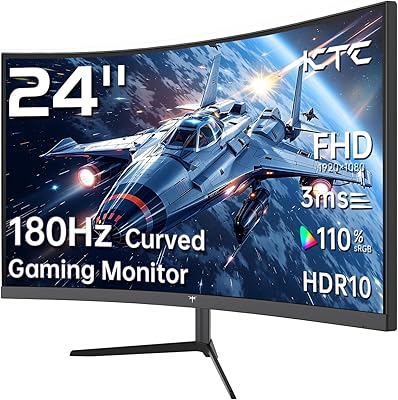
KTC 24-inch 1500R Curved Gaming Monitor
86%
94%
Gaming Performance
89%
Display Quality
92%
Value for Money
87%
Build Quality
83%
Ergonomics
More
Samsung CF390 24-inch Curved Gaming Monitor
78%
88%
Value for Money
79%
Image Quality
71%
Gaming Performance
86%
Design & Aesthetics
43%
Ergonomics & Stand
More
Z-Edge UG24 24-inch Curved Gaming Monitor
85%
88%
Gaming Performance
85%
Display Quality
81%
Build Quality
92%
Value for Money
89%
Ease of Setup
More
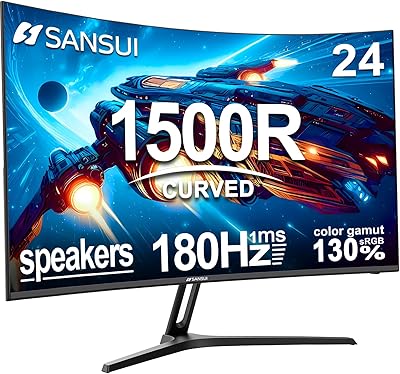
SANSUI ES-G24C1 24-inch Curved Gaming Monitor
74%
91%
Value for Money
86%
Gaming Performance
83%
Color & Image Quality
88%
Contrast & Black Levels
47%
Stand & Ergonomics
More
Sceptre C248W-1920RN 24-inch Curved Gaming Monitor
76%
91%
Value for Money
78%
Display Quality
83%
Curvature & Immersion
74%
Refresh Rate & Motion Clarity
67%
Build Quality & Design
More
Gawfolk GF245A 24.5-Inch Curved Gaming Monitor
72%
88%
Value for Money
79%
Image Quality
83%
Refresh Rate Performance
81%
Response Time
63%
Build Quality
More
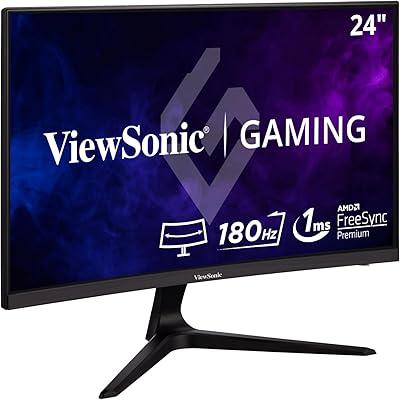
ViewSonic VX2418C 24-inch Curved Gaming Monitor
74%
88%
Gaming Performance
91%
Value for Money
63%
Image Quality
89%
Refresh Rate & Smoothness
82%
Eye Comfort
More
Skytech Gaming Moonshadow 27-inch Curved Gaming Monitor
83%
88%
Image Quality
91%
Refresh Rate Performance
86%
Adaptive-Sync
83%
VA Panel Contrast
84%
Stand & Ergonomics
More

FAQ

No, it does not. This is one of the most important things to know before buying — the 3.5mm audio jack is there, but you will need to plug in your own headphones or an external speaker to hear any audio. It is easy to miss this detail in the product listing, so plan accordingly.

Technically, many Nvidia cards from the GTX 10 series onward support G-Sync Compatible mode, which works with some FreeSync monitors. That said, official compatibility is not guaranteed on this display, and the smoother sync performance is more reliably achieved with an AMD graphics card. If you are running Nvidia, results may vary.

It handles everyday office tasks very well — documents, spreadsheets, video calls, and browser use all look good on the 1080p VA panel. The curved screen is actually quite comfortable for long reading sessions. Gaming is a bonus, not the main attraction here, especially if your work involves more screen time than play time.

A 2800R curvature is a fairly gentle curve — it wraps the image around your field of view without feeling overly dramatic. Many gaming monitors use 1500R or 1800R curves, which are more pronounced. The 2800R on this display is a good starting point if you have never used a curved screen before, as it is subtle enough not to feel disorienting.

Yes, the monitor includes a VGA port specifically for this scenario. You can connect an older PC or graphics card that lacks HDMI without needing any adapter. Keep in mind that VGA is an analog signal, so image sharpness may be very slightly softer than an HDMI connection, but for everyday use the difference is minimal.

The stand only supports tilt adjustment, ranging from 5 degrees forward to 20 degrees backward. There is no height adjustment or swivel built in. If ergonomics matter to you, the 75x75mm VESA mount compatibility means you can swap in a third-party monitor arm that offers full height, tilt, and rotation control.

It depends on how much direct light hits the screen. The matte coating helps cut down on reflections, but 250 cd/m² is on the lower end of brightness for a room with strong ambient or direct sunlight. In a typical home office or dorm room with normal indoor lighting, it is perfectly fine. Avoid placing it directly opposite a bright window.

Honestly, the build is functional but not premium. The stand in particular feels lightweight and can wobble slightly if the desk vibrates or gets bumped. The panel itself holds up fine, but this is a budget monitor and the plastics reflect that. If stand stability is a concern, using a monitor arm is a practical fix.

It can run them, but VA panels are known for a specific weakness called motion smearing — dark pixels take slightly longer to transition than on IPS or TN panels, which can appear as trailing or ghosting in very fast scenes. At 100Hz it is noticeably smoother than 60Hz, but competitive players or anyone sensitive to motion blur will likely notice the limitation. For story-driven games or slower genres, it is a non-issue.

Plug a pair of headphones or a headset directly into the 3.5mm jack on the monitor and audio will pass through from your source device. Alternatively, a small desktop speaker connected to the same jack works well. Budget USB-powered speakers are an affordable option if you prefer open audio while at your desk.