Overview

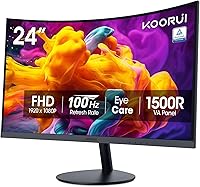
The KOORUI 24N5CA 24-inch Curved Monitor sits squarely in the value tier — a no-frills curved screen built for everyday desk use rather than professional color work or serious gaming. Its 1500R curvature is the headline feature, and at this screen size it does create a mild wrap-around sensation that flat panels simply don't offer. The VA panel underneath is a deliberate trade: you give up some color accuracy compared to IPS, but you gain noticeably richer contrast. Two design decisions stand out immediately — there is no VESA mount support and no built-in speakers. Neither is a dealbreaker, but both matter depending on your setup.
Features & Benefits

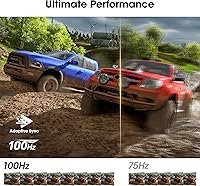
The 1500R curve wraps the 23.6-inch panel just enough to feel engaging during movies or long browsing sessions — subtle at this size, but noticeable versus a flat display. The VA panel earns its keep with deep, inky blacks that make dark-scene content genuinely enjoyable, especially in a dimmer room. Refresh rate sits at 100Hz via HDMI, which is fine for casual gaming where smoother motion matters but competitive speed does not. The TÜV Rheinland certification for blue-light reduction and flicker-free operation is a real benefit for anyone staring at a screen for hours. Connectivity covers both HDMI and VGA for older hardware, though the stand tilts without any height or swivel adjustment.

Best For

This curved monitor is a natural pick for home office workers who want a larger display without a painful outlay — spreadsheets, documents, and video calls all benefit from the added screen real estate and the gentle curve. Students furnishing a first desk will appreciate how much screen they get at this price point. Casual gamers — think older titles, indie games, or light action — will find 100Hz perfectly adequate; just don't expect it to satisfy anyone accustomed to 144Hz and above. If you're still running a machine with only a VGA output, legacy connectivity here is a genuine plus. Those needing a height-adjustable or wall-mounted setup should look elsewhere.

User Feedback

Buyers are consistently pleasantly surprised by how sharp the picture looks straight out of the box, and the easy setup process earns repeated praise — no fussing with drivers or confusing menus. Value for money is the most common sentiment across reviews. On the flip side, the stand draws criticism for feeling slightly wobbly once assembled, and the absence of height or pivot adjustment frustrates users wanting a better ergonomic fit. Some report minor backlight bleed at panel edges, though severity appears to vary by unit. The 3-year warranty on key components is well-regarded at this price, and the first-year full replacement policy gives buyers a meaningful safety net.

Pros

  • Exceptional value at the price — the screen size and curved panel combination is hard to beat in this tier.
  • The 1500R curve adds genuine depth and comfort during long browsing and movie-watching sessions.
  • Deep VA panel blacks make dark-scene content and night-mode workloads look far better than flat IPS alternatives here.
  • TÜV Rheinland flicker-free and blue-light certification provides real, documented eye comfort for extended daily use.
  • Both HDMI and VGA inputs mean compatibility with a wide range of older and newer devices out of the box.
  • 100Hz refresh rate delivers noticeably smoother motion than standard 60Hz monitors for casual gaming and everyday scrolling.
  • Out-of-box image quality consistently impresses buyers — most units need little to no manual calibration.
  • Setup takes under ten minutes with no tools required, making it ideal for less experienced users.
  • The 3-year limited warranty on key components offers above-average peace of mind at this price point.
  • Matte screen coating handles ambient reflections well, reducing glare in typical home and office lighting.

Cons

  • Stand wobbles noticeably when the desk is bumped — a recurring complaint across buyer reviews.
  • No height, swivel, or pivot adjustment makes it difficult to find a comfortable position for taller users.
  • VESA mount is not supported, so a monitor arm cannot be used to compensate for the poor ergonomics.
  • Backlight bleed at panel corners has been reported by a meaningful number of buyers, particularly on dark content.
  • No built-in speakers — buyers without existing audio equipment will need a separate purchase.
  • The 250 cd/m² brightness cap struggles in well-lit or sunny rooms, reducing image punch significantly.
  • Only one HDMI port limits flexibility for users who need to switch between two modern source devices.
  • VA panel black crush can swallow fine shadow detail in very dark scenes, which is a known panel-type trade-off.
  • OSD control button placement on the underside of the panel is awkward to locate and use by feel.
  • Unit-to-unit quality consistency is not airtight — panel uniformity and stand stability vary between individual units.

Ratings

The KOORUI 24N5CA 24-inch Curved Monitor has been scored below by our AI system after processing thousands of verified global buyer reviews, with spam, bot activity, and incentivized feedback actively filtered out. The ratings reflect a balanced picture — genuine strengths and real frustrations both surface clearly. Whether this budget curved screen earns its place on your desk depends heavily on what you actually need from a monitor, and the scores below spell that out honestly.
Value for Money
91%
Most buyers feel they got considerably more than they paid for, particularly when comparing the curved panel and Full HD resolution to flat monitors at the same price. For students or first-time buyers setting up a home workspace, the cost-to-screen-size ratio feels genuinely fair.
A small portion of buyers who experienced backlight bleed or stand wobble felt the savings weren't worth the quality lottery. If you land a good unit, value is excellent — but there's enough unit-to-unit variance to temper expectations slightly.
Image Quality
78%
22%
The VA panel produces deep, punchy blacks that make movies and darker game environments look noticeably better than most IPS panels at this price. Out-of-box calibration earns consistent praise — most buyers plug it in and are immediately satisfied without touching the menu.
Color accuracy in well-lit rooms is only average, and the 250 cd/m² brightness ceiling can feel limiting when used near a window. Professional creatives or anyone needing faithful color reproduction will find the VA panel's limitations frustrating quickly.
Curvature & Immersion
74%
26%
The 1500R curve adds a genuine sense of depth during movie watching and browsing that flat panels at this size simply don't replicate. Buyers coming from a flat monitor consistently note that the wrap-around effect feels more comfortable during longer sessions.
At 23.6 inches, the curvature is subtle rather than dramatic — buyers expecting a strongly immersive effect like wider ultrawide screens may feel underwhelmed. The curve pays off most in dim environments; in bright rooms, any immersion benefit is harder to notice.
Eye Comfort
86%
The TÜV Rheinland certification for blue-light filtering and flicker-free operation is backed up by buyer experience — people logging five or six hours of daily screen time report noticeably less eye strain compared to older monitors. For office workers or students on tight budgets, this is a genuinely meaningful feature.
The blue-light filter does introduce a very slight warm tint to whites that some users find distracting during photo editing or reading. It is adjustable in the OSD menu, but new buyers sometimes don't realise this and assume the color temperature is fixed.
Refresh Rate & Gaming Performance
67%
33%
The step from 60Hz to 100Hz is real and perceptible — scrolling feels smoother, and casual gaming titles feel more responsive. For buyers playing older games, indie titles, or anything that doesn't demand ultra-low latency, the performance improvement is welcome.
The 100Hz rate is only available over HDMI 1.4, and the response time is not competitive enough for fast-paced or competitive gaming. Buyers who play shooters or racing games at high frame rates will hit the ceiling of this panel quickly and notice ghosting in motion-heavy scenes.
Build Quality
63%
37%
The overall plastic construction feels adequate for a budget monitor — it doesn't creak under normal use and the panel itself sits stable enough on a still desk. Assembly is straightforward and takes most users under ten minutes.
The stand is the weakest link: multiple buyers describe noticeable wobble when typing nearby or when brushing the desk surface. The all-plastic construction is expected at this price, but the base in particular feels underdimensioned for the screen size.
Stand & Ergonomics
44%
56%
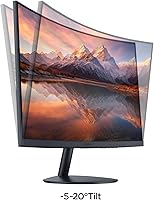
The tilt range of −5° to +20° covers basic angle preferences and is smooth to adjust. For a user sitting at a standard desk chair who doesn't need to shift the screen regularly, the fixed-height stand gets the job done.
There is no height adjustment, no swivel, and no pivot — and critically, no VESA mount to remedy any of this with an aftermarket arm. Taller users or those with non-standard desk or chair setups may find themselves uncomfortable within hours, with no good fix available short of stacking the monitor on books.
Connectivity
82%
18%
Having both HDMI and VGA on a sub-100-dollar monitor is genuinely useful — it means buyers running older desktops or laptops with only a VGA port don't need a converter or a dock. The single-cable setup works smoothly for the majority of everyday home and office use cases.
There is only one HDMI port, so anyone wanting to switch between two modern sources will need an external HDMI switch. No DisplayPort is available, which limits options for users who want to push resolution or refresh rate through a higher-bandwidth connection in the future.
Setup & Ease of Use
88%
Buyers consistently highlight how little friction there is between opening the box and having a working monitor — the stand attaches without tools, cables are simple, and the display is detected automatically by most operating systems. The OSD menu is basic but navigable.
The OSD button placement on the underside of the panel can be awkward to locate by feel, especially in the first few days of use. A handful of buyers also note the manual is minimal and doesn't cover OSD navigation well for less experienced users.
Backlight Uniformity
58%
42%
A solid portion of buyers report clean, even lighting across the panel with no obvious hotspots during normal use — for web browsing, text documents, and video content, most units perform acceptably. In typical room lighting conditions the panel looks consistent.
There is a meaningful minority of buyer reports describing backlight bleed at one or more screen corners, most visible against dark content or on the Windows desktop at night. Unit-to-unit consistency appears to vary, making this a quality-control concern rather than a universal problem.
Audio
38%
62%
There are no speakers to disappoint — buyers who already own a headset or a desktop speaker bar won't miss them at all. The absence of audio hardware arguably keeps the design cleaner and the price lower.
For buyers who assumed a monitor at this size would include built-in audio, the omission is a genuine surprise that some discover only after unboxing. Anyone without existing audio equipment will need to budget separately for speakers or a headset, which affects the total cost picture.
Contrast & Black Levels
83%
The VA panel delivers the kind of deep blacks that IPS monitors at the same price point simply can't match. Watching films in a darkened room or gaming in atmospheric environments reveals clear, shadow detail that looks noticeably richer than cheaper TN or IPS alternatives.
VA panels carry a known side effect — black crush — where very dark shadow gradients can merge into a uniform block of black, losing subtle detail. This is most noticeable in dark cinematic scenes or horror game environments, and is a panel-type limitation rather than a defect.
Warranty & After-Sales Support
79%
21%
The combination of a full replacement policy in year one and a 3-year limited warranty on key components is reassuring at this price tier, where many competitors offer only one year total. Buyers mention the warranty coverage as a confidence factor during purchase.
The warranty is replacement-only for the first year rather than repair-based, which means the process can involve shipping logistics that some buyers find cumbersome. A few reviewers note that reaching customer support required persistence, with slower-than-expected initial response times.
Viewing Angles
71%
29%
The 178-degree horizontal and vertical viewing angles mean that anyone sitting in front of this curved screen — even slightly off-center — sees a consistent image without obvious color shift or brightness drop. For shared desk setups or side-by-side viewing, this holds up well.
Like most VA panels, color shift becomes noticeable when viewing from steep vertical angles — looking down at the screen from standing height, for example, shifts the image perceptibly. For a single seated user this rarely matters, but it's a real limitation compared to IPS in a shared or presentation context.
Packaging & Unboxing
84%
Buyers are generally pleased with how well the monitor is protected in transit — foam inserts keep the panel secure, and arrival damage reports are rare relative to the sales volume. The unboxing experience feels clean and organised without excess packaging waste.
The included cable selection is minimal — typically just a single HDMI or VGA cable — so buyers who need a specific cable type they don't already own will need to source one separately. The accessory pouch or documentation packet adds little practical value.

Suitable for:

The KOORUI 24N5CA 24-inch Curved Monitor is a strong fit for anyone who wants a larger, more visually engaging screen without stretching their budget past a comfortable limit. Students furnishing a first dorm desk or home workspace will find it covers every practical base — documents, streaming, light gaming — without requiring a second thought about cost. Home office workers who spend hours reading, writing, or on video calls will genuinely appreciate the TÜV-certified blue-light and flicker-free panel, which makes a real difference over a full working day. The dual HDMI and VGA inputs also make this curved monitor a sensible upgrade path for anyone still running an older desktop tower that lacks modern display outputs. Casual gamers who play slower-paced or older titles will notice a smooth, pleasant bump over a standard 60Hz display without needing to invest in a dedicated gaming monitor.
Not suitable for:

The KOORUI 24N5CA 24-inch Curved Monitor has real limitations that certain buyers should weigh carefully before committing. Competitive or fast-paced gamers — those who play shooters, fighting games, or anything where response time and high frame rates matter — will find the panel's refresh ceiling and motion handling fall short of dedicated gaming displays. Anyone who relies on accurate color reproduction for creative work such as photo editing, video grading, or graphic design should look elsewhere, as VA panels at this price tier are not built for that kind of precision. The stand is a meaningful sticking point: there is no height adjustment, no swivel, and no VESA mount compatibility, which means users who need an ergonomic setup or plan to use a monitor arm have no practical route to achieving that here. Anyone expecting built-in audio will also need to budget for external speakers or a headset, since this budget curved screen ships with no integrated sound hardware whatsoever.
Specifications

  • Screen Size: The viewable panel measures 23.6 inches diagonally, marketed as a 24-inch class display.
  • Panel Type: Uses a VA (Vertical Alignment) panel, which prioritizes deep blacks and high contrast over the wide color accuracy of IPS technology.
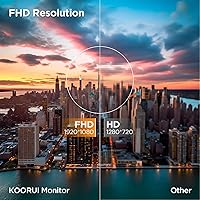
  • Resolution: Displays at 1920 x 1080 pixels (Full HD), delivering a clean and sharp image for everyday tasks and media consumption at this screen size.
  • Refresh Rate: Supports up to 100Hz, accessible exclusively via the HDMI 1.4 input, providing smoother motion than a standard 60Hz panel.
  • Curvature: Features a 1500R screen curvature, meaning the panel follows the arc of a circle with a 1500mm radius for a mild wrap-around viewing effect.
  • Brightness: Rated at 250 cd/m² (candelas per square metre), which is adequate for indoor use but may appear dim in brightly lit or sunlit environments.
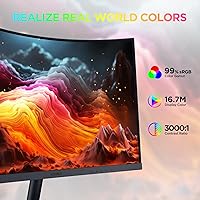
  • Contrast Ratio: Achieves a static contrast ratio of approximately 3000:1, allowing the VA panel to render noticeably deeper blacks than IPS monitors in the same price range.
  • Color Depth: Supports 16.7 million colors (8-bit), covering standard sRGB content for everyday media, documents, and casual gaming.
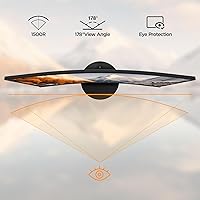
  • Viewing Angles: Rated at 178 degrees both horizontally and vertically, ensuring consistent color and brightness when viewed from wide off-axis positions.
  • Inputs: Equipped with one HDMI 1.4 port and one VGA port, covering both modern and legacy device connections with a single-cable setup per device.
  • Built-in Audio: This monitor has no integrated speakers; a separate audio output device such as headphones or external speakers is required for sound.
  • Stand Adjustment: The included stand supports tilt adjustment only, ranging from 5 degrees forward to 20 degrees backward, with no height, swivel, or pivot movement.
  • VESA Mounting: VESA wall or arm mounting is not supported on this model, meaning the monitor must remain on its included stand.
  • Certifications: Holds TÜV Rheinland certification for both low blue-light emission and flicker-free operation, independently verified for reduced eye strain during extended use.
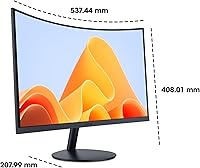
  • Dimensions: Measures 21.13 inches wide, 16.04 inches tall, and 7.56 inches deep with the stand attached, fitting comfortably on most standard desks.
  • Weight: Weighs 7.83 pounds including the stand, making it easy for one person to unbox, position, and reposition without assistance.
  • Screen Surface: Features a matte anti-glare coating that reduces reflections and surface glare under typical indoor ambient lighting conditions.
  • Aspect Ratio: Standard 16:9 widescreen aspect ratio, compatible with all modern video, gaming, and productivity content formats without letterboxing.
  • Warranty: Covered by a 1-year full replacement warranty plus a 3-year limited warranty on key components, both provided directly by KOORUI.
  • Manufacturer: Designed and produced by Shenzhen Koorui Technology Co., Ltd., a Chinese display manufacturer focused on value-tier consumer monitors.

Related Reviews

CRUA 24-Inch Curved Monitor
84%
88%
Display Quality
91%
Value for Money
84%
Ease of Setup
80%
Gaming Performance
79%
Build Quality
More
ZZA 24 Inch Curved Monitor
82%
88%
Display Quality
85%
Gaming Performance
92%
Value for Money
83%
Eye Comfort Features
76%
Build Quality
More
KOORUI 32-inch Curved Gaming Monitor
84%
89%
Display Quality
92%
Gaming Performance
78%
Build Quality
85%
Color Accuracy
82%
Ergonomics & Comfort
More
KOORUI 24-inch Gaming Monitor E2411K
84%
88%
Gaming Performance
90%
Display Quality (Color Accuracy)
85%
Ease of Setup
80%
Build Quality
92%
Eye-Care Features
More
KOORUI E2412F 24-inch Monitor
78%
86%
Image Quality & Contrast
81%
Color Accuracy
83%
Refresh Rate & Motion Smoothness
62%
Brightness
54%
Ergonomics & Adjustability
More
Sealan 24-Inch Curved Gaming Monitor
86%
92%
Gaming Performance
88%
Visual Quality
91%
Refresh Rate Smoothness
85%
Design & Build
87%
Eye Care Features
More
ViewSonic VA2416C 24-inch Curved Monitor
79%
83%
Image Quality
79%
Refresh Rate & Smoothness
86%
Eye Comfort & Fatigue
77%
Curvature & Immersion
51%
Stand & Ergonomics
More
Samsung CRG5 24-Inch Curved Gaming Monitor
78%
88%
Value for Money
83%
Image Quality
81%
Gaming Performance
86%
Curvature & Immersion
84%
FreeSync Performance
More
KTC 24-inch 1500R Curved Gaming Monitor
86%
94%
Gaming Performance
89%
Display Quality
92%
Value for Money
87%
Build Quality
83%
Ergonomics
More
KOORUI G2511E 24.5-inch Gaming Monitor
83%
92%
Display Quality
94%
Gaming Performance
88%
Color Accuracy
75%
Build Quality
84%
Ergonomics
More

FAQ

Yes, it connects to both consoles via the HDMI port without any adapters. The PS4 and PS5 both output at 1080p, which matches the panel's native resolution perfectly. Just note that the PS5's 120Hz output won't be used here — the monitor tops out at 100Hz over HDMI, so you'll be capped there.

Unfortunately, no. The KOORUI 24N5CA 24-inch Curved Monitor does not support VESA mounting in any configuration, which is one of its more notable limitations. You are locked into using the included stand, so if ergonomic positioning via an arm is important to your setup, this monitor is not a good fit.
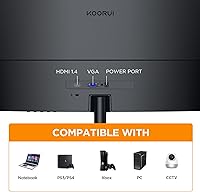
No — 100Hz is only available through the HDMI 1.4 input. If you connect via VGA, you will be limited to 60Hz. VGA is an analog signal standard that cannot carry the bandwidth needed for higher refresh rates at this resolution, so make sure to use the HDMI port if smoother motion matters to you.

It does not. This curved monitor ships with no integrated audio hardware at all, so you will need to connect a headset, desktop speakers, or any other external audio device separately. The brand describes this as a deliberate choice to improve reliability, but regardless of the reasoning, plan your audio setup in advance.

It's real but situational. On a stable desk with no vibration, the monitor sits steadily enough for normal use. The wobble becomes noticeable if you type forcefully on a keyboard sharing the same desk surface, or if someone bumps the table. It won't topple over, but it does feel underdimensioned for the size of the screen.

It performs well in this area for a budget screen. The TÜV Rheinland certification for flicker-free operation and low blue-light emission is independently verified — not just a marketing label — so the protections are genuine. Many buyers who use it for 6-plus hours a day report less fatigue than with older monitors. The blue-light filter does add a slight warm tint to whites, but this can be dialled back in the on-screen menu.

Some units do show backlight bleed, particularly at one or more corners, and it is most visible against dark content in a dimly lit room. It is not a universal problem — plenty of buyers receive clean panels — but there is enough variance in quality control that it comes up regularly in reviews. If you receive a unit with significant bleed, the first-year replacement warranty is your best recourse.

You can connect two devices simultaneously — one via HDMI and one via VGA — and switch between them using the input selection in the on-screen menu. However, there is only one HDMI port, so if both your devices use HDMI you would need an external HDMI switch to manage them without unplugging cables each time.

At 23.6 inches the 1500R curve is subtle rather than dramatic — you won't get the deeply immersive feel of a 32-inch or ultrawide curved display. That said, it does make a noticeable difference during movies and long browsing sessions, reducing the eye travel needed to scan across the panel. If you're sitting about 2 feet from the screen, the curve feels natural and comfortable. Think of it as a comfort upgrade rather than a wow factor.

For the first year, KOORUI offers a full unit replacement if the monitor is defective or fails — you don't have to send it in for repair. From year two through year three, the warranty shifts to a limited coverage plan for key internal components. Buyer experiences with the claims process are mixed: the coverage itself is considered generous at this price point, but some buyers report that reaching customer support took patience. Keep your order confirmation and any communication in writing to make the process smoother if you ever need it.

Where to Buy