Overview

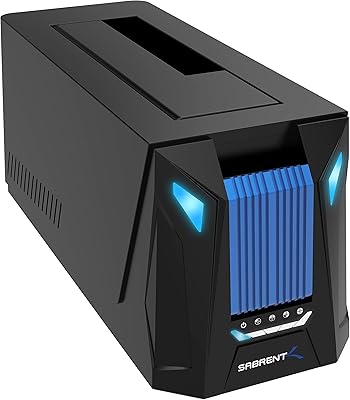
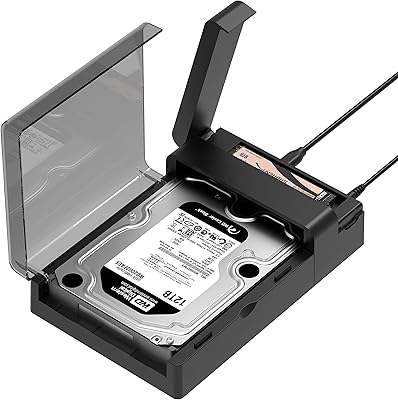
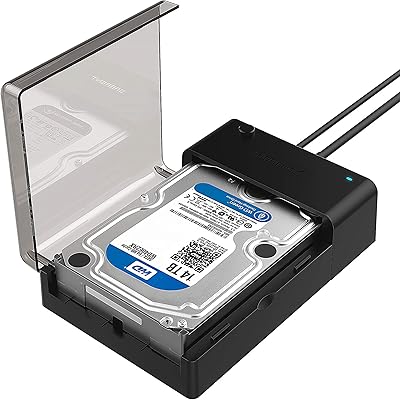
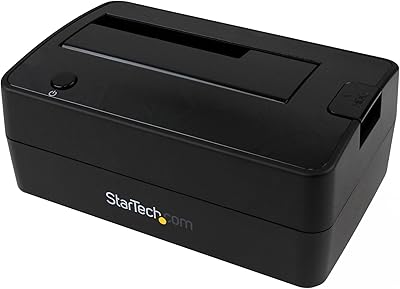
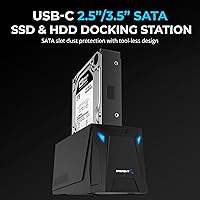
The SABRENT DS-UC1B USB-C Hard Drive Docking Station is a single-bay dock built for anyone who regularly pulls bare drives off a shelf — home users, IT technicians, and storage-obsessed types alike. It handles both 2.5″ and 3.5″ SATA drives, works with USB-A and USB-C host ports, and runs on Windows and Mac without installing a single driver. The tool-free insertion and retractable dust cover are genuinely useful touches that set it apart from bare-bones competitors at this price tier. Just know going in: this is a single-bay, SATA-only dock — no NVMe support, no RAID, no dual-drive operation.
Features & Benefits

The interface runs at USB 3.2 Gen 2, rated to 10Gbps — but your actual transfer speeds will be capped by the SATA drive itself, typically topping out around 400–550MB/s for a fast SSD. That is the full performance ceiling of SATA, so the dock itself is never the bottleneck. Hot-swap support means you can pull one drive and drop in another without rebooting, a real time-saver in multi-drive workflows. The box includes a USB-A-to-USB-C cable, a USB-C-to-USB-C cable, and a power adapter for 3.5″ drives — everything included to get started immediately. It also handles drives well beyond 20TB, so expanding your storage archive will not outpace this dock anytime soon.

Best For

This docking station earns its place on the desk of anyone handling drives regularly rather than occasionally. IT pros cloning or wiping drives will appreciate the hot-swap workflow, while photographers and video editors offloading raw footage from archived bare drives will find the throughput more than adequate. It is also a reliable choice for someone migrating data from an old machine or NAS — plug in the old drive, copy what you need, and move on. The cross-platform support makes it equally useful on Mac or Windows. If you need straightforward, occasional drive access without a large investment, this USB-C drive dock covers that use case cleanly.

User Feedback

Across a large pool of verified buyers, the most consistent praise centers on plug-and-play reliability — the dock is recognized immediately on both Windows and Mac in nearly every reported case, and the included cable set is frequently called out as a welcome bonus. On the critical side, a recurring pattern involves heat buildup during extended transfers, particularly with 3.5″ spinning drives running for hours. A smaller share of users report intermittent recognition issues with very old SATA-I drives or certain high-capacity HDDs. Warranty and support responses from SABRENT earn mostly positive marks, though a handful found the process slower than hoped. Edge case failures exist but are clearly the exception.

Pros

  • Recognized instantly on both Windows and macOS — no driver installs, no setup utility needed.
  • Hot-swap support lets you change drives mid-session without rebooting the host machine.
  • Comes bundled with both USB-A and USB-C cables plus a power adapter — genuinely ready out of the box.
  • Handles drives from legacy SATA-I all the way up to current high-capacity 20TB-plus models.
  • The retractable dust cover protects the SATA connector during storage, a detail most cheap docks skip.
  • USB 3.2 Gen 2 interface ensures the dock never throttles a fast SATA SSD below its own ceiling.
  • Compact and light enough to toss in a laptop bag for field data recovery or on-site IT work.
  • Backward compatible with older USB 3.0 and USB 2.0 ports, so it works across aging hardware too.
  • Consistently strong user ratings across a large verified buyer base signal dependable real-world reliability.

Cons

  • No NVMe M.2 support at all — modern SSD users will hit a hard wall immediately.
  • Single bay only — you cannot clone drive-to-drive or work with two disks simultaneously.
  • Heat buildup during prolonged 3.5″ HDD use can lead to throttled speeds or unexpected disconnects.
  • Some users report intermittent recognition failures with older SATA-I drives or certain high-capacity HDDs.
  • The external power adapter is non-negotiable for 3.5″ drives, adding permanent cable clutter to your setup.
  • The plastic chassis flexes under lateral pressure and can shift on smooth desk surfaces without grip feet.
  • Drive swap re-registration on Windows occasionally requires a manual disk rescan rather than auto-mounting.
  • The dust cover mechanism on some units loosens with repeated daily use over several months.

Ratings

The SABRENT DS-UC1B USB-C Hard Drive Docking Station holds a 4.3-star average across more than 4,800 verified global purchases, and our AI-driven scoring digs beneath that surface number by filtering out incentivized reviews, bot patterns, and duplicate submissions to surface what real buyers actually experienced. The scores below reflect both the genuine strengths that pushed this dock to a top-three category rank and the recurring friction points that keep it from being a universal recommendation. Nothing is glossed over.
Plug-and-Play Reliability
88%
The vast majority of buyers on both Windows and macOS report instant drive recognition without hunting for drivers or running any setup utility. IT technicians swapping drives across multiple machines particularly value this — plug it into a new laptop and it just works, every time.
A consistent minority of users encounter recognition failures with specific older spinning drives or certain off-brand SSDs. The issue tends not to be systemic, but it appears often enough across reviews to be worth flagging before you commit.
Transfer Speed Performance
79%
21%
With a modern SATA III SSD inserted, users pulling large video archives or disk images report speeds that saturate the drive itself — around 400 to 500MB/s — confirming the dock adds no meaningful bottleneck at the USB 3.2 Gen 2 interface level. That is exactly what you want from a dock at this tier.
Some buyers arrive expecting the full 10Gbps interface speed to translate to dramatically faster transfers, only to find that SATA drives top out well below that ceiling regardless of the dock. The hardware is not the problem, but the expectation gap is real and worth setting correctly.
Build Quality & Materials
74%
26%
The chassis feels adequately solid for a budget-to-mid-range dock, and the retractable dust cover is a practical feature that most cheap competitors skip entirely. Users who store the dock on a desk for months at a time appreciate that the SATA connector stays protected between sessions.
The plastic housing shows flex under firm lateral pressure, and a handful of buyers note the dock shifts around on smooth desk surfaces without a rubberized base. At this price it is acceptable, but anyone expecting premium rigidity will notice the compromise.
Hot-Swap Functionality
86%
Hot-swapping is one of the most praised operational features here. IT professionals running drive audits or cloning workflows describe pulling one drive and inserting the next without a reboot as a genuine workflow improvement, especially over older docks that required full power cycles.
Occasionally, Windows does not immediately re-register the new drive after a swap without a manual disk rescan in Disk Management. It is an infrequent complaint, but users doing rapid back-to-back swaps encounter it more often than those doing single-session use.
Compatibility Range
83%
Support for 2.5″ and 3.5″ SATA drives across all three SATA generations — including legacy SATA-I devices — gives this dock unusual range for its price. Mac and Windows users both confirm cross-platform use without switching cables or adjusting settings.
NVMe M.2 drives are completely unsupported, which catches a meaningful number of buyers off guard. If your drive collection skews modern, check your form factors first — this dock is strictly SATA and will not accept M.2 cards of any interface.
Included Accessories
91%
Shipping both a USB-A-to-USB-C cable and a USB-C-to-USB-C cable alongside a dedicated power adapter for 3.5″ drives is something buyers consistently highlight as above average for this price range. You genuinely do not need to order anything extra to get started.
The cables included are functional but not premium — a couple of users report the USB-C cable feeling slightly loose in the port over time. Nothing that affects reliability in most setups, but worth knowing if your workflow involves frequent plugging and unplugging.
Heat Management
61%
39%
For typical short-to-medium transfer sessions — say, copying a drive image or offloading a card of RAW photos — thermal performance is a non-issue. The dock stays warm but manageable during tasks that wrap up within 30 to 45 minutes.
Extended use with large 3.5″ spinning drives is where heat complaints concentrate. Users running multi-hour backups or prolonged cloning operations report the unit becoming uncomfortably hot to the touch, with a small number experiencing throttled speeds or unexpected disconnects as a result.
Large Drive Support
84%
Confirmed compatibility with drives well beyond 20TB is a genuine differentiator for users building long-term archival setups. Buyers using high-capacity NAS drives in desktop enclosures report no partitioning or recognition issues when connecting through this dock.
A handful of users with very high-capacity drives — 16TB and above — report occasional initial recognition delays before the drive fully mounts. It resolves itself in most cases, but the hesitation is noticeable and slightly unnerving when you are handling important data.
Ease of Drive Insertion
89%
The tool-free bay is frequently praised for how quickly and confidently drives seat and eject. Users who swap drives several times per week describe the mechanism as reliable and consistent, with the alignment guide reducing the chance of connector misalignment.
A small number of buyers find that very thin 2.5″ drives — particularly slim SSDs — feel slightly loose in the bay without a snug positive lock. It does not typically cause connectivity issues, but the play in the fit is noticeable compared to enclosures with locking mechanisms.
Backward Compatibility
87%
Connecting to a USB 3.0 or older USB-A port on an aging laptop or desktop causes no issues beyond the expected speed reduction. Users working in mixed environments with both old and new machines value not needing a separate dock for legacy systems.
There is nothing technically wrong here, but buyers should understand that plugging into a USB 2.0 port will severely limit transfer speeds — well below what SATA drives are capable of. The dock supports it, but the experience will feel frustratingly slow for large files.
Value for Money
82%
18%
The combination of 10Gbps performance, dual cable inclusion, a power adapter, and broad drive compatibility at this price tier sits favorably against similarly priced alternatives. Most buyers feel they received more than the price tag suggested, especially given the accessory bundle.
Buyers who later need RAID functionality or dual-bay capacity will find they have outgrown this dock quickly and need to spend more anyway. For those with broader needs from day one, the value calculation shifts depending on how they factor in a potential future upgrade.
Customer Support & Warranty
71%
29%
Buyers who reached out to SABRENT for defective unit replacements generally describe a responsive process, and the brand’s presence on its own support channels earns consistent positive mentions relative to smaller third-party brands in this category.
Resolution timelines draw mixed reactions — some buyers report fast turnarounds while others describe waiting longer than expected for responses. The experience appears inconsistent rather than systematically poor, which makes it hard to rely on as a selling point.
Dust & Port Protection
77%
23%
The retractable dust cover over the SATA bay is one of those features you appreciate most after leaving the dock on a shelf for a few months. Users who keep it in a workshop or garage environment specifically call it out as a reason they chose this model over bare-slot alternatives.
The cover mechanism on some units feels slightly flimsy after extended daily use, with a few buyers reporting it loosened or stopped retracting cleanly within several months. It is a minor durability concern, but one that surfaces often enough in long-term ownership reviews.
Physical Footprint & Portability
80%
20%
At just over a pound and compact enough to fit in a laptop bag alongside a drive or two, this dock travels well for users who do field data recovery work or move between office and home setups. The size does not feel like a compromise in use.
The required external power brick adds cable clutter for 3.5″ drive users, which some buyers find counterproductive on an already tight desk. Bus-powered operation is not possible for larger drives, so the adapter is a permanent fixture in any stationary 3.5″ workflow.

Suitable for:

The SABRENT DS-UC1B USB-C Hard Drive Docking Station is a strong match for anyone who deals with bare SATA drives on a regular basis and wants a no-fuss way to access them. IT professionals running drive diagnostics, cloning old systems, or securely wiping decommissioned hardware will find the hot-swap workflow genuinely time-saving across long work sessions. Photographers and video editors who archive raw footage onto bare 3.5″ drives will appreciate that transfer speeds hit the SATA ceiling without the dock creating any bottleneck. It also serves the one-time migrator well — someone pulling data off an old PC or NAS drive who just needs reliable, temporary access without buying a full enclosure. The cross-platform compatibility makes it a practical shared tool in mixed Mac and Windows households or small offices, and the included cable set means there is nothing extra to order before getting started.
Not suitable for:

Buyers who have moved on from traditional SATA storage should look elsewhere — the SABRENT DS-UC1B USB-C Hard Drive Docking Station has no support for NVMe M.2 drives whatsoever, and that is a hard limitation with no workaround. Anyone needing to work with two drives simultaneously, run RAID configurations, or clone one drive directly to another without a host computer will find this single-bay design fundamentally insufficient for those tasks. Users planning marathon backup sessions with large spinning HDDs should factor in the heat complaints from long-term owners, as thermal management under sustained load is a documented weakness. Those who prioritize a compact, cable-free desk setup may also be frustrated — the external power brick for 3.5″ drives is a permanent addition to the clutter. If your storage needs are growing toward NVMe or multi-drive workflows, this dock will feel like a stopgap rather than a long-term solution.
Specifications

  • Model Number: This docking station is identified by the model number DS-UC1B, manufactured by SABRENT.
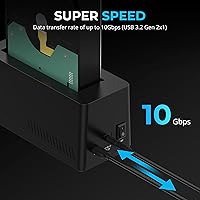
  • Interface: It connects to the host computer via USB Type-C, running at USB 3.2 Gen 2 speeds with a 10Gbps theoretical bandwidth ceiling.
  • Backward Compatibility: The dock is fully backward compatible with USB 3.2 Gen 1 (5Gbps), USB 3.0, and USB 2.0 host ports at reduced speeds.
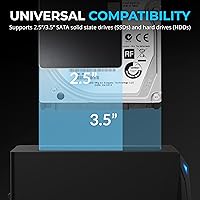
  • Drive Form Factors: Supports both 2.5″ and 3.5″ bare SATA solid-state and hard disk drives within a single tool-free bay.
  • SATA Generations: Compatible with SATA I (1.5Gbps), SATA II (3Gbps), and SATA III (6Gbps) drives across all capacity ranges.
  • Max Drive Capacity: Officially rated to support drives of 20TB and above, making it suitable for current and near-future high-capacity storage.
  • Hot-Swap Support: Hot-swapping is fully supported, allowing drives to be inserted or removed while the dock remains powered and connected.
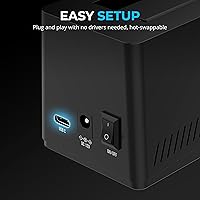
  • Driver Requirement: No drivers are required; the dock operates as a plug-and-play device on both Windows and macOS without any software installation.
  • OS Compatibility: Fully compatible with Microsoft Windows and Apple macOS operating systems on any machine with a USB-C or USB-A port.
  • Included Cables: The package includes one USB-A to USB-C cable and one USB-C to USB-C cable to accommodate a wide range of host ports.
  • Power Supply: An AC power adapter is included in the box specifically to provide stable power for 3.5″ hard disk drives during operation.
  • Dust Protection: A retractable dust cover is built into the drive bay to shield the SATA connector when no drive is inserted.
  • Dimensions: The dock measures 6.2″ in length, 2.5″ in width, and 2.7″ in height, making it compact enough for most desk setups.
  • Weight: The unit weighs 1.14 pounds, which is light enough to carry in a laptop bag for mobile or field use.
  • Color: Available in black with a matte plastic finish across the main chassis.
  • Total Drive Bays: This is a single-bay docking station; only one drive can be connected and accessed at a time.
  • RAID Support: RAID is not supported; the dock functions as a straightforward single-drive enclosure interface only.
  • NVMe Support: NVMe M.2 drives are not compatible; the dock exclusively supports 2.5″ and 3.5″ SATA interface drives.
  • Amazon Rating: The dock holds a 4.3-out-of-5-star rating based on more than 4,800 verified global customer ratings.
  • Market Rank: As of its listing data, this dock ranked number three in the Hard Drive Docking Stations category on Amazon.

Related Reviews

WAVLINK WL-ST334UA Dual-Bay USB 3.0 Hard Drive Docking Station
72%
83%
Offline Cloning Reliability
74%
Transfer Speed
79%
Build Quality
91%
Ease of Setup
38%
Mac Compatibility
More
Sabrent DS-UNHC USB-C Docking Station
80%
91%
Drive Compatibility
67%
Offline Clone Reliability
84%
Transfer Speed
78%
Thermal Management
72%
Build Quality
More
SABRENT DS-UFNC
SABRENT DS-UFNC
80%
93%
Drive Compatibility
89%
Offline Clone Function
71%
Transfer Speed (Real-World)
94%
Ease of Setup
76%
Build Quality & Materials
More
Sabrent EC-DFLT USB 3.0 SATA Hard Drive Docking Station
77%
93%
Ease of Setup
88%
Drive Compatibility
76%
Transfer Speed
67%
Build Quality
71%
Power Delivery
More
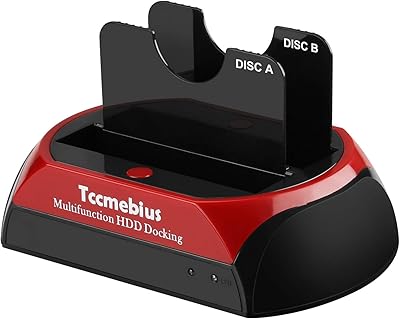
Tccmebius USB 3.0 Hard Drive Docking Station
82%
91%
Setup & Installation
87%
Speed & Performance
72%
Build Quality & Durability
88%
Ease of Use
93%
Compatibility (Windows/Mac)
More
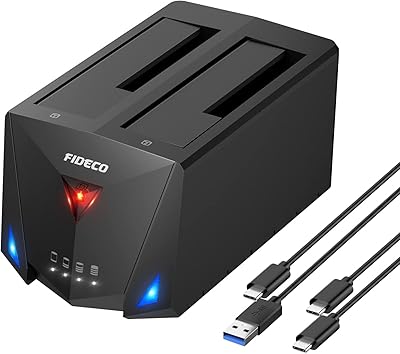
FIDECO YPZ220C Dual Bay USB 3.2 Gen 1 Hard Drive Docking Station
79%
88%
Offline Clone Functionality
79%
Transfer Speed
92%
Drive Compatibility
91%
Plug-and-Play Setup
63%
Build Quality
More
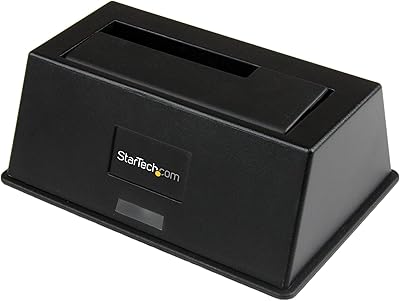
StarTech.com SDOCKU33BV USB 3.0 to SATA Hard Drive Docking Station
85%
88%
Performance
94%
Ease of Use
65%
Build Quality
90%
Data Transfer Speed
85%
Compatibility
More
StarTech.com SDOCKU313 USB 3.1 to SATA Hard Drive Docking Station
88%
91%
Performance & Speed
95%
Ease of Use
87%
Build Quality
85%
Compatibility with Drives
89%
Transfer Efficiency with SSDs
More
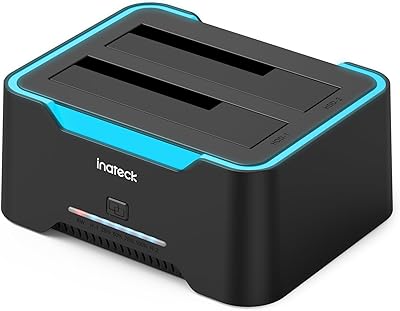
Inateck SA02004 USB 3.0 Hard Drive Docking Station
76%
88%
Offline Clone Reliability
74%
Data Transfer Speed
92%
Setup & Ease of Use
63%
Build Quality & Materials
71%
RGB Lighting
More
StarTech Dual-Bay USB 3.0 / eSATA to SATA Hard Drive Docking Station
87%
88%
Performance
91%
Build Quality
87%
Ease of Use
90%
Data Transfer Speed
84%
Reliability
More

FAQ

No software or drivers needed at all. Plug it into your computer, drop in a drive, and it shows up like any external storage device. It works this way on both Windows and macOS, which is one of the reasons it gets consistently strong marks from IT users who move between machines constantly.

Yes, the included USB-C to USB-C cable handles that connection directly. The dock is fully plug-and-play on macOS, so there is nothing extra to configure. If you are on an older Mac with USB-A ports, the included USB-A to USB-C cable covers you there too.

No, this is strictly a SATA dock. If your drive is an M.2 NVMe card — which is common in laptops and desktops made in the last few years — it will not fit or function here. You would need a separate M.2 NVMe enclosure or dock for those drives.

Real-world speeds will be determined by your drive, not the dock. A fast SATA III SSD will typically hit 400 to 550MB/s, while a spinning hard drive will land somewhere between 100 and 200MB/s depending on its age and RPM. The dock itself runs at 10Gbps, which means it will never be the bottleneck for any SATA drive you put in it.

Hot-swapping is fully supported, so yes, you can swap drives without powering down or rebooting. On Windows, you may occasionally need to do a quick disk rescan in Disk Management if the new drive does not auto-mount immediately, but this is a minor and infrequent step rather than a standard requirement.

They should, yes. The SABRENT DS-UC1B USB-C Hard Drive Docking Station supports all three SATA generations, including SATA I at 1.5Gbps. A handful of users report occasional hesitation with very old drives, but successful recognition is the far more common outcome. Just be aware that transfer speeds will reflect the drive’s original SATA generation.
This is a genuine concern worth taking seriously. For short to medium sessions the heat is manageable, but users running multi-hour transfers with 3.5″ spinning hard drives report the unit getting uncomfortably warm. A small number have experienced slowdowns or disconnects in those extended sessions. If long-haul backups are your primary use case, keep the dock in a ventilated spot and consider pausing between large jobs.

For 2.5″ SSDs, many users find the USB connection alone provides enough power and the adapter is optional. For 3.5″ hard drives, the power adapter is necessary — these drives require more power than a USB port can reliably deliver, and skipping the adapter often leads to the drive failing to spin up or disconnecting mid-transfer.

No, this dock does not have standalone clone functionality. It connects a single drive to your computer, and any cloning has to be done through software running on the host machine. If direct drive-to-drive cloning without a PC is important to you, you would need a dedicated dual-bay cloning dock instead.

SABRENT typically covers their products with a manufacturer warranty, and registering on their website is recommended to activate it. Most buyers who have contacted support describe a reasonably responsive process for defective unit replacements, though response times vary. If you run into an issue, reaching out through the official SABRENT support channel rather than the Amazon listing tends to get faster results.