Overview

The SABRENT DS-UFNC occupies an interesting spot in the drive docking market — it's one of the few mid-range options that handles both modern NVMe M.2 SSDs and older SATA drives without asking you to choose. Its low-profile, lay-flat build keeps things tidy on a desk, and the tool-free hinged lid means swapping drives takes seconds rather than minutes. With over 38,000 ratings and a #1 Best Seller rank in its category, this clearly isn't a niche product. What really separates it from a basic enclosure, though, is the offline clone function — the ability to copy one drive to another without touching a computer.

Features & Benefits

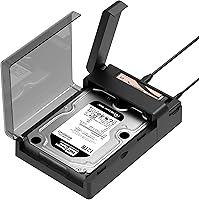
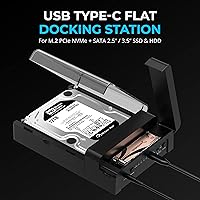
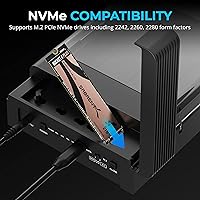
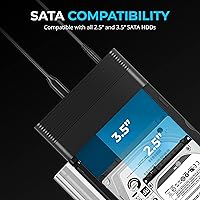
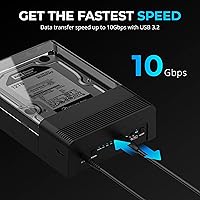
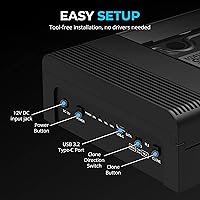
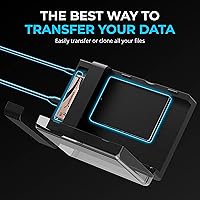
The dual-slot design is what makes this drive dock genuinely useful day-to-day. Slide in an NVMe M.2 card in 2242, 2260, or 2280 form factors on one side, and a 2.5″ or 3.5″ SATA drive on the other — no screws, just the hinged lid snapping into place. The USB 3.2 Gen 2 connection tops out at 10Gbps, which is plenty for NVMe transfers, though don't expect those numbers from a spinning HDD. The included 12V adapter is a quiet but important detail — it delivers the stable power that 3.5″ mechanical drives need to run without hiccups. Plug it into Windows, Mac, or Linux and it just works, no driver hunting required.

Best For

This docking station makes the most sense for people who regularly move data between drives — PC builders doing a system refresh, IT folks rolling out new machines, or anyone upgrading from a SATA SSD to NVMe. The offline clone capability is particularly valuable when you want to duplicate a drive without tying up a laptop for hours. Content creators juggling footage across mixed storage types will appreciate having one dock that handles everything. It's also a solid pick for small offices that need a straightforward backup routine without investing in dedicated software. If you only ever use one drive type and never clone, a simpler enclosure might serve you just as well.

User Feedback

Across thousands of reviews, the Sabrent dual-format dock earns its 4.4-star average pretty honestly. The clone function draws the most consistent praise — users repeatedly note that it works without drama, no software, no PC, just press and wait. The tool-free lid gets mentioned often too, with many buyers noting how quickly they can swap a drive compared to screw-based enclosures. On the flip side, a recurring complaint involves heat during extended use, particularly when running large 3.5″ HDDs for long periods. Some users also feel the included cable is a step below the dock's overall build quality, and a small number report compatibility hiccups with certain older drives — though these appear to be edge cases rather than a widespread pattern.

Pros

  • Handles both NVMe M.2 and SATA 2.5″/3.5″ drives in a single dock — no second enclosure needed.
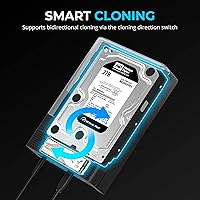
  • Offline cloning works without a PC, making drive-to-drive copying accessible to non-technical users.
  • Tool-free hinged lid makes swapping drives genuinely fast — seconds, not minutes.
  • Plug-and-play on Windows, macOS, and Linux with zero driver setup required.
  • Included 12V adapter provides stable power delivery for large 3.5″ mechanical drives.
  • Physical direction switch prevents accidental overwrites during clone operations.
  • USB 3.2 Gen 2 connection offers a meaningful speed upgrade over older USB 3.0 docks for NVMe transfers.
  • Lay-flat design sits stable on any surface and resists the tipping common with vertical docks.
  • LED progress indicators give clear visual feedback during cloning without needing software.

Cons

  • Enclosure heats up noticeably during extended sessions with 3.5″ HDDs — no active cooling present.
  • Clone progress LEDs show status but give no time estimate, making long clones feel uncertain.
  • The bundled USB-C cable feels underbuilt relative to the dock and is frequently swapped out by buyers.
  • Real-world NVMe speeds through USB are capped well below what the drive can do natively inside a PC.
  • Some older or non-standard M.2 SATA modules are not recognized reliably — the slot is optimized for NVMe.
  • The external power adapter is bulky and takes up meaningful outlet or surge protector space.
  • No time estimate or percentage display during cloning — just a blinking LED for what can be a multi-hour wait.
  • Clone will fail if the target drive is even slightly smaller than the source, with no clear upfront warning.

Ratings

The SABRENT DS-UFNC has accumulated one of the largest verified review pools in its category, and our AI scoring system processed those thousands of global ratings — actively filtering incentivized and bot-pattern submissions — to surface what real buyers actually experienced. The scores below reflect both where this drive dock genuinely excels and where it shows its limitations, so you can make an informed call before buying.

Drive Compatibility
93%
The ability to accept NVMe M.2 cards across three form factors alongside both 2.5″ and 3.5″ SATA drives is the single biggest reason buyers choose this dock over cheaper single-format alternatives. Users upgrading from old spinning HDDs to modern NVMe SSDs consistently praise not needing two separate enclosures for the transition.
A small but notable subset of users report that certain older or less common M.2 SATA drives — not NVMe — are not recognized reliably, which can cause confusion since the slot looks identical. The listing could do more to clarify this distinction upfront.
Offline Clone Function
89%
This is the feature that closes the deal for most buyers, and it largely delivers. The physical clone button, direction switch, and LED progress bar make the entire process tangible and easy to follow — even for users who have never cloned a drive before and have no interest in learning software tools.
Clone speeds are dictated by the slower of the two drives involved, so copying a large HDD can take several hours with no precise time estimate displayed. A handful of users also report failed clones when the target drive is slightly smaller than the source, which is a known limitation but not prominently communicated.
Transfer Speed (Real-World)
71%
29%
For NVMe-to-NVMe transfers over USB 3.2 Gen 2, buyers doing large media offloads report noticeably faster throughput compared to older USB 3.0 docks. Content creators moving multi-gigabyte video files find the speed advantage meaningful in a working day.
Real-world NVMe speeds through USB enclosures hit a hard ceiling well below the drive's native performance, and several technically aware reviewers flag this clearly. SATA HDD speeds are entirely bottlenecked by the drive itself, so the 10Gbps spec is effectively irrelevant for that use case — a point that occasionally misleads expectations.
Ease of Setup
94%
Plug-and-play behavior across Windows, macOS, and Linux is consistently confirmed by reviewers across all three platforms. There is no driver disc, no software download, and no configuration menu — drives appear in the file system within seconds of connection, which is exactly what most buyers want from a peripheral like this.
A small number of Linux users on niche distributions report needing to troubleshoot mount permissions, though this is a system-level issue rather than a dock deficiency. The USB-C to USB-A adapter situation can also trip up users on older machines who expect a traditional cable in the box.
Build Quality & Materials
76%
24%
The lay-flat chassis feels solid enough for regular desktop use, and the hinged lid mechanism draws genuine praise for its satisfying click and secure hold on installed drives. For a mid-range product, the physical construction matches or exceeds what most buyers expect at this price tier.
The outer plastic shell shows fingerprints readily and feels less premium than the functional design suggests it should. Some users note minor flex in the lid hinge after extended use, and the overall aesthetic is purely utilitarian — fine for a home lab or IT bench, less fitting on a clean content creator desk.
Thermal Management
62%
38%
For typical intermittent use — plugging in a drive, transferring files, unplugging — thermal performance is not a concern most buyers ever encounter. The dock handles short to medium sessions without any throttling behavior or drive errors under normal workloads.
Extended operation with a 3.5″ mechanical HDD running continuously causes the enclosure to build up noticeable heat, and there is no active cooling or meaningful ventilation on the chassis. Users running the dock for hours in warm environments report drives getting warmer than they would like, which raises long-term reliability questions for heavy-use scenarios.
Cable & Accessory Quality
58%
42%
The included 12V power adapter is one of the more appreciated accessories in the box — it provides stable enough delivery that large 3.5″ drives spin up without issues, which is not guaranteed with cheaper docks that cut corners on their power supply.
The bundled USB-C cable is widely described as the weakest component in the package. Multiple reviewers note it feels thin relative to the dock itself, and a subset replaced it immediately with a higher-quality cable to ensure consistent 10Gbps signaling. It works, but it is clearly not where the engineering budget was spent.
Tool-Free Drive Installation
91%
The hinged lid design genuinely removes friction from the drive-swapping process. IT professionals and PC builders who swap drives frequently call this out specifically — no magnetized screwdriver needed, no dropped screws, no fumbling with retention clips. Drives seat firmly and feel secure once the lid is closed.
The M.2 slot, while tool-free for most operations, can require slightly more fiddling to align smaller 2242 form factor cards correctly since the retention design is optimized around the more common 2280 length. It is a minor complaint but worth noting for users working with shorter NVMe modules.
Power Stability
84%
Including a 12V DC adapter rather than relying on bus power is the right call for this type of dock, and buyers with 3.5″ HDDs specifically appreciate it. Drives spin up consistently, and reviewers report far fewer of the disconnection issues that plague bus-powered enclosures under load.
The power brick itself is moderately bulky for a desktop accessory, and a few users in space-constrained setups mention it occupies more outlet or surge protector space than expected. It is a functional trade-off, but worth knowing if cord management matters to you.
Clone Direction Control
81%
19%
Having a physical direction switch that determines which drive acts as source versus destination prevents accidental overwrites — a real risk when you are cloning valuable data. Users doing regular drive migrations appreciate the tactile confirmation before committing to a clone operation.
The LED indicators convey that cloning is in progress and when it is complete, but offer no granular percentage progress or time estimate. For a multi-hour HDD clone, staring at a blinking LED with no sense of how far along the process is can feel unnecessarily stressful.
Cross-Platform Compatibility
88%
Verified reports of zero-configuration operation span Windows 10 and 11, recent macOS versions, and mainstream Linux distributions. For IT teams supporting mixed-OS environments, or households with both Mac and PC users, this level of plug-and-play reliability removes a recurring headache.
A minority of users on macOS with stricter default security settings encounter permission prompts that can confuse less technical buyers. The dock itself is blameless in these cases, but the out-of-box experience is not perfectly frictionless for everyone.
Value for Money
86%
For a dock that handles two physically different drive formats, includes an offline clone function, and ships with a proper power adapter, the price sits at a point where most buyers feel they are getting more capability than they paid for. Competing dual-format docks with comparable features typically cost more.
Budget-focused buyers who only need a basic single-drive enclosure for occasional transfers will find better value in a simpler product. The price premium is only justified if you actively use both the dual-format support and the clone function — otherwise you are paying for features that sit idle.
Physical Footprint & Portability
73%
27%
The lay-flat form factor keeps the dock stable on a desktop surface and prevents the tipping that plagues vertical docking designs. At just over 10 ounces, it is light enough to toss in a bag for on-site IT work without being a burden.
At roughly 7 by 5 inches, it occupies a meaningful amount of desk real estate for what is essentially an occasional-use tool. It is not truly portable in the way a slim USB enclosure is, and the external power adapter means you are always carrying two components if you take it on the road.

Suitable for:

The SABRENT DS-UFNC is built for people who regularly work across different drive formats and want one reliable tool to handle all of it. PC builders upgrading from a SATA SSD to an NVMe drive will find it indispensable — it handles the data migration and the hardware swap in a single workflow, no extra enclosures required. IT professionals who manage drive imaging or cloning across multiple machines will especially appreciate the offline clone function, which lets you duplicate a drive completely independently without tying up a laptop for hours. Content creators and videographers who accumulate footage across both older SATA externals and newer NVMe modules will find the dual-slot design cuts down on desk clutter and adapter juggling. Small offices that need a simple, software-free backup routine — just slot in two drives and press a button — will get real value out of something this straightforward. Anyone who has ever lost data during a drive upgrade and wishes the process had been simpler and more physical will feel right at home with this dock.

Not suitable for:

If you only ever use one drive type and have no interest in cloning, the SABRENT DS-UFNC is more product than you need, and a simpler single-format enclosure will serve you better at a lower cost. Power users who need to run a drive continuously for extended periods — think always-on media servers or lengthy archival jobs with large mechanical HDDs — should be aware that the chassis has no active cooling, and heat can accumulate in ways that make sustained heavy use a concern. Anyone expecting USB-enclosure performance to match a drive installed directly in a PC will be disappointed; the 10Gbps ceiling is a real improvement over older USB 3.0 docks, but it still represents a significant bottleneck for high-end NVMe drives. The bundled cable is functional but underwhelming, so buyers who are particular about cable quality should plan to source a better one separately. And if desk space is genuinely tight, the lay-flat footprint plus the external power adapter means this takes up more real estate than a slim portable enclosure would.

Specifications

  • Brand & Model: Manufactured by SABRENT under model number DS-UFNC.
  • Interface: Connects to a host computer via USB 3.2 Gen 2 Type-C, with a maximum theoretical bandwidth of 10Gbps.
  • NVMe Support: Accepts M.2 PCIe NVMe SSDs in 2242, 2260, and 2280 form factors.
  • SATA Support: Accommodates both 2.5″ and 3.5″ SATA solid-state and mechanical hard drives in the second bay.
  • Drive Bays: Houses two drives simultaneously — one M.2 NVMe slot and one SATA slot for 2.5″ or 3.5″ drives.
  • Clone Function: Includes an offline drive cloning feature operable without a connected PC, controlled via a physical direction switch and dedicated clone button.
  • Clone Indicators: LED progress lights on the chassis provide visual status feedback during active clone operations.
  • Installation: Tool-free hinged lid design allows drives to be inserted and removed without screws or additional hardware.
  • Power Supply: Ships with an included 12V DC power adapter to ensure stable power delivery, particularly for 3.5″ mechanical hard drives.
  • OS Compatibility: Fully compatible with Windows, macOS, and Linux operating systems without requiring driver installation.
  • Dimensions: Physical footprint measures 7.17″ in length, 4.83″ in width, and 1.77″ in height.
  • Weight: Weighs 10.8 oz (approximately 306 g) without drives or cables attached.
  • Number of Ports: Features three external ports covering the USB-C data connection, power input, and clone control interface.
  • UPC: Universal Product Code for retail identification is 840025259089.
  • Release Date: First made available for purchase on February 27, 2023.
  • Form Factor: Lay-flat horizontal chassis designed to remain stable on a desk surface without tipping.

Related Reviews
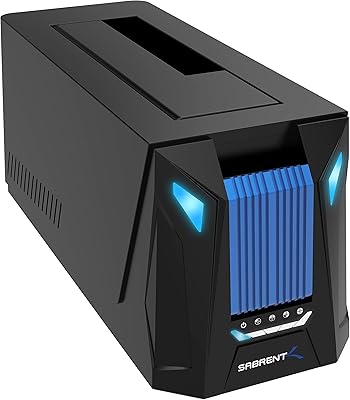
Sabrent DS-UNHC USB-C Docking Station
80%
91%
Drive Compatibility
67%
Offline Clone Reliability
84%
Transfer Speed
78%
Thermal Management
72%
Build Quality
More
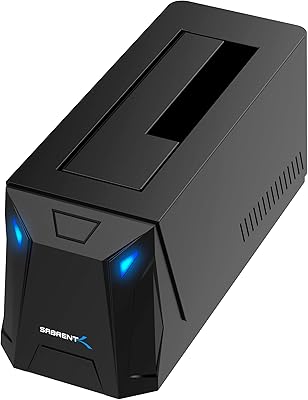
SABRENT DS-UC1B USB-C Hard Drive Docking Station
81%
88%
Plug-and-Play Reliability
79%
Transfer Speed Performance
74%
Build Quality & Materials
86%
Hot-Swap Functionality
83%
Compatibility Range
More
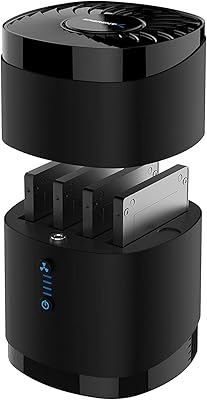
Sabrent DS-4SSD 4-Bay 2.5” SATA SSD/HDD Docking Station
88%
91%
Value for Money
96%
Ease of Setup
85%
Cooling Performance
77%
Drive Compatibility
89%
Build Quality
More
Sabrent DS-SC4B 4-Bay USB 3.2 Gen 2 Docking Station
80%
88%
Build Quality
83%
Cooling Performance
86%
Hot-Swap Reliability
74%
Transfer Speed
91%
Per-Bay Power Control
More
DS Labs Revita Shampoo 205mL
89%
94%
Cleansing Effectiveness
91%
Volume & Thickness Enhancement
88%
Scalp Refreshment
93%
Gentleness on Color-Treated Hair
86%
Hydration & Moisture Retention
More
Taramps DS 440x4 Multichannel Amplifier
87%
88%
Power Output
87%
Sound Quality
92%
Ease of Installation
90%
Size & Portability
93%
Energy Efficiency
More
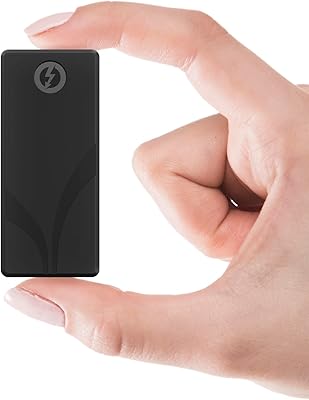
SABRENT Rocket Nano XTRM 1TB
91%
96%
Data Transfer Speed
91%
Build Quality
94%
Portability
89%
Compatibility
92%
Ease of Setup
More
Sabrent Rocket 4 4TB NVMe SSD
88%
95%
Performance
91%
Compatibility
93%
Speed (Read/Write)
88%
Reliability
87%
Power Efficiency
More
SABRENT Rocket 5 4TB NVMe SSD
88%
94%
Performance
92%
Transfer Speed
89%
Compatibility
88%
Build Quality
75%
Cooling Efficiency
More
SABRENT Thunderbolt 4 Hub HB-TBT4
86%
91%
Performance
94%
Data Transfer Speed
88%
Build Quality & Durability
89%
Charging Capabilities
92%
Compatibility with macOS and Windows
More

FAQ

Both slots are fully active during normal use, so you can connect an NVMe M.2 drive and a SATA drive simultaneously and transfer files between them or between either drive and your computer. The cloning function is just an additional offline mode — it does not limit how you use the dock day-to-day.

The M.2 slot on this dock is designed specifically for PCIe NVMe drives. M.2 SATA drives use the same physical connector but a different protocol, and compatibility with those is not reliably confirmed — several users have reported recognition issues with M.2 SATA modules. If your M.2 drive is SATA-based rather than NVMe, it may not work correctly here.

No software or computer is involved at all. You insert the source drive in one slot and the destination drive in the other, set the direction switch so the dock knows which drive to read from and which to write to, then press the clone button. The LED indicators light up to show progress and signal when the process is complete. It is entirely self-contained.

Yes, the dock connects via USB-C and is confirmed compatible with macOS without driver installation, so it will work directly with any MacBook that has a USB-C or Thunderbolt port. Just note that if your MacBook has Thunderbolt 4 or USB 4, the dock will still negotiate at USB 3.2 Gen 2 speeds — Thunderbolt ports are backward compatible, so it works fine, just not beyond 10Gbps.

That is actually one of the most common use cases for this drive dock, and it handles it well. Place your old SATA HDD in the 2.5″ slot and your new NVMe SSD in the M.2 slot, set the direction switch toward the NVMe drive as the destination, and start the clone. One important caveat: the target NVMe drive needs to have equal or greater capacity than the data on the source drive, or the clone will fail.

This is worth thinking about if long sessions are your plan. The enclosure has no active cooling fan and limited ventilation, so heat does accumulate during extended use with a spinning 3.5″ HDD. For occasional or medium-length sessions it is not a problem most users notice, but if you are running it continuously for many hours in a warm room, giving it a break periodically is a reasonable precaution.

A USB-C cable is included in the box, but it is one of the more commonly criticized aspects of the package — many buyers describe it as functional but noticeably thin and replace it with a better-quality cable right away. If you want to ensure you are getting consistent 10Gbps speeds, picking up a certified USB 3.2 Gen 2 cable separately is a worthwhile investment.

No drivers are needed. The SABRENT DS-UFNC is recognized natively by the Linux kernel as a standard USB mass storage device, so it mounts automatically on mainstream distributions like Ubuntu, Fedora, and Debian. Users on highly customized or minimal distributions occasionally need to check mount permissions, but that is a system configuration issue rather than anything specific to the dock.

It handles 3.5″ mechanical drives reliably because of the included 12V DC power adapter — the dock is not relying on power from your USB port, which is a common failure point for cheaper enclosures. The adapter provides enough current for the HDD to spin up cleanly and stay stable during transfers. This is one of the design decisions buyers with large desktop drives specifically appreciate.

There is no audible alert — the completion signal is purely visual via the LED indicators on the dock. When the clone finishes successfully, the LEDs change state to indicate the process is done. It is a simple system that works, though if you are starting a long clone and walking away, you will need to check back physically rather than receiving any notification on your computer.