Overview

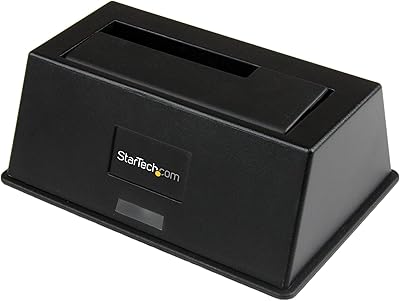
The StarTech SDOCKU313 USB 3.1 Hard Drive Dock sits in a practical middle ground — not the cheapest option on the market, but built with enough substance to justify the step up. Aimed squarely at IT professionals and power users who swap bare drives regularly, it brings USB 3.1 Gen 2 connectivity to the table, meaning theoretical throughput of up to 10 Gbps — roughly double what older USB 3.0 docks can manage. Drop a drive in from the top, plug in the cable, and your OS recognizes it without installing a single driver. StarTech backs this with a 2-year warranty and free lifetime technical support, which adds real peace of mind for anyone relying on it in a professional context.
Features & Benefits

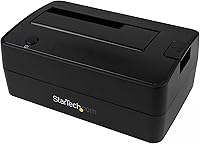
This hard drive dock handles both 2.5-inch and 3.5-inch SATA III drives — HDDs or SSDs — at any capacity, and even supports the newer 4Kn drive format found on some enterprise disks. The UASP protocol is where the real-world speed difference shows up: transfers run noticeably faster with less CPU overhead compared to standard bulk transfer mode, especially with SSDs. A bundled AC adapter handles power for larger spinning drives without drawing from your host machine. The USB-A connector ensures broad compatibility across most desktops and older laptops. Worth noting clearly: IDE, mSATA, and M.2 SATA drives require separately purchased adapters — this dock does not support those formats natively out of the box.

Best For

The StarTech single-bay dock earns its keep most clearly in professional IT workflows — imaging drives, running diagnostics, or pulling data off a stack of old HDDs without mounting each one internally. For home users, it is equally practical if you occasionally need to dip into archived drives. Since it requires no software installation whatsoever, Windows, macOS, and Linux users can plug in and get going without any fuss. One practical consideration: you will get the most out of this if your machine actually has a USB 3.1 Gen 2 port. Plugging it into a USB 2.0 port will reduce transfer speeds significantly, so it is worth verifying your available ports before purchasing.

User Feedback

With a 4.2-star average across 59 ratings, this USB 3.1 docking station carries a reasonably solid reputation — though the relatively small review pool means conclusions should be taken with some caution. Recurring praise focuses on quick drive recognition, sturdy build quality, and a setup experience that genuinely requires no troubleshooting. On the downside, the USB-A only design is a legitimate inconvenience for users with modern laptops sporting exclusively USB-C ports, and a handful of buyers mention occasional fan noise. Some reviewers also feel the price is steep given that USB-C alternatives exist at lower price points. Long-term reliability feedback is mostly encouraging, with no widespread pattern of early failures reported.

Pros

  • USB 3.1 Gen 2 with UASP support delivers noticeably faster transfers compared to older USB 3.0 docks.
  • Works immediately on Windows, macOS, and Linux — no drivers, no software, no setup headaches.
  • Handles both 2.5-inch and 3.5-inch SATA drives, including SSDs and large-capacity HDDs.
  • Bundled AC adapter ensures stable power for 3.5-inch spinning drives without relying on the host machine.
  • Tool-free top-loading slot makes swapping bare drives quick and intuitive during busy work sessions.
  • 4Kn drive support adds compatibility with enterprise-grade storage that many budget docks skip entirely.
  • Compact and light enough to toss in a bag for on-site IT work or field data recovery.
  • Two-year warranty plus free lifetime multilingual technical support is a genuine advantage over no-name alternatives.
  • Solid build quality holds up well under frequent daily drive swaps, according to long-term users.

Cons

  • USB-A only connection is a real barrier for modern laptops that have moved exclusively to USB-C.
  • Single bay means you cannot run two drives simultaneously — swapping manually adds time on larger jobs.
  • IDE, mSATA, and M.2 SATA compatibility all require extra adapters purchased separately, adding unexpected cost.
  • Speed gains only materialize on machines with a true USB 3.1 Gen 2 port — older hosts bottleneck performance significantly.
  • Some users report audible vibration or noise when running 7200 RPM mechanical drives for extended periods.
  • The price point draws regular comparisons to USB-C alternatives that offer similar throughput at lower cost.
  • No physical eject button means you must safely unmount drives through the OS every time — easy to forget under pressure.
  • The AC power brick adds a second cable to manage, making the setup less clean than bus-powered alternatives.
  • With only 59 ratings on record, long-term reliability data is thinner than you would want for a professional tool.

Ratings

The StarTech SDOCKU313 USB 3.1 Hard Drive Dock scores below are generated by AI after analyzing verified buyer reviews worldwide, with spam, bot activity, and incentivized feedback actively filtered out. Based on real-world usage patterns from IT professionals, home users, and data recovery specialists, these ratings reflect where this single-bay dock genuinely excels — and where it falls short of expectations.
Transfer Speed
88%
Users with USB 3.1 Gen 2 ports consistently report noticeably faster read and write speeds compared to older USB 3.0 docks, especially when copying large media archives or cloning drives. The UASP support makes a tangible difference with SSDs, where sustained transfers feel snappy rather than sluggish.
The speed advantage only materializes on machines with a true USB 3.1 Gen 2 port. Buyers who plug it into a USB 3.0 or USB 2.0 host report underwhelming throughput, which has led to some frustration when the bottleneck is the host port rather than the dock itself.
Drive Compatibility
83%
The ability to slot in either a 2.5-inch or 3.5-inch SATA drive — HDDs or SSDs — without any adapters makes this dock genuinely flexible for day-to-day IT work. Support for 4Kn drives is a practical bonus for anyone managing enterprise-grade storage.
IDE, mSATA, and M.2 SATA support all require separately purchased adapters, which is easy to miss when buying. Users expecting broad out-of-the-box compatibility across legacy and modern drive formats may feel let down when they realize additional spend is required.
Build Quality
79%
21%
The plastic casing feels more solid than typical budget docks — the drive slot has a firm, reassuring fit and the unit does not flex or wobble during use. Several IT professionals mention it has held up well through frequent daily drive swaps over extended periods.
It is still plastic, and the top-loading slot shows minor scuff marks over time with heavy use. A handful of users describe the overall construction as adequate rather than premium, noting that the housing does not inspire the same confidence as the brand's metal-built accessories.
Ease of Setup
94%
True plug-and-play across Windows, macOS, and Linux — no driver downloads, no software installs, no configuration screens. IT techs in particular appreciate being able to drop a drive in and have the OS mount it within seconds, especially when working through a stack of drives during audits or migrations.
A small number of users report that certain older drives took a few extra seconds to be recognized, or required a reinsert before the OS picked them up. This is an edge case rather than a pattern, but it has caught a few buyers off guard.
Value for Money
62%
38%
For IT departments or frequent users who need reliable, fast drive access and trust the StarTech ecosystem, the price reflects the brand's professional build standards and the included lifetime support — which cheaper competitors simply do not offer.
Casual home users comparing this against lower-priced USB-C docks with comparable speeds may reasonably question the premium. The single-bay limitation makes the price harder to justify when multi-bay alternatives are available at similar or slightly higher price points.
Port & Connector Design
58%
42%
The USB-A connector keeps things compatible with a wide range of desktops, older laptops, and workstations that remain on USB-A infrastructure — still the majority in enterprise environments.
USB-A only is a real limitation in 2024. Many modern laptops, especially thin-and-light models, ship without a single USB-A port, forcing users to purchase a separate adapter just to use this dock. The absence of a native USB-C connection feels like an oversight given the product's target audience.
Power Delivery & Stability
85%
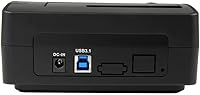
The bundled 12V AC adapter provides consistent, reliable power to 3.5-inch spinning drives — something bus-powered docks simply cannot manage. Users running large-capacity mechanical HDDs report stable operation without spin-up failures or mid-transfer disconnects.
The AC adapter adds a cable to manage, which can feel cumbersome in tight desk setups or when moving the dock between workstations. A few users wish the power brick were more compact, though functionality is not affected.
Drive Insertion & Removal
87%
The top-loading slot is wide enough to accept drives cleanly without fumbling, and the tool-free design means swapping drives mid-task takes seconds. IT techs cycling through dozens of drives during inventory work find this particularly efficient.
There is no eject button or physical locking mechanism, so drives must be safely ejected through the OS before removal. This is standard practice, but less experienced users have occasionally pulled drives without ejecting, leading to minor file system issues.
Noise & Heat
71%
29%
During typical use with SSDs, the dock runs quietly and stays cool. The compact plastic housing allows adequate passive ventilation for most workloads, and SSD users in particular report no heat-related concerns during extended sessions.
A subset of users report audible fan-like noise or vibration when using larger mechanical HDDs, particularly at 7200 RPM. In quiet office environments this can become noticeable, and a few buyers mention the dock runs warmer than expected after prolonged heavy transfers.
Software & Driver Experience
91%
Genuinely zero-driver operation across all three major operating systems is a strong point. There are no companion apps to install, no firmware update tools to navigate, and no compatibility checks to run — it simply works as expected from the first connection.
The absence of any companion software also means there are no diagnostic tools, drive health monitors, or activity indicators built in. Power users who want more visibility into drive status will need to rely on third-party tools like CrystalDiskInfo or macOS Disk Utility separately.
Size & Portability
74%
26%
At under 14 ounces and with a relatively modest desktop footprint, this USB 3.1 docking station does not dominate a workstation. IT pros who carry it between locations report it packs into a bag alongside a laptop without much hassle.
The AC adapter is a separate piece that adds bulk when traveling, and there is no carry pouch or cable management included in the box. The dock and adapter together are less portable than a purely bus-powered alternative, which matters for on-site field work.
Long-Term Reliability
76%
24%
The majority of verified buyers who mention long-term use — some over two years of regular drive swapping — report no failures or degradation. StarTech's 2-year warranty and responsive support channels provide a meaningful safety net for professional users.
The sample size of 59 ratings limits definitive conclusions about multi-year reliability. A small but notable cluster of reviews mentions intermittent connection drops after extended ownership, though it is unclear whether this reflects product-wide trends or isolated units.
Warranty & Support
89%
Free lifetime technical support with multilingual availability is a genuine differentiator at this price tier. IT professionals managing mixed-language teams or working internationally cite this as a deciding factor when choosing StarTech over lesser-known brands.
The 2-year hardware warranty, while solid, is not class-leading — some competitors at similar price points offer 3-year coverage. Users who push the dock hard in high-frequency enterprise environments may feel a longer warranty window would better reflect the professional positioning.

Suitable for:

The StarTech SDOCKU313 USB 3.1 Hard Drive Dock was clearly designed with a specific type of user in mind, and it delivers best when that user is an IT professional, sysadmin, or technically minded power user who regularly handles bare drives. If your workflow involves imaging drives before wiping machines, cloning disks for deployment, or pulling data off old HDDs from decommissioned hardware, this dock fits that routine without friction. Home users sitting on a pile of old hard drives from previous computers will also find it genuinely useful — plug one in, copy what you need, swap to the next. The zero-driver setup is a real time-saver across Windows, macOS, and Linux environments, and the AC adapter means even large 3.5-inch spinning drives spin up reliably without power issues. Anyone who has already verified their machine has a USB 3.1 Gen 2 port will get the most out of the speed on offer here.

Not suitable for:

The StarTech SDOCKU313 USB 3.1 Hard Drive Dock is a harder sell for buyers who need to work with multiple drives simultaneously, since the single bay means you will be swapping drives manually rather than managing several at once. Users with modern thin-and-light laptops that only carry USB-C ports face an immediate compatibility hurdle — the USB-A only connection means an adapter is required before you can even get started, which undermines the plug-and-play convenience. Buyers looking to access IDE, legacy laptop drives, mSATA, or M.2 SATA formats should know upfront that none of these work natively — each requires a separately purchased adapter, adding cost and steps. If you are a casual user who only needs to access an old drive once or twice a year, the price may be harder to justify against cheaper alternatives that cover basic needs adequately. Finally, anyone prioritizing a native USB-C connection for future-proofing will likely find a better match elsewhere.
Specifications

  • Drive Compatibility: Accepts 2.5″ and 3.5″ SATA III HDDs and SSDs of any storage capacity, including 4Kn-format drives.
  • Host Interface: USB 3.1 Gen 2 connection with a maximum theoretical data transfer rate of 10 Gbps.
  • Host Connector: Single USB-A plug connects to the host machine; no USB-C option is available natively.
  • UASP Support: UASP (USB Attached SCSI Protocol) is supported, enabling faster sustained transfer speeds and reduced CPU load compared to standard bulk transfer mode.
  • Drive Bays: Single top-loading bay accommodates one drive at a time; no simultaneous multi-drive operation is possible.
  • Power Source: Powered via an included 12V AC adapter, providing stable power delivery for both 2.5″ and 3.5″ spinning hard drives.
  • Dimensions: The unit measures 6.3 × 3.54 × 6.69 inches (L × W × H), fitting comfortably on a standard workstation desk.
  • Weight: The dock weighs 13.8 ounces (0.39 kg), making it light enough to carry between job sites without issue.
  • OS Support: Compatible with Windows, macOS, and Linux operating systems; no drivers or companion software are required for operation.
  • Optional Adapters: IDE, mSATA, and M.2 SATA drives can be used with the dock via separately purchased adapters — none are included in the box.
  • Warranty: StarTech provides a 2-year limited hardware warranty covering manufacturing defects and component failures.
  • Technical Support: Free lifetime technical support is included, available 24 hours a day, 5 days a week, in multiple languages.
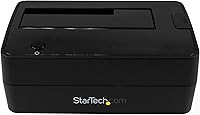
  • Material: The outer housing is constructed from plastic, with a top-loading slot designed for repeated tool-free drive insertion and removal.
  • Voltage: The included AC adapter operates at 12 volts to provide consistent power to all supported drive types.
  • Drive Loading: Top-loading design allows drives to be inserted and removed vertically without tools, screws, or enclosure disassembly.
  • Certification: Listed as OS-independent, meaning it requires no operating system-specific software stack or proprietary driver package to function.

Related Reviews
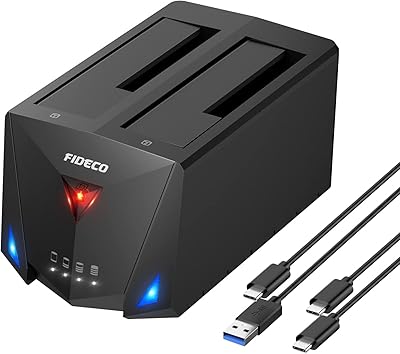
FIDECO YPZ220C Dual Bay USB 3.2 Gen 1 Hard Drive Docking Station
79%
88%
Offline Clone Functionality
79%
Transfer Speed
92%
Drive Compatibility
91%
Plug-and-Play Setup
63%
Build Quality
More
StarTech SDOCKU33BV USB 3.0 Hard Drive Dock

78%
93%
Ease of Setup
84%
Drive Compatibility
78%
Transfer Speed
58%
Build Quality
81%
Hot-Swap Reliability
More
StarTech SDOCK2U33EB Dual-Bay Hard Drive Docking Station

78%
83%
Hot-Swap Reliability
88%
Drive Compatibility
74%
Transfer Performance
76%
Build Quality
93%
Ease of Setup
More
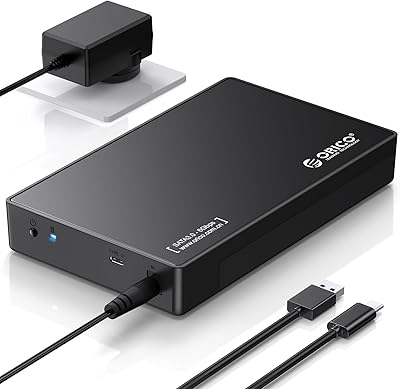
WAVLINK WL-ST334UA Dual-Bay USB 3.0 Hard Drive Docking Station
72%
83%
Offline Cloning Reliability
74%
Transfer Speed
79%
Build Quality
91%
Ease of Setup
38%
Mac Compatibility
More
ORICO 3.5″ External Hard Drive Enclosure SATA III to USB 3.1 Type C
84%
92%
Ease of Setup
90%
Data Transfer Speed
85%
Build Quality
88%
Compatibility with OS
87%
Shock Protection
More
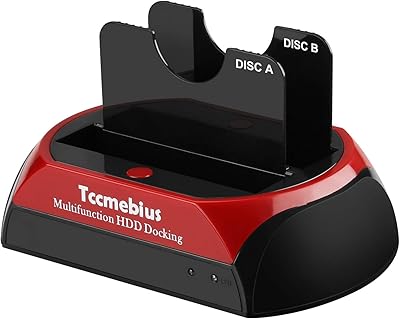
ikuai 3.5″ USB 3.0 Hard Drive Enclosure
80%
93%
Ease of Setup
71%
Build Quality
62%
Cable Quality & Reliability
88%
Drive Compatibility
74%
Data Transfer Speed
More
Tccmebius TCC-S868 Dual-Slot USB 3.0 Docking Station
71%
88%
IDE Compatibility
83%
SATA Drive Support
79%
Data Transfer Speed
76%
Ease of Setup
61%
One-Touch Backup (OTB) Feature
More
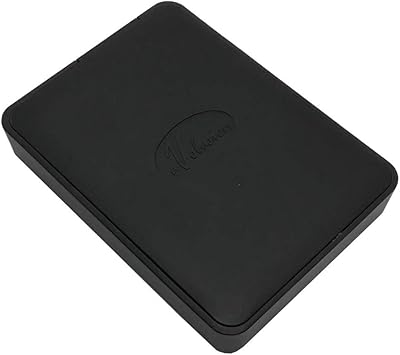
Avolusion 1.5TB USB 3.0 Portable PS4 External Hard Drive
89%
92%
Performance
95%
Ease of Setup
89%
Portability/Size
90%
Data Transfer Speed
85%
Build Quality
More
Inateck SA02004 USB 3.0 Hard Drive Docking Station
76%
88%
Offline Clone Reliability
74%
Data Transfer Speed
92%
Setup & Ease of Use
63%
Build Quality & Materials
71%
RGB Lighting
More
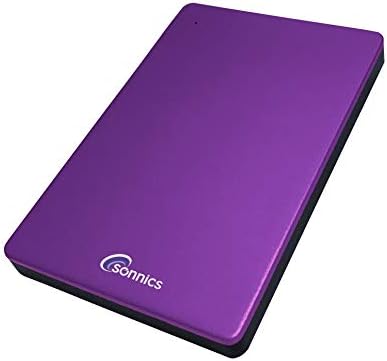
Sonnics 1TB USB 3.1 Type C External Portable Hard Drive
87%
91%
Portability
88%
Performance
87%
Transfer Speed
90%
Compatibility
89%
Reliability
More

FAQ

No, not at all. The StarTech SDOCKU313 USB 3.1 Hard Drive Dock is fully plug-and-play on Windows, macOS, and Linux. Just connect the USB cable and power adapter, drop in a drive, and your operating system will recognize it automatically — typically within a few seconds.

The dock uses a USB-A connector on the host side, so if your laptop only has USB-C ports, you will need a USB-C to USB-A adapter or a USB-C hub with a USB-A port. Keep in mind that the adapter you use may also affect the maximum transfer speed you can achieve, so it is worth checking the specs of your adapter.

Not directly out of the box. The dock natively supports 2.5″ and 3.5″ SATA drives only. For IDE, mSATA, or M.2 SATA drives, StarTech sells compatible adapters separately that slot into the dock's bay. Just be sure to order the right one for your drive type — and note that M.2 NVMe drives are not supported even with an adapter.

In real-world use, USB 3.1 Gen 2 with UASP support can deliver meaningfully faster sustained transfers, especially when copying large files to or from an SSD. USB 3.0 tops out at around 5 Gbps theoretical; USB 3.1 Gen 2 doubles that to 10 Gbps. The practical difference is most noticeable with fast SSDs — spinning HDDs are usually the bottleneck regardless of interface speed.

Yes, you can. The dock does not require drives to be removed after each session. That said, bare drives left in an open-top dock are exposed to dust, so for long-term storage use it is worth covering the slot when not actively transferring data. For truly permanent external storage, a proper enclosure with a lid is generally a better fit.

The listed maximum is 6TB, but this reflects the capacity available at the time the product was certified rather than a hard technical ceiling. Many users report using larger SATA drives without issues, though StarTech has not formally certified support beyond 6TB. If you are working with very high-capacity drives, it is worth verifying compatibility before relying on it for critical data.

Yes, the dock includes an activity LED that lights up when a drive is connected and blinks during data access. It is a simple but useful visual cue — particularly helpful for knowing when it is safe to remove a drive versus when a transfer is still in progress.

The same thing that would happen with any external storage device — you risk file system errors or, in worst cases, data corruption, especially if a write operation was in progress. Always use your OS's safe eject or unmount function before physically removing the drive. There is no hardware eject button on this dock, so the OS is your only safeguard.

The dock itself has only one bay, so you cannot clone drive-to-drive directly through the dock alone. You would need cloning software on your computer and would have to swap drives manually — clone the source drive to your internal storage or another external drive first, then transfer to the destination. If drive cloning is a regular part of your workflow, a dual-bay dock with an offline clone button would serve you better.

It depends on what you actually need. If you have a USB 3.1 Gen 2 port and work with SSDs regularly, the speed and UASP support are real, tangible benefits over a budget USB 3.0 dock. You also get StarTech's build quality, 2-year warranty, and lifetime support — which matters if you are using it professionally. If you only occasionally access an old spinning HDD and do not have USB 3.1 Gen 2 on your machine anyway, a cheaper dock will likely serve you just as well.

Where to Buy