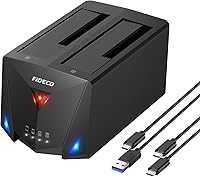
FIDECO YPZ220C Dual Bay USB 3.2 Gen 1 Hard Drive Docking Station





Overview
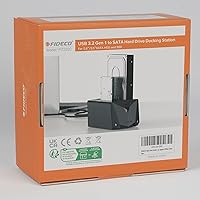
The FIDECO YPZ220C Dual Bay USB 3.2 Gen 1 Hard Drive Docking Station arrived in April 2022 and has quietly built a strong reputation, accumulating over 7,200 ratings at a 4.4-star average and landing at #21 in its category. What separates this dual-bay dock from the crowded field of basic single-slot options is its offline cloning function — a feature typically reserved for more expensive hardware. The unit handles both 2.5″ and 3.5″ SATA drives, ships with two cables covering USB-C and USB-A host ports, and has a footprint compact enough to sit comfortably on a busy desk without demanding much real estate.
Features & Benefits
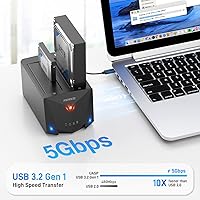
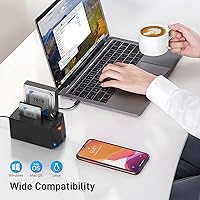
Running on USB 3.2 Gen 1 with UASP protocol, the FIDECO docking station can hit transfer speeds up to 5 Gbps — though real-world throughput will vary depending on the drive and the host port in use. The offline clone feature is the standout: slot in a source drive and a target drive, press the clone button, and the duplication runs without any computer attached. No software, no driver hunt — it works on Windows, macOS, and Linux straight out of the box. The dock supports SATA I through III, so an older spinning hard drive slots in just as readily as a modern SSD, and each bay accommodates up to 20 TB.
Best For
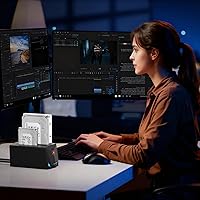
This drive duplicator makes the most sense for a fairly specific set of buyers. If you are migrating from an old PC to a new one and want a straightforward way to copy your entire drive without hiring a technician, this is a practical pick. IT staff handling small-office imaging tasks will appreciate having offline cloning without the cost of dedicated duplication hardware. Photographers and video editors moving large media libraries will find the 5 Gbps interface a real step up from older docks. Linux users in particular often struggle to find gear that just works without configuration headaches — this one does.
User Feedback
Across thousands of reviews, buyers consistently call out the cloning process as intuitive and praise the indicator lights for making it easy to track duplication progress without guesswork. Cross-platform compatibility draws frequent mention too, with owners confirming it works reliably across drive generations and operating systems. On the critical side, some users describe the enclosure as feeling light and plasticky compared to pricier rivals — a fair point at this price tier. Clone speed for large drives, 8 TB and above, can stretch into several hours, so patience is needed. A small number of buyers have reported needing to reseat a drive before it registers, though this does not appear to be a widespread issue.
Pros
- Offline cloning works without any PC attached — just two drives and one button.
- Supports 2.5-inch and 3.5-inch SATA drives interchangeably, covering a wide range of hardware generations.
- Plug-and-play on Windows, macOS, and Linux with zero driver installation required.
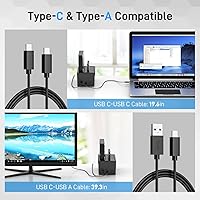
- Both USB-C to USB-C and USB-C to USB-A cables are included, so most users can connect immediately.
- USB 3.2 Gen 1 with UASP support is a meaningful speed improvement over older USB 3.0 docks.
- Each bay handles drives up to 20 TB, covering even the largest consumer hard drives available today.
- Compact enough to sit on a crowded desk without becoming an obstacle.
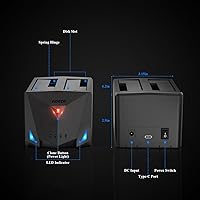
- Clear LED indicators make it easy to confirm drive recognition and monitor clone progress at a glance.
- Broad SATA I, II, and III compatibility means no adapter is needed for legacy drives.
- Ranked #21 in its category with over 7,200 ratings at 4.4 stars — a reliable signal of broad user satisfaction.
Cons
- Cloning an 8 TB or larger drive can take many hours with no progress percentage displayed.
- The plastic enclosure feels noticeably light and inexpensive when handled directly.
- Thin documentation for the clone function leaves first-time users to piece together the workflow themselves.
- The dock can slide on smooth desk surfaces when drives are inserted or removed with any force.
- Neither included cable is particularly long, which limits where the dock can be placed relative to the host machine.
- A small number of users report needing to remove and firmly reseat a drive before the dock recognizes it.
- No active cooling means extended clone sessions with large spinning drives can cause the unit to run warm.
- Real-world transfer speeds vary significantly depending on the host port and drive type — the 5 Gbps ceiling is rarely hit in practice.
Ratings
The scores below reflect an AI-driven analysis of verified global buyer reviews for the FIDECO YPZ220C Dual Bay USB 3.2 Gen 1 Hard Drive Docking Station, with spam, bot-generated, and incentivized feedback actively filtered out before scoring. Each category is evaluated against real-world usage patterns reported by home users, IT technicians, and content creators alike. Both the standout strengths and the genuine frustrations are weighted equally so you get an honest picture before buying.
Offline Clone Functionality
Transfer Speed
Drive Compatibility
Plug-and-Play Setup
Build Quality
Cable Bundle Value
Value for Money
Cloning Speed for Large Drives
Indicator Lights & Feedback
Thermal Management
OS Compatibility
Physical Footprint & Desk Fit
Documentation & Support
Suitable for:
The FIDECO YPZ220C Dual Bay USB 3.2 Gen 1 Hard Drive Docking Station is a strong fit for anyone who needs a straightforward, no-fuss way to work with SATA hard drives without a big budget commitment. Home users swapping drives from an old Windows PC to a new one will find the offline clone function genuinely useful — no technician required, no software to install, just two drives and a button press. IT staff in small offices who regularly image drives for new deployments or diagnostics will appreciate having a dedicated duplicator that does not tie up a workstation. Content creators and photographers sitting on large libraries spread across multiple aging HDDs will benefit from the fast-enough transfer speeds and broad drive compatibility, which handles everything from a decade-old spinning disk to a modern 2.5-inch SSD without complaint. Linux users, who often hit unexpected compatibility walls with budget peripherals, will be relieved to find this dual-bay dock recognized without any driver hunting. The included pair of cables — one USB-C to USB-C, one USB-C to USB-A — means MacBook owners and desktop PC users alike can plug in immediately without a side trip to an accessories drawer.
Not suitable for:
Buyers expecting premium build quality or planning to run this drive duplicator as a daily-use workhorse in a demanding professional environment should temper their expectations before purchasing. The plastic enclosure is functional but noticeably lightweight, and users accustomed to more expensive docking hardware will feel the difference when handling it. Anyone needing to clone or transfer very large drives — think 8 TB and above — should be aware that the process can stretch into many hours, and the dock offers no percentage-based progress display to help estimate completion time. This is also strictly a SATA solution, so if your workflow involves NVMe M.2 drives, this unit simply will not help. Users who rely on USB 2.0 host ports may find connection reliability less consistent than on modern USB 3.x ports. Finally, buyers looking for detailed printed instructions will find the included documentation thin, particularly around the clone workflow, which may require some online research before a first-time user feels fully confident.
Specifications
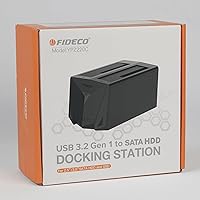
- Model Number: The unit carries the manufacturer model designation YPZ220C, sold under the FIDECO brand.
- Interface: Connects to a host computer via USB 3.2 Gen 1, with a maximum theoretical data transfer rate of 5 Gbps.
- Protocol Support: UASP (USB Attached SCSI Protocol) is supported, enabling faster real-world transfer speeds compared to standard BOT mode.
- Drive Compatibility: Accepts 2.5″ and 3.5″ SATA I, SATA II, and SATA III hard disk drives and solid-state drives.
- Max Drive Capacity: Each bay supports drives with a storage capacity of up to 20 TB, accommodating current large-format consumer and NAS drives.
- Simultaneous Drives: The dual-bay design allows up to two drives to be connected and accessed at the same time.
- Offline Clone: A built-in offline clone function duplicates the contents of a source drive to a target drive without requiring a connected computer.
- OS Compatibility: Works natively with Windows, macOS, and Linux operating systems without any driver installation.
- Included Cables: The package includes one USB-C to USB-C cable and one USB-C to USB-A cable for use with both modern and legacy host ports.
- USB Backward Compat.: The dock is backward compatible with USB 2.0 host ports, though transfer speeds will be limited to USB 2.0 rates in that configuration.
- Dimensions: The enclosure measures 6.22″ in length, 3.54″ in width, and 2.95″ in height.
- Weight: The dock weighs 1.32 pounds, making it lightweight enough to reposition easily on a desk or carry in a bag.
- Power: The unit is powered via an included external AC adapter, as the dual-bay design and drive spin-up requirements exceed what a USB bus can supply.
- Indicator Lights: LED indicators on the front panel show drive activity status for each bay and signal the progress and completion of clone operations.
- Cooling: Thermal management is handled entirely through passive airflow; the dock contains no internal fan or active cooling mechanism.
Related Reviews

WAVLINK WL-ST334UA Dual-Bay USB 3.0 Hard Drive Docking Station

StarTech SDOCK2U33EB Dual-Bay Hard Drive Docking Station
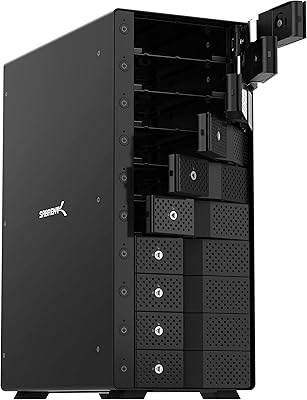
SABRENT DS-UCTB 10-Bay SATA Docking Station
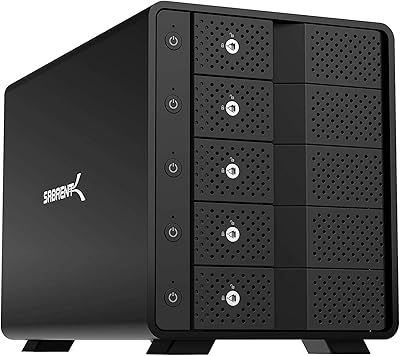
SABRENT DS-SC5B 5-Bay Hard Drive Docking Station
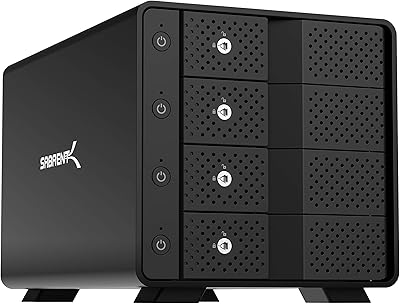
Sabrent DS-SC4B 4-Bay USB 3.2 Gen 2 Docking Station

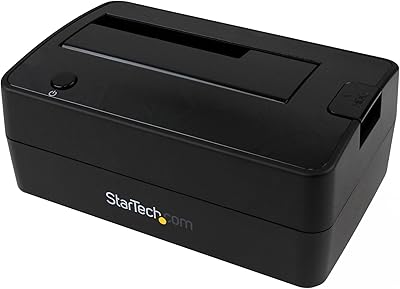
StarTech SDOCKU313 USB 3.1 Hard Drive Dock
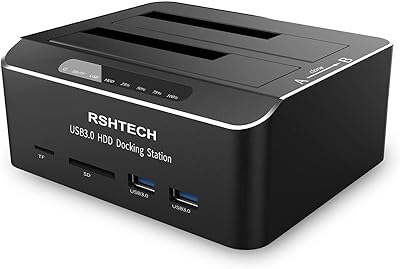
RSHTECH RSH-DS02 Dual Bay Hard Drive Dock
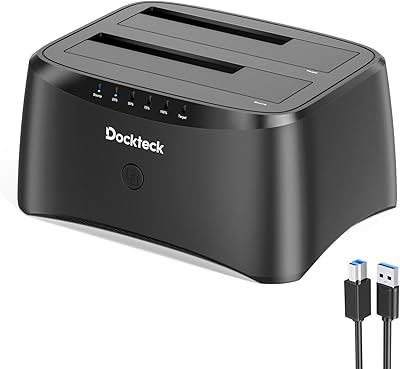
dockteck Dual Bay Hard Drive Docking Station