Overview

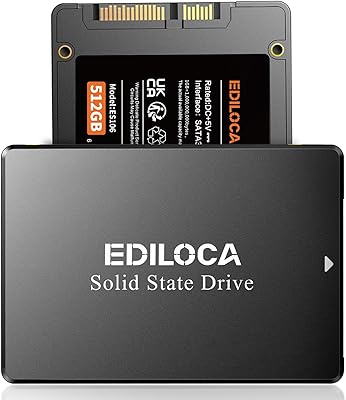
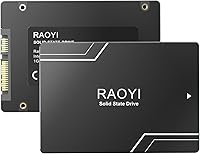
The RAOYI X12 512GB Internal SSD enters a crowded budget storage market with a straightforward pitch: swap out your aging mechanical drive without spending much. RAOYI is a relatively new brand — the X12 series only launched in April 2023 — so you won't find decades of reputation behind it. What you will find is a strong 4.6-star rating across nearly 300 verified buyers, which is genuinely hard to dismiss. One detail worth flagging honestly: the internal flash memory spec reads as 480GB despite the 512GB label, a common industry practice but something shoppers deserve to know. It sits at #142 in Internal Solid State Drives on Amazon, reflecting real sales traction.

Features & Benefits

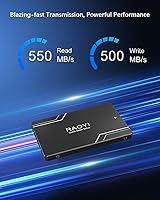
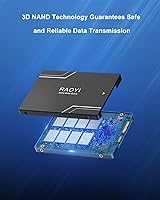
The RAOYI X12 runs on a SATA III 6Gb/s interface, with sequential reads reaching up to 550MB/s and writes approaching 500MB/s. Those figures are respectable, but keep expectations grounded — SATA has a hard ceiling that NVMe drives clear easily. Where this budget SATA SSD earns its keep is in everyday impact: boot times drop noticeably, applications open faster, and general sluggishness disappears. The 3D NAND flash contributes to better power efficiency and endurance versus older planar designs, a real plus for laptop users minding battery life. Backward compatibility with SATA I and II ports, combined with the standard 2.5-inch form factor, makes installation genuinely painless in most machines.

Best For

This value-tier drive makes the most sense for someone still running a spinning hard disk in an older laptop or desktop. Students who need Windows to boot without a painful wait, casual users toggling between browser tabs and documents, or anyone doing light photo work and local video playback will feel a real, immediate difference. It also works well as a secondary storage drive in a desktop that already has a faster NVMe boot drive installed. Be realistic, though: heavy video encoding or sustained large-file transfers will expose SATA's limits. For straightforward daily computing, the RAOYI X12 handles the job without fuss or overspending.

User Feedback

The pattern across buyer reviews is fairly consistent: people who replaced a slow mechanical hard drive are pleasantly surprised by how much snappier their machine feels afterward. Installation draws repeated praise for being plug-and-play with no driver headaches. On the cautious side, several buyers flag the brand's obscurity and note that long-term durability remains an open question given its short market history. A few reviewers mention that real-world speeds land slightly below the advertised peaks under mixed workloads — normal behavior for SATA drives, but worth setting expectations around. The included documentation is thin, which draws occasional frustration. Overall, for this price tier, verified buyer sentiment skews clearly positive.

Pros

  • Replacing an old spinning hard drive with this budget SATA SSD produces an immediately noticeable speed improvement in daily use.
  • Boot times drop dramatically — most users report Windows loading in a fraction of the time compared to a mechanical drive.
  • The standard 2.5-inch form factor makes installation straightforward in the vast majority of older laptops and desktops.
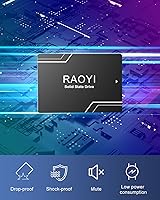
  • 3D NAND flash technology offers better power efficiency, which translates to modest but real battery life gains on laptops.
  • Backward compatibility with SATA I and II interfaces means almost no older system is left out.
  • At 62.1 grams, the drive adds virtually no weight to a laptop — ideal for portable machines.
  • Works across Windows, Linux, and macOS without needing special drivers or software setup.
  • User reviews consistently rate the plug-and-play installation experience as hassle-free for non-technical buyers.
  • The drive functions well as affordable secondary storage in a multi-drive desktop setup.
  • A strong 4.6-star rating across nearly 300 buyers suggests consistent real-world satisfaction at this price tier.

Cons

  • RAOYI is a relatively new brand with limited long-term reliability data, which is a legitimate concern for critical storage use.
  • The internal flash memory is rated at 480GB despite the 512GB product label — usable capacity will reflect the smaller figure.
  • Real-world read and write speeds under mixed workloads tend to fall short of the advertised peak figures.
  • SATA III has a hard performance ceiling; anyone comparing it to even entry-level NVMe drives will notice the gap.
  • The included documentation is thin and unhelpful for less experienced users attempting their first drive swap.
  • No official endurance rating or MTBF figure is published, making it difficult to assess long-term durability objectively.
  • There is no bundled cloning software, so migrating an existing OS requires sourcing a third-party tool separately.
  • Warranty terms and the brand's support responsiveness have not been widely tested or documented by buyers yet.

Ratings

The RAOYI X12 512GB Internal SSD scores below are generated by AI after systematically analyzing verified buyer reviews from global markets, with spam, bot activity, and incentivized feedback actively filtered out. Ratings reflect the honest consensus of real users across a range of experience levels, from first-time upgraders to budget-conscious PC builders. Both the genuine strengths and the recurring frustrations are transparently baked into every score you see here.

Value for Money
88%
Among budget-tier SATA SSDs, buyers consistently feel they get more performance per dollar than expected. The dramatic improvement over a mechanical hard drive makes the low asking price feel like an easy win for students and casual home users working with older hardware.
Savvy shoppers note that established brands like Kingston or Crucial occasionally land near this price point during sales, making the value equation slightly less clear-cut. The missing extras — no cloning software, no mounting bracket — mean hidden additional costs for some buyers.
Real-World Performance
79%
21%
Day-to-day tasks like booting Windows, launching browsers, and opening office applications feel noticeably snappier after installation, and reviewers upgrading from spinning drives describe the difference as transformative for everyday computing. For the SATA interface, read speeds hold up well under typical mixed workloads.
Peak advertised speeds of 550MB/s read and 500MB/s write are rarely sustained under real mixed-use conditions, and buyers running benchmark tools often see figures that fall meaningfully short of those headlines. Anyone comparing this to even a budget NVMe drive will notice the throughput gap immediately.
Installation Ease
91%
The plug-and-play nature of SATA means most buyers — even those who have never opened a laptop before — report a smooth, frustration-free installation experience. The standard 2.5-inch form factor drops directly into place without tools beyond a basic screwdriver in the majority of machines.
The included user manual is thin and unhelpful for complete beginners who need guidance on cloning an existing OS or handling BIOS settings post-installation. No cloning software is bundled, so first-timers who want to avoid a clean reinstall must seek out third-party tools independently.
Compatibility
93%
Backward compatibility with SATA I and II interfaces means this budget SATA SSD works in a remarkably wide range of hardware, including machines over a decade old. Windows, Linux, and macOS all recognize it without drivers, which removes a common headache for less technical users.
It is strictly a 2.5-inch SATA device, so systems with only M.2 slots — increasingly common in modern ultrabooks and compact desktops — cannot use it at all. Desktop users with only 3.5-inch bays also need a separate mounting bracket that does not come in the box.
Build Quality
71%
29%
The ABS plastic shell feels solid enough for a stationary internal drive, and the passive heat dissipation design keeps temperatures in check during everyday workloads like streaming and document editing. At 62.1 grams, the chassis is rigid and light without feeling flimsy.
ABS plastic does not inspire the same confidence as the aluminum housings found on mid-range competitors, and buyers handling the drive directly often comment that it feels decidedly budget-grade. No shock resistance rating or endurance specification is published, which leaves durability questions partially unanswered.
Brand Reliability
58%
42%
The RAOYI X12 has accumulated a 4.6-star average across nearly 300 reviews since launching in April 2023, which is a meaningful signal that early adopters are largely satisfied with its day-to-day performance. No widespread failure patterns have emerged in the review pool so far.
RAOYI is a young brand with no published MTBF rating, no widely available warranty claims data, and limited presence outside of Amazon, which makes long-term reliability genuinely hard to assess. Buyers storing irreplaceable data on this drive as their sole storage solution are taking a measurable leap of faith compared to buying from an established manufacturer.
Boot Time Improvement
86%
Reviewers switching from mechanical hard drives almost universally highlight the boot time reduction as the single most satisfying outcome of the upgrade, with many reporting Windows loads in under 20 seconds. This single benefit alone justifies the purchase for users whose machines had become painful to start.
Users who already run an SSD as their boot drive will notice no meaningful improvement by adding this as a secondary drive for data storage. Boot time gains are also dependent on the rest of the system — an older CPU or limited RAM can still make startup feel sluggish even with an SSD installed.
Capacity Transparency
62%
38%
The 512GB capacity label gives the drive a clear market identity and makes it easy to compare against similarly priced competitors in product searches. Most buyers at this tier understand that labeled capacity rarely equals formatted usable space.
The discrepancy between the 512GB product name and the 480GB flash memory specification listed in the technical details is a genuine transparency issue that several buyers notice and flag in reviews. After formatting, available space lands closer to 460–465GB, which can feel like a quiet bait-and-switch for buyers who did not read the fine print.
Thermal Management
74%
26%
Under typical home and student workloads — web browsing, document editing, light media playback — the drive maintains stable and safe temperatures without active cooling. The low power draw of SATA SSDs inherently limits heat generation compared to high-performance NVMe alternatives.
During extended sequential write sessions, such as copying a large media library or running a lengthy backup, surface temperatures climb noticeably without any thermal throttling protection being confirmed by the manufacturer. No official operating temperature range is published, which is a minor but real gap in the product documentation.
Documentation & Support
47%
53%
The package does include a printed user manual, covering basic installation steps for common use cases. Buyer support through the Amazon platform provides at least one accessible channel for resolving post-purchase issues.
Multiple reviewers flag the user manual as inadequate — it covers almost nothing beyond the physical installation step and offers no guidance on OS migration, BIOS configuration, or troubleshooting. RAOYI's direct customer support infrastructure is not well documented, and the brand's long-term responsiveness to warranty claims remains an open question with limited community data to draw from.
Sequential Read Speed
81%
19%
The up-to-550MB/s read speed sits at the top of what the SATA III interface can realistically deliver, making this value-tier drive competitive with much pricier SATA options when it comes to loading large files or launching data-heavy applications. For its interface class, the headline figure is legitimate.
SATA III caps out around 550MB/s by design, so there is no headroom for this drive to grow beyond the interface ceiling no matter how good the flash chips are. Benchmark results from real users using CrystalDiskMark show consistent performance, but figures often land 20 to 40MB/s below the maximum claimed figure under sustained conditions.
Sequential Write Speed
76%
24%
For the types of write tasks most home and student users encounter — saving files, installing apps, moving photos — the write speed is more than adequate and noticeably faster than any mechanical alternative. Short-burst writes handle well within the SLC cache buffer.
Under sustained large sequential writes, performance can taper off once the SLC cache is exhausted, a common behavior in budget NAND designs that the manufacturer does not address or document. Buyers doing frequent large file transfers or backup jobs will likely notice inconsistent write performance during longer sessions.
Energy Efficiency
83%
The low power consumption of this budget SATA SSD is a genuine advantage for laptop users, where storage power draw contributes to overall battery runtime. Running cooler and drawing less power than a mechanical drive makes a tangible difference over a full workday of use.
Exact power consumption figures are not published by RAOYI, so buyers cannot make precise comparisons against competing drives or verify claims independently. In practice the efficiency gains are real but modest — enough to be noticed over hours of use, not enough to dramatically extend battery life on their own.

Suitable for:

The RAOYI X12 512GB Internal SSD was built for a very specific but common situation: someone staring at a five-to-ten-year-old laptop or desktop that still runs fine mechanically but crawls because of its spinning hard drive. For students who need a machine that boots in seconds rather than minutes, or home users who just want browser tabs and office apps to open without a fight, this drive delivers exactly that kind of tangible, everyday improvement. It fits neatly into any system with a 2.5-inch SATA bay — which covers the vast majority of older laptops and budget desktops — and the backward compatibility with SATA I and II means almost nothing is left out. It also makes a sensible secondary storage drive for desktop builders who already have a fast NVMe boot drive and want cheap, reliable space for documents, media, or game installs. Anyone on a strict budget who simply wants a dependable HDD replacement without overthinking the purchase will find this a practical, low-friction choice.

Not suitable for:

The RAOYI X12 512GB Internal SSD is genuinely not the right tool for demanding workloads, and being clear about that matters more than any spec sheet claim. If you regularly do 4K video editing, render large 3D projects, or run workloads that sustain heavy sequential writes for extended periods, SATA III will bottleneck you — full stop — and a budget NVMe drive would serve you better at a comparable price point. Content creators who need to move large files quickly between drives will also hit the ceiling of this interface faster than they expect. Buyers who prioritize brand heritage and proven long-term reliability should pause: RAOYI is a young brand with limited track record outside of its current Amazon ratings, and that uncertainty is real for anyone planning to use this drive as their sole backup or primary work machine storage. Finally, if your system only has an M.2 slot and no 2.5-inch bay, this drive simply will not fit — check your hardware before purchasing.

Specifications

  • Storage Capacity: The drive is labeled as 512GB, though the underlying flash memory is rated at 480GB, meaning formatted usable capacity will be lower than the headline figure.
  • Form Factor: Uses the standard 2.5-inch form factor, measuring 100 x 70 x 6.8mm, which fits the vast majority of laptops, desktops, and NAS enclosures without requiring an adapter.
  • Interface: Connects via SATA III running at 6Gb/s, and is backward compatible with older SATA II and SATA I ports found in legacy systems.
  • Read Speed: Sequential read speed is rated at up to 550MB/s under optimal conditions using SATA III bandwidth.
  • Write Speed: Sequential write speed reaches up to 500MB/s, though real-world mixed-workload performance will typically land somewhat below this peak figure.
  • Flash Memory Type: Built with 3D NAND flash technology, which stacks memory cells vertically to improve density, endurance, and energy efficiency compared to older planar NAND designs.
  • Weight: The drive weighs 62.1g (approximately 2.19 oz), adding negligible mass to any laptop or desktop system.
  • Casing Material: The outer shell is constructed from ABS plastic and is designed with passive heat dissipation to help maintain stable operating temperatures during sustained use.
  • Power Consumption: The drive draws low power by SSD standards, making it a practical choice for battery-powered laptops where energy draw from storage components matters.
  • OS Compatibility: Officially supports Windows, Linux, and macOS without requiring proprietary drivers, covering the most common operating systems used by home and student users.
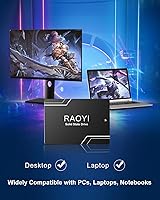
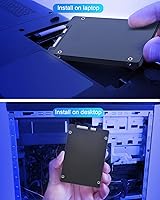
  • Device Compatibility: Designed for internal installation in desktop PCs, laptops, and compatible NAS enclosures that feature a 2.5-inch SATA bay.
  • Installation Type: This is an internal drive requiring physical installation inside the host device; it is not a plug-and-play external storage solution.
  • Series: The drive belongs to RAOYI's X12 series, which is available in multiple capacities including 256GB, 512GB, 1TB, and 2TB variants.
  • Package Contents: Each unit ships with one 2.5-inch SSD and one user manual; no mounting screws, cloning software, or SATA cable is included in the box.
  • Availability Date: The RAOYI X12 series became available on Amazon in April 2023, making it a relatively recent entrant in the budget SATA SSD market.

Related Reviews
Patriot P210 512GB Internal SSD
85%
90%
Value for Money
88%
Performance for Everyday Tasks
80%
Speed Consistency
85%
Gaming Performance
93%
Ease of Installation
More
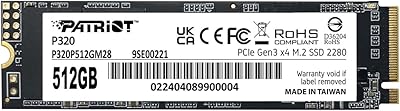
Patriot Memory P320 512GB M.2 NVMe SSD
82%
93%
Value for Money
84%
Read Performance
71%
Write Performance
96%
Installation Ease
88%
Compatibility
More
RAOYI 1TB 2.5″ SATA III Internal SSD
73%
88%
Value for Money
76%
Read/Write Performance
92%
Installation Ease
89%
Compatibility
61%
Brand Reliability
More
RAOYI 2TB Internal SSD SATA III
88%
88%
Performance
91%
Read Speed
84%
Write Speed
86%
Durability & Build Quality
89%
Heat Dissipation
More
RAOYI 512GB NVMe M.2 PCIe 4.0 SSD
87%
92%
Performance
89%
Compatibility
93%
Ease of Installation
90%
Read Speed
88%
Write Speed
More
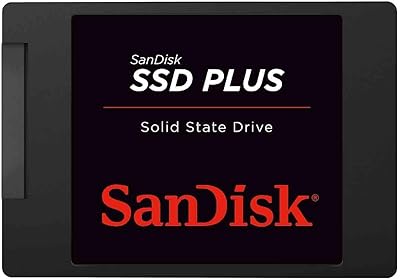
SanDisk SSD PLUS 240GB Internal SSD
87%
88%
Performance
92%
Speed Improvement vs HDD
90%
Durability / Shock Resistance
87%
Value for Money
94%
Ease of Installation
More
SanDisk SSD Plus 480GB Internal SSD
83%
91%
Value for Money
86%
Read Performance
67%
Write Performance
94%
Installation Ease
71%
Long-term Reliability
More
SanDisk SSD Plus 2TB Internal SSD
82%
88%
Read Speed Performance
74%
Write Speed Performance
94%
Installation & Compatibility
91%
Value for Money
86%
Long-Term Durability & Reliability
More
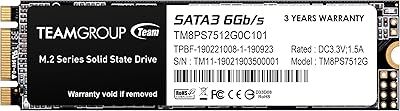
TEAMGROUP MS30 512GB SSD
86%
85%
Performance
92%
Value for Money
88%
Read Speed
84%
Write Speed
90%
Installation Ease
More
Ridata S801 1TB 2.5″ SATA SSD
77%
88%
Value for Money
79%
Read/Write Performance
91%
Installation & Compatibility
67%
Long-term Reliability
62%
Brand Trust
More

FAQ

Almost certainly yes. If your laptop uses a 2.5-inch SATA drive — which covers the overwhelming majority of machines from roughly 2008 onward — this drive will slot right in. Just confirm your laptop has a 2.5-inch bay rather than an M.2 slot before purchasing.

This is a real discrepancy worth understanding. The 512GB refers to the raw flash storage on the chip, while 480GB reflects the actual usable flash memory capacity after the manufacturer reserves space for error correction and wear-leveling. After formatting, your operating system will show something closer to 460–465GB of usable space, which is completely normal for drives in this class.

Yes, and that is actually one of the most common use cases. Installing Windows on this drive rather than a mechanical hard disk will cut your boot time dramatically. It handles everyday OS tasks and general application use without any issues.

That depends on what you are doing. NVMe drives can be three to five times faster than SATA in sequential transfers, which genuinely matters for video editing, large file moves, or compiling code. For everyday browsing, office work, and casual gaming, the performance gap is far less noticeable in real use. If your budget is tight and your workload is light, the SATA option is a perfectly sensible choice.

No. The RAOYI X12 512GB Internal SSD works as a standard SATA device recognized automatically by Windows, macOS, and Linux. You do not need to install any drivers. Just slot it in, and your system will detect it during boot or on the next startup.

No cloning software is bundled in the box. If you want to migrate your existing operating system and data without reinstalling everything from scratch, you will need a free third-party tool like Macrium Reflect Free or Clonezilla, along with a USB-to-SATA adapter to connect both drives simultaneously during the clone process.

That is a fair concern. RAOYI is a younger brand without the multi-decade track record of names like Samsung or Crucial. That said, the drive currently holds a strong rating across several hundred real buyer reviews, which provides some reassurance. No published endurance rating or MTBF figure is available from the manufacturer, so buyers who need a drive for mission-critical or irreplaceable data should factor that transparency gap into their decision.

It works in both. Desktops with a 2.5-inch drive bay accept it directly. Some desktop cases only have 3.5-inch bays, in which case you will need an inexpensive 2.5-inch to 3.5-inch mounting bracket, which can be found for a couple of dollars and is not included in the box.

The difference is substantial and immediately obvious in daily use. Boot times that used to take 60 to 90 seconds on a spinning drive typically drop to 15 to 25 seconds. Applications open faster, file copying within the drive is much snappier, and the system feels more responsive overall. This is one of the highest-impact hardware upgrades you can make to an older machine.

SATA SSDs generally run cooler than NVMe drives, and this budget SATA SSD is no exception. The ABS casing includes passive heat dissipation, and under normal workloads — browsing, documents, media playback — it stays well within safe temperature ranges. Sustained heavy writes over long periods may warm it slightly, but for typical home or student use, heat is not a concern.