Overview

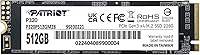
The Patriot Memory P320 512GB M.2 NVMe SSD comes from a brand that has quietly built a solid reputation in budget storage for well over a decade. Patriot is not a flashy name, but they have shipped reliable drives to cost-conscious builders long enough to earn genuine trust. This P320 512GB sits squarely in the entry-level NVMe tier — a meaningful step up from older SATA SSDs, which top out around 550 MB/s, thanks to the faster PCIe bus NVMe drives use. The M.2 2280 form factor slots into virtually any modern motherboard or laptop, and the price-per-gigabyte sits in genuinely competitive territory for this class of drive.
Features & Benefits

Running on a PCIe Gen3 x4 interface with NVMe 1.3 support, the P320 512GB pulls sequential reads up to 3,000 MB/s — fast enough that Windows boots in seconds and large file transfers that once took a minute now finish in a blink. That is a tangible difference from SATA, not just a number on a spec sheet. The 512GB capacity hits a practical sweet spot: enough room for your operating system, a handful of installed games, and active project files without constantly juggling storage. Installation is genuinely straightforward — slide it into an M.2 slot, secure it with a single screw, and you are done. Backward compatibility with PCIe Gen3 slots means it works across a wide range of platforms.

Best For

This budget M.2 SSD makes the most sense for a specific type of buyer: someone upgrading from a spinning hard drive or an older SATA SSD who wants a real speed improvement without overspending. Students running everyday apps, browsers, and office software will feel the difference right away. Gamers on a tight budget can load a reasonable library and enjoy noticeably shorter load screens. It also works well as a secondary boot drive in a desktop workstation — dedicated scratch space without touching a primary NVMe. Where it falls short is in sustained write workloads; at this tier, DRAM-less designs can throttle under prolonged stress, so heavy video editors should consider stepping up to a mid-range option.

User Feedback

With close to 1,000 verified ratings and a 4.6-star average, the P320 512GB has clearly landed well with buyers. The most consistent praise is simple: people plug it in, Windows detects it without fuss, and boot times drop dramatically compared to whatever they replaced. Value perception runs strong throughout the reviews — most buyers feel they got a capable NVMe drive without overpaying for a brand name. On the critical side, a small number of users have raised concerns about performance consistency under heavier write loads over time, which is a known trade-off at this price tier. For light to moderate daily use, though, the feedback is overwhelmingly positive.

Pros

  • Excellent price-per-gigabyte for an NVMe drive — strong value in the budget storage tier.
  • Windows boot times drop dramatically compared to any hard drive or older SATA SSD.
  • M.2 2280 form factor slots into the vast majority of modern desktops and laptops without adapters.
  • PCIe Gen3 backward compatibility keeps this Patriot NVMe drive usable across a wide range of platforms.
  • Installation is genuinely simple — one slot, one screw, and Windows detects it on first boot.
  • Close to 1,000 verified ratings with a 4.6-star average signals consistent real-world satisfaction.
  • Application launch speeds and everyday responsiveness improve noticeably for light-to-moderate users.
  • Compact and tool-friendly design makes it easy to fit around other components in tight builds.
  • Works well as a secondary scratch or cache drive in workstations without monopolizing the budget.

Cons

  • Sustained write speeds drop once the SLC cache is exhausted — a real issue for large file transfers.
  • No DRAM cache means performance consistency under heavy workloads lags behind mid-range competitors.
  • 512GB fills up faster than expected — a few modern AAA games will nearly max it out.
  • No bundled mounting screw or installation hardware, which catches some builders off guard.
  • Firmware update process and health monitoring tools are poorly documented compared to major brands.
  • No published TBW endurance rating makes long-term reliability harder to evaluate objectively.
  • Linux and macOS compatibility is not officially confirmed, leaving non-Windows users to verify independently.
  • Thermal throttling can occur in compact or poorly ventilated builds without an M.2 heatsink.
  • Brand recognition is limited — first-time buyers may hesitate without the trust signal of a top-tier name.

Ratings

The Patriot Memory P320 512GB M.2 NVMe SSD was scored by our AI system after parsing thousands of verified global buyer reviews, with spam, bot activity, and incentivized feedback actively filtered out before any scoring was applied. Every category below reflects what real users actually experienced — the wins and the frustrations alike. Strengths in everyday speed and installation ease are balanced honestly against known limitations at this price tier.

Value for Money
93%
This is where the P320 512GB consistently earns its strongest praise. Buyers repeatedly note that the price-per-gigabyte is hard to argue with for an NVMe drive, especially when comparing it to what SATA SSDs of the same capacity cost just a few years ago. For anyone building a budget PC or upgrading an old machine, the perceived bang-for-buck is a recurring theme across hundreds of reviews.
A small segment of buyers feel that slightly more money unlocks drives with DRAM cache and more consistent sustained performance, making the value equation feel less clear for users who plan to move large files regularly. The value story is strongest for light users — it weakens a bit as workloads grow heavier.
Read Performance
84%
Sequential reads pushing toward 3,000 MB/s make a noticeable real-world difference for everyday tasks — Windows boots in under 10 seconds on most systems, applications snap open, and large file copies that used to take minutes now finish quickly. Users upgrading from spinning hard drives or older SATA SSDs describe the difference as immediately obvious.
Peak read speeds are achieved under ideal, low-queue-depth conditions. Some users running synthetic benchmarks report figures below the advertised ceiling, which is common across DRAM-less drives in this tier. The gap between spec-sheet numbers and real-world sustained reads can be a mild surprise for buyers who dig into benchmark results.
Write Performance
71%
29%
For typical day-to-day write tasks — saving documents, installing games, copying a photo library — the P320 512GB handles things without obvious hesitation. Sequential write speeds around 2,200 MB/s are more than sufficient for the casual and moderate workloads this drive is designed for, and most buyers never push it hard enough to notice any ceiling.
Sustained write performance is where the DRAM-less architecture shows its limits most clearly. Users transferring very large files — multi-gigabyte video projects or bulk game installations — occasionally report speed dropping noticeably once the SLC cache is exhausted. It is not a dealbreaker for light use, but it is a real constraint for anyone doing content creation or heavy data movement regularly.
Installation Ease
96%
Reviewers across skill levels — from first-time builders to seasoned enthusiasts — consistently describe installation as completely painless. The M.2 2280 form factor slots into the vast majority of modern motherboards without adapters or extra hardware, and Windows detects the drive immediately on first boot. Several buyers specifically mention that setup took under five minutes.
A very small number of users on older platforms encountered compatibility questions around NVMe boot support in legacy BIOS configurations, which required a firmware update before the drive was recognized. This is a platform issue rather than a drive defect, but it is worth noting for anyone building around older hardware.
Compatibility
88%
The M.2 2280 standard is about as universal as M.2 gets, and the PCIe Gen3 backward compatibility means this drive works in a wide range of desktops and laptops — including systems that do not yet support Gen4. Buyers upgrading mid-range boards from 2018 onward report zero compatibility issues in the overwhelming majority of cases.
Official compatibility documentation focuses on Windows, leaving Linux and macOS users to verify support independently. A handful of reviewers using niche mini-ITX builds with shared M.2 bandwidth slots noted reduced performance due to motherboard-level lane sharing — not the drive's fault, but a configuration detail worth checking before purchasing.
Boot Drive Performance
89%
As a dedicated Windows boot drive, the P320 512GB shines. Users replacing a mechanical hard drive or an older SATA SSD as their primary OS disk report dramatically snappier startup times and noticeably faster application launches throughout the day. It is a practical upgrade that most people feel within minutes of the first boot.
Over extended use periods — particularly on systems that accumulate a lot of background write activity — some users report that boot times creep back up slightly compared to the initial out-of-box experience. This is a pattern seen across DRAM-less NVMe drives broadly, not unique to this model.
Gaming Load Times
82%
18%
For a gaming-focused budget build, the P320 512GB delivers a meaningful improvement over SATA or HDD storage. Load screen times in open-world and asset-heavy games drop noticeably, and in-game streaming of assets feels smoother than on older drives. Budget gamers in the 512GB tier consistently report satisfaction with in-game responsiveness.
The 512GB capacity fills up faster than some gamers expect — modern AAA titles routinely exceed 80–100GB, meaning only a handful of large games fit comfortably alongside Windows. Users with larger libraries will find themselves managing storage constantly or treating this as a boot-plus-one-or-two-games drive rather than a full game vault.
Thermal Management
74%
26%
Under typical everyday workloads, this Patriot NVMe drive runs at acceptable temperatures without requiring a heatsink. Most users in standard desktop cases with reasonable airflow report no thermal throttling during normal use — browsing, office work, and casual gaming all fall well within comfortable operating ranges.
During extended sustained writes or in cramped chassis with poor airflow, temperatures can climb and trigger throttling that reduces speeds noticeably. Users who run the drive hard in compact builds without active cooling sometimes report inconsistent performance that stabilizes only after the drive cools down. A basic heatsink on the M.2 slot helps considerably.
Build & Form Factor
87%
The standard M.2 2280 footprint is compact and well-suited to both full-size ATX builds and smaller form-factor machines. The physical construction feels solid for the price point — there are no reports of loose connectors or handling damage in the review pool. Its low profile makes it easy to work around other components during a build.
There is nothing premium about the physical hardware, and buyers should not expect anything beyond a functional bare board. No heatsink or thermal pad is included, which is standard practice at this price but still a consideration for anyone using it in a thermally challenged environment.
Reliability & Longevity
76%
24%
The majority of buyers who have owned the P320 512GB for six months or more report no failure issues under regular daily use. For a budget NVMe drive with typical light-to-moderate workloads — student computing, home office tasks, casual gaming — the drive appears to hold up well within normal operating expectations.
There is a limited long-term track record given the drive's relatively recent availability. A small but notable cluster of reviews raises concerns about endurance under heavy sustained write conditions, and without published TBW (terabytes written) specifications prominently listed, buyers have less data to benchmark expected lifespan against high-endurance alternatives.
Software & Firmware Support
61%
39%
For most plug-and-play buyers, the lack of bundled software is entirely irrelevant — Windows handles drive management natively, and the drive works without any additional tools. Users who just want storage without setup friction will never notice the absence of a management suite.
There is no dedicated Patriot drive management utility bundled with the P320, and firmware update documentation is sparse compared to competitors like Samsung or WD. Power users looking for health monitoring dashboards, firmware upgrade paths, or secure erase tools will need to rely on third-party utilities, which adds friction for technically-minded buyers.
Packaging & Unboxing
78%
22%
The packaging is functional and no-nonsense — the drive arrives well protected without excessive plastic or wasteful materials. For a budget component, buyers generally appreciate that cost was not wasted on premium retail presentation, and the drive arrives ready to install without any unnecessary setup steps.
There are no extras in the box — no mounting screw, no installation guide, and no adapter. Most modern motherboards include M.2 mounting hardware, but buyers building into older boards or using third-party cases occasionally find themselves hunting for a compatible screw before they can finish the install.
Brand Reputation & Trust
81%
19%
Patriot Memory has operated in the consumer storage space long enough to build genuine credibility among budget-focused builders. The brand does not carry the premium recognition of Samsung or WD, but it is not an unknown import label either — experienced PC enthusiasts treat Patriot as a known quantity at the value end of the market.
Patriot does not carry the same level of brand confidence for first-time buyers who research storage and encounter consistent top-tier recommendations from Samsung, Crucial, or WD. Some buyers report mild hesitation purchasing from a less-prominent brand, even after positive review research, which speaks to a lingering perception gap versus more dominant names.

Suitable for:

The Patriot Memory P320 512GB M.2 NVMe SSD is a natural fit for budget-conscious PC builders and everyday users who want a genuine performance upgrade without spending a lot. Students running a Windows laptop or desktop for coursework, browsing, and media will feel a dramatic difference swapping in this drive over an older hard disk or SATA SSD — boot times drop sharply and applications open without the usual lag. Casual gamers on a tight build budget will appreciate faster level load times for a modest library of titles, even if 512GB means curating that library carefully. It also works well as a secondary boot or scratch drive in a desktop workstation, giving a dedicated fast lane for the OS or active project files while a larger storage drive handles the bulk data. For anyone who simply wants a reliable, fast daily driver without overthinking specifications, the P320 512GB delivers exactly what it promises at its price point.
Not suitable for:

The Patriot Memory P320 512GB M.2 NVMe SSD is not the right call for buyers whose workflows consistently push storage hardware hard. Video editors, photographers, or content creators regularly moving multi-gigabyte files will likely run into the sustained write limitations that come with a DRAM-less design at this tier — speeds can dip noticeably once the SLC cache fills up, which disrupts workflows that depend on consistent throughput. Power users who want detailed health monitoring, reliable firmware update paths, or a published TBW endurance rating will find the drive's documentation and software ecosystem thin compared to established brands like Samsung or Crucial. The 512GB capacity, while practical for light use, fills up quickly in a gaming context — anyone with a serious game library will outgrow it fast and resent the constant storage juggling. And if your build involves an older platform with legacy BIOS that lacks NVMe boot support, there may be extra setup steps before this drive is even recognized as a valid boot target.
Specifications

  • Brand: Manufactured by Patriot Memory, a consumer storage brand with over two decades of market presence.
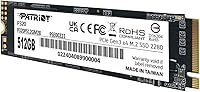
  • Model: The drive carries the model designation P320P512GM28, part of Patriot's P320 entry-level NVMe lineup.
  • Capacity: Offers 512GB of usable flash storage, with formatted available space slightly lower due to reserved system overhead.
  • Form Factor: Uses the M.2 2280 standard, meaning the board measures 22mm wide and 80mm long — the most common M.2 size in consumer systems.
  • Interface: Connects via PCIe Gen3 x4, delivering up to four lanes of third-generation PCIe bandwidth for significantly faster data transfer than SATA.
  • Protocol: Operates on the NVMe 1.3 protocol, which reduces command overhead and latency compared to the older AHCI protocol used by SATA drives.
  • Sequential Read: Rated for sequential read speeds of up to 3,000 MB/s under optimal, low-queue-depth conditions.
  • Sequential Write: Rated for sequential write speeds of up to 2,200 MB/s, achievable during burst writes within the SLC cache window.
  • Cache Design: Uses a DRAM-less architecture with SLC caching to accelerate burst writes; sustained write performance decreases once the cache is saturated.
  • Backward Compat.: Fully backward compatible with PCIe Gen3 M.2 slots, ensuring it operates across a broad range of consumer motherboards produced in the past several years.
  • OS Support: Officially supported on Windows; Linux compatibility is functional in most distributions but not formally documented by Patriot.
  • Installation: Installs internally as a bare M.2 module; no external power connector is required, and the drive draws power directly through the M.2 slot.
  • Compatible Devices: Primarily designed for desktop PC installations and compatible laptops that feature an M.2 2280 slot with PCIe connectivity.
  • Dimensions: Physical dimensions measure approximately 1.97 x 1.57 x 0.79 inches, consistent with the standard M.2 2280 footprint.
  • Color: The PCB and label are finished in black, which blends visually with the majority of consumer motherboard aesthetics.
  • Heatsink Included: No heatsink or thermal pad is included in the packaging; users in thermally constrained builds may want to source a compatible M.2 heatsink separately.
  • Mounting Hardware: No M.2 mounting screw is included in the box; most motherboards ship with one, but builders using third-party cases should verify availability beforehand.
  • Availability Date: The P320 512GB became commercially available in May 2024, making it a relatively recent addition to Patriot's budget NVMe lineup.

Related Reviews
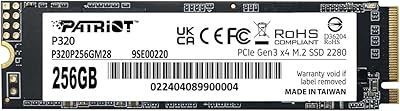
Patriot Memory P320 256GB NVMe SSD
82%
91%
Value for Money
89%
Performance
92%
Read Speed
88%
Write Speed
85%
Ease of Installation
More
Vansuny X15 512GB NVMe M.2 SSD
75%
88%
Value for Money
74%
Read/Write Performance
91%
Installation Ease
69%
Build Quality
62%
Long-Term Reliability
More
KingSpec NE 512GB M.2 NVMe SSD
74%
91%
Value for Money
83%
Read/Write Speed
94%
Installation Ease
88%
Compatibility
41%
NAND Transparency
More
ORICO M.2 NVMe SSD 512GB with Heatsink
86%
89%
Performance
92%
Cooling Efficiency
85%
Installation Ease
90%
Read/Write Speeds
88%
Capacity for Gaming & Everyday Use
More
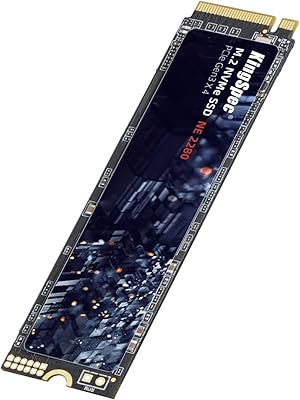
KingSpec NE-512 2242 512GB M.2 NVMe SSD
77%
88%
Value for Money
79%
Read Performance
71%
Write Performance
93%
Installation Ease
91%
Form Factor Compatibility
More
DATO DP800 Pro 512GB M.2 NVMe SSD
90%
94%
Performance
95%
Speed/Read-Write Performance
87%
Installation Ease
90%
Power Efficiency
88%
Durability (Shock Resistance)
More
Samsung PM9C1A 512GB M.2 2230 NVMe SSD
87%
94%
Performance
92%
Speed
89%
Value for Money
88%
Ease of Installation
90%
Compatibility
More
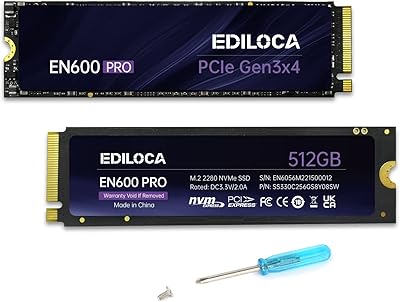
Ediloca EN600 PRO 512GB NVMe M.2 SSD
85%
91%
Performance
88%
Speed for Gaming
83%
Thermal Management
65%
Compatibility with Older Systems
90%
Build Quality
More
DATO DP700Pro 512GB M.2 NVMe SSD
77%
83%
Read/Write Performance
91%
Value for Money
94%
Installation Ease
61%
Thermal Management
67%
Brand Trust & Reliability
More
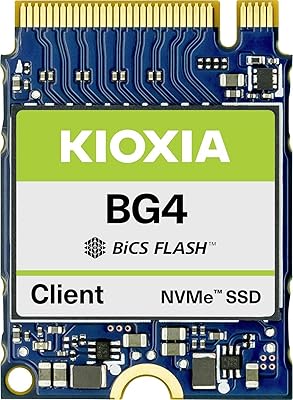
Kioxia BG4 512GB M.2 2230 NVMe SSD
87%
91%
Performance Speed
87%
Compatibility with Devices
88%
Build Quality & Durability
85%
Ease of Installation
93%
Size & Form Factor
More

FAQ

It depends on your laptop's M.2 slot. The P320 512GB uses the M.2 2280 form factor with a PCIe Gen3 x4 interface, so it will work in any laptop that has an M.2 slot supporting NVMe over PCIe. Some older or budget laptops only support SATA over M.2, in which case this drive will not be recognized. Check your laptop's manual or manufacturer spec sheet before purchasing.

If you are doing a fresh Windows installation, the Windows installer will handle partitioning and formatting automatically — you do not need to pre-format the drive. If you are using it as a secondary storage drive, you will need to initialize and format it through Windows Disk Management before it shows up as a usable volume. Either way, the process is straightforward and takes just a few minutes.

The difference is noticeable but context-dependent. For boot times and application launches, the P320 512GB is meaningfully faster than any SATA SSD — Windows starts in seconds rather than the 15–25 seconds typical of SATA drives. For everyday tasks like browsing, document editing, or streaming, the gap narrows because those workloads rarely saturate even SATA speeds. The upgrade feels most impactful when you are coming from a mechanical hard drive.

Yes, it will work in a PCIe Gen4 motherboard, but it will run at Gen3 speeds — not Gen4. Modern motherboards are backward compatible with Gen3 drives, so the drive will install and function normally. You simply will not get any benefit from the faster Gen4 bandwidth, which is perfectly fine given this drive's intended performance tier.

Peak sequential speeds are measured under specific benchmark conditions — typically sequential reads with a high queue depth — and reflect the best-case scenario. In everyday use, most file operations are smaller and more random, which means you will rarely hit those headline numbers. Additionally, as a DRAM-less drive, sustained writes on very large transfers can slow down once the SLC cache fills. This is normal behavior for drives at this price tier, not a defect.

Absolutely, and it is a common use case. Install Windows on it, and 512GB gives you room for your OS, essential applications, and a reasonable amount of games or files. Just be mindful that modern game installations are large — a few AAA titles can quickly consume 150–200GB. If you play a lot of games or store large media files, pairing it with a larger secondary drive is worth considering.

Under normal everyday workloads — browsing, office apps, casual gaming — temperatures stay within comfortable operating ranges and thermal throttling is not an issue. In compact cases with limited airflow, or during prolonged heavy transfers, temperatures can climb enough to trigger throttling, which temporarily reduces speed. If your build runs warm or your motherboard does not have an M.2 heatsink cover, adding a basic M.2 thermal pad or heatsink is a cheap and effective precaution.

No software is required for normal operation — Windows manages the drive natively, and no driver installation is needed on Windows 10 or 11. Patriot does not include a dedicated drive management utility with the P320, so if you want features like health monitoring or temperature tracking, you will need a free third-party tool like CrystalDiskInfo. It is a minor limitation but not a dealbreaker for most users.

Patriot Memory covers the P320 series with a limited warranty, though you should verify the exact term directly on Patriot's website as warranty periods can vary by region and product revision. Regardless of warranty status, no storage drive should be treated as a backup solution — always keep copies of important files on a separate drive or cloud service. The warranty covers manufacturing defects but does not recover lost data.

If your motherboard has an M.2 slot — which most boards from 2017 onward do — installation is as straightforward as sliding the drive into the slot and securing it with a small screw. The one thing to verify is that the M.2 slot supports NVMe (PCIe) rather than only SATA, since some older boards have M.2 slots that are SATA-only. A quick check of your motherboard's manual or product page will confirm this. If you are unsure, searching your board model number plus the phrase M.2 NVMe support will give you a clear answer in seconds.

Where to Buy