Overview

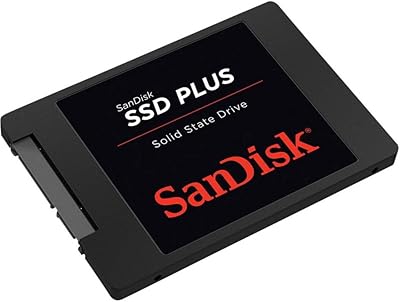
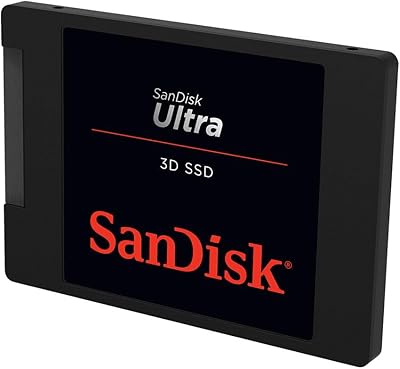
The SanDisk SSD Plus 2TB Internal SSD is the kind of straightforward upgrade that breathes real life into an aging laptop or desktop still running a spinning hard drive. With 2TB of storage, it handles everything from large media libraries to years of documents without forcing you to juggle space. The 2.5-inch form factor and SATA III interface mean it fits the vast majority of machines without any adapter gymnastics. SanDisk, now under Western Digital's umbrella, has earned a solid reputation for consumer storage reliability. Just know going in: this is a SATA-based drive, not NVMe — and that distinction matters if raw peak speed is your priority.
Features & Benefits

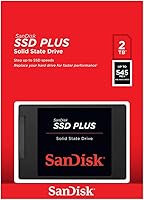
At its core, the SSD Plus delivers read speeds around 545 MB/s and writes approaching 450 MB/s — which translates to noticeably snappier boot times, faster app launches, and quicker file access compared to any spinning drive. SanDisk's nCache 2.0 technology helps by temporarily staging write data in faster flash memory, keeping everyday tasks feeling responsive. The 7mm height fits slim laptops that a thicker drive simply would not, and the lack of moving parts means no audible hum, less heat, and fewer mechanical failure points over time. It is also rated to handle drops and vibration reasonably well — handy if your laptop travels regularly.

Best For

This 2TB drive is squarely aimed at anyone pulling out a sluggish 5400 RPM hard drive and wanting an immediate, tangible improvement without overspending or dealing with a complex installation. It is a strong fit for everyday computing — web browsing, office work, photo libraries, media storage, and light gaming — where SATA speeds are more than sufficient. The standard 2.5-inch bay compatibility makes it a drop-in replacement for most laptops and many desktops. That said, if you are building a new system or upgrading a machine with an M.2 slot, an NVMe drive will push considerably faster. This one is for the upgrader, not the enthusiast builder.

User Feedback

With over 83,000 ratings and a score hovering near the top of its category, this SanDisk SATA SSD has clearly satisfied a large number of buyers. The most consistent praise centers on painless installation and a dramatic perceived speed jump for anyone coming from a mechanical drive — many reviewers describe it as making an old machine feel new again. On the critical side, some users doing large, continuous file copies notice write speeds trailing off once the cache fills, which is expected behavior for a drive in this class but worth knowing upfront. Long-term owners generally report solid durability, with the drive holding up well across years of daily use.

Pros

  • Boot times drop dramatically compared to any mechanical hard drive — most users report under 20 seconds on Windows.
  • The 2TB capacity gives you serious room for documents, photos, media, and applications without constant storage management.
  • Standard 2.5-inch, 7mm design fits the overwhelming majority of laptops and desktops with no adapters required.
  • Installation is genuinely simple — most users complete the swap in under 20 minutes with a basic screwdriver.
  • No moving parts means the drive runs silently and cooler than any HDD, which benefits overall system thermals.
  • SanDisk's track record under Western Digital provides reasonable confidence in long-term consumer reliability.
  • Burst write performance handles everyday tasks — app installs, file saves, photo imports — with no frustrating lag.
  • Shock resistance makes this 2TB drive a safer choice for laptops that get carried around or occasionally dropped.
  • For the asking price, 2TB of SSD storage from a trusted brand represents genuinely strong value in its category.

Cons

  • Sustained write speeds fall off once the cache is exhausted — large file transfers slow noticeably mid-copy.
  • No cloning software or mounting hardware included, which means extra cost or effort for first-time upgraders.
  • The three-year warranty is shorter than the five-year coverage offered by several competing drives at similar prices.
  • SanDisk does not publish an official TBW endurance rating in consumer materials, leaving write-intensive users guessing.
  • The companion dashboard app is functional but barebones — it feels neglected compared to rival monitoring tools.
  • RMA and warranty support experiences are inconsistent, with a recurring pattern of slow response times in user feedback.
  • Older systems with SATA II controllers cannot access the drive's full throughput, limiting gains on legacy hardware.
  • The plastic casing feels less premium than metal-bodied alternatives and scuffs during installation.
  • Random write performance under professional workloads lags behind higher-tier SATA options and all NVMe alternatives.

Ratings

The SanDisk SSD Plus 2TB Internal SSD earns its place among the most-reviewed drives in its class, and these scores reflect what real buyers across global markets actually experienced — analyzed by AI after filtering out incentivized, bot-generated, and low-credibility submissions. The ratings below cover everything from raw performance to long-term reliability, and they do not shy away from the friction points that show up repeatedly in verified feedback.
Read Speed Performance
88%
For everyday tasks — booting Windows, launching Chrome with a dozen tabs, or opening large spreadsheets — the read throughput feels genuinely fast. Users upgrading from spinning hard drives consistently describe the difference as dramatic, with boot times dropping from over a minute to under 15 seconds in many reported cases.
Buyers coming from NVMe drives will find the ceiling noticeably lower, and a few users running video editing or database workloads flagged that sequential reads do not keep pace with M.2 alternatives available at similar price points.
Write Speed Performance
74%
26%
Burst write performance handles the typical PC workload well — moving a folder of photos, saving large documents, or installing software all feel responsive. The nCache 2.0 buffer keeps short-to-medium write tasks snappy enough that most users never notice a lag.
Sustained large writes tell a different story. Users copying multi-gigabyte files — full game installs, 4K video exports, or bulk backups — report speeds trailing off once the cache fills, sometimes dropping considerably. This is a known SATA TLC behavior, but it catches buyers off guard if they were not expecting it.
Installation & Compatibility
94%
The 2.5-inch, 7mm form factor fits an impressively wide range of machines, and most users report a straightforward swap taking under 20 minutes with basic tools. Compatibility issues are rare, and the drive shows up correctly in BIOS and operating systems without any driver fuss.
A small number of users with very old systems — particularly those with legacy SATA II controllers — noted they could not take full advantage of the drive's throughput. Also, buyers with desktops using only M.2 slots will need a separate bracket adapter, which is not included.
Value for Money
91%
At its price point, getting 2TB of SSD storage from a brand with SanDisk's track record is genuinely competitive. For laptop upgrades specifically, reviewers repeatedly call it one of the best-value investments they have made in extending a machine's usable life by several years.
A handful of buyers who researched more deeply found that competing budget drives occasionally offer similar specs for a few dollars less during sales. The value calculation also shifts if you are building a new system, where spending a bit more on an NVMe drive makes more practical sense.
Long-Term Durability & Reliability
86%
Users who have owned this drive for two or more years tend to report no degradation in daily performance, and failure stories are relatively rare given the volume of reviews. The absence of moving parts eliminates the most common failure mode of traditional hard drives entirely.
A small but consistent subset of longer-term owners report the drive failing after 18 to 36 months of heavy workloads, which suggests endurance limits matter for write-intensive use cases. SanDisk does not publish an official TBW rating in consumer-facing materials, which frustrates technically minded buyers.
Boot & Application Load Times
89%
This is where the drive earns the most enthusiastic buyer feedback. Users running Windows 10 or 11 describe cold boot times that feel closer to a modern machine than the aged laptops the drive is installed in. Application launches — particularly Office, browsers, and Adobe tools — feel genuinely transformed.
Some users on older CPUs with slower system buses found that after a certain point, the bottleneck shifted away from storage entirely, meaning gains were real but not always as large as benchmarks suggested they would be.
Physical Build & Form Factor
83%
The drive feels solid and well-constructed despite its light weight. The slim 7mm profile is genuinely useful for ultrabooks and thin-and-light laptops where older 9.5mm drives simply would not seat correctly without a spacer.
The casing is entirely plastic, which gives a less premium feel compared to metal-bodied competitors. A few users also noted the label finish scuffs easily during installation, though this has no functional consequence.
Shock & Vibration Resistance
81%
19%
Reviewers who use their laptops in rough-and-tumble environments — contractors, students commuting daily, travelers — appreciate the lack of mechanical parts and report no issues after minor drops or bumps that would have likely damaged a spinning drive.
The shock resistance rating applies to non-operating conditions, and a few users who experienced significant drops while the drive was actively reading or writing reported data integrity issues afterward, which is worth noting for anyone working in truly demanding field conditions.
Heat & Noise
93%
Users consistently note that their laptops run cooler and quieter after switching from an HDD. The total absence of spinning platters and moving heads eliminates both audible drive noise and a meaningful source of heat inside the chassis.
Under sustained heavy loads, the drive does generate some warmth, and in tightly enclosed laptop designs with poor airflow, a small number of users noticed thermal throttling of the overall system — though attributing this solely to the drive is difficult.
Software & Ecosystem
67%
33%
SanDisk offers a companion dashboard app for monitoring drive health and firmware updates, which technically-inclined users appreciate for peace of mind. The broader Western Digital ecosystem means support resources and documentation are relatively easy to find.
The software is considered barebones by many reviewers — no built-in cloning tool is included, meaning most buyers need to source third-party migration software separately. A few users also reported the dashboard app feeling outdated and inconsistently maintained.
Packaging & Out-of-Box Experience
72%
28%
The drive arrives well-protected and in compact, no-frills packaging. For buyers who just want the hardware without unnecessary bundled accessories, this is perfectly functional.
Several buyers noted that no mounting screws, spacers, or cloning software are included — extras that competing drives at similar prices sometimes bundle in. For a first-time upgrader, this means an extra trip to find tools or software before getting started.
Random Read/Write (4K)
77%
23%
Random access performance — the kind that governs how fast your OS and apps feel in daily use — is a genuine upgrade over any spinning drive. Multitasking with several applications open feels stable and responsive for mainstream workloads.
Random write IOPS are adequate but not exceptional for a modern SSD. Power users running virtual machines, database queries, or professional creative apps will notice this drive lagging behind higher-tier SATA or any NVMe option in random write-heavy scenarios.
Brand Trust & Warranty
82%
18%
SanDisk has decades of consumer storage credibility, and Western Digital's backing adds further weight to warranty claims and support availability. Most buyers feel confident the brand will honor the three-year limited warranty without significant friction.
Some users who needed warranty support described the RMA process as slower than expected, with shipping delays and communication gaps flagged in a recurring cluster of reviews. The three-year coverage is also shorter than the five-year warranties offered by some direct competitors.
SATA Interface Ceiling
69%
31%
For the target use case — upgrading an older machine that has a SATA bay and no M.2 slot — this interface is exactly right. The drive extracts close to the full theoretical bandwidth the SATA III standard allows, leaving very little performance on the table within that architecture.
Buyers who did not fully understand SATA versus NVMe before purchasing occasionally leave disappointed reviews expecting speeds that the interface physically cannot deliver. The bandwidth ceiling is a hardware-level constraint, not a flaw in the drive itself, but it does limit the ceiling regardless.

Suitable for:

The SanDisk SSD Plus 2TB Internal SSD is purpose-built for one scenario that millions of people face: a perfectly functional laptop or desktop that has become painfully slow because it is still running a mechanical hard drive. If your machine takes two minutes to boot, stutters when switching between apps, or freezes during routine tasks, swapping in this drive will feel like a genuine transformation — not a subtle tweak. It is an especially strong fit for students, remote workers, and home users who need dependable everyday performance without the complexity or cost of a full system rebuild. The 2TB capacity is genuinely practical for people who store large photo libraries, downloaded media, or years of documents locally. Commuters and travelers will also appreciate the shock-tolerant design, since the lack of moving parts makes it far more forgiving of the bumps and drops that come with carrying a laptop daily. For anyone working within a SATA-equipped machine and a modest budget, this 2TB drive hits a very reasonable sweet spot.
Not suitable for:

The SanDisk SSD Plus 2TB Internal SSD is the wrong tool if raw storage speed is your primary concern. Anyone building a new PC, upgrading a machine that already has an M.2 slot, or working with workloads that demand sustained high-throughput writes — video editing, large database operations, continuous backups of multi-gigabyte files — should be looking at NVMe drives instead, which operate in an entirely different performance tier. The SATA interface has a hard bandwidth ceiling that this drive cannot exceed, regardless of how it is configured. Power users who regularly move large volumes of data will likely run into the drive's cache limits, where write speeds drop noticeably once the buffer fills. Enthusiast builders comparing storage options for a new rig will find better performance per dollar in the current NVMe market. And buyers who need the extra reassurance of a five-year warranty should know that this drive ships with three years of coverage, which falls short of what some competitors in the category offer.
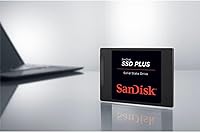
Specifications

  • Storage Capacity: The drive offers 2TB of usable storage, suitable for large media libraries, software collections, and years of documents.
  • Interface: It uses a SATA III 6 Gb/s connection, the standard interface found in the vast majority of laptops and desktops manufactured in the last decade.
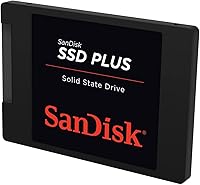
  • Form Factor: The 2.5-inch form factor is the universal standard for laptop hard drive bays and is also compatible with desktop systems using a bracket adapter.
  • Height Profile: At 7mm thin, the drive fits slim and ultrabook-class laptops that cannot accommodate the older 9.5mm height standard.
  • Sequential Read: Maximum sequential read speed reaches up to 545 MB/s under optimal conditions, delivering fast file access and rapid application launches.
  • Sequential Write: Sequential write speed peaks near 450 MB/s during burst operations, though sustained large writes may fall below this figure once the cache buffer is saturated.
  • Cache Technology: SanDisk's nCache 2.0 uses a portion of faster flash memory as a write buffer to accelerate typical short-burst PC workloads.
  • Shock Resistance: The drive is rated to withstand shock up to 1500G, providing meaningful protection against accidental drops in a non-operating state.
  • Vibration Tolerance: Vibration resistance is rated at 5gRMS across a frequency range of 10 to 2000 Hz during operation, and 4.9gRMS from 7 to 800 Hz when powered off.
  • Operating Temp: The drive is rated for operating temperatures between 0°C and 70°C, covering the full range of typical indoor computing environments.
  • Dimensions: Physical dimensions measure 0.28″ x 3.96″ x 2.75″, consistent with the standard 2.5-inch drive footprint.
  • Weight: The drive weighs just 1.76 ounces, adding negligible mass to any laptop or desktop system.
  • Installation Type: This is an internal drive designed for permanent installation inside a computer chassis, not an external or portable storage device.
  • Compatible Devices: Primary compatibility covers laptops and desktop PCs equipped with a SATA III or SATA II bay; SATA II systems will operate the drive below its maximum rated speed.
  • Manufacturer: The drive is manufactured by Western Digital Technologies, Inc., the parent company of the SanDisk consumer storage brand.
  • Model Number: The official model identifier is SDSSDA-2T00-G26, which can be used to verify firmware updates and warranty eligibility.
  • Warranty: SanDisk covers this drive with a three-year limited warranty, which is standard for its consumer SSD lineup.
  • Included Contents: The retail package contains only the drive itself; no mounting screws, spacer shims, or data migration software are bundled in the box.

Related Reviews
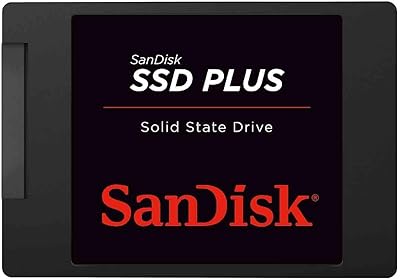
SanDisk SSD Plus 480GB Internal SSD

83%
91%
Value for Money
86%
Read Performance
67%
Write Performance
94%
Installation Ease
71%
Long-term Reliability
More
SanDisk SSD PLUS 240GB Internal SSD
87%
88%
Performance
92%
Speed Improvement vs HDD
90%
Durability / Shock Resistance
87%
Value for Money
94%
Ease of Installation
More
SanDisk 2TB SSD Plus M.2 NVMe SSD
86%
89%
Performance
92%
Ease of Installation
88%
Reliability
91%
Value for Money
90%
Capacity
More
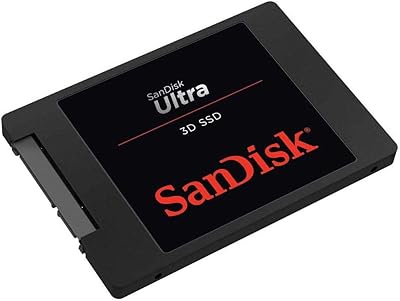
SanDisk Ultra 3D NAND 2TB Internal SSD
89%
91%
Performance
89%
Read Speed
88%
Write Speed
90%
Build Quality
87%
Durability
More
INLAND 2TB Performance Plus NVMe Internal Gaming SSD
88%
94%
Performance
93%
Speed (Read/Write)
90%
Compatibility with PS5
88%
Durability
92%
Ease of Installation
More
SanDisk Portable SSD 2TB External Drive
78%
83%
Transfer Speed
88%
Build Quality
93%
Portability
81%
Value for Money
61%
Thermal Management
More
Crucial P5 Plus 2TB NVMe SSD
82%
93%
Sequential Read Performance
88%
Sequential Write Performance
61%
Thermal Management
96%
PS5 Compatibility
91%
Installation Experience
More
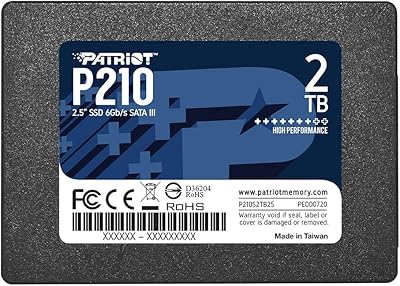
Patriot P210 2TB Internal SSD
86%
86%
Performance
89%
Reliability
92%
Value for Money
88%
Ease of Installation
84%
Read Speed
More
Patriot Memory P220 2TB Internal SATA SSD
77%
93%
Value for Money
78%
Read & Write Speed
91%
Installation Ease
88%
Boot & Load Times
74%
Build & Durability
More
SanDisk Ultra 3D 500GB Internal SSD
87%
94%
Performance
91%
Value for Money
88%
Durability
93%
Read Speed
90%
Write Speed
More

FAQ

Almost certainly yes. The SanDisk SSD Plus 2TB Internal SSD uses the standard 2.5-inch form factor and 7mm height that matches the vast majority of laptops sold over the past 15 years. Just confirm your laptop has a SATA bay rather than an M.2 slot, and you should be good to go.

Not necessarily. The cleanest approach is to clone your existing drive to the new one before swapping, which copies your entire operating system, apps, and files across. Free tools like Macrium Reflect handle this well. If you prefer a fresh start, a clean Windows reinstall works fine too and is actually a good opportunity to clear out years of accumulated clutter.

If you are coming from a 5400 RPM spinning hard drive, the difference is substantial and immediately obvious. Boot times that used to stretch past a minute typically drop to under 20 seconds. Apps open faster, files load quicker, and the general sluggishness that makes older machines frustrating largely disappears. It is one of the highest-impact upgrades you can make to an aging computer.

It depends on the scale of your work. Playing back and storing 4K footage is fine. However, if you are doing sustained exports or working with large project files that require continuous high-speed writing, you may hit the drive's cache limits and notice speeds dropping mid-transfer. For serious video editing workflows, an NVMe drive would be a more reliable choice.

Yes, the hardware itself is compatible with Mac laptops and desktops that have a 2.5-inch SATA bay — typically older MacBook Pro models from 2012 to 2015 and some Mac Mini configurations. Note that Apple's newer machines use proprietary or M.2 NVMe storage and this drive will not physically fit them. After installing, you would format the drive using macOS Disk Utility before use.

It depends entirely on your machine. If your computer only has a 2.5-inch SATA bay, this 2TB drive is your best option — NVMe will not physically work. If your machine does have an M.2 slot, then yes, an NVMe drive will be noticeably faster, especially for large file operations. For everyday tasks like browsing, documents, and media playback, the real-world gap between SATA and NVMe is smaller than the spec sheets suggest.

For most laptops it is straightforward — typically involving removing the bottom panel with a small Phillips screwdriver, unscrewing the drive bracket, swapping the drive, and reassembling. The whole process usually takes 15 to 30 minutes. A quick YouTube search for your specific laptop model will show you exactly what to expect before you start.

SanDisk covers this drive with a three-year limited warranty. If it fails within that window due to a manufacturing defect, you can file an RMA claim through Western Digital's support site. Keep in mind that warranty coverage does not include data recovery, so keeping a backup of important files on an external drive or cloud service is always worth doing regardless of which storage drive you own.

Yes, absolutely. A 2.5-inch USB-to-SATA enclosure costs very little and turns this drive into a portable external storage device. It is a popular option for users who want extra backup capacity or a secondary storage drive they can carry between computers. Just make sure the enclosure supports SATA III to avoid unnecessarily capping the drive's transfer speeds.

All NAND-based SSDs perform best when not completely full, and this drive is no exception. As a general rule, try to keep at least 10 to 15 percent of the capacity free — with 2TB that is 200 to 300GB of headroom, which most users will manage without any effort. Modern operating systems also use TRIM to help the drive maintain performance over time, so degradation is typically gradual and minimal for everyday workloads.