Overview

The RAOYI 2TB PCIe Gen4 M.2 NVMe SSD enters a crowded budget storage market where unfamiliar brands constantly challenge household names like Samsung and Western Digital. That skepticism is fair — but with 2TB of Gen4 capacity at a price that undercuts most established alternatives, it is hard to dismiss outright. The M.2 2280 form factor means it slots into most modern motherboards and the PS5 expansion bay without fuss. Nearly 300 buyers have left ratings averaging 4.6 stars, which is not a flawless score, but it is a meaningful sample for a relatively obscure brand trying to earn trust in a spec-driven market.

Features & Benefits

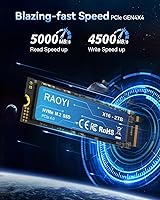
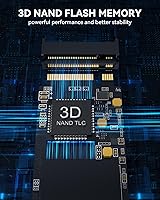
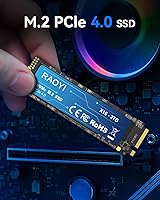
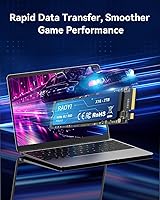
On paper, the specs here are competitive. PCIe Gen4 x4 connectivity pushes sequential reads up to 5,000MB/s and writes to 4,500MB/s — figures that match drives costing significantly more. The drive uses 3D TLC NAND paired with an SLC cache layer, which helps with burst workloads like loading game assets or transferring files in chunks. Keep in mind that once the cache fills during sustained large writes, speeds will drop noticeably — that is expected behavior for this class of drive, not a defect. The M.2 2280 footprint is standard, and the included installation kit with a heatsink screw is a small but practical touch, especially for PS5 installs where that screw often trips people up.

Best For

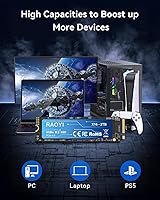
This 2TB SSD makes the most sense for PS5 storage upgrades — it is sized right, priced accessibly, and compatible with the console expansion slot out of the box. Budget PC builders also stand to gain here, picking up Gen4 performance without paying the premium that brands like Seagate or Sabrent charge for equivalent speeds. Laptop users replacing an aging drive for everyday productivity will find 2TB of fast storage more than sufficient. Where it starts to feel less suited is in professional workloads: heavy video editing pipelines that push sustained write throughput for minutes at a time will expose the SLC cache limits. For casual gaming and general use, though, the fit is solid.

User Feedback

Buyers are generally happy with the RAOYI drive, particularly around installation experience and the speed improvement they notice compared to older SATA drives or aging HDDs. PS5 owners frequently mention how straightforward the process was, which matters when you are dealing with a console that offers less hands-on guidance than a PC build. On the cautious side, a handful of reviewers raise questions about long-term reliability — reasonable given that RAOYI does not carry the track record of brands with years of independent endurance data behind them. Warranty support is claimed as lifetime, but real-world responsiveness from a smaller brand is something buyers should weigh before committing. Overall, light to moderate users report solid satisfaction.

Pros

  • Gen4 sequential read speeds up to 5,000MB/s deliver fast load times in games and quick file transfers.
  • 2TB of capacity at this price tier offers strong value for storage-hungry users on a budget.
  • The M.2 2280 form factor fits virtually all modern motherboards and the PS5 expansion slot without adapters.
  • Ships with a screw installation kit — a small detail that saves PS5 users a surprising amount of hassle.
  • 3D TLC NAND with SLC caching handles everyday burst workloads like game installs and OS tasks efficiently.
  • No moving parts means lower power draw and better resilience to physical bumps compared to traditional hard drives.
  • Nearly 300 buyer ratings averaging 4.6 stars suggest broad real-world satisfaction across typical use cases.
  • PS5 owners consistently report a smooth, uncomplicated installation experience with no compatibility issues.
  • Competitive write speeds up to 4,500MB/s make it capable for general content creation and large file moves.

Cons

  • RAOYI is a relatively unknown brand with no established long-term reliability data to reassure cautious buyers.
  • Sustained write performance drops after the SLC cache is exhausted — a real concern for large sequential workloads.
  • The lifetime tech support claim is hard to verify given the brand has no proven track record of after-sale service.
  • No publicly available endurance rating makes it difficult to assess suitability for write-intensive workflows.
  • Buyers storing critical or irreplaceable data take on more risk without a trusted brand reputation behind the drive.
  • Real-world sustained speeds under heavy load will fall noticeably short of the advertised peak figures.
  • Limited brand presence means fewer third-party reviews, benchmark comparisons, and community troubleshooting resources.
  • Long-term resale value or warranty claim resolution is uncertain compared to drives from established manufacturers.

Ratings

The RAOYI 2TB PCIe Gen4 M.2 NVMe SSD has been scored across 12 categories by our AI rating system, which analyzed verified global buyer feedback while actively filtering out incentivized, bot-generated, and duplicate reviews. The scores below reflect a honest composite of real ownership experiences — from first-time PS5 upgraders to budget PC builders — capturing both what this drive does well and where it genuinely falls short.

Value for Money
91%
Buyers consistently flag the cost-per-gigabyte ratio as the single strongest argument for choosing this drive. Getting 2TB of Gen4 NVMe storage at this price tier is something most competing brands simply cannot match, and that practical affordability wins over a wide range of buyers from PS5 upgraders to first-time PC builders.
A handful of buyers feel the value calculation shifts if the drive underperforms over time, since a cheaper drive that needs replacing in two years is not truly good value. The brand's limited history makes it harder to assess lifetime cost with confidence compared to drives from more established manufacturers.
Read Speed Performance
84%
In everyday use — booting Windows, loading PS5 games, or launching large applications — the Gen4 sequential read speeds feel noticeably snappier than older SATA or Gen3 NVMe drives. PS5 owners in particular report faster game load screens and smoother asset streaming after the upgrade.
The advertised 5,000MB/s peak is a burst figure achievable under controlled benchmark conditions, and real-world sustained reads in complex workloads tend to land somewhat lower. Users transferring large mixed-file datasets may see more variance than the headline number implies.
Write Speed Performance
73%
27%
For typical use cases like installing games, downloading large updates, or moving moderate file batches, write speeds feel responsive and the SLC cache does its job effectively. Casual users and console players rarely push past the cache threshold in normal sessions, so day-to-day writes feel smooth.
When sustained write workloads exceed the SLC cache capacity — copying several hundred gigabytes in one go, for instance — speeds drop noticeably as the drive falls back to native TLC write rates. This is a structural limitation of the drive's design and a real pain point for anyone who regularly handles large sequential transfers.
PS5 Compatibility
93%
This is arguably the drive's strongest use case, and buyer feedback reflects that clearly. The M.2 2280 form factor slots directly into the PS5 expansion bay, and multiple reviewers specifically praise how cleanly the installation went — no adapters, no surprises, and the console recognized and formatted the drive immediately.
A separate heatsink is still required and is not included in the box, which catches some PS5 buyers off guard. While the mounting screw is included — a detail many competing drives skip — the heatsink omission adds a small extra purchase and step that first-time console upgraders may not anticipate.
Ease of Installation
88%
Across both PS5 and PC installations, buyers report a clean and uncomplicated process. The included screw kit removes one of the most commonly frustrating friction points during M.2 drive installs, and the drive's standard form factor means no compatibility surprises when slotting it into supported motherboards or the console bay.
The user manual is described as basic, offering limited guidance for less technical buyers who may be installing an NVMe drive for the first time. A few laptop users also noted that confirming their specific slot's Gen4 NVMe compatibility before purchasing required more research than expected.
Build & Physical Quality
76%
24%
The drive feels solid in hand and the PCB appears well-constructed for its price tier. With no moving components whatsoever, it inherently handles physical bumps and vibrations better than any mechanical alternative, which reassures buyers installing it in laptops carried daily.
There is no integrated heatspreader or thermal pad on the drive itself, which puts more pressure on the user to source appropriate cooling, particularly for PS5 and high-performance desktop builds. The bare PCB aesthetic is not unusual at this price, but it does contrast with premium drives that include built-in thermal management.
Thermal Management
67%
33%
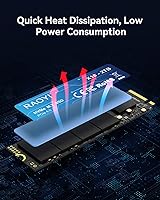
For light to moderate workloads — gaming sessions, productivity tasks, media playback — thermal throttling does not appear to be a commonly reported issue among buyers. The drive's low power draw relative to its speed rating helps keep temperatures in check during normal use.
Under sustained heavy workloads, the lack of any onboard heatspreader becomes a real consideration, and buyers running the drive hard in an enclosed chassis without active airflow report it warming up meaningfully. In PS5 specifically, the console's own cooling manages ambient heat adequately, but the heatsink recommendation exists for good reason.
Brand Reliability
52%
48%
The near-300 buyer ratings and 4.6-star average do provide some reassurance that the drive performs as advertised in real hands across a reasonable sample size. For buyers in the short term, the absence of widespread failure reports is a modestly encouraging sign.
RAOYI simply does not have the years of independent reliability data, public endurance testing, or community track record that established SSD brands carry. Buyers who have owned the drive long enough to comment on durability are still relatively few, and that gap in evidence is something cautious buyers should weigh honestly.
Warranty & Support
54%
46%
The lifetime tech support claim is a bold offering for a budget drive, and on the surface it reads as a buyer-friendly commitment. Some buyers find comfort in the fact that RAOYI at least positions itself as accountable over the long term, which is more than some competing budget brands do.
In practice, there is little public documentation of how RAOYI handles warranty claims — replacement timelines, RMA processes, and support responsiveness remain largely unverified. Buyers who have needed to exercise the warranty are not well-represented in reviews, leaving real support quality an open question.
Broad Device Compatibility
82%
18%
The M.2 2280 NVMe form factor is about as universal as storage connectors get for modern devices, and buyers across desktops, laptops, and PS5 all report successful installations without adapter requirements. The drive also operates in Gen3 slots as a backward-compatible option, giving it flexibility across older and newer systems.
SATA-only M.2 laptops — a configuration still found in some budget ultrabooks — are not compatible, and a few buyers did not realize this distinction before purchasing. The product listing could be clearer about this edge case to prevent mismatched purchases.
Package Contents
79%
21%
Including a mounting screw and installation kit is a detail that sounds minor but genuinely earns goodwill from buyers, particularly PS5 users who find that screw surprisingly hard to source separately. The overall unboxing experience is described as tidy and practical rather than wasteful.
The heatsink is absent, which many buyers only realize is a recommended PS5 requirement after opening the box. The included manual is also fairly sparse, providing little guidance for users who are unfamiliar with NVMe installation steps or slot compatibility checks.
Gaming Performance
86%
For the target audience of console and PC gamers, this 2TB SSD delivers a meaningful and perceptible upgrade over SATA or older NVMe drives. Load time improvements in PS5 titles are frequently cited by buyers as a clear and immediately satisfying benefit after installation.
Power gamers running the latest DirectStorage-optimized PC titles or using the drive for texture streaming at very high fidelity settings may notice that the drive sits at the lower edge of Gen4 performance rather than leading it. For casual to mid-core gaming, the gap is irrelevant; for enthusiasts chasing peak frame rates, it matters more.

Suitable for:

The RAOYI 2TB PCIe Gen4 M.2 NVMe SSD is a practical pick for PS5 owners who have hit the console's internal storage ceiling and want a straightforward, affordable fix without overthinking the purchase. It fits the PS5 expansion slot directly and ships with the installation hardware you need, so even less technical buyers can handle the upgrade with minimal friction. Budget-conscious PC builders assembling a mid-range gaming or productivity rig will also find it a sensible choice — Gen4 speeds at this price tier are genuinely hard to argue with when you are trying to keep build costs in check. Laptop users swapping out a slow or undersized drive for everyday tasks like browsing, light editing, and large media libraries will notice a meaningful step up in responsiveness. If your priority is getting the most storage capacity per dollar with competitive modern specs, this drive competes well above its price point.

Not suitable for:

The RAOYI 2TB PCIe Gen4 M.2 NVMe SSD is not the right call for buyers who place long-term reliability and brand accountability above raw value. RAOYI does not carry the years of independent endurance testing and public failure-rate data that brands like Samsung, WD, or Sabrent have accumulated, so if you are storing irreplaceable work files or running a system where drive failure would be a serious problem, that uncertainty matters. Professional video editors and content creators who regularly push large sequential writes — think dumping hours of 4K footage onto the drive — will likely run the SLC cache dry and see speeds drop considerably during those sustained transfers. Power users who want a drive with a verified track record in demanding workloads should look at more established options, even if it costs more. This drive is also not ideal for enterprise or NAS applications, where endurance ratings and consistent sustained throughput are non-negotiable.

Specifications

  • Storage Capacity: This drive offers 2TB of usable NVMe storage, suitable for large game libraries, media collections, and general-purpose computing.
  • Interface: It connects via PCIe Gen4 x4, the current mainstream high-speed standard that delivers significantly faster throughput than the older Gen3 interface.
  • Protocol: NVMe (Non-Volatile Memory Express) is used, reducing latency and improving command efficiency compared to legacy AHCI-based drives.
  • Form Factor: The M.2 2280 format measures 22 x 88 x 2.3mm, fitting the standard slot found in most modern motherboards, ultrabooks, and the PS5 expansion bay.
  • Sequential Read: Peak sequential read speed is rated at up to 5,000MB/s under ideal burst conditions with the SLC cache active.
  • Sequential Write: Peak sequential write speed reaches up to 4,500MB/s, though real-world sustained rates will be lower once the SLC cache is saturated.
  • NAND Type: 3D TLC (Triple-Level Cell) NAND flash is used, offering a balance of cost efficiency and reasonable endurance for consumer workloads.
  • Cache Design: An SLC (Single-Level Cell) cache layer accelerates burst read and write performance for everyday tasks like OS operations and game loading.
  • Compatible Devices: Confirmed compatible with PS5 consoles, desktop PCs, and laptops that feature an M.2 2280 PCIe Gen4 or Gen3 slot.
  • Drive Weight: The drive weighs approximately 23.5g, making it light enough to have no practical impact on laptop or console weight.
  • Physical Dimensions: The board measures 22mm wide by 88mm long by 2.3mm thick, conforming to the standard M.2 2280 specification.
  • Installation Type: This is an internal drive only and requires physical installation into an M.2 slot on a compatible motherboard, laptop, or the PS5 expansion bay.
  • Package Contents: The box includes the SSD, a user manual, and a screw installation kit with the hardware needed for mounting, including the PS5 heatsink screw.
  • Power Consumption: As a solid-state drive with no moving components, it draws less power than a traditional hard drive, which benefits laptop battery life modestly.
  • Shock Resistance: The absence of mechanical parts gives the drive inherent resistance to vibration and physical shock that would affect spinning hard drives.
  • Warranty: RAOYI claims lifetime technology support, though independent verification of their support responsiveness and claim process is limited at this time.
  • Amazon Rating: The drive holds a 4.6 out of 5 star average rating based on 287 customer ratings on Amazon at the time of this review.
  • Manufacturer: The drive is manufactured and sold by RAOYI, a relatively newer brand in the consumer SSD market without an extensive public reliability history.

Related Reviews
Lexar NQ780 2TB NVMe SSD
81%
91%
Sequential Read Speed
86%
Sequential Write Speed
73%
Sustained Write Performance
78%
Random Read/Write
67%
Thermal Management
More
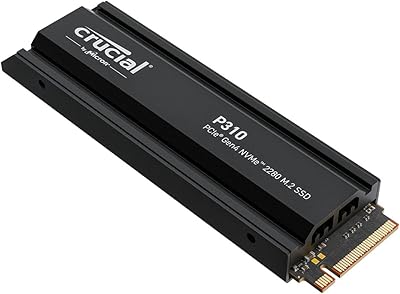
Crucial P310 2TB NVMe SSD
80%
86%
Read & Write Speed
93%
PS5 Compatibility
84%
Value for Money
71%
Thermal Management
91%
Installation Experience
More
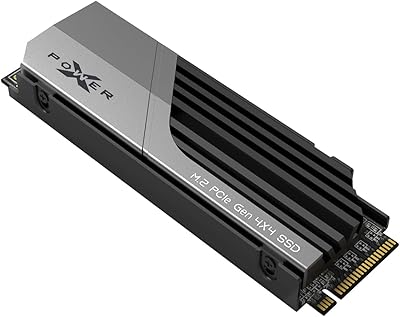
Silicon Power XS70 2TB NVMe M.2 SSD
79%
91%
Read/Write Performance
94%
PS5 Compatibility
83%
Heatsink Design
82%
Value for Money
89%
Installation Experience
More
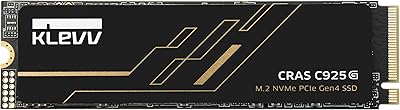
KLEVV CRAS C925G 2TB M.2 NVMe PCIe Gen4 SSD
89%
94%
Performance
92%
Thermal Management
89%
Ease of Setup
91%
Compatibility with PS5
93%
Speed (Read/Write)
More
Corsair MP600 Elite 2TB NVMe SSD
87%
93%
Sequential Read Performance
88%
Sequential Write Performance
96%
PS5 Compatibility & Integration
84%
Thermal Management & Heatsink
91%
Installation Experience
More
Silicon Power US75 2TB NVMe M.2 SSD
77%
88%
Read & Write Speed
91%
Value for Money
86%
PS5 Compatibility
62%
Thermal Performance
93%
Installation Experience
More
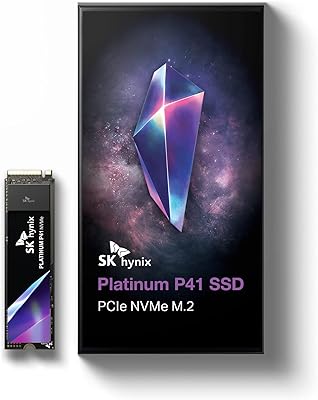
SK hynix Platinum P41 2TB NVMe SSD
83%
93%
Sequential Read Performance
89%
Sequential Write Performance
88%
Random Read/Write (4K IOPS)
67%
Thermal Management
91%
Build Quality & Reliability
More
Corsair MP600 PRO NH 2TB NVMe SSD
82%
93%
Sequential Read Speed
89%
Sequential Write Speed
58%
Thermal Management
94%
Installation Experience
79%
Value for Money
More
Crucial P2 2TB NVMe PCIe M.2 SSD
87%
91%
Performance
94%
Value for Money
89%
Reliability
90%
Speed (Read/Write)
88%
Ease of Installation
More
PNY CS2241 2TB M.2 NVMe Gen4 SSD
83%
88%
Sequential Read Performance
83%
Sequential Write Performance
86%
Real-World Speed Gains
91%
Value for Money
67%
Thermal Management
More
Inland TN470 2TB Gen4 NVMe M.2 SSD
82%
93%
Sequential Speed
91%
Value for Money
62%
Thermal Performance
96%
Installation Ease
78%
Random I/O Performance
More

FAQ

Yes, it fits the PS5 M.2 expansion slot directly and the package includes the mounting screw you need for installation. You will still need a compatible heatsink — Sony recommends one, though the console will technically run without it. Many third-party heatsinks are inexpensive and easy to attach before sliding the drive in.

Sony officially recommends using a heatsink with any M.2 SSD installed in the PS5 to help manage heat during extended gaming sessions. This 2TB SSD does not include one in the box, so you would need to pick up a compatible M.2 heatsink separately — they are widely available and typically cost just a few dollars.

Gen4 drives are generally backward compatible with Gen3 slots, so the drive should work in older systems. However, you will only get Gen3 speeds in that configuration — roughly half the rated peak throughput. If your board only supports Gen3, this drive will still function, but you will not be getting the full performance it is designed for.

SLC caching is a technique where a portion of the TLC NAND is temporarily used in a faster mode to accelerate burst reads and writes. For most everyday tasks — loading games, copying files, installing software — you will never push past the cache boundary. If you regularly transfer very large files in one go, like hundreds of gigabytes in a single session, you may notice speeds drop once the cache fills. For typical home or gaming use, it is rarely an issue.

The established drives from Samsung and WD have years of benchmark data, verified endurance ratings, and a well-documented support track record behind them. This Gen4 NVMe drive matches them on paper specs but cannot match them on reputation or independently verified long-term reliability. If peace of mind and proven durability matter more than cost savings, the premium brands are the safer bet. If you are comfortable accepting some uncertainty in exchange for better value, the RAOYI drive is a reasonable alternative.

Check your laptop's specs or manual for the M.2 slot type and length. You need an M.2 slot that accepts 2280-length drives and supports NVMe over PCIe — many modern laptops do, but some only support SATA M.2 drives, which are incompatible. If your laptop documentation confirms M.2 NVMe PCIe support, this 2TB SSD should install without issue.

RAOYI claims lifetime technology support, which sounds reassuring on the surface. In practice, what that means for real-world warranty claims — replacement drives, response times, or proof of process — is harder to verify because the brand does not have a long public support history. Treat it as a positive signal rather than a firm guarantee, and back up important data regardless of what drive you use.

Modern PS5 games can run anywhere from 30GB to over 100GB each, so a 2TB drive gives you room for roughly 20 to 50 games depending on the titles. Combined with the console's internal storage, most players will find that a comfortable buffer. If you have a very large library and prefer to keep everything installed simultaneously, you might still feel the pinch eventually, but for most users 2TB is a meaningful and practical upgrade.

On PS5, the console will automatically detect and format the new M.2 drive when you install it — just follow the on-screen prompts. On a Windows PC, you will need to initialize and format the drive through Disk Management or Windows Settings before it shows up as usable storage. It takes only a few minutes either way.

RAOYI is a newer player in the consumer SSD space without the deep reliability history of brands like Samsung, Crucial, or Kingston. The roughly 300 Amazon ratings and 4.6-star average suggest that buyers in the short term are satisfied, but long-term durability data simply does not exist yet for this brand. If you are storing critical data with no backup, that uncertainty is worth taking seriously. For games, media, or secondary storage where losing data is an inconvenience rather than a catastrophe, the risk profile is more acceptable.