Overview

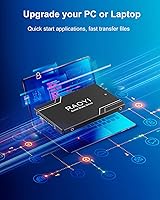
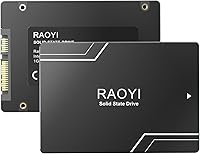
The RAOYI 1TB 2.5″ SATA III Internal SSD is a no-frills storage upgrade aimed squarely at anyone tired of waiting on an aging hard drive. RAOYI isn't a household name like Samsung or Crucial, so go in with calibrated expectations — this is a budget-tier label, not a flagship brand. That said, it entered the market in mid-2023 and has since gathered over 280 real-world ratings, which gives you something concrete to work with. The 1TB variant is the practical sweet spot. Unlike faster NVMe drives that use an M.2 slot, SATA III runs over a different interface with a lower speed ceiling — though for everyday computing, that ceiling rarely gets in the way.
Features & Benefits

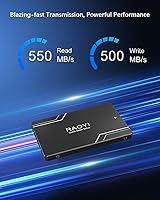
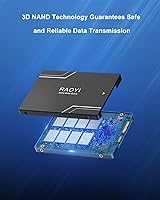
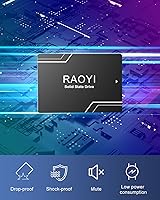
On paper, this 1TB SATA drive hits sequential reads up to 550 MB/s and writes up to 500 MB/s. In practice, that means booting Windows in well under 20 seconds on a mid-range laptop — a stark contrast to the minute-plus waits a spinning drive imposes. The 3D NAND flash inside stacks memory cells vertically, improving both data density and longevity over older planar NAND designs. Physically, the drive is compact at 100 x 70 x 6.8mm and weighs roughly 60 grams, fitting cleanly into virtually any 2.5-inch bay. It also works with older SATA 2.0 and 1.0 ports, making it genuinely useful for decade-old machines. Low power draw is a quiet but real benefit for laptop battery life.

Best For

This budget solid state drive makes the most sense for a specific buyer: someone with an older laptop or desktop that has a 2.5-inch SATA bay but no M.2 slot. If your machine still runs a spinning hard drive and your tasks lean toward browsing, documents, light photo work, or casual gaming, the speed difference after swapping in this drive is significant. It also pulls weight as a secondary data drive in a desktop where an NVMe already handles the operating system. Students and home users will find the capacity-to-cost ratio sensible. That said, video editors or anyone pushing large sequential writes regularly should know the drive lacks confirmed DRAM cache, which can throttle sustained write performance.

User Feedback

Holding a 4.6-star average across more than 280 ratings, this RAOYI SSD earns consistent praise for one core reason: computers simply feel faster after the swap. Users coming from spinning drives report boot times dropping dramatically and applications launching without the usual hesitation. Installation gets good marks too — most buyers handle it without professional help. Where feedback turns cautious is around brand familiarity and long-term trust; RAOYI doesn't carry the track record of established names, and some buyers express uncertainty about warranty follow-through. On a more practical note, several reviewers confirmed successful disk cloning using third-party tools, which is reassuring if you plan to migrate an existing Windows install rather than start fresh.

Pros

  • Replacing an old hard drive with this RAOYI SSD cuts boot times dramatically — often from over a minute to under 20 seconds.
  • The 1TB capacity offers plenty of room for an operating system, applications, and a solid media library.
  • Standard 2.5-inch form factor fits virtually every laptop and desktop with a SATA bay, no compatibility guesswork needed.
  • Backward compatibility with SATA 2.0 and 1.0 ports makes it usable in machines over a decade old.
  • 3D NAND flash improves cell longevity and data density compared to older planar NAND alternatives.
  • Low power consumption translates to modest but real improvements in laptop battery endurance.
  • No moving parts mean it handles drops and bumps far better than any spinning hard drive.
  • Multiple reviewers confirmed smooth disk cloning using third-party tools, so migrating an existing Windows install is straightforward.
  • Available in four capacity options — 256GB, 512GB, 1TB, and 2TB — giving buyers flexibility based on budget and need.
  • Over 280 real-world ratings with a 4.6-star average suggests consistently positive experiences among typical users.

Cons

  • RAOYI is a lesser-known brand with no long-standing reliability track record, making long-term trust harder to establish.
  • DRAM cache configuration is not disclosed, which can cause sustained write speeds to drop under heavy continuous workloads.
  • Customer support responsiveness is uncertain — smaller brands often lack the service infrastructure of major manufacturers.
  • SATA III performance has a hard ceiling well below NVMe, so the drive will feel slow to anyone already used to modern fast storage.
  • No published TBW (terabytes written) endurance rating makes it difficult to estimate the drive's realistic lifespan.
  • The ABS plastic casing feels lightweight and less premium compared to metal-bodied alternatives in a similar price range.
  • Benchmark results may vary from advertised speeds depending on the host system and testing method used.
  • Limited brand presence means firmware updates or diagnostic tools from the manufacturer are unlikely to be available.
  • Users with M.2 slots would get noticeably better value choosing an entry-level NVMe drive at a comparable price point.

Ratings

The RAOYI 1TB 2.5″ SATA III Internal SSD has been scored by our AI system after analyzing verified purchase reviews from buyers worldwide, with spam, incentivized, and bot-generated feedback actively filtered out before any score was calculated. The ratings below reflect honest real-world experiences across a range of use cases, from first-time upgraders reviving old laptops to home users building secondary storage into desktop rigs. Both the genuine strengths and the documented frustrations are represented here without softening.
Value for Money
88%
Most buyers feel they got a strong return on their investment, particularly when the alternative was a slow spinning hard drive costing a similar amount. Getting 1TB of solid-state storage at this price tier is hard to argue with for students or home users on a tight budget.
A small number of buyers pointed out that tier-one brands occasionally dip to comparable prices during sales, making the value proposition less clear-cut. Buyers expecting premium build quality or brand peace of mind alongside the low price will likely feel the trade-off more acutely.
Read/Write Performance
76%
24%
For day-to-day tasks — booting into Windows, launching browsers, opening office documents — the speed improvement over a mechanical drive is immediate and striking. Users coming from HDDs consistently describe the experience as a complete transformation in how responsive their machine feels.
The SATA III interface caps real-world throughput well below what NVMe drives achieve, which becomes apparent during large file transfers or heavy multitasking. There are also unconfirmed concerns about sustained write slowdowns that suggest the drive may lack a DRAM cache, an issue that surfaces under prolonged write workloads.
Installation Ease
92%
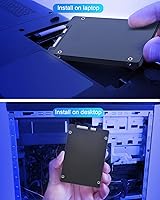
Reviewers across all technical skill levels report a smooth installation process, with most completing the swap in under half an hour using only a small screwdriver. The standard 2.5-inch form factor means there is essentially no compatibility guesswork for machines with a SATA bay.
The package does not include a mounting bracket, screws, or a SATA-to-USB cloning cable, which can catch first-timers off guard. A handful of users noted they had to make a separate purchase to clone their existing drive, which added minor friction to the process.
Compatibility
89%
Backward compatibility with SATA 2.0 and 1.0 ports is a genuine differentiator for buyers working with hardware from the mid-2000s onward. Windows, Linux, and macOS all recognize the drive without any additional drivers, making cross-platform use genuinely hassle-free.
The drive is entirely irrelevant to users whose systems only have M.2 slots and no 2.5-inch SATA bay — a growing reality in newer ultrabooks and compact desktops. Buyers should confirm their machine's available ports before purchasing, as this is a non-returnable consideration if the bay is absent.
Brand Reliability
61%
39%
Within the review window available, a clear majority of buyers report the drive functioning exactly as described without any early failures. The 4.6-star aggregate from over 280 real-world ratings suggests that, at minimum, units are arriving in working condition and performing reliably for typical home use.
RAOYI has no established long-term track record compared to names like Samsung or Crucial, making it difficult to predict how this drive holds up after two or three years of continuous use. There are no published TBW endurance ratings, and several buyers expressed uncertainty about whether warranty claims would be honored smoothly.
Build Quality
67%
33%
The ABS plastic casing is lightweight and does the basic job of housing and protecting the internal components during everyday use. Because there are no moving mechanical parts, the drive handles minor drops and vibration far better than any traditional spinning hard drive would.
Compared to drives from premium brands that use aluminum enclosures, the plastic casing feels noticeably budget-grade in the hand. A few reviewers noted some flex in the shell when applying light pressure, though this has not translated into reported functional issues.
Boot Time Improvement
91%
This is where user feedback is most enthusiastic and consistent — machines that previously took 60 to 90 seconds to reach the desktop are booting in 15 to 20 seconds after the swap. For users whose laptops had become practically unusable due to HDD slowness, this single improvement alone justified the purchase.
Users installing the drive into very old systems bottlenecked by slow processors or limited RAM sometimes find the improvement less dramatic than expected, as storage is no longer the sole constraint. Boot improvements are also less noticeable for users already running older budget SSDs.
Sustained Write Performance
54%
46%
For writing small to medium-sized files — documents, photos, average-sized game installs — the drive handles the task without any obvious slowdown. Casual users moving files around a home network or saving work locally are unlikely to ever trigger the performance ceiling.
Because DRAM cache inclusion is unconfirmed, sustained write tasks like large video file transfers or disk imaging can hit a performance cliff where speeds drop significantly until the cache buffer clears. This makes the drive a poor fit for content creators or anyone regularly moving files larger than 20 to 30GB in a single session.
Thermal Management
73%
27%
Under normal workloads, the drive runs cool and quiet — a passive ABS shell is sufficient thermal management for web browsing, office use, and light gaming. Low power draw also means it contributes minimally to heat buildup inside a cramped laptop chassis.
The drive lacks any active thermal solution, which is expected at this price point but worth noting for users running the drive in poorly ventilated cases or under consistently heavy workloads. No thermal throttling data is published by the manufacturer, leaving sustained-load temperature behavior an open question.
Software & Tooling
44%
56%
The drive works out of the box with any standard OS disk management utility, so basic formatting, partitioning, and initialization require no proprietary software at all. Windows users can monitor general drive health through third-party tools like CrystalDiskInfo without any issues.
RAOYI provides no companion software, drive health dashboard, or firmware update utility — a gap that tier-one manufacturers fill as standard. Without an official tool, users have no easy way to check drive health metrics, monitor wear levels, or apply firmware patches if bugs emerge.
Clone & Migration Success
82%
18%
A solid number of reviewers specifically called out successful OS cloning using tools like Macrium Reflect, MiniTool Partition Wizard, and Clonezilla, which is encouraging for users who want to avoid a full Windows reinstall. The drive appears reliably recognized by all major cloning applications.
No cloning cable or adapter is bundled in the box, meaning users must source a SATA-to-USB enclosure or adapter separately to perform the migration before swapping the drive. This adds a step and a small cost that buyers should anticipate.
Customer Support
52%
48%
Several buyers report receiving a response when reaching out with setup questions, and the included user manual covers the basics of installation clearly enough for most users to proceed without any support contact at all.
RAOYI's support infrastructure does not compare favorably to major brands — response times appear inconsistent, and there is limited public documentation about warranty claim processes or return procedures. Buyers who need reliable post-purchase support should factor this uncertainty into their decision.
Packaging & Presentation
71%
29%
The drive arrives adequately protected, with no reported cases of transit damage in the reviewed feedback pool. For a no-frills budget product, the unboxing experience is clean and functional without being misleading about the tier of product inside.
The packaging omits mounting hardware, screws, and any installation accessories, which can feel sparse compared to similarly priced drives from more established brands that include at least a bracket or adapter. First-time buyers may not realize these accessories need to be sourced separately.
Capacity Satisfaction
86%
At 1TB, this budget solid state drive hits a practical sweet spot for most home and student users — large enough to hold a Windows installation, a full productivity software suite, a sizable photo library, and a handful of game installs simultaneously. Buyers who picked this tier overwhelmingly report feeling the storage is adequate for their needs.
Power users who work with raw video footage, large virtual machine images, or extensive local media libraries will likely find 1TB fills up faster than expected. The 2TB variant addresses this, though at that capacity the value calculation relative to established brands becomes worth revisiting.

Suitable for:

The RAOYI 1TB 2.5″ SATA III Internal SSD is a strong fit for anyone whose older laptop or desktop is still running a spinning hard drive and has a 2.5-inch SATA bay available. Students, home office workers, and casual users who spend their time on web browsing, document editing, video calls, and light gaming will notice a genuine and immediate improvement in how responsive their machine feels. It also works well as a secondary data drive in a desktop PC where an NVMe drive already handles the operating system — giving you a large, affordable overflow partition for files, games, or backups. If your computer lacks an M.2 slot entirely, this budget solid state drive is one of the most practical and accessible upgrades you can make without touching the motherboard or buying a new system. For anyone migrating from an HDD for the first time, the learning curve is minimal and the payoff is immediate.
Not suitable for:

Buyers who need peak storage performance for demanding workloads should look elsewhere before committing to this 1TB SATA drive. SATA III has a hard speed ceiling that is significantly lower than what modern NVMe drives deliver, so professionals working with large video files, running virtual machines, or doing heavy data processing will likely find it a bottleneck. The absence of confirmed DRAM cache in the specifications is also a real concern for sustained write operations — tasks that write large amounts of data continuously may see speed drop-off over time. Additionally, anyone buying into a brand with an expectation of strong long-term warranty support or a proven reliability track record should weigh carefully that RAOYI is not an established tier-one manufacturer. If your system already has an M.2 slot, spending a little more on an entry-level NVMe drive will give you meaningfully better performance for a comparable investment.

Specifications

  • Storage Capacity: This drive offers 1TB of usable storage (1024 GB), with additional variants available in 256GB, 512GB, and 2TB.
  • Form Factor: The drive uses a standard 2.5-inch form factor with a height of 6.8mm, compatible with the vast majority of laptops and desktops that have a SATA bay.
  • Dimensions: Physical measurements are 100 x 70 x 6.8mm (approximately 3.94 x 2.76 x 0.27 inches), keeping the footprint compact and installation straightforward.
  • Weight: The drive weighs approximately 62.1g (around 2.19 oz), making it light enough to have no meaningful impact on laptop portability.
  • Interface: It connects via a SATA III 6 Gb/s interface and is backward compatible with SATA 2.0 and SATA 1.0 ports on older machines.
  • Read Speed: Sequential read speed is rated at up to 550 MB/s, which translates to fast operating system boot times and quick application launches under typical workloads.
  • Write Speed: Sequential write speed reaches up to 500 MB/s, suitable for everyday file transfers and general computing but not optimized for sustained heavy write operations.
  • Flash Memory: The drive uses 3D NAND flash technology, which stacks memory cells vertically to improve data density, longevity, and power efficiency compared to planar NAND designs.
  • DRAM Cache: The manufacturer does not disclose whether a DRAM cache is present, which is a relevant gap for buyers planning intensive or sustained write workloads.
  • Casing Material: The outer shell is constructed from ABS plastic, which provides basic structural protection and passive heat dissipation during normal operation.
  • OS Compatibility: The drive is compatible with Windows, Linux, and macOS, covering the major operating systems used by home and professional users.
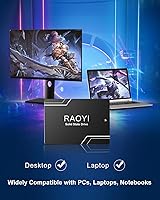
  • Device Support: Designed for use in laptops, desktop PCs, and all-in-one systems that feature an available internal 2.5-inch SATA bay.
  • Installation Type: This is an internal drive intended for direct installation inside a computer chassis, not for external or portable use without an additional enclosure.
  • Shock Resistance: Because it contains no moving parts, the drive is inherently more resistant to physical shock and vibration than a traditional spinning hard drive.
  • Power Consumption: The drive draws low power during operation, which contributes modestly to better battery endurance in laptop deployments compared to mechanical hard drives.
  • Availability Date: The drive was first made available in April 2023, giving it a sufficient real-world track record to draw on from customer feedback.
  • Package Contents: Each package includes one 2.5-inch SSD unit and one user manual; no mounting hardware or cloning cable is included in the box.

Related Reviews

LinkMore XG550 1TB 2.5″ SATA III Internal SSD
84%
89%
Performance
92%
Value for Money
86%
Read Speed
85%
Write Speed
94%
Ease of Installation
More
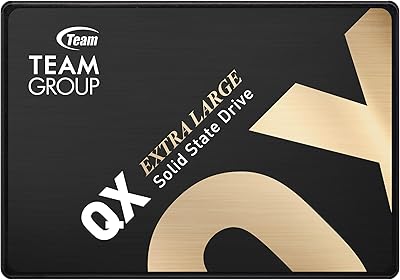
TEAMGROUP QX 1TB 2.5 Inch SATA III SSD
84%
90%
Read/Write Speed
87%
Installation Ease
85%
Reliability
71%
Durability (QLC NAND)
92%
Price-to-Performance Ratio
More
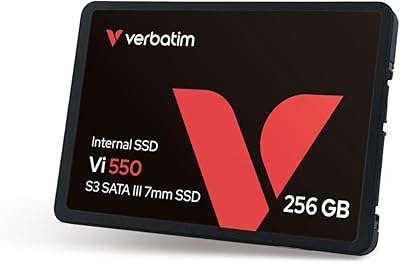
Verbatim 256GB Vi550 SATA III 2.5″ Internal SSD
86%
92%
Performance
88%
Value for Money
85%
Build Quality
90%
Ease of Installation
87%
Durability
More
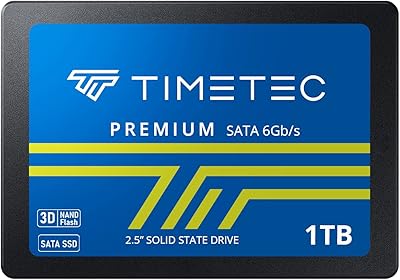
Timetec 1TB 2.5-inch SATA III Internal SSD
80%
91%
Value for Money
86%
Read Speed Performance
73%
Write Speed Performance
93%
Installation Ease
77%
Long-term Reliability
More
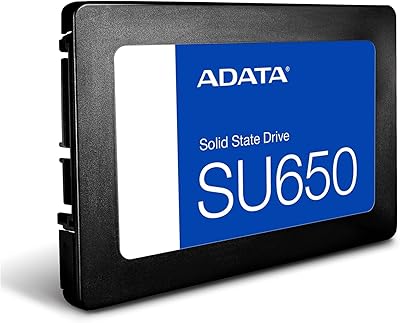
ADATA SU650 1TB 3D-NAND SATA 2.5 inch Internal SSD
86%
88%
Performance
92%
Value for Money
85%
Installation Ease
87%
Speed (Read/Write)
78%
Software Experience
More
Vantec NexStar JX 3.5″ HDD Enclosure
76%
93%
Ease of Setup
78%
Transfer Speed — USB
86%
Transfer Speed — eSATA
74%
Thermal Management
67%
Build Quality
More
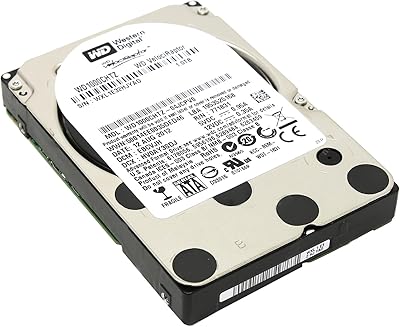
Western Digital Velociraptor 1TB 10K RPM SATA III 2.5-Inch Internal Hard Drive
81%
92%
Performance in Demanding Tasks
88%
Data Transfer Speed
85%
Build Quality & Durability
90%
Compatibility with Desktop/Server Setups
65%
Noise Levels During Operation
More
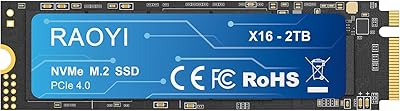
RAOYI 2TB Internal SSD SATA III
88%
88%
Performance
91%
Read Speed
84%
Write Speed
86%
Durability & Build Quality
89%
Heat Dissipation
More
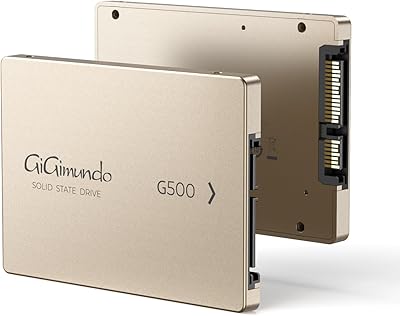
GiGimundo G500 1TB 2.5″ SATA SSD
84%
92%
Performance (Speed)
89%
Ease of Installation
85%
Build Quality (Durability)
91%
Value for Money
87%
Compatibility
More
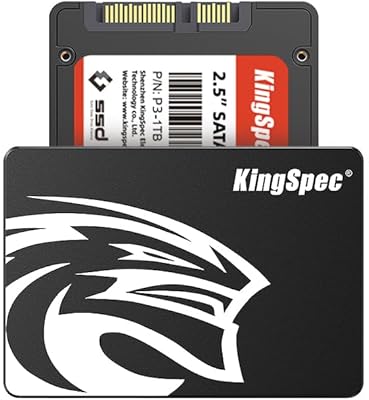
KingSpec 512GB 2.5-inch SATA SSD
77%
88%
Value for Money
83%
Read & Write Speed
86%
Installation Ease
61%
Long-term Reliability
63%
Thermal Performance
More

FAQ

Most likely yes, as long as your laptop has a standard 2.5-inch SATA drive bay. The drive is 6.8mm tall, which fits the common 7mm and 9.5mm bay sizes found in the vast majority of consumer laptops made in the past 15 years. If you are unsure, check your laptop model's specifications or open the bottom panel to confirm the bay type before buying.

Not necessarily. Many users clone their existing drive onto this 1TB SATA drive using free tools like Macrium Reflect or Clonezilla, which copies your entire system — Windows, apps, and files — across to the new drive. Several buyers in the review section confirmed this process worked without issues. That said, a clean Windows install is always an option if you prefer starting fresh.

For everyday tasks like browsing, writing documents, streaming, and casual gaming, most users won't feel a meaningful difference between this SATA drive and an NVMe alternative. Where NVMe pulls ahead is in sustained large-file transfers and demanding workloads like video editing or running virtual machines. If your laptop doesn't have an M.2 slot, this drive is your practical option and it's a massive step up from any spinning hard drive.

RAOYI is not a tier-one brand like Samsung, Western Digital, or Crucial, so it doesn't carry the same long-established reputation. That said, the RAOYI 1TB 2.5″ SATA III Internal SSD has accumulated over 280 ratings with a strong overall score, which suggests it's performing reliably for most buyers. The honest advice is to treat it as a budget-tier product — suitable for typical home and student use, but perhaps not the right pick if you need ironclad long-term assurance.
RAOYI doesn't specify whether this drive includes a DRAM cache, which is worth knowing. Drives without DRAM cache can see a speed drop when writing large amounts of data continuously, though for standard day-to-day use — documents, photos, general apps — it's unlikely to be noticeable. Power users doing sustained large transfers should factor this uncertainty into their decision.

Absolutely. This is actually a great use case for this budget solid state drive. In a desktop with an available 2.5-inch SATA bay, you can install it alongside your NVMe boot drive and use it purely for data storage, games, or backups. It keeps costs down for storage that doesn't need top-tier speed.

The drive is compatible with Windows, Linux, and macOS. It should be recognized automatically by any modern OS without needing additional drivers. If you are using it as a fresh drive, you'll need to initialize and format it through your operating system's disk management utility before it shows up as usable storage.

If you are coming from a mechanical hard drive, the difference is significant and immediately noticeable. Boot times that used to take a minute or more typically drop to under 20 seconds, and applications that once took several seconds to open will launch almost instantly. Web browsers, office tools, and even game load screens all benefit from the faster read speeds.

RAOYI does include a warranty, though the specific terms and duration should be confirmed directly with the seller at time of purchase, as they can vary by listing. Because RAOYI is a smaller brand, managing a warranty claim may be less straightforward than with larger manufacturers who have established regional support centers. Keeping your purchase receipt and order confirmation is especially important here.

For most laptops, a small Phillips-head screwdriver is all you need to remove the bottom panel and swap out the drive. Desktop installations are equally simple — just slide the drive into an available 2.5-inch bay and connect the SATA data and power cables. No specialized tools or technical experience are required, and most buyers report completing the installation in under 30 minutes.