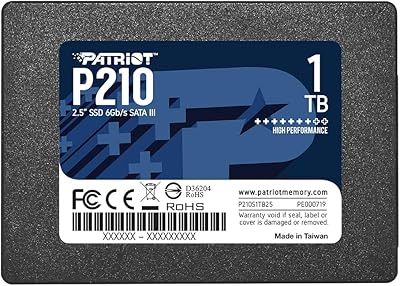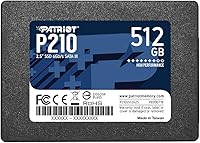
Overview

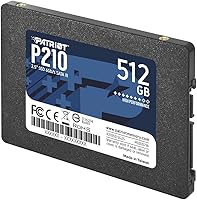
The Patriot P210 512GB Internal SSD is Patriot Memory's answer to a simple question: how do you breathe new life into an older PC without spending much? Patriot has been in the storage and RAM business for decades, and this drive reflects that no-nonsense approach — solid fundamentals at an accessible price. It uses a standard 2.5-inch SATA 3 interface, which means it slots into virtually any laptop or desktop that previously ran a mechanical hard drive. Just don't walk in expecting NVMe performance. This is an entry-level SATA drive, priced accordingly — a practical tool for everyday computing, not a benchmark record-chaser.

Features & Benefits

On paper, the P210 drive posts sequential read speeds of up to 520MB/s — roughly five times faster than a typical 7,200 RPM mechanical hard drive. Writes top out around 430MB/s, and 4K random write performance reaches 50K IOPs, which translates to a noticeably snappier desktop experience when juggling multiple apps or booting Windows. Under the hood, SmartECC technology quietly monitors and corrects data errors before they cause problems — a useful background safeguard for everyday file storage. Thermal throttling keeps temperatures in check during sustained transfers. At just 1.62 ounces and under a third of an inch thick, installation is straightforward even in cramped laptop bays. A 3-year warranty rounds things out reasonably.

Best For

This SATA solid-state drive makes the most sense for anyone pulling a sluggish mechanical drive out of an older laptop or desktop. If your machine lacks an M.2 slot — common in systems from 2015 or earlier — this is exactly the upgrade path available to you. Students running everyday productivity software, home users streaming video, and casual gamers who don't need top-tier load times will find it more than capable. It also works well as a secondary storage drive in a desktop build where you want a dedicated home for documents and media without paying NVMe prices. Heavy workloads or sustained video editing are better served by faster options.

User Feedback

Across a large pool of verified buyer reviews, a few consistent themes emerge. Most people who upgraded from a mechanical hard drive report a dramatic improvement in boot times and general responsiveness — exactly what you'd hope for. Installation earns high marks too; the standard 2.5-inch format means no adapter headaches for most users. On the critical side, buyers note the lack of bundled cloning software, which can be a minor hassle when migrating an existing OS. A small number of users flagged compatibility hiccups on older systems with outdated BIOS firmware. Overall, long-term reliability feedback after a year or more of use tends to stay consistently positive.

Pros

  • Massive real-world speed improvement over mechanical hard drives, especially for boot times and app launches.
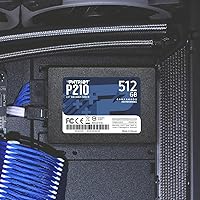
  • Standard 2.5-inch form factor fits virtually any laptop or desktop that accepts SATA drives.
  • SmartECC error correction works silently in the background, adding a layer of data reliability.
  • Thermal throttling helps prevent overheating during longer transfer sessions.
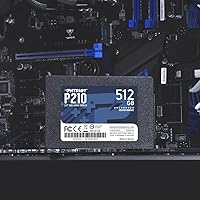
  • Lightweight and slim enough to install even in compact or cramped laptop chassis.
  • A 3-year warranty offers reasonable peace of mind for an entry-tier storage drive.
  • Large pool of long-term owners report consistent, trouble-free operation after a year or more of use.
  • 4K random write performance keeps everyday multitasking and OS responsiveness feeling responsive.
  • Compatible with a wide range of Windows versions, including older operating systems still in active use.

Cons

  • No cloning software included, which adds an extra step when migrating an existing operating system.
  • SATA 3 bandwidth is a hard ceiling — the P210 drive cannot compete with NVMe speeds on any task.
  • Packaging and presentation are minimal; nothing about the unboxing experience feels premium.
  • A small number of users have reported compatibility issues on machines with outdated BIOS firmware.
  • No included mounting bracket or adapter, which can be an issue in desktops designed for 3.5-inch bays.
  • Write speeds drop noticeably under sustained heavy workloads compared to mid-range or NVMe alternatives.
  • 512GB may feel limiting sooner than expected for users who store large media libraries locally.
  • No official support for Linux listed, which may concern users running non-Windows environments.

Ratings

The scores below reflect an AI-driven analysis of verified global buyer reviews for the Patriot P210 512GB Internal SSD, with spam, bot-generated, and incentivized feedback actively filtered out before scoring. Each category is evaluated on real patterns drawn from thousands of honest user experiences, giving equal weight to praise and criticism. The result is a transparent, balanced picture of where this SATA solid-state drive genuinely delivers — and where it falls short.

Value for Money
91%
At its price tier, the P210 drive consistently earns high marks from buyers who compare it directly to what they paid for a mechanical hard drive replacement. Students and home users in particular report feeling like they got significantly more performance than the cost implied, especially after experiencing the boot time difference firsthand.
A handful of buyers note that NVMe alternatives have dropped to comparable prices in some markets, which slightly erodes the value argument for SATA. Those who did deeper price comparisons before purchasing occasionally felt they could have spent just a little more for a meaningfully faster drive.
Read/Write Speed
74%
26%
For everyday tasks — loading Windows, launching browsers, and opening office documents — the real-world speed improvement over a mechanical hard drive is immediately apparent to most users. People upgrading older laptops consistently describe it as the most impactful hardware change they have ever made to an aging machine.
Users who benchmark the drive or push it with large file transfers find that it plateaus quickly compared to NVMe options. Sequential write speeds under sustained load drop noticeably from the rated figures, and anyone running creative software or moving large video files will feel that ceiling fairly fast.
Installation Ease
93%
The standard 2.5-inch form factor means most buyers report a straightforward swap with nothing more than a screwdriver. First-time upgraders frequently mention being surprised by how simple the physical installation was, with several noting they completed the job in under 15 minutes following a basic online tutorial.
The lack of any included mounting bracket is a recurring gripe from desktop users whose chassis only accommodates 3.5-inch bays — they have to source an adapter separately. A small number of laptop users also ran into tight chassis clearances that made the connector alignment trickier than expected.
Long-Term Reliability
83%
A meaningful segment of buyers who have used this Patriot SSD for 18 months to two or more years report no failures, no data loss events, and no performance degradation. The SmartECC error correction appears to do its job quietly in the background, with owners of older systems particularly noting stable operation over extended daily use.
There is a small but consistent subset of reviews describing early failures within the first six months, which pulls confidence down slightly. While these represent a minority, the pattern is notable enough that buyers storing critical data without a backup strategy should take it seriously.
Compatibility
77%
23%
The vast majority of users across a wide range of laptops and desktop systems report plug-and-play detection without any driver installation or configuration. Its broad Windows version support — going back to Windows 7 — makes it genuinely useful for older hardware that many competing drives no longer officially support.
A recurring thread among negative reviews involves detection failures on machines with outdated BIOS firmware, particularly certain older Dell and HP laptop models. Linux users are largely on their own since official OS support documentation only covers Windows, which has frustrated a portion of buyers who assumed broader compatibility.
Software & Accessories
41%
59%
There is nothing complicated about what comes in the box, and buyers who already have a preferred cloning tool or plan to do a fresh OS install are entirely unbothered by the lack of extras. For technically confident users, the absence of bundled software is simply a non-issue.
This is one of the most common pain points across reviews — no cloning software, no mounting adapter, and no SATA cable are included. First-time upgraders who expected a more complete package were caught off guard, and several reported having to delay their installation to order additional parts.
Thermal Performance
79%
21%
Under typical daily workloads, buyers report the drive runs cool to the touch and does not cause any perceptible heat buildup inside their systems. The built-in thermal throttling gives reassurance to users in warm environments or compact laptop chassis where airflow is limited.
During extended large file transfers or intensive backup operations, a few users noted the drive getting noticeably warm, which triggers throttling and reduces sustained transfer speeds. No heatsink is included, so users running the drive in a hot desktop with poor airflow may see more frequent throttling.
Build Quality
68%
32%
The drive feels solid and appropriately constructed for its class — the casing shows no flex under normal handling, and the SATA connector seats firmly without wobble. Buyers who have installed multiple budget SSDs often note it feels on par or slightly above the cheapest alternatives at this price point.
The plastic housing and basic black finish do not inspire premium confidence, and several buyers described the overall construction as feeling purely functional rather than robust. Compared to mid-range drives with metal enclosures, the P210 drive is clearly built to a cost.
Packaging
53%
47%
The drive arrives adequately protected for shipping, and buyers ordering for practical internal upgrades generally do not care about presentation — they just want the hardware intact, which it consistently arrives as.
Multiple reviewers specifically called out the bare-bones packaging as a disappointment, describing it as little more than a sealed plastic blister. For gift purchases or buyers used to the unboxing experience of mid-range brands, the presentation feels underwhelming and does nothing to build confidence in the product.
OS Boot Performance
88%
This is where the drive wins the most unambiguous praise — users switching from a mechanical hard drive to this SATA solid-state drive report Windows boot times dropping from over a minute to well under 20 seconds. For most buyers, this single improvement alone justifies the entire purchase.
Boot times, while dramatically improved over HDDs, remain a step behind what NVMe users experience on comparable hardware. Buyers who have previously used an M.2 NVMe drive may find the boot performance underwhelming rather than impressive, depending on their frame of reference.
4K Random Performance
72%
28%
The 50K IOPs random write rating translates into genuinely improved desktop responsiveness for light multitasking — switching between browser tabs, spreadsheets, and email feels noticeably quicker than on a mechanical drive. Casual users who do not run benchmarks simply experience this as their computer feeling faster and more responsive.
Under real mixed-workload testing, the random performance figures fall short of what mid-range SSDs deliver, and power users pushing multiple simultaneous tasks will notice latency creeping in. It is a meaningful upgrade from an HDD but clearly below what drives with faster NAND configurations achieve at slightly higher prices.
Brand Trust
76%
24%
Patriot Memory has been a recognizable name in consumer RAM and storage for well over two decades, and buyers who are familiar with the brand approach this drive with a baseline of confidence. The 3-year warranty reinforces that reputation and gives first-time Patriot buyers a reasonable safety net.
Among buyers who researched brands before purchasing, Patriot is sometimes seen as a second-tier option compared to Samsung or Western Digital in the storage category. Some users expressed mild uncertainty about long-term parts availability and warranty claim ease compared to larger, more established storage-focused brands.
Warranty & Support
69%
31%
The 3-year warranty coverage is solid for an entry-level drive and aligns with what competing brands offer at this price tier. Buyers who have actually gone through the warranty process generally report a functional, if not exceptional, claims experience.
Customer support responsiveness receives mixed feedback, with some users describing slow email response times and a lack of clear guidance during the RMA process. There is no advance replacement option, which means buyers who rely on their machine daily may face a meaningful gap in service if a claim is necessary.

Suitable for:

The Patriot P210 512GB Internal SSD is a strong fit for anyone whose primary goal is escaping the frustrating slowness of an aging mechanical hard drive without committing to a high-end upgrade budget. Students running a aging hand-me-down laptop, home users who just want Windows to boot in under 20 seconds, and budget PC builders who need a reliable 2.5-inch option for systems without an M.2 slot will all find this drive does exactly what they need. It is equally practical as a secondary storage drive in a desktop — a place to stash documents, media, and backup files where raw speed is irrelevant. Older business machines from the mid-2010s that are SATA-only get a genuine second life with this kind of upgrade. If your workload is web browsing, office software, light gaming, or media playback, the P210 drive hits a practical sweet spot.

Not suitable for:

Anyone building or upgrading a modern system with an available M.2 slot should look past the Patriot P210 512GB Internal SSD toward an NVMe drive, since the performance gap at comparable price points has narrowed considerably in recent years. Creative professionals doing video editing, large file transfers, or running demanding software will hit the ceiling of SATA 3 bandwidth faster than they expect. Power users who want to clone an existing OS drive right out of the box will be disappointed — no cloning software is bundled, so that step requires a separate free tool or some prior experience. Buyers expecting premium packaging or accessories should also recalibrate: the unboxing experience is bare-bones. This SATA solid-state drive is purpose-built for simple, everyday use — not for workstation-level demands.

Specifications

  • Capacity: The drive offers 512GB of flash storage, suitable for an operating system, everyday applications, and a moderate media library.
  • Interface: Uses a SATA 3 (6Gb/s) connection, backward compatible with SATA 2 systems at reduced speeds.
  • Form Factor: Standard 2.5-inch design fits laptops and desktops that accept 2.5-inch SATA drives or 3.5-inch bays with an adapter.
  • Sequential Read: Rated for sequential read speeds of up to 520MB/s under optimal conditions.
  • Sequential Write: Rated for sequential write speeds of up to 430MB/s under optimal conditions.
  • Random Write: 4K aligned random write performance reaches up to 50,000 IOPs, which supports responsive multitasking and OS operations.
  • Data Protection: SmartECC technology and end-to-end data path protection work together to detect and silently correct errors during read and write operations.
  • Thermal Control: Built-in thermal throttling automatically reduces drive activity to safe levels if operating temperatures rise during sustained use.
  • Dimensions: The drive measures 3.94 x 2.74 x 0.28 inches, conforming to the standard 2.5-inch SSD profile.
  • Weight: At just 1.62 ounces, it is light enough to install without any strain on internal mounting brackets or connectors.
  • Warranty: Patriot Memory covers this drive with a 3-year limited manufacturer warranty.
  • OS Support: Officially compatible with Windows 7, 8.0, 8.1, and 10; Linux compatibility is not listed in official documentation.
  • Installation: Designed for internal installation only; it is not an external or portable drive and requires a SATA data cable and power connector.
  • Compatible Devices: Suitable for use in laptops and desktop PCs that support a 2.5-inch SATA storage drive.
  • Manufacturer: Produced by Patriot Memory, a U.S.-based brand with a long track record in consumer storage and memory products.
  • Color: The drive housing is black, which is standard for internal SSDs and not visible once installed.

Related Reviews
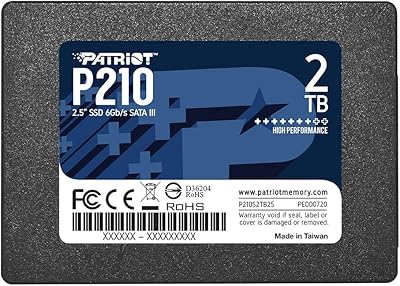
Patriot P210 1TB 2.5″ Internal SSD
83%
91%
Value for Money
83%
Real-World Performance
94%
Installation Ease
92%
Boot Time Improvement
67%
Long-Term Reliability
More
Patriot P210 2TB Internal SATA SSD
80%
93%
Value for Money
76%
Read & Write Speed
91%
Installation Ease
78%
Compatibility
67%
Long-term Reliability
More
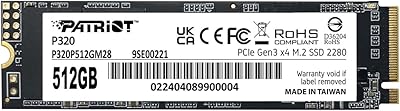
Patriot Memory P320 512GB M.2 NVMe SSD
82%
93%
Value for Money
84%
Read Performance
71%
Write Performance
96%
Installation Ease
88%
Compatibility
More
Patriot Memory P310 240GB NVMe M.2 SSD
81%
93%
Value for Money
81%
Read & Write Speed
62%
Storage Capacity
91%
Installation Ease
84%
Reliability & Data Integrity
More
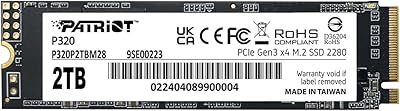
Patriot Memory P320 2TB NVMe M.2 SSD
77%
91%
Value for Money
78%
Read & Write Performance
93%
Installation Ease
88%
Compatibility
74%
Build & Reliability
More
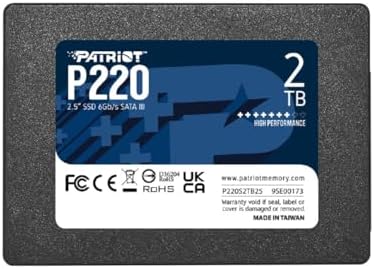
Patriot Memory P220 2TB Internal SATA SSD
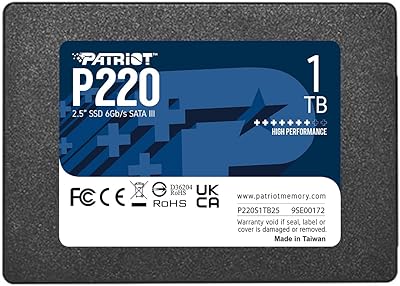
77%
93%
Value for Money
78%
Read & Write Speed
91%
Installation Ease
88%
Boot & Load Times
74%
Build & Durability
More
Patriot Memory P220 1TB Internal SATA SSD
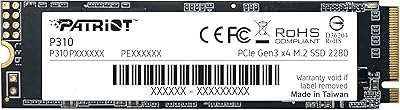
78%
93%
Value for Money
74%
Read & Write Performance
94%
Installation Ease
71%
Build Quality
91%
Boot Time Improvement
More
Patriot P300 512GB M.2 NVMe SSD
80%
93%
Value for Money
88%
Read Speed Performance
61%
Write Speed & Sustained Performance
94%
Installation & Compatibility
84%
Reliability & Longevity
More
Patriot Transporter Lite 512GB Portable SSD
77%
78%
Transfer Speed Performance
91%
Portability & Form Factor
67%
Build Quality & Durability
86%
Cable & Connectivity
83%
Value for Money
More
SanDisk SSD Plus 2TB Internal SSD
82%
88%
Read Speed Performance
74%
Write Speed Performance
94%
Installation & Compatibility
91%
Value for Money
86%
Long-Term Durability & Reliability
More

FAQ

In most cases, yes. As long as your laptop has a 2.5-inch SATA drive bay — which virtually all laptops with mechanical HDDs do — the P210 drive will slot right in. Just confirm your machine uses a SATA connection rather than a proprietary interface, which was common on some ultra-thin models.

Usually just a small Phillips-head screwdriver to remove the laptop bottom panel or desktop drive bay bracket. The drive itself connects via a standard SATA data cable and power connector, both of which are already present in any system that previously housed a SATA hard drive.

No, nothing is bundled in the box. You will need to use a free third-party tool such as Macrium Reflect or Clonezilla to migrate your OS, or do a fresh Windows install using a USB installer. It is a minor inconvenience, but both options are straightforward with a quick online guide.

The difference is very noticeable in everyday use. Boot times that previously took 60 to 90 seconds on a spinning drive typically drop to under 20 seconds. Apps open faster, file transfers finish quicker, and the general sluggishness associated with mechanical drives largely disappears for typical tasks like browsing and office work.

It works in both. In a desktop, you may need a 2.5-inch to 3.5-inch mounting adapter if your chassis only has larger drive bays, since this drive follows the slimmer laptop-sized form factor. Those adapters are inexpensive and widely available.

Probably not as your primary drive. If you have an M.2 slot that supports NVMe, you will get significantly faster performance from an NVMe SSD at a comparable price. This SATA solid-state drive makes more sense as a secondary storage option or for systems where no M.2 slot is available.

For most people, yes. Windows 10 with standard applications uses roughly 30 to 50GB, leaving ample room for documents, photos, and a modest game library. If you store large video files locally or have a sizable game collection, you may want to supplement it with additional storage over time.

Based on patterns from buyers who have used it for a year or more, the drive tends to hold up well under normal everyday workloads. The built-in SmartECC error correction adds a meaningful layer of data integrity protection. It is also backed by a 3-year warranty, which is a reasonable safety net for an entry-tier drive.

A small number of users with older BIOS firmware have reported detection issues. In most cases, updating the motherboard BIOS to the latest version resolves the problem. It is worth checking your board manufacturer's support page for a firmware update before assuming the drive is faulty.

Under typical workloads like web browsing, office tasks, and media playback, it runs cool with no concerns. During heavy sustained transfers it can warm up, but the built-in thermal throttling will automatically pull back activity before temperatures reach a problematic level. No heatsink is included or generally necessary for standard consumer use.