RAOYI 512GB PCIe Gen4 M.2 NVMe SSD


Overview
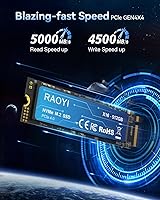
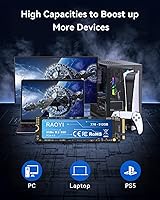
The RAOYI 512GB PCIe Gen4 M.2 NVMe SSD enters a crowded market with a clear pitch: Gen4 performance at a price most PC builders won't lose sleep over. RAOYI isn't a household name, and that honesty is worth stating early. Unfamiliar branding doesn't automatically mean unreliable hardware — plenty of capable drives ship from lesser-known manufacturers. The 512GB capacity makes it a practical entry point, whether you're filling out your PS5's expansion slot or adding a fast secondary drive to a laptop or desktop. Rated reads top out at 5000MB/s on the spec sheet, though real-world mixed workloads will always pull that number down somewhat, as with any consumer NVMe drive.
Features & Benefits
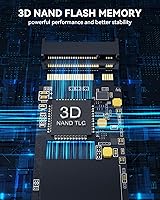
Running on a PCIe Gen4 x4 interface, this NVMe drive sits in a noticeably faster lane than the SATA and Gen3 drives that still dominate older systems. The M.2 2280 form factor is about as universal as it gets — compatible with most laptops, desktop motherboards, and the PS5's internal expansion bay. Underneath the hood, 3D NAND TLC flash pairs with a configured SLC cache, which keeps write speeds competitive during typical tasks like installing games or copying files. Once that cache saturates on a long sustained write, speeds will drop to native TLC rates — normal behavior at this price tier, not a defect. No moving parts also means lower power draw and solid resistance to bumps and drops.
Best For
This budget Gen4 SSD makes the most sense for PS5 storage expansion — it fits the slot, meets Sony's minimum speed requirements, and costs considerably less than the flagship-brand alternatives. On the PC side, it's a strong fit for students and budget builders who want a meaningful jump from a spinning hard drive or aging SATA SSD. Laptop users swapping out a slow stock drive will notice real improvements in boot times and app launches. It's less ideal for heavy video editors or anyone moving large files for hours on end, where sustained write speed matters far more. Think of it as a capable everyday driver, not a workstation workhorse.
User Feedback
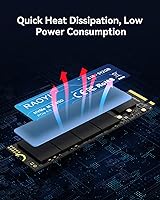
With a 4.6-star average across nearly 300 ratings, the RAOYI M.2 SSD is earning more confidence than you might expect from a brand with limited market history. Buyers frequently call out how straightforward installation is — the bundled screw and kit make a difference for first-timers — and most report detected speeds that track reasonably close to the advertised figures. The fair caveat is that long-term endurance data simply doesn't exist yet for a drive this new. A handful of users have noted heat worth watching, especially in PS5 builds where airflow is tight; picking up a compatible heatsink is worth considering. Overall the sentiment leans positive, but go in with realistic expectations rather than flagship-brand certainty.
Pros
- PCIe Gen4 x4 interface delivers a genuine, measurable speed upgrade over SATA and older Gen3 drives.
- Rated sequential reads up to 5000MB/s make large file transfers and game installs noticeably faster.
- Universal M.2 2280 form factor fits most modern laptops, desktops, and the PS5 expansion slot.
- Installation kit with screw included means most buyers won't need to purchase any additional hardware.
- SLC caching keeps everyday write performance competitive across typical gaming and productivity workloads.
- Strong 4.6-star rating from nearly 300 buyers suggests real-world satisfaction, not just spec-sheet appeal.
- No moving parts design contributes to better shock resistance and lower power consumption versus HDDs.
- Compact and lightweight at around 23.5g, making it a painless upgrade for slim laptops and portable builds.
- Buyers consistently report that detected speeds align reasonably well with advertised figures out of the box.
Cons
- RAOYI is a relatively new brand with limited long-term reliability data, which is a genuine unknown.
- Once the SLC cache fills during sustained writes, speeds drop significantly to native TLC flash rates.
- 512GB capacity can fill up quickly if used as a sole drive for multiple modern games or large software.
- No built-in heatsink is included, which may matter in thermally constrained environments like the PS5 bay.
- Brand obscurity makes warranty support and RMA experiences harder to verify compared to established competitors.
- Limited independent third-party benchmark coverage makes it difficult to validate peak speed claims externally.
- TLC flash generally carries lower write endurance ratings than MLC or enterprise-grade alternatives.
Ratings
The scores below reflect AI-assisted analysis of verified global buyer reviews for the RAOYI 512GB PCIe Gen4 M.2 NVMe SSD, with spam, bot-generated, and incentivized feedback actively filtered out to ensure the data represents genuine ownership experiences. Each category captures both what real users consistently praised and where frustrations emerged, giving you a transparent picture rather than a flattering one. Whether this NVMe drive earns a place in your build depends on your workload, your tolerance for a newer brand, and how you weigh upfront savings against long-term certainty.
Sequential Read Speed
Sequential Write Speed
Real-World Performance
Value for Money
Installation & Setup
PS5 Compatibility
Build Quality
Thermal Management
Sustained Write Performance
Brand Trust & Reliability
Compatibility & Versatility
Package Contents
Power Efficiency
Capacity Adequacy
Suitable for:
The RAOYI 512GB PCIe Gen4 M.2 NVMe SSD is a practical choice for PS5 owners who want to meaningfully expand their console's internal storage without paying a premium for a brand-name drive — just keep in mind that some PS5 models may require a separately purchased heatsink. It also fits comfortably into the workflow of budget-conscious PC builders and students who need a capable primary or secondary drive for a mid-range desktop or laptop build. If you're still running a SATA SSD or, worse, a spinning hard drive, the jump to Gen4 NVMe will be genuinely noticeable in boot times and application loading. Light gamers and casual content creators who aren't continuously hammering the drive with large sequential writes will find the SLC cache handles their typical workloads without issue. Anyone who needs a reliable secondary work drive — for storing projects, media, or backups — and doesn't require enterprise endurance ratings will get solid value here.
Not suitable for:
Buyers who depend on sustained, heavy write workloads should look elsewhere, because like most TLC-based drives at this price tier, this NVMe drive will slow down to its native flash speeds once the SLC cache is exhausted — a limitation that becomes noticeable when transferring large video libraries or running long backup operations. Professional video editors, photographers managing raw file archives, or anyone doing continuous large-file ingestion will quickly bump into that ceiling. The RAOYI brand also has a short track record, which means there is limited long-term reliability data to draw from; buyers who prioritize proven endurance from established names like Samsung, WD, or Seagate will understandably be cautious. The 512GB capacity, while practical, may also feel tight for users who plan to use this as a sole system drive and install multiple modern games or large creative software suites. Finally, users on older systems with only PCIe Gen3 or SATA slots won't unlock Gen4 speeds regardless, making a cheaper Gen3 drive a more sensible investment for their setup.
Specifications
- Capacity: This drive provides 512GB of internal storage, suitable as a primary boot drive for a laptop or a dedicated game storage expansion for the PS5.
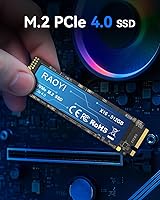
- Interface: It uses a PCIe Gen4 x4 interface, delivering substantially higher bandwidth than Gen3 or SATA-based M.2 drives on compatible hardware.
- Protocol: The NVMe protocol reduces command latency and improves queue depth handling compared to the older AHCI standard still found on SATA drives.
- Form Factor: The M.2 2280 form factor measures 22mm wide by 80mm long, the most widely supported M.2 size across modern desktops, laptops, and the PS5 expansion bay.
- Sequential Read: Sequential read speed is rated up to 5000MB/s, a figure most relevant to large, contiguous file operations rather than everyday mixed workloads.
- Sequential Write: Sequential write speed is rated up to 4500MB/s under optimal cached conditions during typical consumer workloads.
- Flash Type: The drive uses 3D NAND TLC flash, the standard choice in consumer SSDs that balances storage density, cost, and reasonable write endurance.
- Cache Architecture: A configured SLC caching layer absorbs bursty write operations to maintain competitive speeds during everyday tasks before falling back to native TLC rates on extended writes.
- Compatibility: Confirmed compatible devices include PS5 consoles, M.2 2280 PCIe Gen4 slots in desktop motherboards, and most modern laptops with a Gen4-capable M.2 slot.
- Dimensions: Physical dimensions measure 22 x 88 x 2.3mm, fitting within the standard M.2 2280 footprint with minimal vertical clearance required.
- Weight: The drive weighs approximately 23.5g, adding virtually no meaningful mass to a laptop or portable system.
- Install Type: Installation is internal, requiring the drive to be seated into an M.2 slot on a compatible motherboard, laptop board, or PS5 expansion bay.
- Key Type: The drive uses an M-key edge connector, which is the required interface for PCIe NVMe M.2 SSDs and is standard across Gen4-compatible slots.
- In the Box: Package contents include the SSD itself, a screw installation kit, and a printed user manual covering basic setup steps.
- Warranty: RAOYI advertises lifetime technology support, though buyers should confirm RMA procedures directly with the brand, as third-party verification of this claim is limited.
Related Reviews
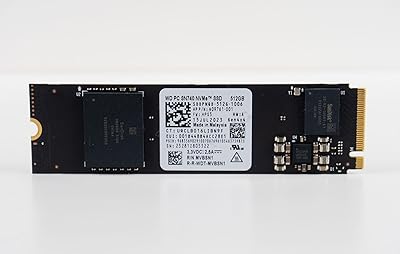
Western Digital 512GB Gaming Gen4 NVMe SSD
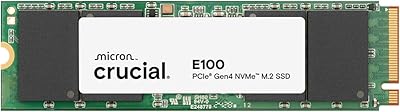
Crucial E100 480GB NVMe M.2 SSD
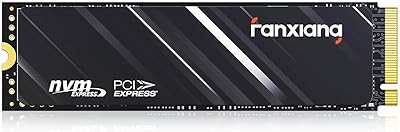
Fanxiang S690Q 1TB Gen4 NVMe SSD
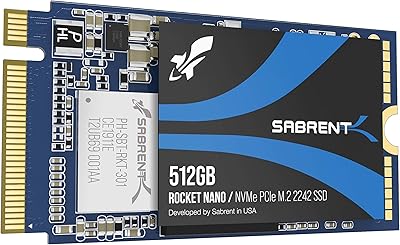
SABRENT Rocket NVMe 2242 512GB SSD
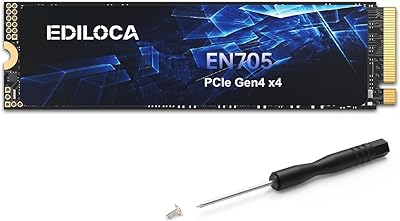
Ediloca EN705 4TB NVMe M.2 SSD
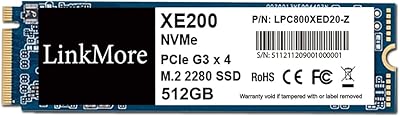
LinkMore XE200 512GB NVMe M.2 SSD
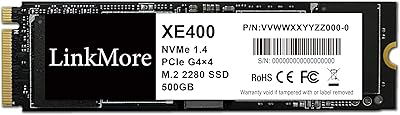
LinkMore XE400 500GB NVMe SSD
TEAMGROUP MP33 512GB NVMe SSD
Transcend TS512GMTE220S 512GB M.2 NVMe PCIe Gen3x4 SSD