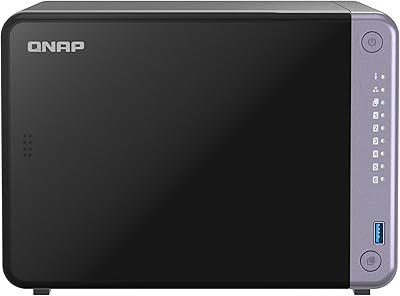
QNAP TS-473A-8G 4-Bay NAS
Overview
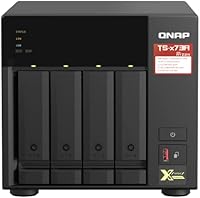
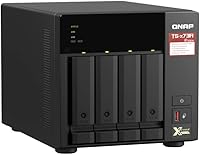
The QNAP TS-473A-8G 4-Bay NAS arrived on the market in April 2021 and has held its ground ever since — which says something in a category that moves fast. At its core is an AMD Ryzen Embedded V1500B quad-core processor, a meaningful step up from the ARM chips powering most competing units at a similar price point. The all-metal tower chassis feels solid and suits a desk corner or rack-adjacent setup equally well. One important note upfront: this unit ships without drives, so factor the cost of HDDs or SSDs into your total budget before committing.
Features & Benefits
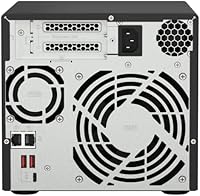
Where the TS-473A really distinguishes itself is in its connectivity and expandability. The dual 2.5 Gigabit Ethernet ports support link aggregation, pushing throughput well beyond what a standard gigabit connection allows — handy if you are running backups and media streaming simultaneously. Two PCIe slots mean you can drop in a 10GbE card or an NVMe SSD cache down the road without replacing the unit. The base 8GB DDR4 RAM handles everyday workloads comfortably, and its 64GB expansion ceiling makes running virtual machines or containers genuinely viable. QTS brings a rich app ecosystem covering Plex, backup tools, and surveillance, though it takes time to navigate confidently.
Best For
This 4-bay NAS is a strong fit for small business owners who need centralized file storage that can scale without buying new hardware every couple of years. Home lab users will appreciate the PCIe slot flexibility for adding NVMe caching or high-speed networking cards. Creative professionals dealing with large video or photo libraries benefit from the local throughput and storage capacity headroom. IT admins setting up surveillance or offsite backup workflows will find the app support sufficient for most common deployments. Where it falls short is as a beginner device — if you are new to NAS entirely, the setup complexity may test your patience early on.
User Feedback
Sitting at 4.3 stars across more than 230 ratings, this QNAP unit has earned a consistently positive reception. Most buyers highlight the build quality and the depth of the QTS software platform as standout strengths, along with the PCIe expandability that lets the hardware grow alongside changing needs. That said, the feedback is not uniformly glowing. A recurring theme among less satisfied buyers is QNAP's firmware update cycle — updates occasionally introduce bugs that require patience to resolve. First-time NAS users sometimes feel out of their depth with QTS. Those who invest time learning the platform, however, tend to feel the value proposition holds up strongly over time.
Pros
- AMD Ryzen quad-core processor handles concurrent workloads that ARM-based rivals in this price range simply cannot match.
- Two PCIe slots let you add 10GbE networking or NVMe caching down the road without replacing the unit.
- Dual 2.5GbE ports with link aggregation deliver real throughput gains for multi-user or multi-task environments.
- RAM is expandable up to 64GB, making virtualization and container workloads genuinely practical long-term.
- The all-metal tower chassis is dense, well-built, and runs with less vibration than plastic-chassis competitors.
- QTS supports a wide range of apps including Plex, IP surveillance, and automated cloud backup workflows.
- All four bays accept both 3.5-inch and 2.5-inch SATA drives, giving real flexibility in storage configuration.
- USB 3.2 Gen2 ports handle fast direct-attach backups and UPS connectivity without bottlenecking transfers.
- Long-term owners consistently report stable, dependable hardware performance across extended always-on operation.
- Buyers who fully utilize the expansion options report strong value relative to comparable units from other brands.
Cons
- QTS firmware updates have a documented history of introducing bugs that require rollbacks or community-forum fixes.
- First-time NAS users routinely underestimate the time needed to get the system configured and functional.
- The unit ships diskless, so the true cost of a fully populated setup is significantly higher than the base price suggests.
- Only two PCIe slots means choosing between NVMe caching and 10GbE networking unless you sacrifice one capability.
- The Type-C USB port is Gen1 rather than Gen2, limiting its peak throughput in a unit otherwise positioned for performance.
- Fan noise ramps up audibly under sustained heavy load, which can be disruptive in quiet office or home environments.
- QNAP-approved RAM modules for upgrades can be harder to source and more expensive than generic DDR4 alternatives.
- Official QNAP customer support response times receive mixed reviews, leaving some users reliant on community forums.
- The physical footprint and weight make repositioning or relocating the unit more cumbersome than expected.
- Realizing the full networking benefit requires a 2.5GbE-capable switch, an added cost many buyers overlook upfront.
Ratings
The QNAP TS-473A-8G 4-Bay NAS earns a well-rounded reputation among verified buyers, and these scores reflect an AI-driven analysis of real-world user reviews sourced globally — with spam, incentivized feedback, and bot activity actively filtered out. Across more than 230 ratings, this QNAP unit draws consistent praise for its processing muscle and expansion headroom, while some friction points around software complexity and first-time setup keep it from sweeping every category.
Processing Performance
Expandability & Upgrade Path
Network Throughput
Build Quality & Chassis
Software & QTS Ecosystem
Memory Configuration
Storage Flexibility
USB Connectivity
Setup & Initial Configuration
Noise & Thermal Management
Value for Investment
Reliability & Stability
Documentation & Support
Suitable for:
The QNAP TS-473A-8G 4-Bay NAS is built for buyers who know exactly what they want from a NAS and plan to push it hard. Small business owners running centralized file shares for a team will find the dual 2.5GbE ports and robust QTS app ecosystem well matched to their day-to-day demands. Home lab enthusiasts who want to run virtual machines or Docker containers on dedicated hardware — rather than repurposing an aging PC — will appreciate both the AMD Ryzen processor and the RAM expansion ceiling of 64GB. Creative professionals dealing with large photo or video libraries benefit from the throughput headroom and the flexibility to mix HDDs and SSDs across all four bays. IT administrators deploying surveillance systems or multi-destination backup workflows will find native app support in QTS covers most common use cases without requiring custom solutions. Perhaps most tellingly, users who factor in the two PCIe slots as part of a longer upgrade roadmap tend to get the most out of this unit over a two-to-three year horizon.
Not suitable for:
The QNAP TS-473A-8G 4-Bay NAS is a poor fit for anyone stepping into network-attached storage for the first time without a willingness to climb a genuine learning curve. The QTS platform is deep and capable, but it does not hold your hand — basic tasks like configuring user permissions, setting up network shares, or managing RAID volumes require deliberate effort and some background knowledge. Budget-conscious buyers also need to factor in the cost of drives separately, since this unit ships without any storage installed, and four populated bays represent a significant additional outlay on top of the base hardware investment. Users who only need simple file sharing for a household or a one-person creative studio may find the hardware significantly exceeds their actual requirements. Those operating on a single gigabit network who have no plans to upgrade their switch infrastructure will not benefit from the 2.5GbE ports, which removes one of the unit's clearest advantages. Finally, buyers who expect plug-and-play simplicity and minimal ongoing maintenance should look at more consumer-oriented alternatives where software complexity is traded off against configurability.
Specifications
- Processor: Powered by an AMD Ryzen Embedded V1500B quad-core processor running at 2.2 GHz, providing substantially more compute headroom than ARM-based alternatives in this category.
- RAM: Ships with 8GB DDR4 SDRAM installed, with a maximum supported capacity of 64GB for users running virtualization or memory-intensive workloads.
- Drive Bays: Four hot-swappable bays accommodate either 3.5-inch or 2.5-inch SATA drives, allowing a mix of HDDs and SSDs within a single unit.
- Drive Interface: All four bays use a SATA-600 (SATA III) interface, supporting modern high-capacity and high-speed SATA storage devices.
- Ethernet: Equipped with two 2.5 Gigabit Ethernet ports supporting speeds of 2.5G, 1G, and 100M, with link aggregation capability for increased throughput.
- PCIe Slots: Includes two PCIe expansion slots suitable for installing 10GbE network cards, NVMe SSD cache cards, or other compatible accelerators.
- USB Ports: Provides three USB 3.2 Gen2 Type-A ports and one USB 3.2 Gen1 Type-C port for connecting external drives, UPS devices, or USB peripherals.
- Operating System: Runs QNAP QTS, a Linux-based NAS operating system with a broad app ecosystem covering file management, surveillance, backup, and media serving.
- Flash Memory: Contains 64MB of DOM (Disk-on-Module) flash memory used for storing the system firmware independently of installed drives.
- Form Factor: Tower form factor designed for desktop or rack-adjacent placement, measuring 15.2 x 13.6 x 10 inches overall.
- Weight: Unit weighs 11.02 pounds without drives installed; expect additional weight once bays are fully populated with HDDs or SSDs.
- Chassis Material: Constructed from metal throughout, contributing to structural rigidity, reduced vibration, and a more professional appearance than plastic alternatives.
- Color: Available in a matte black finish suited to professional desktop and server-room environments.
- Processor Cores: The quad-core CPU architecture allows the unit to handle multiple simultaneous tasks — such as file serving, transcoding, and backup — without significant performance degradation.
- Max RAM Support: Memory is upgradeable to a maximum of 64GB DDR4, making the platform viable for running multiple virtual machines or containerized services concurrently.
- ASIN: The Amazon Standard Identification Number for this unit is B092228MCV, useful for cross-referencing listings or verifying authenticity.
- Launch Date: This model was first made available in April 2021 and has remained a relevant option in the prosumer NAS market since its release.
- Diskless Configuration: The unit ships without any storage drives included, meaning buyers must separately purchase and install compatible HDDs or SSDs before the system can store data.
Related Reviews
QNAP TS-453E 4-Bay NAS
QNAP TS-433-4G 4-Bay NAS
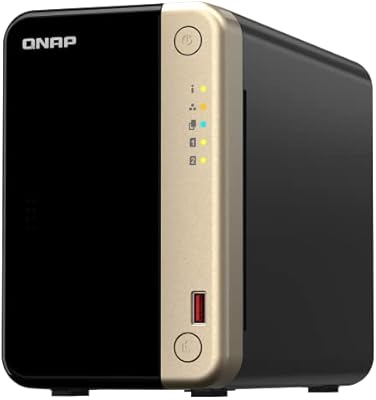
QNAP TS-264 8G 2-Bay Desktop NAS

QNAP TS-435XeU-4G 4-Bay Rackmount NAS
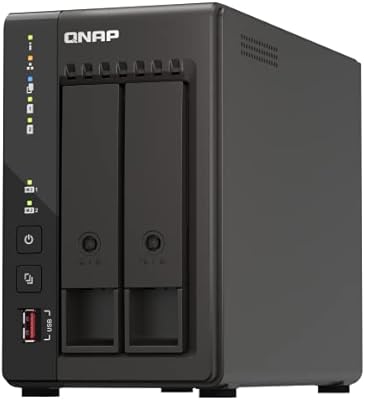
QNAP TS-253E 2-Bay Desktop NAS
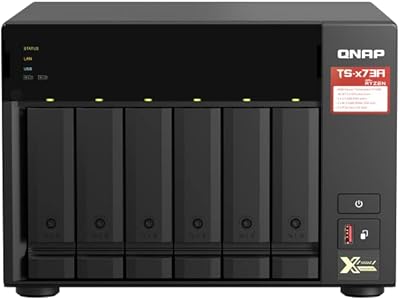
QNAP TS-673A-8G 6-Bay NAS
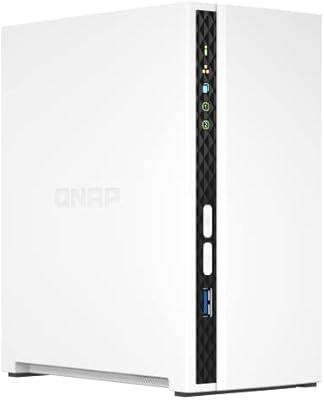
QNAP TS-233 2-Bay NAS Drive
QNAP TS-664 6-Bay Desktop NAS

QNAP TR-004U 4-Bay Rackmount NAS Expansion