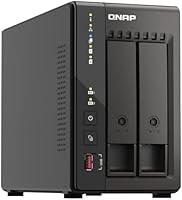
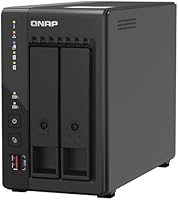
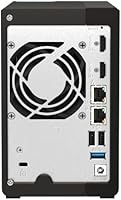
Overview

The QNAP TS-253E 2-Bay Desktop NAS sits firmly in prosumer territory — this is not the kind of plug-and-play box you buy for casual file storage. The defining upgrade here is the jump to dual 2.5GbE networking, which gives you real throughput headroom that standard gigabit simply cannot match. It ships diskless, so budget accordingly for drives on top of the unit itself. The QTS operating system is genuinely powerful — it supports containers, virtual machines, multimedia apps, and more — but that depth comes with a learning curve that casual users may find daunting.

Features & Benefits

The dual 2.5GbE ports are the headline feature, and they deliver — whether you set them up for link aggregation to push combined bandwidth or configure failover for reliability, you get genuine performance gains over a standard gigabit connection. The Intel Celeron J6412 quad-core processor handles transcoding, light virtualization, and multiple simultaneous users without breaking a sweat. Pair that with the two M.2 NVMe slots for SSD read/write caching and your spinning drives will feel noticeably snappier. USB 3.2 Gen 2 ports round things out for fast direct-attach backups, while NetBak Replicator, Time Machine, and MyQNAPCloud handle the software side across platforms.

Best For

This two-bay NAS is built for people who have already hit the ceiling of simpler storage solutions. If you are a photographer, video editor, or anyone routinely moving large files across a local network, the 2.5GbE throughput advantage is a compelling reason to upgrade your setup. It is also a strong fit for hybrid backup strategies — local RAID redundancy plus cloud sync — and for households that want a central media hub for Plex or similar platforms. That said, if you are not prepared to spend time learning QTS, the full value of this QNAP unit will stay locked behind menus you may never explore.

User Feedback

Buyers who already have a 2.5GbE-capable switch in place consistently highlight the speed improvement as the biggest win. The metal build earns strong marks at this price tier — it feels solid, not plasticky. The friction point almost everyone agrees on is the QTS interface: powerful, yes, but initially bewildering for anyone coming from a simpler NAS or consumer router storage. Fan noise under heavy load comes up occasionally in longer-term reviews, worth noting if the TS-253E will live in a quiet room. On the diskless pricing, reactions are mixed — some feel the hardware justifies it, others factor in drive costs and hesitate.

Pros

  • Dual 2.5GbE ports deliver a real, measurable speed advantage over standard gigabit NAS devices.
  • The all-metal chassis feels premium and durable, well-matched to the price tier.
  • Two M.2 NVMe slots allow SSD caching upgrades without sacrificing drive bays.
  • The Intel Celeron J6412 handles transcoding and light virtualization without noticeable slowdown.
  • Time Machine and NetBak Replicator support covers both Mac and Windows households natively.
  • MyQNAPCloud makes secure remote file access straightforward once the initial setup is complete.
  • USB 3.2 Gen 2 ports enable genuinely fast direct-attach backups and external drive connections.
  • QTS app ecosystem is extensive, supporting containers, VMs, and multimedia platforms like Plex.
  • 8GB of DDR4 RAM provides solid headroom for running multiple services concurrently.
  • QNAP community forums and documentation are among the most thorough in the NAS space.

Cons

  • Ships diskless — drive costs are entirely separate and add significantly to the total investment.
  • QTS has a steep learning curve that can genuinely frustrate less technical users early on.
  • Fan noise under sustained workloads is noticeable enough to be disruptive in quiet environments.
  • The 2.5GbE advantage is only accessible if you already own compatible networking hardware.
  • On-board RAM is soldered and cannot be upgraded, capping future flexibility.
  • The physical footprint is substantial for a two-bay unit — not ideal for tight desk setups.
  • QNAP security advisories have historically required prompt firmware attention; users must stay on top of updates.
  • Initial configuration time investment is considerable compared to competing consumer-oriented NAS brands.

Ratings

The scores below reflect AI-driven analysis of verified global user reviews for the QNAP TS-253E 2-Bay Desktop NAS, with spam, bot-submitted, and incentivized feedback actively filtered out before scoring. Each category captures both what real buyers praised and where they ran into friction — nothing is glossed over. The result is an honest, balanced picture of where this QNAP unit genuinely excels and where it asks more of its owners than some are prepared to give.

Network Performance
91%
Buyers who upgraded their switch to 2.5GbE consistently report transformative local transfer speeds — moving a 50GB video project across the network in seconds rather than minutes is a common highlight. Link aggregation support adds further headroom for multi-user environments.
The speed ceiling only materializes if your existing router or switch also supports 2.5GbE, which many home setups still do not. Buyers who missed this compatibility requirement felt the network upgrade was wasted on their current infrastructure.
Ease of Use
54%
46%
Users who came in with prior NAS or Linux experience found QTS logically organized and appreciated the depth of its control panel. The first-boot wizard covers the basics adequately and gets drives initialized without requiring expert knowledge.
For buyers without a technical background, QTS quickly becomes overwhelming — storage pools, volume types, app installation, and user permissions all require deliberate learning. Several reviewers needed hours of forum browsing just to complete what they expected to be a simple initial setup.
Build Quality
88%
The all-metal chassis is one of the most consistently praised aspects of the TS-253E, especially at this price tier. Buyers coming from plastic-bodied consumer NAS devices comment immediately on how solid and premium it feels in hand and on the desk.
While the enclosure itself is sturdy, a handful of users noted that drive trays feel slightly less refined than the outer chassis suggests — the tray locking mechanism works, but does not inspire the same confidence as the shell around it.
Value for Money
67%
33%
For buyers who fully utilize the 2.5GbE ports, NVMe cache slots, and QTS app ecosystem, the hardware delivers genuine value relative to what competing prosumer NAS units charge for similar specifications. The platform depth justifies the price for power users.
The diskless nature means the true cost of entry is substantially higher than the unit price alone. Factor in two NAS-rated drives and potentially a new 2.5GbE switch, and the total investment climbs quickly — a reality that catches some buyers off guard.
Processor Performance
83%
The Intel Celeron J6412 handles the workloads this NAS is designed for — simultaneous file transfers, Plex direct-play, and background backups — without noticeable throttling. Users running Docker containers alongside active file sharing report stable performance in day-to-day use.
Heavy 4K transcoding or running multiple demanding virtual machines simultaneously pushes the processor to its limits. Buyers hoping to use this QNAP unit as a lightweight home server for compute-intensive tasks may find it falls short of their expectations.
Fan Noise
58%
42%
Under light and moderate loads — typical file syncing, scheduled backups running overnight, or remote access sessions — the unit stays reasonably quiet and does not draw attention to itself in a home office environment.
Under sustained heavy workloads, the fan becomes clearly audible, and multiple long-term reviewers specifically flag this in bedroom or quiet-room placements. It is not loud by server standards, but it is noticeable enough to disrupt focus in a silent workspace.
Software Ecosystem
84%
QTS gives this two-bay NAS a capability ceiling far above what most consumer storage solutions offer — Plex Media Server, Docker, VPN hosting, surveillance station, and cloud sync apps are all available and function reliably once configured properly.
App quality across the QTS store is inconsistent; some third-party apps feel dated or are updated infrequently. Users also report that certain QTS apps consume more RAM than expected, which can become a constraint given the fixed 8GB memory ceiling.
Setup Experience
61%
39%
The physical hardware setup — unpacking, installing drives, and connecting to the network — is genuinely straightforward and takes under fifteen minutes. QNAP's Qfinder Pro utility makes locating the device on the network simple even for first-timers.
Once inside QTS, the configuration depth that makes this unit powerful also makes it time-consuming to configure correctly. Users frequently report spending an entire afternoon getting storage pools, shared folders, and user permissions arranged the way they intended.
Remote Access
79%
21%
MyQNAPCloud works reliably for accessing files remotely without requiring manual port forwarding — a setup that genuinely impresses buyers who expected more technical friction. The mobile app handles file browsing and downloads adequately for on-the-go use.
Remote streaming of large video files can feel sluggish depending on the upload speed of the home connection, which is a network limitation rather than a device flaw — though some buyers attribute the experience to the NAS itself. Initial MyQNAPCloud account linking adds a step that a few users found confusing.
Mac & Windows Compatibility
86%
Native Time Machine support for Mac users works without any workarounds, and NetBak Replicator covers Windows backup needs reliably. Mixed Mac and Windows households — a common scenario in creative home offices — can run both systems through the same NAS simultaneously.
Advanced features like Active Directory integration or protocol-level fine-tuning are better documented for Windows environments than Mac. A small number of Mac users reported needing extra steps to maintain stable Time Machine connections after QTS firmware updates.
Storage Expandability
77%
23%
The dual M.2 NVMe slots are a standout feature — they allow buyers to add SSD caching at any point without sacrificing either SATA drive bay, which is a practical design decision for a two-bay unit. Drive compatibility with standard 3.5-inch NAS drives is broad.
Being limited to two drive bays is an inherent ceiling for storage growth, and buyers who anticipate needing more than two drives will eventually need an expansion enclosure. The fixed RAM also means storage pool performance is ultimately constrained by the 8GB memory limit.
Security & Firmware
72%
28%
QNAP issues firmware updates regularly and provides detailed security advisories when vulnerabilities are identified. The QTS security counselor app actively scans for common misconfigurations and prompts users to address them, which helps less experienced owners stay protected.
QNAP has faced high-profile ransomware incidents targeting its devices in recent years, which has left some buyers uneasy about internet-facing deployment. Staying secure requires consistent firmware vigilance — a maintenance commitment that passive users may underestimate.
Documentation & Support
74%
26%
QNAP's community forums are among the most active in the NAS space, and the official knowledge base covers most common configuration scenarios in real depth. Experienced users generally find answers to edge-case questions without needing to contact support directly.
Official support response times vary, and some buyers report that ticket-based support feels slow for time-sensitive issues. Beginners can also find the documentation overwhelming in volume — knowing which guide applies to their exact situation requires patience to work out.
Thermal Management
76%
24%
The metal chassis acts as a passive heat sink and the active fan keeps internal temperatures within safe ranges even during extended workloads. Long-term owners report no thermal-related drive failures directly attributable to the NAS enclosure design.
The single-fan design means that in very warm ambient environments — an attic office or a room without air conditioning in summer — temperatures trend higher than ideal. Some power users note the unit could benefit from slightly more aggressive default fan curves for continuous operation.

Suitable for:

The QNAP TS-253E 2-Bay Desktop NAS is built for users who take their storage seriously and have the technical appetite to match. Creative professionals — photographers, video editors, and content producers — will appreciate the 2.5GbE networking, which moves large project files across a local network far faster than a standard gigabit connection can. Small home-office teams that need a shared drive accessible by multiple users simultaneously will also find the TS-253E punches well above simpler consumer options. The dual M.2 NVMe slots make it especially appealing for anyone who wants to add SSD caching later and extend the life of a spinning-drive setup. If you are building a proper backup strategy — local redundancy combined with cloud offload — this QNAP unit has the software ecosystem to support it natively, covering both Windows and Mac households without needing third-party workarounds.

Not suitable for:

The QNAP TS-253E 2-Bay Desktop NAS is a poor fit for buyers who want something they can set up in twenty minutes and forget about. The QTS operating system is genuinely capable, but it is not designed with beginners in mind — navigating app installation, network configuration, and user permissions requires patience and a willingness to consult documentation. Buyers who do not already own a 2.5GbE-capable switch or router will not see the full networking benefit and should factor that infrastructure cost into their decision. The diskless nature of this QNAP unit also means the sticker price is just the starting point; you still need to purchase compatible SATA drives separately, which meaningfully raises the total spend. Anyone looking for a simple plug-in media player or a basic shared folder for occasional home use will likely find the TS-253E overwhelming and overbuilt for their actual needs.

Specifications

  • Brand: Manufactured by QNAP, a company specializing in network-attached storage and networking solutions.
  • Model: The exact model number is TS-253E-8G, part of QNAP's E-series desktop NAS lineup.
  • Drive Bays: Houses two 3.5-inch or 2.5-inch SATA hard drives or SSDs, sold separately without included drives.
  • Processor: Powered by an Intel Celeron J6412 quad-core CPU with four threads and a burst speed of up to 2.9 GHz.
  • Memory: Comes with 8GB of DDR4 RAM soldered directly to the board, which is not user-upgradeable.
  • Network Ports: Dual 2.5GbE ports support speeds of 2.5G, 1G, and 100M, enabling link aggregation or network failover.
  • M.2 Slots: Includes two M.2 PCIe Gen3x2 NVMe slots for SSD caching or dedicated all-flash storage pools.
  • USB Ports: Multiple USB 3.2 Gen 2 Type-A ports deliver transfer speeds of up to 10Gb/s for external drives and enclosures.
  • Drive Interface: Uses Serial ATA (SATA) for installed hard drives, compatible with standard 3.5-inch and 2.5-inch SATA drives.
  • Operating System: Runs QNAP QTS, a Linux-based NAS operating system supporting apps, containers, virtual machines, and cloud integration.
  • Mac Backup: Supports Apple Time Machine natively, allowing Mac users to run automated backups without additional software.
  • Windows Backup: Compatible with QNAP's NetBak Replicator software for scheduled and real-time Windows PC backup tasks.
  • Remote Access: MyQNAPCloud provides secure remote access to stored files from any internet-connected device.
  • Chassis Material: The enclosure is constructed from metal, contributing to its solid build quality and effective heat dissipation.
  • Dimensions: The unit measures 17 x 23 x 11 inches (L x W x H), making it a desktop-footprint device requiring adequate desk space.
  • Weight: The TS-253E weighs 5.41 pounds without installed drives, reflecting its all-metal construction.
  • Drive Included: Ships diskless — no hard drives are included and must be purchased and installed separately by the buyer.
  • Compatibility: Supports both Mac and Windows environments natively through built-in software and protocol support.

Related Reviews
QNAP TS-233 2-Bay NAS Drive
77%
83%
Ease of Setup
78%
Software & App Ecosystem
76%
Performance for File Sharing
87%
Backup Reliability
58%
Media Streaming
More
QNAP TS-453E 4-Bay NAS
79%
91%
Network Performance
87%
Processor Performance
68%
Software & OS (QTS)
89%
Build Quality
73%
Value for Money
More
QNAP TS-264 8G 2-Bay Desktop NAS
79%
91%
Network Performance
88%
Processor Performance
84%
Software Ecosystem
72%
Value for Money
61%
Ease of Setup
More
QNAP TS-832PX-4G 8-Bay NAS with 10GbE SFP+ and 2.5GbE
85%
91%
Performance
94%
Network Connectivity
89%
Ease of Setup
85%
Expandability (RAM)
88%
Data Security (Encryption)
More
QNAP TS-433-4G 4-Bay NAS
73%
89%
Network Speed
91%
Storage Capacity
77%
Value for Money
62%
Processor Capability
68%
QTS Software
More
QNAP TS-435XeU-4G 4-Bay Rackmount NAS
74%
88%
Network Performance
91%
Build Quality & Physical Design
72%
Software & OS Flexibility
61%
Setup & Initial Configuration
67%
M.2 NVMe Cache Performance
More
QNAP TS-632X 6-Bay Desktop NAS
76%
91%
Network Performance
86%
Build Quality
72%
Software Experience
68%
Value for Money
89%
Expandability
More
QNAP TS-133 1-Bay Desktop NAS Drive
73%
83%
Value for Money
81%
Software & Ecosystem
74%
Ease of Setup
78%
Build Quality
62%
Performance
More
Asustor Drivestor 2 Lite AS1102TL NAS
76%
88%
Ease of Setup
83%
Build Quality
74%
Performance for Everyday Use
71%
Software (ADM OS) Usability
69%
4K Media Streaming
More
KCMconmey NAS-812 8+2 Bay NAS Case
68%
83%
Build Quality
81%
Hot-Swap Mechanism
78%
Value for Money
61%
Compatibility & Fit
52%
Ease of Assembly
More

FAQ

No, the TS-253E ships completely diskless. You will need to purchase compatible SATA hard drives or SSDs separately and install them yourself. This is standard practice for prosumer NAS units, but factor the drive cost into your total budget before buying.

Yes, and this is an important point many buyers overlook. To actually benefit from the 2.5GbE networking, your router or network switch also needs to support 2.5GbE. If you plug this into a standard gigabit switch, the connection will negotiate down to 1Gb/s and you will not see the speed advantage.

It is manageable, but expect a learning curve. The initial hardware setup — inserting drives and powering on — is straightforward. Where things get complex is inside the QTS operating system, which has a lot of menus, settings, and app options. If you are patient and willing to follow QNAP's documentation, you will get there. If you want something truly plug-and-play, this unit may not be the best fit.

Yes, Time Machine is natively supported. You simply set up a shared folder on the NAS, point Time Machine to it, and your Mac will handle backups automatically from there. It works reliably once configured.

NAS-rated drives are strongly recommended over standard desktop drives — brands like Seagate IronWolf or Western Digital Red are commonly paired with this two-bay NAS. Desktop drives are not designed for the continuous operation that a NAS demands, and using them can lead to higher failure rates over time.

Unfortunately, no. The 8GB DDR4 RAM is soldered directly onto the motherboard, which means it cannot be replaced or expanded. For most home and small-office workloads, 8GB is sufficient, but it is worth knowing this ceiling exists before you commit.

Yes, and it performs reasonably well for Plex use cases. The quad-core processor can handle direct-play streams and some transcoding. That said, hardware transcoding performance depends on the codec and resolution involved, so very heavy 4K transcoding workloads may push its limits.

Under light loads the unit is relatively quiet. However, during sustained heavy tasks — large file transfers, backups running overnight, or active transcoding — the fan spins up noticeably. Several long-term owners mention it is audible in a quiet room, so placement in a home office or bedroom setup is worth thinking through.

Yes, the this QNAP unit supports multiple RAID configurations including RAID 0, RAID 1, and JBOD through the QTS interface. RAID 1 mirrors your data across both drives, so if one drive fails, your data is preserved on the other. Setting up RAID is handled entirely within the QTS storage manager.

Yes, QNAP's MyQNAPCloud service handles remote access and it works without needing to configure port forwarding manually. Once set up, you can access, download, and even stream files from the NAS through a browser or the mobile app. The setup takes a few minutes inside the QTS control panel.

Where to Buy

NAS Headquarters
In stock $1,191.00