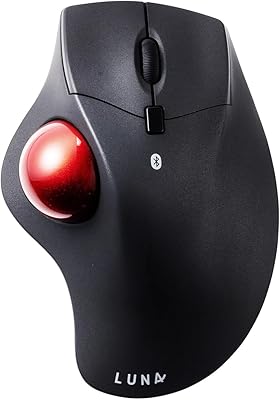
ProtoArc EM04 Wireless Thumb Trackball Mouse
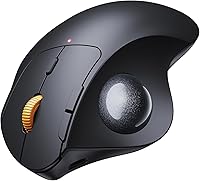
Overview
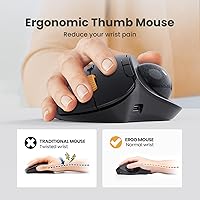
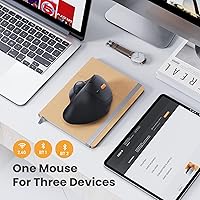
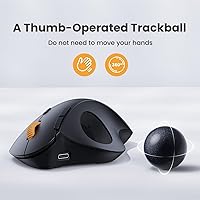
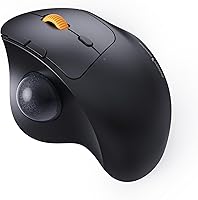
The ProtoArc EM04 Wireless Thumb Trackball Mouse is a practical pick for anyone whose wrist has started complaining after long days at a desk. Rather than sliding a mouse across a surface, you roll the ball with your thumb — your hand stays put. That shift alone can make a real difference for people dealing with early repetitive strain. At just 4.2 ounces, this wireless trackball is compact and comfortable on a couch or a cluttered work surface alike. It also connects to up to three devices simultaneously — handy for anyone juggling a laptop, a tablet, and a home PC. It's not a tool for precision creative work, but as a budget-friendly ergonomic option, it holds up well.
Features & Benefits
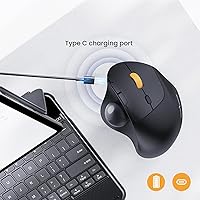
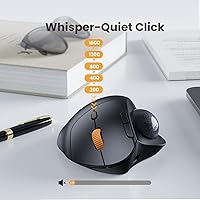
The EM04's standout feature is its triple connectivity — you can pair it to two Bluetooth devices and one 2.4G USB receiver, then switch between them with a single button press. For cursor speed, five DPI levels span from a careful 200 up to 1600, giving you enough range for both detailed work and quick general navigation. On the battery front, you can realistically go weeks between charges; the built-in cell tops off via USB-C, and auto-sleep kicks in during idle periods. One small heads-up: a single click wakes the mouse from sleep, so don't mistake the pause for a dead battery. The six-button layout includes browser forward/back keys, though Mac users should note those two buttons won't function on macOS. The quiet switches keep things discreet in shared spaces.
Best For
This thumb trackball mouse is a natural fit for office workers and students who spend long hours at a keyboard and want some relief from wrist strain without spending a lot. If you regularly bounce between a Windows laptop, an iPad, and a Mac, the multi-device switching is genuinely useful day to day. It's also a solid pick for anyone working in a cramped setup — a small desk, a lap tray during a commute, or a couch where rolling a standard mouse isn't really practical. If you've been curious about the trackball form factor but hesitant to invest heavily, this is a reasonable entry point. That said, it's not the right tool for detail-heavy creative work, and Mac users who depend on browser navigation shortcuts will want to look elsewhere.
User Feedback
Most people who stick with this wireless trackball through the first week or two come away positive — the comfort payoff for wrist strain is real, and battery life rarely comes up as a complaint. Smaller hands tend to find the fit more natural; users with larger hands sometimes report that the thumb position feels a bit forced. The plastic build is noticeable — it doesn't feel expensive — but for everyday use it holds up fine. Bluetooth reconnection hiccups are the most cited frustration, usually showing up when waking from sleep or switching between devices. The click feel divides people: some love the quiet, others find it slightly mushy and imprecise. The learning curve is real too — give yourself at least a week before judging whether thumb trackball control is right for you.
Pros
- Connects to up to three devices and switches between them instantly with a single button press.
- The rechargeable battery lasts for weeks on a single charge — no disposable batteries ever needed.
- Quiet click switches make this wireless trackball a considerate choice in shared offices or libraries.
- Thumb-controlled design keeps your wrist and arm stationary, reducing strain during long work sessions.
- Works on virtually any surface — laps, couch armrests, and tight desks all qualify.
- Five DPI settings let you dial in cursor speed for both careful precision and quick general navigation.
- USB-C charging means you can top it off with the same cable as most modern phones and laptops.
- At just 4.2 ounces, the EM04 is light enough to toss in a bag without a second thought.
- Auto-sleep mode actively extends battery life during idle periods without requiring any manual configuration.
Cons
- There is a real adjustment period — most newcomers need one to two weeks to feel genuinely comfortable.
- The forward and back browser navigation buttons are completely non-functional on macOS.
- Bluetooth reconnection can lag noticeably when waking from sleep or jumping between paired devices.
- None of the six buttons are programmable, which limits flexibility for anyone with custom workflow needs.
- The all-plastic construction feels noticeably budget-grade at close range, even if it holds up functionally over time.
- Users with larger hands often find the thumb rest position awkward rather than ergonomic.
- The click feel is on the softer side — some users describe it as mushy and lacking tactile crispness.
- Maximum 1600 DPI may feel sluggish when navigating large monitors or high-resolution multi-screen setups.
- The mouse enters sleep mode quickly during short breaks, and the wake-up click can catch new users off guard.
Ratings
The scores and commentary below reflect an AI-driven analysis of verified global user reviews for the ProtoArc EM04 Wireless Thumb Trackball Mouse, with spam, incentivized, and bot-generated feedback actively filtered out before any category was scored. Our model weighs the full distribution of real buyer sentiment — not just the five-star outliers — so every number accounts for both the genuine strengths that keep this mouse near the top of its category and the recurring pain points that consistently surface in honest feedback. Where a score dips, there is a real reason behind it.
Ergonomic Design
Multi-Device Connectivity
Battery Life
Value for Money
Build Quality
Cursor Control
Bluetooth Reliability
Click Feel & Noise
Setup & Ease of Use
Trackball Precision
Portability
OS Compatibility
Button Layout
Learning Curve
Suitable for:
The ProtoArc EM04 Wireless Thumb Trackball Mouse is well-suited for office workers, remote employees, and students who are starting to feel the toll of long hours with a conventional mouse — particularly those dealing with early wrist or forearm fatigue. Because the ball is controlled by the thumb rather than by moving your whole arm, it works equally well on a cluttered desk, a couch cushion, or a travel tray where there's no room to drag a mouse around. If you regularly work across multiple devices — say, a Windows desktop at work, an iPad for notes, and a Mac at home — the ability to switch between all three with a single button press is a genuine daily convenience. It's also a low-risk way for first-time trackball users to test the format without committing serious money to a premium peripheral. People with smaller hands, in particular, tend to settle into the thumb control position quickly and comfortably.
Not suitable for:
The ProtoArc EM04 Wireless Thumb Trackball Mouse is not the right choice for anyone who needs precise, high-resolution cursor control — graphic designers, illustrators, or video editors will likely find the trackball's range of motion too imprecise for detailed work. Mac users should also be aware of a specific hardware limitation: the two browser navigation buttons are non-functional on macOS, which can be a frustrating discovery after purchase if you rely on those shortcuts throughout your day. People with larger hands may find the ergonomic fit less natural than advertised, since the thumb rest position is best matched to small or medium hand sizes. The all-plastic build is functional but not refined — if tactile quality and a premium feel matter to you, this wireless trackball will feel exactly like the budget option it is. And if Bluetooth reliability is critical in your setup, the occasional reconnection delays some users report could become a recurring irritation rather than a minor inconvenience.
Specifications
- Brand: This mouse is manufactured by ProtoArc, a brand focused on ergonomic computer peripherals.
- Model: The specific model designation for this trackball mouse is EM04.
- Dimensions: The mouse measures 5.51 x 3.94 inches in footprint, keeping it compact enough for tight or cluttered desk setups.
- Weight: At 4.2 oz, it is light enough to carry daily in a bag without adding noticeable bulk.
- Connectivity: It connects via a 2.4G USB wireless dongle or dual Bluetooth, supporting up to three paired devices simultaneously.
- OS Compatibility: Compatible operating systems include Windows, macOS, Android, and iPadOS.
- DPI Range: Cursor sensitivity is adjustable across five levels: 200, 400, 800, 1200, and 1600 DPI.
- Battery: A built-in 450mAh lithium-ion cell powers the mouse and recharges through a USB-C port.
- Battery Standby: On a full charge, the battery is rated for up to one month of standby time under typical usage conditions.
- Button Count: The mouse features six buttons, none of which are programmable or remappable through software.
- Trackball Type: The trackball is thumb-operated, positioned on the left side of the body for right-hand use.
- Click Type: All primary buttons use quiet-click switches engineered to reduce audible noise in shared environments.
- Multi-Device: Users can pair the mouse to up to three devices and cycle between them using a dedicated connection button.
- Auto-Sleep: The mouse enters a power-saving sleep mode automatically after a few minutes of inactivity.
- Sales Rank: This model holds a top-15 ranking in the Computer Trackballs category on Amazon at the time of publication.
Related Reviews
ProtoArc EM01 NL Wireless Trackball Mouse
ProtoArc EM05 NL Vertical Trackball Mouse

seenda Wireless Trackball Mouse

SABLUTE Wireless Trackball Mouse
PORLEI TM550 Wireless Trackball Mouse
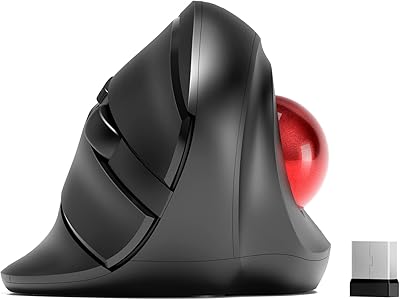
MicroPack V02 Trackball Wireless Mouse
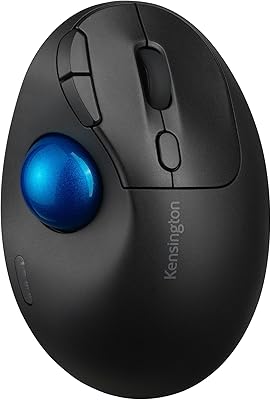
Kensington TB450 Wireless Trackball Mouse
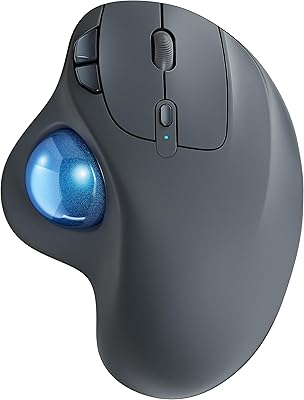
Nulea M501
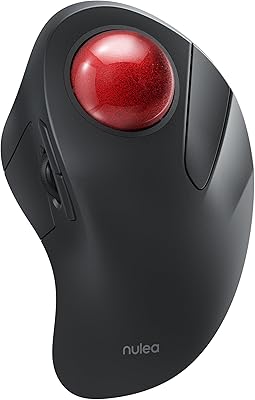
Nulea M505 Wireless Trackball Mouse