

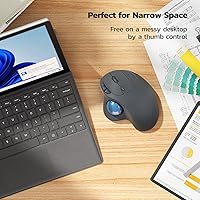
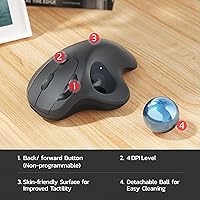
Overview
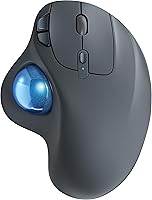
The Nulea M501 arrived in early 2023 and has quietly built a solid reputation, sitting at #193 in Amazon's Computer Mice category — not bad for a brand most people hadn't heard of before. Positioned well below Logitech's M575, this trackball mouse targets people who are tired of wrist strain but aren't ready to spend premium prices to fix it. The grey-blue finish is understated and genuinely pleasant — it doesn't scream budget peripheral. At roughly the cost of a decent lunch out, this ergonomic mouse makes a compelling case that you don't need to break the bank to start exploring trackball navigation.
Features & Benefits
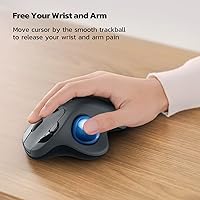
The core idea is simple: instead of sliding a mouse across a desk, you roll a thumb-controlled trackball to move the cursor. That distinction matters a lot if you spend hours at a computer — your shoulder and wrist stay largely stationary, which can meaningfully reduce fatigue over time. Connecting up to three devices via Bluetooth or the included USB dongle (stored neatly at the bottom) is genuinely useful, and switching between them takes one button press. The adjustable DPI handles both pixel-precise work and quick cross-screen sweeps. One honest caveat: the six buttons are non-programmable, so macro-dependent workflows won't be served here.
Best For
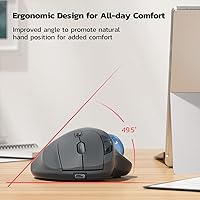
This ergonomic mouse makes the most sense for people dealing with early signs of repetitive strain, remote workers juggling multiple machines, or anyone trying to reclaim desk space from clutter. It works on virtually any surface — couch cushion, lap, a narrow writing board — which makes it practical for mobile setups where a standard mouse simply isn't viable. First-time trackball users exploring the format without committing to a high-end option will find the price approachable and the learning curve honest. Left-handed users, however, should note that the thumb placement design is right-hand specific — there is no ambidextrous configuration available.
User Feedback
People who switch from a conventional mouse tend to report a noticeable improvement in hand comfort within the first couple of weeks — though most also admit the initial adjustment period is real and can take several days to feel natural. The trackball action draws consistent praise for feeling smooth rather than gritty, and multi-device switching earns appreciation from users who bounce between a laptop and desktop daily. On the downside, some reviewers flag the charging restrictions — avoiding fast chargers — as mildly inconvenient. Build quality is generally rated solid for the price, though a few note the button feedback feels slightly soft compared to pricier alternatives.
Pros
- Thumb-controlled trackball eliminates desk-dragging entirely, which can meaningfully reduce wrist strain over time.
- Pairs with up to three devices and switches between them instantly via a single button.
- Works on virtually any surface — couch, lap, or cluttered desk — with no mousepad needed.
- Built-in rechargeable battery means no more hunting for AA batteries mid-workday.
- Bluetooth and USB dongle connectivity gives flexibility depending on the machine you are using.
- Compact footprint makes it easy to toss in a laptop bag without adding bulk.
- Compatible with Windows, macOS, and most modern operating systems without any driver installation.
- At its price point, this ergonomic mouse offers multi-device support rarely found in budget peripherals.
- The grey-blue finish looks understated and professional rather than cheap or gamer-focused.
Cons
- All six buttons are non-programmable — no remapping, no macros, no exceptions.
- No companion software means zero customization for DPI curves, button behavior, or battery monitoring.
- Fast chargers cannot be used, limiting charging options to legacy 5V sources or computer USB ports.
- Left-handed users are completely excluded by the right-hand-only ergonomic design.
- The device-switching button sits on the underside, requiring you to flip the mouse over each time.
- Bluetooth connectivity has shown intermittent dropout issues on some older laptop hardware.
- Build quality, while acceptable, has a noticeable plastic hollowness that feels below average on closer inspection.
- New trackball users typically face an awkward adjustment period of several days before movement feels natural.
- Battery performance has been reported to degrade noticeably after roughly a year of regular daily use.
Ratings
The Nulea M501 has accumulated a substantial volume of verified buyer reviews since its 2023 launch, and our AI rating engine has processed that global feedback — actively filtering out incentivized, bot-generated, and duplicate submissions — to produce the scores below. The results reflect a genuinely balanced picture: where this ergonomic mouse punches above its price tier and where it falls short of more established competitors. Both the highlights and the friction points are represented without sugar-coating.
Ergonomic Comfort
Trackball Smoothness
Multi-Device Connectivity
Value for Money
Battery Life
Build Quality
Button Feel & Responsiveness
DPI & Cursor Precision
Setup & Ease of Use
Left-Hand Usability
Portability
Software & Customization
Charging Experience
Compatibility
Suitable for:
The Nulea M501 is a strong fit for right-handed desk workers who are starting to feel the early effects of repetitive strain or wrist fatigue but aren't ready to spend significantly more on a Logitech M575 or Kensington option. Remote professionals who split their time across multiple machines will appreciate the three-device pairing — switching between a work laptop, personal desktop, and tablet without re-pairing is a real daily convenience. People with cluttered desks or limited workspace will find the surface-independent nature of trackball navigation genuinely liberating; you don't need a clear patch of desk to use it effectively. It also travels well for mobile workers who find a standard mouse impractical in tight spaces like airplane tray tables or cramped café tables. First-time trackball buyers exploring the format on a modest budget will find this ergonomic mouse a low-risk entry point — if trackball navigation doesn't click for you, you haven't lost a fortune finding that out.
Not suitable for:
The Nulea M501 has clear limits that certain buyers will hit quickly. Left-handed users should skip it entirely — the thumb trackball placement and ergonomic curves are built exclusively for right-hand use, and there is no alternative configuration. Power users and productivity enthusiasts who rely on remapped buttons, macro shortcuts, or software-level DPI tuning will find the total lack of customization software a genuine obstacle rather than a minor inconvenience. Graphic designers, video editors, or anyone who needs pixel-level cursor precision for professional creative work will likely outgrow this trackball mouse's accuracy ceiling within weeks. Users who charge everything via modern high-wattage USB-C bricks should also be aware that the mouse requires a standard 5V charge source — fast chargers are explicitly discouraged by the manufacturer, which adds friction to an otherwise simple maintenance routine. If you already own a Logitech M575 or similar mid-to-high-tier trackball and are hoping for a lateral upgrade, this mouse will feel like a step back rather than a step sideways.
Specifications
- Brand: Manufactured and sold under the Nulea brand, released in March 2023.
- Model: The exact model designation is M501.
- Dimensions: The mouse measures 5.35 x 4.06 inches with a reported profile height of approximately 0.04 inches per listing data, though real-world depth is consistent with a standard ergonomic shell.
- Weight: The unit weighs 8.7 ounces, inclusive of the built-in battery.
- Connectivity: Supports both Bluetooth wireless and 2.4GHz USB dongle (receiver) connection methods.
- Multi-Device: Pairs with up to 3 devices simultaneously, switchable via a button on the underside of the mouse.
- Tracking Method: Uses a thumb-controlled trackball mechanism for cursor movement, requiring no surface movement from the user.
- DPI: Offers adjustable DPI sensitivity across multiple levels for varying precision needs.
- Buttons: Features 6 total buttons including left click, right click, scroll wheel click, back, forward, and DPI toggle — all non-programmable.
- Battery Type: Equipped with a built-in lithium polymer (LiPo) rechargeable battery; no replaceable cells required.
- Charging: Charges via a standard 5V USB connection using the included cable; fast chargers and high-voltage bricks are not compatible.
- USB Receiver: The 2.4GHz USB dongle is stored in a dedicated slot on the underside of the mouse when not in use.
- Color: Available in a grey-blue colorway with a matte finish shell.
- OS Support: Compatible with Windows, macOS, and general PC and laptop operating systems without requiring additional drivers.
- Hand Orientation: Designed exclusively for right-handed use due to the thumb trackball placement and ergonomic shaping.
- Software: No companion software or driver installation is required or available for button remapping or DPI configuration.
- Battery Indicator: Includes a basic LED indicator to signal low battery status during use.
- In Box: Package includes the M501 mouse, a 2.4GHz USB receiver (stored in the mouse), and a USB charging cable.
Related Reviews
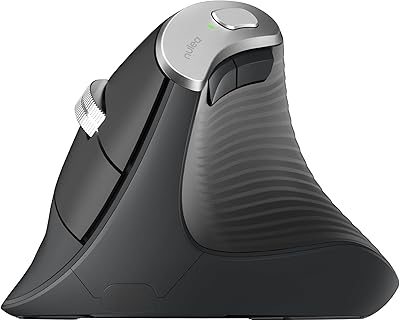
Nulea M510 Vertical Mouse
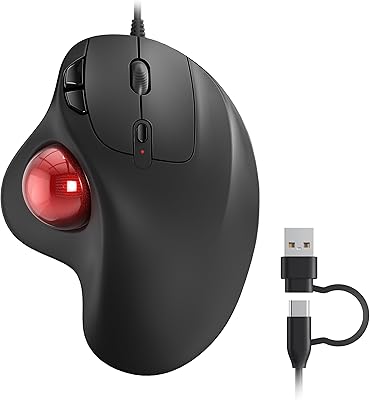
Nulea M509 Trackball Mouse
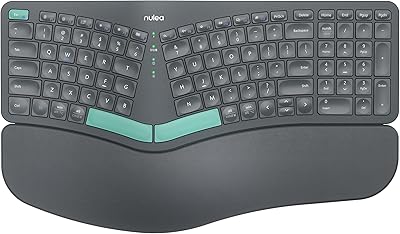
Nulea HD315 Wireless Ergonomic Split Keyboard
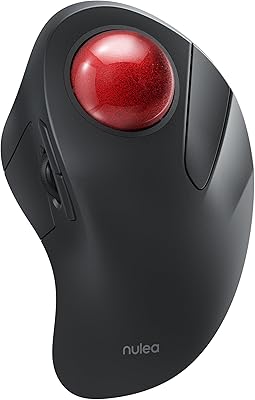
Nulea M505 Wireless Trackball Mouse
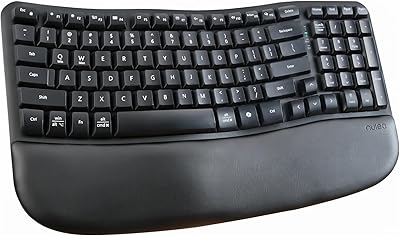
Nulea RT08 Wave Keys Ergonomic Keyboard