Overview
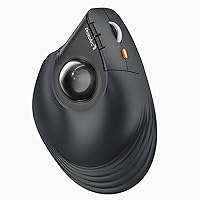
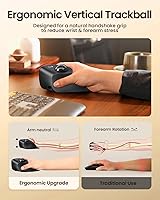
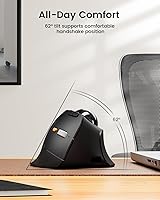
The ProtoArc EM05 NL Vertical Trackball Mouse enters a category that has quietly grown from niche curiosity to genuine daily-driver territory, especially among people whose wrists have started paying the price for years of conventional mouse use. This vertical trackball mouse holds your hand at a natural 62-degree angle — closer to a handshake position than the flat, pronated grip most mice force on you. The thumb-operated trackball means your arm stays put while your cursor moves. That said, adjusting takes real time. Give it one to two weeks before judging it; most users find the initial awkwardness fades and comfort follows.
Features & Benefits
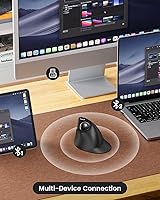
The EM05 NL covers connectivity thoroughly — you get a 2.4G USB dongle alongside Bluetooth 5.1 and 3.0, letting you pair up to three devices and flip between them with a single button press. The thumb trackball means you can use it on a couch cushion or a cluttered desk just as easily as on a mouse pad. Five DPI settings run from 200 up to 1600, so switching from detailed photo editing to casual browsing is straightforward. The battery charges via USB-C, which feels right at this price point. One caveat for Mac users: the forward and back buttons do not function on macOS.
Best For
This ergonomic rollerball mouse makes the most sense for desk-bound professionals — developers, writers, analysts — who log long hours and have started noticing tension in their forearms or wrists. It also works well for anyone juggling multiple machines; the three-device switching is fast and reliable. Got a cramped workstation or a side table with no room to maneuver? That's exactly where a stationary trackball earns its keep. iPad and tablet users will appreciate having a proper pointer device without needing a flat surface. Gamers and anyone who relies on programmable buttons should look elsewhere — the buttons are fixed and not remappable.
User Feedback
Most buyers report that once they push through the adjustment period, the comfort payoff is real — especially the quiet click switches, which get consistent praise from people working in open offices. Multi-device switching also draws positive mentions. On the critical side, trackball smoothness is a recurring theme: the ball can start dragging if the three small inner rollers aren't cleaned regularly, so treat maintenance as a routine task, not an afterthought. Users with larger hands sometimes find the body feels a bit compact. Mac users reliably flag the broken forward/back buttons as a genuine frustration. Overall, most feel the value holds up for what it delivers ergonomically.
Pros
- Connects to up to three devices simultaneously and switches between them with a single button press.
- The 62-degree vertical grip puts the wrist in a more relaxed position than a standard flat mouse.
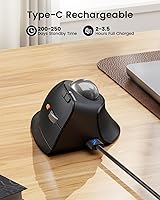
- USB-C charging means no disposable batteries and quick top-ups whenever needed.
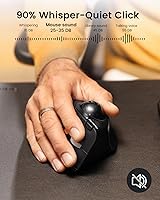
- Quiet click switches make it a considerate choice for shared offices or late-night work sessions.
- Works on practically any surface — a lap, a sofa armrest, a cluttered desk — no mouse pad required.
- Five DPI levels give you enough range to move between precise editing work and casual browsing.
- Many long-term users report reduced wrist fatigue after committing to the adjustment period.
- Compatible with Windows, macOS, Android, iOS, and iPadOS — a genuinely broad device ecosystem.
Cons
- Right-hand only — left-handed users have no option to adapt it.
- Forward and back navigation buttons are completely non-functional on macOS, a meaningful daily limitation.
- The trackball loses smoothness if the three inner rollers are not cleaned on a regular basis.
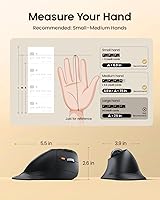
- Users with larger hands may find the grip feels cramped during extended work sessions.
- No button programmability at all — what you get is fixed, with no remapping options.
- Expect a real learning curve of one to two weeks before thumb-trackball control feels intuitive.
- The 2.4G dongle occupies a USB port permanently if you rely on that connection mode.
- At only 1600 DPI maximum, precision falls short compared to higher-end ergonomic mice.
Ratings
The scores below are generated by AI after analyzing thousands of verified user reviews for the ProtoArc EM05 NL Vertical Trackball Mouse from buyers worldwide, with spam, bot activity, and incentivized feedback actively filtered out before scoring. Each category is rated to honestly reflect both what buyers genuinely value about this ergonomic rollerball mouse and the friction points that surfaced consistently across the review pool. Strengths and pain points are weighted equally — nothing is buried.
Ergonomic Design
Multi-Device Connectivity
Trackball Smoothness
Learning Curve
Value for Money
macOS Compatibility
Build Quality
Click Noise Level
Battery & Charging
DPI & Precision
Portability
Hand Fit & Comfort
Device Switching Ease
Suitable for:
The ProtoArc EM05 NL Vertical Trackball Mouse is a strong match for office workers, developers, and anyone who logs long hours at a desk and has started feeling the strain in their wrists or forearms. The 62-degree vertical grip keeps the hand in a more natural position, and many users report meaningful relief after a few weeks of consistent use — though it is worth being clear that this is user-reported comfort, not a medical guarantee. People who regularly bounce between multiple devices will find real value in the triple-connection setup: pairing a laptop, desktop, and tablet simultaneously and switching between them with one button click is genuinely convenient. It also works well in tight spaces — a cluttered home desk, a small office workstation, or even a couch — since the cursor moves with the thumb rather than requiring physical arm movement across a surface. iPad and tablet users looking for a proper pointer device without needing a mouse pad will find this a practical, portable option.
Not suitable for:
The ProtoArc EM05 NL Vertical Trackball Mouse is a right-hand-only device, which immediately rules it out for left-handed users — a hard stop worth knowing before anything else. Mac users should approach with caution: the forward and back buttons are non-functional on macOS, which is a real daily inconvenience if those shortcuts are part of your workflow. Gamers will find this mouse frustrating almost immediately — there are no programmable buttons, no high polling rate, and the trackball format simply is not suited to fast, precise in-game movements. People with larger hands may also find the body feels cramped after extended sessions. And if you are the kind of buyer who wants to be productive from minute one, expect a friction-filled first week or two; the thumb-trackball control method takes genuine adjustment time before it starts feeling natural.
Specifications
- Model: The EM05 NL is ProtoArc's thumb-trackball vertical mouse built for ergonomic daily use across multiple devices.
- Tilt Angle: The housing sits at a 62-degree vertical angle, designed to keep the wrist in a more neutral, handshake-like position during use.
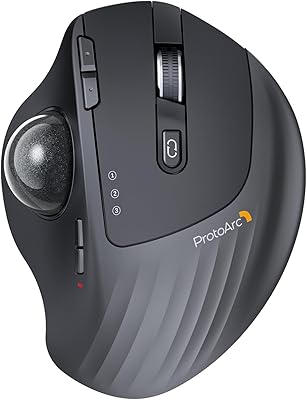
- Trackball Type: Cursor movement is controlled by a thumb-operated ball, so the mouse body stays stationary while the user rolls the ball to navigate.
- Connectivity: Three wireless modes are supported simultaneously: 2.4G via a USB dongle, Bluetooth 5.1, and Bluetooth 3.0.
- Device Limit: Up to three devices can be paired at the same time, with a single dedicated button to switch between them.
- DPI Range: Five DPI levels are selectable on-the-fly: 200, 400, 800, 1200, and 1600.
- Battery: A built-in rechargeable lithium-ion cell powers the mouse, removing the need for disposable AA or AAA batteries.
- Charging Port: The mouse recharges via a USB-C port using the cable included in the box.
- Click Sound: All primary buttons use quiet-click switches intended to reduce audible noise in shared or open-plan work environments.
- Weight: The mouse weighs 6 oz, which includes the built-in rechargeable battery.
- Dimensions: The body measures 5.71 x 4.76 x 3.66 inches, a size that fits medium-sized hands most comfortably.
- OS Compatibility: The EM05 NL works with Windows, macOS, Android, iOS, and iPadOS across all three connection modes.
- Hand Orientation: This is a right-hand-only device; no left-handed version of this model is available.
- Button Mapping: All buttons are non-programmable, and the forward and back navigation buttons are non-functional specifically on macOS.
- Sales Rank: It holds a Best Sellers Rank of #199 in the Computer Mice category on Amazon as of its listing data.
Related Reviews
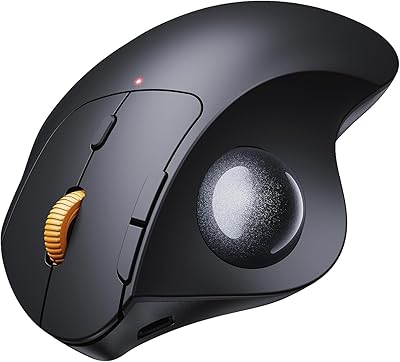
ProtoArc EM01 NL Wireless Trackball Mouse
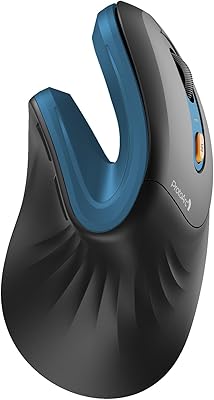
ProtoArc EM04 Wireless Thumb Trackball Mouse
ProtoArc EM11 NL Ergonomic Vertical Wireless Mouse
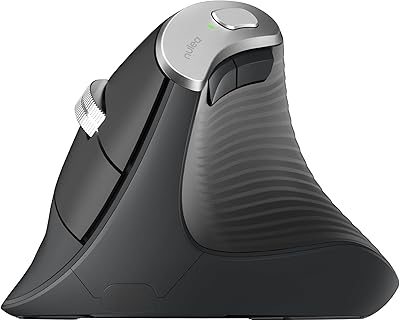
Nulea M510 Vertical Mouse

SABLUTE Wireless Trackball Mouse

seenda Wireless Trackball Mouse
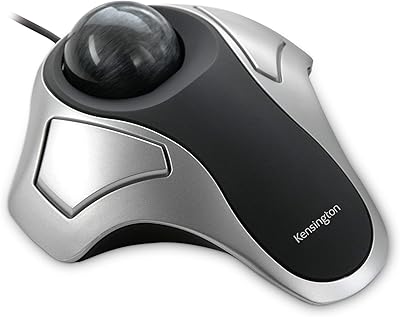
Kensington Orbit Trackball Mouse
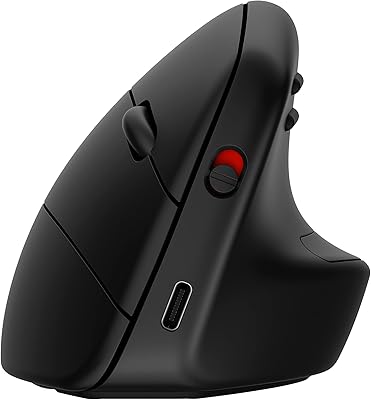
HP 920 Ergonomic Vertical Mouse
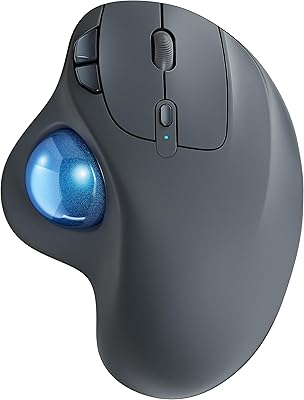
Nulea M501
