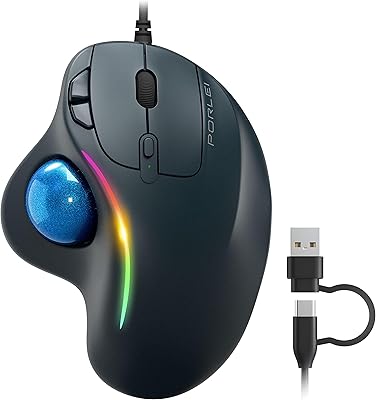
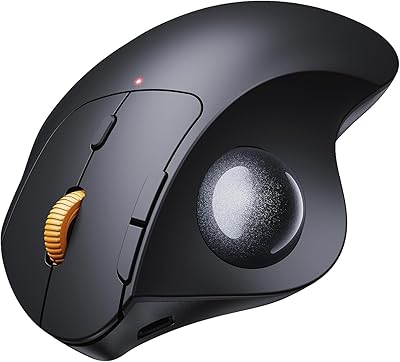
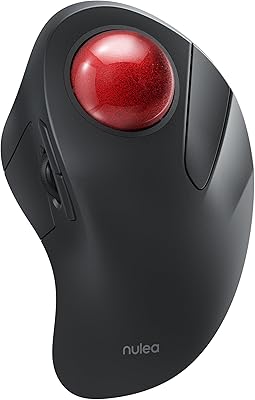
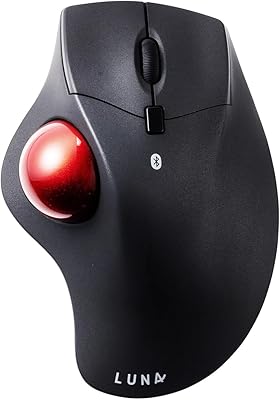
Overview

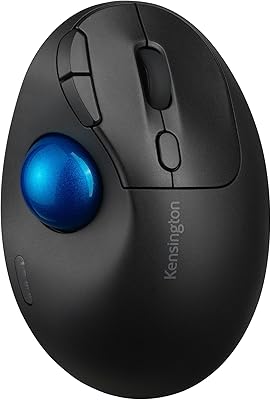
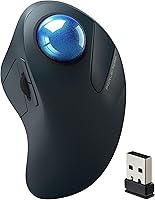
The PORLEI TM550 Wireless Trackball Mouse enters a niche that's quietly gaining ground — ergonomic pointing devices for people who've grown tired of wrist pain and cluttered desks. PORLEI is a newer name in this space, and this finger-controlled mouse sits comfortably in the mid-range tier, offering respectable specs without the steep price of established brands like Logitech or Kensington. The defining physical feature is its 44mm trackball, noticeably larger than many competitors, giving your index finger a generous control surface to work with. Dual wireless options — Bluetooth plus a USB dongle — round out a package that punches reasonably well for its price.
Features & Benefits

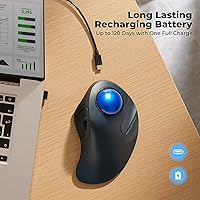
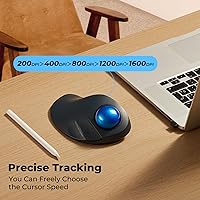
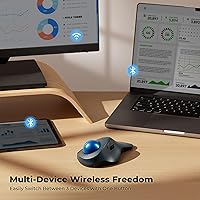
The 44mm index-finger ball is the headline spec, and it earns that distinction. Rolling it feels natural and low-effort compared to thumb-controlled trackballs — your index finger has more strength and finer motor control than your thumb, which matters during long sessions. Five DPI sensitivity levels are available, though the toggle button sits on the underside of the device, a minor inconvenience if you switch speeds often mid-task. The PORLEI trackball pairs with up to three devices simultaneously — two via Bluetooth, one via the USB receiver — making it useful for anyone juggling a laptop, desktop, and tablet. Battery life is rated at 120 days by the manufacturer, though actual results will depend on usage habits.

Best For

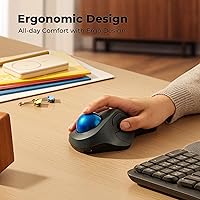
If your hands are on the larger side and standard mice leave your fingers feeling cramped, this trackball mouse was essentially built with you in mind. It's also a strong candidate for anyone dealing with wrist strain or RSI — conditions that conventional mice tend to worsen over time. Multi-device professionals bouncing between a work laptop, a personal desktop, and an iPad will appreciate quick switching without replugging anything. Frequent travelers and remote workers benefit from the fact that this finger-controlled mouse works on any surface, no pad required. It also serves as a solid entry point for those curious about trackballs but not ready to commit to a flagship model.

User Feedback

Buyers who use this trackball mouse for extended periods consistently mention improved comfort compared to traditional mice, particularly during all-day sessions. Ball movement earns praise for being smooth and responsive once dialed in, and multi-device switching gets positive marks for reliability. On the flip side, the DPI button on the underside is a recurring gripe — it's clumsy to adjust on the fly. A fair number of reviews note a real learning curve; most users report needing a week or two before movement feels intuitive. Left-handed users should be aware this is a right-handed design. Battery performance appears solid in practice, though real-world results can fall short of the manufacturer's headline figure.

Pros

  • The 44mm index-finger ball is noticeably larger than most competitors, making fine cursor control less physically tiring over long sessions.
  • No mousepad required — this trackball mouse works reliably on virtually any surface, including laps, couches, and glass desks.
  • Three-device pairing via Bluetooth and USB dongle is genuinely practical for anyone managing multiple screens or systems daily.
  • Users with larger hands consistently report a significant reduction in wrist and forearm discomfort after switching to this finger-controlled mouse.
  • Built-in rechargeable battery eliminates ongoing battery costs and the hassle of keeping spare AAs on hand.
  • Plug-and-play USB dongle setup requires no driver installation on Windows or macOS — ready in seconds.
  • At its price point, the PORLEI TM550 Wireless Trackball Mouse delivers multi-device support and ergonomic design that premium brands charge considerably more for.
  • Works across Windows, macOS, Android, and iPad — practical for users with mixed-OS households or workflows.
  • First-time trackball buyers consistently describe it as an approachable, low-risk entry into an ergonomic format that genuinely helped their comfort.
  • The device is compact and light enough to travel without adding meaningful bulk to a laptop bag.

Cons

  • The DPI sensitivity button is placed on the underside of the device, making mid-task speed adjustments genuinely awkward.
  • Real-world battery life under heavy daily use lands well below the 120-day manufacturer claim — expect closer to 30–45 days of active use.
  • The scroll wheel feels imprecise and lightweight, which becomes noticeable during heavy document or code scrolling.
  • New trackball users typically need one to two weeks of regular use before cursor movement starts feeling natural and intuitive.
  • The plastic finish picks up fingerprints and surface scratches relatively quickly with daily handling.
  • Bluetooth pairing with certain Android devices and older hardware occasionally requires a reset cycle before it connects reliably.
  • The mouse buttons can develop a subtle rattle after several months of intensive daily use — a sign of component tolerances loosening over time.
  • There is no dedicated storage slot for the USB dongle on the device itself, making it easy to misplace during travel.
  • Linux users are not officially supported and may encounter inconsistent behavior requiring manual configuration.
  • Users with average or smaller hands may find the wide shell less comfortable than the ergonomic framing suggests.

Ratings

Our AI rating engine analyzed verified global buyer reviews for the PORLEI TM550 Wireless Trackball Mouse, actively filtering out incentivized, bot-generated, and duplicate submissions to surface what real users actually experience day to day. The scores below reflect both the genuine strengths that keep buyers happy and the friction points that show up repeatedly across independent feedback. Nothing is glossed over — the highs and the frustrations are weighted equally.

Ergonomic Comfort
88%
Users who switched to this trackball mouse after years of wrist discomfort report a noticeable reduction in forearm and wrist tension within the first week of regular use. The contoured shell accommodates larger hands particularly well, with reviewers noting they can work through long sessions without the aching that plagued them with conventional mice.
A handful of users with smaller or average-sized hands found the shell slightly too wide, causing mild finger strain during extended use. The ergonomic benefit is clearly optimized for a specific hand size range, which limits its universal appeal.
Trackball Size & Control
84%
The 44mm ball is a genuine differentiator — larger than the ball on many competing finger-controlled models, it gives the index finger a generous surface to work with and makes fine cursor movements feel less fiddly. Reviewers doing spreadsheet work or document editing appreciated the added precision during detailed tasks.
Some users coming from thumb-trackball designs needed considerable adjustment time before the index-finger control felt natural. A few noted that the ball occasionally feels slightly resistant when dust or debris accumulates underneath, requiring periodic cleaning to maintain smooth rolling.
Multi-Device Connectivity
86%
The ability to pair with three devices simultaneously — two via Bluetooth and one through the USB dongle — is genuinely useful for people who work across a laptop, desktop, and tablet throughout the day. Switching between them takes only a button press, and reviewers found the transition quick and reliable without re-pairing headaches.
The Bluetooth connection occasionally stutters on initial pairing with certain Android devices, though this appears to resolve after the first successful link. A small number of users reported that the USB dongle loses connection intermittently, though this seems tied to specific USB hub configurations rather than a widespread defect.
Battery Life
73%
27%
In real-world use, many buyers report comfortably going several weeks — sometimes over a month — between charges, which is genuinely impressive for a rechargeable wireless device and eliminates the cost and waste of disposable batteries. The built-in rechargeable setup is consistently appreciated over older AA-battery alternatives.
The manufacturer-stated 120-day figure appears to reflect near-ideal low-usage conditions rather than daily active use. Buyers using this finger-controlled mouse for six or more hours a day report charge intervals closer to 30–45 days, which is still solid but noticeably short of the headline claim.
DPI Adjustment Usability
54%
46%
Having five sensitivity levels available does give users meaningful flexibility across different tasks — lower DPI for precise editing work, higher DPI for quick screen navigation. Users who set their preferred DPI once and rarely change it are largely unaffected by the control placement.
The DPI toggle button is positioned on the underside of the device, which means adjusting sensitivity mid-task requires flipping the mouse over — an awkward interruption during active work. This is a recurring complaint across reviews and stands out as a clear design oversight compared to competitors who place this button on top.
Build Quality
71%
29%
The overall construction feels adequate for the price tier — the shell doesn't flex or creak under normal hand pressure, and the buttons deliver a reasonably satisfying click. For a mid-range device, buyers generally feel the materials justify the cost.
The plastic finish attracts fingerprints and light scratches over time, and the scroll wheel feels slightly hollow and imprecise compared to pricier alternatives. A few reviewers noted that the mouse buttons develop a minor rattle after several months of heavy daily use.
Cursor Tracking Accuracy
79%
21%
For everyday productivity tasks — document editing, web browsing, spreadsheet navigation — the tracking accuracy is consistently described as reliable and responsive. Users doing light graphic work also found the precision acceptable once they adapted to the trackball control style.
In demanding scenarios like fine-detail photo editing or precise graphic design, the tracking falls short of dedicated high-precision trackballs in the premium segment. The lack of a polling rate specification makes it difficult to benchmark, and a few power users flagged occasional micro-jitter at the lowest DPI settings.
Setup & Pairing Ease
82%
18%
Out of the box, connecting via the USB dongle is essentially plug-and-play with no driver installation required on Windows or macOS. Bluetooth pairing follows a standard hold-to-connect process that most reviewers completed in under two minutes.
First-time Bluetooth pairing with iPad required a reset cycle for a notable subset of reviewers before the device was recognized. The manual is sparse and lacks clear troubleshooting steps, which adds friction for less tech-savvy buyers encountering any hiccup.
Surface Independence
91%
Because the cursor is controlled by rolling the ball rather than moving the device, this trackball mouse works equally well on a glass desk, a couch cushion, or a lap — no mousepad required at all. Remote workers and couch-based laptop users single this out as one of its most practical real-world advantages.
There is virtually no downside specific to surface independence; the only indirect issue is that the mouse itself must rest stably, and on very uneven surfaces the device can tilt slightly, affecting button click angles — a minor edge case most users will never encounter.
Scroll Wheel Feel
62%
38%
The scroll wheel handles standard page navigation and document scrolling adequately, and casual users browsing the web or reading articles are unlikely to have significant complaints about its basic function.
Compared to the precision scroll wheels found on mid-range conventional mice, this one feels light and imprecise, with minimal tactile feedback between steps. Users who scroll heavily through long documents or code find it less satisfying and occasionally prone to over-scrolling.
Left-Hand Usability
31%
69%
There is little positive to report here for left-handed users — the shape is clearly optimized for right-hand use, and some southpaw users have managed to adapt by resting the device differently, though this compromises the ergonomic benefit significantly.
The PORLEI trackball is a right-handed design, full stop. Left-handed users will find the button layout, shell curve, and overall orientation actively uncomfortable during extended use. This is a firm dealbreaker for left-dominant buyers and should be clearly understood before purchase.
Portability & Travel Friendliness
77%
23%
At just under 10 ounces and compact enough to slip into a laptop bag side pocket, the device travels reasonably well. The USB dongle stores conveniently, and the lack of a required mousepad further reduces carry weight for frequent travelers.
The device is slightly bulkier than ultra-portable mice designed specifically for travel, and the protruding trackball adds a dimension that makes tight packing slightly awkward. There is no dedicated dongle storage slot on the mouse itself, making small-part loss a realistic concern.
Compatibility
85%
Windows and macOS users report consistent driver-free operation across a wide range of OS versions. iPad and Android tablet compatibility via Bluetooth works reliably for general use, making this a practical option for users across mixed ecosystems.
Some Linux users noted inconsistent behavior that required manual configuration, and the mouse is not officially supported on that platform. Older Bluetooth 4.0 devices also occasionally experienced pairing instability, though this affects a minority of the user base.
Value for Money
81%
19%
At its price point, this finger-controlled mouse delivers a genuinely compelling set of features — multi-device support, rechargeable battery, and a larger-than-average trackball — that would cost considerably more from premium brands. First-time trackball buyers consistently describe it as a low-risk way to explore the category.
Buyers upgrading from a premium trackball may find the build materials and scroll wheel feel underwhelming relative to the step down in cost. The value proposition is strongest for new users; experienced trackball enthusiasts may find the compromises harder to accept.

Suitable for:

The PORLEI TM550 Wireless Trackball Mouse was clearly designed with a specific type of user in mind, and for that user, it genuinely delivers. If you have larger hands and have always found standard mice slightly cramped or uncomfortable over long sessions, the contoured shell and oversized 44mm ball will feel like a meaningful upgrade from day one. People dealing with chronic wrist strain, early-stage RSI, or general repetitive motion discomfort will appreciate that this finger-controlled mouse eliminates the need to drag the device across a surface entirely — your wrist stays largely stationary while your index finger does the work. Multi-device professionals who regularly bounce between a laptop, a desktop, and a tablet will find the three-device pairing genuinely useful rather than just a marketing checkbox. Remote workers and frequent travelers also benefit from the surface-independent design — no mousepad, no flat desk required, works fine from a couch or a lap. And if you've been curious about trackball mice but hesitant to drop serious money on a premium model before knowing whether the format suits you, this is a reasonable and low-risk way to find out.
Not suitable for:

There are some clear scenarios where this trackball mouse is simply not the right tool, and it's worth being straightforward about them. Left-handed users should look elsewhere without hesitation — the shell curve, button placement, and overall geometry are built for right-hand use, and trying to adapt it will only undermine the ergonomic benefits it's supposed to deliver. If you're an experienced trackball user coming from a premium device like a Logitech MX Ergo or a Kensington Expert, the build quality, scroll wheel precision, and overall finish of this finger-controlled mouse will likely feel like a downgrade. Graphic designers, video editors, or anyone who needs pixel-level cursor accuracy for professional creative work should also be cautious — this is a productivity and comfort device, not a precision instrument. The DPI toggle on the underside is a real nuisance if you frequently adjust sensitivity mid-task, so power users who switch DPI settings often will find that workflow interruption frustrating. Finally, anyone expecting the manufacturer-stated 120-day battery life under heavy daily use should recalibrate expectations — real-world results under active conditions fall well short of that figure, and if battery anxiety is a concern for you, that gap matters.

Specifications

  • Brand: Manufactured by PORLEI under model designation TM550.
  • Ball Size: The trackball measures 44mm in diameter and is controlled by the index finger.
  • Movement Detection: Cursor movement is tracked via an optical sensor reading the rotation of the trackball.
  • DPI Settings: Five sensitivity levels are available, toggled via a button located on the underside of the device.
  • Connectivity: Connects wirelessly via Bluetooth or a 2.4GHz USB receiver, both included in the box.
  • Device Pairing: Supports simultaneous pairing with up to three devices — two via Bluetooth channels and one via the USB dongle.
  • Battery Type: Features a built-in rechargeable battery; no replaceable batteries are required.
  • Battery Life: Manufacturer rates battery life at up to 120 days per charge under typical low-intensity usage conditions.
  • Dimensions: The device measures 7.09″ x 4.37″ x 2.52″ as packaged.
  • Weight: The mouse weighs 9.9 ounces, placing it in the mid-weight range for wireless ergonomic mice.
  • Hand Orientation: Designed exclusively for right-handed use; no ambidextrous or left-handed variant is available.
  • Compatible OS: Officially compatible with Windows, macOS, Android, and iPadOS; Linux is not officially supported.
  • Color Option: Available in Dark Blue as the primary color finish for this model variant.
  • Surface Requirement: No mousepad or flat surface is required; the trackball design functions on any surface including laps and upholstered furniture.
  • Charging Method: Recharged via a USB cable (charging port on the device); the mouse can typically be used while charging.
  • Wireless Range: Standard Bluetooth and 2.4GHz USB receiver operation supports a typical working range of up to approximately 10 meters in open conditions.
  • Number of Buttons: Includes standard left and right click buttons, a scroll wheel with click function, and mode-switching buttons for device and DPI selection.
  • Package Contents: Box includes the trackball mouse, 2.4GHz USB receiver dongle, USB charging cable, and a basic user manual.

Related Reviews

SABLUTE Wireless Trackball Mouse
74%
83%
Ergonomic Comfort
79%
Adjustable Tilt Base
86%
Multi-Device Connectivity
67%
Trackball Precision & Feel
74%
DPI Range & Customization
More
seenda Wireless Trackball Mouse
78%
88%
Ergonomic Comfort
74%
Trackball Precision
86%
Multi-Device Connectivity
83%
Battery Life
71%
Build Quality
More
ProtoArc EM04 Wireless Trackball Mouse
86%
88%
Ergonomics & Comfort
91%
Battery Life
84%
Ease of Use
89%
Connection Versatility
85%
Precision & Control
More
PORLEI TM551 Wired Trackball Mouse
76%
88%
Ergonomic Comfort
71%
Tracking Precision
63%
DPI Versatility
67%
Build Quality
94%
Ease of Setup
More
Kensington TB450 Wireless Trackball Mouse
78%
88%
Ergonomic Comfort
71%
Tracking Precision
84%
Wireless Reliability
83%
Multi-Device Switching
93%
Battery Life
More
Nulea M501
Nulea M501
72%
83%
Ergonomic Comfort
78%
Trackball Smoothness
86%
Multi-Device Connectivity
91%
Value for Money
74%
Battery Life
More
MicroPack V02 Trackball Wireless Mouse
76%
86%
Ergonomic Comfort
74%
Trackball Precision
61%
Build Quality
83%
Wireless Reliability
79%
Click Feel & Sound
More
ProtoArc EM01 NL Wireless Trackball Mouse
74%
83%
Ergonomic Comfort
88%
Multi-Device Connectivity
74%
Trackball Precision & Smoothness
79%
Build Quality & Materials
61%
Learning Curve
More
Nulea M505 Wireless Trackball Mouse
75%
83%
Ergonomic Comfort
58%
Learning Curve
91%
Battery Life
78%
Multi-Device Connectivity
72%
Cursor Precision & DPI Control
More
Logitech Ergo M575S
Logitech Ergo M575S
79%
93%
Ergonomic Comfort
78%
Trackball Precision
61%
Learning Curve
88%
Click Noise Level
91%
Battery Life
More

FAQ

Yes, and it's worth being upfront about that. Most first-time trackball users report an adjustment period of roughly one to two weeks before cursor movement starts feeling natural. Your index finger needs to build new muscle memory that your whole arm previously handled. Give it a fair trial of at least ten days before deciding whether it's working for you — most people who stick with it are glad they did.

Yes, it works out of the box on macOS without any driver installation. Simply plug in the USB dongle or pair via Bluetooth, and the system recognizes it as a standard pointing device. All basic functions including scrolling and clicking work natively, though advanced button remapping would require third-party software.

That's one of the genuine practical advantages of a trackball design. Because the cursor is controlled by rolling the ball with your finger rather than moving the whole mouse, the device itself can rest on a cushion, your lap, or even a blanket without affecting tracking accuracy. It's one of the reasons remote workers and couch-based laptop users tend to love this format.

There's a mode button on the device that cycles through the three paired connection slots. A short press switches to the next device, and the indicator light shows which slot is active. Bluetooth devices need to be paired initially through your device's Bluetooth settings, but once set up, switching is just a single button press.

Probably not if you're using it heavily. The 120-day figure appears to be based on low-intensity or intermittent usage — maybe a few hours a day with auto-sleep kicking in regularly. In practice, people using this trackball mouse for six or more hours daily tend to report charge intervals closer to 30 to 45 days. That's still a solid run between charges, just not the headline number.

Honestly, no — not comfortably. The shell is contoured specifically for right-hand use, and the button layout follows that orientation. Left-handed users who've tried it report that the ergonomic benefits largely disappear when the device is used in the wrong hand. If you're left-handed, this is a firm dealbreaker and you should look for an ambidextrous or left-handed trackball instead.

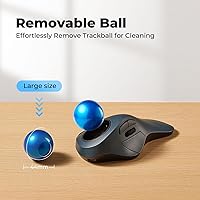
Dust and skin oils accumulate in the socket that holds the ball, which is the most common cause of sluggish or resistant rolling. Most trackballs in this design allow you to pop the ball out by pressing through a small opening on the underside. Once the ball is out, wipe the socket contact points with a dry or slightly damp cloth, clean the ball itself, and reinsert. Doing this every few weeks keeps the movement smooth.

Yes, Bluetooth pairing with iPad and Android tablets is supported and works reliably for general use. You'll get full cursor control, scrolling, and clicking functionality. It's worth noting that some Android devices — particularly older models with Bluetooth 4.0 — may require a re-pairing cycle on first connection, but once linked they tend to stay stable.

The DPI toggle is on the underside of the mouse, which is the most common complaint from buyers who use it regularly. To change sensitivity, you need to flip the device over, press the button, and flip it back — not ideal if you switch DPI settings frequently during a session. If you tend to set your preferred sensitivity once and leave it, it's a non-issue, but active switchers will find it frustrating.

The shell is explicitly designed for larger hands, and that targeting is genuine rather than just marketing language — the width and overall dimensions are on the larger end for mice in this category. People with average-sized hands can use it, but some reviewers with medium-sized hands noted that the shell felt slightly wide and caused mild finger extension fatigue over long sessions. If your hands are on the smaller side, it may not deliver the ergonomic benefit it promises.