ProtoArc EK04 Wireless Ergonomic Keyboard

Overview
The ProtoArc EK04 Wireless Ergonomic Keyboard enters a crowded but genuinely useful category — split ergo boards aimed at office workers and heavy typists who are starting to feel the toll of long typing sessions. Launched in early 2025, it sits comfortably in the mid-range tier, offering a wireless setup without the premium price tag of rivals. A few things worth knowing upfront: it is Windows-only, connects via a 2.4GHz USB dongle rather than Bluetooth, and ships with a separate wireless numpad — a real differentiator at this price point. The wrist rest is hard, not cushioned, and non-removable. Know that going in.
Features & Benefits
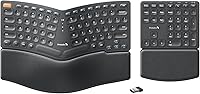
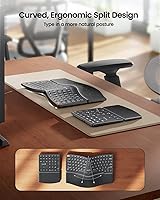
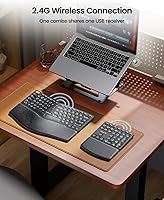
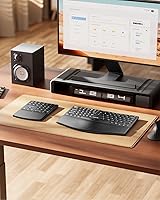
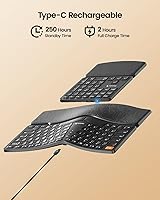
The curved split layout of this wireless ergonomic board is its most practical asset. By angling the two key halves outward, it nudges your forearms into a more neutral position — less inward rotation, less strain building up over a long workday. The scissor-switch keys feel light and responsive, which helps with extended typing without finger fatigue. Positioning the numpad wherever suits you — to the left, freeing up mouse space on the right — is a small but genuinely useful arrangement. Both units charge via USB-C and deliver roughly 250 hours of standby, so charging is barely a chore. Setup is instant: the USB receiver lives in the keyboard base, plug it in and you are ready to type.
Best For
This split ergo keyboard makes the most sense for Windows desktop users who type for hours and want a real ergonomic improvement without a steep investment. Data entry workers who depend on a numpad will find the freedom to reposition it — left side, right side, wherever it fits the workflow — genuinely practical. If you are moving from a standard flat keyboard and not ready for a dramatically tented layout, the EK04's modest split angle is a comfortable entry point. The fully cable-free setup also suits tidy-desk types. Mac users, Android users, and anyone needing Bluetooth should stop here — this board was simply not built for those environments.
User Feedback
With a 4.3-star average across several hundred ratings, the EK04 lands in solid but not flawless territory. Most buyers report a noticeable drop in wrist fatigue after consistent use, though the adjustment period is real — some users needed one to two weeks before the split layout felt natural. The hard wrist rest remains the most divisive element: those who prefer a firm, easy-to-wipe surface appreciate it, while buyers expecting memory foam cushioning are often caught off guard. Battery life earns consistent praise. A recurring frustration is the Windows-only limitation, which caught quite a few buyers off guard post-purchase. Numpad connectivity has been largely reliable, with only scattered complaints across reviews.
Pros
- The split curved layout meaningfully reduces forearm rotation, which pays off during full workdays of heavy typing.
- A separate wireless numpad included in the box is a rare value-add at this price tier.
- Both units charge via USB-C and last weeks on a single charge under typical office use.
- Plug-and-play setup requires zero driver installation — works the moment the dongle is inserted.
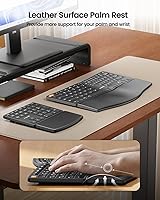
- The hard leather wrist rest is easy to wipe clean, a practical advantage in shared or warm work environments.
- The EK04 offers a gentle introduction to ergonomic keyboards without the intimidating learning curve of radical split designs.
- Repositioning the numpad to the left side frees up significant mousing space for right-handed users.
- Low-profile scissor-switch keys stay quiet enough for open-plan offices and video calls.
- The USB nano receiver stores neatly inside the keyboard base, so it is always with the board when you need it.
- Solid build quality with minimal keyboard flex holds up well during extended, forceful typing sessions.
Cons
- No Bluetooth support locks this board entirely out of Mac, iOS, and Android environments.
- The wrist rest cannot be removed or swapped, which is a real problem for users who prefer cushioned palm support.
- Neither unit has a battery indicator, making it hard to know when a charge is actually needed.
- The numpad has no tilt adjustment legs, leaving it flat regardless of your preferred typing angle.
- No backlighting makes this a poor fit for dim lighting conditions or evening work sessions.
- Keycaps can develop a noticeable shine with several months of heavy daily use.
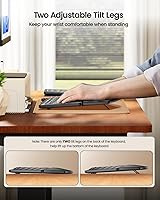
- Only two rear tilt positions are available on the main keyboard, limiting fine-tuned angle adjustments.
- The split layout requires a genuine adaptation period — comfort is not immediate for most users.
- A single USB receiver occupies a port permanently with no Bluetooth fallback option to free it up.
- At over three pounds combined, this is not a practical keyboard to carry between locations regularly.
Ratings
The ProtoArc EK04 Wireless Ergonomic Keyboard has been scored by our AI system after analyzing verified buyer reviews from across global marketplaces, with spam, bot-generated, and incentivized feedback actively filtered out before scoring. The result is a transparent breakdown that captures both the genuine strengths this split ergo keyboard delivers and the real frustrations buyers have encountered. Every score below reflects the full picture — not just the highlights.
Ergonomic Design
Wrist Rest Comfort
Build Quality
Wireless Reliability
Battery Life
Typing Feel
Separate Numpad Utility
Compatibility & Platform Support
Setup & Ease of Use
Desk Footprint & Layout
Value for Money
Noise Level
Adjustability & Tilt Options
Portability
Suitable for:
The ProtoArc EK04 Wireless Ergonomic Keyboard is built for Windows desktop users who spend long hours typing and are starting to notice the early warning signs of wrist or forearm strain. It hits a practical sweet spot for people who want a genuine ergonomic improvement without committing to the steep learning curve of fully tented or ortholinear layouts — the modest split angle is approachable enough that most office workers adapt within a couple of weeks. Data-entry professionals in particular get an outsized benefit here, since the separate wireless numpad can be shifted to whichever side of the desk makes the most sense for their workflow, freeing up prime mousing real estate. The fully cable-free, rechargeable setup also makes it a natural fit for anyone who prioritizes a clean, uncluttered desk. Users in warm offices or shared workspaces who prefer a wipe-clean wrist rest over a foam cushion that traps heat and absorbs grime will find the hard leather surface a practical rather than frustrating design choice.
Not suitable for:
The ProtoArc EK04 Wireless Ergonomic Keyboard has some firm boundaries that make it a clear mismatch for certain buyers, and those are worth understanding before purchasing. Mac users, iPad or Android tablet users, and anyone working across multiple operating systems should stop here entirely — there is no Bluetooth, no multi-device pairing, and no macOS support whatsoever. Anyone expecting backlit keys for low-light or evening work will also be disappointed, as neither the keyboard nor the numpad offers any form of lighting. If you have been using a soft memory-foam wrist rest and rely on that cushioning to get through long typing days, the non-removable hard rest on this board is likely to be a source of ongoing frustration rather than comfort. Power users or enthusiasts looking for configurable switches, macro keys, or advanced software customization will find the EK04 deliberately basic — it is a plug-and-type device, not a programmable one. Frequent travelers or anyone hoping to move their keyboard between a home and office setup daily will also find the two-unit format and combined weight more cumbersome than a single compact board.
Specifications
- Connectivity: Both the keyboard and numpad connect via a single 2.4GHz USB nano receiver with no pairing required.
- Compatibility: Compatible with Windows desktop, laptop, and PC only — macOS, Android, and iOS are not supported.
- Key Switch Type: Low-profile scissor-switch keys with a scooped keycap design to match fingertip contour.
- Layout: Split curved design with 114 keys total, including a fully separate wireless numeric keypad.
- Keyboard Dimensions: The main keyboard unit measures 13-inch long by 9-inch wide.
- Numpad Dimensions: The separate numeric keypad measures 6-inch long by 8-inch wide.
- Package Weight: The complete package, including both units and accessories, weighs 3.06 pounds.
- Wrist Rest: A hard, non-removable wrist rest with a leather surface is integrated into the main keyboard body.
- Backlight: Neither the keyboard nor the numeric keypad includes any form of backlighting.
- Charging Port: Both units use USB-C for charging, with a full charge taking approximately 2 hours.
- Battery Standby: Each unit provides approximately 250 hours of standby time on a full charge.
- Tilt Legs: Two adjustable tilt legs are located on the rear of the main keyboard only; the numpad has no tilt adjustment.
- USB Receiver Storage: The USB nano receiver is stored in a dedicated slot on the underside of the main keyboard body.
- Materials: The keyboard body is constructed from plastic with a leather-surface wrist rest integrated into the frame.
- Color: Available in black only.
- Included Items: The package includes the wireless ergonomic keyboard, wireless numeric keypad, USB-C charging cable, and USB nano receiver.
- Driver Requirement: No additional drivers or software are required — the setup is fully plug-and-play on Windows.
- Power Source: Both units are powered by built-in rechargeable lithium batteries with no replaceable battery option.
Related Reviews
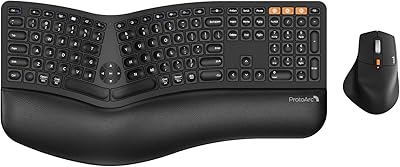
ProtoArc EKM01 Plus Ergonomic Keyboard Mouse Combo
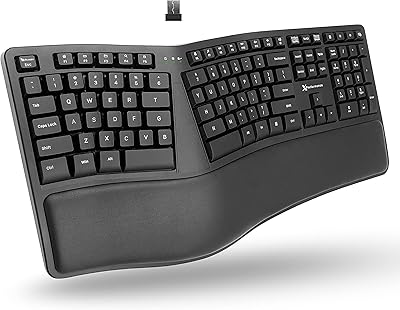
X9 Performance Wireless Ergonomic Split Keyboard

TECKNET TK-EKB01040BS01 Wireless Keyboard
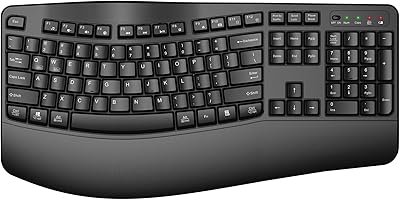
QUASIO Wave Keys Ergonomic Wireless Keyboard with Wrist Rest
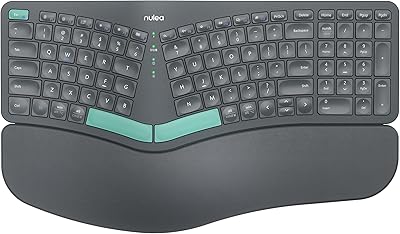
Nulea HD315 Wireless Ergonomic Split Keyboard
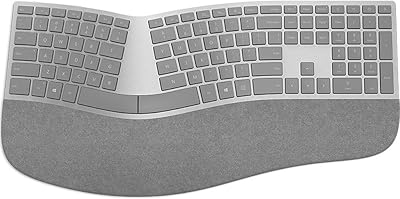
Microsoft Surface Ergonomic Wireless Keyboard
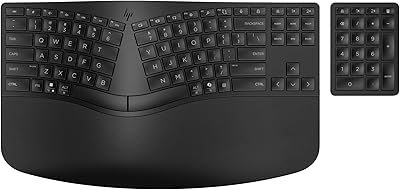
HP 960 Ergonomic Wireless Keyboard
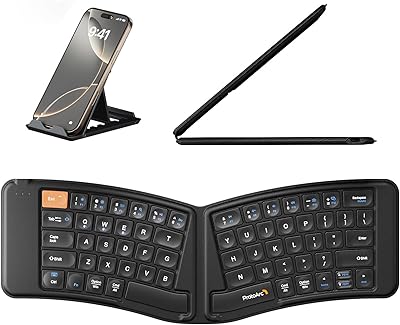
ProtoArc XK03 Foldable Bluetooth Keyboard
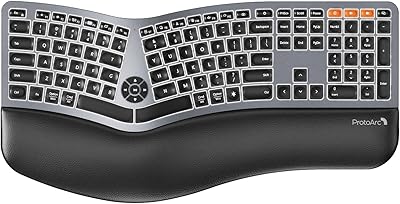
ProtoArc EK01 Plus