ProtoArc EKM04 Ergonomic Wireless Keyboard Mouse Combo
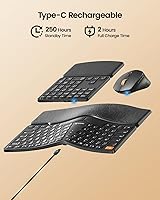
Overview
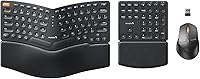
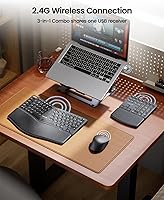
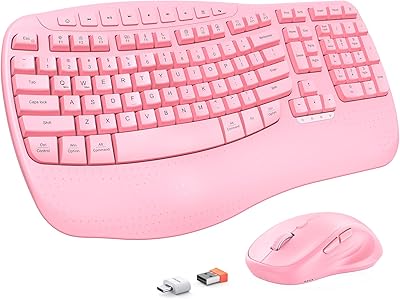
The ProtoArc EKM04 Ergonomic Wireless Keyboard Mouse Combo arrived on the market in January 2025 as a mid-range solution built specifically for Windows users who spend long hours at a desk. Its modular structure sets it apart from a standard office bundle: a curved split keyboard, a freely positionable numeric keypad, and a sculpted ergonomic mouse all connect through a single USB dongle. Plug it in and everything works instantly — no drivers, no Bluetooth pairing. A couple of important caveats worth stating upfront: this is a Windows-only setup, and the wrist rest is hard, non-removable, and not a soft cushioned pad.
Features & Benefits
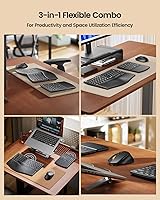
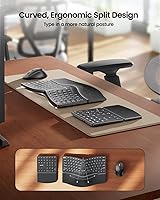
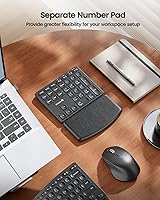
The split curved key layout is the real draw here. By angling the two key halves outward, it nudges your wrists into a more neutral position and reduces the forearm rotation that flat keyboards demand during long sessions. The scissors-switch keys add to the experience with a low-profile, crisp feel — noticeably better than the soft, imprecise actuation you get from budget membrane boards. Meanwhile, the detachable numeric keypad gives this combo a practical edge: position it wherever it makes sense for your workflow, or set it aside when desk space is limited. The mouse takes a sculpted vertical approach, topping out at 2400 DPI with forward and back buttons built in. Best of all, every component is fully rechargeable via the shared USB receiver setup.
Best For
This split-keyboard bundle makes the most sense for office workers and remote professionals who are noticing early signs of wrist fatigue but are not yet ready to invest in a high-end ergonomic brand. If your entire setup runs on Windows, plug-and-play convenience is a genuine perk — no pairing, no fuss. Anyone working at a compact or cluttered desk will appreciate being able to relocate or remove the numpad entirely. It is also a good match for users who find soft gel palm rests unstable or prone to wear; the hard leather surface is far more durable. Skip it, though, if you use a Mac, need Bluetooth, or are hoping for soft cushioned support.
User Feedback
Verified buyers most commonly praise the EKM04 set for delivering noticeable wrist and forearm relief within a short adjustment period — a pattern consistent enough to carry real weight. The movable numpad is another recurring highlight, especially among users with small desks or non-standard workflows. Where opinions split is on the hard wrist rest: buyers who prefer a firm, structured surface are satisfied, but those expecting something soft feel caught off guard by the listing. A smaller segment of reviewers reports occasional signal drops when the USB receiver is positioned far from one of the devices, though this appears to be an edge case. Battery endurance is broadly praised, with recharge cycles stretching to several weeks of regular use.
Pros
- The split curved keyboard layout noticeably reduces wrist strain during long typing sessions without a steep learning curve.
- A detachable, repositionable numpad gives desk layout flexibility that most standard combos simply do not offer.
- Single USB receiver connects all three devices instantly — no drivers, no pairing process, no setup headaches.
- Scissors-switch keys feel more responsive and precise than the mushy membrane keyboards common at this price tier.
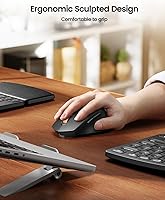
- The sculpted ergonomic mouse keeps your hand in a natural, relaxed position throughout the workday.
- All three components are rechargeable, so you never need to keep spare batteries on hand.
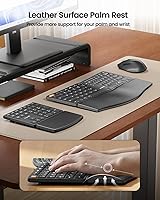
- The hard leather palm rest is durable and stays firm over time, unlike foam or gel alternatives that compress and wear.
- Forward and back mouse buttons are a small addition that saves real time during heavy web-based or document work.
- At its price point, getting a keyboard, numpad, and ergonomic mouse together represents solid value for a first ergonomic setup.
- The compact keyboard body without the numpad attached keeps the core footprint surprisingly manageable on a crowded desk.
Cons
- Strictly Windows-only with zero support for Mac, Linux, or any Bluetooth-enabled device pairing.
- The wrist rest is permanently attached — if you dislike hard surfaces, there is no way to remove or swap it.
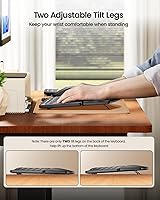
- Only two tilt legs on the keyboard; the numeric keypad has no angle adjustment at all.
- One USB port is permanently occupied by the dongle, which matters on laptops with limited ports.
- A single dongle means you cannot split the setup across two computers without physically moving the receiver.
- Mouse DPI tops out at 2400, which may feel limiting for users accustomed to higher-sensitivity options.
- No backlighting, which makes this combo a non-starter for dimly lit workspaces or nighttime use.
- Occasional signal inconsistency reported when the USB receiver is placed far from the keyboard or numpad.
- The numpad has no independent tilt adjustment, making ergonomic positioning slightly awkward depending on desk height.
- At 3.43 pounds packaged, portability is limited — this is a stay-at-your-desk setup, not one for frequent travelers.
Ratings
The scores below reflect AI-driven analysis of verified global buyer reviews for the ProtoArc EKM04 Ergonomic Wireless Keyboard Mouse Combo, with spam, bot-generated, and incentivized feedback actively filtered out before scoring. Each category is weighted against real-world usage patterns reported by daily typists, remote workers, and office professionals. Both the strengths and the friction points are represented as honestly as the data allows.
Ergonomic Comfort
Wrist Rest Experience
Numpad Flexibility
Wireless Reliability
Key Feel & Typing Experience
Mouse Comfort & Accuracy
Setup & Plug-and-Play
Battery Life & Charging
Desk Space Efficiency
Build Quality
Compatibility & Ecosystem Fit
Value for Money
Portability
Suitable for:
The ProtoArc EKM04 Ergonomic Wireless Keyboard Mouse Combo is a strong fit for Windows-based office workers and remote professionals who spend six or more hours a day at a keyboard and are starting to feel it in their wrists or forearms. If you have been putting off switching to ergonomic peripherals because buying a split keyboard, a separate mouse, and a numpad individually feels expensive and complicated, this bundle removes that friction entirely. The modular numpad is a genuine advantage for anyone working at a compact desk — accountants, data entry professionals, or analysts who need number input sometimes but not always will appreciate being able to shift it out of the way. The hard leather palm rest suits users who find soft gel pads either too squishy or too prone to flattening over time. It also works well in shared Windows workplaces where plug-and-play reliability matters more than Bluetooth flexibility.
Not suitable for:
Anyone working on a Mac, iPad, or any non-Windows device should stop here — this ergo keyboard combo does not support macOS, iOS, or Android, and there is no Bluetooth fallback for multi-device switching. Users who rely heavily on tactile, cushioned wrist support will likely find the integrated hard palm rest uncomfortable over extended periods, and because it is non-removable, there is no workaround short of placing a separate pad in front of it. Power users who need a keyboard that can pair with multiple computers simultaneously — switching between a desktop and a laptop throughout the day — will hit a hard wall, since the single USB dongle ties everything to one machine at a time. Gamers or precision-focused users needing a mouse that tops out above 2400 DPI should also look elsewhere. In short, the EKM04 set is purpose-built for a specific Windows-centric, single-machine workflow, and buyers outside that profile are likely to feel constrained by its limitations.
Specifications
- Brand: Manufactured and sold under the ProtoArc brand, launched in January 2025.
- Connectivity: All three components connect via a single 2.4GHz USB wireless receiver; no Bluetooth support is available.
- Compatibility: Compatible exclusively with Windows operating systems (Desktop, Laptop, PC); macOS, Android, and iOS are not supported.
- Keyboard Layout: The main keyboard uses a split curved design with 80 keys, excluding the separate numeric keypad.
- Numeric Keypad: The detachable numeric keypad contains 34 keys and can be freely repositioned or set aside independent of the main keyboard.
- Total Key Count: When the numeric keypad is used alongside the main keyboard, the combined layout totals 114 keys.
- Key Switch Type: The keyboard uses low-profile scissors-switch keys designed for responsive, precise actuation with each keystroke.
- Mouse DPI: The ergonomic mouse offers four selectable DPI settings: 800, 1200, 1600, and 2400.
- Mouse Design: The mouse features an ergonomic sculpted vertical-style grip with forward and back navigation buttons on the side.
- Wrist Rest: An integrated hard palm rest with a leather surface is permanently attached to the keyboard and cannot be removed.
- Tilt Adjustment: Two adjustable tilt legs are located on the underside of the main keyboard only; the numeric keypad has no tilt adjustment.
- Power Source: All three components — keyboard, numeric keypad, and mouse — are internally rechargeable and do not require disposable batteries.
- USB Receiver: The USB receiver is stored on the underside of the mouse when not in use for convenient transport and storage.
- Package Dimensions: The packaged unit measures 17.6 x 10.28 x 2.32 inches in total.
- Item Weight: The complete packaged combo weighs 3.43 pounds.
- Driver Requirement: No additional drivers or software installation is required; the combo functions immediately upon plugging in the USB receiver.
- Market Rank: As of its review period, this combo held a Best Sellers Rank of #380 in the Computer Keyboard and Mouse Combos category on Amazon.
Related Reviews
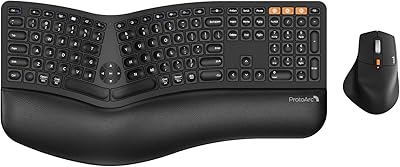
ProtoArc EKM01 Plus Ergonomic Keyboard Mouse Combo
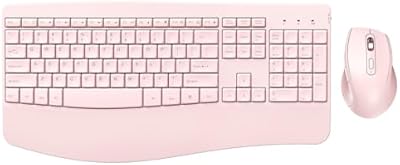
PEIOUS Wireless Ergonomic Keyboard and Mouse Combo
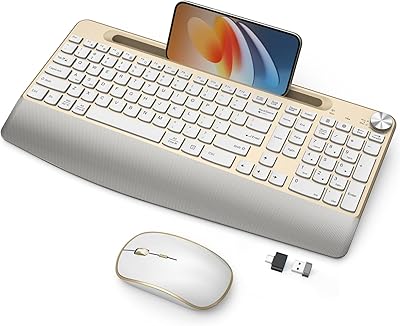
JOYACCESS Ergonomic Wireless Keyboard and Mouse Combo
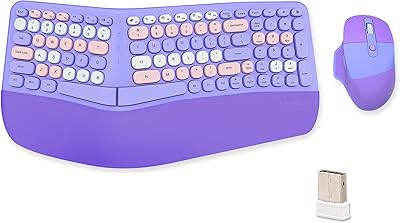
Lomiluskr Wireless Ergonomic Keyboard and Mouse Combo
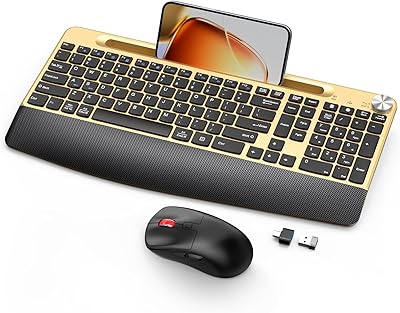
GAMCATZ Ergonomic Wireless Keyboard and Mouse Combo
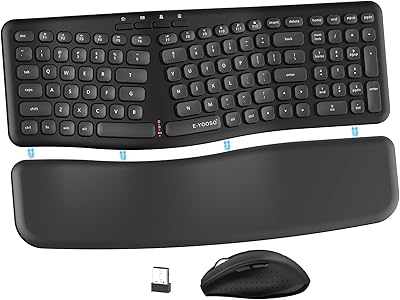
E-YOOSO Ergonomic Wireless Keyboard and Mouse Combo
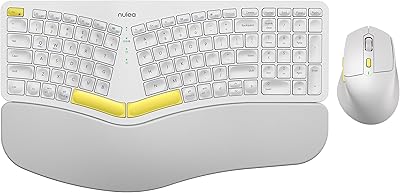
Nulea KM75
MEETION Director-D-2 Ergonomic Wireless Keyboard Mouse Combo

Perixx Periduo-605 Wireless Ergonomic Keyboard Mouse Combo
