Nulea HD315 Wireless Ergonomic Split Keyboard
Overview
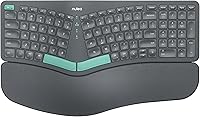
The Nulea HD315 Wireless Ergonomic Split Keyboard entered the market in late 2024 as a genuinely affordable option for typists who want ergonomic benefits without a steep price. It offers dual wireless connectivity — Bluetooth and a 2.4G USB dongle — a combination rarely found at this price tier. The built-in rechargeable battery adds real convenience; no scrambling for AA cells mid-workday. Worth being upfront: this is a membrane keyboard, not mechanical. If you want tactile or clicky switches, look elsewhere. For quiet, comfortable office typing, though, this split keyboard makes a solid, practical case.
Features & Benefits
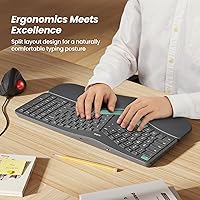
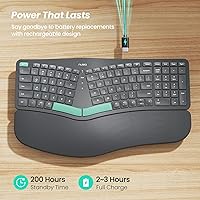
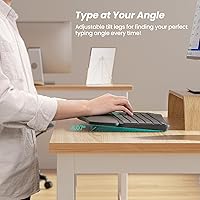
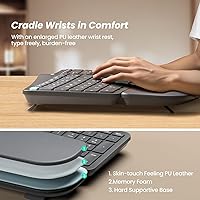
The split layout is the heart of what makes the Nulea ergonomic keyboard work. By separating the key clusters, it lets your hands sit at a more natural angle — reducing the inward wrist rotation that causes strain over long typing sessions. The leatherette wrist rest is noticeably generous in size; many keyboards in this range offer a thin foam strip and call it done. Three tilt positions let you dial in the angle that suits your desk height. Battery life is rated at 200 hours by the manufacturer — real-world use will vary, but you won't be charging this weekly. The quiet membrane keys are a low-noise advantage in shared spaces.
Best For
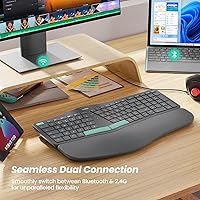
This wireless ergonomic board is a natural fit for office workers or remote employees who spend most of their day typing and are starting to feel it in their wrists. It also suits people who juggle two machines — switching between Bluetooth and the 2.4G dongle makes toggling inputs quick and easy. If you've been curious about ergonomic keyboards but hesitant to commit a lot of money on your first one, this is a reasonable place to start. Cross-platform support for both Mac and Windows means no compatibility headaches, and USB-C charging removes one more minor friction point from your daily setup.
User Feedback
With around 350 ratings and a 4.1-star average, this split keyboard has built a generally positive reputation — but the picture is nuanced. Most praise centers on wrist comfort and wireless reliability, with many buyers noting it was easy to set up straight out of the box. The honest gripes? The split layout has a real adjustment curve; some users report it took a week or more before their typing speed fully recovered. A handful of lower-star reviews mention occasional pairing hiccups. Power users expecting tactile key feedback tend to leave more mixed impressions, while casual typists logging standard office hours seem consistently satisfied.
Pros
- The split layout genuinely encourages a more natural wrist angle, which many users notice within the first few days of use.
- A cushioned leatherette wrist rest is included and sized generously — not the thin afterthought found on cheaper alternatives.
- Switching between Bluetooth and the 2.4G dongle is quick and practical for anyone juggling two devices.
- USB-C charging means no disposable batteries and no hunting for a micro-USB cable in a drawer.
- Manufacturer-rated battery life is high enough that most users will charge this infrequently.
- Three tilt angle options let you adapt the typing angle to your specific desk height and sitting posture.
- Works out of the box on both Mac and Windows with no driver installation required.
- The quiet membrane keys make this a considerate choice in shared or open-plan work environments.
- At its price point, this wireless ergonomic board offers a feature set that competes with options costing significantly more.
- Setup is consistently reported as fast and straightforward, even for first-time ergonomic keyboard users.
Cons
- The split layout has a real learning curve — expect a noticeable drop in typing speed during the first week or two.
- Membrane keys feel soft and imprecise to anyone accustomed to mechanical switches; there is no tactile bump or audible click.
- Some users have reported occasional Bluetooth pairing instability, particularly when reconnecting after the keyboard has been idle.
- There is no dedicated number pad, which may be a dealbreaker for users who rely on numeric input regularly.
- The leatherette wrist rest material, while comfortable initially, may show wear or feel sticky over extended use in warm environments.
- At 3.52 pounds, this is not a keyboard you will comfortably carry between locations on a daily basis.
- Color options are limited; buyers who prefer neutral or dark colorways have little flexibility in the current lineup.
- Tilt customization is restricted to three preset angles — no continuous adjustment or negative tilt is available.
- The 200-hour battery figure is a manufacturer specification; real-world battery life will depend on usage patterns and connectivity mode.
- No backlighting is included, which may be a drawback for anyone who types in low-light conditions.
Ratings
The scores below for the Nulea HD315 Wireless Ergonomic Split Keyboard were generated by our AI engine after analyzing verified purchase reviews from buyers worldwide, with spam, bot-submitted, and incentivized feedback actively filtered out before scoring. This split keyboard's ratings reflect an honest cross-section of real-world experiences — covering both what genuinely works and where buyers have run into frustration. Nothing has been softened or inflated.
Ergonomic Design
Wrist Rest Comfort
Wireless Reliability
Value for Money
Typing Feel
Battery Life
Multi-Device Switching
Build Quality
Ease of Setup
Tilt & Adjustability
Noise Level
Compatibility
Portability
Key Labeling & Layout
Suitable for:
The Nulea HD315 Wireless Ergonomic Split Keyboard is a strong match for office workers and remote employees who spend the majority of their day at a keyboard and are starting to experience wrist fatigue or discomfort. If you've been eyeing ergonomic keyboards but feel hesitant to spend heavily on your first one, this split keyboard offers a low-risk entry point with a genuine ergonomic layout and a cushioned wrist rest — not just a cosmetic redesign. It's equally well-suited to anyone running two machines simultaneously; the ability to switch between Bluetooth and a 2.4G USB dongle without re-pairing is a practical time-saver. Mac and Windows users alike can pick this up and start using it without driver headaches or compatibility workarounds. If quiet typing in a shared space is a priority, the membrane key construction keeps noise to a minimum, which not everyone needs but many office environments genuinely appreciate.
Not suitable for:
The Nulea HD315 Wireless Ergonomic Split Keyboard is not the right tool for typists who rely on tactile or mechanical key feedback to work comfortably or accurately. The membrane switches here are functional and quiet, but they lack the responsive bump or audible click that enthusiast typists often depend on — and no amount of ergonomic layout will compensate for that if feel matters to you. Gamers should also look elsewhere; this keyboard is built around sustained, low-intensity office typing, not fast-action inputs or programmable macro support. Power users who require a full number pad may find the layout limiting, and those who already own a premium ergonomic keyboard will find little reason to switch. If you have very specific adjustability needs — steep negative tilt, tent angles, or hot-swappable keys — the customization options here simply do not stretch that far.
Specifications
- Brand: Manufactured and sold under the Nulea brand, model designation HD315.
- Layout: 101-key split ergonomic curved layout designed to promote a more natural hand and wrist alignment.
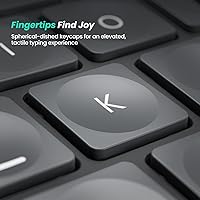
- Key Type: Membrane key switches provide quiet, low-actuation typing suited to office and shared work environments.
- Connectivity: Dual wireless modes: Bluetooth for device pairing and a 2.4G USB dongle for low-latency connection.
- Charging: Built-in lithium-ion battery charges via USB-C; a USB cable is included in the box.
- Battery Life: Manufacturer-rated up to 200 hours of use per charge; actual runtime will vary by connectivity mode and usage.
- Wrist Rest: Oversized attached wrist rest upholstered in cushioned leatherette material for extended typing comfort.
- Tilt Adjustment: Three adjustable support tilt positions allow users to customize the keyboard angle to their preferred typing posture.
- Compatibility: Compatible with Windows and Mac operating systems across laptops, desktops, and PCs with no driver installation required.
- Dimensions: The keyboard measures 16.93 x 10.12 x 1.54 inches, making it a full-width desk presence.
- Weight: Total unit weight is 3.52 pounds, including the integrated wrist rest.
- Materials: Primary construction uses plastic for the keyboard body and silicone for key surfaces, with a leatherette wrist rest covering.
- Color: Available in a green colorway, designated as color variant A in the product lineup.
- In the Box: Package includes the ergonomic keyboard, one USB charging cable, and a printed user manual.
- Battery Included: One lithium-ion rechargeable battery comes pre-installed; no additional batteries are required for first use.
Related Reviews
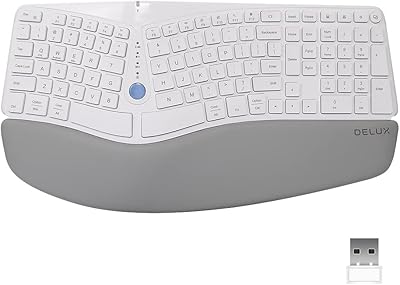
DeLUX GM901D Ergonomic Wireless Keyboard
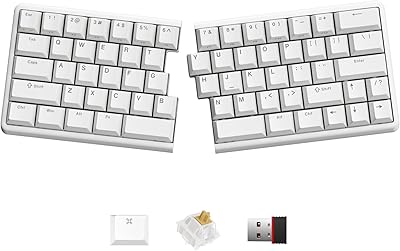
NocFree Wireless Ergonomic Split Mechanical Keyboard
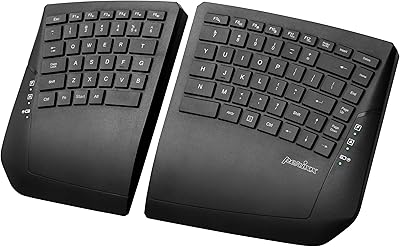
Perixx PERIBOARD-624B Wireless Ergonomic Split Keyboard
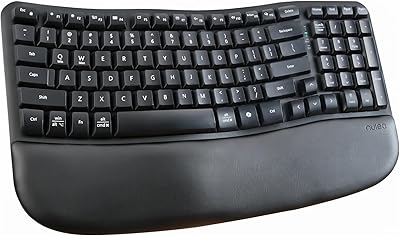
Nulea RT08 Wave Keys Ergonomic Keyboard
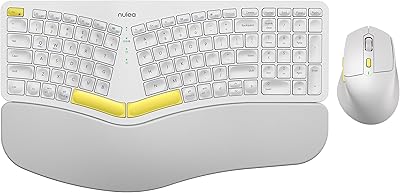
Nulea KM75
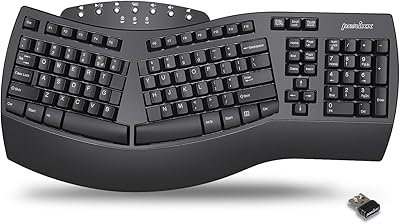
Perixx Periboard-612B Wireless Ergonomic Split Keyboard

Perixx Periduo-605 Wireless Ergonomic Keyboard Mouse Combo
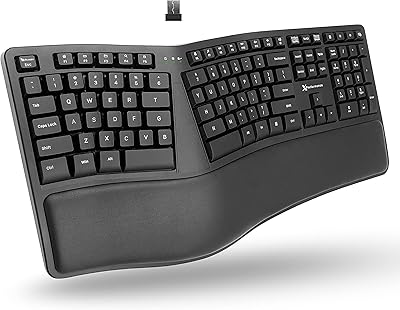
X9 Performance Wireless Ergonomic Split Keyboard
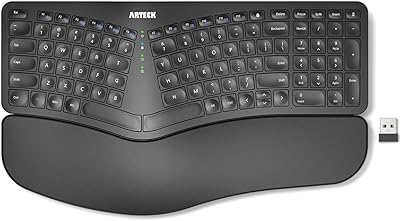
Arteck HW315
