Overview

The ProtoArc XK03 Foldable Bluetooth Keyboard enters a crowded mid-range market with a genuinely interesting pitch: ergonomic split typing in a form factor that actually fits in a bag. Most portable keyboards compromise on ergonomics entirely — this folding keyboard does not. The leather-look exterior and magnetic closure give it a more considered feel than the glossy plastic slabs that dominate this category. That said, if you have never typed on a split layout before, expect an adjustment period — some users take days, others a couple of weeks. The price sits at a competitive point for what you get, without being a bargain-bin gamble.
Features & Benefits

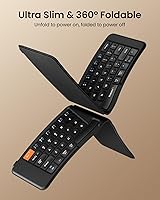
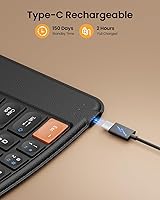
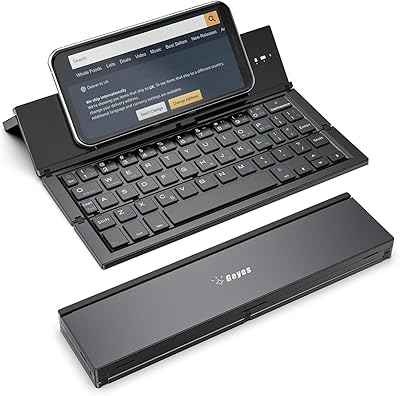
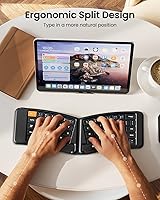
The XK03's bi-fold hinge opens flat and locks in place with a satisfying click, while the magnetic lock closure keeps it shut in a crowded bag without extra effort. The 166-degree V-shaped split angles your hands outward and reduces the wrist tension that flat keyboards build up over long sessions — a real difference you notice after an hour of typing. Pairing three Bluetooth devices simultaneously is genuinely useful, and switching between them takes one key press. USB-C charging is convenient, though the 250-hour battery claim reflects standby time rather than continuous active use. Tactile switches give decent feedback, but key travel is shallower than most desktop boards.

Best For

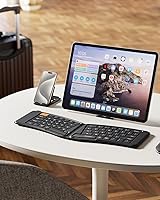
This ergonomic travel keyboard makes the most sense for people who type seriously away from a desk — not quick messages, but real work: emails, reports, long replies. iPad users in particular tend to find this folding keyboard a genuine step up from flat folio options, because the split angle actually changes how your hands rest during extended sessions. It is also a strong pick for anyone managing multiple devices daily, since re-pairing constantly is the kind of friction that kills workflow momentum. New ergonomic keyboard users should proceed with realistic expectations — the XK03 rewards patience and consistent use, but the transition is not effortless.

User Feedback

With over 400 ratings averaging 4.4 out of 5 stars, the general reception is clearly positive. Buyers consistently praise pairing reliability and the keyboard's premium feel relative to its price — it does not feel cheap in hand. The most cited frustration is the split layout adjustment; people expecting immediate full-speed typing will hit a wall in the first few days. The absence of backlighting is also a recurring complaint, and it is worth taking seriously if you work in low-light settings. iPad users report higher overall satisfaction than laptop users, likely because the keyboard's footprint and key count suit tablet workflows more naturally.

Pros

  • The split keyset genuinely reduces wrist strain during long typing sessions — not a gimmick.
  • Folds into a compact, bag-friendly slab that actually fits where a standard keyboard would not.
  • The magnetic closure holds firmly; this folding keyboard will not spring open loose in a backpack.
  • Three Bluetooth device slots with one-key switching makes multi-device workflows practical, not painful.
  • USB-C charging means one less proprietary cable to carry on a trip.
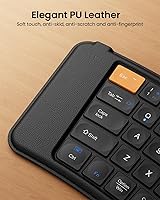
  • Build quality feels more premium than the price suggests — the leather-look finish stands out in this category.
  • Cross-platform support is genuine: iOS, Android, Windows, and macOS all work without driver fiddling.
  • Full-size keys on a foldable design is a real advantage — no cramped number row compromises.
  • Auto power on/off via fold and unfold is a small touch that saves battery without any extra steps.

Cons

  • The split layout demands patience — new users should expect a genuine adjustment period of one to two weeks.
  • No backlighting makes the XK03 a poor choice for anyone who types regularly in low-light settings.
  • Key travel is on the shallow side; users coming from mechanical or high-travel boards may find it unsatisfying.
  • At 1.1 pounds, it is light, but not featherweight — ultralight packers will notice it in a minimalist bag.
  • The 250-hour battery figure reflects standby, not continuous use — real-world active typing life is considerably shorter.
  • 64 keys means some shortcuts and functions require key combinations that feel awkward until memorized.
  • Hinge and fold mechanism durability over years of daily use remains a question mark based on longer-term owner reports.
  • No dedicated number pad limits usefulness for finance, data entry, or spreadsheet-heavy work on the go.

Ratings

The scores below reflect our AI-assisted analysis of hundreds of verified global buyer reviews for the ProtoArc XK03 Foldable Bluetooth Keyboard, with spam, bot submissions, and incentivized feedback actively filtered out before scoring. Each category captures what real users genuinely praised or struggled with — not a curated highlight reel. Both the standout strengths and the honest pain points are reflected here so you can make a clear-eyed decision.

Portability & Form Factor
93%
This is where the XK03 earns its strongest praise by a wide margin. Travelers consistently describe sliding it into a laptop bag or backpack without rearranging anything, and the magnetic closure means it stays shut even in a stuffed commuter bag. For a keyboard that opens to full-size ergonomic layout, the folded footprint genuinely impresses.
At 1.1 pounds, it is not the featherweight option some ultralight packers hoped for — a small but real consideration if every ounce counts on a long trip. A handful of users also noted the folded thickness is slightly bulkier than expected from product photos.
Ergonomic Design
84%
Users who stuck with the split layout long enough consistently report reduced wrist fatigue during extended typing sessions — writing at a hotel desk or working through a long flight felt noticeably less taxing on the hands. The 166-degree V-angle is a real ergonomic intervention, not a cosmetic split.
The adaptation period trips up a significant portion of buyers who expected immediate comfort gains. Several reviewers reported that their typing speed dropped sharply in the first week, which is genuinely disruptive if you depend on productivity during a work trip. Ergonomic benefit is real, but it is time-locked.
Typing Experience
71%
29%
The tactile switches provide satisfying click feedback that membrane alternatives in this price range rarely match, and the full-size key spacing means experienced typists are not hunting for shrunken keys on a cafe counter. Most users describe the feel as solid and responsive once they have cleared the layout adjustment curve.
Key travel depth is the most consistently cited technical disappointment — it is shallower than what users coming from desktop mechanical boards expect, and some find rapid typing feels slightly mushy at high speed. The split layout also means a small number of keys land in unfamiliar positions compared to standard QWERTY.
Multi-Device Connectivity
88%
Three saved Bluetooth pairings with one-key switching is a feature that iPad, phone, and laptop users genuinely rely on — reviewers who manage multiple devices daily call it one of the primary reasons they chose this folding keyboard over flat alternatives. Connection switches are fast and reliable, typically completing in under two seconds.
A small subset of users reported occasional dropped connections requiring a manual re-pair, most commonly on older Android devices. Initial pairing setup can also feel slightly fiddly on Windows machines without prior Bluetooth keyboard experience, though this is not unique to the XK03.
Build Quality & Finish
81%
19%
The leather-look exterior consistently surprises buyers who expected a budget-grade plastic feel at this price point — unboxing impressions are notably positive, and the finish photographs well alongside a premium tablet setup. The overall chassis feels solid when open, with minimal flex across the key deck.
The synthetic coating shows edge wear and light scuffing after several months of daily bag use, which disappointed buyers who expected the finish to age more gracefully. It looks premium fresh out of the box but does not maintain that appearance under hard travel conditions the way genuine materials would.
Battery Life
74%
26%
For typical travel use — a few hours of typing spread across a business trip — most users never thought about charging it, and USB-C means topping up is painless wherever a cable is handy. The auto power-off when folded is a small but genuinely useful feature that extends charge between sessions.
The 250-hour standby figure is technically accurate but creates inflated expectations about active typing endurance, which is considerably shorter. Users who type heavily throughout the day reported needing to charge more frequently than the headline number implies, and a few were caught off guard mid-trip.
Ease of Setup
86%
Pairing is straightforward across iOS and macOS in particular — most iPad users report being up and typing within two minutes of unboxing. No app installation, no driver download, and no proprietary dongle makes the initial experience feel refreshingly frictionless for a multi-device keyboard.
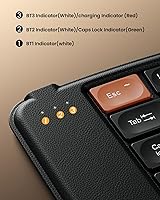
Windows users occasionally encounter a slightly less smooth first-pairing experience, and the instruction manual is minimal — more a quick-start card than a thorough guide. Switching between device slots also requires learning a specific key combination that is not labeled on the keyboard itself.
Cross-Platform Compatibility
89%
Reviewers across iOS, Android, Windows, and macOS all confirm functional compatibility without workarounds, and platform-specific shortcut keys such as the Home button on iOS and the Windows key on PC work as expected. This is one of the more genuinely universal portable keyboards at this price tier.
A small number of Android users noted that certain function key combinations behave unexpectedly or do not register correctly on non-Samsung Android tablets. macOS keyboard layout differences can also occasionally surface in apps that use modifier keys heavily.
Key Layout & Spacing
67%
33%
Full-size key spacing is a legitimate differentiator among foldable keyboards, where cramped layouts are the norm. Touch typists who clear the ergonomic adjustment period generally find the key placement comfortable and intuitive for everyday writing tasks.
The 64-key count means function shortcuts, navigation, and special characters often require multi-key combinations, which slows experienced users down in workflows that rely on those inputs. Laptop-centric users who depend on function rows for media or system controls tend to find the layout frustrating to adapt to.
Backlight & Visibility
31%
69%
There is nothing positive to say about backlighting here, as the keyboard simply does not have it — the score reflects that absence rather than a flaw in execution. Users who exclusively type in well-lit environments will not notice the gap.
The lack of any backlighting is the most frequently mentioned dealbreaker in negative reviews, and it is a legitimate one for anyone who types on a late-night flight, in a dim meeting room, or at a cafe after dark. For a travel keyboard marketed at mobile professionals, the omission stands out more than it would on a desktop board.
Hinge & Long-Term Durability
68%
32%
For the first six to eight months of regular use, the fold mechanism performs reliably and with satisfying resistance — it does not feel loose or wobbly when open, which builds confidence in daily use. Most shorter-term reviewers have no complaints.
Longer-term users have flagged concerns about hinge stiffness degrading over time with high-frequency folding, and a few report play developing in the mechanism after a year of daily use. For a device designed around its fold, that wear pattern is a meaningful durability question that remains open.
Value for Money
79%
21%
Relative to other ergonomic foldable keyboards at comparable price points, the XK03 delivers a noticeably more complete feature set — multi-device pairing, USB-C charging, full-size keys, and a premium finish all in one package. Most buyers who match the target use case feel the price is fair.
Buyers who purchase primarily for the ergonomic angle and find the learning curve harder than expected sometimes feel the value proposition weakens if they end up reverting to a flat keyboard. There are cheaper flat travel keyboards that will serve casual typists better at a lower outlay.

Suitable for:

The ProtoArc XK03 Foldable Bluetooth Keyboard is built for people who do real work away from a fixed desk and feel the physical cost of it. Frequent travelers — the kind who write reports on airplane tray tables or draft emails at cafe counters — will find the ergonomic split angle a meaningful comfort upgrade over the flat portable keyboards that dominate carry-on bags. iPad and tablet users stand to benefit the most, since the XK03's form factor and full-size key layout pair naturally with a propped-up tablet screen. Multi-device workers who juggle a phone, tablet, and laptop daily will also appreciate not having to re-pair constantly — three saved connections and one-key switching removes a real daily friction point. And if you have been curious about ergonomic typing but hesitant to invest in a large, desk-bound split keyboard, this folding keyboard offers a low-stakes way to test whether the layout genuinely helps your wrists and hands.

Not suitable for:

The ProtoArc XK03 Foldable Bluetooth Keyboard is a harder sell for buyers who expect to hit full typing speed from day one. The V-shaped split layout is a genuine ergonomic tool, but it is not intuitive if you have only ever typed on standard flat keyboards — expect a frustrating first week and a slower second one. Anyone who regularly types in dim environments should also look elsewhere, because the XK03 has no backlighting at all, and that is not a minor omission in a dark conference room or on a red-eye flight. Power users who demand deep, satisfying key travel will likely find the tactile switches adequate but not impressive — this is not a mechanical keyboard in a small package. Laptop-centric users who want a desktop replacement setup may also find 64 keys limiting, particularly if they rely heavily on function rows or numpad inputs in their daily workflow.
Specifications

  • Brand & Model: Manufactured by ProtoArc under the model designation XK03.
  • Folding Type: Bi-fold design with 360-degree hinge mechanism that opens flat for use.
  • Folded Dimensions: When closed, the keyboard measures 9.96 x 6.69 x 1.42 inches.
  • Weight: The keyboard weighs 1.1 pounds, making it portable but not ultralight.
  • Key Count: Features 64 full-size QWERTY keys arranged in an ergonomic split layout.
  • Key Layout: Split keyset positioned at a 166-degree V-shaped angle to reduce wrist pronation during typing.
  • Switch Type: Tactile switches provide physical feedback on each keystroke without audible clicking.
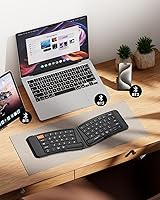
  • Connectivity: Bluetooth wireless connectivity supports simultaneous pairing with up to 3 devices.
  • OS Compatibility: Compatible with iOS, Android, Windows, and macOS without requiring additional drivers.
  • Power Source: Built-in rechargeable lithium battery charged via USB-C port.
  • Standby Time: Rated up to 250 hours of standby time on a full charge; active typing duration will be shorter.
  • Power Control: Keyboard powers on automatically when unfolded and powers off when folded shut.
  • Closure System: Strong magnetic adsorption holds the keyboard closed to prevent accidental opening in bags.
  • Backlight: No backlighting is included; the keyboard is not suitable for low-light environments.
  • Finish & Material: Exterior features a leather-look finish designed to complement tablets and iPads aesthetically.
  • Battery Type: One nonstandard built-in lithium battery is included and is not user-replaceable.
  • Device Types: Designed to work with laptops, smartphones, tablets, iPads, and iPhones.

Related Reviews
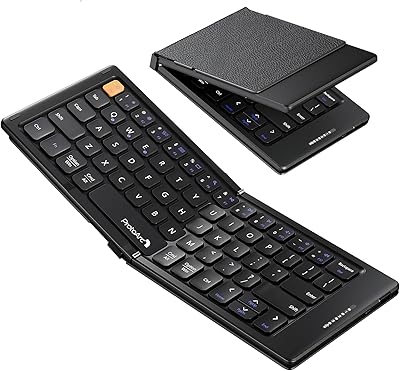
ProtoArc XK04 Foldable Bluetooth Keyboard
77%
94%
Portability
71%
Build Quality
58%
Key Size & Layout Comfort
83%
Bluetooth Connectivity
88%
Battery Life
More
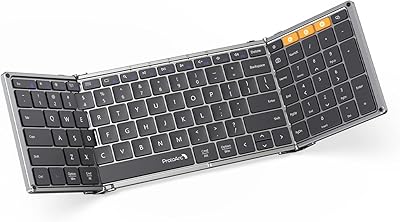
ProtoArc XK01 Foldable Bluetooth Keyboard
75%
93%
Portability
81%
Build Quality
69%
Typing Experience
88%
Multi-Device Switching
18%
Backlight
More
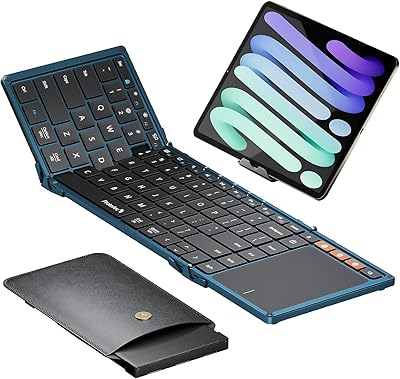
ProtoArc XK01 TP Foldable Bluetooth Keyboard with Touchpad
85%
94%
Portability
88%
Typing Comfort
78%
Trackpad Performance
91%
Battery Life
83%
Build Quality
More
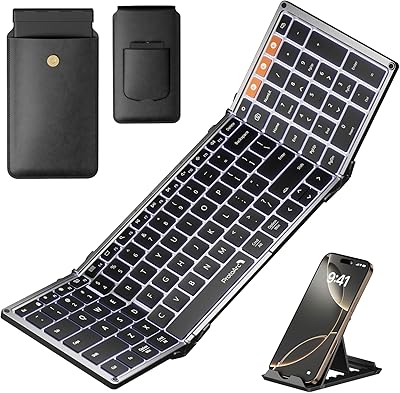
ProtoArc XK01 Plus Backlit Foldable Bluetooth Keyboard
84%
93%
Portability
88%
Backlighting Functionality
85%
Ease of Use
90%
Battery Life
80%
Typing Comfort
More
ProtoArc K90-A Compact Wireless Mac Keyboard
80%
83%
Typing Experience
86%
Multi-Device Connectivity
68%
Battery Life
72%
Backlight Quality
79%
Value for Money
More
GEODMAER Foldable Bluetooth Keyboard
82%
93%
Portability
71%
Typing Experience
88%
Multi-Device Switching
63%
Touchpad Usability
91%
Battery Life
More
Geyes GK608 Foldable Bluetooth Keyboard
75%
93%
Portability
81%
Build Quality
58%
Typing Experience
77%
Dual Device Connectivity
84%
Value for Money
More
iClever BK18 Foldable Bluetooth Keyboard
78%
94%
Portability & Form Factor
68%
Build Quality & Durability
71%
Typing Experience
88%
Connectivity & Pairing
74%
Battery Life
More
Samsers KF06S Foldable Bluetooth Keyboard
88%
91%
Typing Comfort
88%
Key Responsiveness
95%
Portability
86%
Build Quality
92%
Battery Life
More
Kidopire Foldable Bluetooth Keyboard with Touchpad
86%
94%
Portability
89%
Multi-device Connectivity
90%
Battery Life
87%
Touchpad Performance
92%
Ease of Use
More

FAQ

ProtoArc does not publish an exact charge time for the XK03, which is a common frustration. Based on the built-in battery capacity typical for keyboards in this class, most users report a full charge taking between 1.5 and 2.5 hours via USB-C. Keep in mind that the 250-hour battery claim is standby time, not continuous typing — real active use will drain it considerably faster.

Yes, the XK03 connects to iOS, macOS, Android, and Windows devices without any setup hassle. You can pair it to your iPhone, iPad, and MacBook simultaneously and switch between them with a dedicated key. The keyboard will register as a standard Bluetooth input device on all three, no app or driver needed.

Honestly, it takes real effort. If you have typed on a standard flat keyboard your whole life, the V-shaped split will feel disorienting for at least several days, and your speed will drop noticeably at first. Most users find they reach comfortable speed again within one to two weeks of consistent use. If you only type occasionally or need to be productive immediately, that adjustment window can be genuinely frustrating.

No, it does not. The keyboard has 64 keys, which covers the standard alphanumeric rows plus function keys, but there is no dedicated numpad. If you regularly work with spreadsheets, accounting software, or data entry, that absence will be a meaningful limitation in day-to-day use.

It appears to hold up well for most users through normal travel use, but some longer-term owners have flagged concerns about hinge wear after many months of frequent daily cycling. It is a mid-range product, not a ruggedized device, so treating the fold mechanism with reasonable care will extend its life. If you are planning to fold and unfold it dozens of times a day every single day, that is worth factoring into your expectations.

Not comfortably, unless you are already a confident touch typist. This folding keyboard has no backlighting at all, and that is a firm limitation — there is no low-light mode or optional illumination. If you frequently work in dim environments, this is a genuine dealbreaker worth knowing before purchasing.

The XK03 stores up to three Bluetooth device pairings and lets you cycle between them using dedicated shortcut keys on the keyboard. Switching is quick — typically within a couple of seconds — and you do not need to go into your device settings to re-pair each time. It is a notably smooth experience for a keyboard in this price range.

It is a synthetic leather-look coating rather than genuine leather, so it will eventually show scuffs and edge wear with heavy use. For occasional travel it holds up fine and looks noticeably more polished than bare plastic competitors. Just do not expect it to age gracefully the way real leather does.

No stand or tablet case is included in the box. The keyboard is a standalone input device, so you will need to use your tablet's own case or a separate stand to prop up your screen while typing. This is a common oversight people flag when setting up for the first time, so it is worth having a stand ready before your first use.

It can help, but with caveats. The V-shaped split angle does reduce the unnatural inward rotation that flat keyboards force on your wrists, and many users with mild wrist fatigue report noticeable relief after the adjustment period. However, this is not a medical device, and the key travel is fairly shallow, which some users with RSI find less than ideal. If your symptoms are significant, consulting a specialist before relying on any keyboard change would be a smarter first step.

Where to Buy