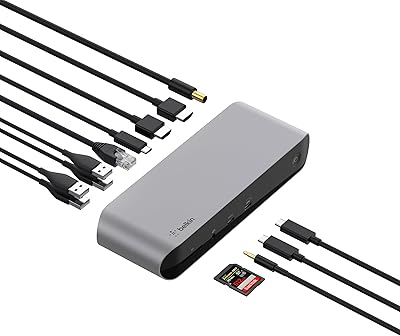
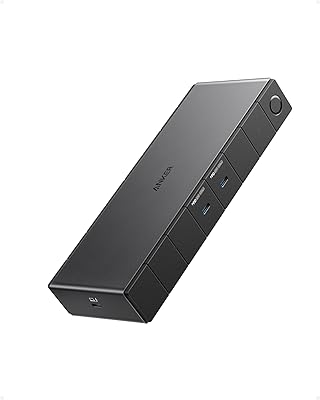
Overview

The Plugable TBT4-UD5 Thunderbolt 4 Dock is built for power users who want a single cable to handle everything — dual monitors, fast data transfer, and laptop charging — without compromise. Wirecutter named it the best Thunderbolt dock of 2025, which carries weight, but the real case for it comes down to day-to-day use. It sits horizontally on your desk, taking up roughly the footprint of a small hardcover book, and fits into most setups without demanding attention. Windows users with Thunderbolt 4 or USB4 ports get the full experience; Mac users need to pay close attention to their chip generation before buying.

Features & Benefits

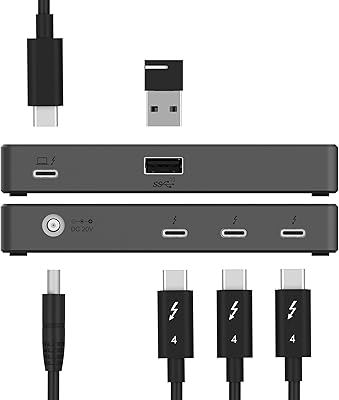
The 40Gbps upstream connection is the backbone here — it carries video, data, and power simultaneously without throttling any of them. You can run two 4K 60Hz monitors over the dual HDMI ports, or push a single 8K display through the downstream Thunderbolt 4 port, which also doubles as a high-bandwidth hub for external drives or an eGPU. 100W Power Delivery keeps even a demanding laptop at full battery through a long workday. The TBT4-UD5 rounds out its thirteen ports with USB-A, USB-C, full-size SD and microSD card slots, Gigabit Ethernet, and a combo audio jack — covering practically every peripheral a busy desk demands.

Best For

This Thunderbolt 4 dock is most at home on the desk of a Windows Thunderbolt 4 or USB4 laptop user — that is where it performs without any asterisks. Mac users on M3 Pro/Max, M4, or M5 chips also get the full dual-display experience. Creative professionals who swap constantly between external drives and card readers will appreciate having dedicated SD and microSD slots alongside fast USB ports. It is also a smart pick for remote workers who want to drop one cable on their desk each morning and have displays, network, peripherals, and charging all come to life instantly.

User Feedback

Across roughly 368 ratings, this Plugable dock holds a 4.2-star average — a score that reflects real satisfaction alongside some genuine friction. Long-term owners frequently note that it holds up well after months of daily use, which matters at this price tier. The friction, though, is real: base M1 and M2 MacBook owners have repeatedly expressed disappointment after discovering the single-display limitation. A subset of Windows users also report a learning curve around getting Thunderbolt certification properly recognized. Ethernet speed can vary depending on your laptop model and OS version — not a dealbreaker, but worth confirming with your specific setup before committing.

Pros

  • Dual 4K 60Hz output over two HDMI ports works reliably for Windows TB4 and USB4 laptop users.
  • Single-cable connection handles displays, charging, and all peripherals simultaneously without throttling.
  • 100W Power Delivery keeps even large, demanding laptops fully charged through heavy workloads.
  • The downstream Thunderbolt 4 port supports eGPUs, fast NVMe enclosures, and daisy-chained peripherals.
  • Built-in SD and microSD slots eliminate the need for a separate card reader on creative desks.
  • Gigabit Ethernet delivers stable wired networking where Wi-Fi is unreliable or too slow.
  • Long-term owners consistently report sustained performance with no port degradation after months of daily use.
  • Intel Evo and Thunderbolt 4 certification means predictable compatibility across a wide range of modern laptops.
  • The TBT4-UD5 also supports Thunderbolt 5 and USB4 hosts, giving buyers headroom for future laptop upgrades.
  • Horizontal form factor stays stable on the desk and blends cleanly into most workspace setups.

Cons

  • Base M1 and M2 MacBook users are hard-limited to one external display — a major caveat buried in the fine print.
  • The separate power brick adds an extra cable run that partially undercuts the clean single-cable appeal.
  • Ethernet speeds can vary by laptop model and OS version, requiring troubleshooting on some configurations.
  • Windows users without BIOS-level Thunderbolt enabled face a frustrating setup hurdle before anything works.
  • The downstream Thunderbolt 4 port only provides 15W of charging, too little for tablets or power-hungry USB-C devices.
  • All ports are distributed across the unit rather than grouped, making rear-side connections awkward to reach.
  • macOS users may need to re-pair the dock after major system updates to restore full display functionality.
  • The premium price is difficult to justify for users who only need a single monitor or light peripheral use.
  • No front-facing USB-C port makes quick one-off connections less convenient in day-to-day use.
  • The matte black finish picks up fingerprints and desk dust more visibly than expected for a premium product.

Ratings

The Plugable TBT4-UD5 Thunderbolt 4 Dock scores below were generated by AI after analyzing verified buyer reviews from multiple global sources, with spam, bot activity, and incentivized feedback actively filtered out. The TBT4-UD5 earns strong marks in several categories, but this analysis does not shy away from the real friction points — particularly around Mac compatibility and setup complexity — so you can make a fully informed decision.

Display Output Quality
91%
Running two 4K monitors at 60Hz over a single Thunderbolt cable is where this dock genuinely shines. Verified Windows users with TB4 laptops consistently report crisp, stable output with zero signal drop during long editing or coding sessions. The downstream TB4 port extending to 8K is a legitimate bonus for future-proofing.
The dual-display capability is strictly off the table for base M1 and M2 MacBook users, and more than a few buyers discovered this after purchase. Even on supported Mac configurations, some users report needing to tweak display settings before both monitors initialize correctly on cold boot.
Laptop Charging Performance
88%
The 100W Power Delivery keeps most modern laptops — including 16-inch MacBook Pros and power-hungry Dell XPS units — fully charged even during CPU and GPU-intensive tasks. Users who previously saw battery drain while docked on older hubs noticed an immediate improvement switching to this Plugable dock.
The dock delivers 96W certified rather than a true 100W, which in practice matters only for a narrow set of laptops that demand maximum draw. A small number of users report slightly slower charge rates when multiple high-bandwidth peripherals are active simultaneously.
Mac Compatibility
63%
37%
For Mac users on M3 Pro/Max, M4, or M5 chips, the TBT4-UD5 delivers the full dual-display experience without workarounds. M3 base model users can also get dual monitors working, but only in clamshell mode — a setup many desk-bound users actually prefer anyway.
Base M1 and M2 MacBook owners are locked to a single external display regardless of the dock, which is a hard architectural limit Apple imposes — not a Plugable flaw, but it still frustrates buyers who did not read the fine print. The compatibility matrix is genuinely complex, and the product listing does not make it easy to parse at a glance.
Port Variety & Layout
87%
Thirteen ports covering USB-A at two different speeds, USB-C, dual HDMI, a downstream TB4 port, SD and microSD slots, Gigabit Ethernet, audio, and a K-lock slot is a well-thought-out lineup. Photographers and video editors specifically call out having both SD and microSD slots on the same dock as a daily convenience that removes a dedicated reader from their setup.
The horizontal form factor means all ports are distributed across the unit rather than concentrated on one face, which some users find awkward when reaching for card slots or USB-A ports at the back. A couple of reviewers also wished for at least one front-facing USB-C port for quick connections.
Data Transfer Speed
89%
The 40Gbps upstream bandwidth means transferring large RAW photo libraries or 4K video files to a connected NVMe enclosure happens at full theoretical drive speeds. Users pairing this dock with a high-speed external SSD report no observable bottleneck even when simultaneously streaming to two displays.
The downstream TB4 port runs at 40Gbps but charges connected devices at only 15W, which limits its use as a charging port for iPads or phones. The USB-A ports top out at 10Gbps and 5Gbps respectively, so older high-volume storage workflows may feel the ceiling on those specific ports.
Ethernet Reliability
74%
26%
For most users in typical office or home-office environments, the Gigabit Ethernet port provides a stable wired connection that outperforms Wi-Fi for video calls, large file transfers, and latency-sensitive applications. Network-dependent remote workers cite this as one of the stronger reasons to choose a wired dock over a USB-C hub.
Actual Ethernet throughput is tied to both the host laptop model and OS version, meaning some users do not reach full gigabit speeds without driver updates or OS tweaks. A handful of reviewers on specific Lenovo and Dell configurations reported needing to manually adjust network adapter settings to get stable performance.
Build Quality & Durability
86%
The TBT4-UD5 has a solid, dense feel that signals longevity rather than the hollow plasticky construction common in budget docks. Long-term owners who have been using it daily for six months or more consistently report no port loosening, no overheating issues, and no degradation in performance over time.
At 2.4 pounds the dock is not particularly portable, and the matte black finish does show fingerprints and desk dust more visibly than some competitors. A few users noted that the power brick, which is separate, adds more desk cable clutter than expected.
Setup & Initial Configuration
69%
31%
For Windows users on a Thunderbolt 4 certified laptop, the out-of-box experience is close to plug-and-play. Most users report displays, Ethernet, and USB peripherals all activating within seconds of the first connection, without needing to install drivers manually.
Windows users who have not enabled Thunderbolt in their BIOS or whose laptops lack proper TB4 certification sometimes hit a frustrating wall before everything works. Mac users face the additional layer of understanding which display modes their specific chip supports, making initial setup feel more like IT troubleshooting than a consumer product experience.
Value for Money
77%
23%
For users who genuinely need Thunderbolt 4 bandwidth — not just a USB-C hub dressed up as a dock — the performance headroom and port count justify the premium tier pricing. Replacing a separate card reader, USB hub, and audio adapter with one device does reduce desk clutter and total accessory spend meaningfully.
Buyers who use only one external monitor or do not transfer large files regularly will find they are paying a substantial premium for capabilities they rarely tap. The value proposition weakens considerably for base Mac users who cannot unlock dual-display support.
Thermal Management
83%
Under normal mixed workloads — dual displays, Ethernet, a couple of USB drives active — the dock stays comfortably warm rather than hot. Users running it continuously in office environments for 8-hour stretches report no thermal throttling or unexpected shutdowns.
Under maximum load with the downstream TB4 port fully saturated alongside both HDMI outputs and active USB transfers, the unit does get noticeably warm to the touch. While no reliability issues have been widely reported at high temperatures, users in warm ambient environments should ensure the dock has some airflow around it.
Desk Footprint & Form Factor
81%
19%
The horizontal slab design keeps the dock low-profile and stable. It does not tip or slide during cable connections, and its understated matte black finish blends with most desk setups without drawing attention. Users with tidy desk aesthetics appreciate that it does not need to be hidden.
Unlike vertical docks that can be tucked behind a monitor stand, the horizontal layout does occupy a flat surface footprint. Users with very compact desks occasionally mention wishing for a vertical orientation option or a VESA-mount accessory.
Thunderbolt Ecosystem Compatibility
84%
Intel Evo certification and official Thunderbolt 4 certification give IT managers and power users confidence that this dock will work predictably across certified host devices. It also supports Thunderbolt 5 and USB4 hosts, making it a credible choice for users who plan to upgrade their laptop in the next year or two.
Thunderbolt 3 hosts are limited to a single external display, and non-Thunderbolt USB-C ports lose most of the dock's differentiating capabilities. Users coming from older MacBook Pros or budget Windows laptops without TB4 may not see the full benefit they expected.
Cable Management
71%
29%
A single upstream Thunderbolt cable to the laptop is the whole point of this class of dock, and it delivers on that promise cleanly. Users transitioning from a rats-nest of individual adapters consistently describe the single-cable switch as a worthwhile quality-of-life change for their desk.
The separate power brick introduces its own cable run back to the wall, which partially offsets the clean-desk benefit. Some users also find that the port positioning on the rear of the dock requires careful cable routing to avoid tension on connectors, especially for HDMI cables connecting to monitors mounted on arms.
Long-Term Reliability
85%
Reviewers who have owned the TBT4-UD5 for six months or longer are among the most consistently positive voices in the feedback pool. Port integrity, consistent display output, and charging behavior all appear stable over extended daily use, which is a meaningful data point at this price level.
The sample of very long-term reviews beyond one year is still limited given the product launched in late 2023. A small number of users report firmware-related quirks after OS updates, particularly on macOS, that required unplugging and re-pairing the dock to restore full functionality.

Suitable for:

The Plugable TBT4-UD5 Thunderbolt 4 Dock is purpose-built for users who need their laptop to do serious work the moment it hits the desk. Windows users with Thunderbolt 4 or USB4 laptops — think Dell XPS, Lenovo ThinkPad, HP Spectre, or recent Framework machines — will get the cleanest experience: dual 4K monitors, full-speed charging, and fast peripheral access all through one upstream cable. Mac users on M3 Pro/Max, M4, or M5 chips are equally well served, provided they understand their chip supports dual external displays natively. Creative professionals who regularly move between card readers, external NVMe drives, and multiple monitors will find the 13-port layout covers nearly every base without reaching for a second hub. Remote workers who want a repeatable, low-friction dock-and-go routine — plug in one cable, everything activates — will appreciate how consistently this Plugable dock delivers that experience day after day.

Not suitable for:

If your MacBook runs a base M1 or M2 chip, the Plugable TBT4-UD5 Thunderbolt 4 Dock will disappoint you in one critical way: you will only ever get a single external display, no matter what. That is an Apple hardware limitation, not a flaw you can patch around, and it makes this a poor value for that specific group of users. Buyers whose laptops have only Thunderbolt 3 or standard USB-C ports will similarly lose access to the dual-display capability that defines the dock's value proposition. If you only use one monitor and do light peripheral work, the premium price tier is harder to justify against simpler, less expensive USB-C hubs that cover basic docking needs. Users who frequently travel and want to bring their dock with them will also find 2.4 pounds and a separate power brick more burden than convenience. And if your desk space is genuinely tight, the horizontal footprint may prove less flexible than a compact vertical dock.

Specifications

  • Upstream Connection: Connects to the host laptop via a single Thunderbolt 4 cable carrying 40Gbps of combined bandwidth for data, video, and power.
  • Display Outputs: Two full-size HDMI ports support dual 4K 60Hz monitors simultaneously when used with a Thunderbolt 4, Thunderbolt 5, or USB4 host.
  • Max Resolution: Supports up to dual 4K 60Hz over HDMI, or a single 8K display via the downstream Thunderbolt 4 port.
  • Power Delivery: Delivers up to 100W of USB Power Delivery to the connected laptop, with 96W certified output and automatic wattage adjustment based on laptop demand.
  • Downstream TB4 Port: One downstream Thunderbolt 4 port provides 40Gbps bandwidth and 15W charging for connected Thunderbolt or USB-C peripherals such as drives and eGPUs.
  • USB-A Ports: Four USB-A ports are included: two running at 10Gbps (USB 3.2 Gen 2) and two at 5Gbps (USB 3.2 Gen 1).
  • USB-C Port: One USB-C port operates at 10Gbps for connecting USB-C peripherals that do not require Thunderbolt bandwidth.
  • Card Reader: Integrated full-size SD and microSD card slots support simultaneous card access for photographers and video editors.
  • Ethernet: Gigabit Ethernet (1Gbps) port provides wired network connectivity; actual speeds depend on the host laptop model and operating system version.
  • Audio: A 3.5mm combo audio jack supports both headphone output and microphone input through a single port.
  • Security: A K-lock slot allows users to physically secure the dock to a desk in shared office or co-working environments.
  • Total Ports: The dock provides 13 ports in total across all connectivity categories including video, data, networking, audio, and storage.
  • Dimensions: The dock measures 8.9″ in length, 3.3″ in width, and 0.9″ in height, with a horizontal orientation designed for flat desk placement.
  • Weight: The dock unit weighs 2.4 pounds, not including the separate power brick and cables.
  • Certifications: Officially Thunderbolt 4 certified and Intel Evo certified, ensuring validated performance and compatibility with certified host devices.
  • Host Compatibility: Fully compatible with Thunderbolt 4, Thunderbolt 5, and USB4 host laptops running Windows 10 or later, or macOS 11 and above on supported Apple Silicon chips.
  • Mac Display Support: Dual external displays require M3 Pro/Max, M4, M5, or other Pro/Max Apple Silicon chips; base M1 and M2 MacBooks are limited to one external display.
  • Orientation: Designed exclusively for horizontal desktop placement; no vertical stand or VESA mounting accessory is included in the box.

Related Reviews

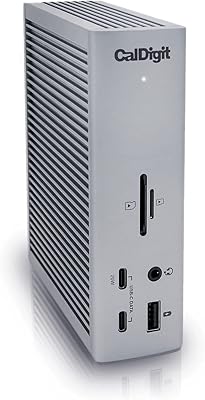
CalDigit TS4 Thunderbolt 4 Dock
85%
93%
Performance
96%
Connectivity Options
89%
Build Quality
88%
Charging Speed
92%
Display Support
More
SABRENT Thunderbolt 4 Hub HB-TBT4
86%
91%
Performance
94%
Data Transfer Speed
88%
Build Quality & Durability
89%
Charging Capabilities
92%
Compatibility with macOS and Windows
More
Dell WD22TB4 Thunderbolt 4 Docking Station
85%
88%
Performance
90%
Build Quality
92%
Power Delivery
85%
Display Support
89%
Connectivity Options
More
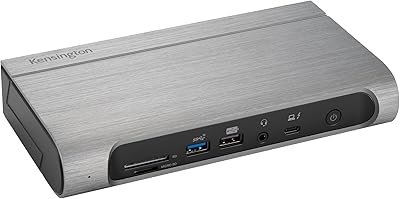
Kensington SD5800T Thunderbolt 4 Docking Station
86%
92%
Performance
90%
Display Support
88%
Charging Power
85%
Build Quality
91%
Connectivity
More
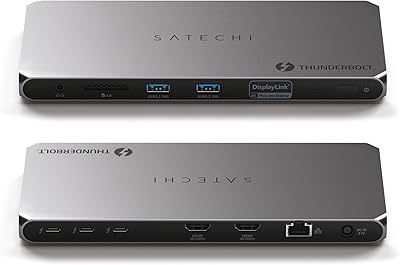
Satechi Thunderbolt 4 Dock 100W Charging
85%
89%
Performance
85%
Compatibility
92%
Charging Power
90%
Data Transfer Speed
80%
Multi-Monitor Support
More
JCYMELE Thunderbolt 4 Docking Station 19-in-1
86%
90%
Performance
92%
Connectivity & Versatility
87%
Value for Money
89%
Build Quality & Durability
85%
Ease of Setup & Installation
More
Belkin Thunderbolt 3 Dock Pro
86%
91%
Performance
88%
Connectivity
93%
Display Support (Dual 4K)
90%
Charging Capabilities (85W)
87%
Setup/Installation
More
Belkin Thunderbolt 3 Dock Mini
86%
92%
Performance
75%
Compatibility
94%
Setup & Installation
89%
Portability & Size
88%
Build Quality
More
Belkin Thunderbolt 3 Dock Core
88%
88%
Performance
92%
Ease of Setup
91%
Compatibility
89%
Design and Build Quality
87%
Port Variety
More
Anker 778 Thunderbolt Docking Station
85%
89%
Display Performance
92%
Data Transfer Speed
90%
Charging Power
87%
Build Quality
81%
Compatibility
More

FAQ

Unfortunately, no. Base M1 and M2 MacBooks have an Apple-imposed hardware limitation that restricts them to a single external display, regardless of which dock you use. The Plugable TBT4-UD5 Thunderbolt 4 Dock cannot work around this — it is an Apple chip constraint, not a dock flaw. If dual monitors on a Mac matter to you, you will need an M3 Pro/Max, M4, or M5 chip.

For most modern Windows 10 and 11 laptops with Thunderbolt 4, it is essentially plug-and-play. That said, if Thunderbolt support has not been enabled in your laptop's BIOS, you may need to go in and turn it on before the dock is fully recognized. A quick check in your BIOS settings under security or connectivity options usually resolves it.

You can run two 4K monitors at full 60Hz simultaneously, provided your laptop has a Thunderbolt 4, Thunderbolt 5, or USB4 port. The 40Gbps upstream bandwidth handles the combined video load without forcing either display to drop to 30Hz, which was a common limitation with older Thunderbolt 3 docks.

That port is one of the more versatile features on this dock. You can connect a high-speed NVMe enclosure for near-full drive speeds, hook up an external GPU for extra graphics power, daisy-chain another Thunderbolt hub or display, or connect any USB-C peripheral that benefits from high bandwidth. It also charges connected devices, though only at 15W — enough for earbuds or a small device, but not a tablet or laptop.

For most users it works well right out of the box. A subset of reviewers on specific Lenovo and Dell configurations report needing to update network adapter drivers or tweak settings to hit full gigabit throughput. If you run into speed inconsistencies, checking for a driver update from your laptop manufacturer is usually the first fix to try.

Yes, through the downstream Thunderbolt 4 port. You can connect a Thunderbolt-compatible eGPU enclosure and it will function as expected on both Windows and macOS, subject to your operating system's eGPU support policies. Keep in mind that macOS has historically had more limited eGPU support than Windows, so check Apple's current eGPU compatibility list for your specific chip before investing in an enclosure.

Under normal mixed workloads — dual displays active, Ethernet connected, a USB drive running — it gets warm but not alarming. At full load with the downstream Thunderbolt port saturated alongside everything else, it does get noticeably warm to the touch. No widespread overheating or throttling issues have been reported, but giving it a bit of airflow on your desk is a sensible precaution.

For most laptops it does. The dock delivers up to 96W certified, which is enough to keep even power-hungry 16-inch MacBook Pros and XPS 15 units at a stable charge level during demanding tasks. If your laptop is simultaneously running a heavy CPU workload and charging from zero, you might see a slight net-negative rate temporarily, but it recovers quickly once load drops.

It will work, but with meaningful limitations. Thunderbolt 3 hosts are restricted to a single external display through this dock, which removes one of its biggest selling points. You will still get charging, USB ports, Ethernet, and card reader access, but if dual monitors is the goal, you would be better served by a dock specifically designed for Thunderbolt 3 at a lower price point.

It will connect and provide some functionality — basic USB peripherals, charging, and possibly a single display depending on your laptop's USB-C video support. However, you lose dual-display capability and the full 40Gbps data bandwidth entirely. This dock is genuinely designed around Thunderbolt 4 or USB4; using it on a standard USB-C port is a significant underutilization of what you are paying for.