Overview

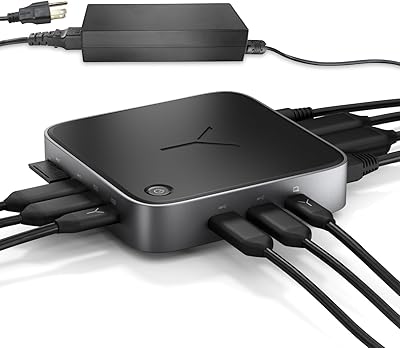
The Belkin Thunderbolt 3 Dock Core Docking Station sits in an interesting spot — it is not trying to be Belkin's flagship, but it is also more capable than a basic USB-C hub. Designed for home office and hybrid workers tired of plugging in five cables every morning, this Thunderbolt 3 dock consolidates video, data, audio, and power into a single tethered connection. The mid-range price point puts genuine Thunderbolt 3 bandwidth within reach of everyday users, not just those with deep pockets. It works across both macOS and Windows machines, though the tethered cable design means placement flexibility is more limited than with modular alternatives.
Features & Benefits

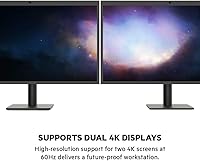
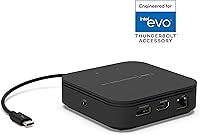
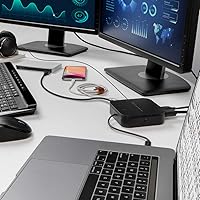
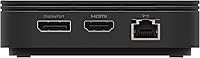
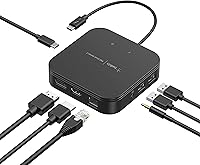
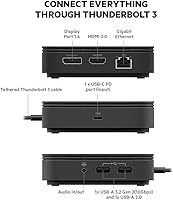
Running everything over one Thunderbolt 3 cable at 40 Gbps means data transfers, display output, and laptop charging all happen simultaneously without sacrificing bandwidth. The Belkin Dock Core supports dual 4K monitors — one via HDMI 2.0 and one through DisplayPort 1.4 — covering most desk setups without needing adapters. On the charging side, 60W upstream delivery is solid for thin-and-light ultrabooks, but if your laptop pulls more power under load, expect it to trickle charge at best. The port selection is practical: USB-A 3.2 Gen 2 for fast peripherals, a legacy USB-A 2.0, Gigabit Ethernet, and a 3.5mm audio jack round out the nine-port lineup.

Best For

This docking station makes the most sense for MacBook Pro or Air users who want to drive two external displays without stepping up to Belkin's pricier Plus or Pro models. Windows ultrabook owners with a Thunderbolt 3 port get the same plug-and-go experience, assuming their machine supports the full spec. The compact, low-profile form factor is a real draw for anyone with a tight desk or a minimalist setup. Freelancers who carry their dock between home and a co-working space will appreciate how light it is. That said, if you regularly push a high-powered laptop hard or need more USB-A ports, this dock will leave you wanting more.

User Feedback

Among roughly 465 reviews averaging 3.6 out of 5, the split between happy and frustrated buyers is telling. Users consistently praise how quickly it sets up and how reliably dual monitors are detected on compatible hardware — no driver hunting, no fuss. The complaints, though, are worth taking seriously. A fair number of buyers report intermittent disconnection issues, particularly after sleep cycles, which can disrupt a workday. The short tethered cable — just 20cm — also draws consistent criticism from anyone whose laptop sits more than a foot from their dock. Users running larger MacBook Pros add that the 60W ceiling simply cannot keep pace during intensive tasks.

Pros

  • A single Thunderbolt 3 cable handles data, dual 4K video output, and laptop charging all at once.
  • Dual monitor support via HDMI 2.0 and DisplayPort 1.4 covers virtually any external display combination.
  • 60W upstream charging removes the need for a separate power adapter on most ultrabooks.
  • Gigabit Ethernet delivers a stable wired connection without requiring a standalone adapter.
  • At just 213g with a compact footprint, this docking station is genuinely easy to carry between locations.
  • Works with both macOS and Windows Thunderbolt 3 laptops right out of the box, no setup required.
  • 40 Gbps bandwidth prevents any bottleneck when monitors, external drives, and peripherals run simultaneously.
  • A Thunderbolt 3 cable is included in the box, so you can connect and go immediately on arrival.

Cons

  • The tethered 20cm cable is far too short for most desk configurations, limiting where the dock can physically sit.
  • 60W charging cannot keep pace with high-performance laptops like the 16-inch MacBook Pro under heavy load.
  • Only two USB-A ports total — one fast, one legacy — leaves users with multiple peripherals short on options.
  • Intermittent disconnections after sleep or wake cycles have been flagged by a notable share of real-world buyers.
  • No option to swap in a longer Thunderbolt 3 cable means the tethered design is non-negotiable.
  • A 3.6 out of 5 average across hundreds of reviews points to a meaningful gap between expectations and real experience.
  • There is no additional USB-C port beyond the tethered connection, limiting options for charging phones or newer accessories.
  • Strictly a Thunderbolt 3 device with no forward compatibility for Thunderbolt 4 or USB4 setups.

Ratings

The Belkin Thunderbolt 3 Dock Core Docking Station has been scored by our AI rating engine after systematically analyzing verified buyer reviews from global markets, with spam, bot-generated, and incentivized submissions actively filtered before any category was evaluated. These scores reflect an unvarnished view of this docking station — where it genuinely delivers and where it lets buyers down in daily use. Both its most consistent strengths and its most frustrating recurring limitations are transparently weighted into every rating below.
Plug-and-Play Setup
82%
18%
Most Mac and Windows users report that connecting this dock for the first time requires zero configuration — monitors, Ethernet, and peripherals are simply recognized and ready to go. That instant detection is especially valuable for hybrid workers who dock and undock multiple times a day and have no tolerance for troubleshooting.
A subset of users — particularly on Windows — report that plug-and-play behavior breaks down after a system update or a sleep-wake cycle, requiring a manual disconnect and reconnect to restore the full link. This is not universal, but it appears frequently enough across reviews to be a genuine concern for time-sensitive workflows.
Dual Monitor Performance
78%
22%
Running two 4K displays through a single Thunderbolt 3 cable is where this dock earns its keep — users in video editing, design, or coding appreciate spreading work across dual panels without a standalone GPU box or extra adapters. Both displays are typically detected and configured automatically on first connection, with no manual resolution adjustment needed.
Some buyers find that achieving true dual 4K at 60Hz depends as much on their laptop's GPU and firmware as on the dock itself, with a few reporting that one display defaults to a lower refresh rate. Occasional flickering during heavy multitasking on older Thunderbolt 3 machines points to bandwidth contention rather than the dock alone.
Upstream Charging
61%
39%
For thin-and-light laptops like the 13-inch MacBook Air or a Dell XPS 13, the 60W power delivery is genuinely sufficient to keep the battery stable during a normal workday. Users in this category can leave their dedicated charger at home, which is a meaningful convenience for anyone commuting or moving between rooms.
Owners of larger, performance-class laptops — 16-inch MacBook Pros, gaming ultrabooks, or workstation models — consistently report that 60W is inadequate under load, with some experiencing net battery drain even while docked. This is a hard ceiling the dock cannot exceed, and it ranks among the most cited disappointments across the review pool.
Connection Reliability
58%
42%
When everything is working correctly, the dock maintains a stable connection throughout extended work sessions — users who keep their laptop awake and active for long stretches often report zero issues, with monitors, Ethernet, and audio holding steady without any need to intervene. For those users, day-to-day reliability is genuinely not a concern.
A significant portion of reviewers — enough to materially drag down the aggregate rating — report intermittent disconnections that primarily occur after laptop sleep or wake events, requiring a manual cable reconnect to restore full functionality. Driver updates and firmware changes can trigger the problem fresh on setups that were previously stable, which erodes long-term confidence.
Value for Money
71%
29%
For buyers who specifically need Thunderbolt 3 bandwidth — dual 4K output, fast storage access, and single-cable convenience — this docking station delivers those capabilities at a price well below Belkin's own Plus and Pro models. That makes it a reasonable entry point into genuine Thunderbolt 3 docking for users whose needs align with what the Core tier actually provides.
The value equation weakens if you have a high-wattage laptop, rely on more than two or three USB devices, or encounter the reliability problems that a meaningful share of reviewers report. In those scenarios, spending more for the Dock Plus or a comparable competitor may save significant frustration in the long run.
Port Selection
64%
36%
The combination of Gigabit Ethernet, a fast USB-A 3.2 Gen 2 port, a USB-C Power Delivery port, and a 3.5mm audio combo jack covers the essentials for most desk setups. Users whose peripheral list is short — a wired mouse, a headset, and network access — find the selection well-matched without needing a secondary hub.
The dock only provides two USB-A ports, and one of them is a slower 2.0, which frustrates users who need to connect a keyboard, mouse, external drive, and USB dongle simultaneously without adding another hub. Buyers stepping up from a high-port-count USB-C hub often feel the selection is a step backward despite the Thunderbolt 3 upgrade.
Cable Management
47%
53%
The tethered design does eliminate one variable — you never lose or forget the host cable. When the dock sits directly beside the laptop, the short lead keeps things tidy on that side of the desk without any extra cable management effort.
A 20cm tethered cable is the single most universally criticized aspect of this dock — it locks the unit within inches of the laptop, which disrupts virtually any desk layout where the laptop sits in the center or to one side. There is no workaround; the cable cannot be swapped out for a longer one, making this a permanent design constraint.
Data Transfer Speed
83%
The full 40 Gbps Thunderbolt 3 bandwidth means fast NVMe external drives connected to the dock perform at or near their rated speeds — something USB-C hubs simply cannot match. Users who work with large video files or run frequent disk backups notice the performance difference immediately compared to lower-bandwidth alternatives.
The 40 Gbps ceiling is shared across all connected devices simultaneously — run dual 4K monitors, Gigabit Ethernet, and a fast external drive at the same time and available bandwidth per device shrinks accordingly. Users doing simultaneous 4K playback and large file transfers in the same session may occasionally notice throughput dips on either the display or storage side.
Build Quality
73%
27%
The dock has a solid, no-nonsense construction that feels appropriate for a daily-use office accessory — it sits flat, does not slide around easily, and port connections feel firm rather than flimsy. Users rarely raise structural complaints in reviews, which suggests the hardware holds up reliably under regular use.
The plastic casing does not carry the premium feel of aluminum-bodied competitors at a similar price tier. A small number of users have also flagged the tethered cable junction — where the cable meets the dock body — as a potential weak point over extended daily use.
Compatibility
79%
21%
The Thunderbolt 3 standard gives this dock broad reach across Mac and Windows ecosystems — most Thunderbolt 3 laptops from the past several years connect and work immediately, and Thunderbolt 4 laptops also function thanks to backward compatibility. That cross-platform reliability is a meaningful advantage for users who regularly switch between operating systems.
The dock is entirely incompatible with USB-C-only laptops, which is a genuine risk of confusion since USB-C and Thunderbolt 3 ports look physically identical on many machines. A handful of Windows users also report inconsistent behavior with certain laptop and dock firmware combinations, particularly around display handoff when transitioning from the built-in screen to external monitors.
Physical Footprint
86%
At just 213g with a flat, low-profile form factor, this docking station genuinely disappears on the desk rather than demanding attention. Users with tight workstations or dual-monitor setups that leave little spare desk real estate appreciate that it tucks neatly to the side without requiring a vertical stand or dedicated shelf.
The flat horizontal orientation means there is no mounting option for users who prefer attaching their dock to a monitor arm or wall-mounted desk panel. Some users also note that the matte plastic surface picks up fingerprints and dust visibly, which is a minor but recurring annoyance on otherwise clean, minimalist setups.
Portability
81%
19%
Weighing under 215g and roughly the size of a thick paperback, this Thunderbolt 3 dock slips into a laptop sleeve side pocket without issue. Freelancers who split their time between home and a co-working space can replicate a full peripheral setup at each location without packing extra adapters.
The tethered cable, while short, adds an awkward rigid protrusion when the dock is packed away, making it slightly less bag-friendly than a compact USB-C hub with a detachable cable. Users who move the dock daily also note that the non-replaceable cable is the component most at risk of wear from repeated handling and packing.

Suitable for:

The Belkin Thunderbolt 3 Dock Core Docking Station is a strong fit for MacBook Air or MacBook Pro users who want dual external monitors and reliable peripheral connectivity without paying for a top-tier dock. It works equally well with Windows ultrabooks that carry a Thunderbolt 3 port, making it a practical choice for mixed-OS households or teams where machines get shared or swapped. If your laptop draws 60W or less to charge — which covers the majority of thin-and-light models — you can drop the separate power brick entirely and run everything through one cable. The compact footprint and light weight also make it a sensible pick for freelancers or hybrid workers who want a capable hub they can carry between a home desk and a co-working space. Anyone prioritizing a tidy, minimal setup over raw port count will find what they need here without overcomplicating their workspace.

Not suitable for:

The Belkin Thunderbolt 3 Dock Core Docking Station is not the right call if your laptop consumes more than 60W under load — that rules out 16-inch MacBook Pros and most gaming or workstation-class laptops, which will see battery drain during demanding sessions even while docked. The tethered 20cm cable is also a genuine dealbreaker for anyone whose laptop naturally sits more than a few inches from the dock, since there is no option to swap in a longer replacement. Users who rely on three or more USB-A ports will hit a hard limit here, as only two are provided. If your workflow is sensitive to sleep-wake reliability, the intermittent disconnection issues flagged by a meaningful share of reviewers deserve serious consideration before you buy. Finally, anyone who has moved to a Thunderbolt 4 or USB4 ecosystem should look at newer hardware, as this dock does not support those standards.

Specifications

  • Brand & Model: This dock is manufactured by Belkin under model number F4U110bt, part of its Thunderbolt 3 docking station lineup.
  • Host Interface: The dock connects to a laptop exclusively via a Thunderbolt 3 port, using the included tethered cable.
  • Data Bandwidth: The Thunderbolt 3 connection supports up to 40 Gbps of total bandwidth, shared across data, video, and power delivery simultaneously.
  • Upstream Charging: The dock delivers up to 60W of power back to the host laptop through the tethered Thunderbolt 3 cable, with no separate charger required for supported machines.
  • Video Outputs: One HDMI 2.0 port and one DisplayPort 1.4 port provide video output, enabling connection to two external displays at once.
  • Display Support: Both video output ports can drive external monitors at up to 4K resolution, supporting a dual 4K configuration from a single dock.
  • USB Ports: Three USB ports are included: one USB-C with Power Delivery, one USB-A 3.2 Gen 2 (fast data transfer), and one USB-A 2.0 (legacy compatibility).
  • Networking: A single Gigabit Ethernet port provides wired network connectivity at speeds up to 1 Gbps, bypassing the need for a separate Ethernet adapter.
  • Audio: A single 3.5mm combo jack supports both headphone output and microphone input, handling audio in and out through one port.
  • Total Ports: The dock offers 9 ports in total across Thunderbolt, USB-C, USB-A, HDMI, DisplayPort, Ethernet, and audio connections.
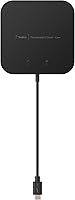
  • Tethered Cable: The included Thunderbolt 3 cable measures 20cm (7.87 inches) and is permanently attached to the dock, not user-replaceable.
  • Dimensions: The dock measures 1.5 x 5.2 x 6.5 inches (approximately 3.8 x 13.2 x 16.5 cm), designed to lie flat on a desk surface.
  • Weight: The unit weighs 213.8g (7.5 oz), light enough to pack into a laptop bag without adding significant bulk.
  • Compatibility: This dock is compatible with Thunderbolt 3-equipped laptops running macOS or Windows; it does not support USB-C-only or Thunderbolt 4 host machines.
  • TB3 Certification: The dock carries official Thunderbolt 3 certification from Intel, confirming adherence to the full Thunderbolt 3 specification.

Related Reviews
Belkin Thunderbolt 3 Dock Pro Docking Station
83%
93%
Single-Cable Convenience
88%
Dual 4K Display Performance
81%
Upstream Charging Power
91%
Data Transfer Speed
86%
Port Selection & Variety
More
Belkin Thunderbolt 3 Dock Mini
86%
92%
Performance
75%
Compatibility
94%
Setup & Installation
89%
Portability & Size
88%
Build Quality
More
Anker 778 Thunderbolt 4 Docking Station
75%
93%
Bandwidth Performance
84%
Multi-Monitor Support
51%
Compatibility
88%
Laptop Charging
86%
Build Quality
More
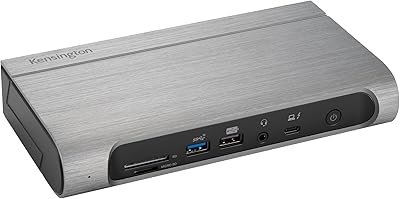
Kensington SD5800T Thunderbolt 4 Docking Station
86%
92%
Performance
90%
Display Support
88%
Charging Power
85%
Build Quality
91%
Connectivity
More
Dell WD22TB4 Thunderbolt 4 Docking Station
80%
91%
Port Density & Variety
88%
Power Delivery
93%
Multi-Monitor Support (Windows)
48%
macOS Compatibility
72%
Value for Money
More
Kingwin EZD-2535U3 Hard Drive Docking Station
80%
93%
Ease of Setup
88%
Drive Compatibility
76%
Transfer Speed
81%
Build Quality
84%
Hot-Swap Functionality
More
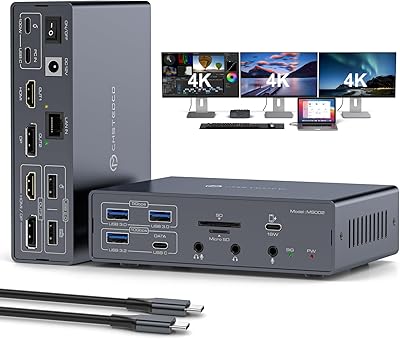
JCYMELE MS002 19-in-1 USB-C Docking Station
75%
83%
Multi-Monitor Performance
62%
Setup & Installation
91%
Port Variety & Count
71%
macOS Compatibility
77%
Value for Money
More
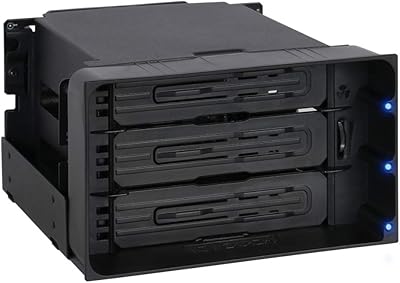
ICY DOCK flexiDOCK MB830SP-B 3-Bay 3.5 Inch SATA/SAS HDD Docking Enclosure
83%
93%
Ease of Installation
88%
Build Quality
87%
Performance & Speed
79%
Cooling Efficiency
65%
Noise Levels
More
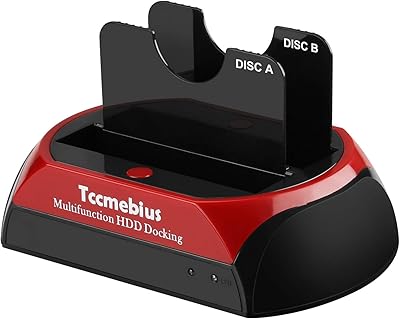
Tccmebius TCC-S868 Dual-Slot USB 3.0 Docking Station
71%
88%
IDE Compatibility
83%
SATA Drive Support
79%
Data Transfer Speed
76%
Ease of Setup
61%
One-Touch Backup (OTB) Feature
More
StarTech.com Triple Monitor USB 3.0 Docking Station
83%
89%
Performance
91%
Ease of Setup
88%
Display Support
85%
Connectivity Options
80%
Build Quality
More

FAQ

It depends on whether your MacBook Air model has Thunderbolt 3 ports, not just USB-C. The M2 and M3 MacBook Air use Thunderbolt 4, which is backward compatible with Thunderbolt 3 docks, so this docking station should work without issue. That said, it is always worth confirming your specific machine supports Thunderbolt 3 connectivity before purchasing.

Yes, in principle — the dock supports dual 4K output via HDMI 2.0 and DisplayPort 1.4, both of which can handle 4K at 60Hz. The key constraint is that your laptop must also support dual 4K output over Thunderbolt 3, which not every machine does. Check your laptop's display output specifications before assuming dual 4K at 60Hz will work on your setup.

For most thin-and-light ultrabooks — think 13-inch or 14-inch MacBook Pros, Dell XPS 13, or similar — 60W is generally sufficient to maintain or slowly top up the battery during normal use. If you have a larger, more power-hungry machine like a 16-inch MacBook Pro or a performance Windows laptop, 60W will likely not keep up under load, and you may see the battery slowly drain even while docked. In those cases, a separate charger is worth keeping nearby.

No — the Thunderbolt 3 cable is permanently attached to the dock and cannot be removed or replaced. The tethered 20cm cable is by design, and it is one of the most common complaints among buyers. If your laptop tends to sit more than a foot away from your dock position, this will be a genuine frustration.

It works with both. Any Windows laptop that has a Thunderbolt 3 port should be compatible with this dock, and plug-and-play setup typically works without installing additional drivers. Just make sure your laptop has a genuine Thunderbolt 3 port, not a standard USB-C port, as those lack the bandwidth needed for the dock to function fully.

Belkin makes a range of Thunderbolt 3 docks — the Mini, Core, Plus, and Pro — each stepping up in port count, charging wattage, and price. The Core sits in the middle of that range: more capable than the Mini, but missing some of the ports and higher power delivery you get with the Plus or Pro. If you need more than two USB-A ports, higher than 60W charging, or a modular cable, it is worth looking at the Plus or Pro instead.

In most cases, no. For Mac users, the dock is recognized immediately after connecting. Windows users may occasionally need to ensure their Thunderbolt software and Intel drivers are up to date, but this is generally handled automatically. A handful of reviews do mention occasional quirks on Windows after system updates, so it is worth keeping your system software current.

Sleep-wake disconnection is one of the more frequently reported issues with this dock. It appears to affect a subset of users rather than everyone, and it tends to be more common on Windows machines with older Thunderbolt firmware. Updating your laptop's Thunderbolt controller drivers and BIOS can help, and some users report that toggling the dock's connection — unplugging and re-plugging — resolves it temporarily. It is worth being aware of if your workflow involves frequent sleep cycles.

Yes — the port is a combo jack, meaning it handles both audio output and microphone input through a single connection. This works with standard 4-pole TRRS headsets that combine headphones and a mic. If you use separate audio and microphone cables (two 3-pole plugs), you would need a splitter adapter to make both work from this single port.

That depends entirely on whether your laptop has a Thunderbolt 3 port. If it does, a Thunderbolt 3 dock like this one delivers significantly more bandwidth than any USB-C hub — 40 Gbps versus typically 5 to 10 Gbps — which matters when you are running dual 4K displays and fast storage at the same time. A USB-C hub will work, but you will likely see display lag, slower transfer speeds, or limited peripheral support under load. If your laptop only has USB-C and not Thunderbolt 3, then a USB-C hub is the only compatible option anyway.