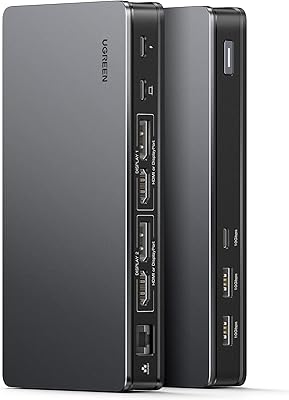
Belkin Thunderbolt 3 Dock Pro Docking Station







Overview
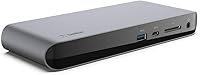
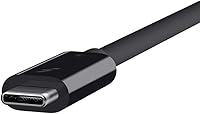
The Belkin Thunderbolt 3 Dock Pro Docking Station is built for professionals who want a clean, single-cable workstation without sacrificing connectivity. Sitting flat on a desk in a slim, space-gray aluminum chassis — just under an inch tall — it doesn't demand attention but quietly handles a serious amount of work. It ships ready to use, with a 2.6ft Thunderbolt 3 cable and a 170W power supply already in the box. It works with both macOS and Windows Thunderbolt 3 laptops, though verifying TB3 compatibility before buying matters — not every USB-C laptop fully supports the Thunderbolt spec, and that distinction is worth confirming upfront.
Features & Benefits
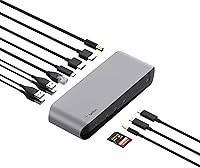
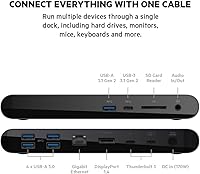
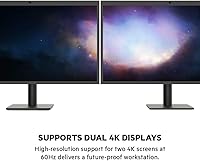
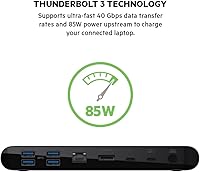
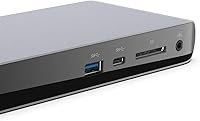
Plug in one cable and this docking station simultaneously moves data, drives displays, and delivers up to 85W of upstream charging — your laptop's power brick stays in the bag. The two DisplayPort outputs push dual 4K at 60Hz, genuinely useful when color-grading footage or spreading work across multiple screens. With 40 Gbps of bandwidth, external SSDs run at full speed without bottlenecking. The 12-port spread includes three USB-A 3.1, three USB-C 3.1, Gigabit Ethernet, an SD card slot, and a 3.5mm audio jack. That wired Ethernet connection alone is worth it for anyone on video calls or regularly pushing large files across a network.
Best For
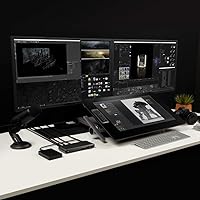
This Thunderbolt 3 dock makes the most sense for creative professionals — photographers culling large RAW files, video editors running dual monitors, designers who can't afford display lag. Remote and hybrid workers will appreciate the one-cable routine: plug in, everything wakes, no juggling adapters. MacBook Pro users on Thunderbolt 3 are the obvious fit, but Dell XPS and Lenovo ThinkPad X1 owners on Windows get the same experience provided their machines support TB3. If you're currently making do with a basic USB-C hub and constantly hitting speed ceilings or running out of ports, this is the kind of upgrade that genuinely changes how a desk functions.
User Feedback
Owners of the Belkin dock are broadly satisfied, with single-cable reliability and instant peripheral wake drawing consistent praise. The 85W charging covers most laptops comfortably, though users pushing intensive CPU and GPU loads simultaneously report it can fall slightly short. One thing that catches buyers off guard: video outputs are DisplayPort only, so HDMI monitors require an adapter — worth knowing before you set up. A subset of Windows users also report intermittent sleep-wake connectivity hiccups; it isn't universal and appears firmware-related in many cases. Photographers give the SD card reader solid marks for real transfer performance. The price sits at the higher end for a TB3 dock, and most reviewers feel the build quality and port variety justify it — though shopping comparisons is fair.
Pros
- One cable handles power, data, and dual 4K displays simultaneously — no separate charger cluttering the desk.
- Full 40 Gbps Thunderbolt 3 bandwidth means external SSDs run at their rated speeds without bottlenecking.
- Twelve ports cover virtually every peripheral need, from USB-A devices to SD cards and wired Ethernet.
- 85W upstream charging is enough to keep most MacBook Pro and thin-and-light Windows laptops topped up through a full workday.
- Gigabit Ethernet delivers noticeably more stable video call performance compared to Wi-Fi, especially in congested environments.
- The slim, space-gray aluminum chassis fits neatly on a desk and complements premium laptops aesthetically.
- Ships with both the Thunderbolt 3 cable and a 170W power supply — genuinely ready to use out of the box.
- The SD card reader performs well enough for daily photo imports from mirrorless and DSLR cameras.
- Cross-platform support means it works on both macOS and certified Windows Thunderbolt 3 laptops without separate configurations.
- Monitor and peripheral wake reliability is consistently praised by macOS users after months of daily use.
Cons
- Video outputs are DisplayPort only — HDMI monitor owners must budget for adapters that are not included.
- Windows users on certain configurations report intermittent connectivity drops after the laptop wakes from sleep.
- The 2.6ft included Thunderbolt cable is too short for desk setups where the laptop sits away from the dock.
- Under peak simultaneous CPU and GPU loads, 85W charging may not fully offset power draw, causing slow battery drain.
- The SD card reader tops out at UHS-I speeds, which bottlenecks photographers using fast UHS-II cards.
- No front-facing ports means frequent USB drive swaps require reaching around to the rear of the unit.
- The dock surface heats up noticeably under sustained heavy workloads, which can be uncomfortable in warm environments.
- Windows users may need to manually install drivers or firmware updates to unlock full out-of-box functionality.
- At this price point, competing TB3 docks from other brands offer comparable port counts worth considering before deciding.
- Running 12 ports at capacity creates cable clutter at the rear that partially undercuts the clean-desk appeal.
Ratings
The Belkin Thunderbolt 3 Dock Pro Docking Station earns its reputation as one of the more capable single-cable docking solutions in its class, and the scores below reflect what real buyers actually experience after months of daily use. Our AI has processed verified purchase reviews from multiple global markets, actively filtering out incentivized, bot-generated, and outlier feedback to surface patterns that genuinely matter to working professionals. Strengths are credited where earned, and recurring pain points are reported without softening.
Single-Cable Convenience
Dual 4K Display Performance
Upstream Charging Power
Data Transfer Speed
Port Selection & Variety
Build Quality & Materials
Gigabit Ethernet Reliability
SD Card Reader Speed
Windows Compatibility
macOS Compatibility
Setup & Ease of Use
Thermal Management
Cable Management
Value for Money
Suitable for:
The Belkin Thunderbolt 3 Dock Pro Docking Station is a strong match for professionals who spend most of their day at a desk and want a workstation that comes together with a single cable. Video editors, photographers, and graphic designers will get the most out of it — the dual 4K DisplayPort outputs and full 40 Gbps bandwidth mean their external SSDs and monitors run without compromise. Remote and hybrid workers who rely on stable wired networking will appreciate the Gigabit Ethernet port, which makes a real difference during back-to-back video calls or when pushing large files to a server. MacBook Pro users on Thunderbolt 3 will find the experience close to plug-and-play, and Windows laptop owners on certified TB3 machines — Dell XPS and Lenovo ThinkPad X1 users especially — fare well too. If you're currently stringing together a USB-C hub, a separate power adapter, and a travel router just to get through a workday, this docking station consolidates all of that cleanly and reliably.
Not suitable for:
The Belkin Thunderbolt 3 Dock Pro Docking Station is not the right call for every buyer, and it's worth being direct about where it falls short. If your laptop only has a USB-C port without Thunderbolt 3 certification, you will not get full functionality — the dock depends on TB3, and a generic USB-C connection will limit both speed and features significantly. Buyers with HDMI monitors should know upfront that there are no HDMI outputs on this dock; DisplayPort only means you'll need adapters, which adds cost and a potential point of signal inconsistency. Windows users who frequently put their laptop to sleep should be aware of a known subset of machines experiencing connectivity hiccups on wake — it's not universal, but it's worth researching your specific laptop model before committing. Users who push their machine hard with sustained rendering or machine learning workloads may find that 85W of upstream charging doesn't fully keep pace under peak CPU and GPU load simultaneously. Finally, if you only need a few extra ports and don't regularly use dual monitors or high-speed external storage, there are more affordable USB-C hubs that will serve your needs without the premium price tag this dock commands.
Specifications
- Brand & Model: Manufactured by Belkin under model number F4U097tt, part of the Thunderbolt 3 Dock Pro series.
- Dimensions: The dock measures 9.75″ long by 5.12″ wide by 0.79″ tall, keeping a low profile on any desk surface.
- Weight: The unit weighs 14.9 ounces, making it light enough to reposition easily but substantial enough to stay put during use.
- Color & Material: Finished in Space Gray aluminum, the chassis is designed to complement MacBook Pro and other premium laptops visually.
- Total Ports: The dock provides 12 ports in total, covering a wide range of peripheral and display connection needs from a single unit.
- Host Connection: A single Thunderbolt 3 cable connects the dock to the host laptop, carrying data, video, and power simultaneously over one wire.
- Data Transfer Speed: The Thunderbolt 3 interface supports up to 40 Gbps of bidirectional bandwidth, enabling full-speed operation of external SSDs and high-throughput peripherals.
- Upstream Charging: The dock delivers up to 85W of power to the connected laptop through the Thunderbolt 3 cable, eliminating the need for a separate laptop charger in most use cases.
- Included Power Supply: A 170W external power supply unit is included in the box, providing the headroom needed to power the dock and charge a connected laptop simultaneously.
- Included Cable: A 2.6ft (0.8m) Thunderbolt 3 cable is included, allowing the laptop to sit at a modest distance from the dock on a desk.
- Video Output: Two DisplayPort outputs support dual 4K resolution at 60Hz, enabling two independent ultra-high-definition monitors to run simultaneously.
- USB-A Ports: Three USB-A 3.1 ports are available for connecting keyboards, mice, drives, and other standard peripherals at up to 10 Gbps per port.
- USB-C Ports: Three USB-C 3.1 ports provide additional connectivity for modern peripherals and accessories, each supporting data transfer at up to 10 Gbps.
- Thunderbolt Passthrough: One Thunderbolt 3 passthrough port allows daisy-chaining additional Thunderbolt devices or connecting a second Thunderbolt-compatible display.
- Networking: A Gigabit Ethernet port provides a stable wired network connection at speeds up to 1,000 Mbps, bypassing Wi-Fi entirely for more reliable performance.
- Storage Reader: A built-in SD card slot supports UHS-I cards, suitable for importing photos and video from most consumer and prosumer cameras.
- Audio: A 3.5mm combo audio jack supports both headphone output and microphone input, compatible with standard headsets and speakers.
- Compatibility: The dock is compatible with macOS and Windows laptops that have a certified Thunderbolt 3 port; USB-C-only laptops without TB3 certification will have reduced functionality.
- Max Resolution: When driving a single display in extended or mirrored mode, the dock can support up to 7680 x 4800 pixel resolution depending on the connected monitor's capabilities.
- Availability Status: As of the product's listing data, this model has not been discontinued by the manufacturer and remains an active product in Belkin's docking station lineup.
Related Reviews
Belkin Thunderbolt 3 Dock Mini
Belkin Thunderbolt 3 Dock Core Docking Station
Anker 778 Thunderbolt 4 Docking Station
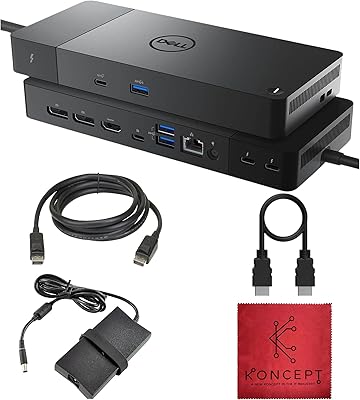
Dell WD22TB4 Thunderbolt 4 Docking Station

Kensington SD5800T Thunderbolt 4 Docking Station
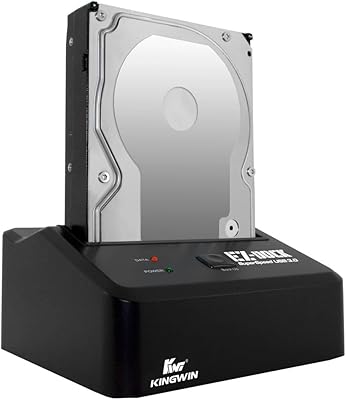
Kingwin EZD-2535U3 Hard Drive Docking Station
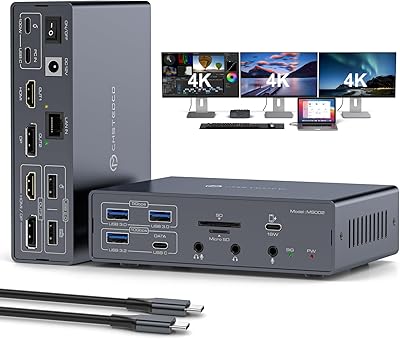
JCYMELE MS002 19-in-1 USB-C Docking Station

ICY DOCK flexiDOCK MB830SP-B 3-Bay 3.5 Inch SATA/SAS HDD Docking Enclosure
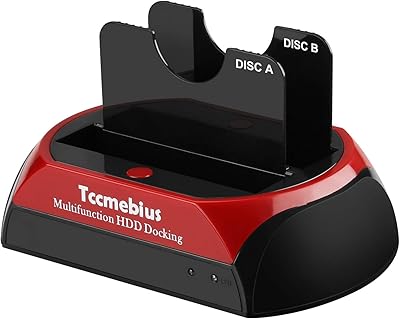
Tccmebius TCC-S868 Dual-Slot USB 3.0 Docking Station