Overview

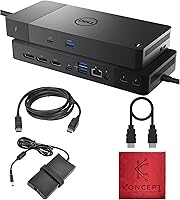
The Dell WD22TB4 Thunderbolt 4 Docking Station is one of the more capable single-cable docks you can buy for a Dell-centric Windows setup, packing 13 ports into a compact 10-by-6-inch chassis backed by a 180W power adapter. One quick note before anything else: the listing on Amazon appears under the Koncept brand name, which tends to raise eyebrows, but this is genuine Dell hardware — not a third-party clone. The core idea is straightforward. Plug in one Thunderbolt cable and you get data, display output, and up to 130W of laptop charging all at once, leaving your desk considerably tidier. It landed in late 2023 and has steadily climbed to around #275 in Laptop Docking Stations.
Features & Benefits

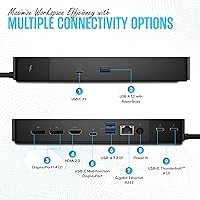
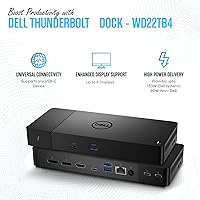
The 40Gbps Thunderbolt 4 connection is the backbone of the WD22TB4, and the practical upside is substantial — attach a fast NVMe enclosure or daisy-chain another Thunderbolt device and you won't hit a bandwidth wall the way you would with a USB 3.2 hub. Power delivery reaches 130W on Dell systems, dropping to 90W for non-Dell laptops, which is more than enough for most large-screen laptops running demanding workloads. On the display side, Windows users can drive up to four 4K displays at 60Hz using the two DisplayPort 1.4 outputs and the HDMI 2.0 port. Wired Gigabit Ethernet keeps video calls and large file transfers stable, and the port mix — including three USB-A ports and a combo audio jack — means legacy peripherals don't get left behind.

Best For

This Thunderbolt 4 dock is purpose-built for Dell Latitude, XPS, and Precision users who want first-party-grade performance without hunting for a third-party alternative. If you run a dual or triple 4K monitor setup on Windows, this dock handles it without needing extra adapters or software. Remote and hybrid workers will appreciate the reliable wired Ethernet and the clean single-cable desk setup. IT teams also have a practical reason to choose it: MAC address pass-through is supported, though you will need to confirm the setting is enabled in Dell's BIOS. On the other hand, if you own a base M1 or M2 MacBook and expect to run two external monitors without DisplayLink software, this dock will disappoint — that is simply a macOS constraint, not a hardware flaw.

User Feedback

With around 84 reviews and a 4.4-out-of-5 rating, the WD22TB4 has earned generally positive early sentiment, though that sample size is modest for a dock at this price point, so take the aggregate with some caution. Buyers consistently praise reliable port recognition and the quality of the build, noting that peripherals stay connected without dropouts — a real concern with lesser docks. On the downside, macOS users on base M1 and M2 chips have voiced frustration when expecting native dual-monitor output and discovering the limitation. A handful of buyers also flagged confusion over the Koncept branding, unsure whether the unit was authentic — it is. One practical note worth mentioning: under a full peripheral load, the dock does run noticeably warm, which appears consistent across multiple user accounts.

Pros

  • Drives up to four 4K 60Hz monitors on Windows from a single Thunderbolt cable.
  • Delivers 130W to Dell laptops — enough to charge a large-screen laptop under heavy load.
  • The 40Gbps host connection lets attached NVMe drives and Thunderbolt peripherals run at full rated speed.
  • Wired Gigabit Ethernet keeps video calls and large file transfers stable where Wi-Fi consistently falls short.
  • Thirteen ports cover legacy USB-A peripherals and modern USB-C and Thunderbolt devices at the same time.
  • Backward-compatible with Thunderbolt 3, USB4, and USB-C with DisplayPort Alt Mode for broad device support.
  • Ships with HDMI and DisplayPort cables included, so day-one setup typically requires no extra purchases.
  • MAC address pass-through support makes this Dell docking station a practical choice for IT-managed environments.
  • Non-Dell USB-C laptops still receive up to 90W of charging, keeping the dock broadly useful.
  • Real buyers consistently praise port recognition reliability and build quality across multiple independent accounts.

Cons

  • Base M1 and M2 MacBook users are limited to one external display natively, with no easy workaround.
  • DisplayLink software fixes the Mac display limit but introduces CPU overhead and potential visual latency.
  • The dock runs noticeably warm under a full peripheral load, which some users flag as a concern.
  • With around 84 reviews at this price tier, long-term reliability data is still limited and inconclusive.
  • The Koncept branding on Amazon creates genuine confusion about authenticity for buyers who notice the discrepancy.
  • MAC address pass-through is not automatic — it requires a manual BIOS setting change on Dell systems.
  • Power delivery drops to 90W for non-Dell devices, a meaningful reduction from the full Dell-optimized output.
  • No Thunderbolt host cable is included in the box despite HDMI and DisplayPort cables being packed in.
  • Buyers who only need one or two monitors may find themselves paying for features they will never use.
  • No USB4 80Gbps support, which could limit forward compatibility as higher-bandwidth peripherals become more widespread.

Ratings

The scores below reflect our AI-assisted analysis of verified buyer reviews for the Dell WD22TB4 Thunderbolt 4 Docking Station, drawn from global feedback and processed to filter out incentivized, duplicate, and bot-generated submissions. Each category is scored independently to ensure that genuine strengths and recurring pain points are represented with equal weight. Where users consistently disagreed — particularly around platform compatibility and thermal behavior — those tensions are captured transparently rather than averaged away.

Port Density & Variety
91%
Thirteen ports across Thunderbolt 4, USB-A, USB-C, DisplayPort, HDMI, Ethernet, and audio is a genuinely unusual combination at this size. Users working from a single desk setup consistently noted they could run all their peripherals — keyboard, mouse, external drives, headset, and monitors — without needing a secondary hub.
A small number of power users pointed out that the three USB-A ports all run at Gen 1 speeds (5Gbps), which can feel limiting when transferring large files from older USB flash drives or external HDDs that would still benefit from Gen 2 throughput. It is a minor frustration in an otherwise well-rounded port layout.
Power Delivery
88%
Delivering 130W to Dell laptops over the host cable is one of this dock's most practical advantages — it means even a 16-inch Dell XPS or Precision workstation can stay fully charged through an intensive all-day session without a second charger on the desk. The 90W ceiling for non-Dell devices also covers the vast majority of third-party laptops comfortably.
The gap between Dell and non-Dell power delivery creates a real-world inconsistency that some buyers discovered only after purchase. A non-Dell laptop running heavy GPU workloads — video rendering, for example — may trickle-charge rather than maintain battery level at 90W, which falls short of expectations at this price tier.
Multi-Monitor Support (Windows)
93%
For Windows users, four simultaneous 4K 60Hz displays from a single Thunderbolt cable is an impressive ceiling that most competing docks at this tier cannot match without additional adapters. Reviewers running dual and triple monitor creative or coding workflows described stable, flicker-free output with no signal dropouts across extended workdays.
The video-capable USB-C port requires deliberate setup if users want to reach the four-screen maximum — it is not as immediately obvious as plugging into the DisplayPort and HDMI outputs. A handful of Windows users also reported needing to update their system's Thunderbolt firmware before all four outputs registered correctly.
macOS Compatibility
48%
52%
Intel-based Macs and Apple Silicon machines with M1 Pro or M1 Max chips connect reliably, with dual 4K 60Hz display support working as expected for that subset of users. A few reviewers running M1 Pro MacBook Pros specifically praised the clean single-cable experience on their machines.
Base M1 and M2 MacBook users consistently expressed frustration — macOS hard-limits those chips to one external display natively, and this dock cannot override that restriction. The result is a significant mismatch between buyer expectations and real-world capability that has driven several negative reviews from Mac users who did not research compatibility before purchasing.
Value for Money
72%
28%
For a Dell-centric Windows power user who will genuinely use four 4K outputs, 130W laptop charging, and wired Ethernet simultaneously, the all-in-one capability justifies the investment compared to assembling a patchwork of adapters and hubs. The included HDMI and DisplayPort cables reduce the actual out-of-pocket cost slightly on day one.
At this price point, the absence of a Thunderbolt 4 host cable in the box is a genuine omission rather than a minor inconvenience — it is the one cable you actually need to use the dock at all. Mac users who discover the display limitations only after purchase have understandably rated value for money poorly, which drags the overall perception of cost-effectiveness down.
Thunderbolt 4 Performance
89%
The 40Gbps host connection delivers full-rated throughput to fast NVMe enclosures and Thunderbolt-enabled audio interfaces, which is where many lesser docks quietly fall short. Users connecting high-speed storage for video editing workflows reported read and write speeds consistent with direct laptop connections rather than the bottlenecked performance common in USB-C hubs.
Bandwidth is shared across all downstream Thunderbolt ports and connected displays, so users pushing multiple 4K outputs alongside a high-speed external SSD will see some contention. In most office workflows this never becomes noticeable, but in demanding creative pipelines it is worth factoring into setup decisions.
Wired Ethernet Reliability
87%
The Gigabit Ethernet port drew consistent praise from remote workers and IT buyers who prioritize connection stability over convenience. Video call participants noted fewer mid-meeting drops compared to their previous Wi-Fi-only setups, and users backing up large files to NAS devices appreciated the consistent throughput that wired connections provide.
MAC address pass-through — which matters significantly in managed corporate networks — requires a BIOS-level change on Dell systems before it works, a step that caught some IT buyers off guard. The lack of 2.5Gbps Ethernet is also a minor limitation for users on faster home or office network infrastructure who want to saturate a multi-gigabit connection.
Build Quality & Design
84%
Reviewers consistently described the physical build as solid and desk-worthy rather than flimsy, with port connections that seat firmly without play or wobble. The matte black finish handles desk wear reasonably well, and the form factor — while not small — sits stable on a desk without a separate stand or mount.
At its dimensions of 10 by 6 by 4 inches the dock occupies meaningful desk real estate, and users working in compact setups flagged that it is noticeably bulkier than some competing docks. The 180W external power brick adds cable management complexity that a few buyers found at odds with the clean single-cable promise.
Thermal Management
61%
39%
Under light-to-moderate loads — a couple of monitors, wired Ethernet, and a few USB peripherals — the dock maintains acceptable surface temperatures without any active fan noise, which users in quiet home office environments appreciated. Passive cooling keeps the unit completely silent throughout normal operation.
Under a full peripheral load the chassis runs noticeably warm, and multiple independent reviewers flagged this across different time periods. While the temperatures reported fall within expected ranges for a 180W passive-cooled device, users placing the dock in enclosed desk compartments or cable trays should be cautious about heat accumulation over long workdays.
Windows Compatibility
91%
On Windows 10 and Windows 11 systems with Thunderbolt 4 support the dock initializes reliably without manual driver intervention in most cases, and all 13 ports register as expected within seconds of connection. Dell Latitude and XPS users in particular reported a genuinely plug-and-play experience that matched the product's marketing claims.
A small subset of Windows users reported needing a firmware update for the Thunderbolt controller on older Dell machines before the dock would operate fully. Non-Dell Windows laptops sometimes require Thunderbolt device authorization approval on first connection, which can briefly confuse users unfamiliar with that security handshake.
Setup & Ease of Use
79%
21%
For the majority of Dell Windows users, initial setup amounts to connecting the power brick and plugging in the host cable — displays, peripherals, and Ethernet come up automatically within moments. The included cables mean most users do not need to rummage through a drawer before getting started.
macOS users face a steeper learning curve when hitting display limitations, and the BIOS-level requirement for MAC address pass-through is an underdocumented step that IT buyers have flagged in multiple reviews. The absence of a Thunderbolt 4 host cable in the box also means first-time dock buyers may be caught without the one critical component they need.
IT & Enterprise Suitability
83%
MAC address pass-through support and deep Dell BIOS-level integration make the WD22TB4 a genuinely practical choice for managed corporate environments where network administrators need consistent device identification across a docked fleet. The broad Thunderbolt and USB-C backward compatibility also simplifies deployment across mixed-generation hardware.
The BIOS dependency for MAC address pass-through adds a deployment step that needs to be standardized across machines before rollout, which slightly increases provisioning time compared to docks that handle this automatically. The modest review volume also means enterprise IT buyers have less real-world longevity data to draw on when evaluating this dock for large-scale deployment.
In-Box Accessories
76%
24%
Including both an HDMI and a DisplayPort cable alongside a cleaning cloth reflects a more complete out-of-box experience than many docks at this tier, where cables are typically sold separately. For buyers setting up a brand new monitor arrangement, having both cable types ready immediately removes a common first-day friction point.
The one genuinely frustrating omission is the Thunderbolt 4 host cable — the single cable that the entire product revolves around — which is not in the box. Given the premium positioning of this dock, several reviewers found that exclusion difficult to justify, particularly when some competitors in the same tier do include it.

Suitable for:

The Dell WD22TB4 Thunderbolt 4 Docking Station makes the most sense for Windows users who are already invested in the Dell ecosystem — particularly those running a Latitude, XPS, or Precision laptop that can take full advantage of 130W power delivery over a single cable. If your work involves multiple high-resolution displays, the ability to drive up to four 4K 60Hz monitors from one connection is a genuine productivity asset, not just a spec-sheet talking point. Remote and hybrid workers will find real value in the wired Gigabit Ethernet port, which keeps video calls and cloud syncs stable in ways that Wi-Fi simply cannot match consistently. The dock also fits well in IT-managed office environments, where MAC address pass-through and deep Dell BIOS compatibility make network administration considerably less complicated. For anyone regularly connecting NVMe enclosures, external SSDs, or Thunderbolt peripherals, the 40Gbps host bandwidth means those devices actually perform at their rated speeds rather than being bottlenecked by the dock itself.
Not suitable for:

The Dell WD22TB4 Thunderbolt 4 Docking Station is a poor match for MacBook users running base M1 or M2 chips, and this is worth stating plainly before anyone commits to the purchase. Apple's macOS architecture limits those chips to a single external display natively, so plugging this dock into a standard M1 or M2 MacBook Air or Pro will give you one external monitor at most — not two or three, regardless of what the dock is technically capable of delivering. Workarounds like DisplayLink software exist, but they introduce CPU overhead, can cause visual latency, and add setup friction that undermines the whole point of buying a premium dock. Budget-focused buyers should also pause here: there are capable Thunderbolt 4 docks available for less, and if you don't genuinely need four-monitor output or high-wattage charging, you may be paying for headroom you will never use. Finally, anyone running strictly USB-C laptops without Thunderbolt support won't unlock the dock's full performance potential, since the highest-bandwidth features require a Thunderbolt 4 or Thunderbolt 3 host connection to function properly.
Specifications

  • Host Interface: Connects to the host laptop via a single Thunderbolt 4 port running at 40Gbps, with backward compatibility for Thunderbolt 3, USB4, and USB-C with DisplayPort Alt Mode.
  • Power Delivery: Delivers up to 130W to Dell host systems and up to 90W to non-Dell USB-C laptops through the single host cable connection.
  • Power Adapter: Ships with an external 180W power brick sized to handle simultaneous laptop charging and full peripheral power demands without throttling.
  • Thunderbolt Ports: Includes two downstream Thunderbolt 4 ports, each supporting 40Gbps data transfer and up to 15W of power output for connected devices.
  • DisplayPort Outputs: Two DisplayPort 1.4 outputs each support a single external display at up to 4K resolution and 60Hz refresh rate.
  • HDMI Output: One HDMI 2.0 port supports a single external display at up to 4K resolution and 60Hz refresh rate.
  • USB-A Ports: Three USB-A 3.2 Gen 1 ports operate at 5Gbps, with one of the three offering PowerShare functionality for charging devices when the host system is off or in sleep mode.
  • USB-C Ports: Two USB-C ports are provided: one USB 3.2 Gen 2 port at 10Gbps with 15W output, and one USB 3.2 Gen 2 multifunction port at 10Gbps with DisplayPort 1.4 Alt Mode video capability.
  • Network Port: A single RJ45 Gigabit Ethernet port provides wired network connectivity at up to 1Gbps, with MAC address pass-through support on compatible Dell systems when enabled in BIOS.
  • Audio: A 3.5mm combo audio jack supports both headphone output and microphone input simultaneously through a single port.
  • Total Ports: The dock provides 13 ports in total, spanning Thunderbolt 4, USB-A, USB-C, DisplayPort, HDMI, Ethernet, and audio in a single chassis.
  • Max Displays: Windows users can connect up to four external displays simultaneously at 4K 60Hz; base M1 and M2 Macs are limited to one external display natively, while M1 Pro and M1 Max Macs support two.
  • MAC Pass-Through: MAC address pass-through is supported on Dell systems but requires manual activation inside the system BIOS before it becomes operational.
  • Dimensions: The dock body measures 10 x 6 x 4 inches and is intended for stationary desktop use rather than transport in a laptop bag.
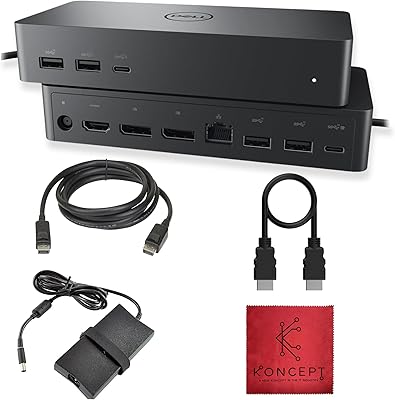
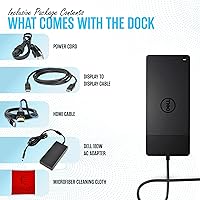
  • Included Accessories: The box contains one HDMI cable, one DisplayPort cable, a cleaning cloth, and the 180W power adapter; a Thunderbolt 4 host cable is not included.
  • OS Compatibility: Supports Windows PCs, Intel-based Macs, Apple Silicon Macs with M1 and newer chips, and Chrome OS devices with Thunderbolt or USB-C ports.
  • Warranty: Covered by a one-year warranty as specified in the product listing, consistent with standard Dell accessory coverage.

Related Reviews
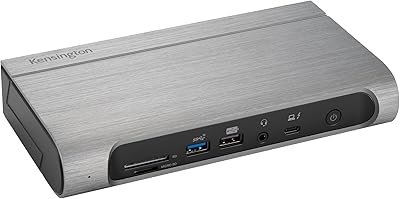
Kensington SD5800T Thunderbolt 4 Docking Station
86%
92%
Performance
90%
Display Support
88%
Charging Power
85%
Build Quality
91%
Connectivity
More
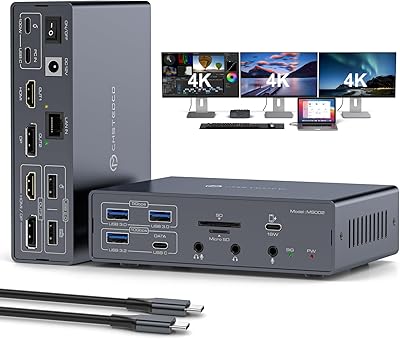
JCYMELE MS002 19-in-1 USB-C Docking Station
75%
83%
Multi-Monitor Performance
62%
Setup & Installation
91%
Port Variety & Count
71%
macOS Compatibility
77%
Value for Money
More
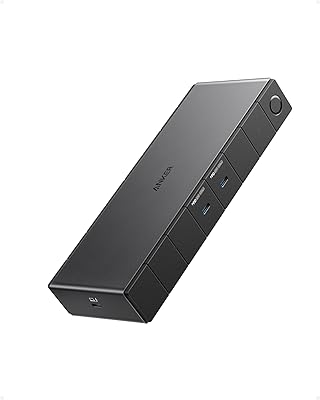
Anker 778 Thunderbolt 4 Docking Station
75%
93%
Bandwidth Performance
84%
Multi-Monitor Support
51%
Compatibility
88%
Laptop Charging
86%
Build Quality
More
Dell UD22 Universal Docking Station
86%
92%
Value for Money
87%
Performance & Stability
90%
Ease of Setup
95%
Compatibility with Multiple Platforms
89%
Display Quality (4K Support)
More
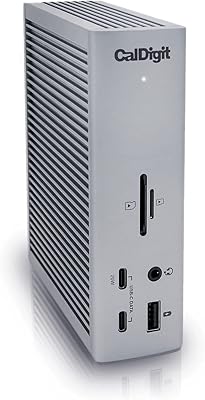
CalDigit TS4 Thunderbolt 4 Dock
82%
94%
Port Selection & Density
91%
Build Quality & Design
92%
Thunderbolt 4 Bandwidth Performance
89%
Power Delivery
86%
Display Output Quality
More
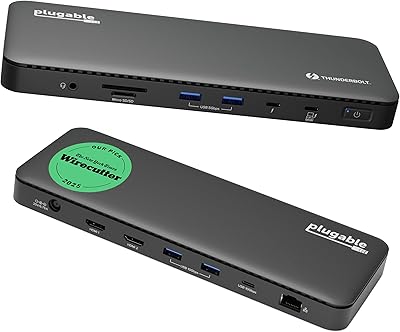
Satechi Thunderbolt 4 Docking Station
77%
83%
Multi-Monitor Performance
61%
DisplayLink Setup Experience
91%
Data Transfer Speed
88%
Build Quality & Design
79%
Charging Performance
More
Plugable TBT4-UD5 Thunderbolt 4 Dock
81%
91%
Display Output Quality
88%
Laptop Charging Performance
63%
Mac Compatibility
87%
Port Variety & Layout
89%
Data Transfer Speed
More
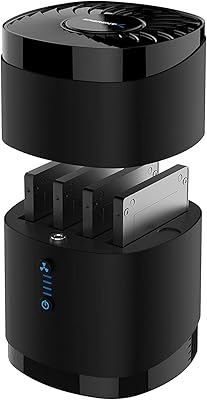
MAIWO M.2 NVMe 4-Bay SSD Cloner Dock
72%
88%
Offline Clone Functionality
61%
Clone Architecture Clarity
83%
Build Quality
69%
Clone Speed
81%
Compatibility Range
More
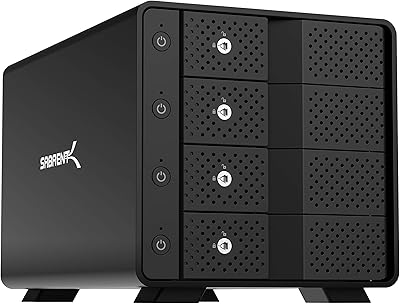
SABRENT DS-4SSD 4-Bay 2.5″ Drive Docking Station
80%
93%
Plug-and-Play Setup
71%
Drive Compatibility
67%
Transfer Performance
79%
Build Quality
84%
Cooling Effectiveness
More
Sabrent DS-SC4B 4-Bay USB 3.2 Gen 2 Docking Station
80%
88%
Build Quality
83%
Cooling Performance
86%
Hot-Swap Reliability
74%
Transfer Speed
91%
Per-Bay Power Control
More

FAQ

Yes, the WD22TB4 works with any laptop that has a Thunderbolt 4, Thunderbolt 3, USB4, or USB-C with DisplayPort Alt Mode port. The key difference is power delivery — Dell laptops receive up to 130W through the host cable, while non-Dell laptops top out at 90W. For most 13-inch to 16-inch Windows laptops, 90W is still more than enough to charge and run the machine simultaneously under typical workloads.

On a Windows machine with a full Thunderbolt 4 connection, you can run up to four external displays at the same time. The dock provides two DisplayPort 1.4 outputs, one HDMI 2.0 port, and a video-capable USB-C port to reach that total. All four outputs can support 4K at 60Hz simultaneously, which is a strong configuration for a single-cable setup.

Not natively. Apple's macOS imposes a one external display limit on base M1 and M2 chips, and this dock cannot override that restriction since it is an OS-level constraint rather than a hardware limitation. If you genuinely need two external monitors, DisplayLink software can unlock that capability, but it adds CPU overhead and can introduce minor display latency. M1 Pro and M1 Max Macs are in better shape — they support two external 4K 60Hz displays natively through this dock without any software workaround.

For Dell laptops, yes — up to 130W of power delivery over the host cable is enough to sustain even larger Dell workstations under demanding conditions. For non-Dell laptops the ceiling is 90W, which comfortably covers most business and consumer laptops in the 15-inch and 16-inch range. The only edge case to watch for is an unusually power-hungry laptop that requires more than 90W under full CPU and GPU load, where you might see slow battery drain rather than a charge gain.

Yes, it is the genuine Dell WD22TB4 Thunderbolt 4 Docking Station. Koncept operates as an authorized Dell reseller, which is why their name appears on the Amazon storefront rather than Dell's own. The underlying hardware, firmware, and warranty are entirely authentic. If you want to verify the unit you receive, the model number printed on the dock itself should confirm it.

For most use cases on Windows, no — USB peripherals, wired Ethernet, audio, and display outputs all work through the operating system's built-in drivers after a brief initialization. macOS is similarly straightforward for a single external display. The exceptions are: DisplayLink software if you need dual monitors on a base M1 or M2 Mac, and a one-time BIOS change on Dell systems if you need MAC address pass-through for network management purposes.

Yes, the dock includes two downstream Thunderbolt 4 ports, so you can connect another Thunderbolt device — a second dock, an external NVMe enclosure, or a Thunderbolt-enabled display — without running a cable back to the laptop. The total 40Gbps bandwidth is shared across everything connected downstream, so extremely bandwidth-intensive combinations may see some throughput contention, but for typical office peripherals this rarely becomes a practical issue.

It does run noticeably warm under a heavy load — multiple active displays, fast USB storage, and wired Ethernet all drawing power simultaneously will push the chassis temperature up. Several real users have flagged this in their feedback. It is normal behavior for a high-wattage dock and should not be a reliability concern in typical use, but placing the dock in an open, ventilated spot on your desk rather than inside an enclosed shelf or cable tray is a sensible precaution.

The package includes an HDMI cable, a DisplayPort cable, a cleaning cloth, and the 180W power adapter. What is not included is the Thunderbolt 4 host cable that connects the dock to your laptop. If your laptop did not ship with one, you will need to buy a Thunderbolt 4 cable separately before you can use the dock. High-quality Thunderbolt 4 cables are widely available and are not particularly expensive, but it is worth accounting for that if you are planning a day-one setup.

Yes, and this is genuinely one of the dock's more practical advantages over a typical USB-C hub. A wired Gigabit Ethernet connection delivers consistently lower latency and more stable throughput than Wi-Fi, which translates directly to fewer dropped frames on video calls and more predictable speeds when moving large files to network storage. Multiple users have specifically called out the wired connection as a reason they chose this dock over alternatives. As long as your router or switch supports 1Gbps, configuration is entirely plug-and-play.

Where to Buy