Overview

The SABRENT HB-TBT4 Thunderbolt 4 Hub sits in an interesting spot in the TB4 market — compact enough to live on a crowded desk, yet capable enough to handle serious workloads. Released in August 2023, it has accumulated over 180 ratings and holds a solid rank in the laptop docking station category, suggesting it has found a genuine audience. The core layout is straightforward: three downstream TB4 ports, one upstream, and a single USB-A. It undercuts most enterprise-grade TB4 docks on price while outpacing any standard USB-C hub on raw bandwidth. macOS and Windows are both fully supported, which broadens its real-world appeal considerably.

Features & Benefits

At its core, this Thunderbolt 4 hub runs at 40Gbps, which translates practically to near-instant file transfers to an external NVMe, clean daisy-chaining of additional TB4 devices, and rock-solid display output. Dual 4K at 60Hz works reliably, as does a single 4K at 144Hz. Pushing up to 8K at 60Hz is technically possible, but only when the host laptop supports Display Stream Compression — a requirement that catches many buyers off guard, so check before you buy. 60W Power Delivery is fine for slim ultrabooks, but it won't satisfy a 15-inch MacBook Pro under full load. The all-aluminum chassis handles heat passively, and the included certified TB4 cable removes one more purchasing hassle from the setup process.

Best For

This compact hub is genuinely well-matched for MacBook Pro or MacBook Air users who want a tidy dual-monitor setup without committing to a full-size dock. Windows ultrabook owners with confirmed Thunderbolt 4 ports will find it equally reliable. Home office and hybrid workers who move between spaces will appreciate how small and light it is — 7 ounces and barely half an inch thick. It also suits creative professionals who need fast SSD throughput and sharp display output running simultaneously. That said, if you need more than one USB-A port, or built-in HDMI and SD card slots, look elsewhere. This is a hub, not a docking station, and it works best for buyers who already understand that distinction.

User Feedback

Across its roughly 180 ratings, the SABRENT TB4 hub lands at a 4.4-star average — solid, though not without caveats. Reviewers consistently point to build quality and plug-and-play macOS performance as clear strengths, with reliable dual 4K output appearing repeatedly in positive reviews. Where ratings dip, the story is consistent: 60W charging disappoints owners of larger laptops, and the solitary USB-A port feels thin for the price bracket. A recurring frustration involves 8K output — some buyers expected it to work unconditionally, not realizing DSC support depends entirely on the host device, not the hub itself. Thermal complaints are notably rare, which suggests the aluminum chassis handles everyday heat loads without issue.

Pros

  • Full 40Gbps Thunderbolt 4 bandwidth handles demanding file transfers and display output without bottlenecking.
  • Dual 4K at 60Hz display output works reliably out of the box on both macOS and Windows.
  • Single 4K at 144Hz mode is a genuine advantage for users with a high-refresh-rate monitor.
  • Compact aluminum build runs passively cool and takes up almost no desk space.
  • Includes a certified 15.7-inch TB4 cable and power adapter, so you are ready to go immediately.
  • Plug-and-play on macOS — no driver installation required in typical setups.
  • Backward compatible with Thunderbolt 3, USB4, and USB-C hosts, broadening its long-term usefulness.
  • The USB-A port runs at 10Gbps, fast enough for a quick external drive or reliable keyboard and mouse connection.
  • Mid-range price point undercuts enterprise TB4 docks significantly while delivering the same certified bandwidth.

Cons

  • A single USB-A port is a real limitation if you use more than one wired peripheral daily.
  • 60W charging falls short for 15-inch or 16-inch laptops running demanding workloads.
  • No built-in HDMI, SD card slot, or Ethernet means you may still need additional adapters.
  • 8K output requires the host device to support Display Stream Compression — this is not clearly communicated at the point of sale.
  • Three downstream TB4 ports sounds generous until you realize displays, drives, and daisy-chained devices compete for the same pool.
  • The short 15.7-inch cable suits desk use but can feel restrictive if your laptop sits away from the hub.
  • Users on older USB-C-only laptops without DP Alt Mode will not get display output, which is easy to overlook before buying.
  • No KVM functionality, so it cannot switch between two host computers — a common expectation at this price tier.

Ratings

Our scores for the SABRENT HB-TBT4 Thunderbolt 4 Hub were generated by AI after systematically analyzing verified purchaser reviews sourced from global markets, with spam, bot-generated feedback, and incentivized reviews actively filtered out before scoring. Each category below reflects the honest consensus of real buyers — where this Thunderbolt 4 hub earns genuine praise and where it draws consistent criticism. Nothing has been softened or inflated to favor the product.

Build Quality
88%
The aluminum alloy chassis feels solid and purposeful in hand, a noticeable step above the hollow plastic found on budget hubs. Users who carry this between a home desk and office consistently report it holds up well to daily handling without developing scratches or any structural give over time.
The flat aluminum surface picks up fingerprints more visibly than matte-finish competitors, and the slim profile can slide on smooth glass or polished desk surfaces if not paired with a non-slip mat. Nothing structurally concerning, but a recurring minor annoyance for tidy desk setups.
Data Transfer Speed
91%
Running at the full TB4 ceiling of 40Gbps, this compact hub handles demanding tasks that expose lesser hubs — copying a 50GB video project to a fast NVMe enclosure in under two minutes, or running a high-resolution display alongside a fast external drive without any perceivable bottleneck.
The 40Gbps bandwidth is shared across all active downstream ports simultaneously, so power users daisy-chaining multiple storage devices alongside a 4K display will see individual transfer speeds drop noticeably from the theoretical maximum in real-world multi-device scenarios.
Display Performance
84%
Dual 4K at 60Hz works reliably and without flickering for the vast majority of users — a strong outcome for a hub at this price tier. Those running a single high-refresh monitor also benefit from the 4K at 144Hz mode, which handles motion-heavy content and detailed creative work cleanly.
The advertised 8K capability depends entirely on the host device supporting Display Stream Compression, and a meaningful portion of buyers discover this limitation after purchase. Users without DSC-capable laptops are effectively capped at 4K, making the 8K headline aspirational rather than practical for many real-world configurations.
Port Selection
52%
48%
Three downstream TB4 ports cover the focused use case well — two monitors plus an external drive, or two drives plus a display — and since each TB4 port carries both data and video signals, the layout is genuinely versatile for users who already own a separate USB hub for peripherals.
A single USB-A port creates immediate friction for anyone with more than one wired USB peripheral — a mouse, keyboard, and USB audio interface simultaneously demands yet another hub in the chain. At this price point, the absence of built-in HDMI, Ethernet, or an SD card slot is a real limitation compared to competing options.
Charging Performance
63%
37%
For 13-inch and 14-inch ultrabooks — MacBook Air, Dell XPS 13, LG Gram — 60W Power Delivery handles everyday charging reliably throughout a full workday. Users on thinner, lower-draw laptops consistently report the hub keeps their machine at a stable charge level without any perceptible slowdown.
Owners of 15-inch and 16-inch laptops with higher power demands consistently flag that 60W is insufficient under sustained load — the battery depletes slowly rather than charges during long editing or rendering sessions. It is the single most frequent source of buyer disappointment surfacing across real user feedback.
Thermal Management
82%
18%
The all-aluminum shell functions as an effective passive heatsink under normal desk conditions. Users running dual displays with an active external SSD connected all day report the hub stays warm to the touch but never uncomfortably hot, and thermal-related crashes or slowdowns are essentially absent from the user feedback pool.
Under extreme sustained workloads — continuous high-bandwidth transfers running for extended periods — the chassis can become noticeably warm, and there is no active cooling to assist. This is rarely a practical problem for typical users but is worth noting for densely packed desk environments with limited airflow.
macOS Integration
93%
On M-series MacBooks, this is as close to zero-configuration as Thunderbolt peripherals get. Users plug in the hub and displays appear, drives mount, and charging begins within seconds. The complete absence of any required driver or software installation is consistently among the most praised aspects across macOS user feedback.
A small number of users on older Intel-based Macs report occasional display handshake delays on cold boot, requiring a cable disconnect and reconnect to wake connected monitors. It is not widespread, but it surfaces with enough regularity to flag specifically for legacy Intel Mac users.
Windows Compatibility
76%
24%
Windows ultrabooks with verified Thunderbolt 4 ports — Lenovo ThinkPad X1, HP Spectre, ASUS ZenBook — connect and function reliably in the majority of cases. Users who keep their Thunderbolt firmware current report a smooth experience with reliable display output and data transfer comparable to the macOS setup experience.
A subset of Windows users encounter Thunderbolt controller recognition issues on first connection, typically resolved by updating Intel Thunderbolt software through Device Manager. The experience is less consistently plug-and-play than on macOS, and occasional firmware mismatches require troubleshooting steps that not all users are comfortable navigating independently.
Value for Money
71%
29%
Compared to enterprise-grade TB4 docks that cost substantially more, the SABRENT TB4 hub delivers certified 40Gbps bandwidth and dual 4K display output at a considerably lower price. For users whose needs are genuinely limited to TB4 expansion and display support, the cost-to-capability ratio holds up well.
Stacked against competing mid-range TB4 hubs offering more USB-A ports, integrated HDMI, or SD card readers at comparable price points, the value case weakens. Users who expected a do-it-all solution find it difficult to justify the price without purchasing supplementary adapters that erode the apparent savings.
Desk Footprint
94%
At 4.5 x 2.8 x 0.6 inches and just 7 ounces, this is among the smallest and lightest certified TB4 hubs available. Hybrid workers who pack up daily note it disappears into a laptop sleeve pocket without adding meaningful weight, and on a crowded desk it occupies almost no usable surface area.
The slim form factor leaves no internal room for additional ports or features, so the compact size comes at a direct cost to expandability. Users who want a minimal footprint and a broad port lineup will find that a larger, heavier dock is the unavoidable trade-off — they cannot have both.
Out-of-Box Experience
86%
The hub ships with a certified TB4 cable and a 20V/6A power adapter already included, removing the common frustration of buying a hub only to discover additional accessories are required. Most users report being fully operational within a few minutes of opening the packaging on both macOS and Windows.
The included TB4 cable measures only 15.7 inches, which suits a hub placed directly beside the laptop but provides minimal slack for any other desk arrangement. Users with monitor arms, laptop stands, or spread-out setups frequently find themselves ordering a longer certified cable as an immediate follow-up purchase.
Daisy-Chain Support
83%
TB4 daisy-chaining works correctly through the downstream ports, letting users extend their setup by connecting an additional TB4 hub or fast external device further down the chain without disrupting the upstream host connection. Creative professionals who occasionally need more than three downstream connections benefit meaningfully from this flexibility.
Each device added to a daisy chain draws from the same shared 40Gbps bandwidth pool, so the more devices simultaneously active in the chain, the lower the per-device throughput becomes. Users expecting each daisy-chained device to operate at full TB4 speeds concurrently will find real-world performance falls short of that expectation.
Setup Ease
87%
For the majority of users on modern hardware, setup requires nothing beyond plugging the hub in — no software to install, no account to create, and no firmware update required out of the box under typical macOS and current-generation Windows TB4 laptop configurations. It is a low-friction first-use experience.
Windows users on machines with older Thunderbolt controller firmware may encounter a one-time setup hurdle where the hub is not recognized until drivers are updated. The fix is straightforward for technically confident users but has generated notable confusion among buyers expecting the same frictionless plug-and-play behavior as macOS.
Cable Quality
79%
21%
The included cable carries official TB4 certification, meaning it is validated for the full 40Gbps data rate and 100W power capacity — not a generic USB-C cable dressed up to appear capable. Users consistently appreciate not having to separately research and purchase a compatible certified cable at additional cost.
At roughly 15.7 inches, the cable is short enough to frustrate anyone who does not place their laptop immediately adjacent to the hub. Even a 3-foot certified TB4 cable included in the box would meaningfully improve the out-of-box experience for a much wider range of real-world desk configurations.

Suitable for:

The SABRENT HB-TBT4 Thunderbolt 4 Hub is a strong fit for anyone who needs serious bandwidth and clean display output without the bulk or cost of a full enterprise dock. MacBook Pro and MacBook Air owners running dual 4K monitors will find it reliable and genuinely plug-and-play — no driver wrestling on macOS. Windows ultrabook users with confirmed TB4 ports get the same certified performance, and the cross-platform support means it follows you if you switch ecosystems. Creative professionals who move large files to external NVMe drives while simultaneously pushing a high-resolution display will appreciate the full 40Gbps headroom. It also suits minimalist home office setups and hybrid workers who carry their kit between locations — at 7 ounces and barely over half an inch thick, it disappears into a bag without a second thought. If you already own a USB hub for your peripherals and simply need TB4 bandwidth and display expansion bolted onto your laptop, this compact hub fills that role cleanly.

Not suitable for:

Buyers expecting a do-it-all docking station will likely walk away disappointed — the SABRENT HB-TBT4 Thunderbolt 4 Hub offers only one USB-A port, no built-in HDMI, no SD card reader, and no Ethernet, so anyone replacing a multi-port dock needs to look elsewhere. Users with 15-inch or 16-inch laptops that demand 90W or more to charge under load should know that 60W Power Delivery will keep the battery from draining quickly, but it won't fully replenish it during intensive work sessions. Anyone hoping to output 8K video needs to verify that their specific host device supports Display Stream Compression — if it does not, 8K is simply off the table regardless of what the hub is capable of, and this catches more buyers off guard than it should. Gaming laptop owners, video editors working from power-hungry machines, and anyone who needs four or more USB-A ports will find this hub too narrow in scope for their daily workflow.

Specifications

  • Interface: Connects to the host laptop via one upstream Thunderbolt 4 (USB-C) port, supporting TB4, TB3, USB4, and USB-C with DisplayPort Alternate Mode.
  • Downstream Ports: Includes three downstream Thunderbolt 4 (USB-C) ports for connecting displays, external drives, or additional TB4 devices.
  • USB-A Port: One USB 3.2 Gen 2 Type-A port delivers up to 10Gbps data transfer for keyboards, mice, or external storage.
  • Data Transfer: Supports up to 40Gbps bandwidth per Thunderbolt 4 connection, enabling near-instant file transfers to compatible external NVMe drives.
  • Display Output: Supports dual 4K at 60Hz simultaneously, or a single 4K at 144Hz when only one display is connected.
  • Max Resolution: Can output up to 8K at 60Hz, but only when the connected host laptop’s GPU supports Display Stream Compression (DSC).
  • Host Charging: Delivers up to 60W of Power Delivery via PD 3.0 to the connected host laptop through the upstream Thunderbolt 4 port.
  • Power Supply: Ships with a 20V/6A external power adapter rated for AC 100–240V input, making it compatible with international power standards.
  • Dimensions: The hub measures 4.5 x 2.8 x 0.6 inches, keeping a very low profile on a desk or in a travel bag.
  • Weight: Weighs 7 oz (198 grams), light enough to carry daily without adding meaningful bulk to a laptop bag.
  • Build Material: Chassis is constructed from aluminum alloy, which provides structural rigidity and acts as a passive heatsink during operation.
  • Included Cable: Comes with a certified 15.7-inch (approximately 40 cm) Thunderbolt 4 cable rated for full 40Gbps bandwidth and 100W power.
  • OS Support: Officially compatible with macOS and Windows operating systems; plug-and-play on macOS, with TB firmware updates recommended on some Windows machines.
  • Cooling Method: Uses fully passive cooling with no internal fan; heat is dissipated through the aluminum body during sustained workloads.
  • TB Compatibility: Backward compatible with Thunderbolt 3, USB4, and USB-C hosts that support DisplayPort Alternate Mode, though maximum performance requires a TB4 host.

Related Reviews
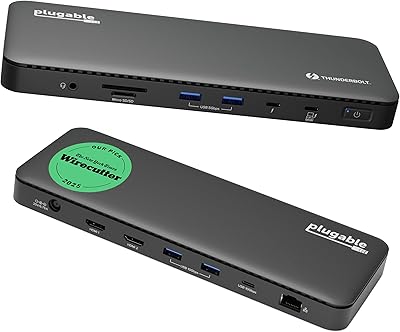
Plugable TBT4-UD5 Thunderbolt 4 Dock
81%
91%
Display Output Quality
88%
Laptop Charging Performance
63%
Mac Compatibility
87%
Port Variety & Layout
89%
Data Transfer Speed
More
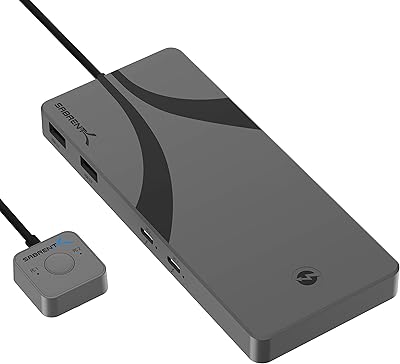
SABRENT SB-TB4K Thunderbolt 4 KVM Switch
74%
88%
Build Quality
83%
Thunderbolt 4 Performance
71%
Display Compatibility
62%
Power Delivery
86%
Switching Mechanism
More
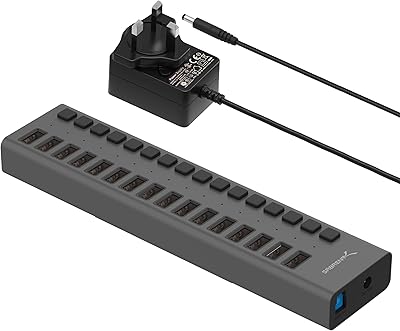
SABRENT HB-PU16 16-Port USB 3.0 Hub
83%
91%
Data Transfer Reliability
94%
Per-Port Power Switches
68%
Power Delivery
83%
Build Quality
96%
Ease of Setup
More
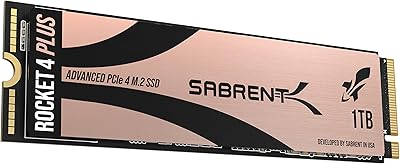
Sabrent 1TB Rocket 4 Plus NVMe 4.0 SSD
88%
94%
Performance
88%
Installation Ease
92%
Value for Money
70%
Thermal Management
91%
Compatibility
More
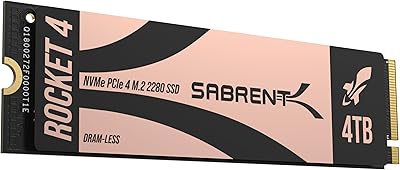
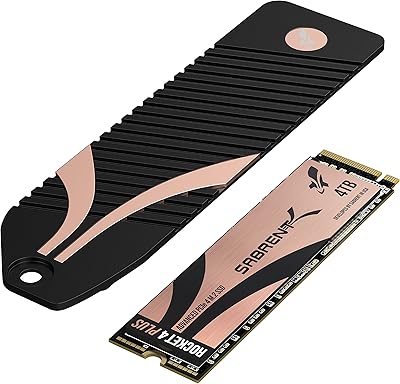
Sabrent Rocket 4 Plus 4TB NVMe SSD
85%
93%
Sequential Read Performance
91%
Sequential Write Performance
89%
Thermal Management
92%
Installation Experience
67%
Value for Money
More
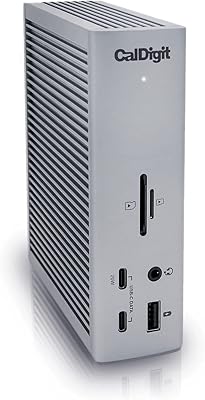
CalDigit TS4 Thunderbolt 4 Dock
82%
94%
Port Selection & Density
91%
Build Quality & Design
92%
Thunderbolt 4 Bandwidth Performance
89%
Power Delivery
86%
Display Output Quality
More
Satechi Thunderbolt 4 Docking Station
77%
83%
Multi-Monitor Performance
61%
DisplayLink Setup Experience
91%
Data Transfer Speed
88%
Build Quality & Design
79%
Charging Performance
More
Sabrent Rocket 4 1TB NVMe SSD
86%
94%
Performance
92%
Speed (Read/Write)
74%
Thermal Management
89%
Reliability
91%
Compatibility
More
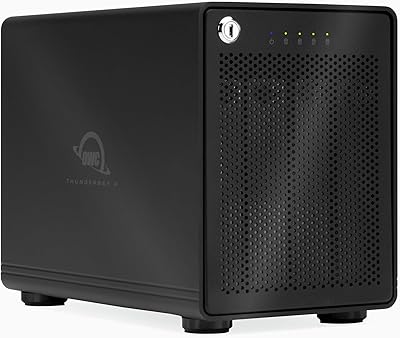
OWC ThunderBay 4 Thunderbolt 3 RAID Enclosure
80%
93%
Build Quality
89%
Sustained Performance
86%
RAID Flexibility
58%
Software & Setup Experience
91%
Thermal Management
More
SABRENT Rocket 4 4TB NVMe SSD
84%
93%
Sequential Throughput
88%
Random I/O Performance
86%
Thermal Management
91%
PS5 Compatibility
74%
Value for Money
More

FAQ

Yes, both M-series MacBook Air and MacBook Pro models include Thunderbolt 4 ports, so the hub connects and works immediately without any configuration. Display output, charging, and high-speed data transfer all function out of the box. It is one of the most straightforward setups you will find on macOS.

Yes, dual 4K at 60Hz is a native capability of the hub’s Thunderbolt 4 architecture, provided your monitors accept a USB-C or Thunderbolt signal directly. If your displays use HDMI or DisplayPort inputs only, you will need a USB-C to HDMI or USB-C to DisplayPort adapter for each screen. Most quality adapters handle this without issue.

For 13-inch and 14-inch ultrabooks, 60W is generally sufficient to maintain or gradually top up the battery during typical workloads. On a 15-inch or 16-inch laptop that draws 90W or more under load, the battery will deplete slowly even while connected — it won’t go flat quickly, but it won’t fully recharge during heavy use either. If high-wattage charging is critical for your workflow, this is worth knowing before you buy.

DSC stands for Display Stream Compression, and it is a feature of the host laptop’s graphics hardware — not the hub. If your laptop’s GPU includes DSC support, the hub can pass through an 8K signal at 60Hz. If your laptop does not support DSC, 8K output will not work regardless of the hub’s rated maximum. Before expecting 8K, check your specific laptop model’s display output specifications from the manufacturer.

It works with both platforms. Any Windows laptop with a certified Thunderbolt 4 port should connect and operate reliably. On some Windows systems, it helps to ensure your Thunderbolt controller firmware and Intel Thunderbolt drivers are up to date before first use, but most modern Windows ultrabooks will not require any extra steps.

Yes. Thunderbolt 4 supports daisy-chaining, so you can connect a compatible external drive or another TB4 hub to one of the three downstream ports and continue the chain from there. Keep in mind that the total 40Gbps bandwidth is shared across all connected devices, so performance will vary depending on how many devices are active simultaneously.

Under typical daily use, it stays warm but not hot — the aluminum body handles passive heat dissipation effectively. Sustained high-bandwidth activity like continuous large file transfers may cause the surface to feel warmer, but thermal issues affecting performance or causing shutdowns are not a common complaint among users. It is a well-managed design for everyday workloads.

The 15.7-inch cable works well when the hub sits right beside your laptop on a desk. If your laptop is on a stand or mounted on an arm at a greater distance, you may find it a bit short. Third-party certified TB4 passive cables are available up to about 2 meters (roughly 6.5 feet) and maintain full bandwidth at that length, so replacing the cable is a straightforward option if needed.

On macOS, no installation is required — it is fully plug-and-play. On Windows, most systems with current Thunderbolt firmware will also work immediately. If you encounter any recognition issues on a Windows machine, updating the Intel Thunderbolt software through Device Manager or your laptop manufacturer’s support page typically resolves them without any fuss.

No — it does not support KVM functionality. It is designed to expand a single host laptop’s connectivity, not to toggle a shared set of peripherals between two different computers. If KVM switching is part of your setup, you will need a dedicated KVM switch alongside or instead of this hub.

Where to Buy