Overview

The Anker 778 Thunderbolt 4 Docking Station is built for Windows power users who want a true single-cable desktop setup — not just another USB-C hub with a fancy label. The core appeal is 40 Gbps bandwidth, which puts it in a different category from cheaper hubs that bottleneck on video or slow down file transfers under load. Before you get excited, though, there is a hard compatibility wall: this docking station does not work with M1 or M2 MacBooks, nor with Asus laptops running AMD processors. The 180W power brick is also worth factoring in — it is substantial, and it will claim real estate on your desk or floor.
Features & Benefits

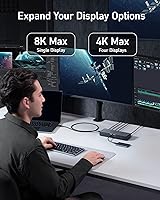
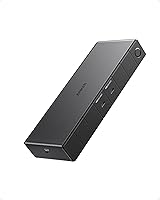
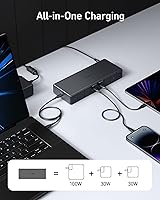
The headline spec is that single Thunderbolt 4 upstream connection doing three jobs at once: pushing data at up to 40 Gbps, driving displays, and keeping your laptop charged at 100W — all through one cable. Display options are genuinely flexible; you can run a single monitor at 8K@30Hz if you happen to own one, or more practically, spread your workflow across four 4K screens using the two DisplayPorts and the HDMI 2.1 port. The six USB ports span three speed tiers, so older peripherals plug right in alongside fast drives or NVMe enclosures. There is also a downstream Thunderbolt 4 port for daisy-chaining high-speed storage, which many competing docks skip entirely.

Best For

This Thunderbolt 4 dock makes the most sense for Dell XPS and ThinkPad users — or anyone with a Thunderbolt 4-equipped Windows laptop — who wants to arrive at a desk, plug in one cable, and have monitors, peripherals, and charging handled instantly. It is a strong fit for professionals working across two or more 4K displays, whether for video editing, development, or heavy data work. Home office setups benefit particularly from that clean single-cable routine. If you are currently running a USB-C dock and finding it throttles external drive speeds or struggles with multi-monitor output, upgrading to Thunderbolt 4 resolves both issues in one shot. Just confirm your laptop supports Thunderbolt 4 before purchasing.

User Feedback

With 231 ratings averaging 3.8 out of 5, the Anker 778 sits in an interesting position: compatible users tend to be quite satisfied, while a notable share of negative reviews come from buyers who did not verify compatibility before purchasing. On the positive side, reviewers consistently praise plug-and-play reliability, solid build quality, and Anker's responsive support when issues arise. Recurring criticisms include the bulky power adapter, warmth during heavy sustained use, and occasional display flickering when pushing three or four monitors simultaneously. The 18-month warranty draws specific appreciation, suggesting the after-sale experience holds up. The 3.8 score reflects a compatibility mismatch problem far more than a product quality one.

Pros

  • Single-cable setup handles data, video output, and 100W laptop charging all at once.
  • Full 40 Gbps Thunderbolt 4 bandwidth keeps transfer speeds fast even under mixed workloads.
  • Supports up to four 4K displays simultaneously, giving professionals serious multi-monitor flexibility.
  • The downstream Thunderbolt 4 port enables daisy-chaining high-speed storage or peripherals.
  • Six USB ports across three speed tiers mean legacy and modern devices plug in without a separate hub.
  • Built-in Ethernet eliminates the need for a USB dongle on wired networks.
  • Compact form factor fits cleanly on or beneath a desk without dominating workspace.
  • Anker's customer support and 18-month warranty provide reliable backup if issues arise.
  • Ships with a Thunderbolt 4 cable included, so you are ready to connect out of the box.
  • Plug-and-play reliability on compatible Windows systems is a consistent theme in positive reviews.

Cons

  • The 180W power brick is bulky and will occupy meaningful space on your desk or floor.
  • No compatibility with M1 or M2 MacBooks, which disqualifies a large segment of laptop users.
  • Asus laptops with AMD CPUs are also unsupported, a limitation easy to miss before purchasing.
  • Some users report intermittent display flickering when running three or four monitors at once.
  • The dock generates noticeable warmth during sustained heavy use, which concerns some users long-term.
  • At this price point, buyers with lighter workloads are paying for headroom they may never use.
  • The 8K display capability requires an 8K monitor to matter — most buyers will never use it.
  • A 0.7 m cable length may be too short depending on where your laptop sits relative to the dock.

Ratings

The scores below reflect our AI-driven analysis of verified global buyer reviews for the Anker 778 Thunderbolt 4 Docking Station, with spam, bot submissions, and incentivized feedback actively filtered out before scoring. Each category was weighted against real usage patterns reported by confirmed purchasers, so both the strengths and the frustrations you see here are grounded in what actual users experienced day to day. The result is an honest picture of where this docking station genuinely delivers and where it falls short depending on your setup.

Bandwidth Performance
93%
Users running NVMe enclosures, 4K video transfers, and multiple simultaneous display outputs consistently report that the 40 Gbps Thunderbolt 4 connection holds up without throttling — even during peak workloads. For professionals moving large files while streaming to two or three monitors, the headroom this dock provides is noticeably better than what a standard USB-C hub can offer.
The full bandwidth advantage only materializes when the host laptop genuinely supports Thunderbolt 4 at the controller level, not just via a labeled port. Buyers who assumed their laptop was fully compliant and were not have reported underwhelming speeds that do not reflect the dock's actual capability.
Multi-Monitor Support
84%
Driving dual or triple 4K displays works reliably for the majority of compatible Windows users, and professionals who use this docking station for coding, video editing, or financial data work have specifically praised how stable the display output is across long sessions. The combination of HDMI 2.1 and two DisplayPorts gives real flexibility in monitor arrangement.
Pushing to four monitors simultaneously is where reliability dips — a meaningful number of users report intermittent flickering or one display dropping signal under quad-monitor configurations. It works for some, but if four screens is your non-negotiable, this docking station carries more risk than its spec sheet implies.
Compatibility
51%
49%
For Thunderbolt 4-equipped Windows laptops — particularly Dell XPS and Lenovo ThinkPad models — compatibility is typically plug-and-play with no driver installation required. Users in that target group rarely report any compatibility friction at all, which speaks to how well the dock handles its intended platform.
The compatibility wall is hard and widely misunderstood. M1 and M2 MacBook users and Asus laptop owners running AMD processors cannot use this dock at all, and this is the single biggest driver of negative reviews. The product listing does disclose this, but many buyers overlook it, leading to frustration and returns.
Laptop Charging
88%
Delivering up to 100W through the upstream Thunderbolt 4 connection means most Windows laptops charge at full speed while docked, eliminating the need to keep the original power brick on the desk. Home office users who unplug one cable at the end of the day and plug in one cable in the morning particularly appreciate how clean this makes their workflow.
High-performance laptops that draw more than 100W under heavy CPU and GPU load — certain gaming or workstation machines — may find the charging rate insufficient to maintain battery level during intensive tasks. It is not a dealbreaker for most users, but worth verifying against your specific laptop's power requirements.
Build Quality
86%
The rectangular aluminum-accented chassis feels solid and purposeful on a desk, and reviewers consistently describe it as well-constructed relative to other docks in this price range. The port connections feel firm without being stiff, and nothing about the physical unit has drawn complaints around durability even from long-term owners.
The dock does run noticeably warm during extended high-bandwidth use, and a small number of users have raised questions about long-term thermal management given there is no active cooling. It is not a widespread failure point, but it is something to monitor if your dock lives in an enclosed space.
Port Selection
89%
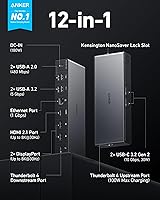
Twelve ports covering three USB-A speed tiers, dual USB-C with power delivery, Thunderbolt downstream, Ethernet, and multiple video outputs is a genuinely practical spread that eliminates the need for a secondary hub on most desks. Users who previously needed a separate USB hub alongside their dock specifically highlight how the Anker 778 consolidates everything.
The two slower USB-A ports at 480 Mbps feel like a minor compromise in an otherwise capable port layout — anything beyond basic keyboards and mice will benefit from the 5 Gbps ports instead. A front-facing USB port would also have been welcome for users who frequently plug in drives or headsets.
Setup Experience
91%
On compatible systems, the setup experience is close to frictionless — plug the dock into power, connect the Thunderbolt 4 cable to the laptop, and everything is recognized within seconds. No driver disc, no software installation, no configuration menus. Reviewers who bought it for a clean desk setup describe the first-time experience as genuinely satisfying.
When things do not work immediately, troubleshooting is less straightforward — particularly around display detection order or BIOS-level Thunderbolt settings that some laptops require to be enabled manually. First-time Thunderbolt dock users occasionally hit this and assume the product is faulty when the fix is a single firmware toggle.
Power Adapter
47%
53%
The included 180W power adapter does its job reliably and ships ready to use, so there is no additional purchase required to run the dock at full capacity. Users appreciate that the adapter is robust enough to power all ports simultaneously without any voltage drop.
The 180W brick is physically large — comparable to a chunky laptop charger — and it is a recurring complaint across reviews from users who care about desk aesthetics or have limited outlet spacing. For a premium-priced dock aimed at professionals with clean setups, the adapter's footprint feels like a design shortcoming that should have been addressed.
Value for Money
68%
32%
For a Thunderbolt 4-certified Windows power user who genuinely needs multi-monitor output, 40 Gbps throughput, and 100W laptop charging from a single cable, the price is justifiable and the dock delivers on its core promises. The 18-month warranty and Anker's customer service track record add measurable value to the purchase.
At this price, buyers with modest needs — a single display, occasional file transfers, light peripheral use — are paying for substantial bandwidth headroom they will never touch. More affordable Thunderbolt 4 or USB4 docks exist, and this docking station only represents good value if the full spec sheet matches your actual workflow.
Thermal Management
59%
41%
Under everyday mixed use — a couple of monitors, a drive, a phone charging — the dock stays at a manageable temperature and does not cause any noticeable performance throttling. Most users in typical home office scenarios do not report heat as a daily concern.
Sustained heavy use, particularly with all display outputs active and high-speed data transfers running simultaneously, pushes the dock to temperatures that a notable subset of users describe as uncomfortable to touch. Passive cooling works fine at moderate load but shows its limits at the top end of the dock's capability.
Cable Management
72%
28%
The compact footprint of the dock itself keeps the desk relatively tidy, and the single upstream cable to the laptop is the whole point of the product for most buyers. Having all peripherals plugged permanently into the dock and only ever moving one cable is genuinely effective in practice.
The included Thunderbolt 4 cable at 0.7 m is short enough to become a constraint depending on desk depth and laptop placement. Users who want the dock positioned away from the laptop — at the back of a deep desk or on a monitor stand shelf — will need to source a longer certified cable separately.
Customer Support
82%
18%
Anker's reputation for responsive support holds up specifically around this product — multiple reviewers who experienced issues mention that Anker resolved their cases without excessive back-and-forth, and the 18-month warranty provides a meaningful safety net compared to the 12-month coverage common among competitors.
A handful of users report that initial support interactions leaned heavily on scripted troubleshooting steps before escalating to a resolution. The experience is generally positive, but it can be slow for complex technical issues that fall outside standard scenarios.
Documentation
63%
37%
The welcome guide covers basic setup clearly enough for first-time dock users, and the physical port layout is intuitive once you have the dock in hand. Most compatible users are up and running without needing to consult anything beyond the quick-start card.
Compatibility requirements are not communicated prominently enough in the documentation — the Mac and AMD Asus exclusions are mentioned, but not in a way that is hard to miss. Clearer upfront guidance would prevent a meaningful portion of the compatibility-related negative reviews the dock has accumulated.

Suitable for:

The Anker 778 Thunderbolt 4 Docking Station is purpose-built for Windows laptop users who want to consolidate an entire desk setup into a single cable connection — no port replicators, no separate chargers, no cable clutter. It makes the most practical sense for professionals running a Dell XPS, ThinkPad, or any other Thunderbolt 4-equipped Windows machine who work across two, three, or four 4K monitors daily. Video editors, software developers, and data analysts who juggle external drives alongside multiple displays will appreciate the full 40 Gbps bandwidth, which does not get choked when several demands hit at once. Home office workers who want a reliable dock-and-go routine each morning — one cable in, everything works — are exactly who this docking station was designed for. If you are currently limping along on a USB-C hub and hitting walls with transfer speeds or display output, this is a meaningful, well-engineered step up.
Not suitable for:

If you own an Apple Silicon MacBook — M1, M2, or newer — the Anker 778 Thunderbolt 4 Docking Station is simply not compatible, and no firmware update or adapter will change that. Asus laptop owners running AMD processors face the same hard stop. Budget-conscious buyers should also think carefully: this docking station sits in premium territory, and if your workload does not genuinely stress bandwidth — light web browsing, a single 1080p monitor, occasional file transfers — a well-spec'd USB-C hub costs considerably less and covers those needs without issue. Users sensitive to desk clutter should know the bundled 180W power adapter is physically large; it is not the kind of brick you tuck neatly behind a monitor. And if you plan to drive three or four monitors simultaneously, be aware that a subset of users have reported intermittent display flickering in those configurations, which may require troubleshooting.
Specifications

  • Model Number: The dock is identified by model number A83A9, sold under the Anker 778 product line.
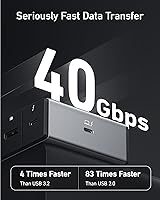
  • Upstream Port: One Thunderbolt 4 upstream port connects to the host laptop at up to 40 Gbps and delivers up to 100W of charging power simultaneously.
  • Downstream TB4: One Thunderbolt 4 downstream port supports daisy-chaining compatible devices or connecting high-speed external storage at up to 40 Gbps.
  • USB-C Ports: Two USB-C ports operate at 10 Gbps data transfer speeds and each supports up to 30W of power delivery for phones, tablets, or accessories.
  • USB-A Ports: Four USB-A ports are included: two at 5 Gbps for fast peripherals and two at 480 Mbps for legacy devices such as keyboards and mice.
  • Display Output: One HDMI 2.1 port supports up to 8K at 30Hz, and two DisplayPort outputs enable multi-monitor configurations up to quad 4K.
  • Max Resolution: Connected to a single display, the dock supports up to 8K@30Hz via HDMI 2.1; when using multiple outputs, up to four 4K displays can be driven simultaneously.
  • Ethernet: One RJ-45 Ethernet port provides wired network connectivity for stable, low-latency internet access without requiring a separate adapter.
  • Laptop Charging: The Thunderbolt 4 upstream port delivers a maximum of 100W to the connected host laptop, sufficient for most mainstream and professional Windows laptops.
  • Power Supply: The dock is powered by an included 180W DC power adapter, which is required for full-power operation across all ports.
  • Included Cable: A 0.7 m (approximately 2.3 ft) Thunderbolt 4 cable is included in the box for connecting the dock to the host laptop.
  • Total Ports: The dock provides 12 ports in total, spanning Thunderbolt, USB-C, USB-A, HDMI, DisplayPort, and Ethernet connections.
  • Dimensions: The unit measures 8.27″ long by 3.15″ wide by 1.26″ tall, making it compact enough to sit flat on or beneath a desk.
  • Weight: The dock itself weighs 1.28 pounds, though the 180W power adapter adds additional bulk that should be factored into desk planning.
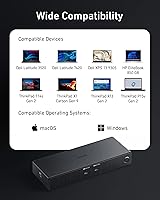
  • Compatibility: This docking station is compatible with Windows laptops equipped with a Thunderbolt 4 port; it does not support M1 or M2 MacBooks or Asus laptops with AMD processors.
  • Warranty: Anker covers this docking station with an 18-month limited warranty and provides customer support for issues arising within that period.

Related Reviews

Dell WD22TB4 Thunderbolt 4 Docking Station
80%
91%
Port Density & Variety
88%
Power Delivery
93%
Multi-Monitor Support (Windows)
48%
macOS Compatibility
72%
Value for Money
More
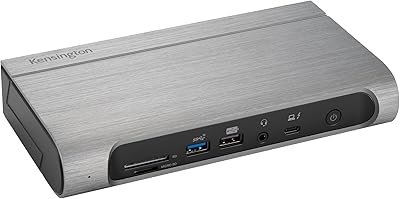
Kensington SD5800T Thunderbolt 4 Docking Station
86%
92%
Performance
90%
Display Support
88%
Charging Power
85%
Build Quality
91%
Connectivity
More
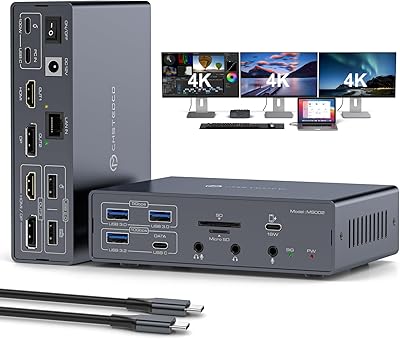
JCYMELE MS002 19-in-1 USB-C Docking Station
75%
83%
Multi-Monitor Performance
62%
Setup & Installation
91%
Port Variety & Count
71%
macOS Compatibility
77%
Value for Money
More
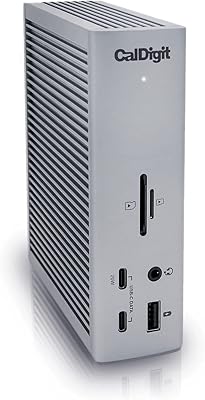
CalDigit TS4 Thunderbolt 4 Dock
82%
94%
Port Selection & Density
91%
Build Quality & Design
92%
Thunderbolt 4 Bandwidth Performance
89%
Power Delivery
86%
Display Output Quality
More
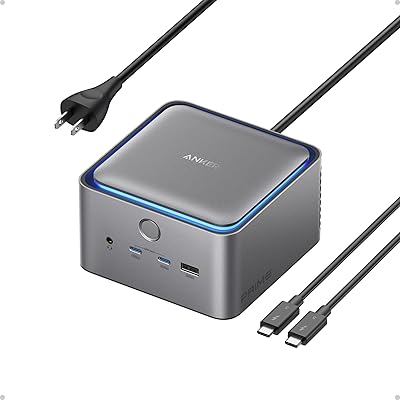
Anker Prime TB5 Thunderbolt 5 Docking Station
81%
93%
Bandwidth & Transfer Speed
78%
Multi-Display Support
91%
Laptop Charging Power
88%
Build Quality & Materials
89%
Thermal Management & Cooling
More
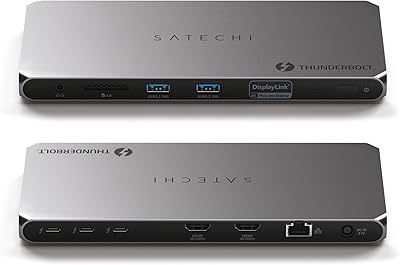
Satechi Thunderbolt 4 Docking Station
77%
83%
Multi-Monitor Performance
61%
DisplayLink Setup Experience
91%
Data Transfer Speed
88%
Build Quality & Design
79%
Charging Performance
More
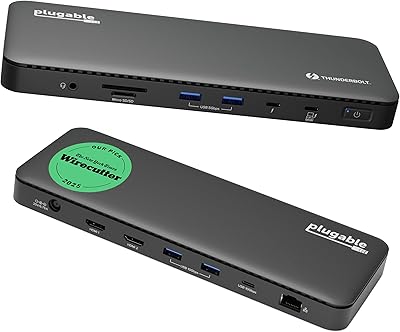
Plugable TBT4-UD5 Thunderbolt 4 Dock
81%
91%
Display Output Quality
88%
Laptop Charging Performance
63%
Mac Compatibility
87%
Port Variety & Layout
89%
Data Transfer Speed
More
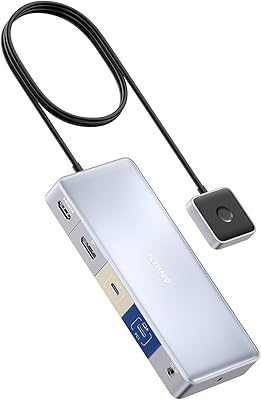
Anker 554 USB-C KVM Docking Station
77%
83%
KVM Switching Reliability
79%
Dual Monitor Performance
71%
Power Delivery
86%
Build Quality
77%
Port Selection & Variety
More
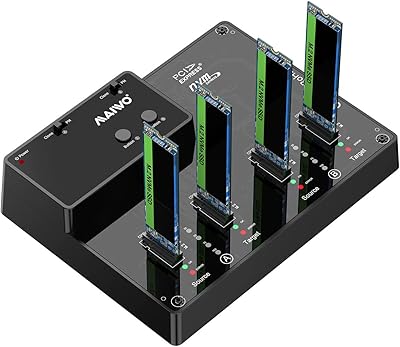
MAIWO M.2 NVMe 4-Bay SSD Cloner Dock
72%
88%
Offline Clone Functionality
61%
Clone Architecture Clarity
83%
Build Quality
69%
Clone Speed
81%
Compatibility Range
More
SABRENT DS-4SSD 4-Bay 2.5″ Drive Docking Station
80%
93%
Plug-and-Play Setup
71%
Drive Compatibility
67%
Transfer Performance
79%
Build Quality
84%
Cooling Effectiveness
More

FAQ

Unfortunately, no. The Anker 778 Thunderbolt 4 Docking Station is not compatible with M1 or M2 MacBooks — or any Apple Silicon Mac. This is one of the most common sources of buyer frustration, so it is worth confirming before purchasing. If you are on a Mac, you will need to look at a different dock specifically validated for Apple Silicon.
Technically the cable will fit, but you will not get the full experience. Without a Thunderbolt 4 host port, bandwidth drops significantly, multi-monitor output may not work as expected, and charging may be limited. This docking station is genuinely built around Thunderbolt 4, so pairing it with a standard USB-C laptop is not recommended.

Yes, up to four displays at 4K resolution can be connected simultaneously using the two DisplayPorts and the HDMI 2.1 port in combination. A small number of users have reported occasional display flickering in three- or four-monitor configurations, so it is worth testing your specific setup during any return window if quad-display output is your primary use case.

The dock handles laptop charging through the Thunderbolt 4 upstream connection at up to 100W, so in most cases you can leave your original charger packed away. That said, if your laptop has unusually high power demands — like certain high-end gaming machines under full load — you may want to verify that 100W is sufficient for your specific model.

The included cable is 0.7 m (about 2.3 ft), which works well if the dock sits close to your laptop on the same desk surface. If you want the dock positioned farther away — say, on a shelf or at the back of a deep desk — you may want to pick up a longer Thunderbolt 4 cable separately. Just make sure any replacement is certified Thunderbolt 4, not just USB-C.

It does run warm, particularly when multiple high-bandwidth devices and displays are active at the same time. Most users describe it as noticeable but not alarming. Keeping it in an open area with reasonable airflow — rather than enclosed in a drawer or tight compartment — helps manage the heat during sustained workloads.

It depends entirely on your processor. Asus laptops with Intel CPUs that include Thunderbolt 4 should be compatible. However, Asus laptops with AMD processors are explicitly not supported, regardless of whether they have a USB-C or Thunderbolt-labeled port. Check your laptop's spec sheet before purchasing.

Yes, that is exactly what the downstream Thunderbolt 4 port is designed for. You can connect a Thunderbolt-compatible NVMe enclosure or SSD directly to that port and get full 40 Gbps speeds, which is significantly faster than what the USB-A or USB-C ports on the dock can deliver. It is one of the more useful features for photographers, video editors, or anyone working with large files.

Anker backs this docking station with an 18-month warranty, and their customer support reputation is generally solid in user reviews. Multiple buyers specifically mention positive warranty experiences even in otherwise critical reviews, which is a reasonable signal that Anker handles issues without excessive friction. Keep your proof of purchase handy if you ever need to make a claim.

It is worth thinking about honestly. The brick is noticeably large — comparable to a laptop charger on the bulkier end — and it needs to sit somewhere accessible, either on your desk, behind it, or on the floor. If you have a minimalist setup or limited outlet placement, this is a real consideration rather than a minor footnote. It is not a dealbreaker for most people, but going in aware of it helps avoid surprises.

Where to Buy