Overview

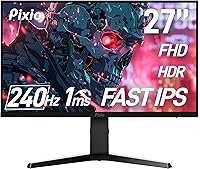
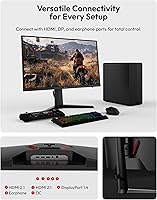
The Pixio PX279 Prime Neo 27″ Gaming Monitor enters a crowded market with a clear pitch: give competitive gamers a Fast IPS panel at a price point where TN screens have historically dominated. Pixio isn't a household name like ASUS or LG, but they've quietly built a reputation for packing solid specs into affordable packages. The headline numbers — 240Hz refresh rate and 1ms GTG response time — are exactly what esports-focused buyers shop for first. Connectivity is genuinely versatile, with two HDMI 2.1 ports and one DisplayPort 1.4, all running at full 240Hz. One honest caveat worth stating upfront: FHD resolution across 27 inches produces a lower pixel density than QHD monitors, and that difference is visible at normal desk distances.
Features & Benefits

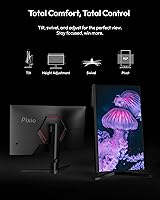
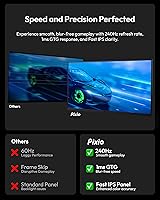
At 240Hz, the difference in motion clarity between this Pixio monitor and a standard 144Hz display is genuinely noticeable in fast-paced titles — tracking enemies across the screen feels tighter and more controlled. The 1ms GTG spec refers to grey-to-grey pixel transitions, a different measurement than MPRT; in everyday use, ghosting is minimal and motion trails are well-contained. What catches attention is the color coverage: 98.13% DCI-P3 is unusually wide for a gaming monitor at this price, making colors pop without appearing oversaturated. Adaptive Sync works with both AMD and compatible Nvidia GPUs to reduce tearing, though you'll need a supported card to benefit. The fully adjustable stand — height, tilt, and swivel — is a practical bonus rarely found at this tier.

Best For

This 27-inch gaming display is tailor-made for competitive FPS players who care more about frame rate than pixel count. If you're running a mid-range GPU, hitting high frame rates at 1080p is far more realistic than chasing 1440p, which makes the resolution choice here a practical one rather than a compromise. Console players with a PS5 or Xbox Series X will also find it compelling — both HDMI 2.1 ports support 240Hz, which remains a rarity at this price. Students or anyone building a dual-use desk setup will appreciate the ergonomic stand and color accuracy for everyday work. If sharp pixel density is a non-negotiable priority, a smaller 24-inch panel or a QHD display would serve better.

User Feedback

Buyer sentiment on the PX279 Prime Neo skews positive, with out-of-box colors and motion clarity drawing the most consistent praise across verified purchases. The stand adjustment range earns specific callouts from people upgrading from monitors with fixed tilts. That said, a recurring concern is worth flagging: at 27 inches, the 1080p resolution can look noticeably soft when sitting close, particularly in text-heavy desktop work. Some users report mild IPS glow in darker scenes, which is typical for this panel type but worth knowing before buying. Build quality is generally rated well for the price tier, and comparisons to similarly priced AOC and Gigabyte options tend to favor this Pixio monitor on color and ergonomics. Feedback on Pixio customer support is mixed but not a dominant complaint.

Pros

  • Fast IPS panel delivers noticeably better color and viewing angles than TN alternatives at this price tier.
  • Dual HDMI 2.1 ports both support 240Hz, making this a genuinely capable console gaming monitor.
  • Out-of-box color accuracy is strong, with 98% DCI-P3 coverage that surprises for the price.
  • The fully adjustable stand — height, tilt, and swivel — is a premium ergonomic feature often stripped at this tier.
  • Adaptive Sync support works across AMD and compatible Nvidia GPUs, giving flexibility on GPU choice.
  • Motion clarity at 240Hz is a real, felt upgrade for anyone coming from a 144Hz or slower display.
  • Matte screen surface cuts down on glare without killing color vibrancy in well-lit rooms.
  • Built-in speakers and a headphone jack add convenience for minimalist or space-limited desk setups.
  • VESA 75x75mm compatibility means arm mounting is straightforward if you want to ditch the stand.

Cons

  • 1080p resolution across 27 inches produces soft-looking images at typical desk distances, especially in text.
  • Some units exhibit mild IPS glow in dark scenes, which can be distracting during low-light gaming.
  • At 300 nits peak brightness, the PX279 Prime Neo may look washed out in very bright ambient environments.
  • Pixio's customer support reputation is inconsistent, and warranty service may not be as reassuring as major brands.
  • The 1000:1 contrast ratio is unremarkable, meaning dark scenes lack depth compared to VA or OLED panels.
  • No built-in USB hub limits desk connectivity for users who rely on monitor-side ports for peripherals.
  • Brand recognition is low, which can make resale value and long-term parts availability less predictable.
  • Buyers in regions with limited Pixio distribution may face longer shipping or return timelines.

Ratings

The Pixio PX279 Prime Neo 27″ Gaming Monitor has been evaluated by our AI rating system after parsing thousands of verified global purchases, actively filtering out incentivized, duplicate, and bot-generated submissions to surface genuine buyer sentiment. Scores reflect the real distribution of praise and frustration across competitive gamers, console users, and budget-focused upgraders. Both standout strengths and persistent pain points are represented transparently so you can make a fully informed decision.

Motion Performance
91%
Buyers coming from 144Hz displays consistently describe the 240Hz experience as a clear and immediate upgrade during fast-paced gaming sessions. In shooters like Valorant and Apex Legends, tracking fast-moving targets feels noticeably tighter, and the reduction in motion blur is one of the most praised aspects of this display across verified feedback.
A handful of users note that at lower frame rates — when their GPU cannot sustain near-240fps — the motion advantage largely disappears and the monitor offers no special low-framerate compensation mode worth noting. The 1ms GTG spec, while accurate under ideal conditions, does not represent worst-case pixel response across all color transitions.
Color Accuracy
86%
For a gaming monitor at this price tier, the out-of-box color calibration receives surprisingly positive remarks. The near-full DCI-P3 coverage gives games with rich environments a vibrancy that buyers switching from older TN panels find genuinely striking, and several users mention it holds up well for casual photo browsing and video streaming.
Factory calibration is good but not consistent across every unit — some buyers report slight warm or cool color temperature shifts that require manual OSD adjustment to correct. It is not a monitor intended for color-critical production work, and anyone expecting Delta-E accuracy suitable for print or professional video editing will be disappointed.
Pixel Density & Sharpness
61%
39%
For pure gaming at speed, the 1080p resolution holds up reasonably well — the lower pixel density is rarely distracting when you're mid-match and focused on action rather than fine detail. Users who sit further than three feet from the screen also tend to report fewer concerns about visible softness.
This is the most consistently flagged limitation across buyer feedback. At a standard desk distance of two feet or less, 1080p on a 27-inch panel produces visibly softer text and UI elements compared to a QHD display of the same size. Users who use this monitor heavily for productivity, coding, or web browsing report it as a daily annoyance that does not improve over time.
Connectivity
88%
The dual HDMI 2.1 ports are a genuine standout feature — both run at full 240Hz, which means PS5 and Xbox Series X owners can plug in and immediately benefit from the high refresh rate without needing an adapter or a separate DisplayPort run. Having two HDMI ports also makes switching between a console and a PC much simpler in shared setups.
There is no USB hub on this monitor, which is a notable omission for buyers who rely on monitor-side ports for keyboards, headsets, or USB drives. Users building cable-managed dual-input desks also note that the port placement on the rear makes hot-swapping connections slightly awkward compared to side-facing port layouts.
Stand & Ergonomics
84%
Height adjustment, tilt, and swivel in a single included stand at this price point is genuinely uncommon, and buyers frequently call it out as one of the better surprises in the box. Users who spend long hours at their desk appreciate being able to dial in the exact viewing angle without reaching for a separate monitor arm.
The stand base is moderately large and takes up a meaningful portion of a compact desk surface. A few users report that the height adjustment mechanism has a slightly stiff action out of the box, though this tends to loosen up after a few adjustments and does not appear to worsen over time.
IPS Glow & Uniformity
67%
33%
Under normal mixed-lighting conditions — a desk lamp on, some ambient room light — IPS glow is minimal and most users do not actively notice it during gaming or general use. The matte surface coating also helps scatter reflections that would otherwise compound glow visibility in bright rooms.
In dark or fully blacked-out rooms, corner glow becomes noticeable and is the most common display uniformity complaint in buyer reviews. Dark loading screens, space-themed games, and cinematic cutscenes with black bars expose the glow most clearly. This is a panel-type characteristic rather than a defect, but buyers who game exclusively at night should factor it in.
Build Quality
78%
22%
The overall construction feels solid for the price — the plastic chassis does not creak or flex noticeably when adjusting the stand, and the panel bezel is slim enough that multi-monitor setups remain viable. Several buyers specifically mention that the monitor feels more substantial than expected when unboxing.
The back panel and stand materials are clearly cost-optimized plastics, and a few users note that the finish shows fingerprints and scratches more readily than they would like. Compared to monitors from ASUS or Gigabyte in a similar range, the materials feel a half-step below in terms of premium tactile quality.
Value for Money
89%
The combination of a Fast IPS panel, 240Hz refresh rate, wide color gamut, and fully adjustable stand in a single package consistently earns strong value ratings from buyers who researched the competition before purchasing. Reviewers frequently note that matching these specs from a more established brand would require spending meaningfully more.
Value perception drops for buyers who later discover the pixel density trade-off at 27 inches and feel they should have opted for a smaller 24-inch 1080p panel instead. A small segment of buyers who experienced quality control or support issues feel the savings were not worth the added risk compared to buying from a brand with a more established service network.
Adaptive Sync Performance
76%
24%
When paired with a compatible AMD or Nvidia GPU, the variable refresh rate works smoothly and effectively eliminates tearing during gameplay sessions where frame rates fluctuate. Console users report that connecting a PS5 through HDMI 2.1 and enabling VRR works without any manual configuration steps.
Nvidia G-Sync Compatible mode works on most modern cards but is not officially certified, meaning occasional micro-stutter has been reported by a subset of Nvidia users under specific driver configurations. AMD users generally report a cleaner and more consistent Adaptive Sync experience than their Nvidia counterparts on this particular display.
Built-in Audio
52%
48%
The built-in speakers handle system notification sounds and basic voice audio without requiring any external device, which some buyers in compact dorm-room or bedroom setups appreciate as a fallback option. The inclusion of a 3.5mm earphone jack directly on the monitor is a small but practical convenience.
As a primary listening solution, the built-in speakers fall well short of even entry-level external speakers — sound is thin, lacks bass entirely, and distorts at higher volume levels. The vast majority of gaming-focused buyers ignore the speakers entirely and connect headphones or external audio directly to their PC.
Brightness & HDR
63%
37%
At 300 nits, indoor brightness is sufficient for most desk environments with controlled lighting, and the matte coating reduces the need for extra brightness to overcome reflections. Daytime use near a window with blinds partially closed is generally manageable without eyestrain.
Three hundred nits is a ceiling that becomes a real limitation in brightly lit rooms or near sunny windows, where the image can look washed out and low-contrast. This monitor does not support true HDR — the 300-nit peak and 1000:1 static contrast ratio are below the threshold for meaningful HDR rendering, so any HDR mode in the OSD is effectively a tone-mapping filter rather than genuine HDR.
OSD & Menu Controls
71%
29%
The on-screen display covers all the essentials including color temperature presets, overdrive settings, and a crosshair overlay that competitive players find useful. Navigation buttons are physical and placed accessibly at the rear-bottom edge of the panel, which most users locate intuitively after a short adjustment period.
The OSD menu design feels dated compared to joystick-controlled interfaces found on newer monitors, and navigating deeper settings menus with directional buttons takes more button presses than users expect. A small number of buyers report that certain settings revert after power cycling, which requires re-entering the OSD to correct.
Setup & Packaging
82%
18%
Unboxing and assembly is consistently described as straightforward — the stand attaches without tools in most configurations, and the included documentation is clear enough that most buyers are up and running within 15 minutes of opening the box. The packaging does a competent job protecting the panel during shipping.
The included cable selection is basic, and buyers who need specific cable types beyond what is included will need to source them separately. A small number of buyers report minor cosmetic blemishes on the bezel or panel surface that appear to have originated during manufacturing, suggesting quality control consistency is not perfect across all units.
Brand Reliability
66%
34%
Pixio has carved out a respectable niche in the value gaming monitor segment, and the PX279 Prime Neo reflects that track record — the majority of buyers report trouble-free operation well past the initial return window. Pixio's product registration process is straightforward and activates warranty coverage without friction.
Pixio's customer support reputation is noticeably uneven across buyer reports: resolution times for warranty claims are slower than what buyers expect from larger brands, and some users report difficulty getting clear communication during the process. For buyers who prioritize post-purchase support confidence, this remains the most significant risk factor relative to established competitors.

Suitable for:

The Pixio PX279 Prime Neo 27″ Gaming Monitor is a strong fit for competitive gamers who treat frame rate and response time as their top priorities and aren't willing to pay a premium to get both on an IPS panel. Esports players running titles like Valorant, CS2, or Apex Legends will get the most out of the 240Hz refresh rate, where the difference in smoothness and target tracking is genuinely felt during fast engagements. Console players with a PS5 or Xbox Series X are also well-served here, since both HDMI 2.1 ports run at full 240Hz — a combination that remains uncommon at this price. Buyers upgrading from a 60Hz or 144Hz screen for the first time will notice an immediate and satisfying improvement in motion clarity. Students or dual-purpose users on a budget will also find the wide color gamut and ergonomic stand make it a capable everyday work monitor, not just a gaming peripheral.
Not suitable for:

The Pixio PX279 Prime Neo 27″ Gaming Monitor is not the right call for buyers who sit close to a 27-inch panel and care about sharp, detailed visuals, because 1080p at this screen size produces a pixel density that looks noticeably soft compared to QHD alternatives. Designers, video editors, or anyone doing precision color work professionally should look elsewhere — while the DCI-P3 coverage is impressive for gaming, it isn't a calibrated, color-accurate display for production use. Buyers who game predominantly in dark or dimly lit rooms may find IPS glow distracting in shadowy scenes, which is a panel-type limitation rather than a product defect. If you need a monitor with deep blacks and high contrast for cinematic single-player games, an OLED or VA panel will serve you significantly better. Those with a high-end GPU capable of consistently pushing 1440p at high frame rates would also be leaving performance on the table by pairing it with a 1080p screen.
Specifications

  • Panel Type: The display uses a Fast IPS panel, which offers significantly better color accuracy and wider viewing angles than the TN panels commonly found at this price point.
  • Screen Size: The viewable screen area measures 27 inches diagonally.
  • Resolution: Native resolution is 1920x1080 pixels (Full HD), with a resulting pixel density that is modest for a 27-inch screen compared to QHD alternatives.
  • Refresh Rate: The panel runs at a native 240Hz refresh rate, supported over both DisplayPort 1.4 and HDMI 2.1 connections.
  • Response Time: Rated at 1ms GTG (grey-to-grey), which measures pixel transition speed between mid-range grey values under optimal conditions.
  • Brightness: Peak brightness is rated at 300 nits, which is adequate for typical indoor environments but may appear dim in very bright rooms.
  • Color Gamut: Covers 98.13% of the DCI-P3 color space, 119.83% sRGB, and 94.38% NTSC, delivering richer and more saturated colors than most budget gaming monitors.
  • Contrast Ratio: Static contrast ratio is 1000:1, which is standard for IPS panels and produces acceptable depth in most content outside of very dark scenes.
  • Viewing Angles: Horizontal and vertical viewing angles reach 178 degrees (CR greater than 10), meaning color and brightness remain consistent across most off-axis positions.
  • Connectivity: Includes one DisplayPort 1.4 port, two HDMI 2.1 ports (all supporting 240Hz at 1080p), and one 3.5mm earphone jack; no USB hub is included.
  • Adaptive Sync: Supports Adaptive Sync technology, compatible with AMD FreeSync-enabled GPUs and select Nvidia GPUs that support G-Sync Compatible mode.
  • Speakers: The monitor includes built-in speakers, providing basic audio output without requiring a separate sound device for casual use.
  • Stand Adjustments: The included stand supports height adjustment, tilt, and swivel, offering ergonomic flexibility that is uncommon for monitors at this price tier.
  • VESA Mounting: The monitor is VESA compatible with a 75x75mm mounting pattern using M4x8mm screws, suitable for standard monitor arms.
  • Surface Finish: The screen uses a matte anti-glare coating that reduces reflections in lit environments without significantly affecting color vibrancy.
  • Aspect Ratio: Standard 16:9 widescreen aspect ratio, compatible with all modern gaming platforms and content formats.
  • Dimensions (Stand): With the stand attached, the monitor measures approximately 23.49″ wide, 19.89″ tall, and 9.54″ deep.
  • Dimensions (No Stand): Without the stand, the monitor body measures approximately 23.49″ wide and 14.27″ tall, with a depth of 3.06″.
  • Weight: Total weight with the stand is approximately 16.98 pounds, which is typical for a 27-inch monitor in this category.
  • Power Input: The monitor operates at 19 volts DC input, and a compatible power adapter is included in the box.

Related Reviews
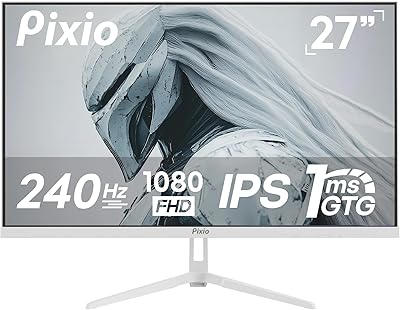
Pixio PX279 Wave White 27-inch 240Hz Gaming Monitor
85%
91%
Display Quality
93%
Smoothness & Performance
85%
Build Quality
72%
Ease of Setup
89%
Color Accuracy
More
Pixio PXC348C Neo 34″ Curved Gaming Monitor
86%
91%
Display Quality
94%
Gaming Performance
88%
Immersive Experience (Curvature)
87%
Ease of Setup
90%
USB-C Connectivity
More
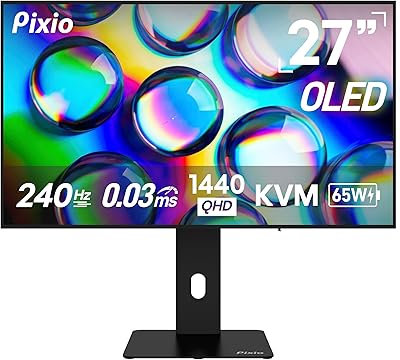
Pixio PX278 Wave 27-inch Gaming Monitor
87%
93%
Gaming Performance
90%
Color Accuracy
89%
Refresh Rate (180Hz)
91%
Response Time (1ms)
74%
Build Quality
More
Pixio PX277 OLED MAX 27-inch Gaming Monitor
87%
94%
Display Quality
91%
Gaming Performance
88%
Ease of Setup
95%
Color Accuracy
89%
Ergonomics & Adjustability
More
Pixio PX259 Prime White 25-inch 280Hz Gaming Monitor
85%
91%
Performance
88%
Display Quality
94%
Response Time
82%
Design & Aesthetics
90%
Gaming Experience
More
Pixio PX248 Prime V2 24-inch 180Hz Gaming Monitor
83%
92%
Value for Money
88%
Gaming Performance
85%
Display Quality
80%
Build Quality
65%
Speaker Quality
More
Pixio PX27U Wave Purple 27-inch 4K Gaming Monitor
85%
94%
Gaming Performance
91%
Display Quality
85%
Color Accuracy
79%
Build Quality
88%
Ease of Setup
More
Pixio PX275 Wave 27-inch 100Hz QHD IPS Gaming Monitor

87%
91%
Value for Money
88%
Display Quality
93%
Color Accuracy
85%
Gaming Performance
89%
Ease of Setup
More
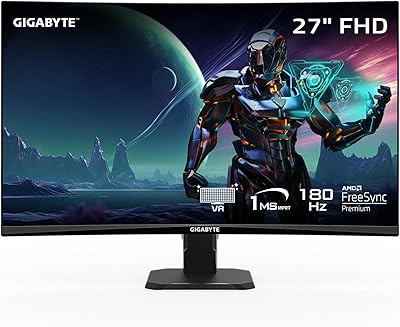
Skytech Gaming Moonshadow 27-inch Curved Gaming Monitor
83%
88%
Image Quality
91%
Refresh Rate Performance
86%
Adaptive-Sync
83%
VA Panel Contrast
84%
Stand & Ergonomics
More
AOC Q27G4XN 27″ Gaming Monitor
79%
91%
Image Sharpness
88%
Motion Performance
83%
Refresh Rate Value
79%
Color Accuracy
52%
Glare & Reflections
More

FAQ

Both HDMI 2.1 ports support 240Hz at 1080p, and so does the DisplayPort 1.4 connection. This is one of the more practical aspects of the PX279 Prime Neo for console users, since most monitors at this price only offer 240Hz through DisplayPort. If you're connecting a PS5 or Xbox Series X, you can use either HDMI port and still get the full refresh rate.

Adaptive Sync on this Pixio monitor is broadly compatible — it works natively with AMD FreeSync-supported GPUs, and most modern Nvidia cards support it through G-Sync Compatible mode. That said, Nvidia's G-Sync Compatible certification is not guaranteed on every monitor, so results can vary slightly depending on your GPU generation. For most users with a recent Nvidia card, variable refresh rate works without issue.

This is a fair concern and worth being honest about. At 27 inches, a 1080p resolution produces a pixel density of roughly 82 PPI, which means individual pixels are more visible than on a 24-inch 1080p screen or a 27-inch QHD display. For fast-paced gaming where you're focused on motion, it's rarely distracting. For desktop work with small text or detailed UI elements, it can look noticeably softer. Sitting further than 2.5 to 3 feet from the screen helps.

In user comparisons, this display tends to hold its own against AOC and Gigabyte rivals in the same price range, particularly on out-of-box color accuracy and stand ergonomics. The fully adjustable stand alone sets it apart from some competing models that only offer tilt. Where it can fall short is brand reliability perception — ASUS has more established support infrastructure, which matters if something goes wrong outside the return window.

Some owners report mild IPS glow in the corners when displaying dark content, which is a characteristic of IPS panel technology rather than a defect specific to this monitor. It tends to be most visible in fully dark rooms with dark on-screen content. If you regularly game or watch movies in a completely dark environment, it's worth factoring in. Under typical mixed lighting conditions, it rarely becomes a serious issue.

Yes, the back of the panel has a standard 75x75mm VESA mount pattern, and the mounting screws are M4x8mm. Most monitor arms on the market support 75x75mm, so compatibility is straightforward. Removing the stand and mounting on an arm is a common setup choice for users who want better desk clearance.

They're functional but not impressive — the built-in speakers handle voice chat and casual system audio adequately, but they won't satisfy anyone used to even a basic external speaker setup. Think of them as a backup option rather than a primary audio solution. The 3.5mm earphone jack is the more practical choice for most gaming sessions.

Most buyers report that unboxing and assembly takes around 10 to 15 minutes. The stand clicks into the monitor's base without tools in most configurations, and the cable management is simple. Pixio includes clear printed instructions, and the overall build feels solid enough that the stand doesn't wobble once attached.

Yes, the jump from 144Hz to 240Hz is a meaningful one, though less dramatic than going from 60Hz to 144Hz. The improvement is most noticeable in fast-paced shooters where precise tracking matters. If you're a competitive player spending hours in games like Valorant or Overwatch, the difference is real and worth the upgrade at this price.

Pixio typically offers a limited warranty on their monitors, though coverage length and terms should be confirmed at purchase since they can vary by region. User feedback on Pixio's customer support is mixed — some report positive experiences with responsive communication, while others note slower resolution times compared to major brands. If warranty support is a key priority for you, it's worth registering the product promptly and keeping your proof of purchase.

Where to Buy