Overview

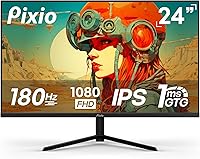
The Pixio PX248 Prime V2 24-inch Gaming Monitor sits in a crowded corner of the budget display market, but it earns its place by offering a Fast-IPS panel at a price point where most rivals default to TN technology. Pixio isn't a flashy brand, but they've built a loyal following among cost-conscious PC builders by delivering honest specs without inflated claims. The V2 revision brings meaningful refinements over the original PX248 Prime that returning Pixio buyers will notice. Choosing 1080p here is deliberate — at this refresh rate, it's the resolution where mid-range GPUs actually thrive. Ranked among the top gaming monitors on Amazon, this Pixio monitor has clearly found its audience.
Features & Benefits

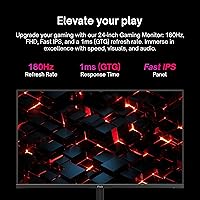
What sets the PX248 Prime V2 apart from cheaper alternatives is the panel technology behind it. Fast-IPS delivers wide viewing angles and color consistency that TN displays simply can't match, while still hitting the response times competitive gamers need — worth noting that the 1ms rating is GTG, not MPRT, meaning it reflects actual pixel transition speed rather than an optimized marketing figure. Critically, both DisplayPort and HDMI ports run at full 180Hz, which isn't always guaranteed at this price. Adaptive Sync keeps tearing in check for AMD and compatible Nvidia setups alike. The built-in speakers are modest 2W units — perfectly fine for system audio, but not a replacement for a real headset or desktop speakers.

Best For

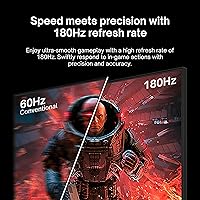
This 180Hz IPS display is a natural fit for competitive FPS players — the kind who'd rather sustain high frame rates in Valorant or CS2 than chase 4K textures. It also makes a compelling case for first-time PC builders graduating from console, where 180Hz feels like a completely different experience after years at 60. As a secondary monitor it's equally practical, combining fast response and solid color accuracy without eating into desk space or budget. Students splitting time between work and gaming will find it capable on both fronts. Just make sure your GPU can realistically sustain high frame rates at 1080p — that's where this monitor genuinely rewards you.

User Feedback

Buyers consistently highlight color quality as a standout for the price — the IPS panel produces noticeably richer, more consistent output than most monitors in this tier, and many report it looks solid straight out of the box with only minor brightness adjustments needed. Criticism clusters mainly around ergonomics: the stand only tilts, with no height adjustment or swivel, which becomes a genuine inconvenience during longer sessions. The OSD menu gets a mixed reception — functional, but not exactly intuitive to navigate. Speakers cover casual background listening and little more. Overall, user feedback points to strong core performance paired with the kind of physical and convenience trade-offs you'd realistically expect at this price.

Pros

  • Fast-IPS panel delivers noticeably better color consistency than TN monitors at a similar price.
  • Both DisplayPort and HDMI ports run at the full 180Hz refresh rate, which is not always guaranteed on budget displays.
  • Adaptive Sync works with both AMD and compatible Nvidia GPUs, giving buyers flexibility across setups.
  • 1ms GTG response time keeps ghosting in check during fast-paced gameplay without sacrificing color quality.
  • VESA 100x100mm compatibility lets you swap to a monitor arm whenever the basic stand feels limiting.
  • Wide viewing angles mean image quality holds up even when viewing from slightly off-center positions.
  • Color accuracy out of the box is solid for the price tier, requiring only minor tweaks for most users.
  • Built-in speakers handle system sounds and casual background audio without needing a separate powered speaker.
  • Compact footprint fits comfortably on smaller desks without dominating the workspace.

Cons

  • The stand offers tilt only — no height adjustment, swivel, or pivot, making long-session ergonomics a genuine concern.
  • The OSD menu navigation is clunky and unintuitive, which gets frustrating when dialing in display settings.
  • Built-in speakers are too underpowered for anything beyond basic system audio or background listening.
  • 1080p resolution may feel limiting to users upgrading from a higher-resolution display or pairing this with a powerful GPU.
  • 300 nits of peak brightness is adequate indoors but struggles in rooms with strong ambient light.
  • No HDR support, which increasingly feels like a missing feature even at budget price points.
  • The contrast ratio is standard IPS — blacks look washed out compared to VA panels, especially in dark-room gaming.
  • Cable management options on the stand are minimal, which can leave the desk looking cluttered.
  • No USB hub built in, meaning desk connectivity relies entirely on your PC or a separate hub.

Ratings

The scores below for the Pixio PX248 Prime V2 24-inch Gaming Monitor were generated by our AI after analyzing thousands of verified global buyer reviews, with spam, bot activity, and incentivized feedback actively filtered out. We weighted real-world usage patterns — competitive gaming, daily desk setups, and dual-purpose workstations — to ensure the ratings reflect genuine ownership experience rather than first-impression enthusiasm. Both the standout strengths and the recurring frustrations are transparently represented so you can make a genuinely informed decision.
Gaming Performance
91%
Users consistently report that fast-paced titles like Valorant and Apex Legends feel noticeably smoother compared to their previous 60Hz or even 144Hz displays. The combination of high refresh rate and a responsive Fast-IPS panel means motion clarity holds up well even during chaotic team fights or high-speed traversal.
A small number of competitive players note that the panel's overdrive settings can introduce mild inverse ghosting at aggressive levels, requiring some manual tuning in the OSD to find the right balance for their specific game types.
Color Accuracy
83%
For a display in this price bracket, the color output genuinely surprises buyers coming from TN panels — skin tones, foliage, and game environments look richer and more consistent across the screen. The wide sRGB coverage makes it serviceable for light photo editing and media consumption beyond gaming.
Users with color-critical workflows note that the factory calibration leaves some room for improvement, particularly in white balance and gamma consistency. Without a hardware calibrator, some buyers settle for a slightly warm or cool tone depending on their unit.
Refresh Rate & Smoothness
89%
Buyers repeatedly highlight that 180Hz is a genuine step up from 144Hz — the difference is subtle but perceptible in fast movement and cursor tracking. The fact that both HDMI and DisplayPort deliver the full refresh rate without any configuration gymnastics is a recurring point of appreciation.
Reaching the full 180Hz requires a GPU capable of sustaining high frame rates at 1080p, and some users with older mid-range cards find they spend most of their time well below the ceiling, limiting the real-world benefit.
Panel Uniformity
74%
26%
Most units arrive with acceptable uniformity for everyday gaming and desktop use, with no obvious hot spots or severe clouding reported across the majority of buyer feedback. Colors stay consistent toward the center of the screen where focus is typically highest during gameplay.
A meaningful portion of users note slight backlight bleed in the corners under dark conditions, which becomes more visible during cinematic cutscenes or dark atmospheric games played in a dim room. This is an inherent IPS characteristic rather than a defect specific to this model.
Adaptive Sync
86%
Screen tearing is effectively eliminated during gameplay within the supported variable refresh range, and the implementation works reliably with both AMD and qualifying Nvidia setups without requiring complex driver configurations. Buyers upgrading from non-sync displays notice the difference immediately.
At very low frame rates — below the effective sync window — tearing can reappear, which matters to users playing older or more demanding titles where frame rates fluctuate widely. The sync range itself isn't prominently communicated, leaving some buyers to discover the limits through trial and error.
Stand & Ergonomics
47%
53%
The stand is stable enough that the display doesn't wobble during desk use, and the tilt range is sufficient for basic seated viewing angle adjustments. For buyers who plan to immediately pair this with a monitor arm, the base stand is a non-issue.
The absence of height adjustment and swivel is the most consistently cited frustration across user reviews — buyers working longer sessions report neck strain from being unable to raise or rotate the panel. At a price point where many competing monitors still lack these features, it remains a notable ergonomic shortcoming.
Build Quality
71%
29%
The chassis feels reasonably solid for a budget-tier display, with minimal flex in the panel surround and a stand base that sits firmly without rocking. First-time monitor buyers tend to rate the physical build quality favorably relative to their expectations at this price.
The plastic finish shows fingerprints and minor scuffs with regular handling, and the rear housing feels noticeably lighter than premium monitors. Some users mention that the stand connection point feels slightly loose, though it doesn't translate into actual instability during use.
OSD & Controls
53%
47%
The on-screen display covers all the essential settings — brightness, contrast, overdrive, and color modes — and buyers who invest time in the initial setup find it functions adequately once everything is configured to their preference.
Button placement on the rear of the panel makes navigation unintuitive, and the menu hierarchy requires more steps than it should to access commonly adjusted settings. This is among the most frequent criticisms in user reviews, particularly from those who switch between game and productivity modes regularly.
Built-in Speakers
44%
56%
The integrated speakers handle system sounds, video calls, and background music at low volumes without distortion, which buyers in dorm rooms or space-constrained setups appreciate as a basic convenience. They eliminate the need for any external audio solution in minimal setups.
Volume ceiling and sound clarity are notably limited — bass is virtually absent, and audio sounds thin at higher volumes. The vast majority of gaming-focused users switch to a headset immediately, treating the speakers as a fallback rather than a genuine audio solution.
Connectivity
82%
18%
Two HDMI 2.0 ports alongside a DisplayPort input make this practical for multi-device households — a PC and a console can stay connected simultaneously without swapping cables. Both HDMI ports running at full refresh rate is a genuine differentiator buyers call out positively.
The absence of a USB hub means the monitor contributes nothing to desk connectivity beyond display output and audio. Buyers who expected a USB port for peripherals or a second headphone output come away slightly disappointed.
Brightness & Glare Handling
66%
34%
In typical indoor lighting, the matte panel surface does a solid job diffusing overhead light without the distracting reflections associated with glossy displays. For evening gaming sessions or controlled office environments, brightness levels are more than adequate.
In brighter rooms or near windows during daylight, the 300-nit ceiling starts to feel limiting — the image can look washed out rather than vivid. Users in naturally bright workspaces consistently note this as a situational weak point.
Value for Money
88%
The combination of a Fast-IPS panel, full-speed connections on both HDMI and DisplayPort, and Adaptive Sync at this price tier is genuinely hard to find elsewhere, and buyers making direct comparisons repeatedly land on this Pixio monitor as the strongest overall package available. For first-time gaming monitor buyers, the value proposition is especially compelling.
Buyers who later discover the stand limitations or the OSD friction feel the experience doesn't quite justify the value claim for users with higher ergonomic or usability expectations — a monitor arm adds cost that slightly erodes the perceived savings.
Out-of-Box Setup
79%
21%
Assembly is straightforward, with the stand attaching tool-free in under a few minutes, and most buyers report the display is ready to use with only a brightness adjustment out of the box. The inclusion of both HDMI and DisplayPort cables in some bundles is appreciated by newer builders.
The default brightness and overdrive settings aren't optimized for all content types, and users who don't explore the OSD may find early impressions underwhelming. The lack of a printed quick-start guide means less technical buyers occasionally struggle with initial display mode selection.

Suitable for:

The Pixio PX248 Prime V2 24-inch Gaming Monitor is a strong fit for competitive gamers who play fast-paced titles like CS2, Valorant, or Apex Legends, where frame rate and pixel responsiveness genuinely matter more than raw resolution. If you're running a mid-range GPU and can consistently hit high frame rates at 1080p, this display lets that hardware actually shine rather than bottleneck it. First-time PC builders moving up from console gaming will find the jump to a high-refresh IPS panel a genuinely eye-opening experience at an accessible price. It also works well as a secondary monitor in a dual-display setup, offering fast response and decent color accuracy without demanding a large investment. Students who split time between coursework and casual gaming will find it handles both duties capably without requiring any compromise.
Not suitable for:

The Pixio PX248 Prime V2 24-inch Gaming Monitor is not the right choice for buyers who need a monitor that grows with their workstation ergonomically — the stand only tilts, with no height adjustment or swivel, and that becomes a real daily frustration for anyone spending long hours at a desk. Content creators, photographers, or video editors who require precise color grading or wide color volume coverage will find the display capable but not specialized enough for professional work. Gamers who have already invested in a powerful GPU capable of driving high frame rates at 1440p or 4K will be underutilizing their hardware on this panel. If immersive audio from a monitor matters to you — for cinematic gaming or movie nights — the built-in speakers will disappoint. Buyers prioritizing a large screen presence or wanting HDR support should look elsewhere, as neither is on offer here.

Specifications

  • Panel Type: Uses a Fast-IPS panel, which combines the color accuracy and wide viewing angles of traditional IPS with improved pixel transition speeds suited for gaming.
  • Screen Size: The active display area measures 23.8 inches diagonally, marketed as a 24-inch class monitor.
  • Resolution: Native resolution is 1920x1080 pixels (Full HD), optimized for high frame rate output on mid-range graphics hardware.
  • Refresh Rate: Supports up to 180Hz over both DisplayPort 1.4 and HDMI 2.0, with no downgrade required when using either port.
  • Response Time: Rated at 1ms GTG (gray-to-gray), reflecting actual pixel transition speed rather than a backlight-strobing MPRT figure.
  • Brightness: Peak brightness is rated at 300 nits, suitable for moderately lit indoor environments but not ideal for bright or sunlit rooms.
  • Contrast Ratio: Static contrast ratio is 1000:1, which is standard for IPS-type panels and produces adequate depth in most gaming and productivity scenarios.
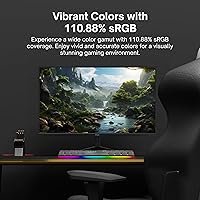
  • Color Gamut: Covers approximately 110.88% of the sRGB color space and around 83.52% of DCI-P3, offering above-average color richness for a display at this price tier.
  • Viewing Angles: Rated at 178 degrees both horizontally and vertically, meaning image quality holds up well even when viewed from moderately off-axis positions.
  • Connectivity: Includes one DisplayPort 1.4, two HDMI 2.0 ports, and one 3.5mm headphone output jack; no USB hub is included.
  • Adaptive Sync: Supports Adaptive Sync, compatible with AMD FreeSync and select Nvidia GPUs, to reduce screen tearing and stuttering during gameplay.
  • Built-in Audio: Features two integrated 2W speakers for basic system and casual audio output; not intended as a primary listening solution.
  • VESA Mount: Compatible with standard 100x100mm VESA mounting patterns using M4 screws, allowing use with most third-party monitor arms and wall mounts.
  • Stand Adjustments: The included stand supports tilt adjustment only; height, swivel, and pivot adjustments are not available without a third-party arm.
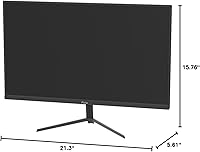
  • Dimensions: With the stand attached, the monitor measures approximately 21.26″ wide, 15.75″ tall, and 5.61″ deep.
  • Weight: The complete unit including stand weighs 8.58 pounds, making it straightforward to reposition or mount without assistance.
  • Aspect Ratio: Standard 16:9 widescreen aspect ratio, consistent with the vast majority of PC games, streaming content, and desktop applications.
  • Power Input: Operates on 12 volts DC via an external power adapter included in the box.
  • Panel Surface: The screen has a flat, matte-style surface treatment that reduces glare and reflections under typical indoor lighting conditions.

Related Reviews
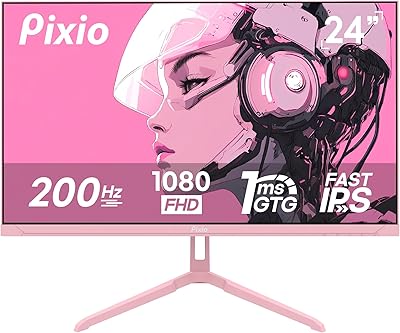
Pixio PX248 Wave Pink 24-inch 200Hz Gaming Monitor
83%
91%
Gaming Performance
88%
Display Quality
84%
Build Quality
86%
Ease of Setup
83%
Connectivity
More
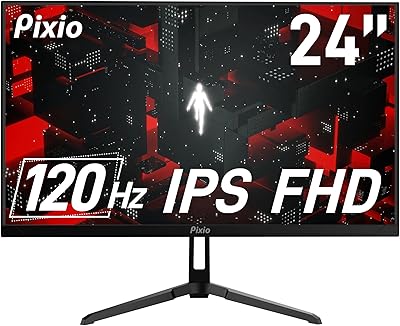
Pixio PX24Q Pro 24-inch Gaming Monitor
75%
91%
Value for Money
88%
Image Sharpness
86%
Refresh Rate Performance
83%
Color Accuracy
79%
Response Time
More
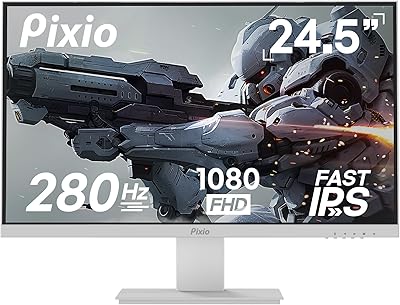
Pixio PX246 Wave 24-inch Gaming Monitor
72%
83%
Image Quality
78%
Refresh Rate Performance
91%
Value for Money
82%
Adaptive Sync
74%
Color Accuracy
More
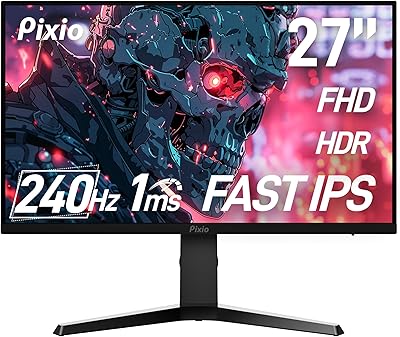
Pixio PX259 Prime 24.5-inch Gaming Monitor
73%
91%
Gaming Performance
88%
Motion Clarity
74%
Color Quality
69%
Build Quality
47%
Ergonomics
More
Pixio PX279 Prime Neo 27″ Gaming Monitor
75%
91%
Motion Performance
86%
Color Accuracy
61%
Pixel Density & Sharpness
88%
Connectivity
84%
Stand & Ergonomics
More
AOC 24G4 24-inch Gaming Monitor
76%
93%
Refresh Rate Performance
78%
IPS Color Quality
84%
Motion Clarity
91%
Value for Money
87%
Adaptive-Sync Implementation
More
ViewSonic XG2431 24-Inch Gaming Monitor
86%
92%
Gaming Performance
88%
Display Quality
93%
Response Time
85%
Ergonomics and Comfort
89%
Visual Clarity
More
Raywego Q24B16 24-inch Curved Gaming Monitor
73%
88%
Refresh Rate Performance
84%
Contrast & Black Levels
91%
Value for Money
76%
Image Sharpness
47%
HDR Quality
More
AOC G2490VXS 24″ Gaming Monitor
80%
88%
Gaming Performance
83%
Color Quality
86%
Contrast & Black Levels
91%
Refresh Rate & Smoothness
74%
Build Quality
More
Sealan 24-Inch Curved Gaming Monitor
86%
92%
Gaming Performance
88%
Visual Quality
91%
Refresh Rate Smoothness
85%
Design & Build
87%
Eye Care Features
More

FAQ

Both HDMI 2.0 and DisplayPort 1.4 support the full 180Hz on the PX248 Prime V2 — you don't need to use a specific port to unlock the maximum refresh rate. That said, always confirm your cable supports the bandwidth; a cheap or older HDMI cable can bottleneck you even if the port is capable.

Not always. The 1ms figure here is GTG, which measures how fast a pixel transitions between two shades of gray. Some brands advertise 1ms MPRT instead, which involves backlight strobing and isn't a direct comparison. GTG is the more practically meaningful spec for everyday gaming, so the rating on this Pixio monitor is a genuine performance indicator, not a marketing trick.

Yes, the Adaptive Sync implementation on the PX248 Prime V2 is compatible with Nvidia GPUs that support G-Sync Compatible mode. Just make sure to enable it in the Nvidia Control Panel under the display settings — it doesn't always activate automatically.

You can absolutely use a monitor arm. The back of the display has a standard 100x100mm VESA pattern, so any arm using that mounting spec will fit. Given that the built-in stand only tilts and offers no height or swivel adjustment, upgrading to an arm is something many buyers end up doing.

Honestly, they're functional but modest — two 2W drivers that handle system notifications and background audio without complaint. For serious gaming, music listening, or anything cinematic, you'll want a headset or external speakers. Think of them as a convenience rather than a feature.

Most users find it usable straight away, though brightness often comes set higher than comfortable for extended sessions. A quick tweak to brightness and contrast in the OSD is usually enough to get it looking its best. Full color calibration with a hardware colorimeter is not necessary unless you're doing color-sensitive creative work.

It’s functional but not the most user-friendly experience. The buttons are on the back of the display, which takes a bit of getting used to, and the menu structure has a few more layers than ideal. Once you’ve set everything up the way you like it, you rarely need to go back in — but the initial setup requires some patience.

It holds up reasonably well for dual use. The IPS panel gives you consistent, readable colors for documents and spreadsheets, and the 1080p resolution is comfortable for productivity at 24 inches. It’s not a dedicated office monitor, but for someone who games in the evening and works during the day on the same screen, it covers both needs without feeling like a sacrifice in either direction.

At this price point, yes — the Fast-IPS panel is a meaningful upgrade over TN. TN monitors at comparable prices tend to have noticeably worse color reproduction and much narrower viewing angles, which becomes obvious when you’re not sitting perfectly centered. This 180Hz IPS display gives you the speed competitive gamers want without the visual trade-offs that typically come with budget TN panels.

No, this monitor does not support HDR. At 300 nits of peak brightness and a standard contrast ratio, it wouldn’t be able to deliver a meaningful HDR experience anyway. If HDR is a priority for you, you’ll need to step up to a higher-end panel — it’s a deliberate trade-off at this price tier rather than an oversight.

Where to Buy