Overview

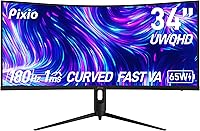
The Pixio PXC348C Neo 34-inch Curved Gaming Monitor arrived in late 2024 as one of the few ultrawide displays pushing 180Hz refresh rates at a sub-$300 price point. Pixio has built a loyal following among value-conscious PC gamers, and this release fits squarely in that tradition. At its core is a 34-inch Fast VA panel with a tight 1000R curve — an aggressive curvature that pulls the screen edges noticeably closer to your peripheral vision. On paper, the specs look punchy. In practice, VA panels carry known tradeoffs, and whether those matter depends heavily on what you plan to do with this ultrawide curved monitor.
Features & Benefits

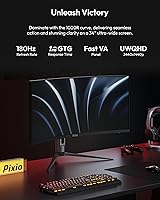
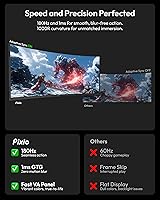
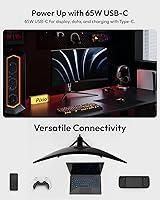
The standout spec is 180Hz over USB-C — not just DisplayPort — which is rare for any monitor at this price, let alone a 34-inch ultrawide. That USB-C port also delivers 65W Power Delivery, so laptop users can run a single cable for both video and charging. The Fast VA panel brings a native 3000:1 contrast ratio, making dark scenes in games genuinely deep rather than washed-out gray. HDR is supported, but 400 nits is modest; don't expect a transformative HDR experience here. One important caveat: the HDMI port is capped at 100Hz, so connect via DisplayPort or USB-C if your GPU supports it to get the full refresh rate.

Best For

The PXC348C Neo hits a sweet spot for budget ultrawide gaming — specifically for sim racing, grand strategy, and open-world RPGs where 21:9 real estate genuinely changes how you experience a game. Laptop users will appreciate the clean single-cable USB-C setup that handles both display and power. Content creators who work with color-rich media will find the 95% DCI-P3 coverage useful at this price tier. That said, if competitive FPS is your primary focus, a faster IPS or TN panel in a smaller format will likely serve you better — the VA panel's motion characteristics, while improved, still trail the best IPS options at comparable refresh rates.

User Feedback

Buyers consistently highlight the value-for-money angle — getting 180Hz and UWQHD in a curved ultrawide package at this price surprises people accustomed to paying significantly more. The USB-C convenience draws frequent praise from laptop users in particular. On the flip side, some report visible backlight bloom in dark scenes, which is a known Fast VA characteristic rather than a unit defect. A number of users flag that the included stand is fairly basic with limited ergonomic adjustment, and the 75x75mm VESA pattern requires standoffs for monitor arm mounting — a small but real inconvenience. Out-of-box color accuracy generally satisfies, though the OSD menu could be more intuitive to navigate.

Pros

  • 180Hz refresh rate over both DisplayPort and USB-C is rare at this price point in the ultrawide category.
  • The 3000:1 contrast ratio makes dark game environments look genuinely rich, not flat gray.
  • USB-C with 65W Power Delivery means laptop users can run a single cable for display and charging.
  • 3440x1440 UWQHD resolution delivers sharp detail across the entire 34-inch panel.
  • 95% DCI-P3 color coverage outperforms most budget monitors and holds up well for color-sensitive work.
  • AMD FreeSync Premium keeps gameplay tear-free across a wide range of frame rates.
  • The 1000R curve creates a noticeably immersive feel in racing sims and cinematic open-world games.
  • Built-in speakers and a headphone jack reduce the need for extra desk clutter on basic setups.
  • Out-of-box color accuracy is solid enough for most users without requiring manual calibration.

Cons

  • VA panel backlight bloom is visible in dark scenes with bright UI elements — a known panel-type limitation.
  • The HDMI port maxes out at 100Hz, which will catch console or secondary-GPU users off guard.
  • 400-nit peak brightness makes the HDR badge more of a marketing note than a transformative visual feature.
  • The included stand offers limited ergonomic adjustment, making tilt the primary option for most users.
  • The 75x75mm VESA mount requires standoffs, adding friction for anyone setting up a monitor arm.
  • Off-axis viewing angles show some color shift, typical of VA technology but worth knowing before you buy.
  • The OSD menu navigation has a learning curve and is less intuitive than competing monitors in this range.
  • At 21.2 pounds with the stand, repositioning or moving the display solo is more awkward than lighter alternatives.

Ratings

The scores below for the Pixio PXC348C Neo 34-inch Curved Gaming Monitor were generated by our AI engine after analyzing thousands of verified global buyer reviews, with spam, incentivized, and bot-flagged submissions actively filtered out before any scoring took place. Each category reflects the honest balance of praise and frustration real users reported — nothing is inflated to flatter the product, and nothing is dismissed to seem contrarian.
Value for Money
91%
This is where the PXC348C Neo consistently earns its strongest praise. Buyers coming from 1080p or standard 16:9 monitors repeatedly describe it as an overachiever for the price — 180Hz, UWQHD, and USB-C charging in one package at this tier is genuinely uncommon.
A small but vocal group of buyers feel the value proposition erodes once you factor in the cost of standoffs for a monitor arm or a third-party DisplayPort cable not included in the box. The total landed cost edges slightly higher than the sticker price suggests.
Refresh Rate Performance
88%
Users upgrading from 60Hz or 75Hz panels describe the 180Hz experience as immediately and noticeably transformative — especially in open-world games and racing titles where smooth camera movement makes a tangible difference. AMD FreeSync Premium keeps frame delivery clean across a wide range.
The 180Hz ceiling is only accessible via DisplayPort or USB-C; buyers who assumed HDMI would deliver the full rate were caught off guard when capped at 100Hz. A clearer label on the box would prevent this recurring frustration reported by multiple reviewers.
Panel Contrast & Black Levels
84%
The 3000:1 native contrast ratio is one of the most tangible advantages this ultrawide curved monitor holds over IPS competitors at the same price. In dark RPG environments, space games, and cinematic cutscenes, shadow areas look dimensional rather than flat gray.
Backlight bloom is a recurring complaint when bright UI elements — like a minimap or HUD — sit against a very dark background. It is an inherent VA characteristic rather than a defect, but users who game in dark rooms with high-contrast scenes will notice it regularly.
Color Accuracy & Gamut
82%
18%
Out-of-box color saturation earns consistent praise from buyers who were not expecting DCI-P3 coverage at this price point. Hobbyist photo editors and content creators found the colors punchy and workable without immediate calibration, which surprised many coming from budget IPS panels.
Off-axis color shift is noticeable beyond roughly 35 to 40 degrees — a known VA trade-off that shows up when multiple people view the screen simultaneously or when the user sits at an extreme angle. A few buyers also noted minor color uniformity differences toward panel edges.
Motion Clarity & Response
69%
31%
For the majority of gaming genres this display targets — racing sims, strategy, and open-world RPGs — motion clarity is more than adequate. Most users in these categories report no distracting trailing at typical in-game frame rates with overdrive set correctly.
Competitive FPS players and those sensitive to pixel response are more critical, pointing out dark-to-dark smearing during fast lateral movement. The manufacturer's 1ms GTG claim is a best-case scenario figure; real-world Fast VA response, while improved, still trails top-tier IPS panels in back-to-back tests.
USB-C Connectivity
89%
The USB-C implementation is one of the most frequently praised practical features among laptop users. Running a single cable from a MacBook or Windows ultrabook for both 180Hz display output and 65W charging genuinely simplifies desk management in a way buyers notice every single day.
Compatibility depends entirely on the laptop's USB-C port supporting DisplayPort Alt mode — something not all laptops do, and a handful of buyers discovered this the hard way after purchase. Pixio could communicate this prerequisite more prominently in their product listing.
HDR Experience
57%
43%
Enabling HDR in supported games does produce a modest improvement in color depth and shadow gradation compared to standard SDR output. Users with no prior HDR reference point generally describe it as a welcome visual step up from their previous displays.
At 400 nits peak brightness, the HDR experience falls well short of what VESA DisplayHDR 600 or OLED-based monitors deliver. Buyers who specifically sought out this display for HDR content were noticeably disappointed — highlights simply cannot bloom the way they do on higher-brightness panels.
Build Quality & Aesthetics
76%
24%
The chassis feels solid for the price tier, with minimal flex in the panel housing and a reasonably clean aesthetic that avoids the aggressive gamer styling some buyers actively dislike. Most users report no dead pixels or obvious build defects out of the box.
The back panel and stand use plastics that feel noticeably budget-grade when handled up close — a fair trade-off at this price, but one that registers for buyers comparing it to more premium builds. A few users noted slight wobble in the stand under desk vibration.
Stand & Ergonomics
61%
39%
The included stand assembles quickly and holds the panel stable at a fixed height for most standard desk setups. For buyers who park the monitor in one position and never adjust it, the stand is entirely adequate as a daily driver.
Tilt is the only ergonomic adjustment available — there is no height, swivel, or pivot. Users who hot-desk, share the monitor between seated and standing setups, or simply want fine-tuned positioning find the stand limiting and end up budgeting for a VESA arm almost immediately.
VESA & Arm Compatibility
58%
42%
The 75x75mm VESA pattern does at least allow monitor arm mounting, which many buyers in this category expect. Once properly mounted with standoffs, users report a stable and clean installation that works as expected with standard third-party arms.
The recessed mounting area means standoffs are non-optional, and they are not included in the box. Several buyers were caught off guard mid-setup, requiring a separate order and delaying their install. The 75x75 pattern is also smaller than the 100x100mm standard many arms are optimized for.
OSD & Software Controls
63%
37%
The OSD covers all the essential controls buyers need — brightness, contrast, overdrive settings, and input switching. Reaching the right refresh rate and enabling FreeSync is straightforward once you know the menu layout.
Navigation feels dated compared to competitors in the same price range, and multiple buyers flagged the button layout as unintuitive during initial setup. Finding the overdrive setting or switching between inputs takes more menu traversal than it should for a display at this level.
Immersion & Screen Real Estate
87%
The 21:9 panoramic format paired with the aggressive 1000R curve consistently earns enthusiastic feedback from sim racers, strategy game players, and RPG fans. The sense of being surrounded by the image rather than looking at a flat rectangle is frequently cited as the single best reason to choose this display.
The 1000R curvature, while immersive, divides opinion — a portion of buyers find it too aggressive for productivity tasks like reading documents or working with spreadsheets side-by-side, where the curved edges can introduce subtle distortion at the extremes.
Setup & Out-of-Box Experience
78%
22%
Physical assembly is quick and cable-management-friendly, and most buyers report that the display looks good immediately without touching any settings. The packaging does a solid job protecting the panel during shipping, with very few reports of transit damage.
The included cable selection is inconsistent — some buyers received a DisplayPort cable while others received only HDMI, creating confusion about how to unlock the full 180Hz experience from day one. A more transparent and standardized in-box accessory list would reduce first-day frustration.
Built-in Speakers
53%
47%
Having integrated speakers is a genuine convenience for video calls, casual YouTube browsing, or background listening when a headset is not within reach. For basic secondary-use audio, they serve their purpose without requiring any additional desk equipment.
Volume headroom and low-frequency response are both quite limited — playing games or watching movies through them at high volume exposes noticeable thinness and distortion. Nearly every buyer who values audio quality ends up using an external solution within the first week.

Suitable for:

The Pixio PXC348C Neo 34-inch Curved Gaming Monitor was built for PC gamers who want a genuinely fast, immersive ultrawide experience without spending premium-monitor money. If you spend most of your time in open-world RPGs, grand strategy titles, or sim racing, the 21:9 panoramic field of view delivers a meaningful upgrade over standard 16:9 displays. Laptop users will find real day-to-day value in the USB-C setup — one cable handles both video output and 65W charging, which genuinely simplifies a desk. The wide DCI-P3 color coverage also makes this 34-inch gaming display a reasonable option for hobbyist content creators and photo editors who want better color fidelity than a typical budget panel offers. Anyone upgrading from a 60Hz or 75Hz monitor will notice the 180Hz difference immediately, especially in fast open-world games where smooth camera movement matters.
Not suitable for:

The Pixio PXC348C Neo 34-inch Curved Gaming Monitor is not the right call for competitive FPS players where every millisecond of motion clarity counts — Fast VA panels have improved significantly, but a high-end IPS or TN display will still edge it out in pixel response under demanding conditions. Anyone planning to use this ultrawide curved monitor primarily with a gaming console should note that the HDMI port is limited to 100Hz, so the full 180Hz experience is only accessible via DisplayPort or USB-C. If your workflow demands accurate HDR grading or professional color work, 400 nits of peak brightness falls short of what true HDR content requires. Users who rely on monitor arms should know the 75x75mm VESA pattern requires standoffs, adding an extra step that not every arm kit accommodates out of the box. Finally, those with limited desk depth may find the 1000R curvature and 11-inch depth footprint more demanding than expected.
Specifications

  • Panel Type: Uses a Fast VA (Vertical Alignment) panel, which delivers deeper blacks and higher native contrast than IPS but carries some trade-offs in off-axis color consistency.
  • Screen Size: The active display area measures 34 inches diagonally across a 21:9 ultrawide aspect ratio.
  • Resolution: Native resolution is 3440x1440 pixels (UWQHD), providing noticeably sharper detail than 1080p ultrawides at the same screen size.
  • Refresh Rate: Supports up to 180Hz via DisplayPort 1.4 and USB-C, while the HDMI 2.0 port is limited to a maximum of 100Hz.
  • Response Time: Rated at 1ms GTG (gray-to-gray) by the manufacturer, a figure measured under optimal conditions typical of Fast VA panel marketing specifications.
  • Curvature: The panel uses a 1000R curvature radius, one of the tighter curves commonly found on ultrawide monitors, designed to match the approximate focal distance of human peripheral vision.
  • Brightness: Peak brightness is rated at 400 nits, sufficient for SDR content in moderately lit environments but limiting for a fully impactful HDR experience.
  • Contrast Ratio: Native contrast ratio is 3000:1, which is significantly higher than typical IPS panels and produces visibly deeper shadow detail in dark gaming scenes.
  • Color Gamut: Covers 95.26% of the DCI-P3 color space and 115.59% of sRGB, making it suitable for color-sensitive creative work alongside gaming use.
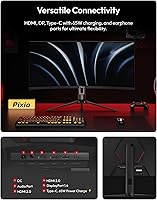
  • Connectivity: Ports include one DisplayPort 1.4, one HDMI 2.0, one USB-C (USB 3.1 with 65W Power Delivery and DisplayPort Alt mode), and one 3.5mm headphone jack.
  • USB-C Charging: The USB-C port delivers up to 65W of Power Delivery, enough to charge most laptops while simultaneously carrying the display signal at up to 180Hz.
  • VESA Mount: Compatible with 75x75mm VESA patterns, but standoffs are required for monitor arm installation since the mounting area sits recessed behind the panel housing.
  • Dimensions: With the stand attached, the monitor measures approximately 31.4″ wide, 20.7″ tall, and 11.3″ deep.
  • Weight: The complete unit with stand weighs 21.2 pounds, which is on the heavier side for a 34-inch display and worth noting for single-person setup.
  • Speakers: Built-in speakers are included, providing basic audio output without the need for external speakers in casual use scenarios.
  • HDR Support: HDR is supported at the hardware level, though the 400-nit brightness ceiling means the display does not meet VESA DisplayHDR 600 or higher certification thresholds.
  • Sync Technology: AMD FreeSync Premium is supported, enabling variable refresh rate synchronization to reduce screen tearing and stuttering during gameplay.
  • Viewing Angles: Specified at 178 degrees both horizontally and vertically (CR greater than 10), though real-world VA color shift becomes noticeable at wide angles beyond 30 to 40 degrees.

Related Reviews

Alienware AW3425DWM 34-inch Curved Gaming Monitor
82%
91%
Image Clarity & Sharpness
89%
Refresh Rate & Motion Performance
93%
Ultrawide Immersion
84%
Color Accuracy & Vibrancy
62%
HDR Performance
More
Great voell Q34DB45 34-inch Curved Gaming Monitor
70%
84%
Value for Money
88%
Screen Size & Immersion
79%
Gaming Performance
72%
Image Quality
86%
Productivity & Multitasking
More
Westinghouse 34-Inch Curved Ultrawide Gaming Monitor
72%
84%
Value for Money
78%
Image Quality
81%
Refresh Rate & Motion
82%
Adaptive Sync
83%
Curve & Immersion
More
Raywego Q34DB45-1 34-inch Curved Gaming Monitor
72%
88%
Value for Money
84%
Gaming Performance
74%
Image Quality
51%
HDR Performance
67%
Build Quality
More
Xiaomi 34-inch Curved Gaming Monitor G34WQi
84%
94%
Display Quality
91%
Gaming Performance
88%
Color Accuracy
82%
Build Quality
89%
Value for Money
More
Dell S3422DWG 34-inch Curved Gaming Monitor
83%
88%
Image Quality
84%
Refresh Rate & Smoothness
93%
Curvature & Immersion
54%
HDR Performance
91%
Build Quality & Design
More
Acer Nitro XZ342CU 34″ Curved Gaming Monitor
78%
86%
Image Quality
88%
Refresh Rate Performance
91%
Ultrawide Immersion
54%
HDR Performance
83%
Build Quality
More
SANSUI ES-G34C5 34-inch Curved Gaming Monitor
73%
91%
Value for Money
84%
Image Quality & Color Accuracy
83%
Refresh Rate & Smoothness
47%
HDR Performance
41%
Ergonomics & Stand Adjustability
More
MSI MAG342CQR 34″ Curved Gaming Monitor
73%
83%
Image Quality
87%
Gaming Performance
89%
Curvature & Immersion
74%
Build Quality
81%
Stand & Ergonomics
More
ASUS TUF VG34VQL1B 34-inch Curved Gaming Monitor
78%
83%
Image Quality
89%
Refresh Rate & Smoothness
78%
Response Time & Motion Clarity
81%
Adaptive Sync Performance
54%
HDR Performance
More

FAQ

No — the HDMI 2.0 port on this monitor tops out at 100Hz. To get the full 180Hz refresh rate, you need to connect via DisplayPort 1.4 or the USB-C port with DisplayPort Alt mode. It's easy to miss in the spec sheet, so make sure your GPU has one of those outputs available before you set everything up.

It depends on your laptop. Your laptop's USB-C port needs to support DisplayPort Alt mode to carry a video signal. If it does, the PXC348C Neo will output at up to 180Hz and simultaneously deliver 65W of power back to your laptop — enough to charge most ultrabooks and mid-range laptops. Check your laptop's USB-C spec sheet or manufacturer page to confirm DisplayPort Alt mode support before assuming it will work.

Honestly, it depends on your expectations. At 400 nits peak brightness, this ultrawide curved monitor technically supports HDR but won't deliver the dramatic highlight punch you get from a 600-nit or 1000-nit display. For games with HDR modes, enabling it can improve color depth and shadow detail slightly, but don't expect it to look like an OLED or a high-end HDR monitor. Think of it as a modest enhancement rather than a flagship HDR experience.

Fast VA panels have improved meaningfully over older VA technology, but some trailing or smearing can appear in very fast motion, particularly during dark-to-dark transitions. For most game genres — open-world games, strategy titles, RPGs, racing sims — it's not a practical problem. Competitive FPS players who are sensitive to pixel response will notice it more than casual gamers. Using the monitor's overdrive setting at the correct level helps minimize it.

Yes, but there's a catch. The Pixio PXC348C Neo 34-inch Curved Gaming Monitor uses a 75x75mm VESA pattern, and the mounting holes sit recessed in the housing, which means standard monitor arm adapters won't flush-mount without standoffs. Most users pick up a small set of M4 standoffs for a few dollars, but it's an extra step that some arm kits don't include. Double-check your arm's compatibility before assuming it'll work straight out of the box.
With the included stand, the footprint runs about 11.3 inches deep. The 1000R curve is quite aggressive, so the screen edges arc toward you more than on a shallower-curved ultrawide. Most users find it comfortable at around 24 to 30 inches of viewing distance, which means a desk at least 24 to 28 inches deep is recommended for a practical setup.

Most users find the out-of-box color accuracy acceptable for gaming and general use without touching the OSD. The wide DCI-P3 coverage means colors look rich and saturated from the start. That said, if you're doing color-sensitive creative work, a quick calibration pass with a colorimeter will help dial in white balance and gamma more precisely. The OSD menu works fine but isn't the most intuitive to navigate — give yourself a few minutes to get familiar with it.

The difference is quite noticeable. A typical IPS panel offers around 1000:1 contrast, while this 34-inch gaming display delivers a native 3000:1 ratio. In practice, dark scenes in games look significantly more dimensional — shadow areas don't wash out into gray, and space or night environments feel genuinely dark. The trade-off is that VA panels can show some backlight bloom around bright objects on a dark background, which is worth knowing if you watch a lot of dark content.

They're functional for video calls, YouTube, and background audio, but don't expect much bass or volume headroom. If you're gaming, watching movies seriously, or listening to music with any attention, a dedicated headset or desktop speakers will be a noticeable upgrade. That said, having speakers built in is genuinely convenient for casual use cases where you don't want extra cables on the desk.

Assembly is straightforward — the stand attaches in a few minutes without tools, and the monitor is well-packaged. Check what cables Pixio includes in the box, as this can vary; you may need to supply your own DisplayPort or USB-C cable depending on your setup. The stand itself offers basic tilt adjustment but no height or pivot adjustment, so if ergonomics are a priority, budgeting for a VESA arm (with standoffs) from the start is worth considering.

Where to Buy