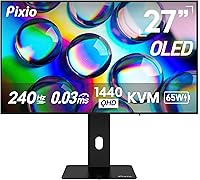

Overview

The Pixio PX277 OLED Max V2 27″ Monitor enters a crowded field of premium gaming displays and makes a credible case for itself without the flagship price tag that brands like LG or Asus typically command. Pixio has built a loyal following by delivering serious hardware at accessible price points, and the V2 iteration refines that formula with improved connectivity and stand ergonomics over its predecessor. At 27 inches with QHD resolution, it covers the sweet spot for both competitive gaming and everyday use. That said, WOLED panels carry real trade-offs — burn-in risk exists, and SDR brightness is modest — so going in with honest expectations matters.

Features & Benefits

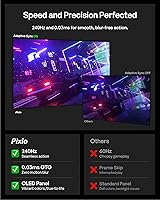
What makes this WOLED gaming monitor stand out in actual use is how the panel technology translates to the screen. Colors feel saturated without looking overdone, dark scenes in games reveal shadow detail that IPS panels simply can't match, and the contrast ratio is the kind you notice immediately — not just in spec sheets. The 240Hz refresh rate keeps fast-paced titles feeling sharp and fluid. The built-in KVM switch is a genuine standout at this price tier, letting you run a PC and a console through one keyboard and mouse without swapping cables. USB-C with 65W power delivery rounds things out for laptop users who want a clean, single-cable desk setup.

Best For

This 27-inch OLED display is a strong fit for competitive PC gamers who care more about motion clarity and response than peak brightness — in a darkened or controlled-light room, it absolutely shines. Console players with a PS5 or Xbox Series X will appreciate the dual HDMI 2.1 inputs and the KVM functionality for managing both without extra hardware. Color-sensitive creative work is also a legitimate use case here; the wide DCI-P3 coverage makes it viable for photo editing and video review alongside gaming. Laptop users gain a lot from the USB-C setup, and first-time OLED buyers who want premium panel quality without paying flagship prices will find the value proposition genuinely compelling.

User Feedback

Buyers who have spent time with the Pixio OLED Max V2 tend to land in a pretty consistent place: picture quality is the star, with color vibrancy and contrast drawing near-universal praise. At 240Hz, the smoothness feels earned rather than marketed. Where things get more nuanced is brightness — users in well-lit rooms notice the SDR ceiling, and a handful flag that the stand feels less rigid than expected at this price. The KVM switch gets mixed reviews: straightforward for most, but occasional input-switching hiccups frustrate others. Burn-in anxiety comes up frequently in comments, though long-term durability reports remain limited given the monitor's relatively recent release. Most buyers still consider the overall package a strong value for OLED.

Pros

  • WOLED contrast makes dark scenes look genuinely cinematic — blacks are deep and colors stay accurate.
  • At 240Hz, fast-paced gameplay feels noticeably smooth and responsive without tearing.
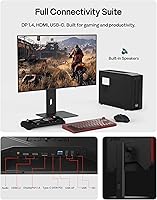
  • Dual HDMI 2.1 inputs mean both a PC and a console can connect at full resolution and refresh rate simultaneously.
  • The built-in KVM switch is a rare and practical feature at this price tier, reducing desk clutter for multi-device users.
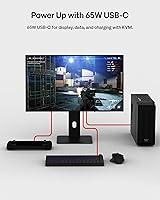
  • USB-C with 65W power delivery simplifies the desk setup for laptop users to a single cable.
  • Wide color gamut coverage makes the Pixio OLED Max V2 usable for casual creative work, not just gaming.
  • The matte anti-glare surface helps in mixed lighting without washing out OLED color saturation.
  • Full stand adjustability — height, tilt, swivel, and pivot — means finding a comfortable ergonomic position is straightforward.
  • VESA compatibility gives owners the option to mount it on a third-party arm without losing functionality.
  • Buyers new to OLED get a legitimate premium panel experience without paying flagship-brand prices.

Cons

  • SDR peak brightness is modest and will feel underwhelming in brightly lit rooms or offices with large windows.
  • WOLED burn-in risk is real; static interface elements left on screen for long periods require active management.
  • The stand feels less premium than expected at this price point, with some wobble reported by users.
  • KVM switching can be inconsistent, with occasional input-recognition delays frustrating multi-device users.
  • HDR peak brightness only hits higher levels at a very small portion of the screen, limiting impact on full-screen content.
  • Built-in speakers are present but not a strength — most users will want external audio regardless.
  • At 22 pounds with the stand, repositioning or transporting the display is less convenient than lighter alternatives.
  • Pixio’s after-sales support and warranty service reputation lags behind larger, more established monitor brands.
  • QHD resolution may feel like a compromise for buyers who are considering a move to 4K in the near future.
  • Limited long-term burn-in data exists given the monitor’s relatively recent market availability.

Ratings

The scores below for the Pixio PX277 OLED Max V2 27″ Monitor were generated by our AI after analyzing verified purchase reviews from buyers worldwide, with spam, bot-submitted, and incentivized feedback actively filtered out before scoring. The result is an honest, data-driven picture of where this WOLED gaming display genuinely excels and where real owners have run into friction. Both the highs and the frustrations are reflected as they were reported — nothing softened, nothing inflated.

Image Quality
93%
Owners consistently describe the picture as immediately striking — dark scenes in games reveal shadow detail that flat IPS panels simply cannot replicate, and color feels saturated without looking artificial. The WOLED contrast is the kind of thing you notice the first time you sit down, and it remains impressive after months of daily use.
A small number of users noted that out-of-box color accuracy required some calibration to hit their preferred target, particularly for sRGB-clamped content creation workflows. The visual wow factor is undeniable, but perfectionists may want to spend time in the OSD before declaring it dialed in.
Motion Performance
91%
At 240Hz with OLED pixel response, fast-paced competitive titles feel genuinely sharp and responsive in a way that is difficult to go back from. Players report that tracking moving targets in shooters becomes noticeably easier, and the absence of motion blur during quick pans is something users mention repeatedly.
To actually leverage the full 240Hz potential, buyers need a GPU capable of pushing that many frames at 1440p — mid-range cards will often run into GPU limits before the panel does. A handful of users also flagged that Adaptive Sync compatibility required a driver update to activate reliably on certain Nvidia setups.
Contrast & Blacks
96%
This is where the Pixio OLED Max V2 most clearly separates itself from IPS and VA competitors at similar price points. Horror games, space environments, and dark cinematic content look genuinely different on this panel — blacks are not dark gray approximations, they are simply off, which transforms the viewing experience in dim rooms.
The near-perfect black levels also make any bright-room reflection or haze on the matte surface more perceptible by contrast. Users who sit with windows behind them noted that the matte coating helps, but ambient light still competes with shadow detail in ways a brighter IPS panel might handle more gracefully.
SDR Brightness
58%
42%
For evening gaming sessions or setups with good light control, the SDR brightness is workable and consistent across the panel surface. Users in controlled environments rarely flag it as a problem during day-to-day gaming.
In a well-lit office or a room with large windows, the SDR brightness ceiling becomes a genuine limitation that buyers notice and mention frequently. At roughly 400 nits peak SDR, this 27-inch OLED display cannot compete with high-brightness IPS alternatives in ambient light, and this is the single most common source of disappointment from verified purchasers.
Color Accuracy
88%
Wide DCI-P3 coverage means the panel handles both gaming visuals and casual creative work with accuracy that would have required a dedicated professional display a few years ago. Photo editors working alongside gaming use regularly comment that skin tones and natural gradients look convincing without additional hardware calibration.
Factory calibration quality appears to vary somewhat between units, with a portion of buyers reporting that the default profile ran slightly warm or oversaturated out of the box. Those doing precision color work should budget time for a manual calibration pass rather than trusting the factory setting blindly.
KVM Functionality
71%
29%
The built-in KVM switch is a legitimate differentiator at this price tier and works reliably for the majority of users running a PC and a console, or two computers, through one keyboard and mouse. For a home desk where you simply want to avoid two separate input setups, it delivers on its promise without requiring any third-party hardware.
A recurring complaint involves occasional input-recognition hiccups — the connected keyboard or mouse taking a beat to respond after switching, or the monitor briefly requiring a manual input toggle to sync the KVM correctly. It works well enough for casual switching but is not polished enough for users who need instant, reliable transitions in a professional multi-machine workflow.
USB-C Implementation
84%
The single-cable USB-C solution resonates strongly with laptop users who want a clean desk without a separate power brick in the chain. Connecting a compatible laptop delivers display output at full resolution and refresh rate while keeping the battery charged through normal productivity workloads.
At 65W power delivery, the port falls short for high-wattage laptops under sustained gaming or rendering loads, where power draw can exceed what the monitor supplies. Users with 16-inch performance laptops or workstation-class machines should verify their power requirements before relying on this as their sole charging source.
Connectivity Range
89%
Having two HDMI 2.1 ports alongside a full-speed DisplayPort 1.4 and USB-C means most buyers can connect every device they own without a switcher box or unplugging anything. Console players with both a PS5 and Xbox Series X specifically appreciate being able to leave both permanently plugged in at full capabilities.
The USB-A downstream ports are functional but limited to two, which may require a separate hub for users with a full complement of peripherals. A few buyers also noted the USB-B upstream port placement on the rear panel makes initial cable routing slightly awkward depending on desk configuration.
Stand Quality
66%
34%
The stand covers the full range of ergonomic adjustments — height, tilt, swivel, and portrait pivot — which is more than many monitors at this price tier offer. For most users, finding a comfortable, repeatable position is straightforward and does not require purchasing an aftermarket arm.
Rigidity is where the stand draws repeated criticism: desk bumps and heavy typing sessions can introduce a visible wobble that some users find distracting. The materials feel adequate rather than premium, and buyers coming from high-end monitor stands from Asus or Dell may notice the difference in perceived solidity.
Build & Fit/Finish
69%
31%
The overall chassis is clean and functional with a minimal bezel design that suits a multi-monitor setup or a tidy single-screen desk. Panel uniformity and physical fit of components are generally reported as solid, with few complaints about dead pixels or obvious cosmetic defects at delivery.
Compared to flagship-tier offerings from LG or Asus at similar price points, the plastics feel slightly less refined and the overall premium impression falls short. This is ultimately a value-oriented product, and the physical build reflects that positioning in ways that buyers with hands-on expectations from competing brands do notice.
Burn-in Risk
62%
38%
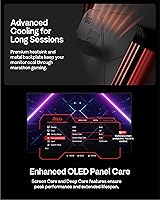
The monitor includes pixel refresh and screensaver features that actively work to extend panel longevity during normal use patterns. Users who game across varied content and do not leave static elements on screen for prolonged periods report no visible retention issues within their ownership period.
Burn-in anxiety is the most consistently raised concern in user feedback, even from buyers who are otherwise satisfied. Given the relatively short time this panel has been on the market, long-term retention data is still limited — buyers with static-heavy workflows like productivity dashboards or persistent game HUDs should take this trade-off seriously.
OSD & Controls
72%
28%
The on-screen display covers the expected range of picture, input, and KVM settings, and navigation through the physical controls is manageable once users spend a few minutes familiarizing themselves with the button layout. Input switching and brightness adjustments are accessible without diving deep into submenus.
A portion of users described the OSD navigation as unintuitive on first use, particularly when configuring the KVM or adjusting color modes. The joystick or button feel on some units was also flagged as slightly imprecise, making fine adjustments a minor frustration compared to the cleaner OSD implementations on competing monitors.
HDR Performance
77%
23%
OLED’s native per-pixel dimming means HDR content looks genuinely different here compared to edge-lit IPS displays with fake local dimming zones — specular highlights and deep shadows coexist on screen without the halo artifacts that plague lesser HDR implementations. Movie and game content with proper HDR metadata is notably more immersive.
The 1000-nit HDR peak is only achieved at a small highlight area, meaning full-screen bright scenes do not sustain that headline brightness. Users who expected a consistent HDR punch across the whole panel — similar to high-brightness mini-LED competitors — found the real-world HDR experience more nuanced than the spec sheet implied.
Value for Money
83%
The majority of buyers conclude that the WOLED panel quality and breadth of features — dual HDMI 2.1, USB-C with power delivery, KVM, and a fully adjustable stand — represent strong value relative to what established brands charge for comparable specifications. First-time OLED buyers in particular feel the price-to-performance ratio is difficult to argue with.
For buyers cross-shopping against the LG 27GR95QE or Asus ROG Swift OLED equivalents, the value calculus depends heavily on how much weight they place on brand support and build quality versus raw panel performance. Those who prioritize warranty confidence and a more polished overall package may find the premium for a flagship brand worth paying.

Suitable for:

The Pixio PX277 OLED Max V2 27″ Monitor was built for people who spend serious time in front of a screen and want panel quality that reflects that commitment. Competitive PC gamers running fast-paced titles will feel the difference immediately — the combination of a high refresh rate and near-instant pixel response means motion stays sharp in ways that IPS displays struggle to match. Console players with a PS5 or Xbox Series X will find the dual HDMI 2.1 inputs and built-in KVM switch genuinely useful, cutting down the cable clutter that comes with running multiple systems on one desk. Laptop users benefit from the USB-C port, which handles both video output and charging through a single cable — a practical setup for anyone who docks and undocks regularly. Those who do color-sensitive creative work alongside gaming will also find the wide DCI-P3 coverage more than adequate for photo editing and video review without needing a separate calibrated display.

Not suitable for:

The Pixio PX277 OLED Max V2 27″ Monitor is a harder sell for buyers who work in bright, sunlit rooms. WOLED panels carry a real SDR brightness ceiling, and in a well-lit environment that limitation becomes noticeable — this is not a display that overwhelms ambient light the way some high-brightness IPS or mini-LED alternatives can. Anyone with a history of leaving static content on screen for extended periods — think spreadsheets, news tickers, or persistent HUD overlays in games — should take burn-in risk seriously before committing to any OLED panel, this one included. Buyers expecting a rock-solid, premium-feeling physical build comparable to what you get from established names at similar price points may find some of the stand and chassis construction underwhelming. If 27 inches at QHD feels too modest and you are eyeing an ultrawide or 4K setup, this display simply is not designed for that use case.

Specifications

  • Panel Type: The display uses a W-OLED (White OLED) panel, which delivers per-pixel light control for true blacks and exceptional contrast without a traditional backlight.
  • Screen Size: The viewable screen area measures 27 inches diagonally, making it well-suited for a standard single-monitor desktop setup at typical viewing distances.
  • Resolution: Native resolution is 2560x1440 (QHD), offering noticeably sharper detail than 1080p while remaining less GPU-demanding than 4K.
  • Refresh Rate: The panel runs at up to 240Hz, providing fluid motion rendering for fast-paced games when paired with a capable graphics card.
  • Response Time: Rated at 0.03ms GTG (gray-to-gray), which represents the fastest pixel transition speed available on current consumer OLED panels.
  • Brightness: Peak SDR brightness reaches approximately 400 nits, while HDR mode can reach up to 1000 nits at a small (3% APL) highlight area.
  • Contrast Ratio: The native contrast ratio is rated at 1,500,000:1, a figure achievable through OLED per-pixel illumination rather than local dimming approximations.
  • Color Gamut: Color coverage spans 104.4% of DCI-P3 and 143.1% of sRGB, making it well-calibrated for both gaming and color-sensitive creative tasks.
  • Connectivity: Input options include one USB-C (65W PD, 240Hz), one DisplayPort 1.4, two HDMI 2.1 ports, two USB-A downstream ports, and one USB-B upstream port.
  • KVM Switch: A built-in KVM switch allows a single keyboard and mouse to control two connected devices, toggling between them through the monitor’s input selection.
  • USB-C Charging: The USB-C port delivers up to 65W of power delivery, sufficient to charge most modern laptops while simultaneously passing video signal at full resolution and refresh rate.
  • Stand Adjustments: The included stand supports height adjustment, tilt, swivel, and pivot (portrait mode rotation), covering the full range of ergonomic positioning needs.
  • VESA Mount: The monitor is compatible with standard 100x100mm VESA mounting patterns using M4x15mm screws, allowing use with third-party monitor arms.
  • Screen Surface: The panel surface is matte anti-glare treated, reducing reflections from ambient light sources without significantly softening perceived image sharpness.
  • Viewing Angle: Horizontal and vertical viewing angles are each rated at 178 degrees (CR greater than 10), consistent with the wide-angle characteristics of OLED technology.
  • Built-in Audio: The monitor includes integrated speakers and a 3.5mm headphone jack, providing basic audio output without requiring an external DAC or amplifier.
  • Aspect Ratio: The display uses a standard 16:9 widescreen aspect ratio, compatible with the native output format of all major gaming platforms and operating systems.
  • Dimensions: With the stand attached, the monitor measures 23.80 inches wide, 20.95 inches tall, and 7.87 inches deep; without the stand it is 1.78 inches thin.
  • Weight: The complete unit with stand weighs 22 pounds, which is typical for a 27-inch monitor with a full-adjustment metal-reinforced stand assembly.
  • Sync Technology: The monitor supports Adaptive Sync, enabling variable refresh rate output that reduces screen tearing across compatible AMD and NVIDIA graphics cards.

Related Reviews
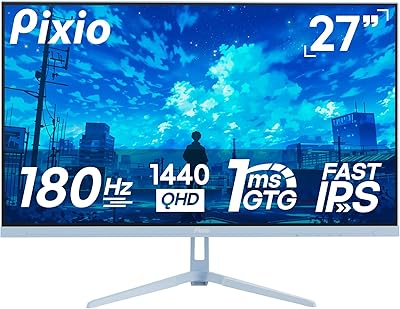
Pixio PX278 Wave 27-inch Gaming Monitor
77%
88%
Image Quality
91%
Refresh Rate
87%
Response Time
83%
Color Accuracy
89%
Value for Money
More
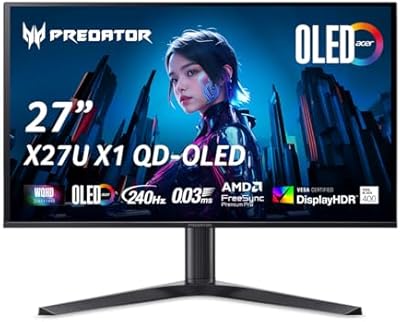
Acer Predator X27U 27″ OLED Gaming Monitor
84%
94%
Image Quality
91%
Refresh Rate & Motion
89%
Color Accuracy
86%
Connectivity
82%
Ergonomics & Stand
More
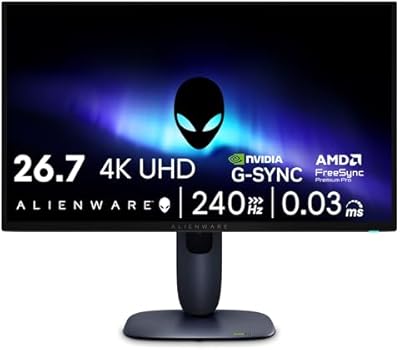
Alienware AW2725Q 27-inch 4K QD-OLED Gaming Monitor
81%
94%
Image Quality
89%
HDR Performance
88%
Refresh Rate & Smoothness
93%
Pixel Density & Sharpness
91%
Response Time & Motion Clarity
More
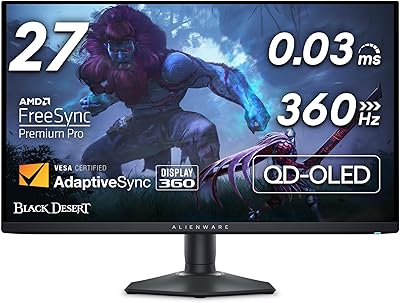
Alienware AW2725DF 27-inch OLED Gaming Monitor
89%
96%
Display Quality
94%
Gaming Performance
92%
Color Accuracy
90%
Build Quality
88%
Ease of Setup
More
AOC AG276QZD2 27″ OLED Gaming Monitor
80%
94%
Image Quality
92%
Motion Clarity & Response Time
96%
Contrast & Black Levels
88%
Color Accuracy
89%
Refresh Rate & Sync Performance
More
MSI MAG 275F 27″ Gaming Monitor
78%
93%
Refresh Rate Performance
86%
Panel Color Quality
88%
Response Time & Ghosting
84%
Console Compatibility
52%
HDR Implementation
More
GIGABYTE AORUS FO27Q3 27″ QD OLED Gaming Monitor
88%
96%
Display Quality
92%
Performance (Gaming)
88%
Build Quality
94%
Color Accuracy
98%
Response Time
More
Corsair XENEON 27QHD240 27-inch OLED Gaming Monitor
84%
94%
Image Quality
96%
Motion Performance
97%
Contrast & Black Levels
88%
HDR Experience
91%
Color Accuracy
More
LG UltraGear 27GR95QE-B 27″ OLED Gaming Monitor

80%
94%
Image Quality
97%
Motion Performance
96%
Contrast & Black Levels
95%
Gaming Performance
67%
Value for Money
More
LG 27GX790A-B 27-inch OLED Gaming Monitor
80%
94%
Motion Clarity
92%
Image Quality
88%
HDR Performance
89%
Connectivity
86%
Ergonomics & Stand
More

FAQ

Yes, and it’s actually one of the stronger use cases for this display. The two HDMI 2.1 ports each support 1440p at 240Hz, so you can leave your PC and console permanently connected. Pair that with the built-in KVM switch and you can also share one keyboard and mouse between both — switching inputs handles the rest.

It is a real concern, not just marketing noise, and worth thinking through honestly. If you regularly leave static content on screen for hours — a desktop taskbar, a game HUD, a paused frame — cumulative burn-in risk increases over time. Most OLED monitors include built-in pixel refresh and screen-saver features to mitigate this, and typical gaming or mixed-use patterns are generally lower risk. That said, buyers who use monitors heavily for spreadsheets or static UI work should factor this in before committing to any OLED panel.

Effectively, yes. The USB-C port carries the video signal at full 1440p and 240Hz while simultaneously delivering up to 65W of power back to your laptop. For most ultrabooks and mid-range laptops, 65W is enough to maintain charge during normal workloads. It will not fully charge some power-hungry 16-inch laptops under heavy load, but for everyday desk use it works well as a single-cable solution.

This is where the Pixio PX277 OLED Max V2 27″ Monitor shows its clearest limitation. The SDR peak brightness sits around 400 nits, which is adequate in a controlled or dim environment but noticeably modest if sunlight is hitting your desk or you have strong overhead lighting. If your setup is in a bright room without good window management, a high-brightness IPS or mini-LED display might serve you better for daytime use.

It works for most users without major issues, but it is worth calibrating your expectations. Switching between inputs is straightforward through the monitor’s OSD or physical controls, and the KVM follows along. A smaller number of users have reported occasional delays in input recognition or the keyboard and mouse taking a moment to wake up on the secondary device. It is not a feature you should depend on for split-second switching in a live streaming or production environment, but for a home desk setup it does what it promises.

The V2 iteration brought improvements primarily to connectivity and stand ergonomics compared to the first generation. The addition of a second HDMI 2.1 port and a more fully featured USB-C implementation — including 65W power delivery — were the most meaningful hardware changes. The core WOLED panel technology is closely related, but the V2 addresses practical desk-setup complaints that owners of the original raised.

For PC gaming, DisplayPort 1.4 is generally the preferred connection since it handles 1440p at 240Hz with full color fidelity and tends to have better compatibility with Adaptive Sync on Nvidia and AMD cards. That said, both the DisplayPort and the dual HDMI 2.1 inputs are all rated for the full 1440p at 240Hz output, so either will get you to the panel’s maximum specs — DisplayPort is just the more established choice for PC-to-monitor links.

The stand is functional and covers the full range of ergonomic adjustments well, but some users have noted it is not the most rigid in its class. Light typing vibrations are generally fine, but heavier desk movement — like someone bumping the desk or heavy keyboard use during gaming — can introduce a small degree of sway. If stand stability is a priority, mounting the panel on a third-party VESA arm is a clean solution since 100x100mm mounting is supported.

The core WOLED panel technology is closely related across brands at this screen size and resolution since the underlying panel supply chain is shared. Where Pixio differentiates is price: you are typically getting comparable image quality and refresh rate performance at a lower cost than the equivalent LG UltraGear or Asus ROG Swift offering. The trade-off tends to show up in build quality, software polish, and brand after-sales support rather than raw display performance. If warranty service and premium build finishing matter to you, the established brands have an edge; if panel quality per dollar is the priority, Pixio holds its ground.

It is genuinely capable for color-sensitive creative work, not just gaming. The DCI-P3 coverage is wide enough for photo editing and video review, and OLED’s contrast characteristics make it easier to judge shadow and highlight detail than most IPS panels. It is not a purpose-built professional color grading display and lacks hardware calibration tools, but for a working creative who also games, this 27-inch OLED display covers both needs better than most monitors at its price level.

Where to Buy