Overview

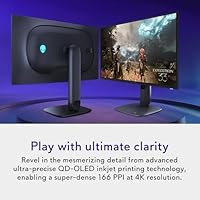
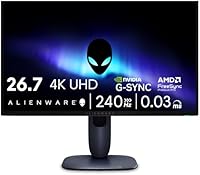
The Alienware AW2725Q 27-inch 4K QD-OLED Gaming Monitor landed in early 2025 as one of the very few displays that pushes 4K at 240Hz simultaneously — a combination that was essentially unavailable at 27 inches until now. At 166 PPI, the pixel density surpasses any 27-inch 1440p OLED on the market, and that sharpness improvement is genuinely visible at normal desk distances. What also sets it apart is the matte screen surface, a real rarity in the OLED space where glossy panels dominate. This is unambiguously a premium purchase aimed at enthusiast-level setups — not a casual upgrade.
Features & Benefits

QD-OLED is not just a rebranding exercise — the quantum dot layer meaningfully improves color volume and brightness headroom over standard OLED, which is why HDR content looks more saturated and dynamic on this panel. The AW2725Q's 240Hz at native 4K is technically remarkable, but be realistic about your hardware: you will want at least an RTX 4080-class GPU or equivalent to push that ceiling in demanding titles. The 0.03ms response time makes a tangible difference in fast-paced genres where motion clarity counts. Dolby Vision and DisplayHDR True Black 400 produce impressive dark-scene depth through the panel's infinite contrast ratio — not raw brightness, which remains moderate by peak-brightness standards. Both G-SYNC Compatible and FreeSync Premium Pro are supported. Alienware's redesigned 360-degree ventilation manages thermals over extended sessions, a practical factor for long-term OLED health.

Best For

This 27-inch 4K panel is the right fit for PC gamers who have already invested in high-end GPU hardware and want their display to match that investment. It works equally well for creative professionals who also game — the wide color gamut and accuracy make it a credible dual-purpose workstation monitor. Upgraders stepping up from 1440p at the same screen size will find the 166 PPI density to be an immediately noticeable improvement. Regular HDR film and streaming viewers will also get meaningful use from the Dolby Vision support built into this Alienware QD-OLED monitor. And for anyone put off by glossy OLED panels in ambient-lit rooms, the matte coating here removes a long-standing objection to OLED displays.

User Feedback

Sitting at 4.1 out of 5 across 620 ratings, the AW2725Q earns solid marks but is not universally praised. Positive reviews consistently highlight image clarity and the visual impact of HDR content — impressions that align with what the panel's specs would suggest. On the other side, burn-in concerns come up regularly, as they tend to with any OLED at this investment level; the ventilation design helps, but mindful usage habits still apply. Some buyers find the on-screen display menu unintuitive, and a number mention that SDR brightness feels modest in well-lit rooms. Given the March 2025 release, long-term ownership data is still limited. Value versus cost remains the sharpest point of debate — most acknowledge the quality, but the premium over competing 4K monitors is not universally seen as justified.

Pros

  • At 166 PPI, the sharpness on a 27-inch panel is noticeably ahead of any 1440p OLED alternative at the same size.
  • 240Hz at native 4K is a rare combination that removes the traditional trade-off between resolution and refresh rate.
  • QD-OLED’s infinite contrast ratio produces dark scenes with a depth that IPS and VA panels simply cannot replicate.
  • Dolby Vision support is a genuine differentiator for users who consume HDR streaming content alongside gaming.
  • The matte screen surface reduces reflections in ways that most OLED monitors — which default to glossy — do not.
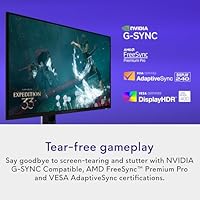
  • Both G-SYNC Compatible and AMD FreeSync Premium Pro are supported, making the AW2725Q flexible across GPU brands.
  • The 0.03ms response time keeps motion blur tight in fast-paced competitive titles where every frame counts.
  • Redesigned ventilation helps manage panel thermals during long sessions, a meaningful consideration for long-term OLED health.
  • Wide color gamut and accurate output make this 27-inch 4K panel credibly usable for color-sensitive creative work.

Cons

  • Realistically driving 4K at 240Hz demands flagship-tier GPU hardware, which significantly raises the total system cost.
  • Peak SDR brightness is modest — in a bright room, the display can look underwhelming compared to high-nit LCD alternatives.
  • Burn-in risk is inherent to OLED technology, and static desktop or HUD elements require mindful usage habits over time.
  • The on-screen display menu has a learning curve that several users flag as more complex than it needs to be.
  • Being a relatively new 2025 release, long-term durability and ownership data are still limited.
  • The price tier is steep enough that mid-range GPU owners are essentially buying headroom they cannot yet use.
  • At nearly 15 pounds, the stand and overall build are on the heavier side for a 27-inch display.
  • Early-adopter reviews may not yet reflect issues that typically emerge after months of regular use.

Ratings

The scores below reflect our AI-driven analysis of verified global buyer reviews for the Alienware AW2725Q 27-inch 4K QD-OLED Gaming Monitor, with spam, bot-generated, and incentivized feedback actively filtered out before scoring. We evaluated the AW2725Q across 13 categories drawn directly from what real owners praise and criticize most — nothing is glossed over. Both the standout strengths and the friction points that push some buyers toward alternatives are represented transparently in every score.

Image Quality
94%
Owners consistently describe the picture as the clearest they have seen on a 27-inch desktop display — the combination of QD-OLED's infinite contrast and 166 PPI density makes in-game environments and HDR content look genuinely distinct from IPS or VA alternatives. Fine texture detail in open-world games and the depth of dark environments in cinematic titles are mentioned repeatedly as standout real-world impressions.
A small number of users note that out-of-box color calibration is not perfect and benefits from manual adjustment, particularly for accurate SDR color reproduction. Those coming from high-brightness LCD panels may also need time to recalibrate their expectations around peak white luminance.
HDR Performance
89%
Dolby Vision support combined with an infinite contrast ratio delivers a dark-scene experience that many buyers describe as the single biggest visual upgrade from their previous monitor — shadow detail in horror or noir titles is particularly praised. The True Black 400 certification delivers on its promise for contrast depth even if it is not a brightness leader.
Peak brightness tops out at 400 nits, which is noticeably below high-nit LCD competitors in the same price range, and some users find HDR content in brighter rooms looks less punchy than expected. A few buyers also mention that switching between HDR and SDR modes requires navigating the OSD, which slows the process down.
Refresh Rate & Smoothness
88%
Users who can push high frame counts — particularly in esports titles, racing games, or lighter open-world games — describe the 240Hz experience at 4K as noticeably smoother than their previous 1440p 165Hz setups. Variable refresh rate support across both GPU ecosystems means tear-free gameplay is accessible regardless of whether you are running AMD or NVIDIA hardware.
Achieving 240Hz consistently in demanding AAA titles at native 4K requires flagship GPU hardware that not every buyer already owns, and several reviewers note they run most games well below the panel ceiling. This makes the full 240Hz potential somewhat aspirational for a portion of the audience at the time of purchase.
Pixel Density & Sharpness
93%
At 166 PPI, the sharpness improvement over 27-inch 1440p panels is immediately perceptible to most users — text rendering, fine UI elements, and distant in-game objects all benefit in ways that are hard to unsee once experienced. Buyers upgrading from 1440p consistently rank this as the most satisfying aspect of the purchase.
The high pixel density means anti-aliasing settings in older or less optimized games can look inconsistent, and some users mention that running games at non-native resolutions produces noticeably soft output. This is a characteristic of high-DPI panels broadly, not unique to this monitor.
Response Time & Motion Clarity
91%
The 0.03ms GtG response time translates into visibly clean motion in fast-paced shooters and racing games, with very little ghosting or trailing reported even in dark, high-contrast scenes where OLED can sometimes struggle. Competitive gamers who moved from high-refresh IPS displays report that the motion handling feels at least on par, often better.
A small subset of users who came from high-end TN panels in pure competitive setups mention a brief adjustment period, though most report this resolved within days. There are no widespread complaints about motion performance — this category's minor deductions reflect the very high expectations buyers bring at this price tier.
Matte Coating & Glare Handling
82%
18%
The matte anti-glare surface is one of the most frequently cited reasons buyers chose this panel over competing glossy OLEDs — users in home offices with natural light, overhead fluorescents, or multi-window setups report that the display remains usable without heavy light management. It is a practical differentiator that eliminates one of the most common complaints about OLED monitors.
Some enthusiasts coming from glossy OLED panels note a subtle reduction in perceived color saturation and micro-contrast at close viewing distances, particularly noticeable in side-by-side comparisons. This is a trade-off inherent to any matte coating, not a defect, but it is worth knowing if you prioritize absolute color pop over glare control.
Build Quality & Design
79%
21%
The overall construction feels solid at desk level, and the redesigned stand provides stable support without wobble during normal use. The cable management channels are appreciated by users who prioritize a tidy setup, and the 360-degree ventilation design around the panel housing is a thoughtful addition for long-term reliability.
At nearly 15 pounds, the assembled unit is on the heavier side for a 27-inch monitor, and some users find the footprint of the stand takes up more desk space than expected. The aesthetic is polarizing — Alienware’s design language appeals to its core audience but may feel out of place in minimal or professional workspaces.
OSD & Setup Experience
63%
37%
The on-screen display covers all the necessary settings — color modes, HDR toggles, refresh rate switching, and VRR controls are all accessible — and once configured to personal preference, most users rarely need to revisit the menus.
The OSD navigation is one of the most consistently flagged pain points in user feedback: the menu hierarchy is unintuitive, locating specific settings takes longer than it should, and toggling between HDR presets requires more button presses than competing monitors. First-time Alienware monitor owners in particular report frustration during initial calibration.
Brightness (SDR & Peak)
67%
33%
In a dim or controlled-light environment — which is where most dedicated gaming setups live — the brightness level is perfectly adequate, and the OLED’s contrast makes content feel vibrant even without high nit output. HDR content in darker viewing conditions benefits noticeably from the True Black 400 spec.
In a bright room or near a window, SDR brightness is a genuine limitation that multiple users call out directly — the display can appear washed out under strong ambient light compared to high-nit LCD alternatives. Buyers who work or game in naturally bright spaces should treat this as a significant factor in their decision.
Burn-in Risk & Longevity
66%
34%
Alienware’s inclusion of 360-degree ventilation and built-in pixel refresh cycles reflects genuine engineering effort to extend panel lifespan, and most early owners report no visible retention issues after months of regular use. Users who practice basic OLED care — screen savers, varied content, avoiding permanent static overlays — generally feel confident about long-term durability.
Burn-in anxiety is real and well-documented in this product’s review pool; OLED technology carries an inherent long-term risk that cannot be fully designed away, and buyers who run static content for extended hours — like desktop work with a persistent taskbar — are right to weigh this carefully. The monitor being relatively new means multi-year durability data is still accumulating.
Color Accuracy
86%
QD-OLED’s wide color gamut and the quantum dot layer’s improved color volume translate into highly saturated, accurate output that creative professionals and color-aware gamers notice immediately. Several buyers who do photo editing or video work alongside gaming specifically mention this as a reason the monitor justifies its position as a dual-purpose display.
Factory calibration varies unit to unit, and some buyers report that the default color profile oversaturates certain hues out of the box, requiring a colorimeter or manual correction to reach accurate results. This is a minor issue for gamers but more relevant for anyone doing color-critical work professionally.
Connectivity & Compatibility
83%
Dual-ecosystem VRR support covering both G-SYNC and FreeSync Premium Pro is genuinely useful, particularly for households with mixed GPU generations or users who may switch GPU brands in the future. Console connectivity over HDMI 2.1 works well, and owners appreciate not being locked into a single ecosystem.
Reaching the full 4K 240Hz spec requires a DisplayPort connection, and HDMI-connected devices including consoles are capped at 4K 120Hz — a limitation that catches some buyers off guard. A few users also mention that the USB hub ports downstream deliver less power throughput than expected for charging peripherals.
Value for Money
71%
29%
For buyers who can fully utilize what the AW2725Q offers — 4K, 240Hz, QD-OLED, Dolby Vision, and a matte surface in one package — there is genuinely no direct equivalent at a meaningfully lower price point, and those users largely consider the cost fair. The density and refresh rate combination alone is cited as sufficient justification by enthusiast buyers.
The premium over competing 4K IPS or even 4K 144Hz OLED monitors is steep, and users who cannot consistently drive the full 240Hz with their current hardware feel the value proposition weakens considerably. Casual gamers or users upgrading from mid-range systems frequently conclude in their reviews that they paid for headroom they cannot yet use.

Suitable for:

The Alienware AW2725Q 27-inch 4K QD-OLED Gaming Monitor was built for a specific kind of buyer, and that person knows who they are: a serious PC gamer who has already invested in a high-end GPU — think RTX 4080 or above — and wants a display that can actually justify that hardware. At 166 PPI, the pixel density is the sharpest available on any 27-inch monitor from Alienware, which means upgraders coming from a 1440p panel at the same screen size will see a genuine, immediate difference in text clarity and fine in-game detail. Creative professionals who split time between color-critical work and gaming will also find strong value here, since QD-OLED's wide color gamut and accurate output hold up in both contexts. The matte screen coating makes this 27-inch 4K panel more practical than most OLED displays in ambient-lit home offices or rooms with windows. Anyone who watches HDR films and streaming content alongside gaming will also benefit from the Dolby Vision support, which most competing monitors in this space still lack.

Not suitable for:

The Alienware AW2725Q 27-inch 4K QD-OLED Gaming Monitor is a hard sell for anyone who cannot pair it with a capable GPU — running 4K at 240Hz is genuinely demanding, and mid-range graphics cards will leave a significant portion of this panel's potential untapped. Budget-conscious buyers should look elsewhere; the price premium here is real, and there are competent 4K IPS monitors available at a fraction of the cost if raw visual fidelity is not the top priority. Users who work in very bright environments may find the peak brightness underwhelming — DisplayHDR True Black 400 is excellent for contrast and dark scenes, but it is not a high-brightness class panel, and SDR content in a sunlit room can look flat compared to high-nit alternatives. Those with genuine burn-in anxiety around static HUD elements or desktop taskbars may find OLED ownership stressful at this investment level, regardless of how well the ventilation system manages thermals. And if a straightforward, no-fuss setup experience is important to you, note that some users report the on-screen display menu is not the most intuitive to navigate.
Specifications

  • Panel Type: Uses a QD-OLED panel, which layers quantum dot technology over an OLED substrate to improve color volume and brightness compared to standard OLED.
  • Screen Size: 27-inch display with an active viewing area of 26.7″ measured diagonally.
  • Resolution: Native 4K UHD resolution at 3840x2160 pixels, yielding a pixel density of 166 PPI — the highest of any Alienware monitor to date.
  • Refresh Rate: Supports a maximum refresh rate of 240Hz at native 4K resolution with variable refresh rate enabled.
  • Response Time: Rated at 0.03ms GtG (gray-to-gray), minimizing motion blur in fast-moving scenes and competitive gameplay.
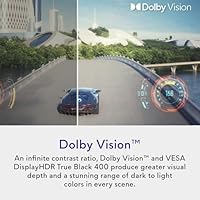
  • HDR Support: Certified to VESA DisplayHDR True Black 400 and supports Dolby Vision, enabling high-contrast HDR rendering with an effectively infinite contrast ratio.
  • VRR Compatibility: Compatible with NVIDIA G-SYNC, AMD FreeSync Premium Pro, and VESA AdaptiveSync for tear-free variable frame rate output across both major GPU ecosystems.
  • Screen Surface: Features a matte anti-glare coating, which is uncommon among OLED monitors and reduces reflections in ambient-lit environments.
  • Aspect Ratio: Standard 16:9 widescreen aspect ratio suited to gaming, productivity, and video content.
  • Contrast Ratio: Infinite contrast ratio achieved through self-emissive OLED pixels that switch off completely to produce true black.
  • Ventilation: Redesigned 360-degree ventilation system around the panel housing helps manage heat during extended sessions to support long-term panel health.
  • Dimensions: Measures 8.27 x 24 x 15.98 inches (LxWxH) with stand attached.
  • Weight: Complete unit with stand weighs 14.97 pounds.
  • Power Input: Rated for 240 Volts AC input.
  • Manufacturer: Designed and sold under the Alienware brand, manufactured by Dell Technologies.
  • Release Date: First made available in March 2025 as part of Alienware's updated QD-OLED monitor lineup.

Related Reviews

ASUS ROG Swift PG27UCDM 27-inch Gaming Monitor
82%
96%
Image Quality
97%
Black Levels & Contrast
93%
Gaming Performance
91%
Color Accuracy
88%
Text Clarity
More
Alienware AW2725DF 27-inch OLED Gaming Monitor
89%
96%
Display Quality
94%
Gaming Performance
92%
Color Accuracy
90%
Build Quality
88%
Ease of Setup
More
MSI MAG 271QPX 27-inch QD-OLED Gaming Monitor
80%
94%
Image Quality
96%
Motion Clarity
88%
HDR Performance
93%
Refresh Rate & Smoothness
81%
Connectivity & Ports
More
Samsung Odyssey G81SF 27-inch Gaming Monitor
80%
96%
Image Quality
97%
Contrast & Black Levels
89%
Refresh Rate & Motion Clarity
88%
Glare Resistance & Matte Coating
91%
HDR Performance
More
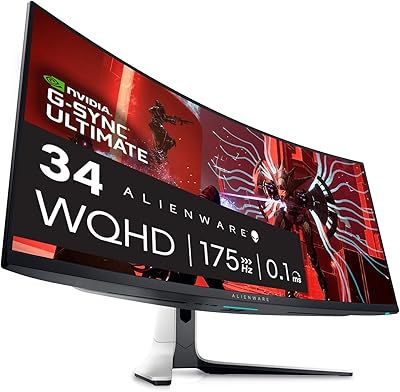
Alienware AW3423DW 34-inch QD-OLED Gaming Monitor
83%
97%
Image Quality
94%
Motion Performance
96%
Contrast & Black Levels
89%
Color Accuracy
91%
Refresh Rate & Sync
More
FYHXele 27-inch 4K 120Hz Gaming Monitor
72%
83%
Value for Money
88%
Image Sharpness
79%
Panel Response & Motion
76%
Color Accuracy
47%
HDR Performance
More
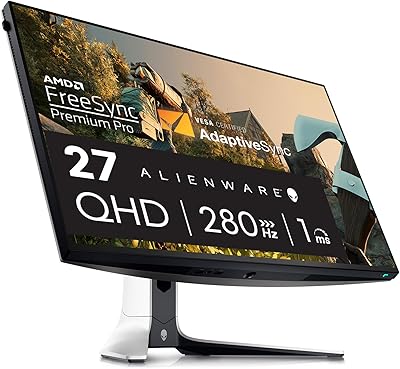
Alienware AW2723DF Gaming Monitor 27-inch
88%
95%
Display Quality
94%
Gaming Performance
92%
Color Accuracy
89%
Build Quality
91%
Ergonomics & Adjustability
More
ViewSonic VX1655-4K-OLED 15.6-inch Portable OLED Monitor
77%
93%
Display Quality
91%
Portability
84%
USB-C Connectivity
88%
Build Quality
67%
Stand Stability
More
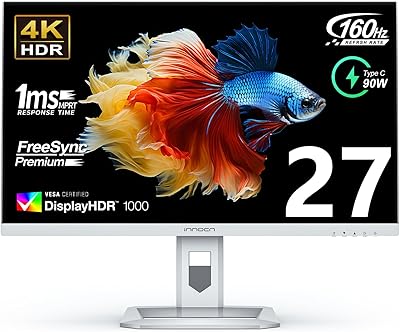
INNOCN 27M2V 27-inch 4K Gaming Monitor
85%
91%
Display Quality
89%
Gaming Performance
88%
Color Accuracy
85%
Ergonomics and Adjustability
92%
Connectivity Options
More
Corsair XENEON 27QHD240 27-inch OLED Gaming Monitor
84%
94%
Image Quality
96%
Motion Performance
97%
Contrast & Black Levels
88%
HDR Experience
91%
Color Accuracy
More

FAQ

Not necessarily, but you do need a strong GPU. An RTX 4080 or AMD RX 7900 XTX can hit 240Hz at 4K in less demanding titles, though in graphically intensive games you will often be in the 120–180Hz range. The AW2725Q supports variable refresh rate, so lower frame counts still look smooth — you just will not be maxing out the panel all the time.

It is a legitimate question and worth taking seriously at this price. OLED panels can develop image retention over time if static elements — like a taskbar or game HUD — sit on screen for thousands of hours. The redesigned ventilation on the AW2725Q helps manage heat, which is one factor in long-term panel longevity. Enabling pixel refresh cycles, using screensavers, and varying your content reduces the risk considerably. Most users who practice reasonable habits report no issues, but it does require more mindfulness than an IPS display.

The matte surface reduces reflections noticeably in rooms with windows or overhead lighting, which is a real-world advantage most glossy OLEDs cannot offer. The trade-off is a very slight reduction in perceived micro-contrast and color pop at close range compared to a glossy panel. For most users, especially those not gaming in a pitch-black room, the matte coating is a net positive — it makes the display usable in more environments.

It is genuinely capable for color work. QD-OLED covers a wide color gamut and the panel delivers accurate, consistent output. If you do professional color grading, you would want to calibrate it with a colorimeter, but for photography, video editing, and design work it performs well above what a typical gaming monitor offers.

Yes, it is compatible with both consoles via HDMI. However, current-generation consoles are capped at 4K 120Hz over HDMI 2.1, so you will not reach the full 240Hz from a console source. For 4K 240Hz you need a PC connected via DisplayPort. The monitor still looks excellent with consoles at 4K 120Hz.

This is a fair concern. The DisplayHDR True Black 400 certification refers to a peak HDR brightness of 400 nits, which is strong for an OLED but sits below high-brightness LCD competitors that can hit 600 to 1000 nits. In SDR mode and in a well-lit room, some users do find the brightness ceiling limiting. If your workspace gets a lot of direct light, this is worth factoring into your decision.

It is functional but not the most intuitive OSD on the market. Several users mention a learning curve when adjusting color profiles, HDR settings, or refresh rate modes. Once you have set things up to your preference, you rarely need to revisit it — but the initial configuration process can take some patience.

Based on Alienware's AW2725Q specifications, the monitor includes DisplayPort 1.4 for reaching full 4K 240Hz on PC, as well as HDMI 2.1 ports for console and GPU connectivity, and USB-A downstream ports. For 4K 240Hz specifically, a DisplayPort connection from your GPU is required.

The included stand offers height, tilt, and swivel adjustments, which covers most desk setups. It is also VESA mount compatible if you prefer a monitor arm for better desk space management or ergonomic positioning. The mounting pattern follows standard VESA sizing, so most third-party arms will fit.

The sharpness difference at 27 inches between 4K and 1440p is real and visible at normal desk distances — 166 PPI versus roughly 108 PPI is a meaningful gap. You also get 240Hz at native 4K here, whereas most 1440p OLEDs top out at higher frame rates but with less pixel density. The trade-off is purely cost and GPU demand: if your system cannot push 4K frames well, a 1440p OLED at a lower price point may be the smarter buy for your current rig.

Where to Buy