
Overview

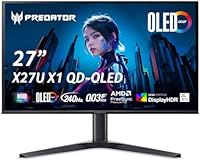
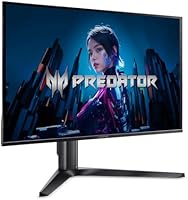
The Acer Predator X27U 27″ OLED Gaming Monitor landed in March 2025 as one of the more compelling entries in Acer’s Predator lineup — a display built for competitive players who don’t want to choose between speed and image quality. At 27 inches with a WQHD resolution, it occupies a genuine sweet spot: dense enough that pixels stay invisible at normal viewing distance, wide enough for real immersion. Within the premium OLED segment, its pricing positions it as a serious but not outrageous option. Over 100 early ratings averaging 4.2 stars point to real satisfaction, though that’s still a modest sample worth keeping in perspective.

Features & Benefits

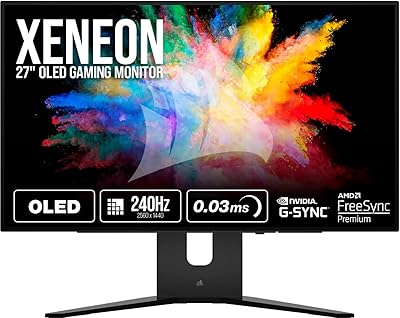
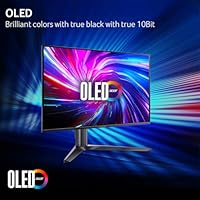
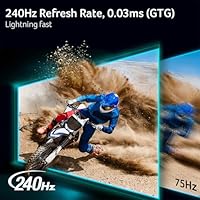
The QD-OLED panel is where this Predator OLED display really separates itself from most of the competition. Covering 99% of the DCI-P3 color gamut with a Delta E under 2 means colors aren’t just vivid — they’re accurate. Flames in a game actually look like fire, not orange blobs. The 240Hz refresh rate combined with a 0.03ms G-to-G response time keeps motion crisp in fast-paced shooters where every frame counts. AMD FreeSync Premium Pro handles adaptive sync, eliminating tearing whether you’re on a Radeon card or compatible system. Two HDMI 2.1 ports alongside DisplayPort 1.4 make multi-device setups genuinely practical. The ErgoStand offers tilt, swivel, and height adjustment, and Image Retention Refresh runs periodic panel maintenance — a thoughtful inclusion for anyone concerned about long-term OLED health.

Best For

This 27-inch QD-OLED monitor makes the most sense for competitive FPS players who want OLED’s contrast depth without giving up the speed an IPS panel offers. It’s equally strong for anyone running a PS5 or Xbox Series X alongside a gaming PC — two HDMI 2.1 ports means you can have both consoles plugged in without a switcher. Content creators who need color accuracy for production work but still want a fast display will find it hits an unusual middle ground. Buyers upgrading from an aging IPS or TN panel should prepare for a noticeable jump in black levels and color richness. At 27 inches, it’s a specific footprint, so temper expectations if you’re used to ultrawide or larger screens.

User Feedback

Early buyers of the X27U largely land in positive territory, with consistent praise aimed at how different OLED blacks and color depth feel versus their previous IPS setups — the kind of shift people say they notice immediately. Stand quality gets favorable mentions at this price tier, which isn’t always guaranteed. Burn-in anxiety does surface in reviews, though several buyers report that the Image Retention Refresh feature helps ease that concern with minimal fuss. A handful of comments address initial calibration, with most finding the out-of-box accuracy already solid. No widespread connectivity issues appear. With only 115 ratings total, it’s encouraging but not yet definitive — a larger sample over the coming months will tell the fuller story.

Pros

  • QD-OLED panel delivers true blacks and vivid color accuracy that IPS monitors simply cannot replicate.
  • 99% DCI-P3 coverage with Delta E under 2 means colors look correct out of the box, not just bright.
  • 240Hz refresh rate keeps gameplay fluid and responsive in fast, competitive titles where frames matter.
  • 0.03ms G-to-G response virtually eliminates ghosting even during rapid on-screen motion.
  • Dual HDMI 2.1 ports let you connect a PS5 and Xbox Series X simultaneously without a switcher.
  • AMD FreeSync Premium Pro eliminates screen tearing across a wide range of compatible hardware.
  • Image Retention Refresh provides genuine burn-in protection without requiring manual intervention.
  • The ErgoStand offers real height, tilt, and swivel adjustment — rare to get all three feeling solid at this tier.
  • ZeroFrame bezel design keeps the viewing area clean and distraction-free during long sessions.
  • Early buyers consistently report that out-of-box calibration is strong, requiring minimal adjustment.

Cons

  • At 27 inches, buyers expecting an expansive or ultrawide-style experience will find the size limiting.
  • OLED burn-in risk, though reduced by built-in mitigation, remains a real concern for static-heavy workflows.
  • The matte screen coating can reduce peak perceived brightness compared to glossy OLED alternatives.
  • Only 115 ratings at time of writing — long-term reliability data is still limited.
  • No built-in USB hub means your desk cable management gets no help from the display itself.
  • DisplayPort is version 1.4 rather than 2.1, which may matter for future-proofing at higher bandwidth demands.
  • At 21.5 pounds, repositioning or mounting the display solo requires some effort.
  • The premium price point makes it a difficult recommendation for casual or light-use gamers.
  • No mention of built-in speakers, so an external audio setup is required.
  • Mid-range GPU owners may struggle to consistently utilize the full 240Hz refresh rate in demanding titles.

Ratings

The Acer Predator X27U 27″ OLED Gaming Monitor has been scored by our AI rating system after analyzing verified global buyer reviews, with spam, bot-submitted, and incentivized feedback actively filtered out before any score was calculated. Each category reflects both the genuine enthusiasm and the honest frustrations that real users reported, giving you a transparent look at where this display excels and where it falls short. No score here is padded — the strengths are earned and the weaknesses are real.

Image Quality
94%
Buyers who upgraded from IPS panels consistently describe the color depth and contrast as immediately striking — not subtle, not gradual, but obvious from the first session. The QD-OLED panel renders deep blacks and saturated colors that make HDR content and vibrant game environments look genuinely different from anything a traditional LCD can produce.
A small number of users noted that the matte coating slightly softens perceived peak brightness compared to glossy OLED alternatives, which can reduce the punch of very bright specular highlights. This is a real trade-off that buyers with controlled dark-room setups may notice more acutely.
Refresh Rate & Motion
91%
At 240Hz with a 0.03ms G-to-G response, fast-paced competitive titles like FPS shooters feel noticeably crisper compared to 144Hz IPS panels, with motion that stays clean and tracking that feels immediate. Users playing high-speed games reported virtually no ghosting or trailing even in demanding scenarios.
Reaching 240Hz consistently requires a high-end GPU, and users with mid-range cards noted they rarely hit the ceiling in demanding titles, meaning the full refresh rate benefit goes partially unused for a meaningful portion of the buyer pool.
Color Accuracy
89%
Out-of-box calibration is a genuine strength here — multiple users reported that factory settings were accurate enough for both gaming and light creative work without manual adjustment. The Delta E below 2 rating holds up in practice, with consistent color reproduction across both dark and bright scenes.
A few buyers who use this display for professional color-grading work noted that while the panel is excellent for a gaming monitor, dedicated calibration hardware still reveals minor variation at the extreme ends of the color gamut compared to purpose-built studio displays.
Connectivity
86%
The dual HDMI 2.1 ports are a practical highlight that users with multi-console setups genuinely appreciate — being able to keep a PS5 and Xbox Series X plugged in simultaneously without a switcher is a real convenience that competing monitors at this tier often skip. Input switching is reported to be fast and reliable.
The inclusion of DisplayPort 1.4 rather than the newer DisplayPort 2.1 drew criticism from PC enthusiasts who see it as a mild future-proofing limitation. There is also no USB hub integrated into the display, which some buyers noted as a missed convenience given the price tier.
Ergonomics & Stand
82%
18%
The ErgoStand provides height, tilt, and swivel adjustment that buyers found genuinely useful for dialing in their preferred position over long gaming sessions, and the build quality of the stand itself drew positive comments for feeling solid rather than plasticky at this price point.
The stand does not support portrait mode rotation, which limits flexibility for niche use cases like vertical productivity work or coding. At 21.5 pounds, repositioning the monitor solo requires more effort than lighter alternatives, which some users flagged during initial setup.
HDR Performance
83%
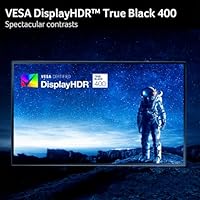
VESA DisplayHDR True Black 400 certification means this display can produce near-zero black levels in HDR content, which makes a noticeable difference in dark game environments and cinematic cutscenes compared to standard HDR monitors that only hit DisplayHDR 400 without the True Black designation.
Peak brightness in HDR mode, while visually impressive for an OLED panel, does not match the raw nit output of high-end mini-LED competitors at full-screen brightness. Users who game in very bright rooms with direct sunlight noted some visibility limitations in HDR mode.
Burn-In Risk & Longevity
71%
29%
The Image Retention Refresh feature runs automatic panel maintenance that most users found reassuring in practice, and buyers who play varied game genres with frequently changing visuals reported no retention issues during initial months of use. The mitigation approach is handled passively without user intervention.
Burn-in anxiety remains a recurring topic in buyer reviews, particularly among users who play strategy games or productivity applications with persistent static HUD elements. OLED longevity concerns are legitimate, and while early feedback is positive, long-term data beyond six months is still limited for this specific panel generation.
Value for Money
74%
26%
Within the competitive premium OLED gaming monitor segment, the X27U offers a combination of specs — WQHD resolution, 240Hz, dual HDMI 2.1, and QD-OLED — that buyers found difficult to match at a comparable price point from competing brands. For buyers who wanted everything in one panel, the cost felt justified.
For buyers who primarily game at 1080p or do not regularly hit refresh rates above 144Hz, the price represents poor value relative to strong IPS alternatives that cost significantly less. Casual users who do not exploit the full feature set will find the premium harder to rationalize.
Build Quality
84%
The physical construction of the monitor drew consistent praise for feeling premium and well-assembled, with a solid back panel, clean cable routing channels, and a ZeroFrame bezel that looks polished on a desk. Buyers noted the monitor did not flex or creak during tilt and swivel adjustments.
Some users observed minor light bleed at the very edges of the panel under specific viewing conditions, though this was noted as far less pronounced than typical IPS bleed. A small number of buyers also reported packaging concerns upon delivery, suggesting inconsistent protective packaging in some shipments.
Gaming Performance
93%
The combination of QD-OLED panel characteristics and a 240Hz refresh rate translates directly into a responsive, visually rich gaming experience that users in competitive FPS titles described as a step above anything they had used previously at this resolution. AMD FreeSync Premium Pro kept frame delivery smooth across varying GPU loads.
NVIDIA GPU users should verify adaptive sync compatibility with their specific card before purchasing, as FreeSync implementation varies by driver version and GPU generation. A small subset of users with specific NVIDIA configurations reported needing to enable G-Sync Compatible mode manually before adaptive sync functioned correctly.
Setup & Out-of-Box Experience
80%
20%
Most buyers described assembly as straightforward, with the stand clicking securely into place without tools, and the OSD menu receiving praise for being logically organized compared to some competitors. Factory calibration being close to accurate out of the box meant most users were up and running with minimal configuration.
A handful of buyers reported inconsistent packaging quality that resulted in minor cosmetic damage on arrival, and the OSD joystick control, while functional, was described by some users as slightly stiff and requiring deliberate input to navigate menu layers efficiently.
Console Compatibility
88%
PS5 and Xbox Series X users found the dual HDMI 2.1 configuration genuinely useful, with 4K-to-WQHD downscaling handled cleanly and 120Hz console output running without issues. The monitor was praised for being one of the few in its class to cater to mixed PC and console setups without compromise.
Console-only buyers may find that 240Hz goes entirely unused since no current console outputs above 120Hz, meaning the refresh rate premium is effectively wasted on a pure console setup. Those buyers could potentially find better value in a 4K display optimized for console viewing distances.
Matte Coating Quality
76%
24%
The anti-glare matte surface handles reflections effectively in typical living room and office environments, and users gaming near windows reported far fewer distracting reflections compared to glossy panel alternatives. This makes the display practical in a wider range of lighting conditions without requiring blackout curtains.
Glossy OLED panel enthusiasts noted that the matte layer reduces perceived vibrancy and fine detail sharpness under close inspection compared to bare OLED surfaces. The trade-off between glare control and raw image pop is real, and buyers who prefer glossy finishes should be aware before purchasing.

Suitable for:

The Acer Predator X27U 27″ OLED Gaming Monitor is purpose-built for competitive gamers who have grown tired of compromising — specifically those who want OLED’s extraordinary contrast and color depth without sacrificing the high refresh rates that fast-paced FPS and action titles demand. At 27 inches with a WQHD resolution, it hits a practical desk footprint that keeps pixel density high and enemy targets sharp, making it a strong pick for ranked players who game at close to mid viewing distances. Console gamers with a PS5 and Xbox Series X sitting alongside a gaming PC will genuinely appreciate the dual HDMI 2.1 ports, which remove the usual cable-swapping frustration entirely. Streamers and part-time creators who need color accuracy for thumbnail work or video review without switching to a separate display will find the near-professional color calibration a useful bonus. If you’re upgrading from an older IPS or TN panel, the jump in black levels and color vibrancy is immediately and unmistakably apparent.

Not suitable for:

The Acer Predator X27U 27″ OLED Gaming Monitor is a harder sell for buyers who prioritize screen real estate above all else — 27 inches is a deliberate, focused size, and anyone accustomed to ultrawide or 32-inch-plus panels may find it feels compact by comparison. Budget-conscious shoppers should also think carefully here; the premium OLED pricing means you are paying for panel technology, and those who do light gaming or general productivity could get similar utility from a well-calibrated IPS display at a fraction of the cost. OLED burn-in, while mitigated by the built-in Image Retention Refresh feature, remains a genuine consideration for users who frequently leave static elements on screen — such as HUD overlays in strategy games or taskbars during long work sessions. If your GPU is mid-range and you cannot consistently push frame rates above 144Hz, the 240Hz ceiling may go largely unused. Finally, buyers who need a display with built-in speakers or USB hub functionality may find the port selection functional but otherwise lean.

Specifications

  • Panel Type: The display uses a QD-OLED panel, which combines quantum dot color with organic LED self-emissive pixels for deep blacks and wide color coverage.
  • Screen Size: The active display area measures 27 inches diagonally, a size widely used in competitive esports environments.
  • Resolution: Native resolution is 2560x1440 (WQHD), delivering sharper detail than 1080p while remaining less GPU-intensive than 4K.
  • Refresh Rate: The panel supports a maximum refresh rate of 240Hz, enabling very fluid motion in fast-paced gaming scenarios.
  • Response Time: Gray-to-gray (G-to-G) response time is rated at 0.03ms, minimizing motion blur and ghosting during rapid on-screen movement.
  • Color Gamut: Coverage reaches 99% of the DCI-P3 color space, ensuring rich, accurate color reproduction across games, video, and creative content.
  • Color Accuracy: Delta E is rated below 2, meaning color deviation from reference values is imperceptible to most viewers under normal conditions.
  • HDR Standard: The monitor carries VESA DisplayHDR True Black 400 certification, reflecting its ability to produce near-zero black levels alongside high peak brightness.
  • Sync Technology: AMD FreeSync Premium Pro is supported and validated, providing adaptive refresh rate synchronization that eliminates tearing and reduces stuttering.
  • Connectivity: The monitor includes one DisplayPort 1.4 and two HDMI 2.1 ports, supporting high-bandwidth connections from both PC and current-generation consoles.
  • Aspect Ratio: The display uses a standard 16:9 widescreen aspect ratio, compatible with the vast majority of games and media content.
  • Screen Surface: The panel features a matte anti-glare coating, reducing reflections from ambient light sources during extended use.
  • Bezel Design: A ZeroFrame bezel design minimizes the visible border around the panel, maximizing the usable viewing area.
  • Ergonomics: The included ErgoStand supports tilt, swivel, and height adjustment, allowing buyers to position the display precisely for their setup.
  • Burn-In Mitigation: Acer includes an Image Retention Refresh feature that periodically conditions the OLED panel to reduce the risk of long-term image retention.
  • Dimensions: The monitor measures 12.32 x 24.04 x 19 inches (LxWxH) with the stand attached.
  • Weight: Total unit weight including the stand is 21.5 pounds.
  • Color Finish: The monitor is available in a black finish consistent with the Acer Predator gaming aesthetic.
  • Availability: The X27U became available in March 2025 as part of Acer's Predator performance monitor lineup.
  • User Rating: The monitor holds a 4.2 out of 5 star average based on over 100 ratings on Amazon at time of publication.

Related Reviews
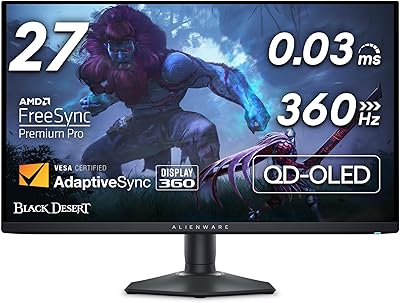
Acer Predator X34 34″ UWQHD OLED Gaming Monitor
88%
95%
Display Quality
93%
Performance (Refresh Rate/Response Time)
87%
Value for Money
75%
Ease of Setup
92%
Color Accuracy
More
Acer Predator XB273K V5 27″ Gaming Monitor
80%
91%
Image Clarity
88%
Refresh Rate Flexibility
93%
Console Compatibility
86%
Motion Performance
52%
HDR Quality
More
Acer Predator X32 31.5-inch 4K UHD OLED Gaming Monitor
85%
94%
Display Quality
91%
Gaming Performance (Response Time & Refresh Rate)
93%
Color Accuracy & Vibrancy
88%
Ergonomics & Adjustability
89%
Build Quality
More
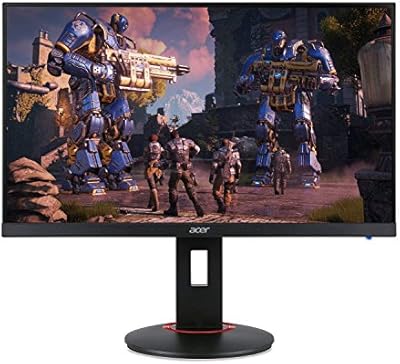
Acer XF270H 27″ Gaming Monitor
68%
93%
Refresh Rate Performance
91%
Response Time
89%
Adaptive Sync
54%
Color Accuracy
47%
Viewing Angles
More
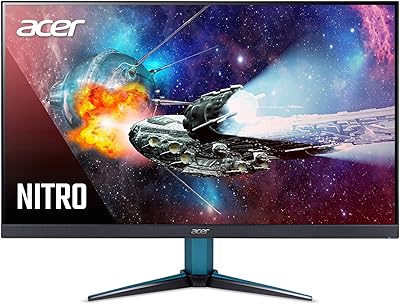
Acer Nitro KG273 27-inch Gaming Monitor
85%
88%
Display Quality
91%
Performance in Fast-Paced Games
85%
Ergonomics and Adjustability
83%
Build Quality
92%
Value for Money
More
Acer Nitro ED270R 27″ Curved Gaming Monitor
73%
91%
Value for Money
88%
Immersion & Curvature
79%
Picture Quality
89%
Refresh Rate & Smoothness
84%
Adaptive Sync (FreeSync)
More
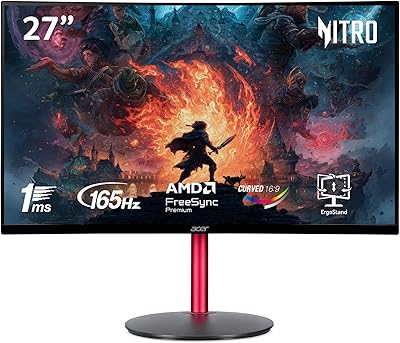
Acer Nitro VG271U 27-inch Gaming Monitor
75%
91%
Image Clarity
83%
Color Accuracy
88%
Gaming Performance
86%
FreeSync Implementation
58%
HDR Quality
More
Alienware AW2725DF 27-inch OLED Gaming Monitor
89%
96%
Display Quality
94%
Gaming Performance
92%
Color Accuracy
90%
Build Quality
88%
Ease of Setup
More
LG 27GR95QE-B 27″ Ultragear OLED Gaming Monitor
86%
94%
Display Quality
92%
Gaming Performance
89%
Color Accuracy
85%
Build Quality
90%
Ergonomics/Adjustability
More
Acer XV272U 27″ WQHD 240Hz Gaming Monitor
78%
88%
Image Clarity & Resolution
91%
Refresh Rate & Motion Smoothness
86%
Response Time & Input Lag
84%
AMD FreeSync Premium Performance
89%
Ergonomics & Stand Adjustability
More

FAQ

If your current IPS panel is solid, the jump in refresh rate alone may not justify the switch — but the difference in black levels and contrast is something you genuinely have to see. OLED self-emissive pixels produce blacks that IPS simply cannot match, and that changes how games look in a way that is hard to describe without experiencing it firsthand. If color accuracy and deep contrast matter to you, the upgrade is meaningful.

Yes, and this is one of the more practical aspects of the X27U. It has two HDMI 2.1 ports, so you can keep both consoles connected simultaneously and just switch inputs as needed — no adapters or external switch boxes required. Both ports support the bandwidth needed for 4K signals, though the display itself renders at WQHD.

Burn-in is a real consideration with any OLED panel, but it tends to be overstated for typical gaming use. The Acer Predator X27U 27″ OLED Gaming Monitor includes an Image Retention Refresh feature that runs periodic pixel-level maintenance automatically. Where you should be more careful is with static UI elements left on screen for hours at a stretch — things like taskbars, static HUD overlays, or screensavers. Normal gaming sessions are generally low-risk.

Not necessarily. While FreeSync was developed by AMD and works natively with Radeon GPUs, many NVIDIA cards also support FreeSync-compatible displays through their Adaptive Sync implementation. Whether it works fully on your specific NVIDIA card is worth checking against your GPU’s compatibility list, but the monitor is not AMD-exclusive in practice.

Current-generation consoles like the PS5 and Xbox Series X cap most titles at 120Hz, so you won’t hit 240Hz through HDMI on a console. The 240Hz ceiling is primarily a PC gaming benefit. That said, 120Hz on console still looks excellent on this panel, and the low response time means motion remains very clean regardless.

The ErgoStand is reasonably flexible — it supports height adjustment, tilt, and swivel, which covers most common desk and seating configurations. It does not include a pivot or portrait rotation option, so if you need to rotate the display 90 degrees, you would need a third-party VESA arm instead.

The display is compatible with standard VESA mounting, allowing you to remove the ErgoStand and attach an aftermarket arm. Verify the specific VESA hole pattern (typically 100x100mm for this class of monitor) against your arm’s specs before purchasing, though most arms in this size range will be compatible.

There is a genuine trade-off here. Matte coatings reduce glare from windows and room lighting, which is practical for most desk setups, but they do slightly diffuse peak brightness and can make colors appear less saturated compared to a glossy OLED surface. For most buyers gaming in typical room lighting conditions, the matte coating is a net positive — but if you have a very controlled dark environment, a glossy alternative might suit you better.

Based on available product information, the X27U does not include integrated speakers, so you will need external audio — whether that’s a headset, desktop speakers, or a dedicated DAC and headphone amp. This is common for monitors targeting competitive gamers, who typically prefer dedicated audio hardware anyway.

Early buyers report that this 27-inch QD-OLED monitor arrives with solid factory calibration, and with a Delta E below 2, most users should not need to make significant adjustments for either gaming or general use. That said, personal preference varies — some users like to tweak brightness and contrast for their specific room conditions, which is straightforward through the OSD menu.

Where to Buy