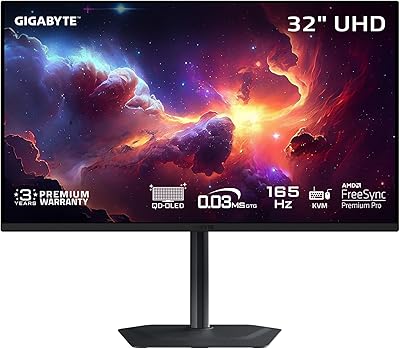
GIGABYTE AORUS FO27Q3 27-inch QD-OLED Monitor
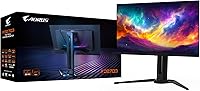
Overview
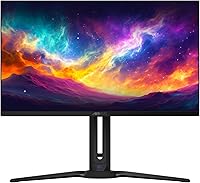
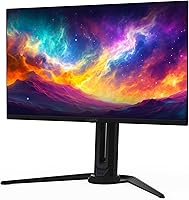
The GIGABYTE AORUS FO27Q3 27-inch QD-OLED Monitor is GIGABYTE's answer to gamers who refuse to compromise on speed or color. Sitting in AORUS's gaming lineup, it pairs a 27-inch QD-OLED panel with QHD 2560x1440 resolution, hitting a 360Hz refresh rate that's rare even among dedicated esports monitors. It's worth being upfront: this isn't a 4K screen, and buyers expecting ultra-high pixel density should look elsewhere. What you get instead is a panel tuned for raw responsiveness, built for players who care more about frame timing than pixel count. It's a clear pick for competitive players rather than casual browsing or office work.
Features & Benefits
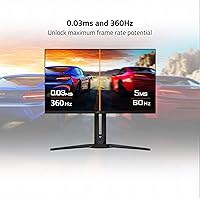
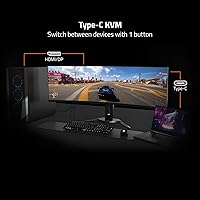
Once you start using this gaming monitor, the numbers stop feeling abstract. A 0.03ms response time means ghosting and trailing pretty much disappear during fast-paced shooters, and combined with AMD FreeSync Premium Pro, screen tearing rarely shows up even during chaotic firefights. GIGABYTE's OLED Care system runs quietly in the background, nudging brightness and pixel refresh to fend off burn-in over time, which matters a lot on an OLED panel you plan to keep for years. VESA DisplayHDR True Black 400 gives HDR content real depth, with blacks that actually look black instead of dark gray. Add a Type-C KVM switch for easy multi-device swapping, plus on-screen Game Assist tools like crosshair overlays, and the feature set feels genuinely built around how people actually play.
Best For
This QD-OLED screen makes the most sense for competitive FPS players and esports enthusiasts who notice every millisecond of input lag and want the fastest possible response from their display. It also suits gamers who split time between fast multiplayer titles and slower, story-driven games, since the contrast and HDR handling make single-player worlds look genuinely cinematic. The Type-C KVM switch is a nice bonus for anyone running a desktop and laptop side by side without constantly unplugging cables. If you're coming from an aging LCD panel and craving real blacks instead of washed-out grays, this is the kind of upgrade that's immediately noticeable, especially in dark scenes or nighttime gaming sessions.
User Feedback
Reactions from people actually using the AORUS display tend to focus heavily on motion clarity and color accuracy, with many noting that fast-moving objects stay sharp instead of blurring into smears. The height-adjustable stand and overall build quality get consistent praise, feeling sturdier than what's typical at this tier. That said, not every comment is glowing. A handful of owners mention that OLED panels demand more attention to brightness settings and usage habits than a typical LCD, particularly if you leave static content on screen for long stretches. There's also some frustration with the on-screen menu navigation and bundled software, which a few buyers describe as clunky compared to the hardware itself.
Pros
- Motion stays sharp even in fast, chaotic gameplay thanks to the near-instant response time
- True blacks and strong contrast make HDR content look genuinely cinematic
- AMD FreeSync Premium Pro keeps tearing and stuttering largely out of the picture
- Type-C KVM switch makes juggling a desktop and laptop noticeably easier
- Height-adjustable stand and overall build quality feel solid for this price tier
- Built-in Game Assist tools like crosshair overlays add real practical value during matches
- OLED Care software actively works to reduce long-term burn-in risk
- Color accuracy earns consistent praise from people using it day to day
- 3-year warranty with burn-in coverage adds real peace of mind for an OLED panel
Cons
- Limited to QHD resolution, so it is not a fit for 4K-focused workflows
- OLED panels require more mindful brightness habits than typical LCD screens
- On-screen menu navigation feels clunky compared to the hardware quality
- Bundled software draws mixed reactions, with some calling it unintuitive
- Premium pricing puts it well above basic high-refresh LCD alternatives
- Not ideal for users who frequently display static, unmoving content for long stretches
- Overkill for casual browsing, streaming, or general office tasks
- Some buyers may want a faster initial setup without firmware or software adjustments
Ratings
Our scores for the GIGABYTE AORUS FO27Q3 27-inch QD-OLED Monitor are generated by AI after analyzing thousands of verified user reviews from gamers worldwide, filtering out spam, bots, and incentivized feedback. Each category below reflects a balance of genuine praise and real complaints, not a polished marketing pitch. Where buyers ran into trade-offs, we've kept that visible instead of smoothing it over.
Motion Clarity & Refresh Rate
Contrast & Black Levels
Color Accuracy
Burn-In Protection
Resolution & Sharpness
HDR Performance
Build Quality & Stand
Connectivity & KVM
Gaming Features & Game Assist
Software & OSD Experience
Ergonomics & Adjustability
Value for Money
Suitable for:
The GIGABYTE AORUS FO27Q3 27-inch QD-OLED Monitor is built for players who treat reaction time as a real competitive edge, especially in fast-paced shooters and ranked esports titles where every frame matters. Anyone currently gaming on an aging LCD panel and craving deeper blacks and richer contrast will notice the difference almost immediately, particularly in dark or HDR-heavy scenes. It also works well for people who switch between a desktop and laptop throughout the day, since the Type-C KVM switch cuts down on cable swapping and input switching headaches. Gamers who split time between twitchy multiplayer matches and slower, story-driven games get a nice middle ground here too, since the panel handles both motion clarity and cinematic HDR scenes convincingly. If a sturdy, height-adjustable stand and a premium 3-year warranty matter to you as much as raw specs, this monitor checks those boxes as well.
Not suitable for:
Buyers chasing 4K sharpness for design work, video editing, or general productivity should look elsewhere, since the GIGABYTE AORUS FO27Q3 27-inch QD-OLED Monitor sticks to QHD resolution rather than higher pixel density. Anyone who tends to leave static content, like taskbars or stationary UI elements, on screen for extended periods should think carefully, since OLED panels are inherently more sensitive to burn-in than standard LCD displays, even with protective software running. People who want a simple plug-and-play experience might also find the on-screen menu and bundled software more fiddly than expected, based on recurring feedback. Casual users who mostly browse, stream video, or do office work won't get much practical benefit from a 360Hz refresh rate, and that speed comes at a price point that's hard to justify without serious gaming use. Budget-conscious shoppers comparing it against cheaper LCD gaming monitors may also balk at the premium pricing relative to more basic high-refresh options.
Specifications
- Screen Size: The display measures 27 inches diagonally, a standard size for competitive gaming setups.
- Panel Type: It uses a QD-OLED panel that combines quantum dot technology with OLED for richer color and deeper blacks.
- Resolution: The screen runs at QHD 2560x1440 with a 16:9 aspect ratio.
- Refresh Rate: It supports a maximum refresh rate of 360Hz for smoother motion in fast-paced games.
- Response Time: Gray-to-gray response time is rated at 0.03ms, minimizing visible ghosting during quick movement.
- Adaptive Sync: AMD FreeSync Premium Pro is supported to reduce screen tearing and stuttering.
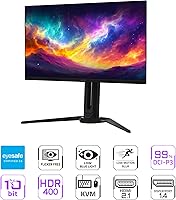
- HDR Support: The monitor is certified for VESA DisplayHDR True Black 400, delivering accurate contrast and deep blacks in HDR content.
- Color Gamut: It covers 99% of the DCI-P3 color space with 10-bit color depth for wide, accurate color reproduction.
- Contrast Ratio: The panel offers a 1.5M:1 contrast ratio thanks to OLED's per-pixel light control.
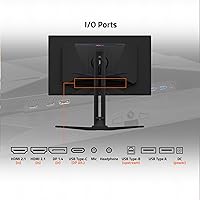
- Connectivity: Inputs include HDMI, DisplayPort, and Type-C, with the Type-C port supporting a built-in KVM switch.
- Burn-In Protection: GIGABYTE OLED Care uses AI-based monitoring and adjustable settings to help reduce the risk of burn-in over time.
- Gaming Features: Built-in Game Assist tools include an on-screen timer, crosshair overlay, and PIP/PBP support.
- Black Equalizer: Black Equalizer 2.0 helps reveal detail in dark scenes without washing out brighter areas.
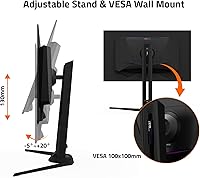
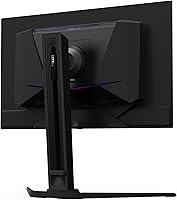
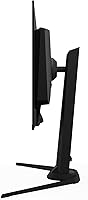
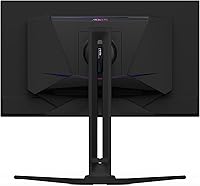
- Stand Adjustability: The included stand supports height adjustment for ergonomic positioning.
- Screen Surface: The display uses a matte finish to reduce glare and reflections.
- Warranty: GIGABYTE backs the monitor with a 3-year warranty that includes coverage for panel burn-in.
- Product Dimensions: The monitor measures 6.24 x 24.02 x 20.96 inches as listed by the manufacturer.
- Weight: The unit weighs 15.87 pounds including the stand.
Related Reviews
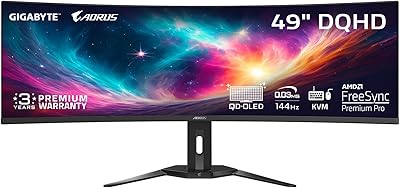
GIGABYTE AORUS CO49DQ 49-inch QD OLED Monitor
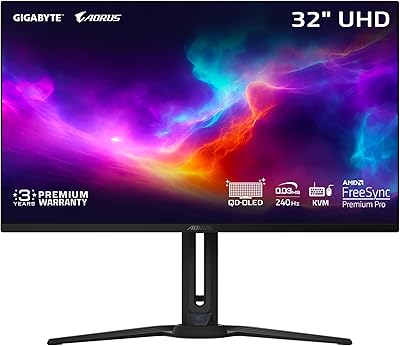
GIGABYTE AORUS FO32U2 32-inch Gaming Monitor
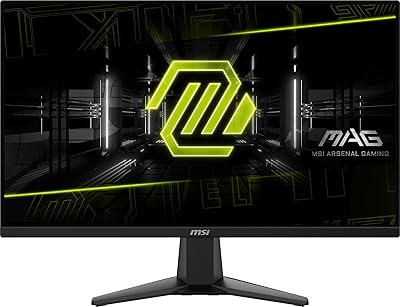
MSI MAG 275F 27″ Gaming Monitor
Samsung Odyssey G81SF 27-inch Gaming Monitor
MSI MAG 271QPX 27-inch QD-OLED Gaming Monitor
ASUS ROG Swift PG27UCDM 27-inch Gaming Monitor
Alienware AW2725DF 27-inch QD-OLED Gaming Monitor
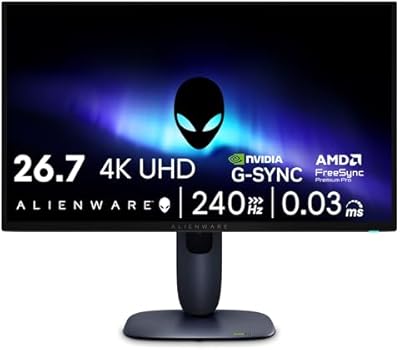
Alienware AW2725Q 27-inch 4K QD-OLED Gaming Monitor
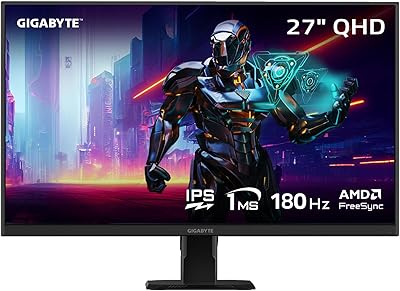
GIGABYTE GS27QA 27-inch QHD Gaming Monitor