Overview

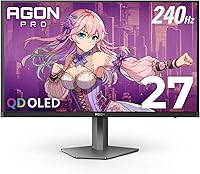
The AOC AG276QZD2 27″ OLED Gaming Monitor sits in an interesting spot in the market — it brings genuine OLED panel technology to a price tier where most buyers are still choosing between IPS and VA displays. That shift matters more than it might sound. OLED means every pixel generates its own light, which translates to contrast levels no traditional backlit panel can match. The glossy screen surface is a deliberate tradeoff — colors look richer and more saturated, but reflections in bright rooms are a real consideration. At 2560x1440, this AOC Agon panel is sharp without demanding the GPU overhead that 4K would require, making it a practical choice for both competitive PC gaming and console setups.
Features & Benefits

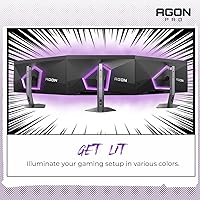
At the core of the AG276QZD2's appeal is its 240Hz refresh rate combined with a 0.03ms GTG response time — in fast, reflex-driven games like Valorant or Apex Legends, the difference versus a 144Hz IPS panel is immediately noticeable. Motion looks cleaner, ghosting is essentially gone. The self-luminous OLED pixels handle contrast in a way backlit displays simply cannot replicate: shadow detail in dark environments is genuinely impressive rather than crushed or artificially boosted. Color coverage reaches 101% DCI-P3, which benefits both gaming visuals and casual creative work. G-SYNC compatibility keeps the image smooth across a wide GPU range, and the rear RGB lighting, while optional, integrates cleanly with other AOC devices for those who care about setup aesthetics.

Best For

This OLED gaming monitor punches above its weight for competitive FPS and MOBA players who put motion clarity above everything else — the speed here is genuinely tournament-caliber. Console gamers making the jump from a large TV to a proper dedicated gaming display will notice the improvement in latency and image sharpness right away. The 27-inch format is also a sweet spot ergonomically; it fits most standard desks without feeling oversized, which matters for longer sessions. If you do some light creative work alongside gaming, the wide color gamut makes this AOC Agon panel more capable than a typical spec-chasing gaming monitor. It also represents a reasonable entry into OLED for buyers not yet ready to spend flagship prices.

User Feedback

Across its 766 ratings, the AG276QZD2 holds a strong 4.4 out of 5 average, and the positive patterns are consistent: buyers repeatedly highlight the image quality — particularly how dark scenes look with true per-pixel blacks compared to their previous IPS panels. Console users on PS5 generally report a smooth experience out of the box. On the critical side, the glossy finish draws fair complaints from users in sunlit or brightly lit rooms where reflections become distracting. Stand rigidity and cable routing have come up occasionally as minor build-quality gripes. A handful of long-term owners raise OLED burn-in as a concern, especially for games with persistent HUD elements — worth keeping in mind if you plan extended daily sessions without enabling any screen protection features.

Pros

  • True OLED contrast delivers genuinely black blacks — no backlight bleed or halo glow around bright elements.
  • 240Hz at 1440p is a competitive sweet spot that most modern GPUs can actually sustain in real titles.
  • The AG276QZD2 covers 101% DCI-P3, making it more color-accurate than most gaming-focused IPS panels at this price.
  • Console plug-and-play on PS5 and Xbox is largely hassle-free with auto-detection handling the basics automatically.
  • At 27 inches, this OLED gaming monitor fits most desk setups without requiring a room redesign.
  • G-SYNC compatibility works reliably across a wide range of Nvidia GPUs without flicker or brightness pumping.
  • Dark game environments — horror, RPGs, stealth titles — look noticeably more immersive than on any backlit panel.
  • The rear RGB lighting is tasteful and integrates cleanly for users already running an AOC peripheral setup.
  • QHD resolution offers a meaningful sharpness upgrade over 1080p without the GPU cost of pushing 4K.

Cons

  • Glossy coating causes significant glare in bright rooms — a real dealbreaker for window-facing desks.
  • Factory calibration is inconsistent across units; some buyers need to manually adjust white balance and gamma.
  • The stand wobbles noticeably on desks with any vibration, and cable routing is awkward without a VESA arm.
  • Peak brightness cannot match high-nit Mini LED panels, so HDR highlights lack real punch in very bright content.
  • AMD GPU users may experience occasional VRR inconsistencies compared to native G-SYNC certified displays.
  • There is no burn-in warranty coverage, which adds financial uncertainty for heavy daily users.
  • 120Hz console mode is game-dependent — some titles will cap at 60Hz regardless of what the display supports.
  • The OSD navigation buttons feel cheap relative to the quality of the panel itself.
  • Mid-range GPUs will frequently fall short of the 240Hz ceiling in demanding QHD titles, limiting that investment.

Ratings

The AOC AG276QZD2 27″ OLED Gaming Monitor has been evaluated using AI-driven analysis of verified global buyer reviews, with spam, bot activity, and incentivized feedback actively filtered out. The resulting scores reflect real-world ownership patterns across competitive PC gamers, console players, and hobbyist creators. Both the standout strengths and the genuine pain points that show up repeatedly across verified purchases are represented transparently below.
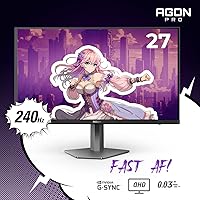
Image Quality
94%
Users consistently describe the picture as a step-change upgrade from IPS — dark scenes in games like Elden Ring or Cyberpunk 2077 reveal shadow detail that backlit panels simply compress or lose. The per-pixel contrast is the clear highlight, with blacks that look genuinely black rather than dark grey.
A small number of users note that the glossy coating amplifies the perceived vibrancy in ways that feel slightly oversaturated at default settings, requiring some calibration before the colors look accurate rather than punchy.
Motion Clarity & Response Time
92%
At 240Hz with a 0.03ms GTG response, fast-paced titles like Valorant and CS2 feel noticeably crisper compared to typical 144Hz IPS panels. Ghosting is essentially absent, and competitive players note the difference in tracking fast-moving targets is real, not theoretical.
To fully exploit the 240Hz ceiling, users need a capable GPU — mid-range cards will often run QHD titles well below that frame rate, meaning many buyers are paying for headroom they cannot consistently use yet.
Contrast & Black Levels
96%
This is where OLED technology separates itself most dramatically. Buyers coming from VA or IPS panels report being genuinely surprised by how dark environments look in games and films — no backlight bleed, no halo glow around bright objects on dark backgrounds.
Some users flag that extremely bright content briefly reveals slight brightness limitations compared to high-nit Mini LED panels, meaning HDR highlights in very bright outdoor scenes are not quite as dramatic as on competing display technologies.
Color Accuracy
88%
The 101% DCI-P3 coverage earns real praise from buyers who use this AOC Agon panel for light creative work alongside gaming. Photo editing and video review tasks produce results that hold up reasonably well without professional calibration, which is uncommon at this price tier.
Out-of-box color temperature skews slightly warm for some users, and the factory calibration is not consistent enough across units to satisfy anyone with strict accuracy needs. A colorimeter is advisable for serious creative workflows.
Refresh Rate & Sync Performance
89%
G-SYNC compatibility works reliably across a wide range of Nvidia GPUs, and users report that variable refresh rate operation feels smooth with no obvious flicker or brightness pumping during frame rate fluctuations — a common complaint on cheaper VRR-enabled displays.
FreeSync or AMD-side performance draws less praise, with some users reporting occasional inconsistencies when using Radeon GPUs in G-SYNC compatible mode. It works, but it is not as polished as on native G-SYNC certified monitors.
Console Compatibility
78%
22%
PS5 and Xbox Series X users generally report a clean plug-and-play experience with auto-detection handling most setup automatically. For console-first buyers upgrading from a television, the latency reduction and image sharpness improvement are both immediately noticeable.
The 120Hz console mode is not universal — it depends on the specific game supporting it, and some titles lock to 60Hz regardless of display capability. A few Nintendo Switch users also note that the Switch's 1080p output does not scale as cleanly on a 1440p panel as it would on a native 1080p screen.
Screen Surface & Glare Handling
62%
38%
The glossy finish genuinely enhances color depth and contrast perception compared to matte-coated alternatives — in a controlled lighting environment, the image has a richness that matte panels struggle to match, which many users in dark or dim rooms strongly prefer.
In bright rooms, near windows, or under overhead lighting, reflections are a persistent problem that no brightness adjustment fully resolves. This is probably the single most polarizing aspect of the AG276QZD2, and buyers in brightly lit spaces should factor it heavily into their decision.
Build Quality & Stand
71%
29%
The overall chassis feels solid enough for a monitor in this category, and the matte black finish on the housing looks clean and understated. The rear RGB lighting is well-integrated rather than feeling like a tacked-on afterthought.
The stand draws repeated criticism for feeling less sturdy than the panel quality would suggest — some wobble on desks with vibration, and cable management channels are narrow and awkward to work with. A VESA mount is a worthwhile upgrade for users who want a cleaner setup.
HDR Performance
74%
26%
HDR10 content looks genuinely better on this OLED panel than it does on most edge-lit IPS monitors at this price, primarily because the contrast foundation is strong enough to make HDR metadata actually meaningful rather than cosmetic.
Peak brightness falls short of the levels needed to make HDR specular highlights truly pop — this is a common OLED limitation, and buyers expecting the brightness punch of a high-nit Mini LED panel will find the HDR experience competent but not spectacular.
Setup & Connectivity
81%
19%
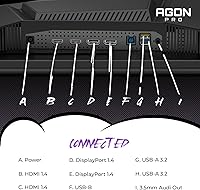
The two USB 3.0 ports are a practical inclusion that buyers appreciate for connecting peripherals directly to the display. Port layout is logical, and initial setup is described as straightforward by the majority of reviewers regardless of whether they are on PC or console.
The cable management situation behind the stand is cramped, and the HDMI and DisplayPort placement makes routing cables neatly more effort than it should be. A couple of users also note the OSD navigation buttons feel cheap relative to the overall panel quality.
Burn-in Risk & Longevity
66%
34%
AOC includes on-screen protection features and pixel-refresh routines that activate during standby, which gives some reassurance for typical mixed-use gaming sessions. Casual and rotation gamers who switch between multiple titles are unlikely to encounter issues under normal use patterns.
Users who run the same game for many hours daily — especially titles with static HUD elements like MMORPGs or strategy games — carry a real long-term risk that is difficult to fully mitigate. There is no extended burn-in warranty coverage, which adds financial uncertainty for heavy users.
Value for Money
83%
At its price point, this AOC Agon panel offers OLED panel technology that would have cost significantly more just two years ago. For buyers prioritizing image quality and response time over premium branding, the value case is genuinely strong compared to similarly priced IPS alternatives.
Buyers who compare it against top-tier OLED monitors from LG or Asus will notice differences in brightness, build refinement, and software polish that justify the price gap. The AG276QZD2 is good value within its tier, but it does not match the full ownership experience of flagship OLED options.
RGB Lighting & Aesthetics
76%
24%
The rear ambient lighting is more tasteful than many gaming monitors manage — it diffuses well behind a wall and works cleanly with other AOC peripherals for users already invested in that ecosystem. Several buyers mention it adds a noticeable ambiance improvement to dark room setups.
The AOC sync software has received mixed feedback for reliability on some Windows configurations, and users outside the AOC ecosystem will find the lighting adds little practical value. The color modes and patterns are competent but not as customizable as Corsair or Razer ambient systems.
Out-of-Box Calibration
73%
27%
Most users find the default picture modes usable straight out of the box for gaming without needing to touch settings immediately. The game presets cover common use cases well enough that non-technical buyers can get a solid experience without any manual tuning.
Factory calibration consistency is not tight across units — some buyers report needing to adjust white balance and gamma fairly significantly to match what reviewers describe. Users who care about accuracy across different content types should plan to spend time in the OSD or invest in a calibration tool.

Suitable for:

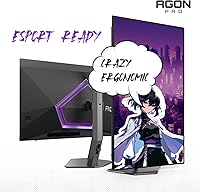
The AOC AG276QZD2 27″ OLED Gaming Monitor is a strong fit for competitive PC gamers — particularly those playing fast-paced FPS or MOBA titles — who want the motion clarity of a high-refresh-rate panel without sacrificing visual depth. The OLED technology makes a tangible difference in games with dark environments, and the 240Hz ceiling gives serious players room to grow as their hardware improves. Console gamers upgrading from a mid-range television will notice an immediate improvement in both input latency and image sharpness, especially on PS5 and Xbox Series X, though they should know that 120Hz performance depends on individual game support. The 27-inch form factor and QHD resolution also make this AOC Agon panel a reasonable dual-purpose screen for hobbyists who split their time between gaming and light creative work like photo editing or video review, since the wide color gamut holds up better than a typical gaming-focused IPS display. For anyone ready to move from IPS to OLED without committing to top-tier flagship pricing, this is a genuinely compelling entry point.
Not suitable for:

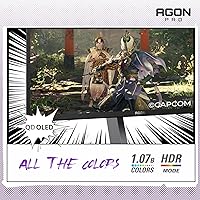
The AOC AG276QZD2 27″ OLED Gaming Monitor has real limitations that make it the wrong choice for certain buyers, and it is worth being direct about them. If your desk sits near a window or under bright overhead lighting, the glossy panel will create persistent reflections that no brightness adjustment fully resolves — matte-coated alternatives are a much more practical option in those environments. Users who run the same game for many hours every day, particularly titles with fixed HUD overlays like MMORPGs or strategy games, face a genuine long-term burn-in risk that AOC's built-in protection routines can reduce but not eliminate, and there is no dedicated burn-in warranty to fall back on. Buyers expecting flagship-level HDR brightness, the build refinement of LG or Asus OLED panels, or a rock-solid stand out of the box will find this OLED gaming monitor falls short in those areas. AMD GPU users should also be aware that G-SYNC compatible mode works but is not as consistently polished as on native G-SYNC certified displays.
Specifications

  • Screen Size: The active display area measures 26.5″ diagonally within a 27-inch class chassis.
  • Panel Type: Uses a self-luminous OLED panel where each pixel generates its own light, enabling true per-pixel contrast control.
  • Resolution: Native resolution is 2560x1440 (QHD), delivering noticeably sharper detail than 1080p without the GPU demands of 4K.
  • Refresh Rate: Supports a maximum refresh rate of 240Hz, providing extremely fluid motion in fast-paced competitive titles.
  • Response Time: Rated at 0.03ms GTG (gray-to-gray), which effectively eliminates ghosting and motion blur in normal gaming conditions.
  • Sync Technology: G-SYNC Compatible certification allows variable refresh rate operation across a wide range of Nvidia GPU configurations.
  • HDR Support: Supports the HDR10 standard, enabling richer contrast and wider dynamic range in compatible games and media content.
  • Color Gamut: Covers 101% of the DCI-P3 color space and 136.7% of sRGB, suitable for both gaming and casual creative work.
  • Aspect Ratio: Standard 16:9 widescreen aspect ratio (1.78:1), compatible with all modern gaming and media content formats.
  • Screen Surface: Glossy panel coating enhances perceived color depth and contrast but increases reflectivity in brightly lit environments.
  • Console Support: Compatible with PS5, Xbox Series X/S, and Nintendo Switch, supporting up to 120Hz depending on the game and console output settings.
  • USB Ports: Includes 2 USB 3.0 downstream ports on the monitor body for connecting peripherals directly to the display.
  • RGB Lighting: Rear-facing ambient RGB lighting supports multiple color modes and can be synchronized with other AOC Agon devices.
  • Dimensions: The monitor measures 9.01 x 23.99 x 20.73 inches (depth x width x height) with the stand attached.
  • Weight: Complete unit with stand weighs 14.7 pounds, which is typical for a 27-inch gaming monitor in this category.
  • VESA Compatibility: The stand is removable and the display supports standard VESA mounting for users who prefer a monitor arm setup.
  • Color & Finish: Available in matte black housing with a glossy screen surface; the rear panel features the Agon Pro branding treatment.
  • Series: Part of AOC's Agon Pro lineup, which is the brand's tournament-focused tier positioned above the standard Agon range.

Related Reviews
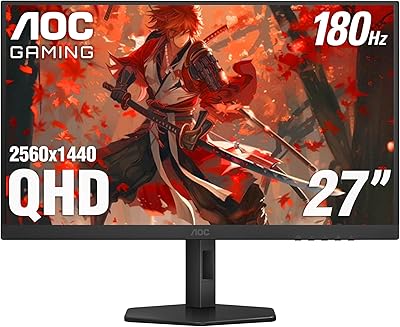
AOC Q27G4XN 27″ Gaming Monitor
79%
91%
Image Sharpness
88%
Motion Performance
83%
Refresh Rate Value
79%
Color Accuracy
52%
Glare & Reflections
More
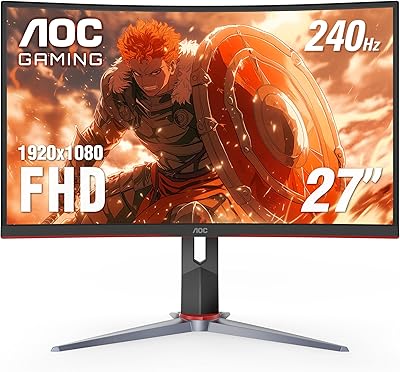
AOC C27G2Z 27″ Curved Gaming Monitor
80%
93%
Refresh Rate Performance
88%
Response Time & Motion Clarity
79%
Color Accuracy & Vibrancy
86%
Contrast & Black Levels
62%
Resolution & Pixel Density
More
AOC C27G4H 27″ Curved Gaming Monitor
89%
93%
Performance
95%
Display Quality
87%
Ergonomics/Adjustability
91%
Value for Money
89%
Compatibility (Console)
More
AOC CQ27G4ZH 27″ Curved Gaming Monitor
87%
95%
Gaming Performance
90%
Display Quality
85%
Build Quality
87%
Ergonomics
92%
Value for Money
More
Acer Predator X27U 27″ OLED Gaming Monitor
84%
94%
Image Quality
91%
Refresh Rate & Motion
89%
Color Accuracy
86%
Connectivity
82%
Ergonomics & Stand
More
Alienware AW2725DF 27-inch OLED Gaming Monitor
89%
96%
Display Quality
94%
Gaming Performance
92%
Color Accuracy
90%
Build Quality
88%
Ease of Setup
More
LG 27GX790A-B 27-inch OLED Gaming Monitor
80%
94%
Motion Clarity
92%
Image Quality
88%
HDR Performance
89%
Connectivity
86%
Ergonomics & Stand
More
Pixio PX277 OLED MAX 27-inch Gaming Monitor
87%
94%
Display Quality
91%
Gaming Performance
88%
Ease of Setup
95%
Color Accuracy
89%
Ergonomics & Adjustability
More
Corsair XENEON 27QHD240 27-inch OLED Gaming Monitor

84%
94%
Image Quality
96%
Motion Performance
97%
Contrast & Black Levels
88%
HDR Experience
91%
Color Accuracy
More
LG 27GR95QE-B 27″ Ultragear OLED Gaming Monitor
86%
94%
Display Quality
92%
Gaming Performance
89%
Color Accuracy
85%
Build Quality
90%
Ergonomics/Adjustability
More

FAQ

It depends heavily on your setup. In a dim or controlled lighting environment the glossy surface actually makes colors look richer and more vibrant than a matte panel would. The problem is in bright rooms or near windows, where reflections can become genuinely distracting. If your desk gets direct sunlight or sits under strong overhead lights, this is worth taking seriously before you buy.

It is a legitimate risk worth understanding, not panicking about. For casual to moderate gaming sessions across a variety of titles, the built-in pixel-refresh and screen protection routines AOC includes should keep things manageable. Where it becomes a real concern is if you play the same game for many hours daily — especially ones with static HUD elements that sit in the same screen position constantly, like map overlays or health bars in MMOs. Rotating your content and using the automatic protection features is the practical advice here.

Yes, but with an important caveat: whether you get 120Hz depends on the individual game, not just the monitor. Games that explicitly support 120Hz output on PS5 will work correctly, but many titles still max out at 60Hz regardless of what display you connect. The monitor itself supports the input — the bottleneck is on the game and console side.

Realistically, you need a high-end card — something in the range of an RTX 4070 or above — to consistently reach 240Hz in demanding modern titles at QHD. Mid-range GPUs will often land in the 100 to 160Hz range in heavier games, which is still smooth and benefits from VRR, but you will not hit the ceiling consistently until your hardware catches up. For older or lighter titles like CS2, even mid-range cards can push those numbers.

It handles it reasonably well, but the glossy coating is a consideration here too. Text rendering on OLED is sharp and clear, and the QHD resolution gives you enough pixel density for comfortable reading at normal desk distances. Just be aware that if you are doing long spreadsheet or document sessions in a bright office environment, the reflection issue surfaces again. It is not a dedicated productivity monitor, but it is far from unusable for mixed-use scenarios.

It works with AMD GPUs — G-SYNC Compatible monitors are designed to support FreeSync as well, so variable refresh rate is available on Radeon hardware. That said, user feedback suggests the VRR experience is slightly less consistent on AMD cards compared to Nvidia setups in G-SYNC compatible mode. It is functional, just not as polished.

The included stand offers height, tilt, and swivel adjustments, which covers the basics for most desk setups. If you want a cleaner cable routing solution or more precise positioning, the stand is removable and the display is VESA compatible, so mounting on a third-party arm is straightforward. Several users actually recommend this upgrade given some feedback about the stand feeling less stable than ideal.

The OLED panel makes streaming genuinely enjoyable — dark scenes in shows or films have that same deep contrast that makes the picture feel more cinematic than a typical backlit monitor. HDR10 content looks better here than on most IPS panels at this price because the contrast foundation is strong enough to make it meaningful. The main thing to manage is the glossy screen in a bright living room environment, which applies here just as it does in gaming.

For a dark room gaming setup it adds real ambient effect — the light diffuses nicely behind the monitor against a wall, and it is less garish than many RGB implementations on gaming hardware. If you already have AOC peripherals, the sync feature ties everything together cleanly. If you do not care about RGB at all, it is easy to turn off and does not affect anything else about the display.

There are no fans in this monitor. OLED displays do not generate the heat that requires active cooling, so the AG276QZD2 operates silently. The only sound-related consideration is that this monitor does not include built-in speakers, so you will need external audio through your PC, console, or a separate audio setup.

Where to Buy