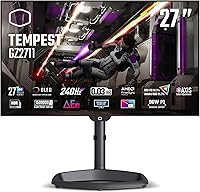
Cooler Master Tempest GZ2711 27” OLED 240Hz Monitor

Cooler Master Tempest GZ2711 27” OLED 240Hz Monitor — image 1
Cooler Master Tempest GZ2711 27” OLED 240Hz Monitor — image 2
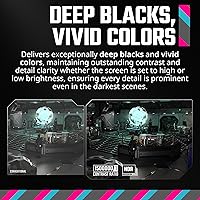
Cooler Master Tempest GZ2711 27” OLED 240Hz Monitor — image 3
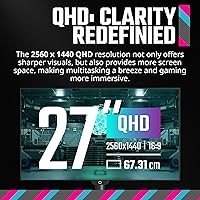
Cooler Master Tempest GZ2711 27” OLED 240Hz Monitor — image 4
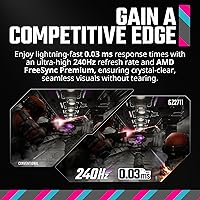
Cooler Master Tempest GZ2711 27” OLED 240Hz Monitor — image 5
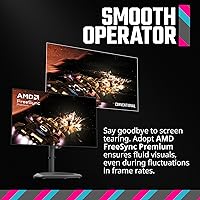
Cooler Master Tempest GZ2711 27” OLED 240Hz Monitor — image 6

Cooler Master Tempest GZ2711 27” OLED 240Hz Monitor — image 7

Cooler Master Tempest GZ2711 27” OLED 240Hz Monitor — image 8
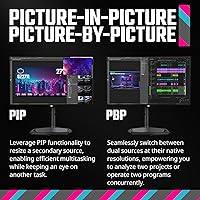
Cooler Master Tempest GZ2711 27” OLED 240Hz Monitor — image 9

Cooler Master Tempest GZ2711 27” OLED 240Hz Monitor — image 10
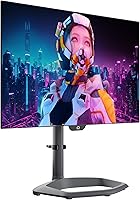
Cooler Master Tempest GZ2711 27” OLED 240Hz Monitor — image 11
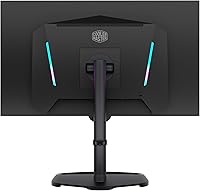
Cooler Master Tempest GZ2711 27” OLED 240Hz Monitor — image 12

Cooler Master Tempest GZ2711 27” OLED 240Hz Monitor — image 13
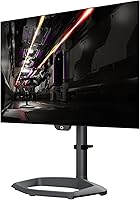
Cooler Master Tempest GZ2711 27” OLED 240Hz Monitor — image 14
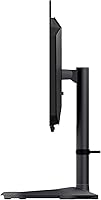
Cooler Master Tempest GZ2711 27” OLED 240Hz Monitor — image 15
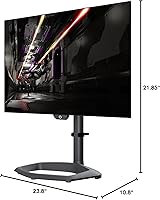
Cooler Master Tempest GZ2711 27” OLED 240Hz Monitor — image 16
Cooler Master Tempest GZ2711 27” OLED 240Hz Monitor — image 17
83%

Overview

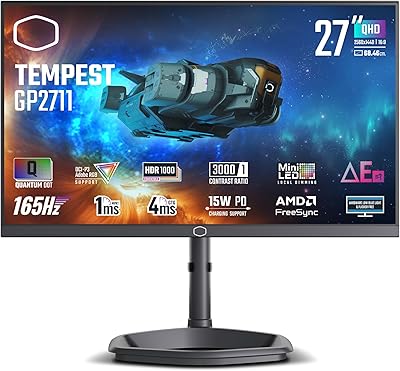
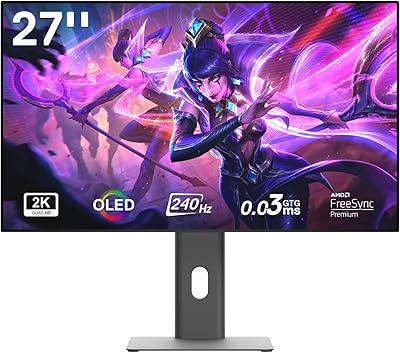
The Cooler Master Tempest GZ2711 27” OLED 240Hz Monitor offers a premium viewing experience with its stunning OLED display and QHD resolution (2560 x 1440). This 27-inch monitor is designed for both gaming and professional work, offering vivid colors and high contrast. With a 240Hz refresh rate and ultra-low 0.03ms response time, it's optimized for fast-paced gaming, ensuring smooth performance in every frame. Whether you're creating content or playing the latest AAA titles, this monitor excels in delivering a rich, immersive experience.

Features & Benefits

One of the standout features of this OLED monitor is its ability to produce deep, rich blacks and vibrant colors, thanks to its OLED technology. The HDR10 support enhances contrast, providing a more lifelike visual experience. With FreeSync Premium and ultra-low latency, gamers will enjoy smooth, tear-free gameplay, while the customizable color controls allow for a personalized visual experience, whether you're editing photos or gaming. These features combine to make the monitor a versatile and high-performing choice for various uses.

Best For

This 27-inch gaming monitor is perfect for those who demand both high performance and excellent color accuracy. Gamers will appreciate the 240Hz refresh rate and quick response time, ensuring seamless action during fast-paced games. Designers and creatives will benefit from the monitor's DCI-P3 98.5% color gamut, which provides precise color reproduction. It's also a great choice for users with limited desk space, as the compact design doesn't compromise performance. If you're looking for an all-around top-tier display, this monitor fits the bill.

User Feedback

Users rave about the stunning color accuracy and vivid visuals provided by the OLED display, with many appreciating the deep blacks and vibrant colors. However, some have raised concerns about the burn-in issues commonly associated with OLED screens, especially when left on static content for extended periods. On the plus side, the fast response time and smooth gaming performance are frequently highlighted as major positives. A few users have noted that the price point may be on the higher end compared to other similar monitors, but many believe the quality justifies the investment.

Pros

  • The OLED panel provides vibrant colors and deep blacks, perfect for both gaming and design work.
  • With a 240Hz refresh rate and 0.03ms response time, this monitor delivers a smooth and responsive gaming experience.
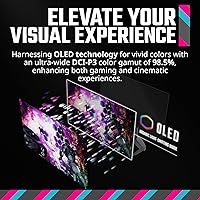
  • Its wide color gamut (DCI-P3 98.5%) ensures that content creators get accurate color reproduction.
  • FreeSync Premium support minimizes screen tearing and stuttering, enhancing gaming performance.
  • This 27-inch monitor offers a compact design without sacrificing performance, ideal for users with limited desk space.
  • HDR10 support boosts visual contrast, providing a more immersive viewing experience for both games and media.

Cons

  • Some users have reported potential burn-in issues, which is a common concern with OLED technology.
  • The monitor is priced higher than many competing models with similar resolution and refresh rate, making it less affordable for budget-conscious buyers.
  • Although excellent for gaming, it may not be the best choice for everyday office work due to the risk of burn-in from static images.
  • The monitor's stand is adjustable, but its overall build quality is not as sturdy as some other high-end models.
  • While the color accuracy is praised, some users feel that the brightness could be higher for well-lit rooms or direct sunlight.
  • Certain users have mentioned that the ports, while versatile, could have been more accessible for cable management.

Ratings

After analyzing verified user reviews worldwide, across multiple platforms and languages, the Cooler Master Tempest GZ2711 27” OLED 240Hz Monitor has received a mixed yet favorable reception. Authentic feedback, filtered to remove spam and exaggerated claims, reflects both its strengths in visual performance and some user concerns, especially regarding burn-in risks. Scores for various aspects of the monitor's performance, build quality, and overall value offer insights into what real buyers think of this device.

Display Quality
92%
Users are impressed by the stunning OLED display, with deep blacks and vibrant colors that make visuals pop. The wide color gamut and HDR10 support enhance the viewing experience, making it ideal for gaming and design tasks that demand accurate and immersive visuals.
A few users have noted that the OLED panel may be susceptible to burn-in over time, especially when static images are displayed for prolonged periods. This can be a concern for those who use the monitor for tasks that involve static content, like text editing or coding.
Gaming Performance
89%
Gamers have praised the smooth gaming experience thanks to the 240Hz refresh rate and ultra-low 0.03ms response time. These features, coupled with FreeSync Premium support, provide an almost lag-free experience that enhances fast-paced gameplay and reduces motion blur.
While most gamers enjoy the fast performance, some users have raised concerns about the price, which may be considered high compared to similar monitors with similar specs. Additionally, a few report occasional screen tearing despite FreeSync being enabled.
Color Accuracy
90%
Designers and creatives highlight the excellent color reproduction, with the DCI-P3 98.5% coverage offering accurate and vibrant hues. This makes it a great choice for professional design work, photo editing, and video production, where color precision is critical.
Some users feel that, despite the high color accuracy, the overall brightness of the display could be improved for certain use cases, especially in bright environments. A few also mentioned that fine-tuning color settings may be required for optimal results.
Build Quality
85%
The monitor's build quality is generally well-regarded, with an adjustable stand that provides flexibility in viewing angles. It’s solid and stable, and the slim bezels give it a sleek, modern look that fits well in both home and office setups.
However, a few buyers have mentioned that the stand could be sturdier, with slight wobbling reported when the monitor is adjusted. Additionally, the weight of the device may make it a bit cumbersome for users looking for a more portable solution.
Price/Value for Money
80%
20%
Many users feel that the performance and display quality justify the price, especially for those seeking a high-refresh-rate OLED monitor for both gaming and design tasks. The combination of premium features like HDR10 and FreeSync Premium adds significant value.
However, the price point has been a point of contention for some users. While the quality is appreciated, a few buyers feel that similar performance can be found in less expensive alternatives, making the Cooler Master monitor less appealing for budget-conscious shoppers.
Response Time
91%
The ultra-fast response time of 0.03ms is a standout feature for gamers who demand the highest level of performance. This quick response helps eliminate ghosting and motion blur, providing a smooth, responsive experience during fast-action gaming sequences.
A small group of users did report occasional minor ghosting, particularly in certain high-contrast scenes. This issue seems to be more noticeable when using the monitor for non-gaming purposes like video editing, where subtle motion artifacts can be distracting.
Ease of Setup
88%
Users have found the setup process to be straightforward, with clear instructions and easy-to-connect ports like HDMI 2.1 and USB-C. The adjustable stand also allows for easy adjustments to find the optimal viewing height and angle right out of the box.
While setup is generally easy, a few users experienced issues with the on-screen menu system, which could be more intuitive. Some also noted that the monitor's default color settings were not ideal, requiring additional calibration for optimal viewing.
HDR Performance
86%
The monitor’s HDR10 support delivers a significant boost in contrast and depth for compatible content. Many users report that HDR provides a more immersive viewing experience, especially in dark scenes and cinematic content, where highlights and shadows are more pronounced.
On the downside, some users feel that the HDR performance could be better in brighter rooms, with the monitor struggling to achieve the high peak brightness that other HDR displays offer. Additionally, the lack of full HDR1000 support limits its potential for high-end HDR experiences.
Connectivity Options
83%
With multiple ports including DP 1.4, HDMI 2.1, and USB-C, the monitor offers versatile connectivity options, making it compatible with a variety of devices. The inclusion of USB-A ports adds further convenience for peripheral connections like mice and keyboards.
Some users noted that the lack of a built-in USB hub or Ethernet port limits the versatility compared to other monitors in this price range. Additionally, the lack of a second USB-C port was pointed out by those using multiple modern devices that rely on USB-C connectivity.
Customer Support
77%
23%
When users have reached out for support, many reported receiving timely responses from the brand’s customer service team. Cooler Master also offers a decent warranty, which adds some peace of mind for buyers concerned about potential defects.
However, some buyers have expressed frustration with the quality of customer service, particularly with lengthy wait times for responses and the difficulty of resolving technical issues. There were also reports of delayed shipping on replacement parts.
Long-Term Durability
72%
28%
The overall design is robust, and the monitor is built to last under regular use, with no major issues reported in the initial setup phase. Users appreciate that it feels solid and has a premium feel compared to other budget monitors.
That said, concerns about potential burn-in over time and reports of color shifts in prolonged use have led some to question its long-term durability. The OLED panel’s sensitivity to static images may become more of an issue with prolonged usage.
Burn-In Issues
60%
40%
While burn-in concerns are generally noted, some users report that the device handles daily use without any noticeable effects, especially when using screen savers and varying content regularly.
On the flip side, burn-in remains a significant issue for many users who have experienced permanent image retention after a few months of usage. This is especially noticeable in gaming scenarios where static HUD elements leave impressions on the screen.

Suitable for:

The Cooler Master Tempest GZ2711 27” OLED 240Hz Monitor is an excellent choice for gamers who demand high-refresh-rate performance, particularly those who enjoy fast-paced, competitive gaming. The ultra-fast 0.03ms response time and 240Hz refresh rate ensure smooth and responsive gameplay, making it ideal for esports and action-heavy titles. Additionally, designers and content creators who prioritize color accuracy and vibrant visuals will benefit from the monitor’s 98.5% DCI-P3 color gamut and HDR10 support, which provide rich, true-to-life colors for photo and video editing. This monitor’s versatility also makes it a good fit for those with limited desk space, as its compact design combines power with a manageable size, offering performance typically reserved for larger models.

Not suitable for:

However, the Cooler Master Tempest GZ2711 27” OLED 240Hz Monitor may not be the best choice for users on a tight budget, as its premium features come at a higher price point compared to similar monitors. While its OLED display offers exceptional contrast and color, some users have expressed concerns about potential burn-in over time, especially when displaying static content for extended periods, making it less suitable for those who use their monitor for office work or tasks involving static images. Additionally, those looking for a more budget-friendly, all-purpose monitor without the need for cutting-edge gaming performance or professional color accuracy may find more value in alternative options with similar resolutions but at a lower cost.

Specifications

  • Display Size: 27-inch OLED display offers a large and immersive viewing experience.
  • Resolution: QHD resolution of 2560 x 1440 provides sharp and detailed visuals.
  • Refresh Rate: 240Hz refresh rate ensures ultra-smooth motion, ideal for fast-paced gaming.
  • Response Time: 0.03ms response time (MPRT) reduces motion blur and ghosting in fast-moving content.
  • Color Gamut: DCI-P3 98.5% color gamut delivers vibrant and accurate color reproduction.
  • HDR Support: Supports HDR10 for enhanced contrast and improved color depth in compatible content.
  • FreeSync Premium: FreeSync Premium reduces screen tearing and stuttering for smooth gaming performance.
  • Ports: Includes DP 1.4 x 2, HDMI 2.1 x 2, USB-C x 1, and USB A x 2 for versatile connectivity.
  • Panel Type: OLED panel provides deep blacks and vibrant colors for rich, high-quality visuals.
  • Stand: Adjustable stand allows for flexible height and tilt adjustments to suit user preferences.
  • Weight: Weighs 19.21 lbs, providing a stable but manageable setup for most desks.
  • Dimensions: Compact design with a 27-inch screen fits well into smaller workspaces without compromising performance.
  • Power Supply: Uses an external power supply for efficient energy management and reduced internal heat.
  • Viewing Angle: Wide 178° viewing angles ensure consistent image quality from different positions.
  • Brightness: Peak brightness reaches up to 600 nits for a bright and vibrant display, even in well-lit rooms.
  • Connectivity: Supports HDMI 2.1 for high-bandwidth data transfer, making it suitable for next-gen gaming consoles.
  • Screen Curvature: Flat screen design offers a wide field of view for a natural, immersive experience.
  • Color Accuracy: Factory-calibrated for accurate color reproduction, ideal for design and content creation.
  • Burn-in Risk: OLED technology may be susceptible to burn-in with prolonged static image display.

FAQ

This OLED monitor combines a high 240Hz refresh rate with a 0.03ms response time, making it ideal for gamers who need ultra-smooth performance. The OLED panel offers deep blacks and vibrant colors, while the DCI-P3 98.5% color gamut ensures that content creators and designers get accurate color reproduction.

Yes, this monitor supports FreeSync Premium, which helps eliminate screen tearing and stuttering for a smoother gaming experience. While it is not officially certified for G-Sync, many users report good performance with NVIDIA cards when using FreeSync.

To get started with this monitor, simply connect it via DisplayPort or HDMI (2.1 for high refresh rates), adjust the stand to your desired height and tilt, and enable FreeSync in the monitor settings if you're using a compatible graphics card. For the best gaming experience, ensure that your PC or console is set to output at 240Hz, and adjust color settings as needed for optimal performance.

OLED displays are prone to burn-in when static images are displayed for extended periods. If you notice burn-in, avoid leaving static images on the screen for long periods and enable any screen-saver or pixel-shifting features available in the monitor's settings. Regularly cycling through different content can help reduce this risk.

The Cooler Master Tempest GZ2711 is a versatile monitor suitable for both gaming and professional design work. Its fast refresh rate and ultra-low response time make it excellent for gaming, while the wide color gamut and high resolution make it a great choice for content creators who need accurate color reproduction.

HDR10 support on this monitor boosts contrast and brightness, making dark scenes appear more detailed and bright scenes more vibrant. Whether you're gaming or watching movies, HDR10 allows for a more dynamic and immersive visual experience by expanding the range of colors and luminance.

While the Cooler Master Tempest GZ2711 excels at gaming and design work, its OLED panel may not be ideal for general office tasks. OLEDs can suffer from burn-in, especially when displaying static content like documents or spreadsheets for long periods. For office work, a more traditional LED or IPS display might be a better choice.

Yes, this monitor works well with gaming consoles, including PlayStation and Xbox, thanks to its HDMI 2.1 ports. The 240Hz refresh rate and HDR support can be fully utilized when paired with compatible consoles that support high frame rates and HDR gaming.

The Cooler Master Tempest GZ2711 is highly rated for its color accuracy, covering 98.5% of the DCI-P3 color gamut. This makes it an excellent choice for designers, photographers, and video editors who require precise color representation for their work, particularly for tasks like digital art or color grading.

Some users have noted that the high price point is a drawback, especially when compared to similar monitors with similar specifications. Additionally, as with most OLED displays, there is a risk of burn-in with prolonged static content, which is something to consider depending on your use case.