Overview

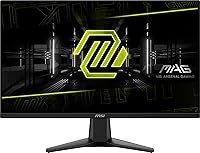
The MSI MAG 275F 27″ Gaming Monitor enters the entry-to-mid gaming market with something TN panels at this price rarely offer: a Rapid IPS panel that keeps colors honest and viewing angles wide. At 27 inches running Full HD resolution, the pixel density sits noticeably lower than on a 24-inch screen — text and fine textures won’t look as crisp, and that’s worth knowing upfront. What this MSI gaming monitor does well is balance speed and color quality inside a slim, frameless metallic chassis that slots neatly into multi-monitor builds or a clean desk setup. Console players also get a genuine perk: native 120Hz support for PS5 and Xbox Series X/S through its dedicated Console Mode.
Features & Benefits

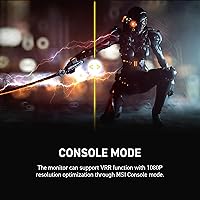
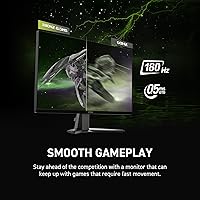
The MAG 275F runs at 180Hz with 0.5ms GtG response time, which in practice means motion in fast-paced shooters stays sharp and readable rather than smearing across the screen. The Rapid IPS panel delivers color accuracy and wide viewing angles that TN panels simply can’t match, and without the motion blur that VA panels are known for. HDR is on the spec sheet, but be realistic: at this resolution and brightness level, the effect is subtle at best. The Console Mode accepts a 4K signal from a PS5 or Xbox Series X/S and runs it at 120Hz, though the output remains at the panel’s native 1080p resolution. The matte anti-glare coating handles ambient light well without washing out contrast.

Best For

This 27-inch IPS display makes the most sense for competitive gamers — the kind who play CS2, Valorant, or Apex and want every frame advantage they can get without spending heavily. Upgraders stepping up from a 60Hz or 75Hz screen will notice an immediate and significant difference; the jump to 180Hz is hard to ignore once you’ve experienced it. Console players who want a dedicated high-refresh screen for their PS5 or Xbox will find the Console Mode genuinely useful. Students and secondary-setup users get solid everyday performance alongside the gaming capability. If you’re building a multi-monitor array, the narrow bezel design keeps things looking tidy. Where the MAG 275F falls short is for users who prioritize sharp pixel density — 1080p across 27 inches shows its limits in detailed single-player games and productivity work.

User Feedback

Among the 202 ratings it has collected, this MSI gaming monitor holds a 4.6-star average — a strong result for a panel that has been on the market under two years. Buyers consistently praise the color quality and motion smoothness, with many noting the improvement is immediately obvious coming from older 60Hz screens. The build feels solid for the price, and the slim bezel earns specific mentions from multi-monitor users. Criticism tends to cluster around two areas: the stand is limited to basic tilt with no height or swivel adjustment, and a handful of buyers note the HDR experience doesn’t quite live up to the label. Console Mode feedback is largely positive, with PS5 owners in particular reporting the 120Hz output works reliably as advertised.

Pros

  • 180Hz refresh rate makes motion in fast-paced games noticeably smoother and easier to track.
  • Rapid IPS panel delivers accurate colors and wide viewing angles that TN panels at this price cannot match.
  • Console Mode supports 120Hz input from PS5 and Xbox Series X/S, making it a versatile dual-purpose screen.
  • The 0.5ms GtG response time keeps ghosting well under control in competitive titles.
  • Frameless narrow-bezel design looks clean and works well in multi-monitor configurations.
  • Matte anti-glare coating handles bright room conditions without washed-out colors.
  • Solid build quality for the price tier, with a metallic finish that feels more premium than expected.
  • Strong early user satisfaction, holding a 4.6-star average across over 200 real buyer ratings.
  • The MAG 275F offers an accessible entry point into high-refresh IPS gaming without a steep investment.

Cons

  • 1080p across 27 inches results in noticeably lower pixel density — fine text and textures look softer than on smaller screens.
  • HDR support is entry-level and rarely produces a visible improvement in real gaming scenarios.
  • The stand only tilts, with no height, swivel, or pivot adjustment, limiting ergonomic flexibility.
  • Console Mode does not upscale content — a 4K signal is still displayed at native 1080p resolution.
  • Not well-suited for productivity tasks involving detailed visuals, photo editing, or design work.
  • Buyers expecting a dramatic HDR experience based on the spec listing are likely to feel let down.
  • Limited ergonomic options may push some users to budget for a third-party VESA arm separately.
  • Panel size and resolution combination makes individual pixels more visible at normal viewing distances.

Ratings

Our AI rating system analyzed verified global buyer reviews for the MSI MAG 275F 27″ Gaming Monitor, actively filtering out incentivized, bot-generated, and outlier submissions to surface what real owners genuinely think. Scores reflect a balanced synthesis of recurring praise and recurring frustration, weighted by how often each theme appeared across independently verified purchases. Both where this monitor earns its price and where it falls short are reflected transparently in the categories below.

Refresh Rate Performance
93%
Users upgrading from 60Hz or 75Hz screens consistently describe the jump to 180Hz as immediately and unmistakably noticeable. In competitive shooters and fast-action games, motion stays sharp and readable in a way that lower-refresh panels simply cannot match at any price.
A small number of buyers note that without a GPU capable of sustaining high frame rates, the 180Hz ceiling goes largely untapped. Budget PC builds paired with this monitor may not deliver the full benefit the panel is rated for.
Panel Color Quality
86%
The Rapid IPS panel draws consistent praise for delivering vibrant, natural-looking colors that feel noticeably richer than TN alternatives in the same price range. Buyers use the MAG 275F for both gaming and casual content consumption and report the image holds up well across both.
Some users with calibrated display experience point out that out-of-box color accuracy, while good for the price, still benefits from manual calibration to reach its potential. Contrast depth is also limited compared to VA panels, which can leave dark scenes in games looking a little flat.
Response Time & Ghosting
88%
At 0.5ms GtG, the panel handles fast movement cleanly enough that ghosting is rarely a complaint among competitive players. Owners playing titles with rapid camera movement or quick flick shots report the screen keeps up without producing distracting trails.
A handful of users running overdrive settings at the higher end report mild inverse ghosting artifacts, which is a known trade-off with aggressive response time tuning on IPS panels. Most players will not notice it, but perfectionists running at maximum overdrive may want to dial it back.
Console Compatibility
84%
PS5 and Xbox Series X/S owners are among the most vocal and satisfied buyers, with many specifically calling out that Console Mode works exactly as described. Getting a stable 120Hz connection from a next-gen console without needing to adjust settings manually is a genuine quality-of-life win.
It is worth being clear that the monitor outputs everything at native 1080p — no upscaling occurs regardless of what resolution the console sends. Buyers expecting a visual 4K experience on this panel will be disappointed, as the feature is about frame rate, not resolution.
HDR Implementation
52%
48%
HDR is technically present and can produce marginally improved highlight rendering in supported titles for users who have not experienced dedicated HDR displays before. For its price segment, having the feature listed at all gives it some flexibility.
Real-world HDR performance is widely described as underwhelming by buyers who expected a meaningful visual upgrade. Peak brightness and contrast improvements are minimal, and most experienced users recommend leaving HDR disabled and relying on the panel’s standard SDR output instead.
Pixel Density & Sharpness
61%
39%
For fast-paced gaming where frame rate and motion clarity are the priority, the 1080p resolution at this screen size is entirely workable. Buyers using the MAG 275F primarily for esports titles report no meaningful dissatisfaction with the image.
At roughly 82 pixels per inch, fine text and detailed textures look noticeably softer than on a 24-inch 1080p screen or a 1440p alternative at the same size. Users who sit close to the screen or use the monitor for reading-heavy productivity tasks are the most likely to flag this as a daily irritation.
Stand & Ergonomics
48%
52%
The included stand keeps the monitor stable and wobble-free during gaming sessions, and the footprint is compact enough not to crowd a typical desk setup. For users who keep their monitor at a fixed position, the basic tilt function covers the minimum.
The absence of height, swivel, and pivot adjustment is the most frequently cited hardware frustration across user reviews. Buyers who use the monitor for extended sessions often end up purchasing a VESA arm separately, which adds cost and setup time that should factor into the overall value calculation.
Build Quality
79%
21%
The metallic black finish and narrow-bezel chassis feel more solid and considered than many rivals at this price point. Users report minimal flex in the panel housing and describe the overall construction as punching above its price tier in terms of feel.
Plastic components on the rear panel and stand base feel less premium on close inspection, and the hinge mechanism lacks the smooth resistance of higher-end MSI models. A few buyers mention minor cosmetic inconsistencies out of the box, though structural defects appear rare.
Bezel & Aesthetics
83%
The frameless three-sided design earns consistent praise from multi-monitor users, who note the gap between two units side by side is impressively minimal. The clean metallic black look integrates well into both RGB-heavy builds and more understated desk setups.
The bottom bezel is thicker than the other three sides, which is standard for this monitor category but can still look asymmetric in a multi-panel array if the alignment is not perfect. A small number of buyers expected a fully uniform bezel based on promotional images.
Anti-Glare Coating
81%
19%
The matte surface handles direct light sources and window reflections well, making it a reliable choice for gaming in mixed or bright ambient lighting conditions. Buyers in home office environments with overhead lighting specifically call out this as a day-to-day practical advantage.
Like most aggressive matte coatings, the surface introduces a very slight grain or haze to the image in certain lighting conditions. Users who prefer the vivid, glassy look of a glossy screen will find the matte finish reduces perceived pop in bright scenes.
Value for Money
87%
A Rapid IPS panel running at 180Hz with a 0.5ms response time at this price point is a combination that would have cost significantly more even two years ago. Buyers consistently describe the MAG 275F as over-delivering relative to their budget expectations.
The value equation weakens slightly when buyers factor in the likely need for a third-party VESA arm to compensate for the limited stand. Taken as a complete package including that additional spend, the price-to-performance ratio becomes less clear-cut, though still competitive.
Setup & Connectivity
76%
24%
Assembly is straightforward and the included cables cover the basics for getting started quickly. Switching between Console Mode and PC input is simple enough that users with dual setups mention doing it regularly without frustration.
The on-screen menu navigation draws mild criticism for being less intuitive than expected, with a few users reporting it takes more than one session to feel comfortable adjusting settings. Port selection is functional but not generous, which can be a limitation for users with multiple devices to connect.
Motion Clarity in Gaming
91%
In fast-scroll scenarios and rapid 180-degree turns in first-person games, the combination of the IPS panel and high refresh rate keeps the image cohesive and easy to read. Users transitioning from VA panels specifically appreciate that motion clarity is achieved without sacrificing color accuracy.
At lower frame rates, the motion clarity advantage diminishes and the screen looks comparable to slower panels. Buyers whose hardware consistently runs games below 100fps will not extract the full motion quality benefit that makes this panel stand out.
User Satisfaction Overall
89%
A 4.6-star aggregate from over 200 verified ratings is a strong result for a monitor that has been available for under two years. The consistency of positive feedback across different buyer types — PC gamers, console players, and students alike — suggests the product reliably delivers on its core promise.
Satisfaction is not universal, and buyers with higher expectations around sharpness or HDR are the most likely to leave lukewarm reviews. The product earns its score by doing the right things well for its target audience, not by being the best monitor available at any price.

Suitable for:

The MSI MAG 275F 27″ Gaming Monitor is a strong pick for competitive PC gamers who care more about how smooth and responsive their gameplay feels than how razor-sharp individual pixels look. Esports players running titles like Valorant, CS2, or Overwatch 2 will get real, tangible benefit from the 180Hz refresh rate and fast IPS panel. It is also a genuinely practical option for console players with a PS5 or Xbox Series X/S who want 120Hz gaming on a dedicated monitor without spending heavily — the Console Mode works as advertised and accepts a 4K signal, even though the display outputs at native 1080p. Budget-conscious buyers upgrading from a 60Hz or 75Hz screen will notice an immediate and satisfying jump in motion clarity. Students, secondary workstation users, and anyone assembling a multi-monitor setup will find the slim bezel, matte coating, and solid IPS color quality well worth the asking price.

Not suitable for:

The MSI MAG 275F 27″ Gaming Monitor is not the right choice for buyers who prioritize image sharpness and pixel density above all else. Running Full HD resolution across a 27-inch panel means text, fine textures, and detailed artwork will look noticeably softer compared to the same resolution on a 24-inch screen or a 1440p panel at this size — this matters especially if you do any graphic design, photo editing, or play visually rich single-player games where fidelity counts. The HDR feature is entry-level at best; if you are expecting a meaningful contrast or brightness boost, you will likely be disappointed. The stand is limited to basic tilt adjustment with no height, pivot, or swivel range, which is a real ergonomic drawback for users who spend long hours at their desk. Anyone who needs a display that doubles convincingly as a productivity monitor for detailed visual work should look toward a 1440p option instead.
Specifications

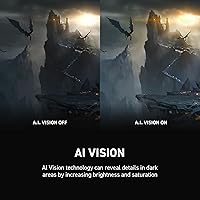
  • Brand & Model: Manufactured by MSI under the MAG series, model number MAG275F.
  • Screen Size: 27-inch diagonal display with a 16:9 aspect ratio.
  • Panel Type: Rapid IPS panel offering wide viewing angles and accurate color reproduction with minimal motion blur.
  • Resolution: Native resolution of 1920x1080 (Full HD), delivering standard 1080p output.
  • Refresh Rate: Maximum refresh rate of 180Hz, suitable for high-frame-rate competitive gaming.
  • Response Time: 0.5ms GtG (Gray-to-Gray) minimum response time to reduce ghosting during fast motion.
  • HDR Support: Entry-level HDR is supported, though peak brightness and contrast improvements are modest at this panel tier.
  • Console Mode: Dedicated Console Mode accepts a 4K/120Hz signal from PS5 or Xbox Series X/S and displays it at native 1080p resolution.
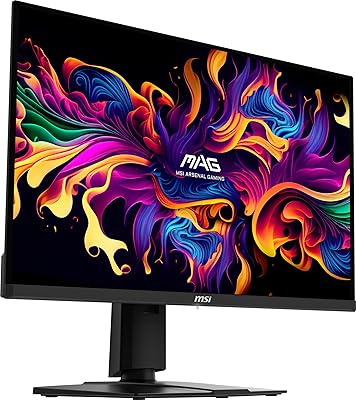
  • Bezel Design: Frameless narrow-bezel construction on three sides, suited for multi-monitor configurations.
  • Screen Surface: Matte anti-glare coating reduces reflections in bright ambient lighting conditions.
  • Color: Metallic Black finish on the chassis and stand.
  • Dimensions: Overall unit measures 8.66 x 24.15 x 17.9 inches (depth x width x height) with stand attached.
  • Weight: Complete unit with stand weighs approximately 13 pounds.
  • Stand Adjustment: Included stand supports tilt adjustment only, with no height, swivel, or pivot range.
  • VESA Compatibility: The monitor supports VESA mounting, allowing use with third-party monitor arms or wall mounts.
  • Pixel Density: Running 1920x1080 across 27 inches yields approximately 82 pixels per inch, which is lower than the same resolution on a 24-inch screen.
  • Release Date: First made available on Amazon in June 2024.
  • Warranty: MSI typically provides a three-year limited warranty on their monitors; buyers should confirm coverage details directly with MSI.

Related Reviews
MSI MAG 275QF 27-inch 2K Gaming Monitor
85%
94%
Performance (Refresh Rate & Response Time)
88%
Display Quality (Color Accuracy & HDR)
74%
Build Quality & Durability
85%
Ergonomics (Tilt Adjustability & Comfort)
90%
Connectivity Options
More
MSI MAG 271QPX 27-inch QD-OLED Gaming Monitor
80%
94%
Image Quality
96%
Motion Clarity
88%
HDR Performance
93%
Refresh Rate & Smoothness
81%
Connectivity & Ports
More
MSI G273QPF 27-inch QHD Gaming Monitor
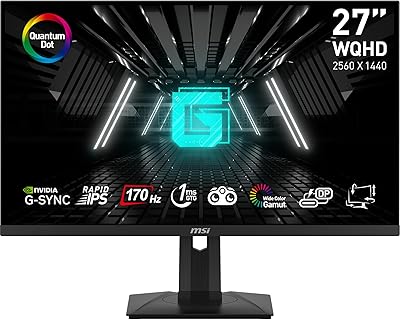
78%
88%
Image Clarity
91%
Refresh Rate Performance
86%
Response Time
79%
Panel Quality
84%
Ergonomics & Stand
More
MSI G274QPF-QD 27″ Gaming Monitor
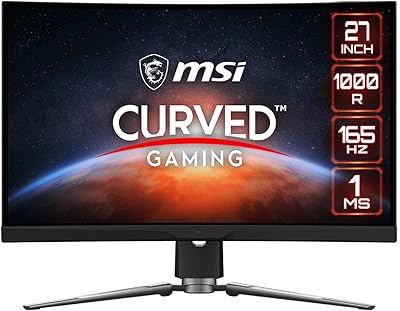
86%
92%
Performance for Gaming
89%
Color Accuracy
83%
Build Quality
91%
Response Time
80%
Design & Ergonomics
More
MSI MPG ARTYMIS 273CQR 27″ Gaming Monitor
86%
93%
Gaming Performance
88%
Display Quality
90%
Ergonomics/Adjustability
85%
Ease of Setup
86%
Build Quality
More
MSI Optix MAG274QRF 27″ QHD Gaming Monitor
86%
92%
Performance
90%
Display Quality
85%
Build Quality
87%
Ergonomics
80%
Color Accuracy
More
MSI PRO MP275W E2 27-inch Monitor
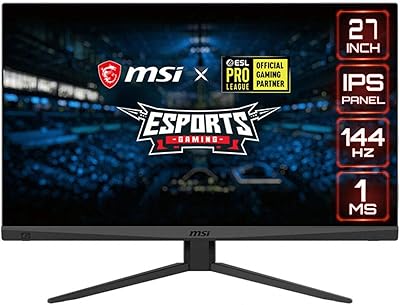
74%
83%
Value for Money
71%
Image Quality
88%
Refresh Rate & Smoothness
86%
Eye Comfort
79%
Build Quality & Design
More
MSI Optix MAG274R 27-inch Full HD 144Hz Gaming Monitor

84%
93%
Display Quality
89%
Gaming Performance
91%
Color Accuracy
77%
Build Quality
94%
Response Time
More
Skytech Gaming Moonshadow 27-inch Curved Gaming Monitor
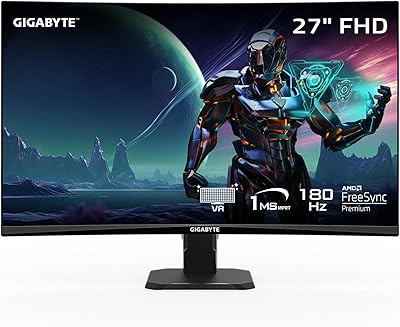
83%
88%
Image Quality
91%
Refresh Rate Performance
86%
Adaptive-Sync
83%
VA Panel Contrast
84%
Stand & Ergonomics
More
CRUA 27” 540Hz Gaming Monitor
86%
94%
Gaming Performance
89%
Color Accuracy
86%
Ergonomics & Comfort
91%
Connectivity Options
67%
Setup & Installation
More

FAQ

It depends on what you play and how far you sit from the screen. For fast-paced competitive games like shooters or MOBAs, the high refresh rate matters far more than pixel density. That said, if you sit close or play visually detailed single-player games, you may notice that text and fine textures look a little soft compared to a 1440p panel. It is a real trade-off, not a dealbreaker for everyone.

Yes, it does. You connect your PS5 via HDMI and enable Console Mode on the monitor, which allows it to accept the 4K/120Hz signal your console outputs. The catch is that the MAG 275F still displays everything at its native 1080p resolution — it does not upscale to 4K. What you do get is a stable, smooth 120Hz experience, which makes a noticeable difference in supported games.

Unfortunately, no. The included stand only offers tilt adjustment. There is no height, swivel, or pivot range. If ergonomics matter to you, picking up a VESA-compatible monitor arm is a practical fix and opens up much more flexibility in positioning.

Honestly, keep your expectations modest here. Entry-level HDR on a 1080p IPS panel does not produce the dramatic contrast and brightness jump you would see on a proper HDR display. It is technically there, but most users will not notice a transformative difference with it enabled versus off. Do not let HDR be the reason you choose this screen.

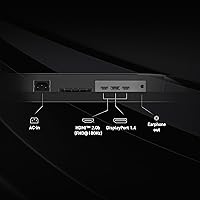
MSI includes DisplayPort and HDMI inputs to cover both PC and console connections. For the most current and complete port layout, checking MSI’s official product page is the safest move, as exact connector counts can vary between regional versions.

Yes. Like the PS5, the Xbox Series X outputs at 4K/120Hz and the monitor’s Console Mode is designed to accept that signal. The display will run at 120Hz at its native 1080p — which still delivers a very smooth gameplay experience on supported titles.

It handles everyday tasks like web browsing, video streaming, and document work just fine. Where it shows limits is in work that requires fine detail — things like photo editing, illustration, or reading dense text for long periods. The matte coating is a plus for office lighting, but the pixel density at this size is better suited to a secondary monitor role than a primary productivity display.

The Rapid IPS panel is a meaningful step up from TN. Colors are more accurate, the image stays consistent when you shift your viewing angle, and the overall picture quality is noticeably richer. TN panels can match or even slightly exceed the response times, but the visual quality gap is real and most users who switch from TN to IPS do not go back.

The MAG 275F does not include built-in speakers, which is standard for gaming monitors at this price tier. You will need external speakers or a headset. Given that most gamers use headphones anyway, this is rarely a practical issue.

The term frameless here means the plastic bezel is very thin rather than completely absent. There is still a small inactive border between the screen edge and the panel’s image area, which is normal for monitors in this category. In practice, it looks clean and minimal, and the gap between two units in a dual-monitor setup is small enough to be barely noticeable during regular use.