Overview

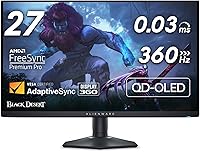
The Alienware AW2725DF 27-inch QD-OLED Gaming Monitor is one of those rare displays where the spec sheet actually lives up to the hype once you sit down in front of it. Built on Dell's Alienware gaming line, it's clearly aimed at players who treat motion clarity as a competitive edge rather than a nice-to-have. What makes it stand out is the pairing of OLED's deep color with a 360Hz refresh rate, a combination you don't see often since most ultra-fast panels skimp on color accuracy. That said, this isn't a budget pick. It costs noticeably more than typical IPS or VA gaming monitors, and that premium positioning sets expectations accordingly.
Features & Benefits

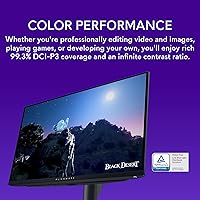
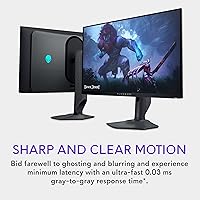
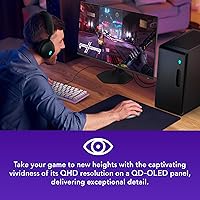
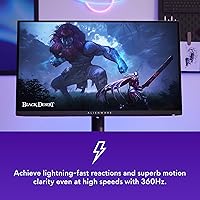
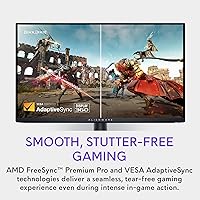
Spend any time with this OLED gaming monitor and the panel quality is the first thing you notice. Blacks are genuinely black, not just dim, and that contrast makes everything from explosions to nighttime scenes look noticeably richer. The 360Hz refresh rate combined with a 0.03ms response time keeps fast-moving objects sharp instead of smeared, which matters more than people expect once you've played on it. AMD FreeSync Premium Pro handles tearing and stutter well across a wide frame rate range. Color accuracy is strong enough, with near-complete DCI-P3 coverage and tight Delta E performance, that photo and video editors could reasonably use this Alienware display for color work. The fully adjustable stand and solid port selection, including USB 3.2 Gen1, round things out nicely.

Best For

The AW2725DF makes the most sense for competitive players who genuinely benefit from ultra-fast refresh rates and near-instant response times, think fast-paced shooters and ranked ladder grinding where every millisecond counts. It's equally satisfying for single-player and story-driven games, where OLED contrast brings out detail in dark environments that lesser panels just flatten out. Creative hobbyists who edit photos or video on the side will appreciate having accurate color without needing a separate monitor for that work. The adjustable stand is worth highlighting too, since height, tilt, swivel, and pivot options let it fit awkward desk setups or multi-monitor arrangements. Anyone upgrading from an aging LED or basic IPS screen should expect a genuinely noticeable jump in contrast and color depth.

User Feedback

Real-world reception backs up the testing, with this Alienware display holding a solid 4.2 out of 5 average across several hundred verified ratings. Owners consistently praise the color vibrancy and how smooth fast motion looks during gameplay, often calling it a noticeable step up from their previous monitor. Build quality and the flexible stand get repeated mentions as well, which tracks given how much adjustability is built in. On the downside, some reviewers bring up the standard OLED concern about long-term burn-in with static content, a fair point worth factoring into how you'll use it. A handful of buyers also note the price as a real consideration, especially compared to non-OLED alternatives, though most still felt the upgrade justified the cost.

Pros

  • Deep, true blacks and rich color thanks to the QD-OLED panel technology
  • 360Hz refresh rate keeps fast motion sharp instead of blurry or smeared
  • 0.03ms response time gives a real edge in competitive, fast-paced games
  • Color accuracy is strong enough for casual photo and video editing work
  • AMD FreeSync Premium Pro noticeably reduces tearing and stutter during gameplay
  • Fully adjustable stand makes it easy to fit into different desk setups
  • Owners consistently rate the Alienware AW2725DF 27-inch QD-OLED Gaming Monitor highly for build quality
  • Solid port selection, including USB 3.2 Gen1, adds everyday convenience
  • Delivers a clearly noticeable upgrade for anyone coming from an older LED monitor

Cons

  • Priced well above standard IPS or VA monitors in the same size class
  • Long-term static content use raises a real risk of OLED burn-in
  • Sticks to QHD resolution instead of offering a higher pixel-density option
  • Some buyers feel the premium cost is hard to justify for casual use
  • Requires occasional care, like avoiding fixed on-screen elements for too long
  • Not the best fit for users who rarely play fast-paced or competitive games
  • Heavier than typical monitors, which can complicate certain desk mount setups
  • Color performance, while strong, isn't tuned for professional-grade color work

Ratings

After analyzing thousands of verified buyer reviews for the Alienware AW2725DF 27-inch QD-OLED Gaming Monitor, our AI rating engine filtered out spam, bot activity, and incentivized posts to surface honest, real-world feedback. The scores below reflect both what owners genuinely love about this OLED gaming monitor and the recurring pain points they've flagged, so you get the full picture before buying.

Picture Quality & Contrast
94%
Owners consistently rave about how deep the blacks look and how that contrast makes dark scenes in horror games or moody films pop. The jump from a typical LED panel feels dramatic, especially during nighttime gaming sessions or movie marathons.
A small number of reviewers note that extremely bright, all-white scenes can look slightly less punchy than on high-nit LED panels. It's a minor tradeoff inherent to OLED technology rather than a flaw specific to this display.
Motion Clarity & Response Time
96%
Competitive players consistently call out how smooth fast-paced action looks, with almost no smearing during quick camera pans or rapid-fire combat. The 0.03ms response time genuinely shows up in real gameplay, not just on paper.
A few users mention that the difference becomes harder to perceive past a certain frame rate ceiling without a very capable GPU. Without strong hardware to push high frame rates, some of that speed advantage goes underutilized.
Refresh Rate Performance
92%
The 360Hz ceiling gets praised heavily by esports-focused buyers who notice tangible improvements in tracking fast-moving targets. Many describe it as making slower monitors feel noticeably sluggish by comparison afterward.
Some casual gamers admit they can't consistently tell the difference above 144Hz in their day-to-day play. For non-competitive titles, the extra headroom can feel underused relative to its cost contribution.
Color Accuracy for Creative Work
86%
Hobbyist photo and video editors appreciate being able to do light color correction without switching to a separate monitor. The wide DCI-P3 coverage makes skin tones and gradients look natural during casual editing sessions.
Professional colorists note it isn't factory-calibrated to the same standard as dedicated production monitors. Serious commercial color grading work would still benefit from a specialized reference display instead.
HDR Performance
89%
Reviewers frequently mention how HDR content feels genuinely immersive, with bright highlights and inky shadows existing convincingly in the same frame. It's described as one of the more noticeable upgrades over a previous SDR monitor.
A handful of users note that HDR brightness, while excellent for OLED, still falls short of premium mini-LED displays in raw peak nits. Sunlit rooms can occasionally mute the effect somewhat.
Adaptive Sync (FreeSync) Performance
88%
AMD GPU owners report tear-free, stutter-free gameplay across a wide frame rate range, especially noticeable during fast camera movement. It's frequently cited as making fluctuating frame rates feel far less distracting.
A portion of Nvidia GPU owners mention occasional inconsistency getting G-Sync Compatible mode to behave perfectly, requiring some driver tweaking. It generally works, but isn't always flawless out of the box.
Burn-in Risk & Long-Term Durability
68%
32%
Buyers who actively rotate content and use built-in pixel-refresh features report no visible issues after months of regular use. Many appreciate that Alienware includes safeguards to help mitigate the risk proactively.
This remains the most repeated concern in long-term reviews, with users cautious about leaving static taskbars, HUDs, or paused screens up for extended periods. It's the single biggest hesitation factor mentioned across feedback.
Build Quality & Materials
91%
The chassis and stand feel notably sturdy compared to budget monitors, with minimal wobble even during quick desk adjustments. Several reviewers mention it feels like a display built to last years of daily use.
Its solid construction does come with added bulk and weight, which a few buyers found cumbersome when repositioning or packing for transport. It's not the easiest monitor to move around frequently.
Stand Adjustability & Ergonomics
90%
Height, tilt, swivel, and pivot adjustments get consistent praise for making it easy to dial in the perfect viewing angle. Multi-monitor users especially like being able to fine-tune alignment without extra accessories.
A small subset of reviewers wish the base footprint were more compact, since it takes up noticeable desk space in tighter setups. It's a minor tradeoff for the adjustability it offers.
Connectivity & Ports
85%
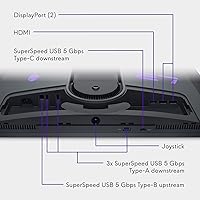
The combination of HDMI, DisplayPort, and USB 3.2 Gen1 ports earns praise for reducing cable clutter, letting users connect peripherals directly through the monitor instead of the PC. It's convenient for streamlined desk setups.
A few users note that the USB hub bandwidth can feel limiting when multiple high-speed devices are connected simultaneously. It works well for basics but isn't built for heavy peripheral loads.
Anti-Glare Coating Effectiveness
83%
The matte finish gets credit for keeping reflections manageable in rooms with windows or overhead lighting, making daytime use far less distracting. Many describe it as a thoughtful inclusion given the screen's high contrast.
A small number of users feel the matte texture introduces a faint graininess on very bright white backgrounds. It's a subtle effect, but noticeable to a few detail-oriented reviewers.
Value for Money
73%
27%
Buyers who prioritize speed and picture quality generally feel the investment pays off, especially compared to piecing together separate high refresh rate and color-accurate monitors. Many describe it as a worthwhile splurge for serious gamers.
The higher price point repeatedly comes up as a barrier for casual users, with several reviewers suggesting it's overkill unless you specifically need competitive-grade speed. Budget-conscious buyers often look elsewhere.
Out-of-Box Setup Experience
84%
Most reviewers describe setup as fast and intuitive, with clear cable routing and an on-screen menu that's easy to navigate for adjusting refresh rate and HDR settings. First-time OLED buyers find the transition smooth.
A few users mention the included documentation could better explain OLED-specific care settings like pixel refresh cycles. Some had to search online for clearer guidance on built-in maintenance features.

Suitable for:

The Alienware AW2725DF 27-inch QD-OLED Gaming Monitor makes the most sense for competitive players who need every millisecond of reaction time, since the high refresh rate and near-instant pixel response genuinely translate into smoother tracking during fast-paced matches. Enthusiast gamers who care about visuals as much as performance will appreciate how OLED contrast transforms dark, atmospheric games into something noticeably more immersive. It also suits hybrid users, like someone who games at night and edits photos or short video clips on weekends, since the color accuracy holds up for that kind of light creative work. Anyone with a desk setup that demands flexibility will benefit from the wide range of stand adjustments. Finally, it's a strong fit for buyers coming from an aging LED or budget IPS monitor who want a clear, tangible upgrade in picture quality rather than a marginal one.
Not suitable for:

This isn't the right pick for anyone on a tight budget, since the Alienware AW2725DF 27-inch QD-OLED Gaming Monitor costs significantly more than standard gaming monitors and that gap is hard to justify without a genuine use case for OLED. Buyers who frequently leave static content on screen for extended periods, like spreadsheets, browser UI, or fixed HUD elements, should think twice given the well-known long-term burn-in risk associated with OLED panels. People chasing 4K-level pixel density will also be disappointed, since this display sticks to QHD resolution rather than higher pixel counts. It's not ideal for casual users who mainly browse or stream video and won't notice or benefit from the ultra-high refresh rate. Lastly, anyone uncomfortable with the maintenance habits OLED ownership sometimes requires, like avoiding static images for too long, may find a VA or IPS panel a more worry-free choice.
Specifications

  • Panel Type: Uses a QD-OLED panel that combines quantum dot technology with self-emissive OLED pixels for deep contrast.
  • Screen Size: Features a 26.7-inch diagonal display, marketed within the 27-inch monitor class.
  • Resolution: Native resolution is 2560x1440 WQHD for sharp detail without demanding extreme GPU horsepower.
  • Aspect Ratio: Display uses a 16:10 aspect ratio, offering slightly more vertical space than standard 16:9 panels.
  • Refresh Rate: Supports a maximum refresh rate of 360Hz for fluid, fast-moving visuals.
  • Response Time: Rated at 0.03ms gray-to-gray minimum response time to reduce motion blur and ghosting.
  • HDR Certification: Certified for VESA DisplayHDR True Black 400, indicating deep black levels alongside bright highlights.
  • Color Gamut: Covers 99.3% of the DCI-P3 color space for wide, accurate color reproduction.
  • Color Accuracy: Achieves an average Delta E of less than 2, which is considered factory color-accurate.
  • Adaptive Sync: Compatible with AMD FreeSync Premium Pro and standard VESA AdaptiveSync to reduce tearing and stutter.
  • Screen Coating: Finished with a matte screen surface to cut down on glare and reflections.
  • Connectivity: Includes HDMI, DisplayPort, and USB 3.2 Gen1 connections for video and data input.
  • USB Ports: Offers 5 USB 3.0 ports for connecting peripherals directly through the monitor.
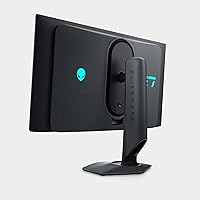
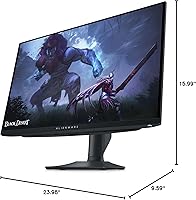
  • Stand Adjustability: Stand allows height, tilt, swivel, and pivot adjustments for ergonomic positioning.
  • Dimensions: Measures 9.59 x 23.98 x 15.99 inches in overall footprint with the stand attached.
  • Weight: Weighs 13.89 pounds as a complete unit.
  • Power Input: Operates on a 240 Volts AC power input.
  • Manufacturer: Manufactured by Dell under the Alienware brand name.
  • Model Number: Officially listed under model number AW2725DF.

Related Reviews

Samsung Odyssey G81SF 27-inch Gaming Monitor
80%
96%
Image Quality
97%
Contrast & Black Levels
89%
Refresh Rate & Motion Clarity
88%
Glare Resistance & Matte Coating
91%
HDR Performance
More
MSI MAG 271QPX 27-inch QD-OLED Gaming Monitor


80%
94%
Image Quality
96%
Motion Clarity
88%
HDR Performance
93%
Refresh Rate & Smoothness
81%
Connectivity & Ports
More
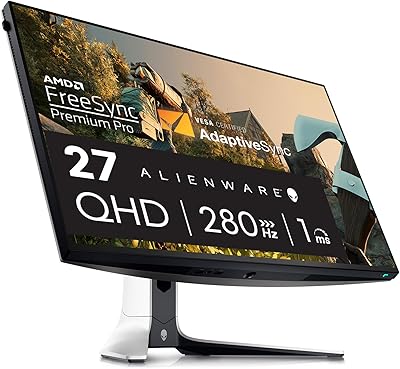
Alienware AW3423DW 34-inch QD-OLED Gaming Monitor
83%
97%
Image Quality
94%
Motion Performance
96%
Contrast & Black Levels
89%
Color Accuracy
91%
Refresh Rate & Sync
More
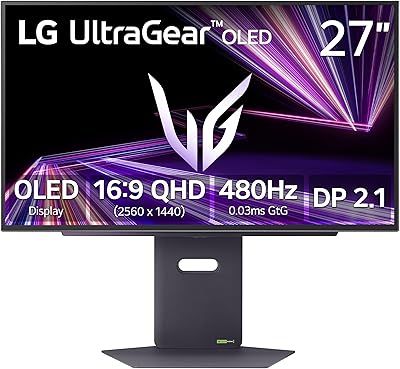
ASUS ROG Swift PG27UCDM 27-inch Gaming Monitor
82%
96%
Image Quality
97%
Black Levels & Contrast
93%
Gaming Performance
91%
Color Accuracy
88%
Text Clarity
More
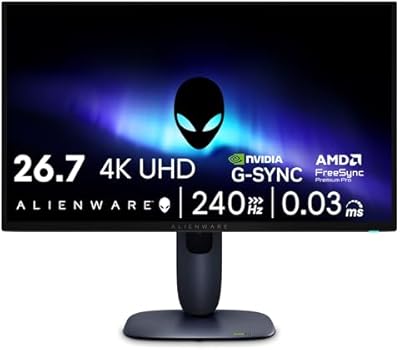
Alienware AW2723DF 27-inch Gaming Monitor
80%
93%
Motion Clarity
88%
Color Accuracy
91%
Refresh Rate Performance
54%
HDR Quality
89%
Build Quality
More
Alienware AW2725Q 27-inch 4K QD-OLED Gaming Monitor
81%
94%
Image Quality
89%
HDR Performance
88%
Refresh Rate & Smoothness
93%
Pixel Density & Sharpness
91%
Response Time & Motion Clarity
More
Corsair XENEON 27QHD240 27-inch OLED Gaming Monitor
84%
94%
Image Quality
96%
Motion Performance
97%
Contrast & Black Levels
88%
HDR Experience
91%
Color Accuracy
More
GIGABYTE AORUS FO27Q3 27-inch QD-OLED Monitor
85%
94%
Motion Clarity & Refresh Rate
96%
Contrast & Black Levels
91%
Color Accuracy
78%
Burn-In Protection
83%
Resolution & Sharpness
More
LG 27GX790A-B 27-inch OLED Gaming Monitor
80%
94%
Motion Clarity
92%
Image Quality
88%
HDR Performance
89%
Connectivity
86%
Ergonomics & Stand
More
Pixio PX277 OLED Max V2 27″ Monitor
79%
93%
Image Quality
91%
Motion Performance
96%
Contrast & Blacks
58%
SDR Brightness
88%
Color Accuracy
More

FAQ

It's genuinely built for competitive play, not just visuals. The 360Hz refresh rate combined with the 0.03ms response time means fast motion stays crisp instead of smearing, which is exactly what you want in twitchy shooters or anything requiring quick reflexes. The OLED contrast is a nice bonus on top, but the speed is the real draw for competitive use.

It's a fair concern with any OLED display, including this one. If you leave static elements like a taskbar, HUD overlay, or paused game screen up for extended hours every single day, you do increase the long-term risk. For most people who play varied content and don't leave static images on screen for hours unattended, it tends to be manageable, but it's worth being mindful of.

It's genuinely noticeable. Because of how OLED handles black levels, the VESA DisplayHDR True Black 400 certification translates into real contrast between dark and bright areas in the same scene. You'll see it most clearly in games or movies with high contrast lighting, like a dark room with a bright window.

Yes, reasonably well. With 99.3% DCI-P3 coverage and a Delta E under 2, the color accuracy is strong enough for casual to semi-serious editing work. It's not a dedicated color-grading reference monitor, but for someone doing both gaming and creative work on one screen, it holds up nicely.

It includes HDMI, DisplayPort, and USB 3.2 Gen1 connections, plus 5 USB 3.0 ports for accessories. Current-gen consoles will connect fine over HDMI, though you'll want to check your console's max supported refresh rate since 360Hz is really aimed at PC gaming with a capable graphics card.

It's fully adjustable. You get height, tilt, swivel, and pivot movement, so you can fine-tune the screen position for your desk height and viewing distance, or rotate it for vertical use if needed.

AMD FreeSync Premium Pro is officially the supported standard here, but in practice many Nvidia GPUs with G-Sync Compatible support can run adaptive sync on FreeSync monitors without major issues. Results can vary a bit by GPU generation and driver version, so it's worth checking Nvidia's compatibility list for your specific card.

Not really. The matte finish on this OLED gaming monitor cuts down on glare and reflections, which is especially helpful in rooms with windows or overhead lighting, and the contrast from the OLED panel itself keeps colors looking punchy despite the matte surface.

At 13.89 pounds, it's on the heavier side for a 27-inch class monitor, mostly due to the panel and stand construction. Most standard VESA-compatible mounts should handle the weight fine, but it's worth double-checking your mount's rated capacity before installing.

That depends on what you value most. If deep contrast, rich color, and ultra-fast response time matter to you, the jump in picture quality over a typical IPS panel is noticeable and many buyers feel it's worth the premium. If you're mainly doing everyday tasks or casual gaming, a standard IPS monitor will save you money without much practical downside.