Overview

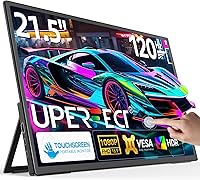
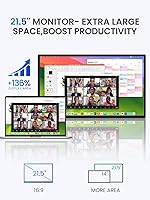
The UPERFECT 21.5-inch 120Hz Touchscreen Portable Monitor occupies a curious niche — it's a portable display that's genuinely large enough to feel like a proper screen, not just a travel convenience. Most portable monitors top out around 15 or 16 inches, so jumping to 21.5 makes a real difference for anyone who has squinted through a cramped secondary display on the road. UPERFECT has built a solid reputation in this category over several years, and this touchscreen travel display sits at a mid-to-premium price point that carries certain expectations. At that investment, buyers should anticipate polished build quality, dependable connectivity, and features that justify skipping a traditional desktop monitor entirely.
Features & Benefits

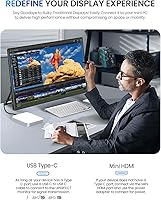
The 120Hz refresh rate is the standout spec here — on a typical 60Hz portable, fast motion in games looks noticeably choppy, and even everyday scrolling feels less fluid. Doubling that to 120Hz makes a tangible difference you notice immediately, without needing to understand the technical side. The touchscreen functionality is genuinely useful for annotation, touchscreen-native apps, and casual tablet-style interaction — though it adds some glossy glare in brighter environments. At 1080p across 21.5 inches, pixel density is lower than on a 13 or 15-inch portable, so text won't look as crisp up close. Connectivity covers HDMI and USB-C with plug-and-play, and VESA mount support makes this touchscreen travel display practical for semi-permanent desk or wall setups too.

Best For

This large portable monitor makes the most sense for remote workers and freelancers who move between locations but still need a proper dual-screen setup — not just a pinch-hit travel display. Steam Deck and gaming laptop users traveling with their rigs will especially appreciate the larger canvas compared to the 15-inch portables most competitors offer. MacBook users working from hotels or co-working spaces are another natural fit, as are Mini PC owners who need a touch-capable primary screen. That said, anyone expecting ultralight travel convenience should recalibrate. The real-world weight is close to 8.4 pounds — a significant gap from the 2.9 pounds cited in the marketing copy — so this is a carry-in-a-bag display, not a toss-it-in-a-backpack one.

User Feedback

Buyers who have picked up the UPERFECT 21.5-inch screen tend to land in one of two camps. Those who primarily use it at a desk — connected via USB-C to a laptop or paired with a Mini PC — are mostly happy with the screen size payoff and the noticeably smoother 120Hz experience. The kickstand earns general praise for stability on flat surfaces. On the other side, some buyers report frustration over the weight discrepancy; expecting a lightweight travel companion and receiving something close to 8.4 pounds is a genuine surprise. Touchscreen accuracy gets mixed marks — responsive enough for casual use, but imprecise for anything requiring fine input. A handful of users also note USB-C compatibility issues with specific laptops, suggesting testing your setup early.

Pros

  • The 21.5-inch screen size is a meaningful step up from the 15-inch portables most competitors offer, making multitasking genuinely comfortable.
  • 120Hz refresh rate makes scrolling and fast-paced gaming visually smoother in a way that is immediately noticeable coming from 60Hz screens.
  • Touchscreen support adds real utility for annotation, touch-native apps, and casual tablet-style navigation.
  • Both HDMI and USB-C connectivity are included, covering a wide range of laptops, consoles, and Mini PCs without adapters.
  • Plug-and-play setup means you can be up and running in under a minute on most devices.
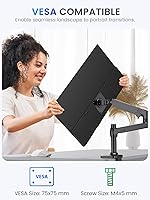
  • VESA mount compatibility makes this large portable monitor practical for semi-permanent desk or wall installations, not just travel.
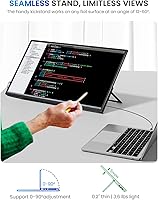
  • The adjustable kickstand is stable on flat surfaces and allows comfortable viewing angle adjustments without extra accessories.
  • 350 nits brightness holds up well in typical indoor lighting conditions, including moderately lit offices and hotel rooms.
  • Compatible with a broad range of devices including Steam Deck, MacBook, Android phones, and Mini PCs.

Cons

  • Marketing copy lists the weight as 2.9 pounds, but the actual spec is 8.38 pounds — a significant and frustrating gap for buyers expecting a lightweight carry.
  • Glossy screen surface picks up reflections and glare noticeably in bright or window-facing environments.
  • 1080p resolution across 21.5 inches produces softer text than smaller high-density portables, which may bother users doing close reading or design work.
  • Touchscreen precision gets mixed reviews — fine for casual taps, but inconsistent for anything requiring accurate fine-motor input.
  • Some users report USB-C compatibility problems with specific laptop models, requiring HDMI as a fallback.
  • At close to 8.4 pounds, carrying this touchscreen travel display alongside a laptop and charger becomes a real physical commitment.
  • No mention of HDR support, which limits the visual ceiling for media consumption and high-end gaming use cases.
  • The kickstand, while generally stable, has limited flexibility compared to a full adjustable arm mount.

Ratings

Our AI rating engine analyzed verified global buyer reviews for the UPERFECT 21.5-inch 120Hz Touchscreen Portable Monitor, actively filtering out incentivized submissions, duplicate accounts, and bot-generated feedback to surface what real users actually experience. The scores below reflect a balanced synthesis of genuine praise and recurring frustrations — nothing is glossed over. Where this large portable monitor earns trust, you will see it; where it falls short of expectations, that is reflected honestly in the numbers.

Screen Size Impact
88%
Buyers who switched from 15 or 16-inch portables consistently describe the 21.5-inch panel as a genuine upgrade for side-by-side multitasking and gaming. Remote workers report that having two full-width browser windows or a code editor alongside a preview pane finally feels comfortable rather than cramped.
The larger footprint does come with a tradeoff — setting it up in tight spaces like economy seats, small café tables, or cluttered hotel desks becomes awkward. A few users note it simply does not fit comfortably in spots where a smaller portable would have no trouble.
Refresh Rate Performance
84%
Users who game on Steam Deck or a travel laptop note that 120Hz makes fast-action titles feel markedly more responsive compared to the 60Hz screens on competing portables. Even for non-gamers, everyday tasks like scrolling social feeds or dragging windows feel noticeably fluid.
Some buyers on older laptops or consoles found they could not actually push 120Hz through their device's output, defaulting to 60Hz regardless. In those cases, the spec becomes irrelevant — confirming source device compatibility before buying is essential.
Touchscreen Responsiveness
71%
29%
For casual tap-based navigation, launching apps, or light annotation work, the touch layer responds reliably and adds genuine utility over a standard portable display. Users who use it alongside a stylus-compatible app on Windows describe it as a solid sketch-and-annotate companion.
Precision is the weak spot — fine-detail touch input, like selecting small UI elements or accurate handwriting, draws complaints about offset registration and latency. Several buyers note the touch experience is noticeably behind dedicated drawing tablets or even mid-range tablets in accuracy.
Portability & Weight
46%
54%
The slim 0.5-inch depth means this touchscreen travel display slides relatively flat into a large bag or sleeve, and the integrated kickstand removes the need to pack a separate stand. For users moving between a handful of fixed locations, the form factor is manageable.
The 8.38-pound real-world weight is the single most common complaint across all reviews, particularly from buyers who were misled by the 2.9-pound figure in the marketing copy. Carrying this alongside a 13 or 15-inch laptop and a charger turns a day bag into a serious workout — multiple users returned it specifically for this reason.
Image & Color Quality
79%
21%
Colors are described as vibrant and punchy for media consumption, with streaming content and game visuals looking rich and warm out of the box. Several users highlight that the glossy panel makes colors pop in a way that matte-finish portables often cannot match.
The glossy surface creates a love-it-or-hate-it situation — in brighter rooms or near windows, reflections can wash out the image and undermine the otherwise solid color output. A minority of users also note that the 1080p pixel density across 21.5 inches makes text look slightly soft compared to smaller, higher-density displays.
Connectivity & Compatibility
74%
26%
The combination of HDMI and USB-C means this large portable monitor covers a wide range of devices without needing an adapter in most cases, and plug-and-play recognition on Windows works reliably across brands. MacBook users and Steam Deck owners using a dock report straightforward setup in the majority of cases.
A recurring issue involves specific Windows laptops and older MacBook Pro models where USB-C signal handshake fails or the connection is unstable, forcing an HDMI fallback. The inconsistency appears device-dependent rather than universal, but it is frequent enough to warrant testing your setup before committing.
Kickstand Stability
76%
24%
On solid desk surfaces, the kickstand holds the screen firmly through typing sessions and touch input without wobbling, which users appreciate for all-day work setups. The angle adjustability is functional and covers the range most people actually use at a desk.
On softer or irregular surfaces — lap desks, fabric-covered tables, couch armrests — the kickstand loses its grip and the display shifts or tilts unexpectedly. There is also no fine-tuned tension adjustment, so finding and holding the exact preferred angle can require a few tries.
VESA Mount Flexibility
82%
18%
The M4x5mm VESA compatibility is a standout feature that separates this display from most travel-only portables, letting users mount it on an adjustable arm for a proper ergonomic desk setup. For Mini PC users building a compact workstation, this is a meaningful practical advantage.
The VESA spec requires M4 screws at a 5mm depth, which is non-standard enough that some users needed to source specific hardware before mounting. First-time monitor mount users found the documentation around this sparse and occasionally confusing.
Brightness & Glare
63%
37%
At 350 nits, the display handles typical indoor environments — home offices, hotel rooms, and co-working spaces with controlled lighting — without the image looking washed out. For the majority of use cases buyers actually put this through, the brightness level is adequate.
Any environment with direct sunlight or bright window exposure reveals the limits of 350 nits on a glossy panel fairly quickly. Outdoor use, or even working near a south-facing window midday, produces enough glare to make the display uncomfortable without actively repositioning.
Setup Experience
86%
The plug-and-play nature of both the HDMI and USB-C connections means most users are up and running within a minute of unboxing, with no driver hunting or software installs required on Windows and most Android devices. The overall out-of-box experience is smooth for a mid-to-premium display.
macOS users lose touch functionality entirely since Apple does not support external touchscreens natively, which is not prominently disclosed in the product listing. A small segment of buyers felt this was a meaningful omission that should have been called out more clearly before purchase.
Build Quality & Materials
77%
23%
The chassis feels solid for a portable monitor at this size, with minimal flex in the panel surround and a back casing that does not creak or feel hollow under light pressure. For a display that will be regularly packed and unpacked, the construction feels durable enough to handle a reasonable travel routine.
The bezels are not especially slim by current standards, and a few detail-oriented buyers feel the overall finishing looks slightly generic compared to premium desktop monitors in the same price range. Corners and edges are functional but not refined.
Value for Money
67%
33%
For users who specifically need a 21.5-inch touch-capable portable display with 120Hz — and are buying it for a desk-anchored use case — the feature set justifies the mid-to-premium positioning reasonably well. The VESA and kickstand combo adds utility that cheaper competitors skip.
Buyers who prioritize genuine portability or crisp pixel density will find better value elsewhere at this price tier. The weight issue in particular makes it hard to justify the cost for anyone expecting a truly travel-friendly display, since smaller and lighter options exist for less money.
Gaming Performance
81%
19%
For casual to mid-intensity gaming on a Steam Deck, Nintendo Switch via dock, or a gaming laptop, the UPERFECT 21.5-inch screen delivers a noticeably larger and smoother experience than most portable competitors. The 120Hz advantage is most visible in fast-paced games with fluid movement.
Without confirmed HDR support and with a 1080p resolution that shows its density limits on a 21.5-inch panel, serious PC gamers who care about visual fidelity may find the ceiling here lower than expected. It is a solid casual gaming display but not a premium one.

Suitable for:

The UPERFECT 21.5-inch 120Hz Touchscreen Portable Monitor is built for people who have outgrown the typical compact portable screen and need something closer to a full desktop experience on the move. Remote workers and freelancers who rotate between home, coffee shops, hotels, and co-working spaces will find the larger canvas a genuine productivity upgrade over the cramped 15-inch portables that dominate this category. Travelers carrying a Steam Deck, a gaming laptop, or a portable console setup will appreciate having a real-sized display without committing to a stationary monitor. MacBook users who rely on a dual-screen workflow will feel right at home here, especially given the straightforward USB-C connection. Mini PC owners hunting for a touch-capable primary display that can also mount to a VESA arm will find it checks most of the right boxes.

Not suitable for:

Anyone expecting the UPERFECT 21.5-inch 120Hz Touchscreen Portable Monitor to function as a true lightweight travel accessory should think carefully before buying. The real-world weight sits close to 8.4 pounds — a far cry from the 2.9 pounds mentioned in the product marketing — which means slipping it into a backpack alongside a laptop turns into a legitimate burden fast. Users who work outdoors or near bright windows will also run into friction; 350 nits of brightness is acceptable indoors but struggles against direct ambient light, and the glossy screen surface amplifies the glare problem. If you need pixel-sharp text for extended reading or design work, the 1080p resolution spread across 21.5 inches produces a noticeably lower pixel density than smaller portables, and that softness may bother detail-oriented users. Buyers who switch frequently between devices from different brands should also verify USB-C compatibility before committing, as some users have encountered handshake issues with specific laptops.
Specifications

  • Screen Size: The display measures 21.5 inches diagonally, making it one of the larger options in the portable monitor category.
  • Resolution: Native resolution is 1920x1080 (Full HD), which delivers a pixel density lower than smaller-screened portables at the same resolution.
  • Refresh Rate: The panel runs at 120Hz, offering visibly smoother motion compared to the 60Hz refresh rate found on most competing portable monitors.
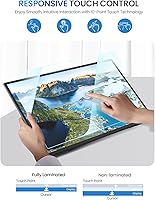
  • Touchscreen: The display supports touch input natively, enabling tablet-style interaction, app navigation, and on-screen annotation without additional hardware.
  • Brightness: Peak brightness is rated at 350 nits, which is adequate for indoor environments but may fall short in high-ambient-light or outdoor settings.
  • Aspect Ratio: The panel uses a standard 16:9 aspect ratio, consistent with most laptop screens and streaming content formats.
  • Screen Surface: The screen features a glossy finish, which enhances color vibrancy but increases susceptibility to reflections and glare in bright rooms.
  • Connectivity: The monitor includes one standard HDMI port and one USB-C port, both supporting plug-and-play connection without driver installation on most devices.
  • USB Ports: A total of 2 USB ports are available on the unit, covering both HDMI-based and USB-C-based device connections.
  • VESA Mount: The monitor supports VESA mounting using M4x5mm hardware, allowing it to be fixed to compatible wall mounts or adjustable monitor arms.
  • Kickstand: An integrated adjustable kickstand is built into the rear of the unit, allowing the viewing angle to be customized for desk or tabletop use.
  • Item Weight: The monitor weighs 8.38 pounds according to the manufacturer specification sheet, significantly heavier than the 2.9 pounds stated in some marketing materials.
  • Dimensions: Physical dimensions are 0.5 x 19.5 x 11.4 inches, giving it a slim profile in depth while spanning a wide footprint typical of full-sized desktop monitors.
  • Compatible Devices: The display is designed to work with laptops, MacBooks, Steam Deck, Android smartphones, Mini PCs, and other devices with HDMI or USB-C video output.
  • Brand: UPERFECT is the manufacturer, a brand with an established presence in the portable and external monitor market across multiple product lines.
  • Model Number: The official model identifier for this unit is 215E02, which can be used to verify compatibility and locate firmware or support documentation.
  • Plug and Play: Both the HDMI and USB-C connections support plug-and-play functionality, meaning no driver installation is required on most operating systems for basic display output.

Related Reviews

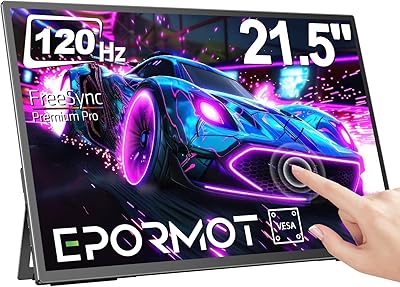
EPORMOT 21.5-inch 120Hz Portable Monitor
84%
87%
Display Quality
93%
Portability
89%
Setup and Ease of Use
91%
Gaming Performance (120Hz & FreeSync)
88%
Compatibility
More
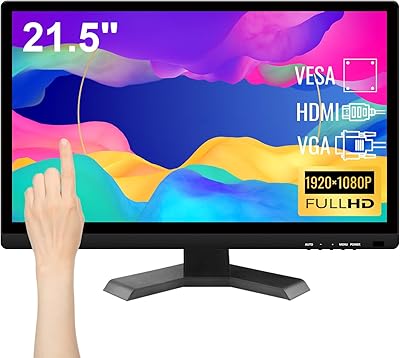
Pisichen HD-215TS 21.5-inch Touchscreen Monitor
69%
74%
Touch Responsiveness
79%
Display Clarity
51%
Viewing Angle
88%
Setup & Plug-and-Play
62%
Build Quality
More
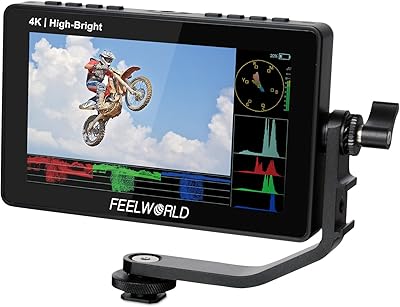
Feelworld F5 ProX 5.5″ Field Monitor
78%
91%
Screen Brightness
83%
Image Clarity & Resolution
86%
Monitoring Tools
67%
Touchscreen Responsiveness
58%
Build Quality & Durability
More
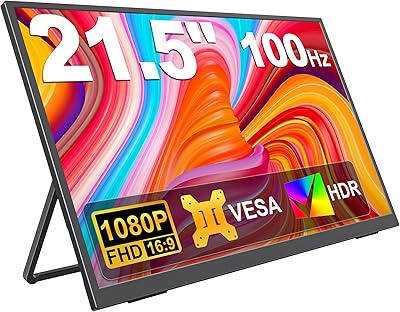
KEEPTIME 21.5″ Portable Monitor
85%
89%
Display Quality
91%
Portability & Design
88%
Gaming Performance
78%
Connectivity & Compatibility
84%
Setup & Installation
More
Ingnok 18.5-inch FHD Portable Monitor
72%
83%
Value for Money
91%
Setup & Ease of Use
78%
Display Quality
61%
Brightness
59%
Build Quality
More
ASUS VP229Q 21.5-inch IPS Monitor
76%
83%
Image Quality
88%
Viewing Angles
86%
Eye Comfort & Fatigue Reduction
74%
Refresh Rate & Smoothness
87%
Connectivity & Port Variety
More
Lrtzcbi 14-inch Portable Touchscreen Monitor
74%
88%
Value for Money
79%
Image Quality
72%
Touch Responsiveness
91%
Portability
58%
Kickstand Stability
More
UPERFECT U27 14.5″ 4K Portable Monitor
79%
93%
Display Sharpness
81%
Color Accuracy
62%
Brightness & Outdoor Usability
78%
Portability
67%
Built-in Stand
More
Moonka 10.5-inch Portable Monitor
84%
89%
Display Quality
94%
Portability
92%
Ease of Setup
87%
Build Quality
75%
Gaming Performance
More
CoolHood 18.5-inch Portable Monitor
88%
94%
Portability
88%
Display Quality
91%
Ease of Setup
85%
Gaming Performance
89%
Color Accuracy
More

FAQ

That depends on how you define portable. The UPERFECT 21.5-inch 120Hz Touchscreen Portable Monitor weighs 8.38 pounds, which is a lot to carry alongside a laptop every day. It fits in a large bag, but it is honestly better suited for people who move between a few fixed locations — like home and an office — rather than someone who needs to throw a display in a backpack daily.
On Windows 10 and Windows 11, touch input is generally recognized automatically via plug-and-play USB-C connection. macOS does not natively support external touchscreens, so while the display will work as a normal monitor on a Mac, touch functionality will not be active. Android devices with compatible USB-C output tend to support touch without issues.

Many USB-C laptops can power this large portable monitor directly through the cable if they support USB-C Power Delivery output. However, not all laptops supply enough wattage through USB-C to drive a 21.5-inch panel reliably, so some users may need to connect a separate USB-C power adapter to the monitor while using HDMI for video.

Yes, connecting via a USB-C dock or a compatible USB-C cable with video output support works well for most Steam Deck setups. You may need a dock that outputs video over USB-C since the Steam Deck's own port handles both power and video. Once connected, the display is recognized as an external monitor and you can game at the full 1080p resolution.

It is perfectly watchable, but if you are coming from a high-resolution 13 or 15-inch laptop screen, you will notice the image is a bit softer. Text edges are not as sharp, and fine details in photos or design work are less crisp. For gaming, video streaming, and general productivity it holds up well enough, but it is not the right choice for pixel-sensitive work like photo editing or fine typography.

Physically rotating the display is possible if you mount it on a VESA-compatible arm that supports portrait orientation. The kickstand alone does not support portrait mode. Once rotated on a mount, you would need to adjust your display settings in Windows or your operating system to match the new orientation.

Glare is a real consideration with this touchscreen travel display. In a room with overhead fluorescent lighting or windows behind you, reflections can be distracting. Positioning matters a lot — facing a window is problematic, but working with your back to a light source is generally manageable. If you are very glare-sensitive, a matte screen portable monitor would serve you better.

Most users find the kickstand reliable on solid, flat surfaces like desks and tables. It holds the screen steady during typing and light touch input. On softer or uneven surfaces, like a couch cushion or a textured lap desk, it can wobble slightly. It does not feel flimsy, but it is not as adjustable or secure as a full aftermarket monitor stand.

If you have only ever used a 60Hz screen, 120Hz will feel noticeably smoother — scrolling through web pages, swiping around a desktop, and fast-moving game footage all look more fluid. It is not a dramatic transformation for static tasks like reading a document, but once you get used to 120Hz, going back to 60Hz feels sluggish. For gaming on the Steam Deck or a gaming laptop, it makes a genuine difference.

A handful of users have reported that certain Windows laptops and some older MacBook Pro models do not deliver a stable signal over USB-C alone, requiring an HDMI connection as a workaround. Compatibility is generally solid, but if your laptop has a finicky USB-C implementation or limited Power Delivery output, you may want to have an HDMI cable ready as a backup. Testing your specific hardware combination early is always a smart move.