Overview
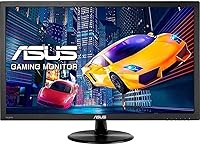
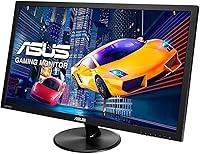
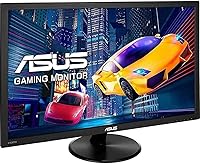
The ASUS VP228HE 21.5-inch Gaming Monitor sits squarely in the budget end of the display market, and it doesn't pretend otherwise. At 21.5 inches with a Full HD 1080p panel, it's a practical fit for desks that can't accommodate anything larger — think dorm rooms, home offices, or a compact gaming corner. ASUS has real credibility in this space, which counts for something when you're choosing between a dozen similar-looking panels. Just be clear about what you're getting: this is a 60Hz display, not a high-refresh powerhouse, and there's no HDR to speak of. It competes on value, reliability, and eye-care features, not on spec bragging rights.
Features & Benefits
The 1ms GTG response time is the spec that gets highlighted most prominently, and it does make a real difference for casual gaming — motion blur and ghosting are kept in check during fast-paced action. GamePlus overlays add a crosshair, timer, and FPS counter without needing third-party software, which is a quiet but useful perk for anyone who games at this level. SplendidPlus image presets let you shift between modes depending on what you're doing — movies look warmer, games pop a bit more. The eye-care certification from TUV Rheinland backs up the flicker-free and low blue light claims with independent testing, not just marketing language. Connectivity covers both HDMI and VGA, so it works with older hardware too. The slim bezel is a nice touch for side-by-side setups.
Best For
This ASUS gaming monitor makes the most sense for people who don't need bleeding-edge specs. If you're a casual gamer — someone who plays story-driven titles, indie games, or older competitive releases rather than chasing 144fps in modern shooters — the 60Hz panel is more than enough. Students and home office workers will appreciate the eye-care features during long screen sessions, and the compact footprint doesn't eat up desk space. Anyone replacing an aging monitor with only a VGA output will find the dual-port setup genuinely helpful. It's also a solid secondary display for a multi-monitor workstation. Where it falls short is for serious competitive gaming or any work involving precise color grading — for those use cases, you'd want to look elsewhere.
User Feedback
With over 2,000 ratings and a 4.5-star average, the VP228HE has a strong track record for its category. Most buyers highlight easy setup and clean out-of-box image quality as the immediate wins, and the eye-care features earn consistent praise from people logging long hours at a desk. The gripes that surface repeatedly are worth noting: the stand offers tilt adjustment only — no height, no swivel — which frustrates users who need ergonomic flexibility. The built-in speakers get a polite shrug at best; they work in a pinch but aren't something you'd rely on. A handful of buyers flagged minor build-quality concerns, though these appear isolated. Color accuracy feedback is lukewarm — fine for general use, but not for design or photo work.
Pros
- Plug-and-play setup with no complicated driver installation — most buyers are up and running within minutes.
- The 1ms GTG response time keeps motion blur and ghosting in check for casual and mid-pace gaming.
- TUV Rheinland-certified flicker-free and low blue light technology provides genuine eye comfort during extended use.
- Both HDMI and VGA ports are included, making this one of the few modern monitors that still supports older hardware.
- GamePlus hotkey overlays — crosshair, FPS counter, and timer — are practical in-game tools that work without any software install.
- The slim bezel design makes it easy to pair with a second monitor without an awkward gap between screens.
- SplendidPlus image presets offer a quick way to optimize the display for gaming, movies, or reading without diving into menus.
- ASUS brand reliability and a strong 4.5-star average across more than 2,000 verified buyers signal consistent quality at this price point.
- The compact footprint and light weight make it easy to reposition or transport between home and office setups.
Cons
- The 60Hz refresh rate is a meaningful limitation for anyone considering a move to faster-paced or competitive gaming.
- The stand offers tilt adjustment only — no height, swivel, or pivot — which makes ergonomic positioning a real challenge.
- The built-in 1.5W speakers are barely adequate; expect thin audio that works for system sounds but little else.
- The glossy screen surface reflects ambient light noticeably in well-lit rooms, which can strain viewing comfort.
- Color accuracy falls short for design, photography, or video editing work — this is not a color-critical panel.
- No DisplayPort connection is included, which limits compatibility with some modern GPU setups and higher-bandwidth accessories.
- The VP228HE has no HDR support, so content mastered for HDR will display in standard dynamic range only.
- Some verified buyers have reported minor inconsistencies in build finish and panel uniformity, though these cases appear to be a small minority.
Ratings
The scores below were generated by AI after analyzing thousands of verified buyer reviews for the ASUS VP228HE 21.5-inch Gaming Monitor across global retail platforms, with spam, bot-generated, and incentivized submissions actively filtered out before any category was scored. Each rating reflects an independent assessment of that specific aspect, so genuine strengths and documented pain points are weighted separately rather than blended into a single misleading average. You will find both where this display earns its strong overall reputation and where real buyers have consistently run into friction.
Value for Money
Image Quality
Gaming Performance
Eye Care & Comfort
Ergonomics & Stand
Build Quality
Connectivity
Setup & Ease of Use
Color Accuracy
Audio Quality
On-Screen Features
Design & Aesthetics
Brightness & Contrast
Long-Term Reliability
Suitable for:
The ASUS VP228HE 21.5-inch Gaming Monitor is a genuinely good fit for anyone who wants a reliable, no-fuss display without overspending. Casual gamers who play at a relaxed pace — think RPGs, strategy titles, platformers, or older multiplayer games — will find the 1ms response time keeps things smooth without needing a high-refresh panel. Students and remote workers benefit from the TUV-certified eye-care features during long screen sessions, and the compact 21.5-inch footprint slides into tight desk setups without dominating the space. If you're still running a PC or GPU with only a VGA output, the dual-port connectivity is a practical lifeline that most newer monitors no longer offer. It also works well as a secondary monitor in a multi-display workstation, where its slim bezel and consistent image quality earn their keep.
Not suitable for:
Buyers who take competitive gaming seriously should look elsewhere before considering this 21.5-inch display — the 60Hz refresh rate is a hard ceiling that no setting or driver tweak can change, and that gap is immediately felt when cross-shopping against 144Hz or 165Hz panels in a similar price range. Graphic designers, photographers, and video editors will find the color accuracy too limited for any work where true-to-life reproduction matters; this is a panel tuned for general viewing, not precision. The tilt-only stand is a recurring frustration for users who need proper ergonomic positioning, and without height or swivel adjustment, longer sessions can become uncomfortable unless you add a third-party monitor arm. Anyone expecting the built-in speakers to replace even a basic desktop speaker setup will be disappointed — they are there for convenience, not quality. The glossy screen surface also tends to pick up reflections in brighter rooms, which is worth factoring in depending on your lighting conditions.
Specifications
- Screen Size: The panel measures 21.5 inches diagonally, offering a practical viewing area for single-monitor desks with limited depth or width.
- Resolution: Native resolution is 1920x1080 Full HD, delivering sharp everyday visuals and crisp text at typical desktop viewing distances.
- Refresh Rate: The panel runs at 60Hz, which is adequate for general use and casual gaming but is a hard ceiling for competitive, fast-paced titles.
- Response Time: Rated at 1ms GTG (gray-to-gray), meaning pixel transitions are fast enough to minimize motion blur during moderate-speed gaming.
- Panel Type: Uses a TN-based panel architecture, which prioritizes response speed over wide viewing angles or color richness.
- Aspect Ratio: Standard 16:9 widescreen aspect ratio, compatible with virtually all modern games, video formats, and desktop layouts.
- Screen Surface: Glossy screen coating enhances color vibrancy under controlled lighting but can produce noticeable reflections in bright or window-lit rooms.
- Connectivity: Includes one HDMI port and one VGA port, supporting both current-generation devices and older PCs or GPUs that lack HDMI output.
- Built-in Audio: Integrated 1.5W stereo speakers are present for convenience but deliver limited volume and thin sound quality unsuitable for extended listening.
- Eye Care: TUV Rheinland-certified Flicker-free and Low Blue Light technologies reduce eye fatigue during prolonged sessions, independently verified rather than self-certified.
- GamePlus Features: ASUS GamePlus hotkey provides on-screen overlays including a customizable crosshair, countdown timer, FPS counter, and display alignment guide.
- Image Presets: SplendidPlus technology offers selectable image modes — including Game, Theater, and Scenery — to adjust brightness and contrast for different content types.
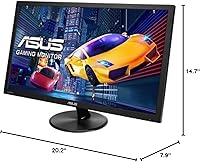
- Dimensions: The monitor measures 14.7 x 20.2 x 7.9 inches with the stand attached, fitting comfortably on compact desks without overhanging edges.
- Weight: Total unit weight is 7.7 pounds including the stand, making it easy to reposition or transport without assistance.
- Stand Adjustments: The included stand supports tilt adjustment only; there is no height, swivel, or pivot functionality built in.
- VESA Mounting: The monitor supports VESA mounting, allowing users to replace the stock stand with a third-party arm for improved ergonomic flexibility.
- Power Supply: Accepts 100–240V input, making it universally compatible with power outlets across different countries without a separate adapter.
- Color: Available in a matte black finish that blends into most desk environments without drawing attention away from the screen content.
Related Reviews
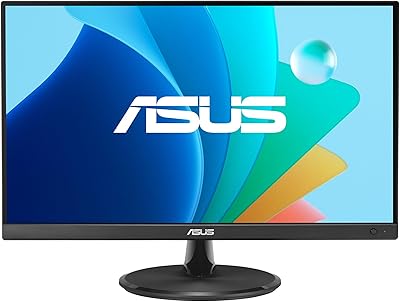
ASUS VP229Q 21.5-inch IPS Monitor

ASUS ROG Strix XG259QNS 24.5-inch Gaming Monitor
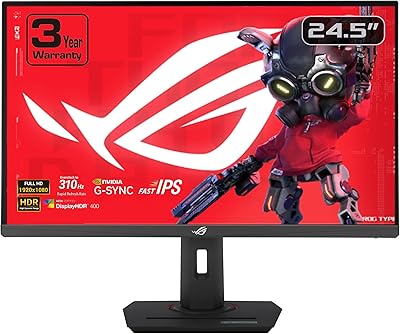
ASUS ROG Strix XG259CMS 24.5-inch Gaming Monitor

CRUA CR245ZB 24.5″ Gaming Monitor
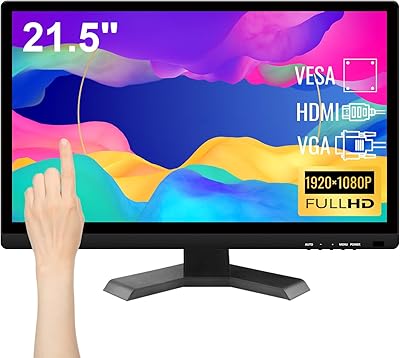
Pisichen HD-215TS 21.5-inch Touchscreen Monitor

KOORUI G2511E 24.5-Inch 320Hz Gaming Monitor
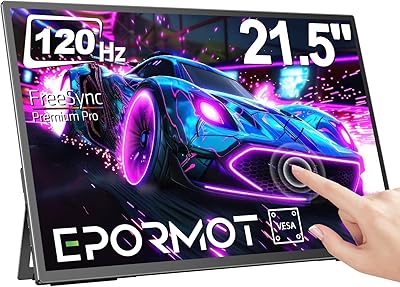
EPORMOT 21.5-inch Portable Touchscreen Monitor
Dell P2219H 21.5-inch FHD Monitor
ASUS TUF Gaming VG259QM 24.5″ Gaming Monitor
